I made it home from Kaua’i yesterday… Grabbed the kiddos from my sweet friend’s house and started on the task of gathering laundry, filling out all of the fabulous school paperwork for the kiddos, attempting to tackle my email inbox, and trying to catch up on some sleep after taking the red-eye home. One of my favorite parts about coming home is giving out all of the fun gifts I found while visiting Kaua’i. I even have some for you guys!!!
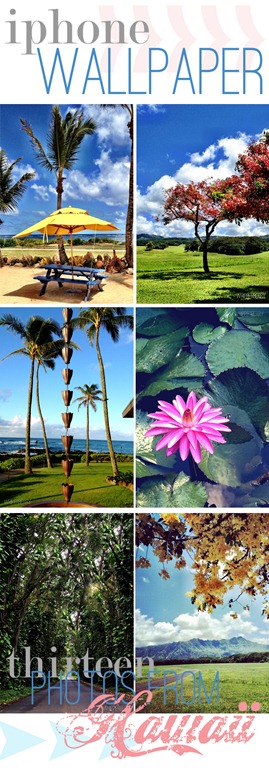
iPhone Photography
I’ve become an iPhone photography enthusiast as of late and took the leap…I left my big bad Canon 5D Mark II home and went to Kauai with just my iPhone in hand. Gulp, my husband almost had a heart attack and was a little sad. He said, “just think of all the amazing photos you are going to miss without your camera.” Right then and there I decided to prove him wrong. I documented the whole trip via my iPhone 4.s and Instagram, I had a ball. I also used several of the photography apps that I featured in my Top Ten Instagram Photo Apps post.
I am thrilled with the results and I don’t have any regrets at all with going 100% iPhone for the trip. The pictures turned out great and I didn’t have to lug the big ole’ bad boy around. A couple of days before I left I had used one of my photos as a wallpaper for my phone and had a thought. I would love to share my tropical paradise with you guys as well. So here’s my souvenir to you… Thirteen photos from Kauai to use as your iphone wallpaper if you wish!
iPhone Wallpaper Download
Here’s what you you need to do to download the images…
Hover over the photo you would like to download and click on the arrow button that appears. Click on Download and the file will automatically download to your computer. These photos are for personal use only.
How to Install on your iPhone
I have come up with two different ways to load these onto your phone. You can load them through iTunes or via email. Either way should work fine.
iTunes
- Download the wallpaper photos onto your computer into your My Pictures folder.
- Open iTunes and sync your iPhone.
- Click on the Photo tab at the top of the screen.
- Check the add selected photos box.
- Select my pictures folder at the top.
- Browse through the folder and find the WhipperBerry wallpaper photos and select.
- Sync your phone. Once sync is complete disconnect your phone from the computer.
- On your phone, go into your pictures. The photos should appear.
- Select the photo that you would like to use as your wallpaper.
- At the bottom of the photo, you should see a rectangle with an arrow inside of it. Select that option.
- A list of options will populate, select Use as Wallpaper.
- No need to scale the photo, just select SET.
- You can then select whether you would like it for your home screen, lock screen or both.
- Now you are done! You new Hawaiian wallpaper is up for you to enjoy.
- Download the wallpaper photos onto your computer into your My Pictures folder.
- Email the photos to the email account that you use on your smartphone.
- Save the photos on your phone
- Select the photo that you would like to use for your wallpaper.
- No need to scale the photo, just select SET.
- You can then select whether you would like it for your home screen, lock screen or both.
- Now you have a little bit of Kauai to carry around with you from WhipperBerry!!
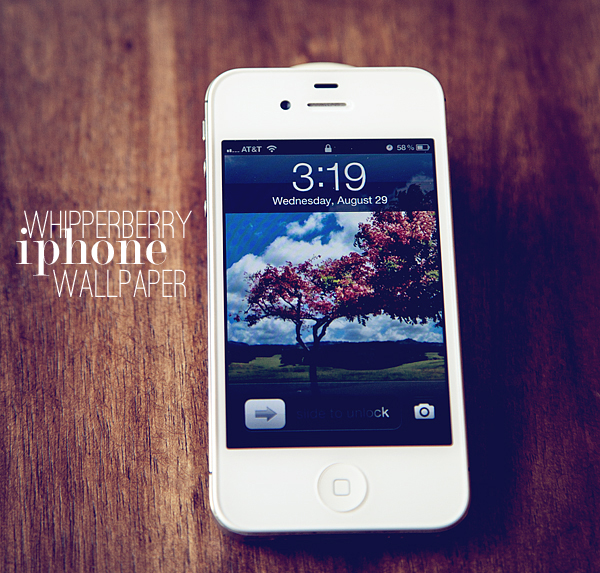
Simple as that! Thanks for being such wonderful, supportive friends. I ADORE you all!!