• Skip to primary navigation
  • Skip to main content
  • Skip to primary sidebar
  • Skip to footer

Whipperberry

WhipperBerry • Your Home For Creative Inspiration

  • Home
  • Recipes
    • Starters
    • Easy Weeknight Dinners
    • Main Dish
    • Salads
    • Side Dish
    • Soups & Stews
    • Desserts
    • Breakfast
    • Miscellaneous
  • Tutorials
    • Creative Crafts
    • DIY Decor
    • Fabric Crafts
    • Food How-To
    • Jewlery
    • Paint Projects
    • Paper Art
    • Party Styling
    • Photography and Graphic Design
    • Silhouette
  • Holidays
    • Easter
    • Mother’s Day
    • Father’s Day
    • 4th of July
    • Halloween
    • Thanksgiving
    • Christmas
    • Valentine’s Day
  • Gift Ideas
    • Gifts For Everyone
    • Gifts for Dad
    • Mother’s day
    • For The Girls
    • For The Kids
    • Teacher Gift Ideas
    • Christmas
  • Printables
    • Holiday
    • Gift Idea
    • LDS Primary
  • Travel
  • About
    • Terms
  • Contact
  • Nav Social Menu

    • Facebook
    • Instagram
    • Pinterest
    • RSS
    • Twitter

How to use your camera

From Camera Roll to Reels: How Creative Moms Can Turn DIY Projects Into Short Craft Videos

0 · Oct 14, 2026 · Leave a Comment

My phone can feel like a second craft drawer: full of ideas, half-finished projects, and little moments I want to keep. There is the room before a refresh, a close-up of something handmade, and the final reveal I meant to share.

The difficult part is turning those separate clips into short craft videos that feel worth posting. A simple story helps: show where you started, a few things that changed, and the finished result. You do not need to squeeze the entire afternoon into a reel.
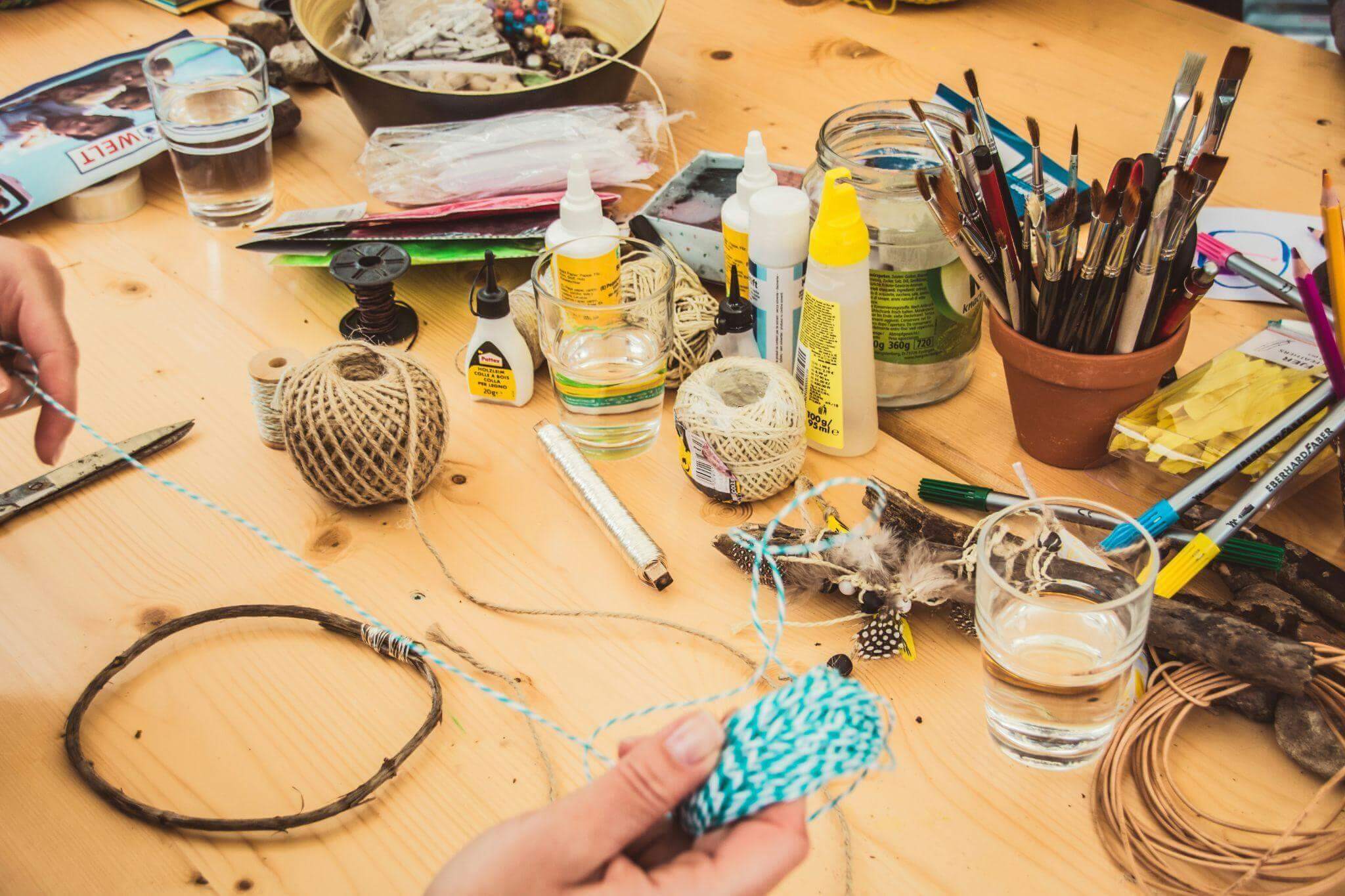
How Creative Moms Can Turn DIY Projects Into Short Videos

Photo by Jasmin Schreiber on Unsplash

Start with the story, not the editing

Before opening an editing app, decide what you want someone to notice. Is it the difference a small change made, a useful craft technique, or the pleasure of making something together?

For a small living-room shelf makeover, I would use this sequence:

Before → process → details → reveal

That might mean one shot of the cluttered shelf, a few clips of clearing and arranging it, a close-up of a handmade decoration, and a final view. Each shot has a job, which makes choosing what to keep much easier.

If the project is already finished, work with what you have. An earlier photo can introduce the “before,” followed by your process clips and a fresh shot of the result.

Whatever the project, let the first shot do the persuading. Open on the finished piece, or on the messiest ‘before’, so someone scrolling past knows within a moment what they are about to watch. You can save the slower setup for the middle.

Three creative projects that make great short videos

Turn a home makeover into a mini before-and-after

A painted chair, a tidier playroom, or a freshly styled shelf gives a short video a clear beginning and end. Before changing anything, take a steady shot of the whole space.

For the shelf example, I would capture five simple moments:

  • The shelf before the refresh.
  • Removing the old arrangement.
  • Choosing a few books, a plant, and a handmade decoration.
  • A close-up of placing the finishing touch.
  • The completed shelf from the same position as the opening shot.

Keep the phone at roughly the same height and angle for the before-and-after views. That makes the change easier to see. A clean lens and a steady support can also save you some cleanup later.

Turn a craft afternoon into a quick tutorial

A craft tutorial needs the important steps, not every minute of work. For a paper garland, for example, show the materials, cutting the shapes, threading them together, and hanging the finished piece.

Close-ups are useful when the action is small. Let viewers see where the hole goes or how the thread passes through it. If a step is easy to miss, hold that shot a little longer rather than speeding everything up.

Short text labels such as “Cut the shapes” and “Thread them together” can explain a silent clip. Leave each label on screen long enough to read. A slightly wonky decoration can stay in the final shot; it is part of the charm.

Turn an ordinary creative moment into a story

Not every video needs to teach. Decorating for an event, baking on a rainy afternoon, or making something with the children can be worth sharing simply for the feeling of it.

Instead of asking, “What tutorial can I make from this?” ask, “What did this moment feel like?”

Start with a scene that sets the mood, add a few small details, and finish with the moment you want to remember. It might be flour on the table or a finished garland catching the light. The video does not need a dramatic transformation to hold together.

record a short video

A phone and a steady support can be enough to record a simple clip. Image: Vmake Labs.

How to Make Craft Videos From Your Phone Clips

Once the footage is ready, a short checklist keeps the edit manageable. Here is how I would approach the shelf makeover.

  • Choose the useful clips. Put the five shots in one album so you can find them easily. Pick the clearest version of each moment.
  • Trim the waiting. Remove the pause before your hands enter the frame, repeated movements, and shaky starts. Keep enough of each action for viewers to understand it.
  • Build a rough sequence. For a 30-second example, try 3 seconds of “before,” 12 seconds of clearing and rearranging, 5 seconds of details, and 10 seconds of the reveal. Adjust this to suit the footage; it is a starting point, not a rule.
  • Add only the text you need. “A quick shelf refresh” can introduce the project, while “Use what you already have” explains the idea. Avoid covering the action with large blocks of text.
  • Check the clips that need attention. If one shot looks noticeably softer or grainier than the rest, see whether a small adjustment helps before replacing it.
  • Watch without sound. Can you follow the change and read every label? If the explanation relies on spoken words, add and check subtitles.
  • Preview the vertical crop. Make sure the finished shelf, your hands, and any text stay inside the frame. Watch the exported video on your phone before posting.

The aim is a process you can repeat during a busy week. A clear, finished video is more useful than an elaborate edit left sitting in your drafts.

When a little AI help makes sense

Sometimes the story is ready, but one clip needs a little cleanup. In the shelf example, that might be a grainy close-up of the handmade decoration.

Vmake Labs is an AI social video studio with tools for video enhancement and automatic captions. Those are the two I would consider for this kind of project, depending on what the footage needs.

For a soft or noisy shot, upload the clip to the video enhancer and review the processed result before downloading it. Compare the same moment in both versions, looking at the edges, colors, and texture of the decoration. Keep the version that represents the project most clearly; do not assume that more processing is always better.
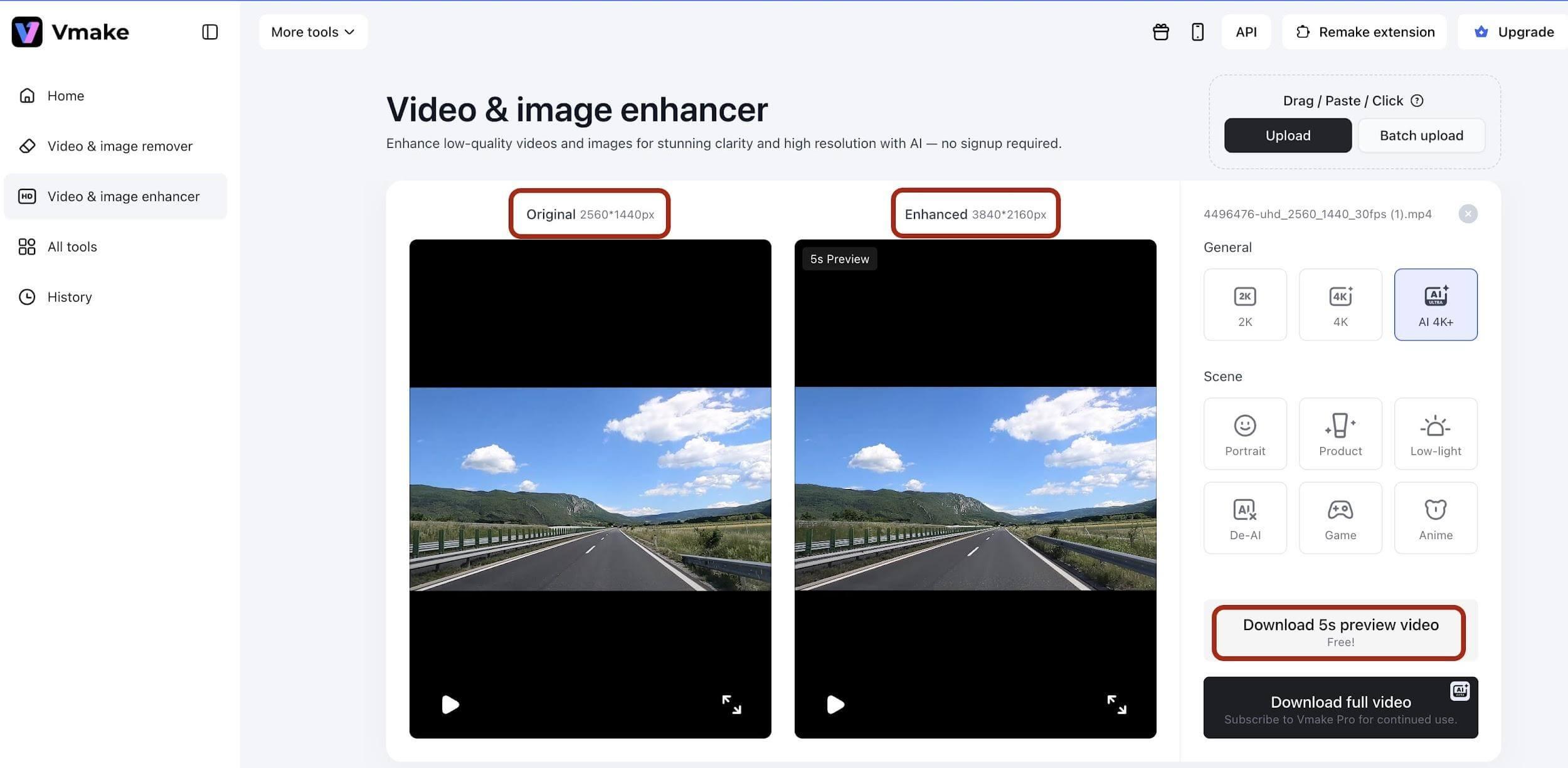
video enhancer

Example of the original and enhanced video previews in Vmake Labs. Image: Vmake Labs.

If the video includes a spoken explanation, automatic captions can turn that speech into on-screen subtitles. Read them through and correct any mistakes before exporting. A silent craft demonstration still needs its own written step labels; there is no spoken explanation to transcribe.

I would treat these tools as a finishing step. The choice of project, the sequence of shots, and the details worth keeping still come from you.

Keep the creative part yours

It is tempting to polish everything once you start editing. But a DIY video does not need to look like a studio production.

The paint on your hands, the slightly uneven paper shapes, or the cushion that will not sit straight can make a project feel personal. Remove the distractions that make the process hard to follow, while leaving the details that show something was made by hand.

For the shelf reveal, that might mean keeping the handmade decoration exactly as it is. The point is to share your idea, not to make your home look like someone else’s.

A quick checklist before you post

Before sharing your next Reel, TikTok, or Short, ask:

  • Is the project clear from the opening shot?
  • Have I removed repeated clips and unnecessary pauses?
  • Can viewers see the important steps and the finished result?
  • Does the story make sense without sound, or does the speech need subtitles?
  • Are the text labels readable and clear of the action?
  • Does the vertical crop keep the useful details in view?
  • Does the video still feel like something I enjoyed making?

Your camera roll is already full of stories

You probably do not need a new project just to make a video. Start with one you already have: a corner you refreshed, a craft from the kitchen table, or a few before-and-after photos.

Choose one small story and give it a beginning, a middle, and an ending. For that shelf makeover, five useful shots may be all you need.

There will always be another idea waiting. A simple workflow for making short craft videos leaves more time for the part that matters most: enjoying what you make.
Jessica Sprague // Oh Shoot 2 Class GIVEAWAY

0 · May 20, 2013 · 80 Comments

This post is brought to you by Jessica Sprague.com // Happy Monday everyone!! I'm so excited for today's giveaway… My FAVORITE online learning site Jessica Sprague is launching a brand new photography class that I am sooooo excited about. It's a class for those of you who are well acquainted with your camera but who would like to learn more about composition and advanced styling techniques. 

Jessica Sprague Avanced Composition Giveaway

You have a dSLR camera and have already learned out to get it out of automatic – hooray for you! Now, what comes next? How about learning more about the artistic side of taking a photograph – the things beyond the words aperture and shutter speed that can take your photos to the next level?

If this sounds good to you, then we have the perfect class for you – Oh Shoot 2! Advanced Composition & Technique taught by Candice Stringham over at JessicaSprague.com. Candice is one of my all time favorite Photography instructors. She really knows her stuff!!

This 4-week long, intermediate level class will:

  • Review in more detail basic compositional rules
  • Address color theory and how it affects the mood and look of a photograph
  • Learn about photographing an editorial portrait
  • Learn about how to photograph an event
  • Learn about compositional rules when photographing a location
  • Learn tips about tabletop (small items) photography techniques

And as with all classes at JessicaSprague.com, the course materials (videos, downloadable PDFs, etc) are available to you forever! If you want to go back and retake a lesson or even the whole class at any time, everything will be available to you.

Candice Stringham, the course instructor is the real deal. An editorial photographer turned scrapbooker, Candice is a former Contributing Editor for Creating Keepsakes Magazine and was inducted into the Creating Keepsakes Hall of Fame in 2006. She has a BFA in Photography and taught at a collegiate level after she graduated. Visit Candice’s blog to learn more about her and see some of her amazing work.

The next session of Oh Shoot! 2 begins June 3rd and registration opens tonight at 9Pm EST. There are two levels of registration available. The standard class which has unlimited enrollment and the extended class, which includes comments from the instructor on your photographs. Extended enrollment fills up quickly, so be ready right at 9Pm EST to register.

Click here for more information and to register. 

Jessica and her crew have been so generous and are giving away THREE level one spots to Candice's Advanced Composition and Technique Class // Oh Shoot 2… That's a $132 value!! Just follow the instructions in the Rafflecopter box below. 

a Rafflecopter giveaway

The rafflecopter box may take a bit to load, especially if you are on Internet Explorer 9 or a mobile device… don't you worry though, it will load.

Jessica Sprague Oh Shoot! Digital Photography Classes // GIVEAWAY

2 · Mar 5, 2013 · 145 Comments

Digital Photography Class//  Last week, I posted about my faux slate (chalkboard) photo background and asked if any one was interested in more photography posts. The response was overwhelmingly YES!! It seems that many of you would love to learn more about everything from how to use your camera, all the way through staging, editing and preparing your images for your blog and especially Pinterest.

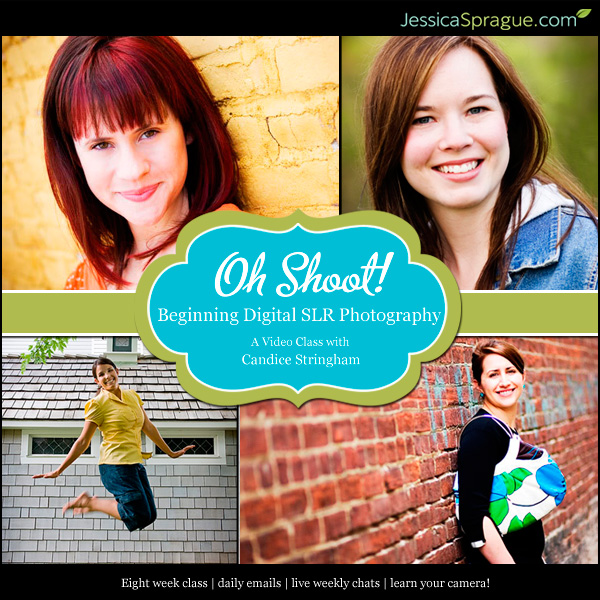
Well, I am thrilled to announce I am starting a new series to touch on all aspects of my photo process, tips and tricks that I've learned over the past two years of blogging. I, however, am NOT going to dive into the world of teaching you how to use your camera. I would have to spend hours and hours, days, weeks even… Developing posts that would do the subject justice. I am going to leave that to the professionals at Jessica Sprague. They have spent way more than hours and days on developing some amazing photography classes. They actually have a teacher, Candice Stringham, who went to school for years to learn how to be a photographer. She KNOWS HER STUFF!! Not only does she have a BFA in Photography they invited her back to TEACH photography at the collegiate level. Yea, she's legit!

Oh_Shoot__Beginn_4c605bb17466e

My first word of photography advice is… STOP USING AUTO friends!!! Oh Shoot! the beginning photography class at JessicaSprague.com is perfect to learn how to really use your camera. You won't believe the difference. This class will teach you how to do just that. You won't have to be scared of all those dials, buttons and numbers on your camera… It really demystifies your camera and the whole photo process. I took the class and actually learned several new things that I'm sooo excited to start incorporating into my photography. Oh Shoot! is perfect for beginners and even more advanced photographers. The nice thing is once you sign-up for the class, you will ALWAYS have access to the class material. You will be able to refer back to the material or take refresher class whenever you like for years to come. Most online photography classes don't have that available for their students indefinitely. That's just one of the many things that set Jessica Sprague apart from the rest. 

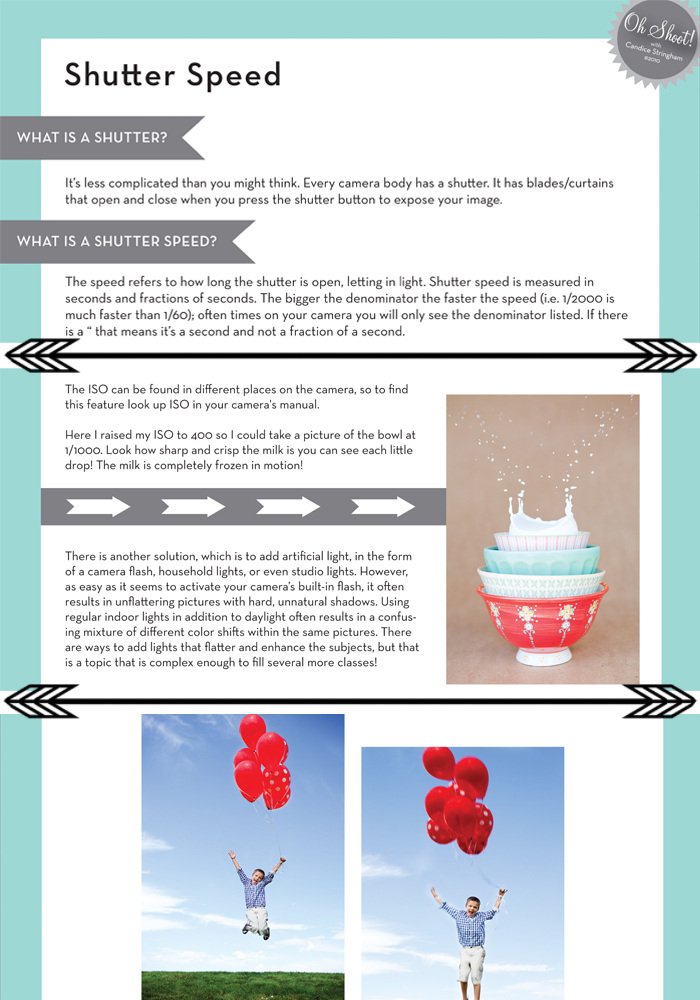
Each class has a video, MP3 of the class material and a PDF of the material. Below are a few snippet's from the first class on Shutter Speed…

Oh Shoot! Photo Class

All of the material is professionally created, easy to read and understand. You won't feel like they are speaking photography greek. The class is limited in number so you will feel like really are a part of a small group, rather than a little fish in a big pond. You will also have the ability to chat with your classmates and instructor via the online chats and email for even more personalized help. It really doesn't get any better than this, REALLY!

The 2013 session of Oh Shoot! starts on March 11th and runs through April 21st. It is an instructor led class, but don't worry… You will have access to all of the materials even if you can't make the live chats. This is truly a valuable experience that shouldn't be missed. The class is $130 and well worth the money. The spots are limited so run out and grab your seat for class TODAY!! I have one spot to GIVEAWAY to one of you, my favorite friends!! 

Jessica Sprague Oh Shoot! GIVEAWAY

All you need to do is follow the instructions in the Rafflecopter box below…

a Rafflecopter giveaway

this post sponsored by jessica sprague

Primary Sidebar

Heather from Whipperberry
Hello... my name is Heather and I'm the creator of WhipperBerry a creative lifestyle blog packed full of great recipes and creative ideas for your home and family. I find I am happiest when I'm living a creative life and I love to share what I've been up to along the way... Come explore, my hope is that you'll leave inspired!

Footer

  • Privacy Policy
  • Crafts
  • Food
  • Gifts
  • Holidays
  • Home
  • Mom Life
  • Recipes
  • Travel

Copyright © 2026 · Seasoned Pro