• Skip to primary navigation
  • Skip to main content
  • Skip to primary sidebar
  • Skip to footer

Whipperberry

WhipperBerry • Your Home For Creative Inspiration

  • Home
  • Recipes
    • Starters
    • Easy Weeknight Dinners
    • Main Dish
    • Salads
    • Side Dish
    • Soups & Stews
    • Desserts
    • Breakfast
    • Miscellaneous
  • Tutorials
    • Creative Crafts
    • DIY Decor
    • Fabric Crafts
    • Food How-To
    • Jewlery
    • Paint Projects
    • Paper Art
    • Party Styling
    • Photography and Graphic Design
    • Silhouette
  • Holidays
    • Easter
    • Mother’s Day
    • Father’s Day
    • 4th of July
    • Halloween
    • Thanksgiving
    • Christmas
    • Valentine’s Day
  • Gift Ideas
    • Gifts For Everyone
    • Gifts for Dad
    • Mother’s day
    • For The Girls
    • For The Kids
    • Teacher Gift Ideas
    • Christmas
  • Printables
    • Holiday
    • Gift Idea
    • LDS Primary
  • Travel
  • About
    • Terms
  • Contact
  • Nav Social Menu

    • Facebook
    • Instagram
    • Pinterest
    • RSS
    • Twitter

Paper Roll Sign

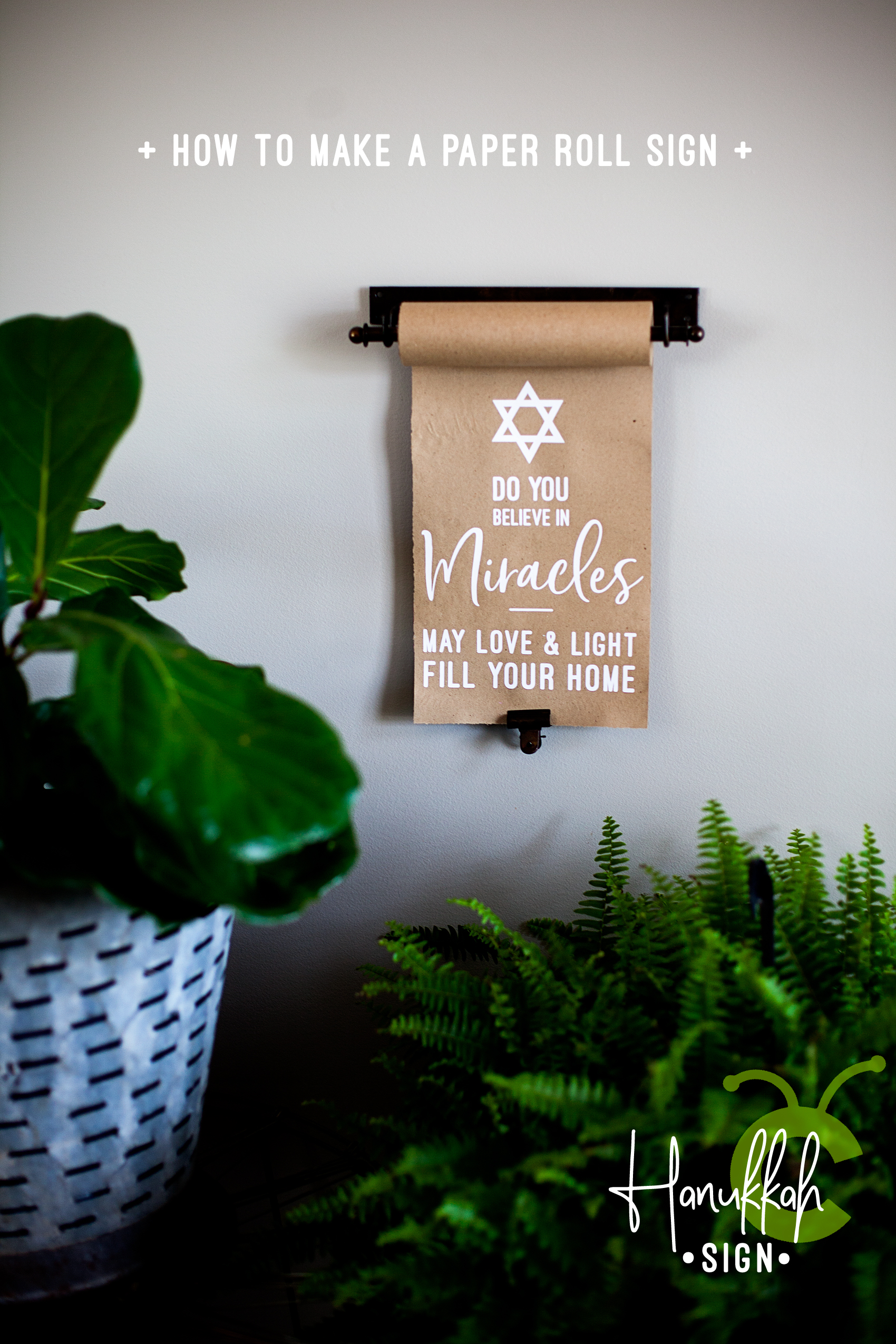
How to Make a Paper Roll Sign for Hanukkah • Video Tutorial

4 · Dec 12, 2017 · 1 Comment

Back in October, I ventured out of the sign-making box and tried the idea of making paper rolls signs with heat transfer vinyl. As much as I would love to have mad hand lettering skills, I have come to accept the fact that this is a talent I do not have. I can however, design on the computer and cut my design with my Cricut Maker out of Cricut Iron-On Lite and press the vinyl onto the sign with my Cricut Easy Press. It’s PERFECT!! I decided I wanted to make a meaningful sign for my Jewish friends as they begin their Hanukkah celebrations this week and the paper roll sign is perfect for that. Now, if you don’t have a Cricut, then I’d suggest checking out the Cricut vs Silhouette post to see if we can change that.

+ This post brought to you by Cricut +Create this meaningful sign for Hanukkah this year using a vintage style paper roll and your Cricut Maker or Explore Air machine and the @cricut Easy Press • Video Tutorial created by WhipperBerry
Why a Paper Roll Sign

Now, whether you celebrate Hanukkah or not, this tutorial is fun for all kinds of sign making. My last sign was for Halloween and my next sign will most likely be for the New Year.

I love the concept of the paper roll sign because I don’t typically like to use the same stuff year after year. I want something new for each new season. The paper roll is so much more economical that making the sign out of wood or canvas every time I want to change-up my decor. When I am finished with that sign, I tear off the bottom of the paper with the vinyl on it and start over with a new design. It’s totally the way I like to “roll.”

I found my paper roll (NOT and affiliate) on Amazon. I know that many home decor stores carry them as well. They also come in various sizes. I am using the small size for this project.

Tools and Materials

I am using my trusted Cricut tools again for this project. You just can’t go wrong with them. Even the New York Times feels the same way. They listed the Cricut Explore Air 2 as one of the best gifts this holiday season in The New York Times 2017 Holiday Gift Guide with the Cricut Maker as the upgrade gift. Can’t go wrong there!

For this project you only need a few items…

  • vintage style paper roll
  • Cricut Iron-On Lite
  • Cricut Machine
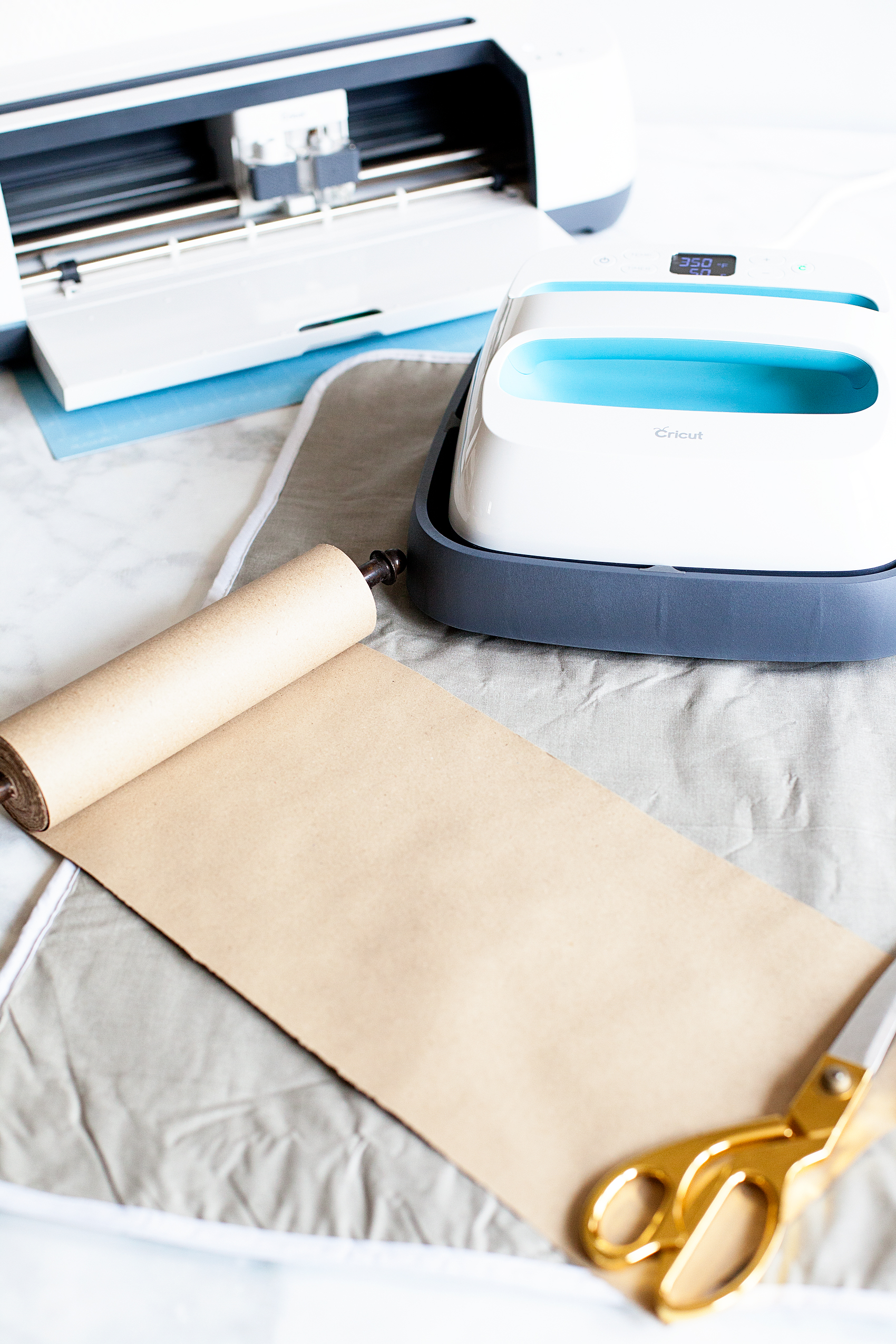
  • Cricut Easy Press
  • Cricut Iron-On Protective Sheet
  • towel or heat resistant ironing mat
  • Hanukkah Sign SVG file

Create this meaningful sign for Hanukkah this year using a vintage style paper roll and your Cricut Maker or Explore Air machine and the @cricut Easy Press • Video Tutorial created by WhipperBerry

Instructions

First, you’ll need to download the design file listed above or create your own design in Cricut Design Space. Once you have your design ready in Design Space, you are ready to cut your file and make your sign. Here is a quick video showing you how I created my paper roll sign.

How to Create a Paper Roll Sign for Hanukkah created by WhipperBerry from Heather Thoming on Vimeo.

Super easy, right? All you need to do is make sure you have the RIGHT tools and the skies the limit. Here’s a quick recap…

  • Cut design on your cutting machine out of Cricut Iron-On Lite. Make sure that you mirror the image so that it will cut right. You will also want to make sure that the shiny side of the heat transfer vinyl is down when cutting out your design.
  • Weed the vinyl. This means to remove the excess vinyl from your cut vinyl leaving only the design that is mirrored and ready to adhere to your paper roll.
  • Lay the design down onto the surface of the paper.
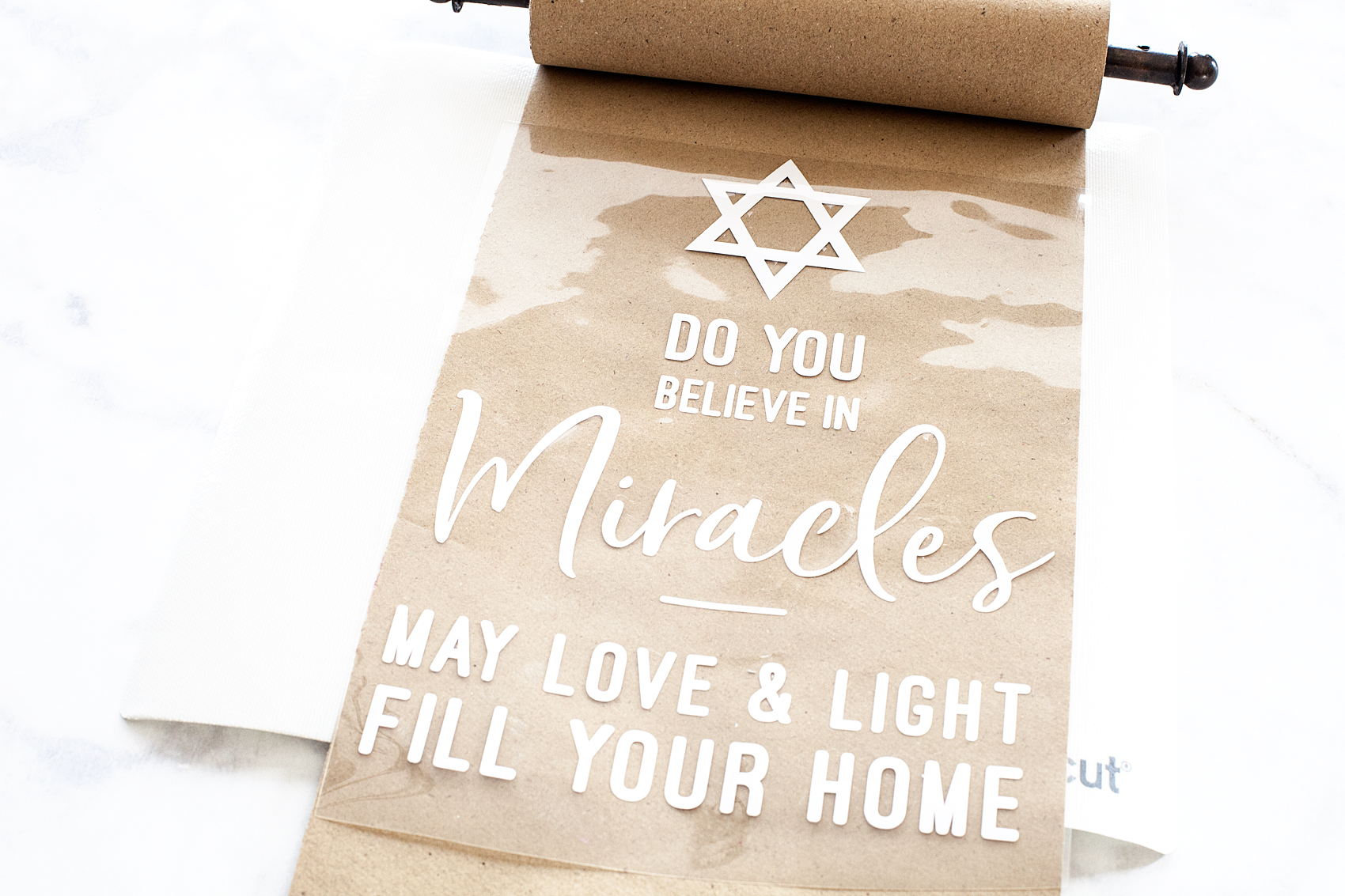
Create this meaningful sign for Hanukkah this year using a vintage style paper roll and your Cricut Maker or Explore Air machine and the @cricut Easy Press • Video Tutorial created by WhipperBerry

  • Cover the design with the Cricut Iron-On Protective Sheet.
  • Turn your Cricut Easy Press onto 325˚ and set the timer for 50 seconds.
  • Place the Easy Press or your iron onto the paper and hold for 50 seconds. Make sure to heat the entire surface of the sign before removing the clear protective sheet on top of the heat transfer vinyl.
  • Remove clear plastic sheet.
  • Hang your new sign!

For more Cricut inspiration, follow Cricut on Pinterest. They have all kinds of amazing project! Want to make sure you don’t forget this idea and tutorial? Here’s an image that you can pin to make sure you can find it again…
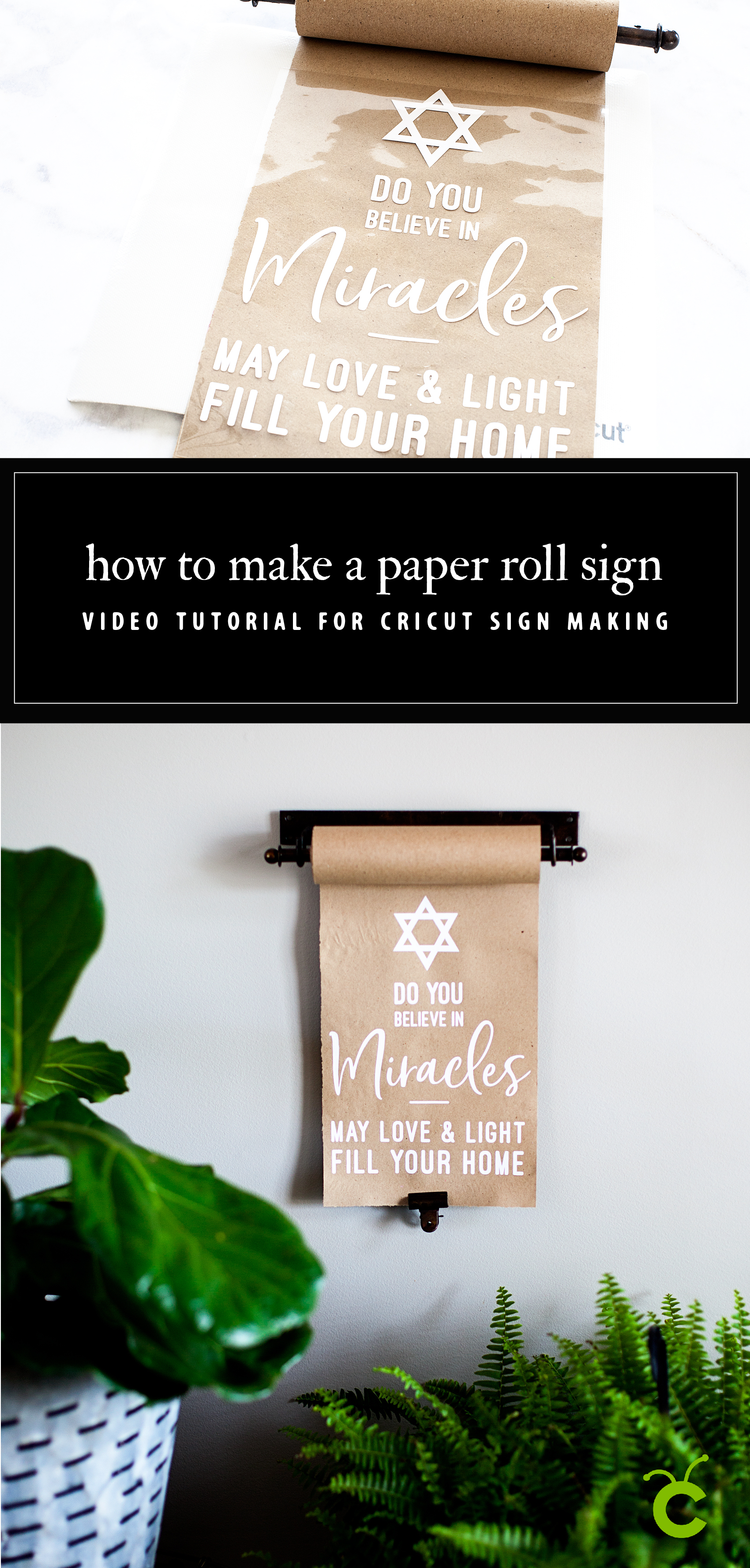
Create this meaningful sign for Hanukkah this year using a vintage style paper roll and your Cricut Maker or Explore Air machine and the @cricut Easy Press • Video Tutorial created by WhipperBerry

This is a sponsored conversation written by me on behalf of Cricut. The opinions and text are all mine.
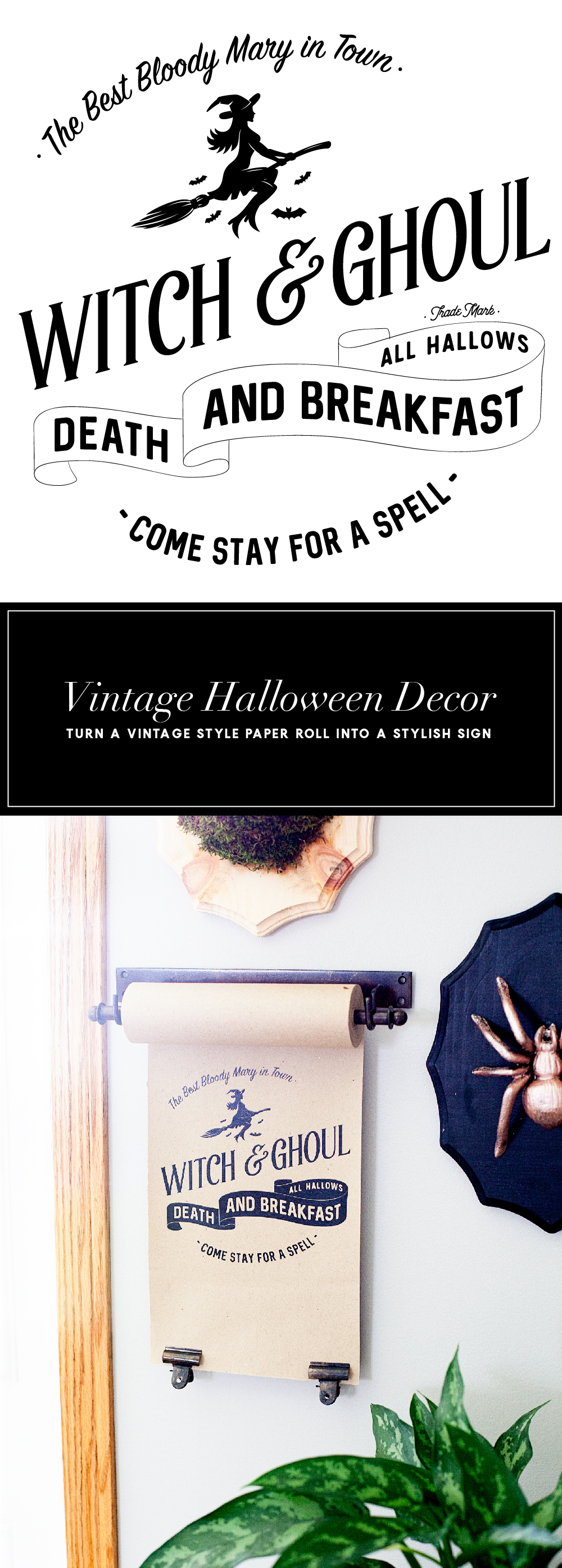
 Witch and Ghoul Death and Breakfast Paper Roll Sign with Cricut Easy Press

2 · Oct 16, 2017 · Leave a Comment

Today, I have a fun new idea. I’ve always loved the vintage paper rolls that little shops used to have. They would keep a roll of brown paper on it and use it to wrap parcels for their shoppers. Well, they are making a come back thanks to the vintage farmhouse lovers. I have found some vintage style paper rolls that aren’t too expensive and thought it would be fun to create new signs for the seasons with heat transfer vinyl and the NEW Cricut Easy Press.Travel back in time with this fun vintage paper roll sign created by WhipperBerry for Halloween. Witch and Ghoul Death and Breakfast sign available as an SVG file for cutting machines or a printable file for FREE!

• This post brought to you by Cricut •

Isn’t that fun?! It’s kind of a new concept when it comes to signage around the home.

Now, some people are naturally gifted and can create beautiful signs with just a sharpie and a little imagination. I however, can not… I wish I could! I was not gifted with that talent. The problem is that I love the look and I don’t have an arm and a leg to pay and actual artist to create my design each time I want to change it out. Then, I thought I could use vinyl and cut a design with the Cricut cutting machine. The problem with that is, the transfer tape would be a nightmare on the paper. It would just turn into a hot mess. Plus… I’m not a fan of weeding intricate designs out of vinyl. Although, I don’t mind weeding the Cricut Iron-on Lite! It’s so much easier to weed. I set out to see if it was possible to use Cricut Iron-On Lite on paper and sure enough, it works with the Easy Press!! I LOVE this new tool from Cricut!

All you need to do is to download my SVG file for the Witch and Ghoul sign OR you can download the free printable and print it out to display. You could even frame it if you’d like. I’ve sized it at 8×10 for your use.

Paper Roll Sign Supplies

  • vintage style paper roll like the one here
  • Cricut Iron-On Lite – Black
  • Cricut Maker or Explore series machine
  • Cricut Easy Press
  • light cotton towel
  • heat resistant surface to work on
  • scissors

Paper Roll Sign Instructions

First, you’ll need to upload the SVG file into Cricut Design Space and size your design for the size of your paper roll. My roll is 8 inches but, you can get even larger paper rolls. You’ll be able to size the design for your paper roll size.

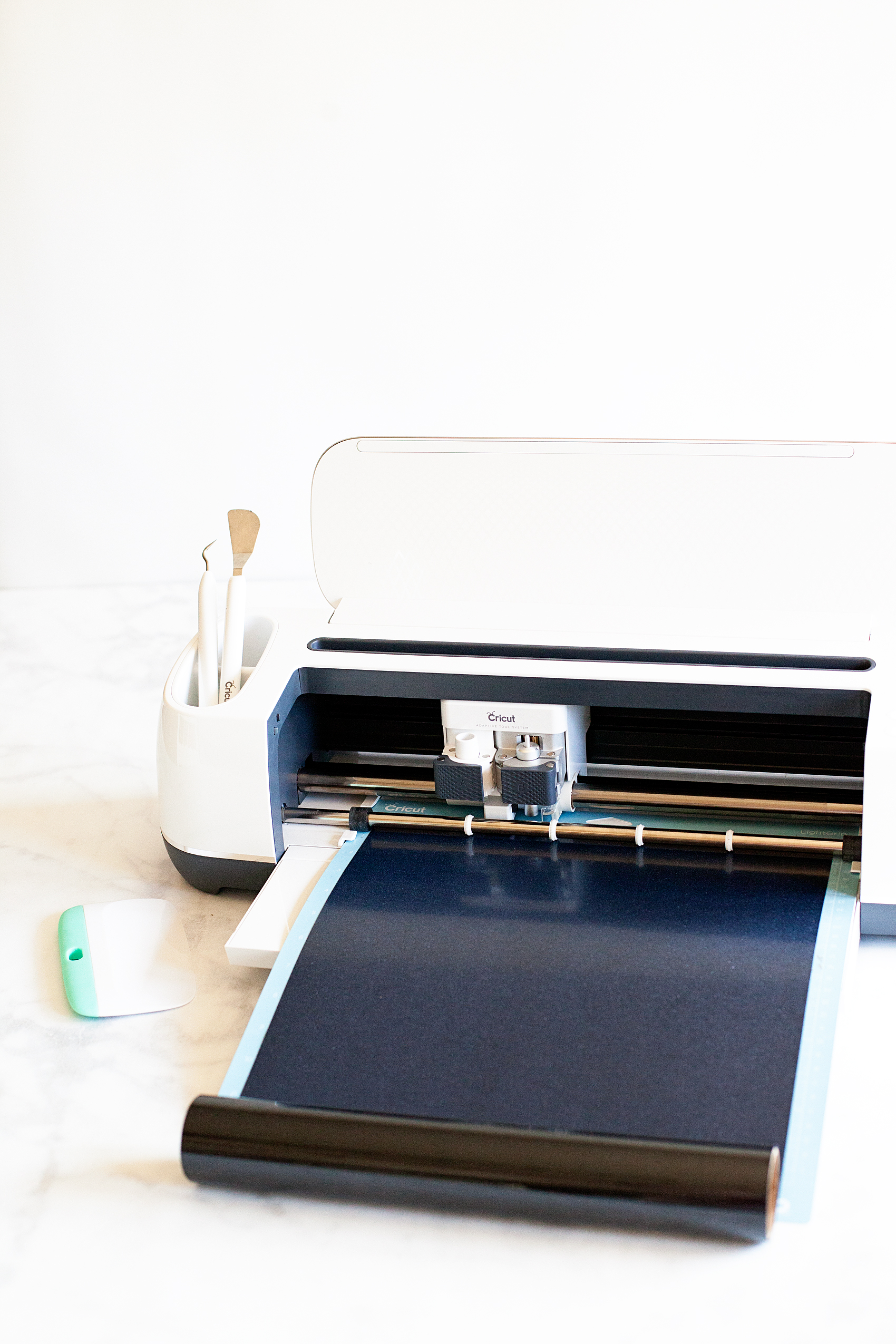
Then you’ll need to load your heat transfer vinyl onto your cutting mat and load into your machine and cut out the design.

Learning how to cut iron on vinyl with the Cricut Maker via WhipperBerry


Quick tip… I leave the vinyl on the roll while I am cutting it. It doesn’t interfere with the cutting process and it cuts down on waste.

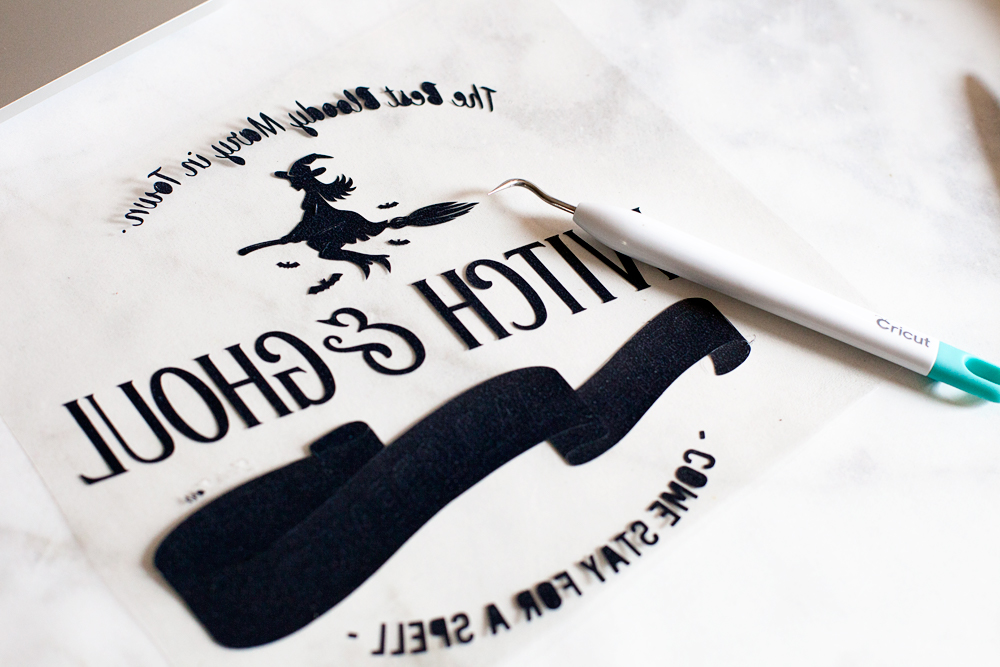
Then you’ll need to weed your design to remove the excess vinyl.

Travel back in time with this fun vintage paper roll sign created by WhipperBerry for Halloween. Witch and Ghoul Death and Breakfast sign available as an SVG file for cutting machines or a printable file for FREE!

While you are weeding your vinyl, you’ll want to pre-heat your Cricut Easy Press. Once you finish with the weeding process, you should unroll some of your paper  and place something at the bottom of the roll to keep it from rolling back-up.

Travel back in time with this fun vintage paper roll sign created by WhipperBerry for Halloween. Witch and Ghoul Death and Breakfast sign available as an SVG file for cutting machines or a printable file for FREE!

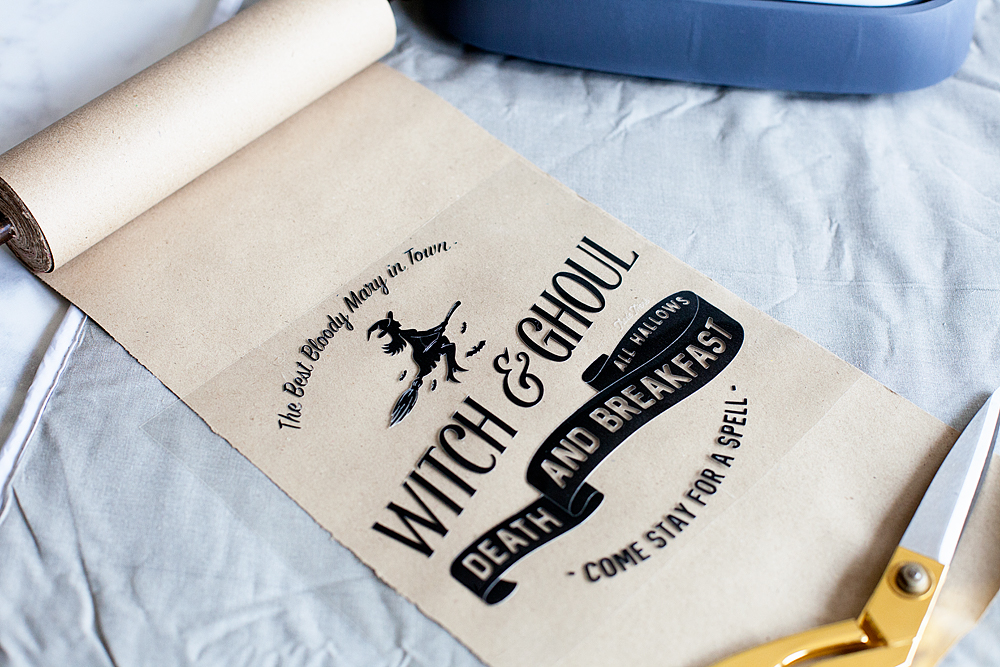
I like to pre-heat my surface before I lay down my design. The transfer seems to work best that way. Then I center the design onto the paper like so…

Travel back in time with this fun vintage paper roll sign created by WhipperBerry for Halloween. Witch and Ghoul Death and Breakfast sign available as an SVG file for cutting machines or a printable file for FREE!

I then cover it with the cotton tea towel to protect the paper.

Travel back in time with this fun vintage paper roll sign created by WhipperBerry for Halloween. Witch and Ghoul Death and Breakfast sign available as an SVG file for cutting machines or a printable file for FREE!

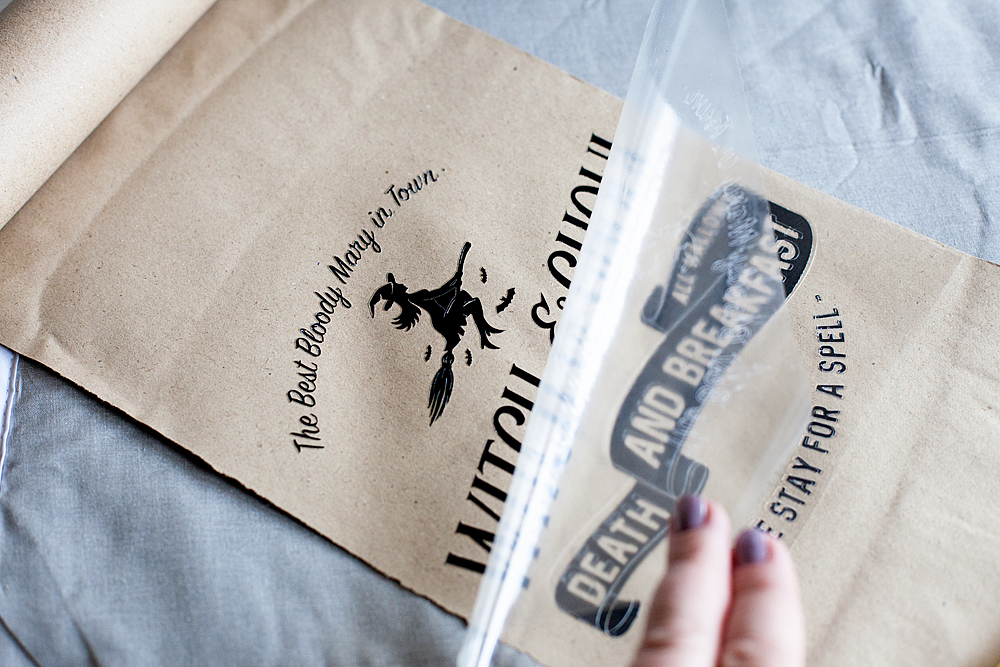
Then I place the Easy Press or the iron right on top and let it works it’s magic. I have found that 350˚ for about 50 seconds typically does the trick. Then, I let it cool for a minute or two and then remove the plastic protective covering.

Travel back in time with this fun vintage paper roll sign created by WhipperBerry for Halloween. Witch and Ghoul Death and Breakfast sign available as an SVG file for cutting machines or a printable file for FREE!

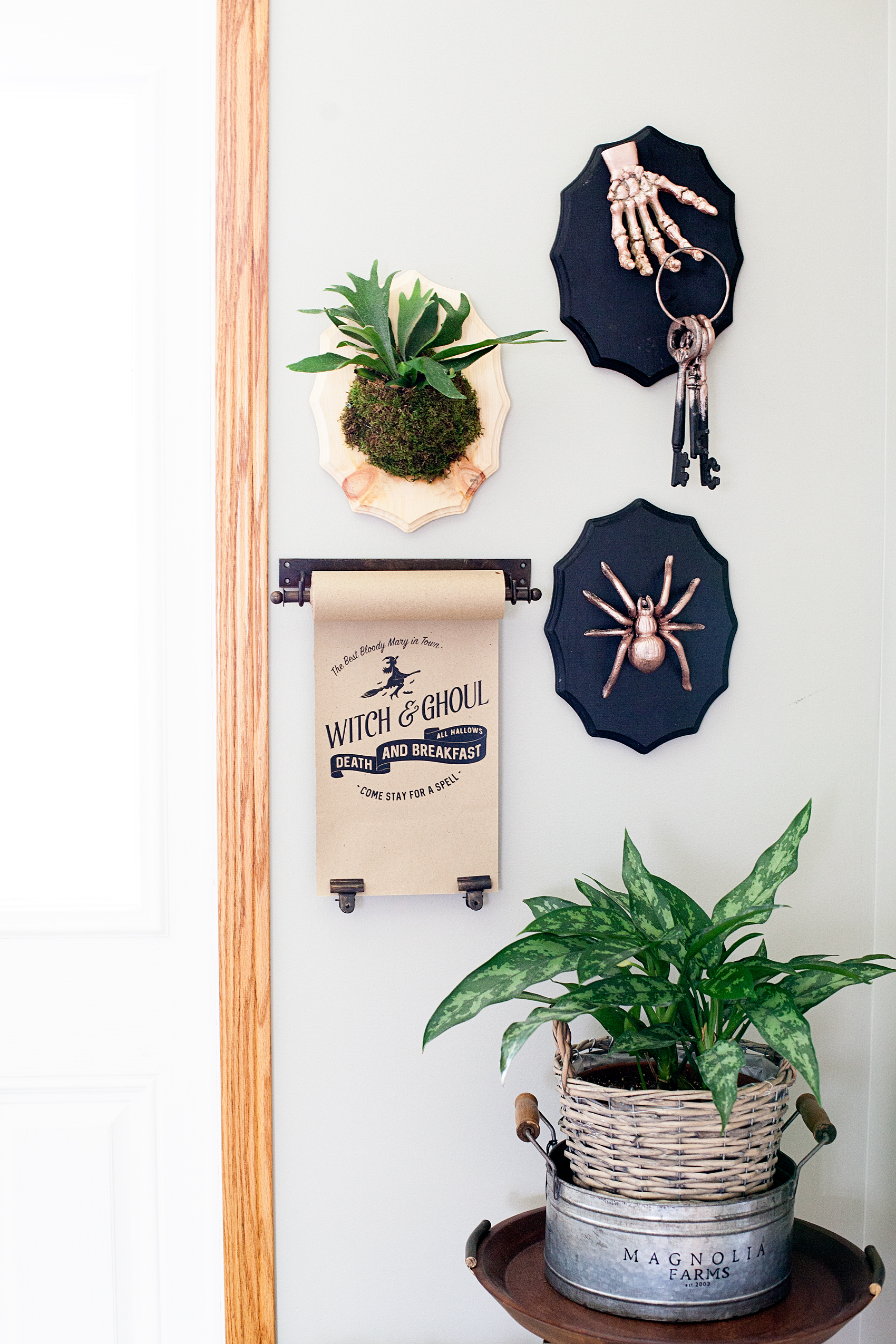
Replace the towel and do one more shot with the Easy Press. Voilá.. You’re finished!

Travel back in time with this fun vintage paper roll sign created by WhipperBerry for Halloween. Witch and Ghoul Death and Breakfast sign available as an SVG file for cutting machines or a printable file for FREE!

Doesn’t it look kinda of cool? You can check out my post on how to create that Halloween Taxidermy  to complete the entire look. It’s super easy too.

I LOVE, LOVE, LOVE the new Easy Press! I’ve used it on all kinds of surfaces now. Paper, canvas, fabric and my next project will be on ribbon. I can’t wait to show you how it turns out. Make sure you add the Cricut Easy Press to your Christmas list AND make sure you make it on the Nice List so that you will for sure get one. It’s one of those game changing tools that you are going to LOVE.

This is a sponsored conversation written by me on behalf of Cricut. The opinions and text are all mine.
Primary Sidebar

Heather from Whipperberry
Hello... my name is Heather and I'm the creator of WhipperBerry a creative lifestyle blog packed full of great recipes and creative ideas for your home and family. I find I am happiest when I'm living a creative life and I love to share what I've been up to along the way... Come explore, my hope is that you'll leave inspired!

Footer

  • Privacy Policy
  • Crafts
  • Food
  • Gifts
  • Holidays
  • Home
  • Mom Life
  • Recipes
  • Travel

Copyright © 2026 · Seasoned Pro