• Skip to primary navigation
  • Skip to main content
  • Skip to primary sidebar
  • Skip to footer

Whipperberry

WhipperBerry • Your Home For Creative Inspiration

  • Home
  • Recipes
    • Starters
    • Easy Weeknight Dinners
    • Main Dish
    • Salads
    • Side Dish
    • Soups & Stews
    • Desserts
    • Breakfast
    • Miscellaneous
  • Tutorials
    • Creative Crafts
    • DIY Decor
    • Fabric Crafts
    • Food How-To
    • Jewlery
    • Paint Projects
    • Paper Art
    • Party Styling
    • Photography and Graphic Design
    • Silhouette
  • Holidays
    • Easter
    • Mother’s Day
    • Father’s Day
    • 4th of July
    • Halloween
    • Thanksgiving
    • Christmas
    • Valentine’s Day
  • Gift Ideas
    • Gifts For Everyone
    • Gifts for Dad
    • Mother’s day
    • For The Girls
    • For The Kids
    • Teacher Gift Ideas
    • Christmas
  • Printables
    • Holiday
    • Gift Idea
    • LDS Primary
  • Travel
  • About
    • Terms
  • Contact
  • Nav Social Menu

    • Facebook
    • Instagram
    • Pinterest
    • RSS
    • Twitter

Wood

Instagram Photo Frame

0 · Aug 22, 2013 · 4 Comments

Hey Whipperberry fans, it's Jenn from My Fabuless Life and today I'm going to show you a super simple way to actually take those beautiful life moments sitting in your Instagram feed and put them to good use!
 
I get some grief about what an Instagram addict I am, buuutttt…this is why!  It's such an easy way to capture those day to day moments, when you wouldn't normally be carrying your camera or you just don't want to mess with getting it out.  Basically, for me, Instagram is a photo journal, and I don't have to mess with editing all of those pictures at once, because I've already done it, easily, before the pictures are posted, which also makes them perfect for displaying.  This is one of the ways I decided to display mine and it's super easy.
 
 
I picked up a large frame at a local home decor store (it was on crazy clearance because it was missing the glass) and spray painted it with Krylon's Gold (I also love Valspar's gold spray paint).  Then, I actually picked up the "chicken wire" from the trash pile at a house being built in my neighborhood–it's the wire mesh they put under stucco.  I'm pretty sure my neighbors think I'm nuts, because I can be seen on a regular basis pushing a stroller and carrying handfuls of scrap wood, tree branches, and other treasures.  Am I embarrassed about it?  A little (my husband a lot), but I can suck up a lot of pride for free stuff ; ).  Anyway, if you don't have a local construction site to borrow from, I think you can buy chicken wire at any local farm supply.  And it probably goes without saying, but don't go stealing the stuff.  I pulled this out of a pile that was clearly trash–no one wants to see you on an episode of Cops.  Now that the legal stuff is out of the way back to our regularly scheduled project:  Lay the mesh over the back of the frame.  Don't cut it down to size yet!  It's much easier if you do it after it's attached.  
 
With a staple gun, just staple the mesh on around the back of the frame.  If you don't have a staple gun (it's totally worth the $10 purchase) you can use brass thumb tacks and some hot glue.  Put some glue on the back of the tack and then press it into the frame to hold the mesh (the glue will keep the tack from popping out).  Then go around and cut all of the excess off with some wire cutters.  BE CAREFUL!  This stuff is sharp!  And that's about it.  Time for hanging.
 
 
I hung my pictures with some embellished paper clips, and some Basic Grey cards I scored at SNAP!.    
 
 
Then to add a little more variety and color, I added some free Project Life-sized printables I found here & here, and a miniature version of one of my own prints.


I know Instagram printing can be pretty pricey, so as a bonus, I've created a few templates and a tutorial on how to print your own at home, or wherever you normally have your photos printed.  You can find the free downloads and tutorial over at My Fabuless Life.  
 
My Fabuless Life
Embellished Picture Clips // Repurposed Kitchen Cabinet

Hello I Love You Wood Sign // Silhouette Promotion and GIVEAWAY

0 · Jul 1, 2013 · 308 Comments

Silhouette Promotion Affiliate Team Member  // Can you believe it? It's JULY already!! The fire flies are a blaze here in Lincoln and I am LOVING the summer so far. It's so green and lush here and did I mention the fire flies? For a girl who has never lived in an area with the luminescent bugs… this is just magical!  

Well, with a new month we have a new Silhouette promotion… and I've created a new sign with the help of Rhonna Designs mad design skillz and the Silhouette Designer Edition Software…
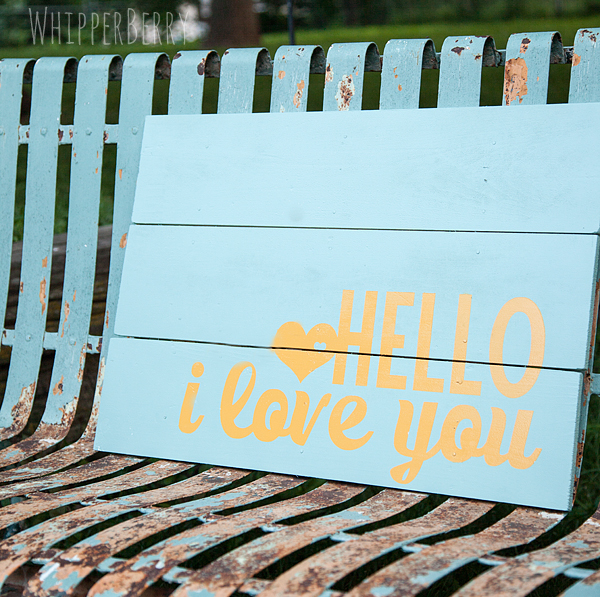
Hello I love you Sign from WhipperBerry

Before I dive right on into the project I want to let you know about his month promotion… You know, just in case you are like me and have the attention span of a gnat. This way if you are dying to get a new CAMEO, Portrait or just the Designer Edition Software you don't have to muddle through my boring old tutorial on how to make this aaaaamazing sign. So, here are the details…
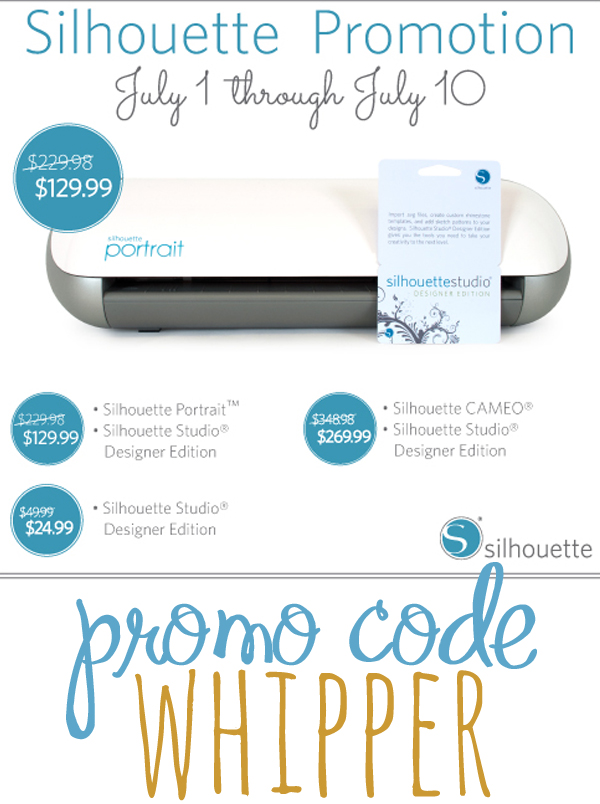
July Silhouette Promotion

SMOKIN' WHITE HOT DEAL, right?

Click here to visit the Silhouette Shop to check out all of July's special deals!

Now, before we get to the GIVEAWAY… Let me tell you a little bit about the sign I made this afternoon. It is a super slick, super easy sign to make. I bought the wood at Lowes and it was already cut in the 6×24 length with is perfect for making signs. Then I grabbed a couple of wood shims to secure the wood planks together and that was it…
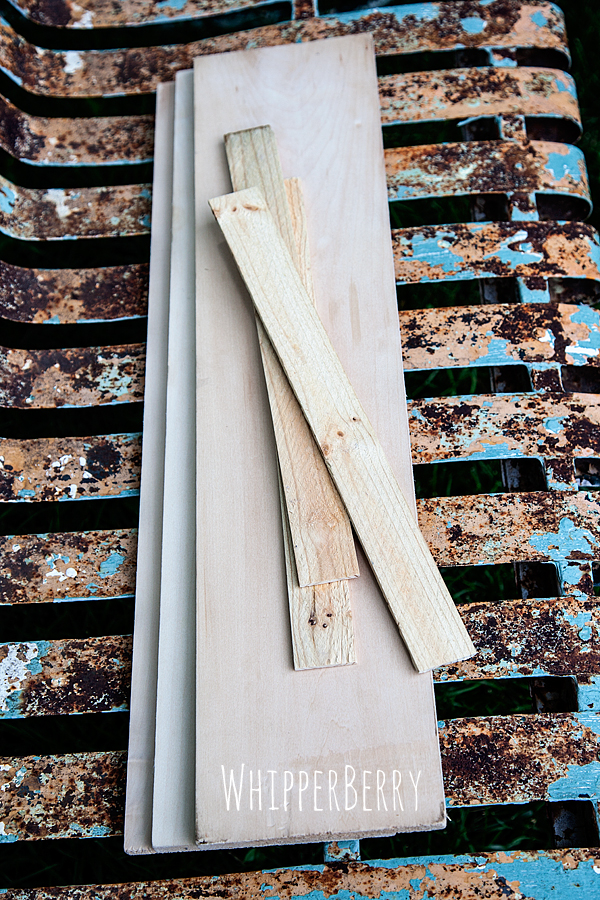
WhipperBerry wood sign

I laid the boards out and placed the wood shims on the back and secured the boards with come short nails and I was good to go.
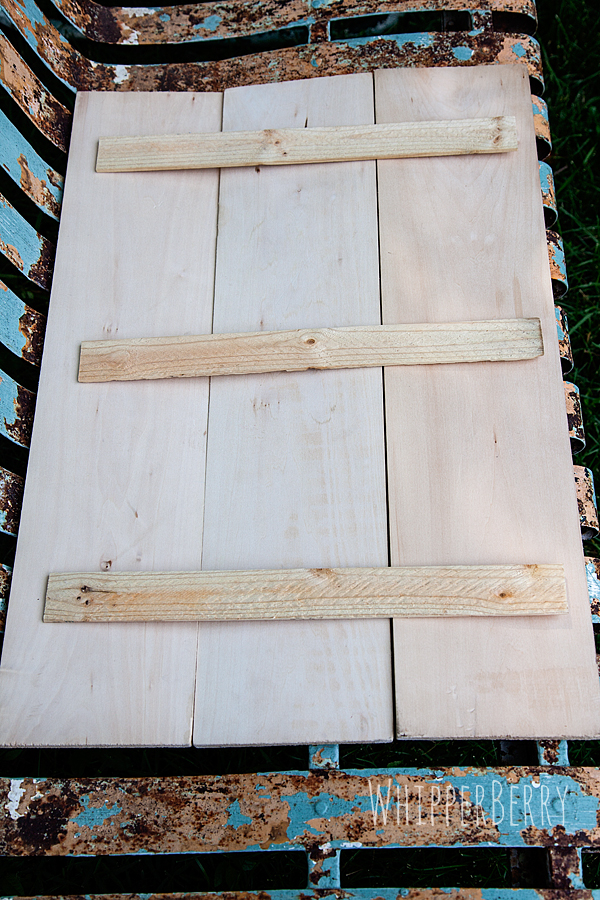
how to build a wood sign

I primed the wood with some Kilz Spray Primer and then painted a few coats of Krylon Catalina Mist. Then while it was drying I prepared my stencil with my Silhouette Designer Edition Software. 
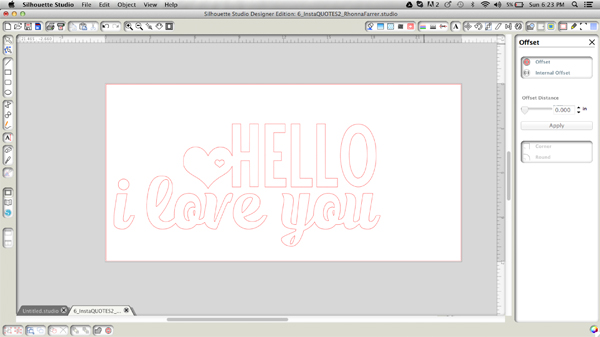
Hello I love you design from Rhonna Designs

The Designer Edition Software is a must have addition when you have a Silhouette machine. It just gives you greater design options that with the basic software that comes with your machine. With this image above, I was able to convert a PNG file from Rhonna Designs into a cuttable file. That means that your design options are limitless with the CAMEO or Portrait! 

Once my design was complete I cut the vinyl and used it as a stencil to then paint my sign with Krylon Sun Yellow. I also made a sign where I just added the vinyl to the sign rather than using the vinyl as a stencil. They both look great!
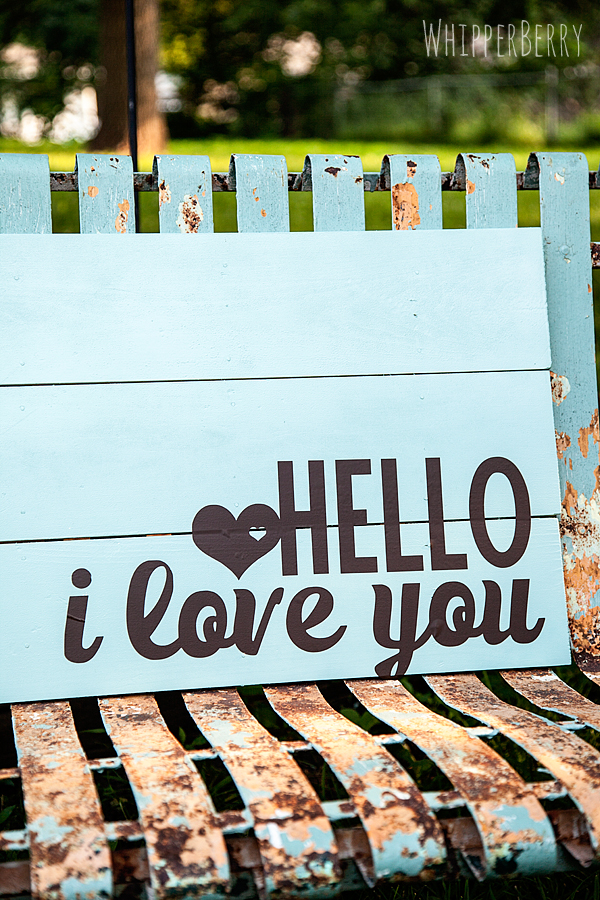
painted hello i love you sign

Here's a post that I created awhile ago with a video on how to convert a PNG file in the Silhouette Designer Edition Software.

Want to compare the Design Studio options? Here is a breakdown…
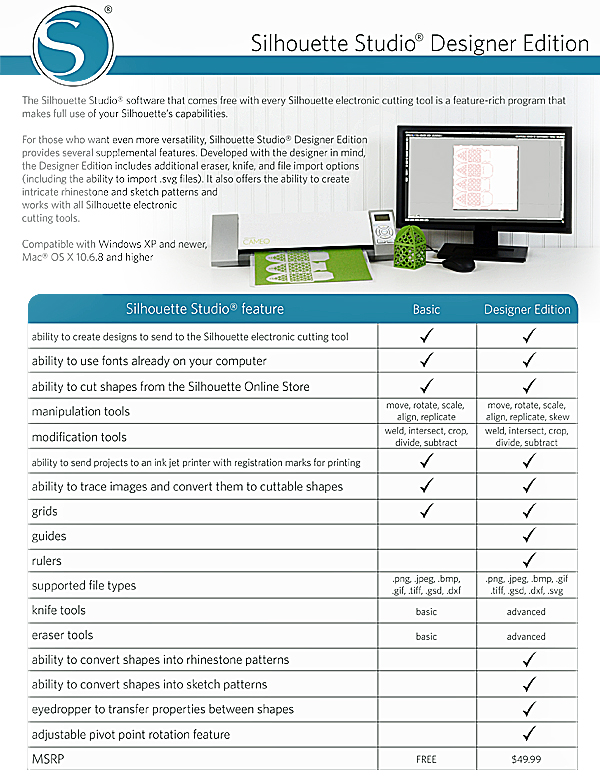
Silhouette Studio OptionsThe best part… You can grab the Designer Edition from now until July 10th for only $24.99! Not to mention some smokin' deals when you bundle that with a CAMEO or Portrait! 

Wait, you want more? 

How about I give away one Silhouette Portrait with the Designer Edition Software to one of you!!
Whipperberry Silhouette Giveaway Instagram image

All you have to do is follow the directions in the Rafflecopter box below and you will be entered to win. 

// This giveaway is open from July 1-8 and only for residence of the United States. A winner will be announced on July 9th. //
a Rafflecopter giveaway

Snowflake Art | Tutorial

3 · Dec 14, 2011 · 2 Comments

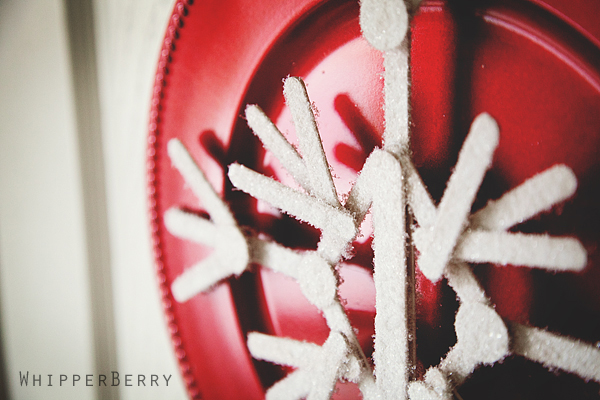
Earlier this month I created a guest post for the lovely ladies from The Letter 4 while they were having a ball meeting Martha on the Martha Stewart show.  Just in case you missed it here is the Snowflake Art that I shared over there.

I am one of those displaced snow bunnies!  I grew up in Colorado skiing and loving everything that winter brought with it. For the past eight years I've been living in Las Vegas  and I can count the amount of times I've seen snow on one hand. So… When the girls invited me over I knew I wanted to create a project to add a little snow to my life!

I took my inspiration from a fabulous project that I found on Pinterest  from the Ballard Bunch. It was a simple snowflake made from craft sticks and it was stunning!!  I decided to take the humble craft stick and create a fun wall or door display using some chargers from the dollar store, some ribbon, paint and sprinkle of SNOW!

…

Read On →

  • « Go to Previous Page
  • Page 1
  • Interim pages omitted …
  • Page 8
  • Page 9
  • Page 10

Primary Sidebar

Heather from Whipperberry
Hello... my name is Heather and I'm the creator of WhipperBerry a creative lifestyle blog packed full of great recipes and creative ideas for your home and family. I find I am happiest when I'm living a creative life and I love to share what I've been up to along the way... Come explore, my hope is that you'll leave inspired!

Footer

  • Privacy Policy
  • Crafts
  • Food
  • Gifts
  • Holidays
  • Home
  • Mom Life
  • Recipes
  • Travel

Copyright © 2026 · Seasoned Pro