• Skip to primary navigation
  • Skip to main content
  • Skip to primary sidebar
  • Skip to footer

Whipperberry

WhipperBerry • Your Home For Creative Inspiration

  • Home
  • Recipes
    • Starters
    • Easy Weeknight Dinners
    • Main Dish
    • Salads
    • Side Dish
    • Soups & Stews
    • Desserts
    • Breakfast
    • Miscellaneous
  • Tutorials
    • Creative Crafts
    • DIY Decor
    • Fabric Crafts
    • Food How-To
    • Jewlery
    • Paint Projects
    • Paper Art
    • Party Styling
    • Photography and Graphic Design
    • Silhouette
  • Holidays
    • Easter
    • Mother’s Day
    • Father’s Day
    • 4th of July
    • Halloween
    • Thanksgiving
    • Christmas
    • Valentine’s Day
  • Gift Ideas
    • Gifts For Everyone
    • Gifts for Dad
    • Mother’s day
    • For The Girls
    • For The Kids
    • Teacher Gift Ideas
    • Christmas
  • Printables
    • Holiday
    • Gift Idea
    • LDS Primary
  • Travel
  • About
    • Terms
  • Contact
  • Nav Social Menu

    • Facebook
    • Instagram
    • Pinterest
    • RSS
    • Twitter

Photography

Simple Ways to Alter Photos for DIY Projects and Family Keepsakes

0 · Jun 30, 2026 · Leave a Comment

If your phone is anything like mine, it’s probably filled with photos of birthday cakes, half-finished crafts, messy kitchen counters, and kids who couldn’t wait for you to take the picture before jumping back into the fun. Those everyday moments often become our favorite memories.

Whether you’re making a family scrapbook, designing printable party decorations, creating handmade gifts, or sharing your latest craft on your blog, a few simple edits can make your images stand out. An AI Photo Editor makes it easier than ever to improve everyday photos without spending hours learning complicated software, giving busy moms more time to enjoy the creative process.

Alter Photos for DIY Projects and Family Keepsakes

Start With the Story You Want to Tell

Before editing any photo, think about how you’ll use it. Maybe it’s a picture of your child’s first attempt at baking cookies, a finished craft, or a beautifully decorated birthday table. Starting with the end project in mind helps you decide which details deserve the spotlight.

Sometimes all a photo needs is a brighter exposure or a tighter crop to draw attention to the part of the project you want readers to notice most.

Here’s another simple trick: whenever possible, take photos near a window during the day. Natural light often brings out true colors and fine details, which means you’ll spend less time editing later.

Organize Photos by Projects Instead of Dates

Many of us save photos by the day they were taken, but organizing them by project makes them much easier to find later.

Try creating folders such as:

  • Birthday celebrations
  • Holiday crafts
  • Kids’ artwork
  • Family recipes
  • Home organization
  • Seasonal decorating
  • School memories

You’ll thank yourself when it’s time to put together a back-to-school roundup or update an older tutorial with fresh images.

Let AI Handle the Repetitive Tasks

One of the newest ways moms are simplifying their creative workflow is by using AI to complete repetitive edits automatically.

For example, AI can help:

  • Remove distracting objects from the background, like toys left on the floor before you snapped a photo.
  • Brighten photos taken inside on cloudy afternoons.
  • Straighten overhead shots of crafts or recipe ingredients.
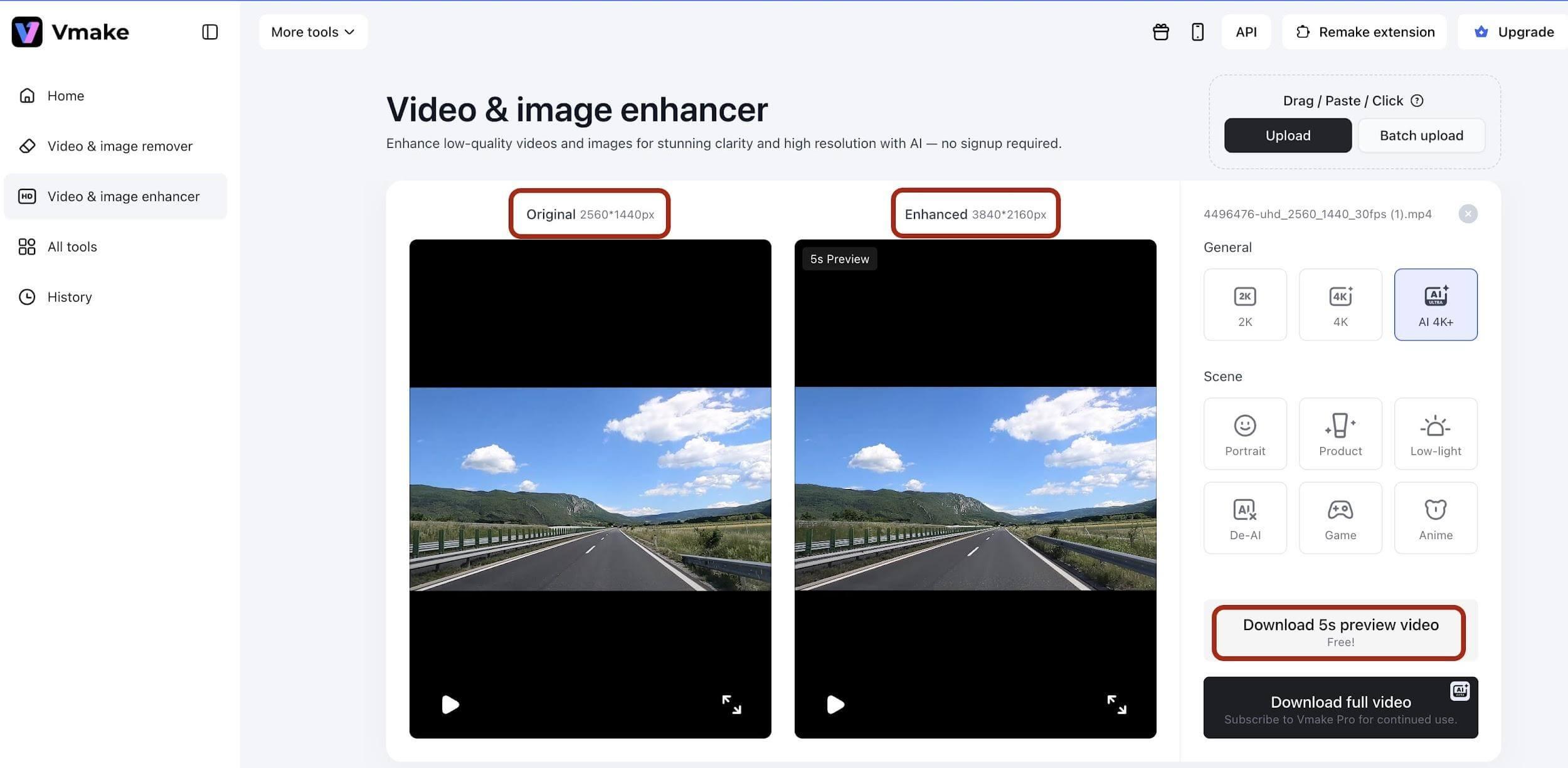
  • Resize images for Pinterest, Instagram, or your blog.
  • Sharpen photos so printable gift tags and recipe cards look crisp when printed.

If you’re curious about these features, a free ai photo editor is a great way to experiment before deciding whether you need more advanced tools.

Create Consistent Photos Across Your Blog

One detail that often makes a blog feel polished is consistency. Readers may not notice it right away, but similar colors, lighting, and image sizes create a cleaner reading experience.

Choose a simple editing style that matches your blog. If your home is filled with bright natural light, let that shine through. If you love cozy farmhouse décor or colorful seasonal crafts, keep those tones consistent so your photos instantly feel familiar to returning readers.

Try a Seasonal Photo Library

Here’s a simple habit that can save hours later: create a seasonal photo library before you need it.

After finishing a holiday craft, decorating the porch for fall, or baking Christmas cookies with the kids, spend a few minutes editing your favorite photos and filing them into seasonal folders.

When you’re ready to write next year’s holiday posts, you’ll already have polished images waiting instead of searching through thousands of photos on your phone. Future you will be grateful when the holidays roll around again.

Alter Photos for DIY Projects

Turn Everyday Photos Into Printable Keepsakes

Not every memorable photo belongs in a traditional album.

Your favorite pictures can become thoughtful projects such as:

  • Recipe cards featuring family-favorite meals.
  • Personalized chore charts with photos for younger children.
  • Printable lunchbox notes with encouraging family pictures.
  • Holiday gift tags using snapshots from last year’s celebrations.
  • Annual memory books highlighting school milestones.
  • Family calendars filled with seasonal moments.

These small projects make wonderful keepsakes while helping your memories become part of everyday family life instead of staying hidden on your phone.

AI Is Becoming Part of Everyday Creativity

Artificial intelligence is becoming another helpful tool for creators, especially when it comes to repetitive editing.

Adobe’s Future of Creativity research found that 83% of creative professionals believe generative AI helps them spend more time on creative work by reducing repetitive tasks. That means more time for designing projects, writing tutorials, or enjoying family activities instead of adjusting every photo by hand.

The growing interest in AI editing isn’t surprising. According to Everypixel, more than 15 billion AI-generated images have been created worldwide, showing how quickly AI-powered image tools have become part of everyday content creation.

Keep Your Personal Style at the Center

The best family blogs aren’t remembered because every photo is perfect. They’re remembered because they tell real stories and celebrate the little moments that make a house feel like home.

Editing tools should support your creativity, not replace it. A cleaner background, brighter lighting, or a better crop simply helps readers focus on the project you’ve worked so hard to create.

The next time you finish a DIY craft, decorate for a new season, or bake a favorite family recipe, spend a few extra minutes polishing one or two photos before filing them away. Those small edits can make future blog posts, scrapbooks, printables, and family keepsakes much easier to create. And when you need a helping hand, an AI Photo Editor can simplify the editing process while preserving the warmth and personality that make your projects uniquely yours.

Tile Backdrops for Better Recipe and Craft Photos

0 · Jun 19, 2026 · Leave a Comment

Most of us do not have a dreamy little studio waiting in the next room. We have a kitchen counter that collects mail, a craft table with dried glue in one corner, and a short window of good light before somebody needs lunch.

That is exactly why small photo surfaces matter so much. When you are shooting cookies, cupcake toppers, a handmade card, or a printable, the background under the project does a lot of quiet work.

Around here, I still love painted boards and dark faux-slate looks. But tile brings a different kind of polish. It feels clean, wipes down easily, and gives food and craft photos a finished surface without requiring you to remodel the whole kitchen.

Tile Backdrops for Better Recipe Photos

Source

Why Tile Looks So Good on Camera

A pretty tile backdrop does not need to shout. It helps in softer ways.

The first thing it gives you is texture that reads well in natural light. In home food photography, directional light from the side or the back tends to bring out depth, and tile gives that light a few places to land. A faint grout line, a soft edge, or a slightly uneven glaze can keep a scene from feeling flat.

Tile also earns its place on messy days. Frosting drips. Paint water splashes. Powdered sugar ends up everywhere. A surface you can wipe clean and pull out again tomorrow is a lovely thing when you are working around family life instead of a studio schedule.

Then there is the mood. A white tile surface can be fresh and bakery-like. Warm stone-look tile feels grounded and homey. A darker tile can make colorful paper crafts, berries, frosting, and bright ribbons stand out in a way plain poster board sometimes cannot.

Keep the Project Small

The smartest version of this idea is not a giant renovation. It is a small, useful zone that photographs beautifully.

A few sizes work especially well:

  • a removable board you can tile and store upright between shoots;
  • a narrow stretch of counter near a good window;
  • a small backsplash section behind a coffee station or baking corner;
  • a tray-sized surface for cards, ornaments, jewelry, or paper crafts.

That smaller scale keeps the project doable and also keeps the backdrop flexible. You can move it closer to the light, turn it for a different angle, or tuck it away when real life needs the counter back.

If you want a darker surface without grout lines, we have already shared our faux slate photo background, and it is still one of my favorite low-cost options. Tile feels different. It has a little more structure and can look especially pretty when you want a clean kitchen or a handmade shop feel.

Pick Tile With Photography in Mind

This is the part where it helps to think like a photographer first and a DIYer second.

I would start with matte, honed, or low-sheen tile before glossy tile. Shiny finishes can bounce bright window reflections right back into the lens, which gets distracting fast. A softer finish usually gives you gentler highlights and fewer hot spots.

I also like tile that has a little variation without getting too busy. If the pattern is loud, the backdrop starts competing with the muffin, the brownie, the painted tag, or the tiny clay bow you actually wanted people to notice.

Lighter grout usually feels cleaner in photos, but the tile size matters too. Large tiles can give you a calmer surface with fewer lines. Smaller tile adds more movement, which can be charming for crafts, but a little busier for overhead recipe shots.

For readers who like to change things up, a tiled board pairs nicely with painted pieces. Our homemade chalk paint recipe is a good option for trays, small props, or wood accents that sit beside the tile without clashing with it.

Measure Before You Shop

The pretty part is more fun, but a quick measuring step saves a lot of frustration.

Before I buy a single box, I measure the board or wall area and run it through a tile calculator. It helps keep the estimate from turning into a guess once tile size, grout gaps, waste allowance, boxes, and cost are all factored in.

That matters even more on a small project. Overbuying by a little can still feel annoying when the whole point was to create one compact backdrop, not store leftover tile in the garage for the next five years.

Style the Surface Like Real Life, Just Tidier

Once the tile is in place, the backdrop still needs a little restraint.

For recipe photos, I like to start with the dish, then add one or two supporting pieces that make sense in the kitchen: a folded towel, a spoon, a small bowl of extra berries, a dusting of flour, or a hand reaching in. Too many props can make the tile disappear under clutter.

Craft photos usually need even less. A good pair of scissors, a ribbon tail, a paintbrush, or a small stack of paper often says enough. The goal is not to build a movie set on top of the backdrop. It is to make the project feel like it belongs in a creative, lived-in home.

One little trick I keep coming back to is matching the tile mood to the project mood. Soft white or pale stone works beautifully for spring bakes, baby gifts, watercolor cards, and light holiday crafts. Darker tile can carry gingerbread, chocolate desserts, richer florals, black-and-white printables, or anything with a moodier edge.

A Backdrop You Will Actually Use

A tile backdrop is not the only way to get prettier photos, and it will not rescue bad light or a rushed setup. Still, it can make a surprising difference in the middle of ordinary life.

When the counter is clear for ten minutes, the cookies are cooling, and the ribbon scraps are still sitting beside the paper trimmer, it helps to have one small surface that already looks finished. You set the project down, turn it toward the window, and suddenly the photo feels a little more like the idea you had in your head.

Essential Tools and Templates for Wedding Budgeting – for Moms Helping Plan a Meaningful Day

0 · Dec 23, 2025 · Leave a Comment

Planning a wedding is exciting, but it can also feel overwhelming, especially for moms who are balancing family life, work, and everyday responsibilities. Whether you are helping your child plan their wedding or supporting them behind the scenes, keeping costs organized makes a big difference.

A clear wedding budget helps families make thoughtful choices without added stress. It keeps spending in check, sets realistic expectations, and allows everyone to focus on what truly matters. With the right tools and templates, managing wedding expenses becomes much easier, even during an already busy season of life.

Why a Wedding Budget Matters

Every couple starts out with a vision for their wedding, but not every couple starts out with a plan for how much that vision will cost. That’s where a budget comes in. It helps you set spending limits, track your payments, and avoid last-minute financial stress.

Budgeting also forces you to prioritize. It helps you focus your money on the things that matter most—whether that’s the dress, the food, or the photography. Without a budget, it’s easy to lose track and overspend in areas that weren’t even on your radar at first.

More importantly, a wedding budget is about setting boundaries so you don’t enter your new life together carrying unnecessary debt. If you do need some financial support to bridge the gap between your savings and your plans, a wedding loan may be a helpful option. When used thoughtfully, it can offer flexibility without putting pressure on your long-term finances.

wedding budget

What to Include in Your Wedding Budget

Before you dive into tools and spreadsheets, it’s important to understand what should go into your budget. Most weddings include the same core categories:

  • Venue and rentals
  • Catering and drinks
  • Attire and accessories
  • Photography and video
  • Flowers and decorations
  • Entertainment
  • Invitations and stationery
  • Transportation
  • Favors and gifts
  • Officiant fees

Also, remember the extras. Things like tips, vendor travel fees, overtime charges, or setup costs are often forgotten but can make a noticeable difference in your final total.

Set aside a contingency fund, usually 5 to 10 percent of your overall budget—for unexpected expenses. It’s much easier to prepare for the unexpected than to scramble when a surprise pops up.

Best Digital Wedding Budgeting Tools

Many couples today rely on digital tools to stay organized. Wedding budgeting apps and spreadsheets offer convenience, automation, and real-time tracking. Most allow you to categorize spending, log payments, and compare estimated versus actual costs.

Some of the best features to look for include:

  • Customizable categories
  • Alerts for due dates or overspending
  • Shared access for both partners
  • Mobile-friendly dashboards
  • Integration with guest lists and vendor contacts

These tools remove a lot of the guesswork and make it easier to stay on track, especially as the wedding date gets closer and tasks start to pile up.

Free Wedding Budget Templates to Download

If you prefer working in spreadsheets or want a printable version, there are plenty of free wedding budget templates available online. Many are built in Excel or Google Sheets, and they come preloaded with standard categories and formulas.

These templates are ideal for couples who want more control over their budget layout. They’re also easy to edit and personalize to match your event.

Look for templates that include:

  • Budgeted vs actual spending columns
  • Automatic calculation of totals
  • Pre-set categories and subcategories
  • Space for payment due dates and notes

You don’t have to be a spreadsheet expert to use these. They’re usually designed to be beginner-friendly while still offering plenty of depth for those who want to track everything in detail.

How to Use These Tools Effectively

Choosing a tool or template is only the first step. The key to successful wedding budgeting is using it regularly.

Start by entering your total budget and estimated amounts for each category. Then, as you make decisions, input actual costs and update them as you go. Keep track of payments made and outstanding balances.

Review your budget weekly to stay on top of changes or new expenses. If something runs over, adjust other areas to make up for it. This keeps the overall budget intact and prevents overspending from creeping in unnoticed.

It’s also important that both partners are involved. Make budgeting a shared process so you’re both aware of the financial picture and comfortable with the decisions being made.

wedding budgeting plan

Bonus Tools to Support Your Budget Planning

Beyond budget trackers, there are other tools that can make your wedding planning more organized:

  • Guest list managers: These help you estimate your cost per guest and control catering and seating expenses
  • Vendor comparison sheets: Track quotes, services, and contract terms from different vendors
  • Payment schedules: Keep a timeline of deposits and final payments so nothing is missed
  • Contract logs: Organize your agreements in one place to avoid misunderstandings or surprises

Using these tools alongside your budget gives you a full picture of your wedding finances and helps you make better decisions along the way.

Final Thoughts

Weddings are about celebrating love, family, and new beginnings. A well-planned budget helps protect those moments from unnecessary stress. When finances are organized, families can enjoy the planning process and focus on creating meaningful memories together.

With helpful budgeting tools, simple templates, and open conversations, it is possible to plan a beautiful wedding without feeling overwhelmed. Whether you are contributing financially, offering guidance, or simply supporting your child through the process, a clear budget helps everyone feel confident and prepared. In the end, the most memorable weddings are not defined by how much is spent, but by the love and care behind every choice.

Wedding Decor Do’s & Don’ts: A Craft-Loving Mom’s Guide to Perfect Styling

0 · Nov 18, 2025 · Leave a Comment

I’m a mom who loves crafting, late‑night gluing, and turning simple ideas into beautiful moments for our family—and I’m so excited you’re here. Planning wedding décor can sometimes feel overwhelming (been there!), but it doesn’t have to be stressful or expensive.

Many couples turn to wholesale candles to add warmth and romance while keeping costs under control, then build the rest of the decor around that soft glow. The key is to make thoughtful choices instead of throwing every pretty idea into one room.

With a clear vision, savvy planning, and just a few smart rules, you can create a space that feels polished, personal, and welcoming. Let’s look into how you can design a wedding day that truly reflects you and your story.

Set A Clear Vision

Start with the basics before shopping for decor. Decide on three things: mood, color palette, and level of formality. Are you going for classic hotel elegance, rustic barn charm, or modern loft style?

Once that vision is in place, use it as a filter for every decor decision. If a piece does not match your theme, color story, or venue, skip it. This simple rule helps you avoid clutter, overspending, and last-minute panic.

wedding decor

Do Focus On A Cohesive Color Story

Pick two to three main colors, then one or two accent shades. Use those shades across linens, flowers, stationery, and small details. That repetition looks intentional and refined.

You can mix textures and patterns within your palette to keep things interesting. Think matte fabrics with a few metallic accents, or soft florals paired with clean, modern lines. Keep the base neutral if you are unsure, then add color through flowers and decor pieces.

Do Use Lighting For Atmosphere

Good lighting flatters your guests, your photos, and your decor. Combine several light sources instead of relying on harsh overhead fixtures. Candles, string lights, pin spotlights on centerpieces, and soft uplighting on walls all work together to set the mood.

Test your lighting plan at night if possible. Walk the space and check that tables, the bar, and the dance floor feel bright enough, while still cozy. Avoid colored lighting that turns skin tones unnatural in photos.

Don’t Overcrowd Your Space

One of the most common mistakes is using too many decor elements. Oversized centerpieces, tall candles, heavy linens, and extra signage can quickly feel overwhelming. Guests still need space to talk across the table, set down drinks, and move their chairs.

Leave room for plates, glasses, and shared dishes. If you love tall centerpieces, mix them with lower arrangements to keep sightlines open. Remember that less can look more polished and upscale.

Do Personalize The Details

Thoughtful personal touches make your decor feel unique. This might include custom place cards, framed photos, a statement seating chart, or napkins printed with your initials.

Choose one or two standout details instead of personalizing everything. A single feature wall, a special sweetheart table, or a creative escort card display can serve as the visual highlight of the reception.

personalized wedding decor

Quick Wedding Decor Do’s And Don’ts

Use these pointers as a fast checklist while you plan:

  1. Do create a simple mood board before you buy anything.
  2. Do prioritize lighting, linens, and flowers over small, forgettable decor.
  3. Do walk through the venue layout to check traffic flow and comfort.
  4. Don’t block views with decor that is too tall or wide.
  5. Don’t mix too many themes, colors, or design styles in one room.

When you start with intention, keep your palette and lighting in check, leave room for your guests to breathe, and sprinkle in a few personal touches, you’ll find your décor doesn’t just look styled—it feels styled. It will feel like you.

No stress, no overspending, no chaos. Just a beautiful space where you and your loved ones celebrate, laugh, move comfortably, and soak in every moment. And when you look back at the photos, every little detail will reflect the care and craft you put into the day. Here’s to décor that’s cohesive, meaningful, and full of charm. You’ve got this.

  • Page 1
  • Page 2
  • Page 3
  • Page 4
  • Go to Next Page »

Primary Sidebar

Heather from Whipperberry
Hello... my name is Heather and I'm the creator of WhipperBerry a creative lifestyle blog packed full of great recipes and creative ideas for your home and family. I find I am happiest when I'm living a creative life and I love to share what I've been up to along the way... Come explore, my hope is that you'll leave inspired!

Footer

  • Privacy Policy
  • Crafts
  • Food
  • Gifts
  • Holidays
  • Home
  • Mom Life
  • Recipes
  • Travel

Copyright © 2026 · Seasoned Pro