• Skip to primary navigation
  • Skip to main content
  • Skip to primary sidebar
  • Skip to footer

Whipperberry

WhipperBerry • Your Home For Creative Inspiration

  • Home
  • Recipes
    • Starters
    • Easy Weeknight Dinners
    • Main Dish
    • Salads
    • Side Dish
    • Soups & Stews
    • Desserts
    • Breakfast
    • Miscellaneous
  • Tutorials
    • Creative Crafts
    • DIY Decor
    • Fabric Crafts
    • Food How-To
    • Jewlery
    • Paint Projects
    • Paper Art
    • Party Styling
    • Photography and Graphic Design
    • Silhouette
  • Holidays
    • Easter
    • Mother’s Day
    • Father’s Day
    • 4th of July
    • Halloween
    • Thanksgiving
    • Christmas
    • Valentine’s Day
  • Gift Ideas
    • Gifts For Everyone
    • Gifts for Dad
    • Mother’s day
    • For The Girls
    • For The Kids
    • Teacher Gift Ideas
    • Christmas
  • Printables
    • Holiday
    • Gift Idea
    • LDS Primary
  • Travel
  • About
    • Terms
  • Contact
  • Nav Social Menu

    • Facebook
    • Instagram
    • Pinterest
    • RSS
    • Twitter

Food

How to Care for Dental Implants: Simple Tips for a Smooth Recovery

0 · Oct 19, 2026 · Leave a Comment

Getting dental implants can mean making a few changes to your routine, at least for the first week or two. You might need to rethink your meals, take a break from certain activities, or find a little extra time to rest. That can be tricky when you’re juggling work, kids, and everything else at home.

Knowing how to care for your dental implants can make things easier. From choosing foods that won’t irritate your gums to keeping your mouth clean while it heals, there are several ways to help your recovery go smoothly.

If you’ve recently gotten dental implants in Newport Beach or have surgery coming up, these aftercare tips can help you prepare for the days and weeks ahead.

How to Care for Dental Implant

The Healing Process: What to Expect

After implant placement, your body begins a process called osseointegration — the fusion of the titanium implant post with your jawbone. This process typically takes three to six months and is the foundation of your implant’s long-term stability. During this time, how you care for the surgical site can make or break your outcome.

Immediate Post-Surgery (First 24–72 Hours)

The first few days after your dental implant surgery are the most critical. Here’s what you should expect and do during this initial phase:

  • Bleeding: Some minor bleeding is normal. Bite down gently on gauze pads as directed by your dentist and avoid spitting forcefully, which can dislodge the blood clot.
  • Swelling: Apply an ice pack to the outside of your face in 20-minute intervals to reduce swelling. Most swelling peaks around 48–72 hours after surgery.
  • Pain management: Take prescribed or over-the-counter pain medications as recommended. Do not skip doses in the first 24 hours.
  • Diet: Stick to soft, cool foods like yogurt, applesauce, smoothies, and mashed potatoes. Avoid hot foods and beverages, which can increase bleeding.
  • Rest: Limit physical activity for at least 24–48 hours to reduce the risk of complications.

Oral Hygiene After Dental Implant Surgery

Keeping your mouth clean after surgery is crucial, but you need to be gentle. Many patients in Newport Beach receiving dental implants are surprised to learn that brushing and rinsing techniques must be modified during recovery.

The First Week

Do not brush the implant site directly for the first 24 hours. After that, you can carefully resume brushing your other teeth, but use a soft-bristled toothbrush and avoid placing direct pressure on the surgical area. Your dentist may recommend rinsing with a warm saltwater solution (about half a teaspoon of salt in eight ounces of water) two to three times a day, especially after meals, to help keep the area clean without irritating the tissue.

After the First Week and Beyond

As healing progresses, you can begin to gently clean around the implant site. Your dentist or oral surgeon will advise you when it’s safe to brush directly over the area. Use a soft-bristled toothbrush and non-abrasive toothpaste to avoid scratching the implant surface. An antimicrobial mouthwash may also be recommended to minimize bacteria in the mouth.

Foods to Eat and Avoid During Recovery

Your diet plays a major role in how well and how quickly you heal. For patients who have received dental implants in Newport Beach, maintaining a careful diet during the recovery period is strongly encouraged by dental professionals.

Foods to Eat

  • Smoothies and protein shakes
  • Mashed potatoes and soft vegetables
  • Scrambled eggs
  • Yogurt and cottage cheese
  • Soft fish like tilapia or salmon
  • Oatmeal and soft-cooked grains

Foods to Avoid

  • Hard, crunchy foods (chips, nuts, raw carrots)
  • Sticky or chewy foods (caramel, gum, bagels)
  • Spicy foods that can irritate the surgical site
  • Alcohol, which can interfere with healing and certain medications
  • Extremely hot foods and beverages
  • Straws — the suction can disturb the surgical site

Lifestyle Habits That Support Healing

Beyond diet and oral hygiene, certain lifestyle choices can significantly affect the success of your dental implants. The following habits can either support or hinder the osseointegration process.

Quit Smoking

Smoking is one of the most significant risk factors for dental implant failure. Tobacco use reduces blood flow to the gums and bone, slowing healing and increasing the risk of infection and implant rejection. If you smoke, talk to your dentist or physician about cessation strategies before and after your procedure.

Stay Hydrated

Drinking plenty of water keeps your mouth moist, helps flush out bacteria, and supports tissue healing. Avoid sugary or carbonated drinks during recovery, as they can promote bacterial growth and irritate healing tissue.

Attend All Follow-Up Appointments

Your dentist will schedule follow-up visits to monitor your healing progress. These appointments are essential for catching any early signs of complications such as infection, implant mobility, or gum recession. Do not skip them, even if you feel fine.

How to Care for Dental Implants Once They’ve Healed

Once your implants have fully integrated and your permanent restoration is placed, your care routine becomes more straightforward — but no less important. Dental implants require the same level of daily attention as natural teeth.

Daily Oral Hygiene Routine

Brush your implants at least twice a day with a soft-bristled toothbrush. Floss daily using implant-specific floss or an interdental brush to clean around the base of the implant where bacteria and plaque can accumulate. Water flossers are also an excellent tool for keeping implants clean without risking damage.

Professional Cleanings and Checkups

Visit your dentist every six months — or more frequently if recommended — for professional cleanings and oral exams. Even though implants cannot develop cavities, the surrounding gum tissue and bone can still be affected by periodontal disease, which is a leading cause of implant failure in the long term.

The gum and bone problem described above has a name: peri-implantitis. It usually starts as peri-implant mucositis, when the gums around an implant turn red, puffy, or bleed while you brush. At that stage it can often be reversed with better cleaning and a visit to your dentist. Left alone, the infection can spread to the bone that holds the implant in place, which is why bleeding gums around an implant are worth a call even when nothing hurts.

Protect Your Implants from Damage

If you grind your teeth at night (a condition called bruxism), ask your dentist about a night guard. Excessive grinding can place undue stress on your implants and restorations. Similarly, if you participate in contact sports, a custom mouthguard can help protect your smile.

Everyday habits matter too. Chewing ice, cracking hard candy, and using your teeth to open packages or twist off caps put sudden force on your implant crowns, and over time that can chip a crown or loosen the restoration. Once you’ve healed and your dentist says you can eat normally, it’s still worth keeping very hard and sticky foods to a minimum and reaching for scissors instead of your teeth.

Signs of Complications to Watch For

While most implant procedures have excellent outcomes, it’s important to know the warning signs that something may not be right. Contact your dental provider promptly if you experience:

  • Persistent or worsening pain beyond the first few days
  • Swelling, redness, or discharge that doesn’t improve
  • A loose or wobbly implant
  • Difficulty chewing or biting
  • Numbness or tingling that doesn’t resolve

Early intervention can save your implant and prevent more serious complications, so don’t hesitate to reach out to your dental team if something feels off.

Conclusion

The first few days after dental implant surgery may require some changes to your usual routine. Once your mouth starts feeling better, don’t forget about regular brushing, flossing, and dental checkups. Knowing how to care for dental implants, from the first soft meal to daily habits years later, is what keeps them healthy long after they’ve healed.

Once your mouth starts feeling better, don’t forget about regular brushing, flossing, and dental checkups. Your implants still need daily care, even after they’ve fully healed.

And if you notice anything unusual, such as worsening pain or swelling that won’t go away, give your dentist a call. It’s always better to have a concern checked than to wait and hope it clears up on its own.
Common Au Pair Job Description Mistakes Families Should Avoid

0 · Oct 16, 2026 · Leave a Comment

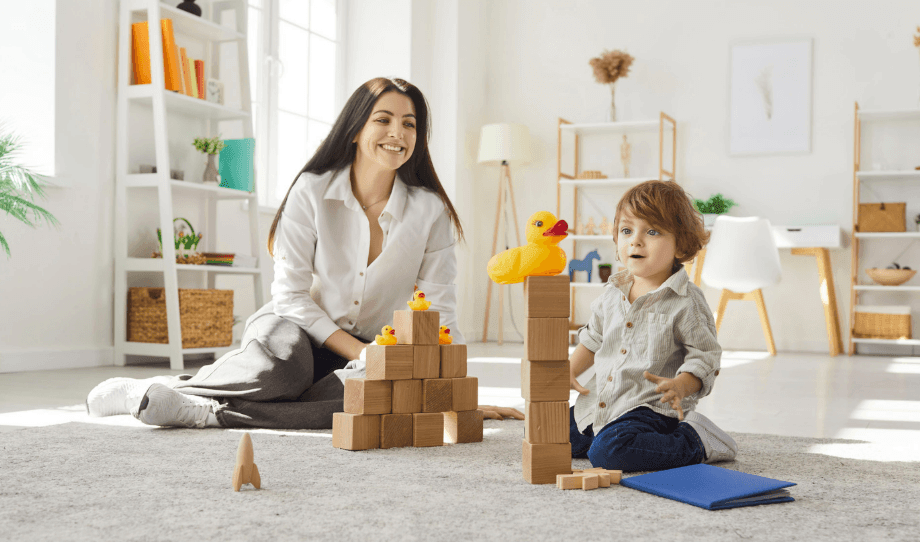
Finding the right au pair can make everyday family life easier, especially when you’re balancing work, school schedules, and your children’s changing needs. But a successful match starts long before an au pair arrives at your home. It begins with a clear job description that explains what your family needs and what the au pair can expect.

When parents leave out important details about childcare duties, daily routines, or household expectations, misunderstandings can happen. Taking the time to write a thoughtful au pair job description can help you find someone who fits your family’s lifestyle and create a smoother experience for everyone.

Common Au Pair Job Description Mistakes

Vague duties make for a vague au pair job description

“Help with kids” or “taking care of the kids” tells a candidate nothing. Does that mean responsibility for two toddlers during a morning shift, or after-school care for older children while a parent works upstairs? Candidates fill in gaps with their own assumptions, and those assumptions rarely match what the family actually needs.

Compare “help with kids” to this instead: “For two children ages 4 and 7, prepare breakfast and school lunches during the morning shift, supervise school drop-off, and provide afternoon pickup and care. On Tuesday and Thursday, drive to soccer practice during the afternoon shift.” Pair those duties with actual start and finish times so a candidate can assess both the work and the daily total.

The fix is simple but takes discipline: when you write your au pair job description, list duties as specific actions, making clear which children are involved and when the work happens. Skip the summary language and describe what the au pair will actually do.

Stop folding in general housekeeping

This is where a lot of postings quietly go wrong. A host family writes “light housekeeping” expecting it to mean the kids’ laundry and tidying toys. The au pair may picture the same thing, but if they read it differently, there’s now a disagreement over whose job it is to clean bathrooms or cook dinner for the whole household.

An au pair’s duties should stay tied to the children: their laundry, their meals, their play area, their rooms. General household cleaning, cooking for adults, or yard work doesn’t belong in the description at all. If a family needs broader household help, arrange it separately with an appropriate provider. Candidate agreement doesn’t make general housekeeping part of an au pair’s duties.

Be clear about your family’s schedule and driving needs

A posting that says “20 hours a week” but doesn’t mention that those hours fall in the early mornings and late evenings, with a gap in the middle of the day, is setting someone up to feel misled. Split shifts aren’t automatically a problem, but candidates need to know about them before they relocate.

Driving deserves its own line, too. If the role involves daily school runs, weekly sports practices, or regular errands with kids in the car, say so. Some candidates aren’t comfortable driving in a new country right away, and they need that information before accepting the role.

Under the J-1 visa exchange program, host families are permitted up to 10 hours of childcare per day and 45 hours per week, under 22 CFR 62.31. That’s a ceiling, not a target, and a good job description should show the actual weekly rhythm rather than just citing the maximum and leaving the rest ambiguous.

To see how that looks on paper, picture a family that needs childcare Monday through Friday, from 6:45 to 8:30 a.m. for breakfast, lunches, and school drop-off, then from 2:45 to 6:00 p.m. for pickup and afternoon care. That’s five hours a day and 25 hours a week, with a gap of more than six hours in the middle of each day. A candidate can only judge whether that schedule works for them if the posting shows the actual hours, not just the weekly total.

Don’t skip the host family’s commitments

A job description that only lists what the au pair must do, without mentioning what the family provides, reads one-sided and raises red flags for strong candidates. A private bedroom, meals, a weekly stipend, and support for educational coursework are standard parts of the arrangement and should be stated plainly, rather than left as details to work out later.

Families also need to explain their house rules and communication style, including how much notice they’ll give for schedule changes. A candidate who knows what to expect on day one is far less likely to feel blindsided on day thirty.

Overselling “like family” without stating boundaries

Plenty of postings lean hard into warmth, with talk of cultural exchange, weekend outings, and “you’ll be part of our family.” None of that is wrong, but it can’t replace clarity about off-duty time. An au pair still needs defined work hours and guaranteed days off, as well as privacy during personal time.

When a description emphasizes the emotional side but says little about the practical arrangements, candidates often accept the role without realizing how blurred the line between work and family life will actually be.

Spell out the time off, too. Say which days are free each week, how often a full weekend off comes around, and how paid vacation works, so the schedule on paper matches the one you’ll actually follow.

State the fun stuff, but put it after the boundaries so candidates can understand both the invitation and its limits.

A clear job description helps build a happier home

Welcoming an au pair into your home brings changes for the whole family. Your children will get to know someone new, daily routines may shift, and everyone will need time to adjust. A clear au pair job description helps make that transition smoother by setting expectations from the start.

Before sharing your posting, review the childcare duties, work schedule, days off, driving needs, and household rules. Make sure the description reflects your family’s actual routine rather than an ideal version of it. The more specific you are from the beginning, the easier it becomes to find an au pair who feels comfortable with your family’s needs.

A little extra planning now can help create a more positive experience for your children, your au pair, and your entire household.

iPhone 18 Pro Max Case Colors: 8 Looks to Match Your Outfit

0 · Oct 15, 2026 · Leave a Comment

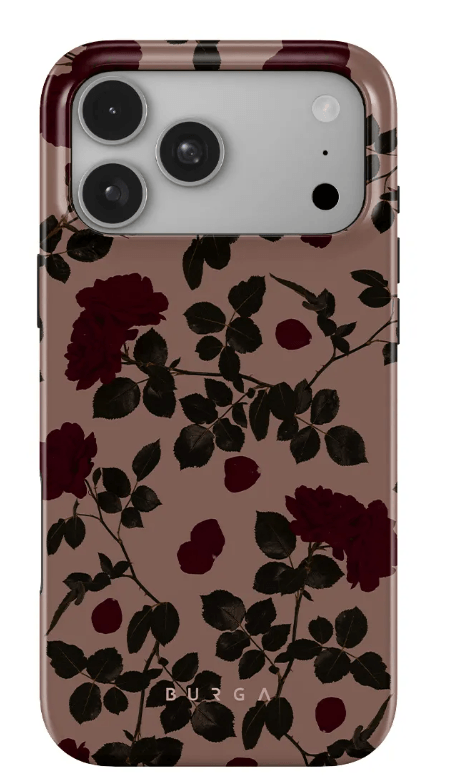
Your phone probably spends more time with you than your favorite handbag. It’s there for school pickups, grocery runs, family photos, and those quick coffee stops when you finally get a few minutes to yourself. So why not choose iPhone 18 Pro Max case colors that look good with the clothes you already love wearing?

I’ve always liked the idea of making everyday essentials a little more fun. A pink striped case can brighten up jeans and a white tee, while a simple brown or marble design goes with almost anything. And if you love a bold print, your phone case is an easy place to try one without committing to a whole new outfit.

The iPhone 18 Pro Max is a larger phone, so whatever case you choose is going to get noticed. You might as well pick something you enjoy looking at!

Here are eight case designs worth considering, from playful patterns to easy-to-match neutrals.

1. Favorite Bikini for Pink and Magenta Outfits

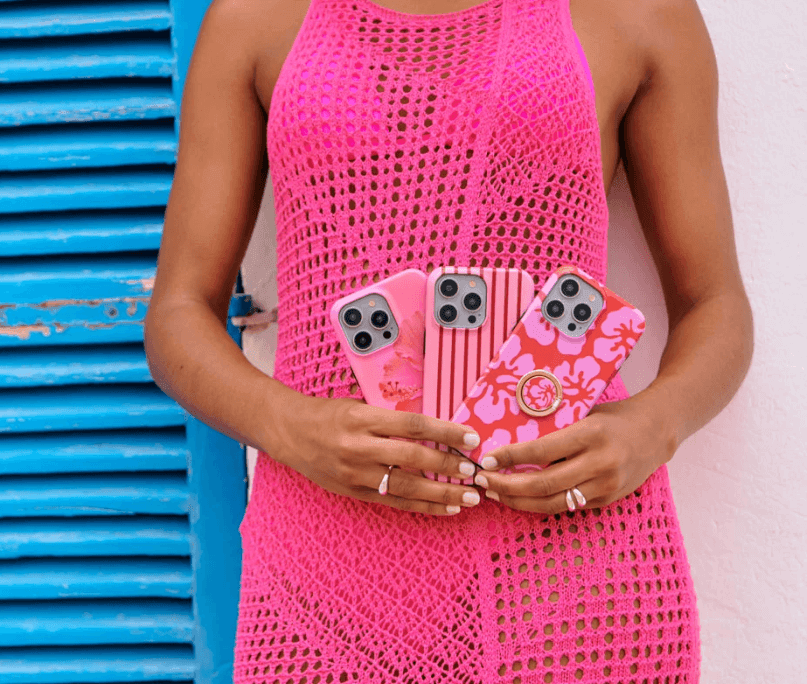
Woman in pink dress holding two cell phones,

If pink is already part of your wardrobe, Favorite Bikini is an easy match. The design uses pink and magenta stripes, creating a bright but organised pattern rather than a collection of unrelated details.

It works particularly well with white, cream, denim, soft pink, or other colours already found in the print. A simple white top with jeans, for example, lets the case add a stronger accent without making the whole outfit feel overly coordinated.

The design is also listed among the featured iPhone 18 Pro Max options in the current collection.

2. Sorry Busy for Brown and Beige Looks

For neutral wardrobes, Sorry Busy takes a quieter approach. The design combines a warm brown background with delicate beige polka dots, making it particularly easy to pair with cream, tan, chocolate brown, and other earthy tones.

This is the sort of case that can work equally well with a relaxed weekend outfit or a more polished office look. The pattern gives the phone some character while keeping the overall colour palette restrained.

It is currently featured among the iPhone 18 Pro Max designs available from the collection.

3. Main Character When the Case Is the Accent

iPhone 18 Pro Max phone case with

Sometimes the outfit is deliberately simple because one accessory is supposed to do the talking. Main Character fits that approach.

Rather than trying to disappear into your outfit, the design has a stronger visual presence. That makes it useful with simple combinations such as a black dress, plain knitwear, jeans and a neutral top, or an otherwise understated weekend look.

The current iPhone 18 Pro Max collection specifically highlights Main Character as one of its featured designs.

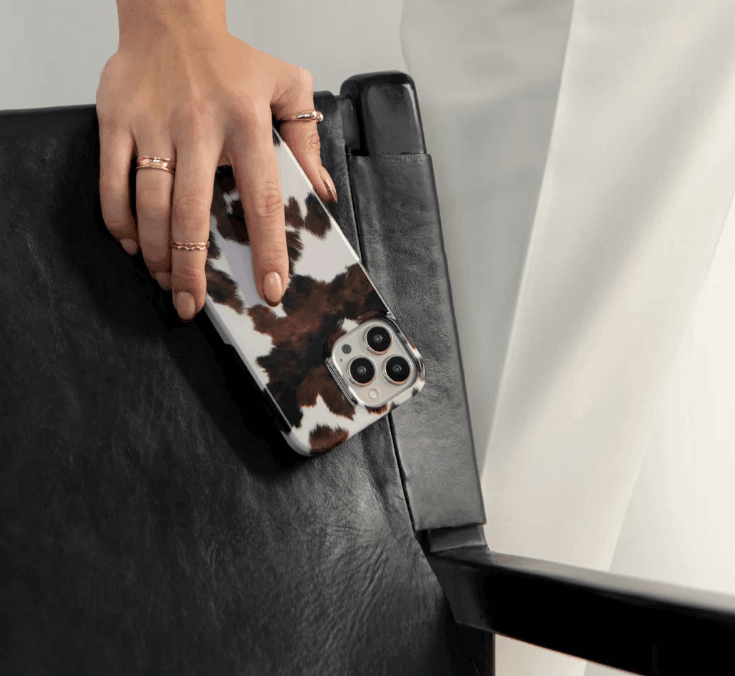
4. Player for a Leopard-Print Moment

Animal print can be surprisingly versatile when the rest of the outfit is kept simple. Player brings leopard print to the iPhone 18 Pro Max, making it a natural choice when you want your accessories to have a little more attitude.

The easiest way to style it is to let the case act as the print in the outfit. Pair it with black, cream, denim, or another solid colour instead of adding several competing patterns.

Player is also one of the featured iPhone 18 Pro Max designs in the current collection.

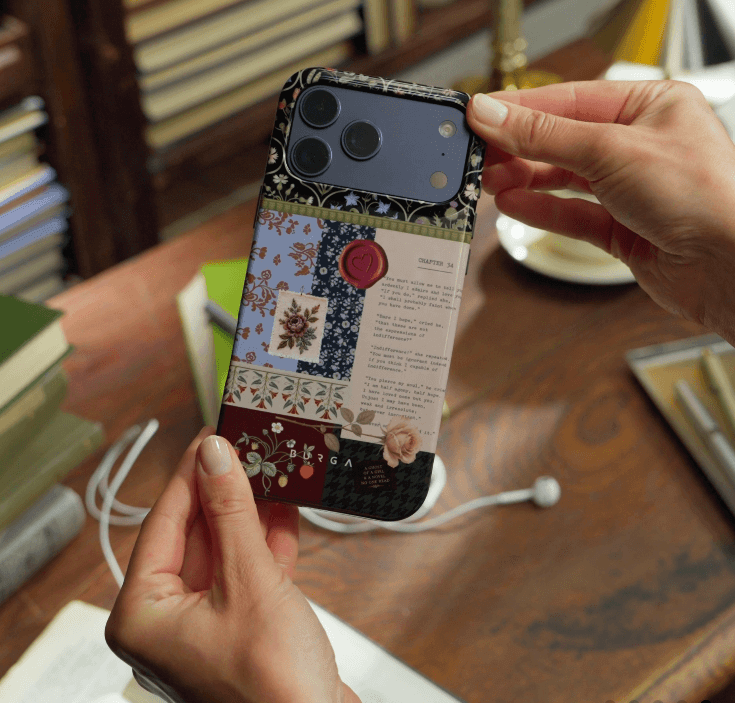
5. Chapter 34 for a Bookish Outfit

Person holding an iPhone 18 Pro Max

A phone case can match an outfit through its mood as much as its colour. Chapter 34 has a literary theme that works nicely with relaxed, classic styling.

Think oversized knitwear, a long coat, loafers, denim, or a simple button-down. The design has enough detail to make the phone interesting without requiring the rest of the outfit to follow the same theme.

The Chapter 34 design is currently available for the iPhone 18 Pro Max in BURGA Tough MagSafe and BURGA Elite MagSafe.

6. Tea Party for Soft, Feminine Styling

Tea Party is another option for outfits built around softer colours and details. It works naturally with cream, blush, beige, light blue, and other gentle tones.

Instead of matching every colour exactly, use one element from the case as the connection. A similar shade in your handbag, shoes, jewellery, or knitwear can be enough to make the combination feel intentional.

The current iPhone 18 Pro Max product range includes Tea Party among its available designs.

7. A Neutral Marble Look for Polished Outfits

Not every outfit needs a colourful case. Marble-inspired designs can work particularly well with a wardrobe built around black, white, grey, beige, and other neutral shades.

They give the phone some visual texture while staying relatively easy to coordinate. This makes a neutral marble design a practical option if you do not want to switch cases every time you change your outfit.

The broader collection includes marble-inspired designs alongside florals, monograms, hearts, and other patterns, with more than 500 original designs created by BURGA’s in-house design team.

8. Celestial for Black and Navy Outfits

iPhone 18 Pro Max case with

Celestial brings a dreamy, star-inspired look that works especially well with simple outfits in black, navy, white, or other deep tones.

The current iPhone 18 Pro Max collection is designed around this idea, with many prints available across other accessories such as AirPods cases, MacBook cases, iPad cases, Apple Watch bands, and power banks.

For anyone who prefers a coordinated look, browsing the full range of iPhone 18 Pro Max phone cases is a useful starting point. You can choose a print that works with your wardrobe first, then build the rest of your tech accessories around it.

How to Match iPhone 18 Pro Max Case Colors With Your Outfit

You do not need an exact colour match to make the combination work. A few simple styling rules can help.

Match one colour

Pick one shade from the case and repeat it somewhere else in your outfit. If the case has pink details, for example, a pink bag or pair of shoes can create enough connection without looking overly coordinated.

Your phone’s own finish is worth considering too. The iPhone 18 Pro Max comes in Black, Silver, Glacier, and Burgundy. Neutral prints such as marble work with almost any finish, while bolder designs like Player or Favorite Bikini stand out most against Black or Silver and can sit softly against a pale Glacier finish.

Let one pattern lead

If the case has stripes, leopard print, florals, or another strong pattern, keep the rest of the outfit relatively simple. This gives the case room to work as an accessory instead of competing with the clothes.

A printed case also covers the phone’s colour, which is the main difference from a clear case. If you love your phone’s finish and want it to show, a clear case does that. If you would rather the case do the talking, a printed design like those above lets the case and the outfit lead instead.

Consider the occasion

A playful print might suit a weekend outfit, while a restrained marble or neutral design can work better for professional settings. The best choice is often the one that fits the situations you actually spend your time in.

Think beyond the phone

A coordinated case can be even more effective when it works with your other everyday accessories. A matching AirPods case or laptop cover can create a consistent look without requiring every part of your outfit to match.

This approach is also reflected in recent designer-case guides, which group phone cases around neutral tones, marble designs, florals, and other styles that can be matched to different wardrobes. For more inspiration, you can check out the best designer iPhone Duo cases, which explores different designer case styles and ways to choose a look that fits your personal style.

Choosing the Right Case Construction

The design is only one part of the decision. BURGA offers different case constructions for the iPhone 18 Pro Max, so you can choose the style first and then decide how you want the case built.

Fit is worth checking before you fall for a print. Cases are made for specific phone models, so look for a listing that names the iPhone 18 Pro Max rather than just the iPhone 18 Pro or an older Pro Max.

BURGA Tough uses a dual-layer construction with a silicone interior, hard-shell exterior, and raised bezels. BURGA Elite adds CloudGuard shock absorption rated for up to 90% impact absorption, along with a microfibre lining and a phone-charm socket.

BURGA Tough and BURGA Elite are MagSafe compatible for the iPhone 18 Pro Max. BURGA Elite Mirror is also MagSafe compatible, while BURGA Puffy Elite does not support MagSafe.

That gives you room to choose based on how you use your phone without having to give up the print you like.

Final Thoughts

You really don’t need a different phone case for every outfit. Most of us have enough to keep track of already! A design that works with your favorite colors and feels good in your hand is usually all you need.

I like the cheerful stripes of Favorite Bikini for casual outfits, while Sorry Busy is a nice choice if you wear a lot of beige, brown, or cream. And if leopard print is your thing, Player could be a fun way to add it without going overboard.

Just remember to check the practical details, too. A pretty case isn’t much help if it’s slippery, awkward to hold, or doesn’t offer the protection you need.

Pick something that suits your routine, works with your wardrobe, and makes you happy when you pull your phone out of your bag. That’s really all there is to it.

From Camera Roll to Reels: How Creative Moms Can Turn DIY Projects Into Short Craft Videos

0 · Oct 14, 2026 · Leave a Comment

My phone can feel like a second craft drawer: full of ideas, half-finished projects, and little moments I want to keep. There is the room before a refresh, a close-up of something handmade, and the final reveal I meant to share.

The difficult part is turning those separate clips into short craft videos that feel worth posting. A simple story helps: show where you started, a few things that changed, and the finished result. You do not need to squeeze the entire afternoon into a reel.

How Creative Moms Can Turn DIY Projects Into Short Videos

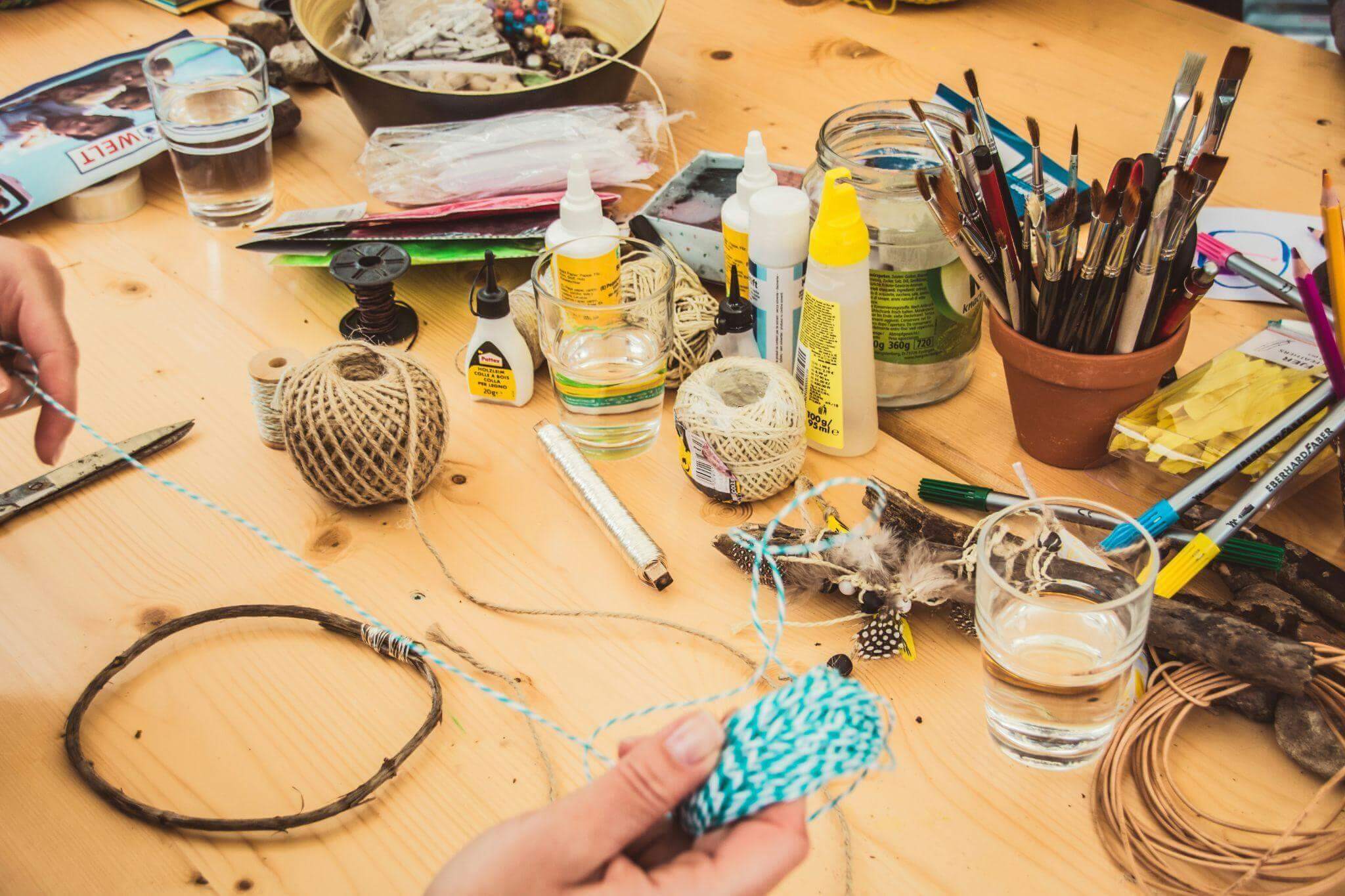
Photo by Jasmin Schreiber on Unsplash

Start with the story, not the editing

Before opening an editing app, decide what you want someone to notice. Is it the difference a small change made, a useful craft technique, or the pleasure of making something together?

For a small living-room shelf makeover, I would use this sequence:

Before → process → details → reveal

That might mean one shot of the cluttered shelf, a few clips of clearing and arranging it, a close-up of a handmade decoration, and a final view. Each shot has a job, which makes choosing what to keep much easier.

If the project is already finished, work with what you have. An earlier photo can introduce the “before,” followed by your process clips and a fresh shot of the result.

Whatever the project, let the first shot do the persuading. Open on the finished piece, or on the messiest ‘before’, so someone scrolling past knows within a moment what they are about to watch. You can save the slower setup for the middle.

Three creative projects that make great short videos

Turn a home makeover into a mini before-and-after

A painted chair, a tidier playroom, or a freshly styled shelf gives a short video a clear beginning and end. Before changing anything, take a steady shot of the whole space.

For the shelf example, I would capture five simple moments:

  • The shelf before the refresh.
  • Removing the old arrangement.
  • Choosing a few books, a plant, and a handmade decoration.
  • A close-up of placing the finishing touch.
  • The completed shelf from the same position as the opening shot.

Keep the phone at roughly the same height and angle for the before-and-after views. That makes the change easier to see. A clean lens and a steady support can also save you some cleanup later.

Turn a craft afternoon into a quick tutorial

A craft tutorial needs the important steps, not every minute of work. For a paper garland, for example, show the materials, cutting the shapes, threading them together, and hanging the finished piece.

Close-ups are useful when the action is small. Let viewers see where the hole goes or how the thread passes through it. If a step is easy to miss, hold that shot a little longer rather than speeding everything up.

Short text labels such as “Cut the shapes” and “Thread them together” can explain a silent clip. Leave each label on screen long enough to read. A slightly wonky decoration can stay in the final shot; it is part of the charm.

Turn an ordinary creative moment into a story

Not every video needs to teach. Decorating for an event, baking on a rainy afternoon, or making something with the children can be worth sharing simply for the feeling of it.

Instead of asking, “What tutorial can I make from this?” ask, “What did this moment feel like?”

Start with a scene that sets the mood, add a few small details, and finish with the moment you want to remember. It might be flour on the table or a finished garland catching the light. The video does not need a dramatic transformation to hold together.

record a short video

A phone and a steady support can be enough to record a simple clip. Image: Vmake Labs.

How to Make Craft Videos From Your Phone Clips

Once the footage is ready, a short checklist keeps the edit manageable. Here is how I would approach the shelf makeover.

  • Choose the useful clips. Put the five shots in one album so you can find them easily. Pick the clearest version of each moment.
  • Trim the waiting. Remove the pause before your hands enter the frame, repeated movements, and shaky starts. Keep enough of each action for viewers to understand it.
  • Build a rough sequence. For a 30-second example, try 3 seconds of “before,” 12 seconds of clearing and rearranging, 5 seconds of details, and 10 seconds of the reveal. Adjust this to suit the footage; it is a starting point, not a rule.
  • Add only the text you need. “A quick shelf refresh” can introduce the project, while “Use what you already have” explains the idea. Avoid covering the action with large blocks of text.
  • Check the clips that need attention. If one shot looks noticeably softer or grainier than the rest, see whether a small adjustment helps before replacing it.
  • Watch without sound. Can you follow the change and read every label? If the explanation relies on spoken words, add and check subtitles.
  • Preview the vertical crop. Make sure the finished shelf, your hands, and any text stay inside the frame. Watch the exported video on your phone before posting.

The aim is a process you can repeat during a busy week. A clear, finished video is more useful than an elaborate edit left sitting in your drafts.

When a little AI help makes sense

Sometimes the story is ready, but one clip needs a little cleanup. In the shelf example, that might be a grainy close-up of the handmade decoration.

Vmake Labs is an AI social video studio with tools for video enhancement and automatic captions. Those are the two I would consider for this kind of project, depending on what the footage needs.

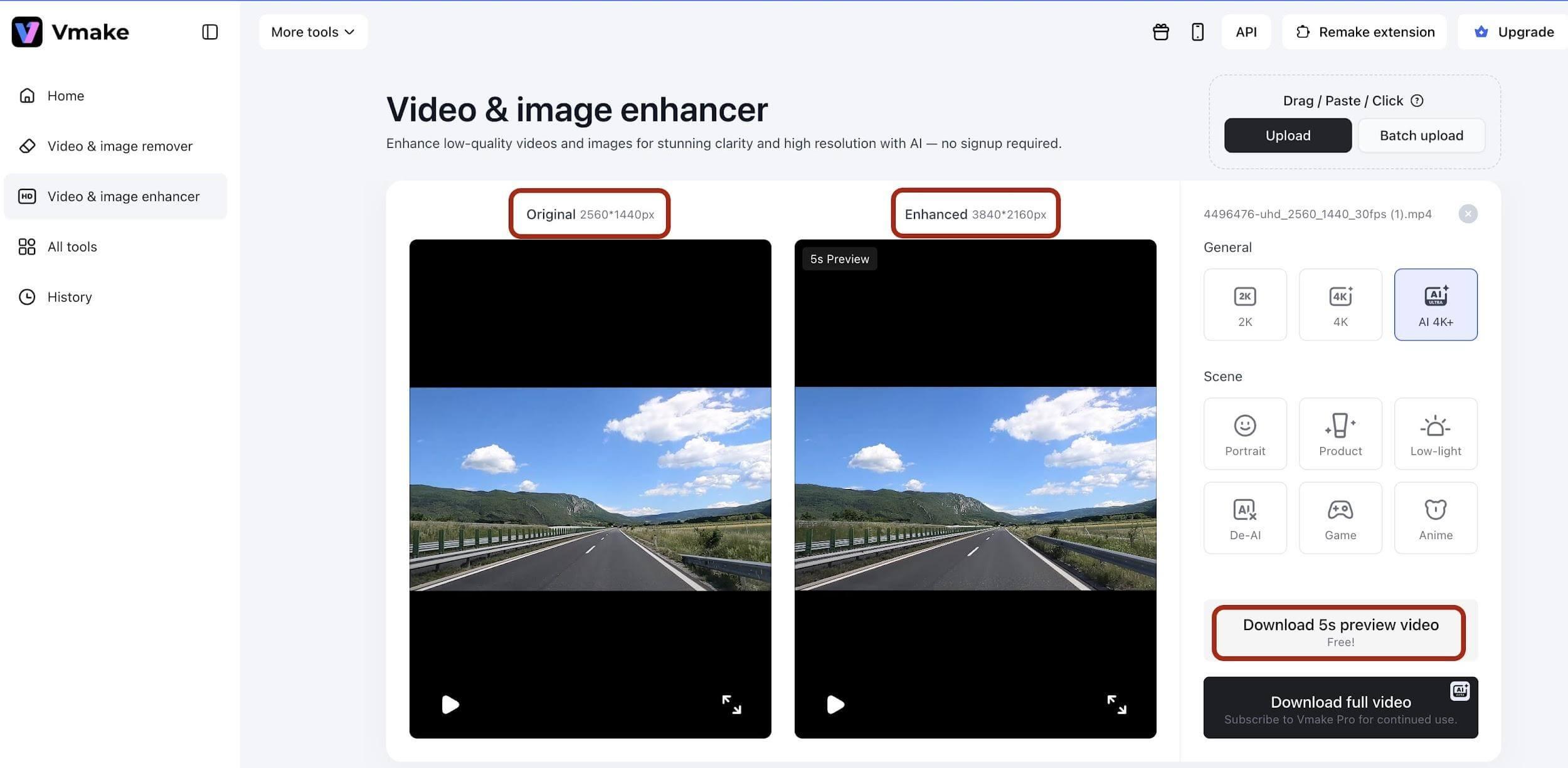
For a soft or noisy shot, upload the clip to the video enhancer and review the processed result before downloading it. Compare the same moment in both versions, looking at the edges, colors, and texture of the decoration. Keep the version that represents the project most clearly; do not assume that more processing is always better.

video enhancer

Example of the original and enhanced video previews in Vmake Labs. Image: Vmake Labs.

If the video includes a spoken explanation, automatic captions can turn that speech into on-screen subtitles. Read them through and correct any mistakes before exporting. A silent craft demonstration still needs its own written step labels; there is no spoken explanation to transcribe.

I would treat these tools as a finishing step. The choice of project, the sequence of shots, and the details worth keeping still come from you.

Keep the creative part yours

It is tempting to polish everything once you start editing. But a DIY video does not need to look like a studio production.

The paint on your hands, the slightly uneven paper shapes, or the cushion that will not sit straight can make a project feel personal. Remove the distractions that make the process hard to follow, while leaving the details that show something was made by hand.

For the shelf reveal, that might mean keeping the handmade decoration exactly as it is. The point is to share your idea, not to make your home look like someone else’s.

A quick checklist before you post

Before sharing your next Reel, TikTok, or Short, ask:

  • Is the project clear from the opening shot?
  • Have I removed repeated clips and unnecessary pauses?
  • Can viewers see the important steps and the finished result?
  • Does the story make sense without sound, or does the speech need subtitles?
  • Are the text labels readable and clear of the action?
  • Does the vertical crop keep the useful details in view?
  • Does the video still feel like something I enjoyed making?

Your camera roll is already full of stories

You probably do not need a new project just to make a video. Start with one you already have: a corner you refreshed, a craft from the kitchen table, or a few before-and-after photos.

Choose one small story and give it a beginning, a middle, and an ending. For that shelf makeover, five useful shots may be all you need.

There will always be another idea waiting. A simple workflow for making short craft videos leaves more time for the part that matters most: enjoying what you make.

Multi-Photo Frames: Show Family Memories in One Piece

0 · Oct 13, 2026 · Leave a Comment

Photographs often capture separate moments that belong to the same story, such as a family gathering, road trip, or a child’s milestone. A multi-photo frame brings those related images together within one coordinated display, so your family’s story fits on the wall without a crowd of separate frames.

As a mom, I’ve found it is also the easiest way to give birthdays, vacations, and everyday moments a place to live. The arrangement gives each photograph a defined place while creating a single visual composition. The result depends on thoughtful image selection, spacing, and orientation, which shape how the finished piece reads to viewers.

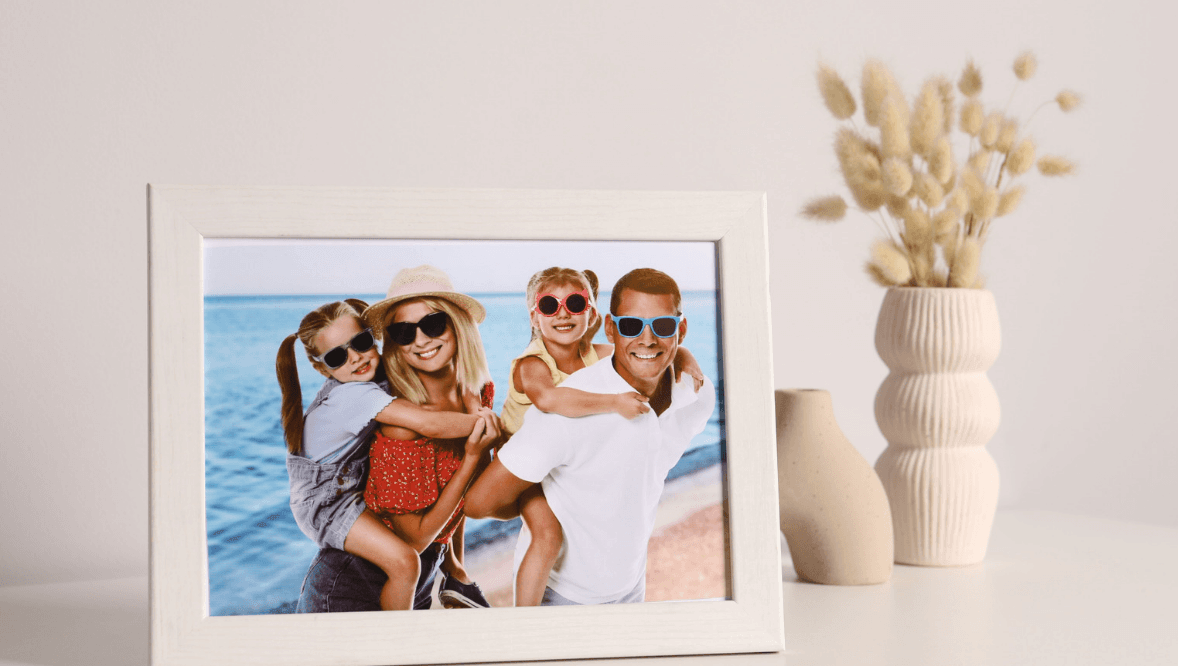
Picture frame with a family photo next to a vase

Why Multiple Photos Work Together

A multi-photo layout groups images that share a person, place, event, or time period. The frame often creates visual order, so each photograph supports the others instead of competing for attention. A collection of multi-photo frames includes layouts for 2 to 13 photos. These formats combine portraits, travel scenes, family moments, or everyday snapshots within one coordinated piece.

The number of openings affects how viewers read the display. Two photos create a simple pairing, while larger layouts allow a fuller sequence or a broader collection of moments. A carefully chosen set keeps the display connected, even when the photographs differ in color, setting, or orientation.

Choosing Photos for a Cohesive Layout

Start with a clear theme before selecting images. A family frame could focus on one celebration, while a travel arrangement could follow places visited during one trip. A shared subject provides visual continuity without requiring every photograph to look identical. The theme also makes later editing easier when too many candidate images compete for limited openings.

Image orientation also matters. A mix of portrait and landscape photographs works best when the layout accounts for those proportions. Cropping should preserve faces, important scenery, or other details that give each photograph context.

Color also adds another layer of visual consistency. Photos from different cameras often have varied tones, exposure levels, and contrast. Selecting images with related lighting or similar color balance helps the group appear more unified and creates a stunning gallery wall.

How Matting and Spacing Shape the Display

Matting creates separation between photographs and gives each opening a defined visual boundary. Consistent margins also prevent a dense arrangement from looking crowded. The spacing should support the number of images without making smaller photographs feel disconnected.

This approach shows why layout proportions matter as much as photo selection. Different image sizes create hierarchy, while measured gaps keep the composition readable. A balanced frame does not require every opening to match. Proportional spacing matters especially when several image shapes appear within one square or rectangular format.

Where a Multi-Photo Frame Fits Best

A single multi-photo frame works well where several separate frames would create visual clutter. Living rooms, stairways, bedrooms, home offices, and entry spaces can all support grouped photography. The best placement depends on wall size, viewing distance, and the furniture surrounding the frame.

Large walls often benefit from a format with several openings because the frame fills more space without requiring multiple hanging points. Smaller areas suit compact arrangements that keep the display proportional to nearby furniture. Eye-level placement usually makes the photographs easier to examine during normal movement through the room.

Building a Meaningful Sequence

Order can turn several photographs into a visual timeline. Arrange images chronologically when the goal is to show an event or changing stage of life. Another option is to place the strongest image near the center or in the most prominent opening.

The sequence should have a clear reason for its arrangement. A wedding frame might begin with preparation and end with the celebration, while a vacation display could follow the route taken. Intentional ordering gives the eye a natural path through the composition. The chosen order should also preserve the emotional or factual relationship between adjacent photographs.

Conclusion

A multi-photo frame works best when its images share a clear connection and its layout gives each photograph enough space. Photo count, orientation, color, matting, and sequence all influence how the finished display looks on a wall. Before choosing a frame, gather the intended photographs and test their order side by side in the planned space.

As a mom, I’d start with the photos your family loves most and let those guide the layout. Before choosing among multi-photo frames, gather those favorites and test their order side by side in the planned space.

  • Page 1
  • Page 2
  • Page 3
  • Interim pages omitted …
  • Page 511
  • Go to Next Page »

Primary Sidebar

Heather from Whipperberry
Hello... my name is Heather and I'm the creator of WhipperBerry a creative lifestyle blog packed full of great recipes and creative ideas for your home and family. I find I am happiest when I'm living a creative life and I love to share what I've been up to along the way... Come explore, my hope is that you'll leave inspired!

Footer

  • Privacy Policy
  • Crafts
  • Food
  • Gifts
  • Holidays
  • Home
  • Mom Life
  • Recipes
  • Travel

Copyright © 2026 · Seasoned Pro