• Skip to primary navigation
  • Skip to main content
  • Skip to primary sidebar
  • Skip to footer

Whipperberry

WhipperBerry • Your Home For Creative Inspiration

  • Home
  • Recipes
    • Starters
    • Easy Weeknight Dinners
    • Main Dish
    • Salads
    • Side Dish
    • Soups & Stews
    • Desserts
    • Breakfast
    • Miscellaneous
  • Tutorials
    • Creative Crafts
    • DIY Decor
    • Fabric Crafts
    • Food How-To
    • Jewlery
    • Paint Projects
    • Paper Art
    • Party Styling
    • Photography and Graphic Design
    • Silhouette
  • Holidays
    • Easter
    • Mother’s Day
    • Father’s Day
    • 4th of July
    • Halloween
    • Thanksgiving
    • Christmas
    • Valentine’s Day
  • Gift Ideas
    • Gifts For Everyone
    • Gifts for Dad
    • Mother’s day
    • For The Girls
    • For The Kids
    • Teacher Gift Ideas
    • Christmas
  • Printables
    • Holiday
    • Gift Idea
    • LDS Primary
  • Travel
  • About
    • Terms
  • Contact
  • Nav Social Menu

    • Facebook
    • Instagram
    • Pinterest
    • RSS
    • Twitter

Cricut Easy Press

America The Beautiful Porch Sign

9 · Jun 8, 2018 · 3 Comments

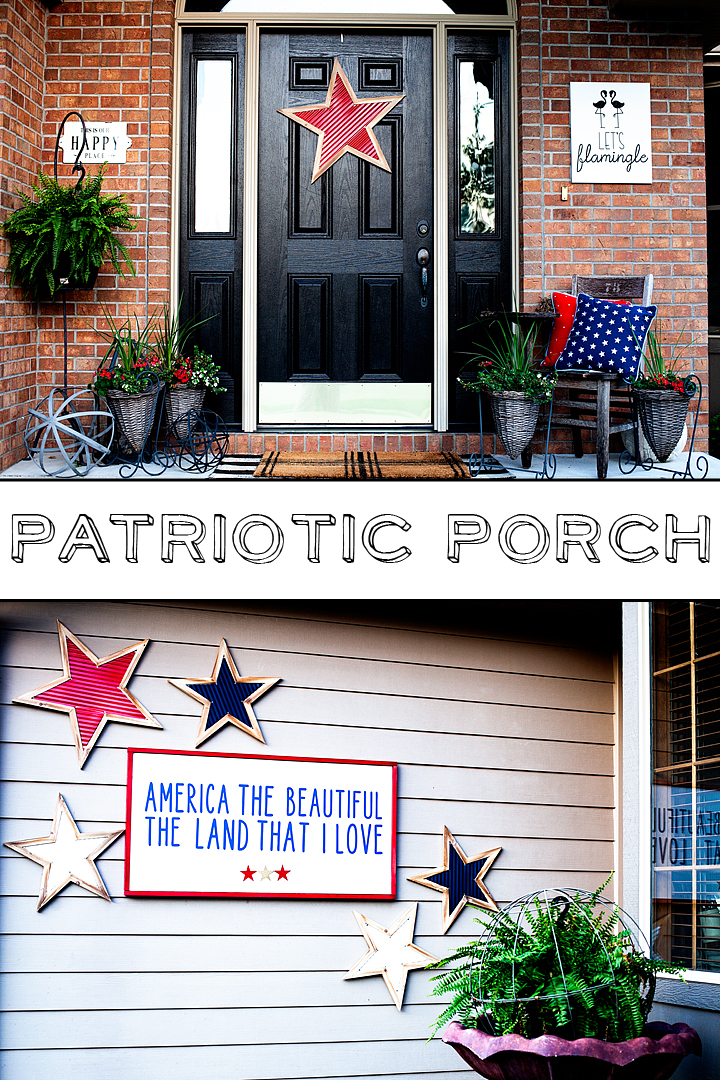
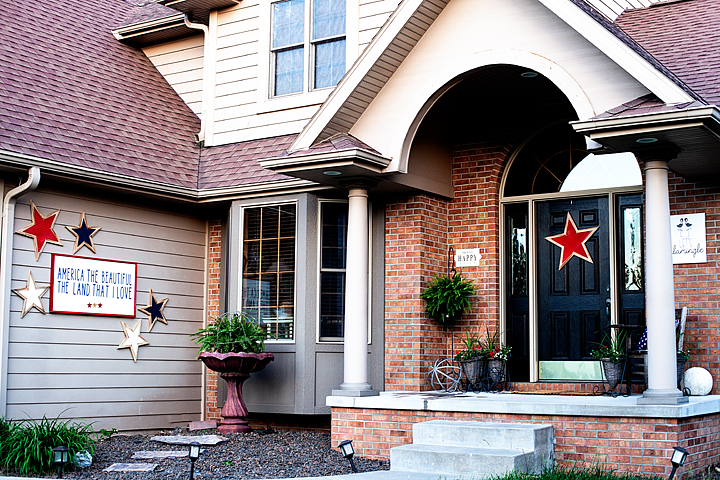
Dressing-up the front porch at my house has become one of my favorite things to do each season. Summer is always my time to show a little love for the good ol’e USA. I host a huge 4th of July party each year and I always try to dress things up extra special for that event. This year I created a new America The Beautiful porch sign to the mix and I jazzed it up with some great stars from Michaels!

+ This post is brought to you by the fine folks at Michaels +Patriotic front porch design for the 4th of July • Let's Flamingle Sign • Sign Making 101 • WhipperBerry
Shopping at Michaels Online

Michaels has all your red, white & blue needs this summer! And it’s now easier than ever to get all your supplies with Michael’s new buy online and pick up in store feature! Simply place your order online, select your store and your items will be ready and waiting for you there! I saved a ton of time by shopping online and then running in to my local michaels store to pick-up my order. I’m LOVING this option. No more wandering the isles with kiddos in tow. I can virtually wander the isles with my kiddos happy at home. So much less stress. Then I run in and grab my order when it’s ready… Super Slick! Have you tried this out at Michaels yet?

Supplies for the America the Beautiful Porch Sign Look

Here is what I ordered for this fun patriotic look…

  • Red Stars
  • Blue Stars
  • White Stars
  • Red Star Pillow
  • Blue Star Pillow
  • 24×48 canvas
  • red spray paint
  • 3M Command Strips
  • Cricut SportFlex – Midnight Blue • This one I did have to order online via Michaels
  • Cricut Iron-On Glitter – Red
  • Cricut Foil Iron-On – Gold
  • Cricut Easy Press or personal iron
  • Cricut Design Space File
  • Let’s Flamingal Sign

How to Put This Look Together
America the Beautiful Porch Sign • WhipperBerry

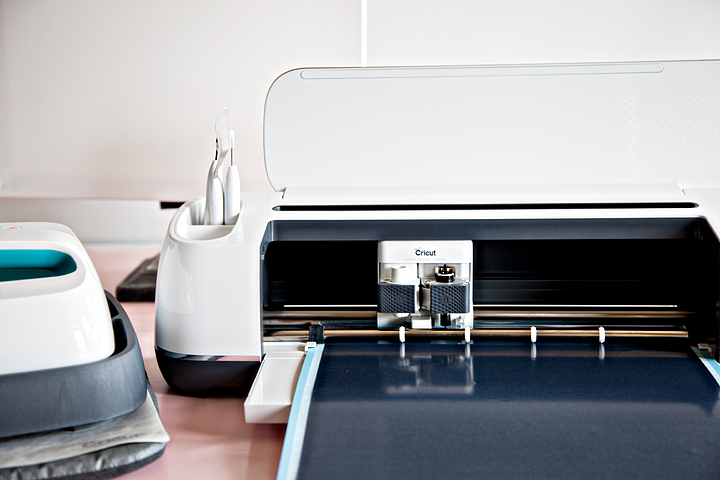
Now, this look has several different elements. We have the sign and the stars on the garden wall. This was using my new tried and tested method of using the Cricut Maker to cut Iron-On Vinyl and then affixing it to a canvas using the Cricut Easy Press. This is my new favorite sign making technique. You can learn how to do everything from start-to-finish in my Sign Making 101 post.

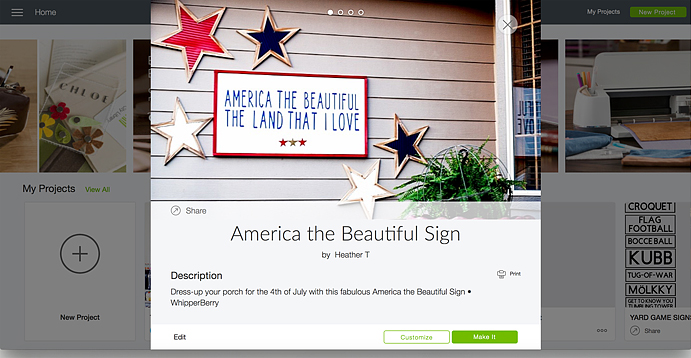
Then all you need to do is visit Cricut Design Space with the link above in the supply list and you’ll have access to my cut files that you can re-size to your desired sign size then, cut on your Cricut Machine for your sign.
America the Beautiful Porch Sign • WhipperBerry

Once your sign is finished then it’s time to hang everything. I’ve found that the 3M Strips are BRILLIANT even on outdoor walls.
Patriotic front porch design for the 4th of July • Let's Flamingle Sign • Sign Making 101 • WhipperBerry

I hand new signs each season on my brick wall with my Command Strips. They have withstood strong winter storms without a problem at all and, let me tell you… Nebraska is no joke when it comes to strong winds and crazy storms. I have yet to have a sign fall using my Command Strips on Brick.
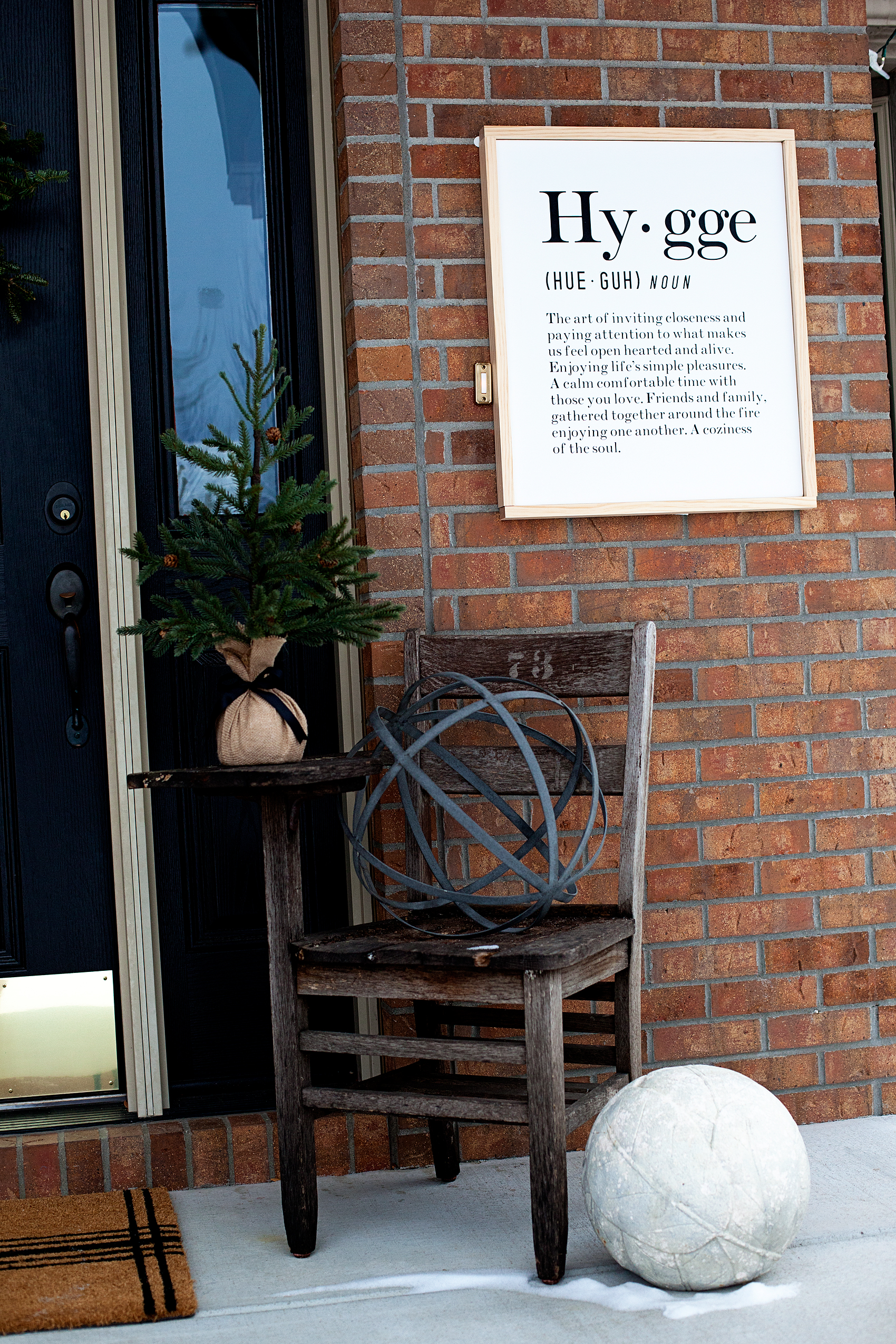
Hygge Canvas Sign • Sign Making 101 • WhipperBerry

I used the Command Strips to hang the large 24×48 America The Beautiful porch sign on the garden wall. With the size of the sign, I did need to use a fair number of the Command Strips to make sure the sign was secure. Then I used the command strips to hang the stars as well.
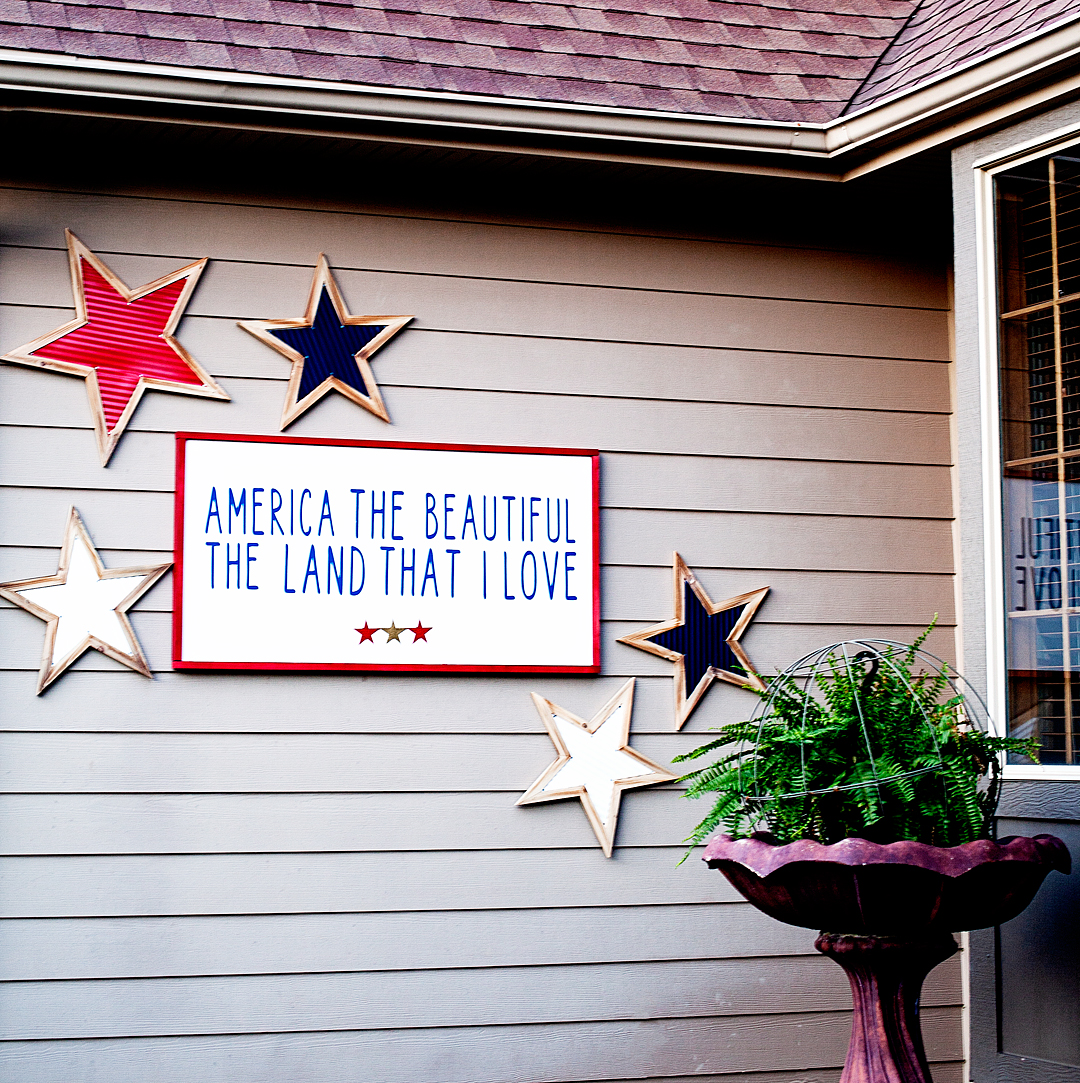
America the Beautiful Porch Sign • WhipperBerry

I kind of have a love affair with Command Strips if you can’t tell! Patriotic front porch design for the 4th of July • Let's Flamingle Sign • Sign Making 101 • WhipperBerry
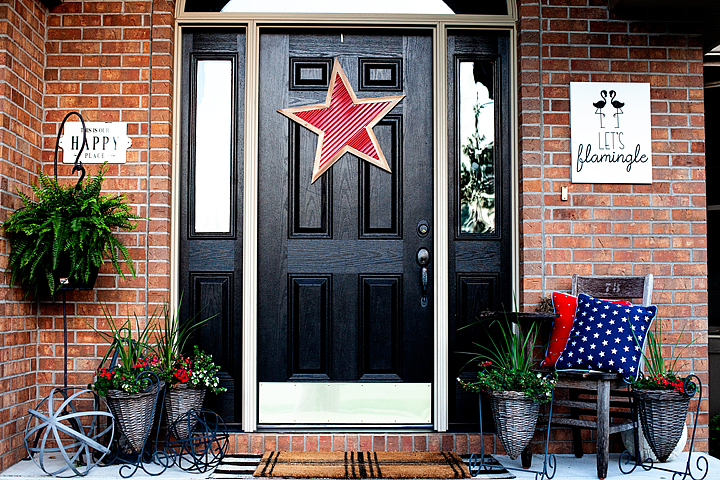
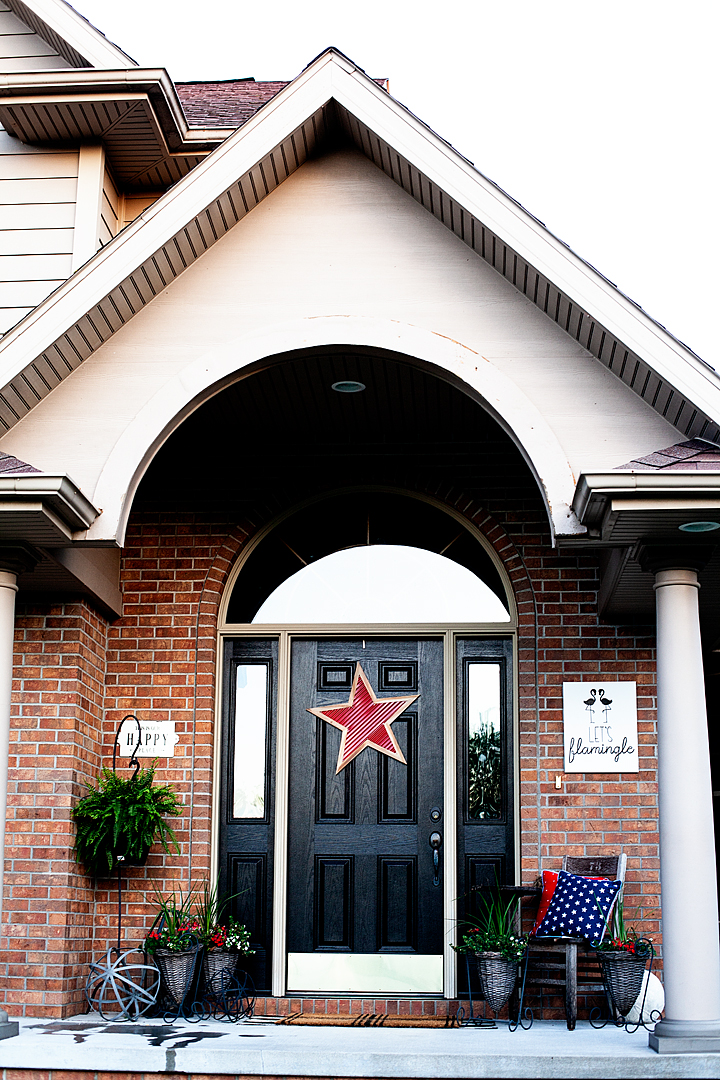
I also hung one of the stars on the front door to tie the two areas together and added the great star pillows from Michaels on my old chair. Add a few plants and the look is complete. It’s perfect for your 4th of July gatherings for sure!

What are you going to order from Michaels and pick-up at your local store this week? They have some amazing sales going on right now!!


SaveSave

SaveSave

SaveSave

SaveSave

SaveSave

SaveSave

Let’s Flamingle Sign • Sign Making 101

4 · May 10, 2018 · Leave a Comment

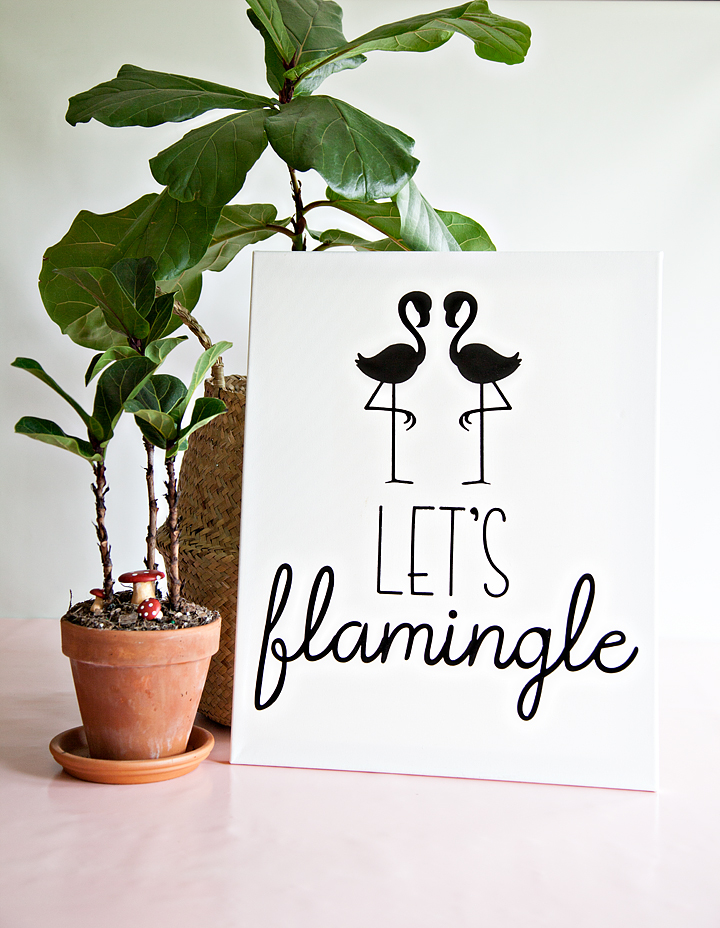
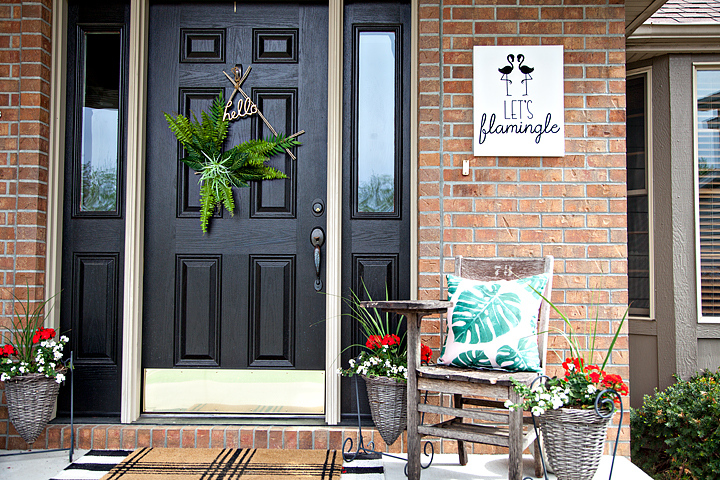
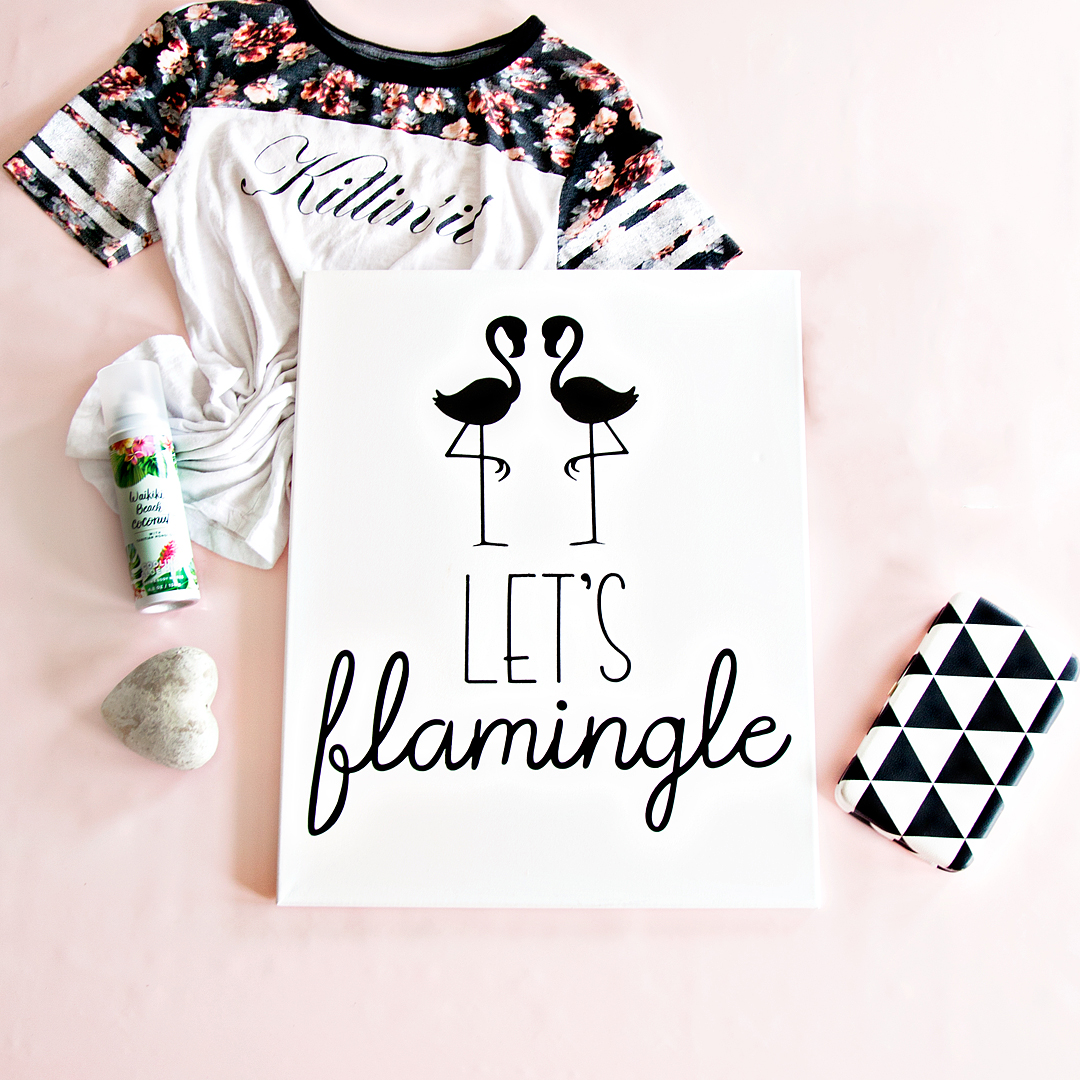
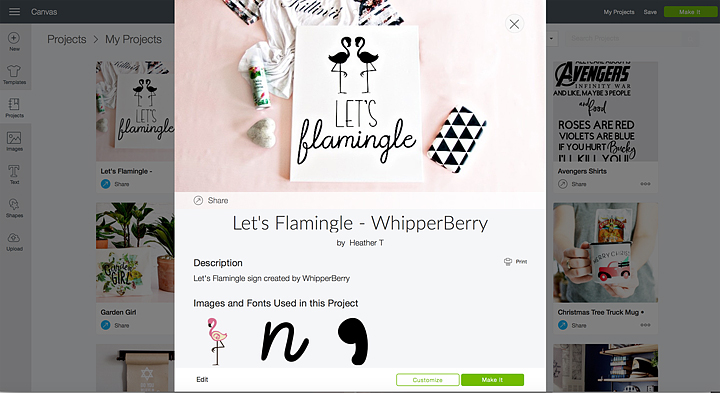
What do you call a group of flamingos? A Flamboyance of course! With a name like that, they are asking to Flamingle this Summer for all kinds of gatherings! I have been trying to find some inspiration for my new front porch sign for this summer and I finally stumbled up a fun flamingo themed saying that I thought was perfect for a summer sign created with my Cricut Maker & Easy Press, Let’s Flamingle Sign!

+ This post brought to you by the fabulous folks at Cricut +Let's Flamingle Sign - Sign Making 101 from WhipperBerry - This sign is great for a porch sign, party sign or a teen girls bedroom. It's simple, it's cute and really... Who doesn't love a FLAMINGO!

Sign Making 101

I love making signs… It’s is really one of my favorite ways to decorate my home. I especially love using the Cricut Iron-On Lite when I am making Canvas signs. Becuase of the nature of canvas, vinyl just doesn’t work but, Iron-On Lite works like a DREAM. It makes it look like your sign has been screen printed which I just love.

Now that Cricut has come up with the Easy Press and the Easy Press Mat, heat-transfer sign making is easier than ever! I grab the inexpensive canvas bulk packages at Michaels when they go on sale and have a whole slew of canvas sizes and shapes available when inspiration strikes.  Sometimes I frame them, sometimes I don’t. It’s really the mood that strikes me that day. These kinds of sign take minutes to make and really don’t involve a whole lot of mess (i.e. painting, sanding, etc.) and time-consuming work. Can I say it one more time… I LOVE them!!

Sign Making Supplies

Alright, let’s get down to the nitty-gritty… Here’s what you’ll need to make your Let’s Flamingle Sign.

  • 16x 20 canvas – or you can select the size that you want, just make sure that you size the design correctly before you cut your Iron-On Lite.
  • Cricut Iron-On Lite
  • Cricut Easy Press or an iron
  • Cricut Easy Press Mat or a towel
  • Cricut Iron-On Protective Sheet or a light cotton towel
  • Let’s Flamingle Sign design in Cricut Design Space

Directions for Let’s Flamingle Sign

This one, my friends, is basically… CUT, PRESS & CELEBRATE!

First, you’ll need to click on the Let’s Flamingle Sign link in the supplies list and open the project in Cricut Design Space. It is currently sized for a 16 x 20 canvas but, you can totally select your own size canvas. You will just need to make sure that your graphics are sized appropriately.

Next, you need to cut your Iron-On Lite according to the directions in Design Space. MAKE SURE TO MIRROR YOUR IMAGE! You will find a checkbox on the left-hand side of the cutting review screen, make sure that it is turned on so that your image will cut correctly. Anytime you use an iron-on type material, you will always need to mirror it before cutting the design.

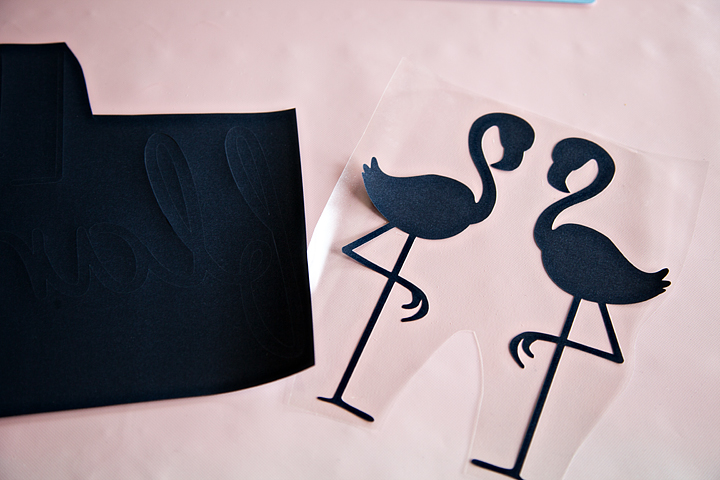
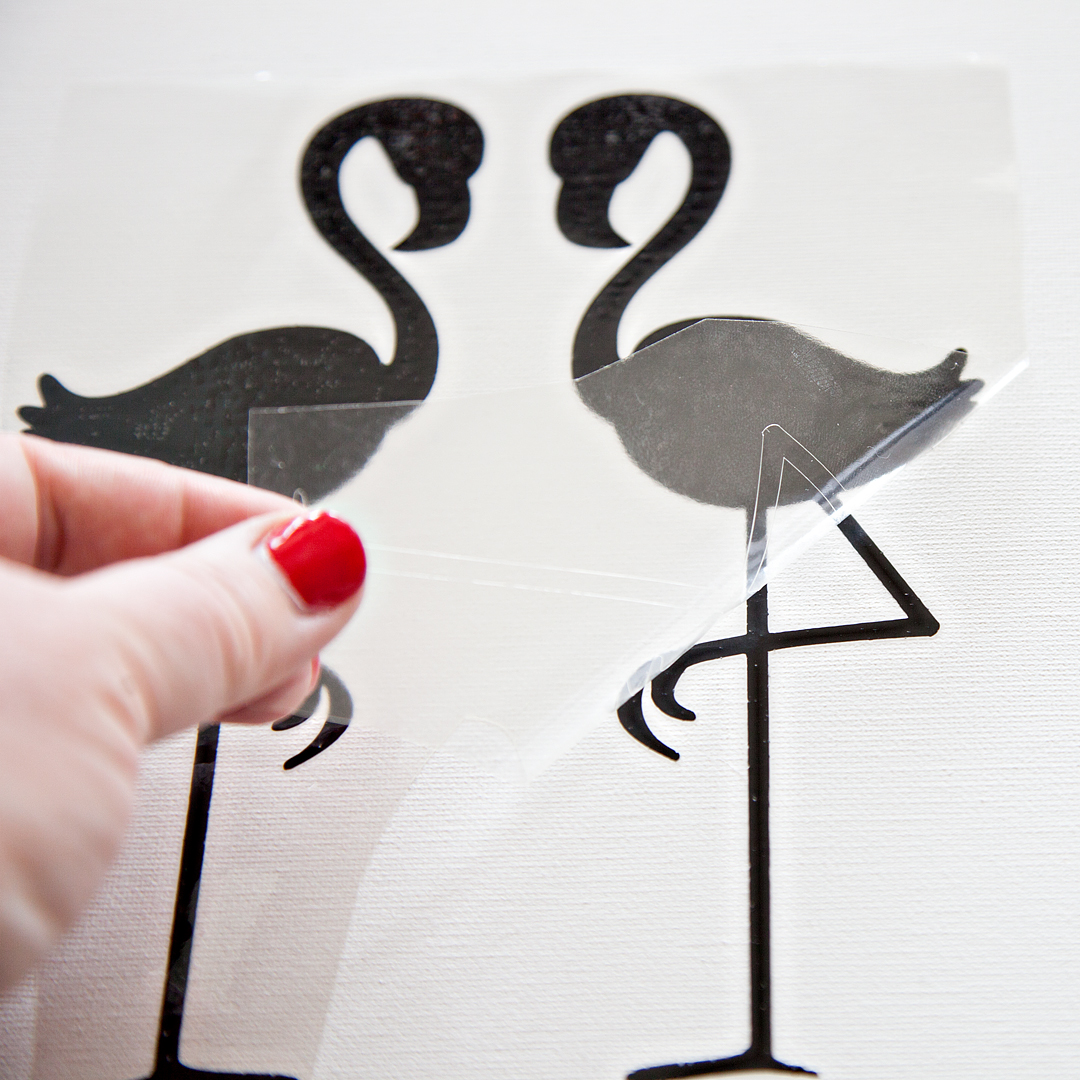
Once your design is cut, you’ll need to weed the excess Iron-On Lite. That means you’ll need to remove the Iron-On Lite that doesn’t belong on your canvas.

Now that your Iron-On Lite is prepped and ready to go, you’ll need to preheat your Easy Press or your iron.

Cricut Easy Press Basic Guidelines

  • Work on a hard surface like a countertop or sturdy table. An ironing board will not work.
  • Protect your surface. You need to use the Cricut Easy Press Mat or a towel underneath the item that you are pressing to protect the countertop or table.
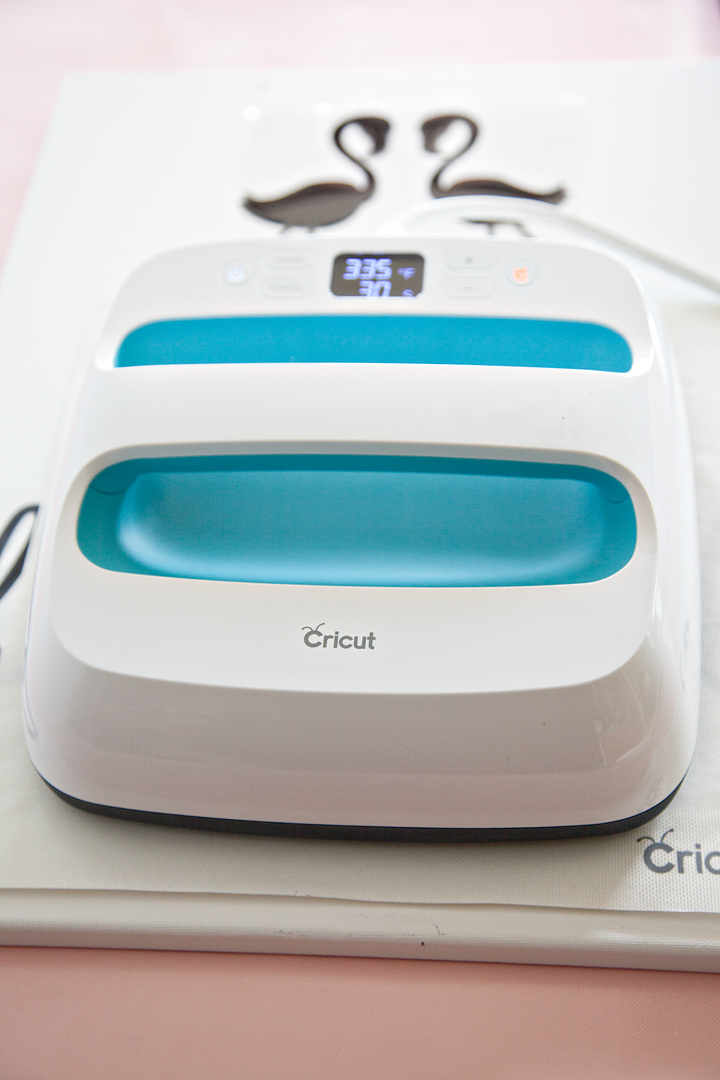
  • Use the heat settings suggested by the smart guys at Cricut. For this project, this is the suggested settings.
    340°F / 171°C
    Pre-heat Canvas: 5 sec
    Apply Iron-On Lite: 30 sec
    Heat for an additional 15 seconds on the back of the canvas with the protective lining still in place
    Warm Peel: remove liner while the design is warm to the touch, but not hot. This is when removing the liner will be easiest. If you allow it to cool completely, it will just take a little more effort to remove the liner.

    * If you are using a standard iron, heat settings and times will be different. 

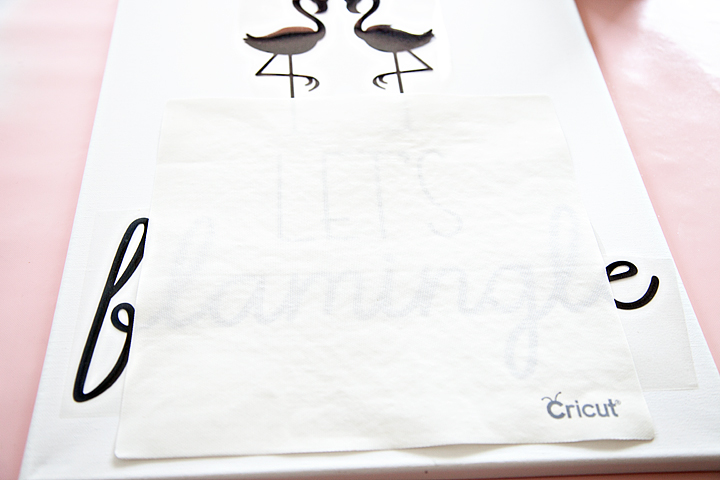
  • Protect the surface of your Iron-On Lite along with the heat plate of the Easy Press by using the Iron-On Protective Sheet or light cotton tea towel.

With this canvas, the Easy Press Mat worked perfectly to not only protect my surface but to also provide a platform for the canvas. The frame of the canvas makes using the Easy Press a little bit of a challenge. You can not press on a canvas without a platform underneath, the canvas will stretch and your sign will be ruined. Becuase of the height of the canvas frame, the Easy Press Mat worked great and I didn’t need to add additional books underneath to create a firm surface.

When the Iron-On Lite is cool to the touch, carefully remove the protective film.

With that, your new sign is FINISHED!!

Let's Flamingle Sign - Sign Making 101 from WhipperBerry - This sign is great for a porch sign, party sign or a teen girls bedroom. It's simple, it's cute and really... Who doesn't love a FLAMINGO!

How easy was that! If you have the right tools, this sign is a cinch to make. I’m loving my new front porch sign and I can’t wait to “FLAMINGLE” with my friends this Summer!

Let's Flamingle Sign - Sign Making 101 from WhipperBerry - This sign is great for a porch sign, party sign or a teen girls bedroom. It's simple, it's cute and really... Who doesn't love a FLAMINGO!

How about you? What’s your summer look like? Looking to learn more about working in Cricut Design Space? You should check out my latest video on how to use the Slice Tool, it will rock your Cricut loving mind!

How to use the Cricut Slice Tool Graphic VIDEO TUTORIAL - WhipperBerry

More Cricut 101 Tutorials & Video Tutorials

  • How to Apply Patterened Iron-On
  • How to Apply the NEW SportFlex Iron-On
  • How to Work with Layers in Cricut Design Space
  • How to Prepare Your Designs to Cut on your Cricut Cutting Machine

Disclaimer • This post does contain some affiliate links they are purely for tracking purposes and are not paid links. However, I did receive payment for my time and received product to help in the creative process. Keep in mind, I will only share products that I truly love and use in my everyday life

This is a sponsored conversation written by me on behalf of Cricut. The opinions and text are all mine.

Garden Girl Canvas Zipper Bag Tutorial • Mother’s Day Gift Idea

2 · Apr 28, 2018 · 2 Comments

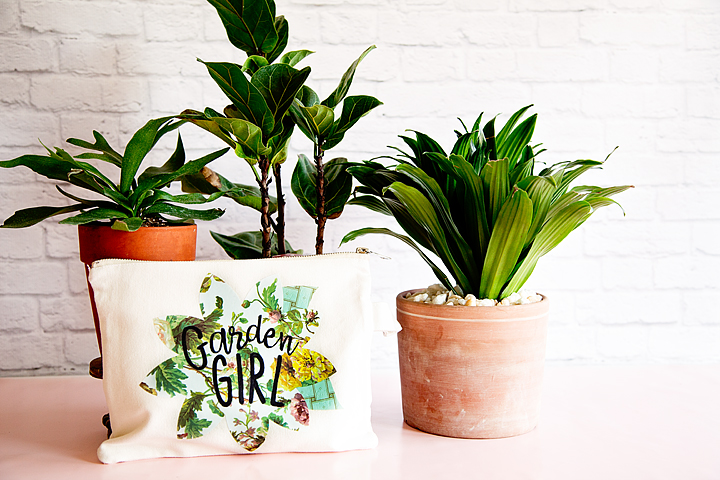
Hello… Mother’s Day is right around the corner, are you getting ready? I always love to create something fun for my Mom and for all the “Mothers” in my life. My Mom is a true garden girl and I thought it would be fun to create a cute garden girl canvas zipper bag using the new Cricut Patterned Iron-On for Mother’s Day. Have you guys seen this? It’s the cutest stuff!

+ This post brought to you by the amazing crew at Cricut +My Mom is a true garden girl and I thought it would be fun to create a cute garden girl canvas zipper bag using the new Cricut Patterned Iron-On for Mother's Day. Have you guys seen this? It's the cutest stuff! • created by whipperberry

Cricut Patterned Iron-On

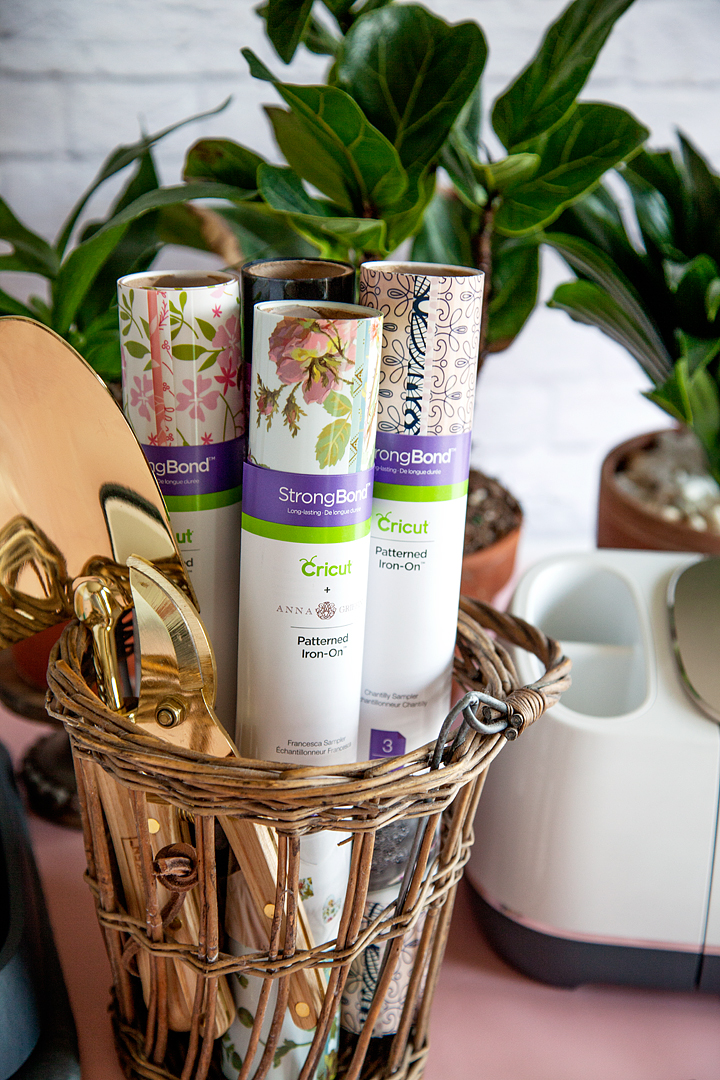
You guys… This stuff is so fun to work with! It comes in florals, lace, polka-dots, geometrics, plus more. The Cricut Patterned Iron-On is the next creative wave coming out of the fabulous minds of the crew at Cricut. They are constantly working to make more and even better consumable products for us to use as we create with our favorite crafting machine. This iron-on vinyl is created with the long-lasting Strong Bond™ technology and adheres nicely to many types of fabrics. It works like a dream when using the Cricut EasyPress or even your home iron.

My Mom is a true garden girl and I thought it would be fun to create a cute garden girl canvas zipper bag using the new Cricut Patterned Iron-On for Mother's Day. Have you guys seen this? It's the cutest stuff! • created by whipperberry

Garden Girl Design

If your mom or a loved one enjoys tending to their garden or sprucing up their home’s exterior, you might want to complement this handmade gift with something unique for the outdoors. Beautiful flower arrangements look wonderful both inside and outside, especially in window displays. Consider exploring options like Custom Made Window Boxes that can be tailored to fit specific styles and window sizes, adding a personalized touch to any garden lover’s home.

Since my Mom loves flowers, I thought the Anna Griffin floral patterns in the Francesca sampler would be perfect. I’ve been crushing on Anna Griffin’s work for years so, this was a natural fit for me as I started to design this Garden Girl bag.

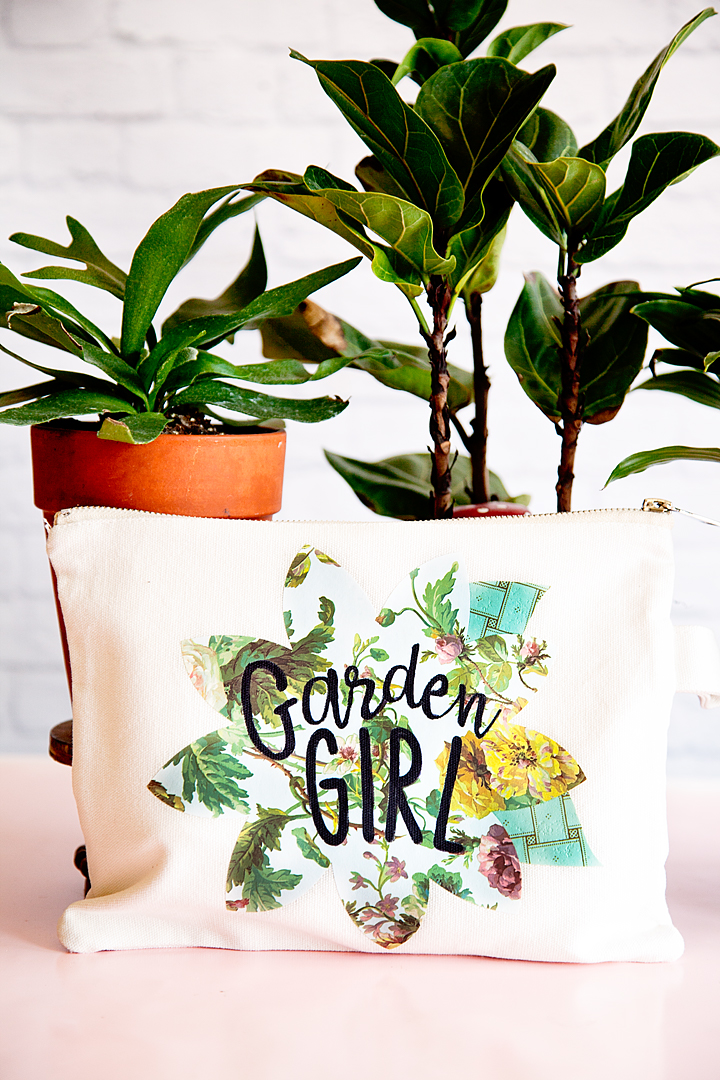
My Mom is a true garden girl and I thought it would be fun to create a cute garden girl canvas zipper bag using the new Cricut Patterned Iron-On for Mother's Day. Have you guys seen this? It's the cutest stuff! • created by whipperberry

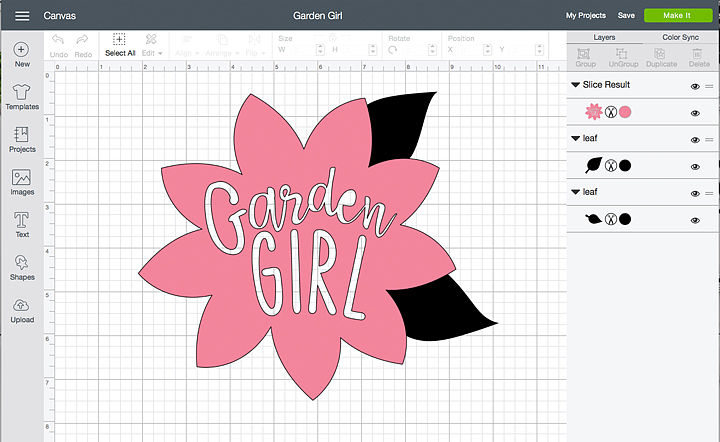
The design is pretty simple, it’s a flower that I found in the Cricut Design Space and then sliced the words into the flower and added a couple of leaves. But, no worries… I’ve got you covered. You can click on the link below, in the project supplies section, it will open this project up for you to use in Cricut Design Space.

Supplies

  • canvas zipper pouch
  • Cricut Patterned Iron-On
  • Garden Girl Cricut Design Space Project
  • Cricut machine
  • Cricut EasyPress or home iron
  • Cricut EasyPress Mat or towel
  • Cricut Iron-On Protective Sheet
  • Sharpie

Instructions

Now, that you’ve seen the video, here is the step by step instructions.

  1. Open the project in Cricut Design Space and click on the customize button. You may need to resize the design in order to fit your canvas bag.
  2. Cut the design on your Cricut machine following the steps that Cricut Design Space will walk you through. Make sure that when working with any iron-on material you need to MIRROR YOUR IMAGE and CUT ON THE WRONG SIDE of the iron-on vinyl.
  3. Weed your iron-on material. To “weed” vinyl or iron-on material means that you remove any iron-on material that you don’t want on your bag. For this design, you’ll want to remove the outside of the flower and leaves, then remove the letters from the inside of the flower.
  4. Pre-heat your Cricut EasyPress to 340˚ and set-up your EasyPress Mat.
  5. Place the canvas bag on the EasyPress Mat and prepare the surface by pre-heating the space where you are going to add the design for 15 seconds. This allows for greater adhesion for the Patterned Iron-On.
  6. Place your flower down on the surface of your bag then, slide the leaves under the flower and place them where you would like them. I trimmed the bottom of the leaves a bit since they were going to be covered by the flower.
  7. Remove the flower, cover the leaves with the Protective Iron-On Sheet and press the leaves at 340˚ for 30 seconds and gently pressing down on the EasyPress. First, on one side and then an additional 30 seconds on the other side.
  8. Remove the Iron-On Protective Sheet and then, peel back the clear protective film on the leaves.
  9. Place the flower over the leaves. Replace the Cricut Iron-On Protective Sheet and press again, like before. 30 seconds on one side, then 30 more on the other side.
  10. Let cool for a few minutes and then remove the protective film.
  11. At this point, you can decide whether you want to fill in the letters with Sharpie. I wanted my Garden Girl to stand out a little more so I decided to fill them in. You may have selected a Patterned Iron-On where the words standout just fine and you won’t need to fill them in. This is your call basically.

With that, your bag is finished and ready to gift to your favorite Garden Girl!

What would you like to create with the new Cricut Patterned Iron-On? Leave a comment and let me know, I love to see what you guys are working on!

My Mom is a true garden girl and I thought it would be fun to create a cute garden girl canvas zipper bag using the new Cricut Patterned Iron-On for Mother's Day. Have you guys seen this? It's the cutest stuff! • created by whipperberry

This is a sponsored conversation written by me on behalf of Cricut. The opinions and text are all mine.

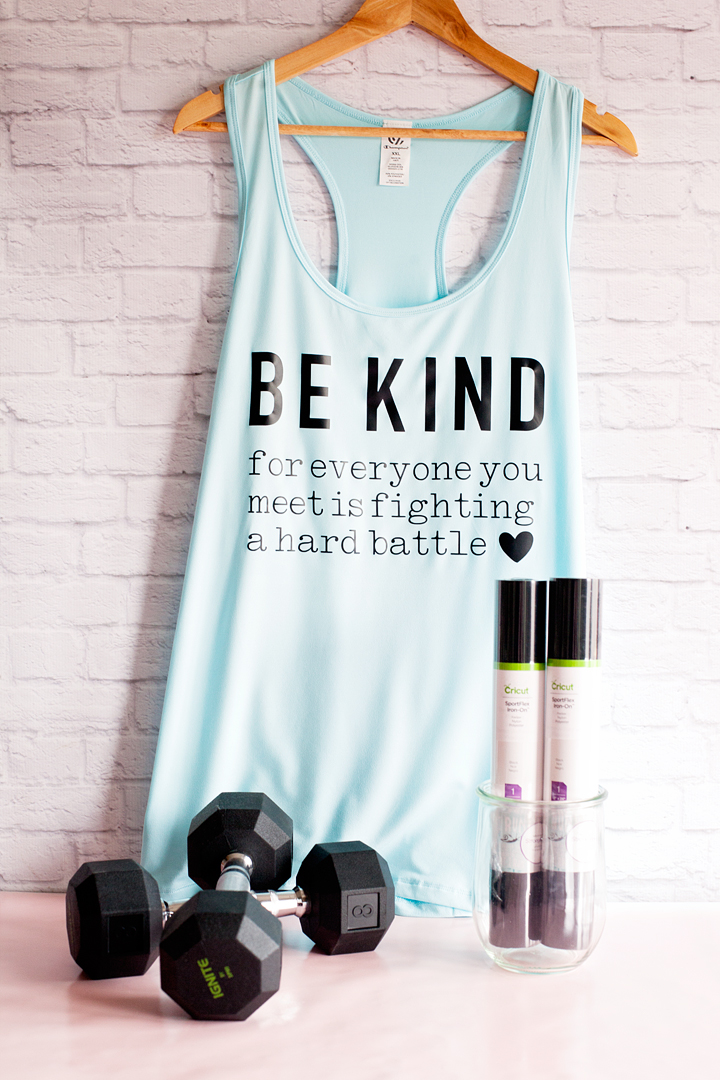
Be Kind Workout Shirt Design with the NEW Cricut SportFlex Iron-On

2 · Mar 28, 2018 · 5 Comments

How is “Body Shaming” even a thing?  The fact that couples like Drew & Jenna Kutcher, positive body advocates, are shamed for being a normal curvy girl with a hot guy, is shameful and makes my heart hurt. When has it become “O.K.” and even celebrated to “shame” people, celebrities and non-celebrities alike, all whilst hiding behind their computer screen? For some, they don’t even have to hide. Being a plus-size girl myself, the idea of going to the gym nearly sends me into a panic attack. People can be so MEAN! I have recently shared on my Instagram account that I have started my weight loss journey with Weight Watchers and when Cricut asked if I would design a new shirt for the launch of a new product, all I could think about was creating a BE KIND workout shirt to wear at the gym.

• This post is brought to you by the folks at Cricut •

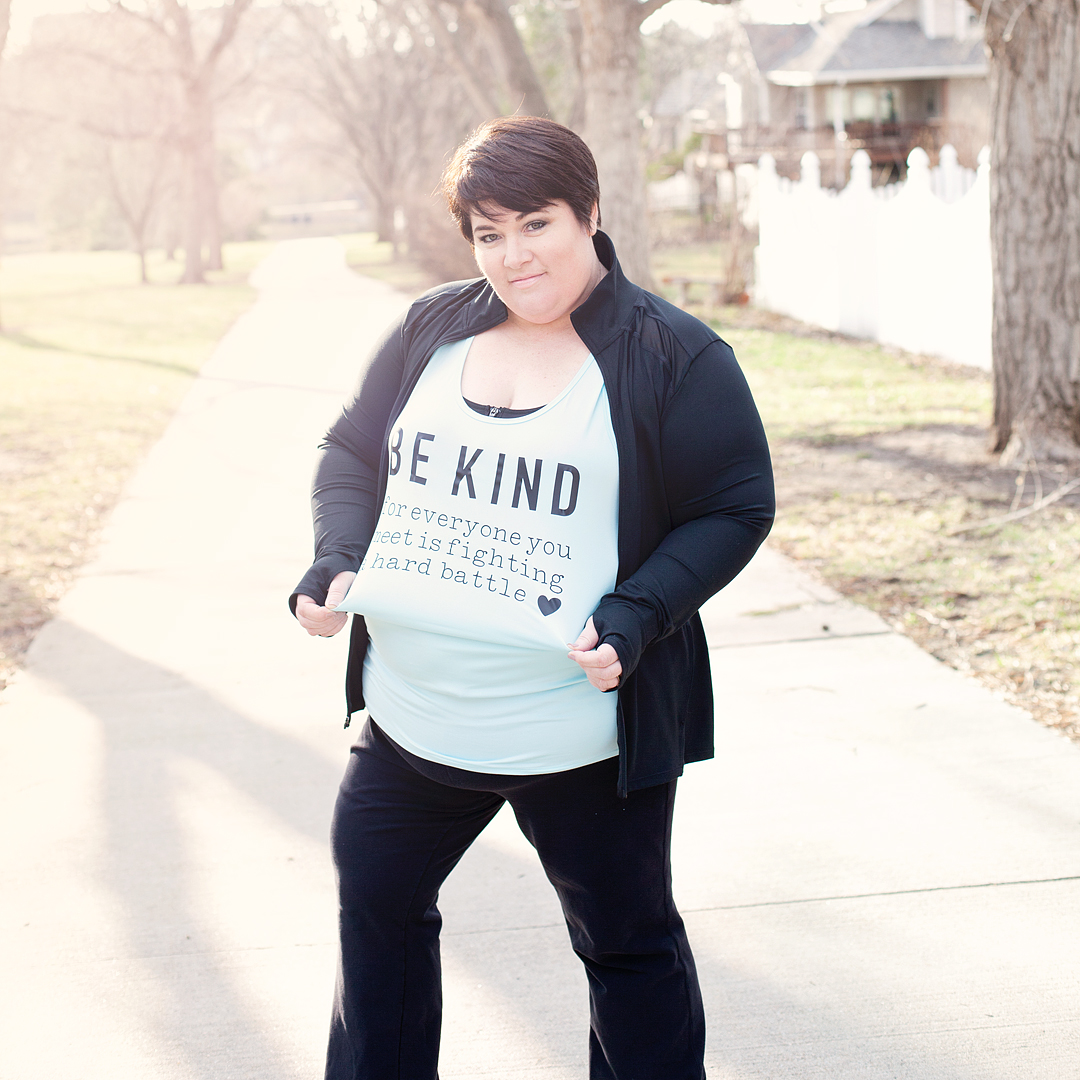
Be Kind for everyone you meet is fighting a hard battle workout shirt created with Cricut SportFlex Iron-on vinyl - created by WhipperBerry

Getting Personal About My Struggles

This isn’t easy so, buckle-up, I’m getting a personal today… I have always been on the curvy side. Even as a child, I was a little more “fluffy” than the rest of my friends. Nothing too crazy, never the less, I was always very hard on myself, as most of us are, when I was younger. Then I had four beautiful babies and with each pregnancy, I would put on more and more weight. Being a Mom was just so hard and I struggled to put myself ahead of the pack to take care of my health. Was I a little lazy, yes, I will admit that but, I was exhausted as most moms with littles are… Every single day!

I also had more hidden challenges that were hard to share, hard to admit and hard to accept. With a family history of chronic depression & anxiety, I often struggled with basic day to day tasks. I always wanted to push it off as postpartum depression and just try and wish it away. I didn’t want to be labeled as someone with mental challenges. I also had chronic pain that I tried to wish away too. Wishing really doesn’t get you anywhere when it comes to your mental and physical health. I tried to just stick my head in the sand and soldier on. That’s what we’re taught to do, right? I’m here to tell you, that doesn’t work.

I have since been diagnosed with Fibromyalgia and I’m happy to say that I have been working for over a year to get both of these issues in check. I’ve finally come to the point where I feel like I can actually start working on becoming a healthier me. Mid-January, I decided to join weight watchers and so far I’ve lost 13.8 lbs. The first few weeks were great, then I struggled for a few. But, I’ll share more about that later.

Making Changes for the Better

I’m finally at the point where I feel I can start adding more physical activity into my daily routine. You have to understand though when you have Fibromyalgia, any type of physical movement can be a little scary. You never really know what is going to trigger a flair-up. Sometimes it is even simple everyday tasks that can send your body over the edge. I’ve spent years trying to avoid those painful, debilitating flair-ups so, the idea of actually pushing my body is terrifying!

What’s even more terrifying is going to the gym and having people stare at the fluffy lady trying to work out. What do they know? They don’t know my struggles, what I battle with every day. They don’t know my heart and how hard I work to make sure I stay healthy mentally and physically for my family. Sometimes, even getting out of bed is a challenge for me. Who are they to judge?

Be Kind Workout Shirt SportFlex Material

Cricut is launching a new product that I’ve fallen in love with of course. They have a new SportFlex Iron-On™ that works like a dream with your polyester and nylon fabrics. To celebrate the new release, Cricut is having a huge shirt design event. I, of course, couldn’t pass up a chance to share more of my favorite type of design, creating and inspiring with words.

Be Kind for everyone you meet is fighting a hard battle workout shirt created with Cricut SportFlex Iron-on vinyl - created by WhipperBerry

Now, this new SportFlex Iron-On™ is perfect for your workout shirts, swimsuits, pajamas and the like. Made especially for activewear, SportFlex Iron-On™ features the Cricut StrongBond™ Guarantee* for long-lasting iron-on results that stick. This flexible, stretchable iron-on material moves and bends with the body and keeps your high-performance clothing lightweight.  SportFlex Iron-On is highly recommended for tech fabrics like polyester and nylon like my workout tank.

*Cricut stands behind its iron-on products with the Cricut StrongBond™ Guarantee when used and applied as directed.

Workout Shirt Design Supplies

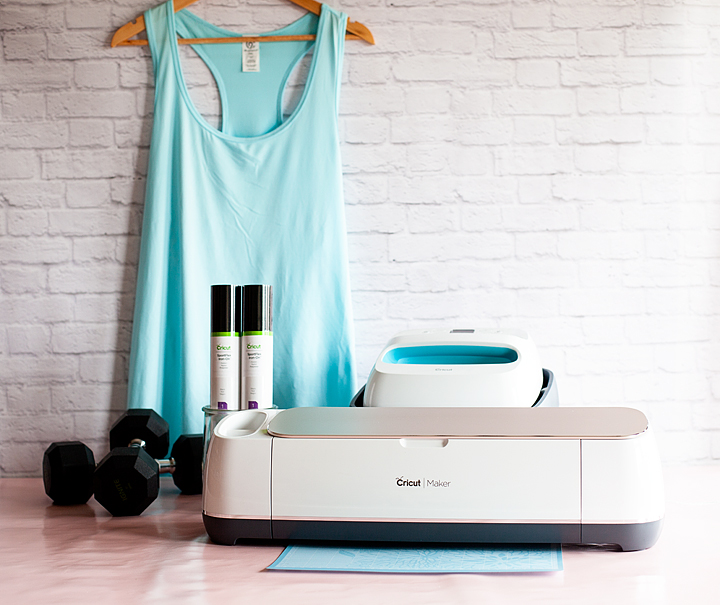
First, you’ll need to find your favorite workout shirt and select what color of the SportFlex Iron-On you want to use. They have a bunch to choose from. Then all you need to do is fire-up your Cricut cutting machine. The SportFlex works with any Cricut machine, which is awesome! Here’s what else you’ll need:

  • high-performance shirt or jacket
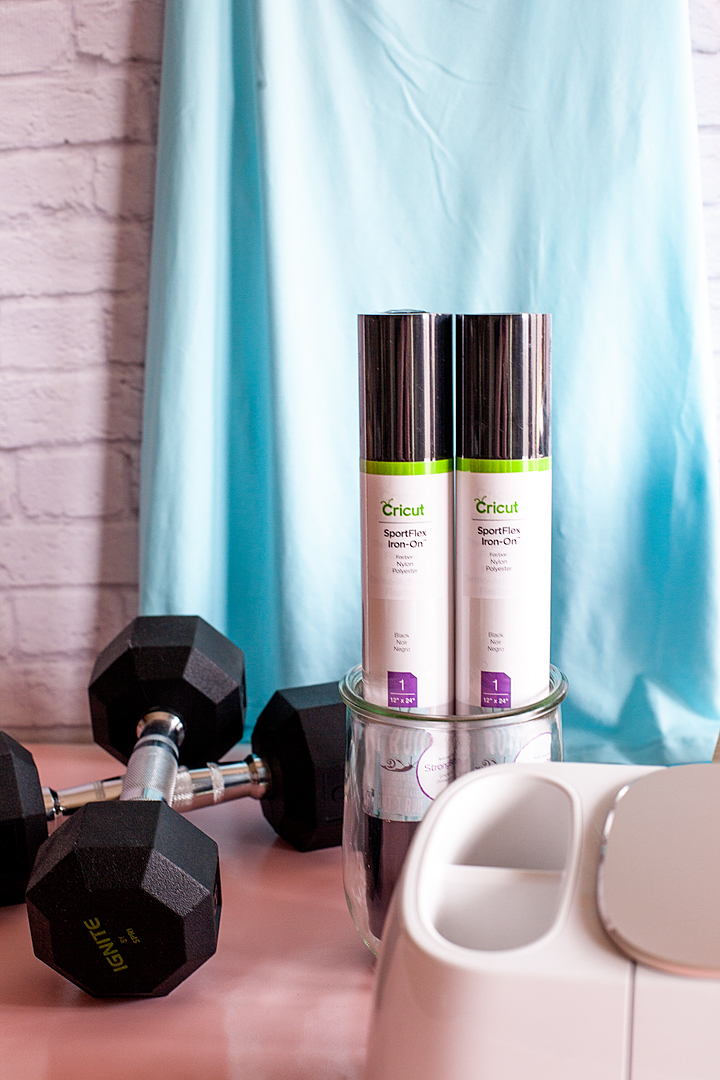
  • Cricut SportFlex Iron-On vinyl – I used black but, they have orange, red, midnight blue, bright yellow, fuschia, metallic gold, metallic silver & white
  • weeding tools
  • Cricut Easy Press or your iron
  • Cricut Easy Press Mat or a protected hard surface – You can use a quilting ironing board on a hard surface but, not a clothing ironing board. They aren’t firm enough. You can also place a towel on a hard surface if you don’t have either of these two options.
  • Cricut Iron-On Protective Sheet or a light cotton towel

Be Kind Workout SportFlex Iron-On Shirt Instructions

The Design

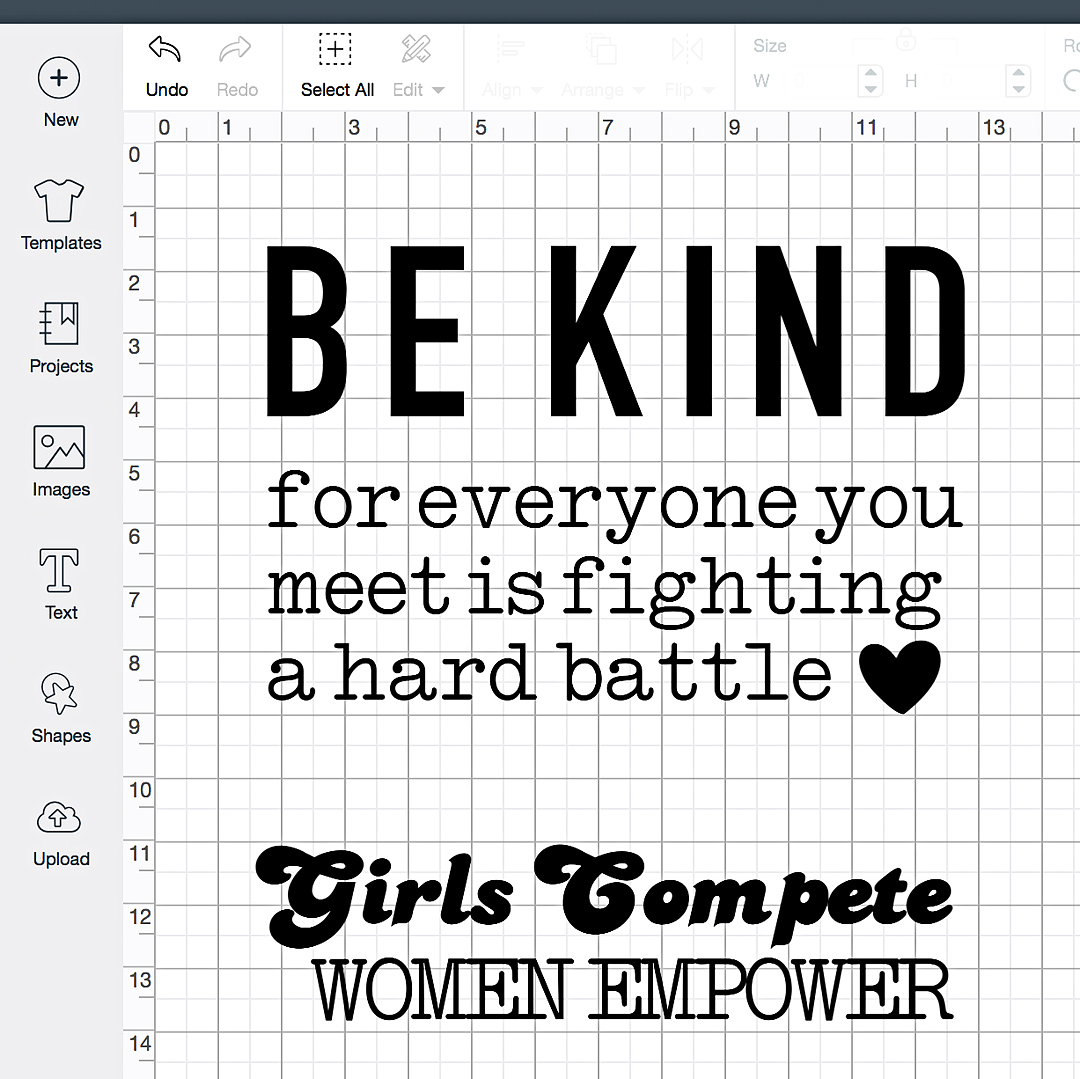
First, you need to open Cricut Design Space with my Be Kind design. I’m even giving you a bonus design that I love too. Be Kind for everyone you meet is fighting a hard battle workout shirt created with Cricut SportFlex Iron-on vinyl - created by WhipperBerry

Sizing

Once that is loaded, you’ll need to check your sizing. I’m a 2X and it’s sized right for the larger shirts. If you are smaller then that, you’ll want to change up the size a bit. Measure across your chest, right at your underarms and decide how wide you’ll want it to be.

Loading the SportFlex Iron-On

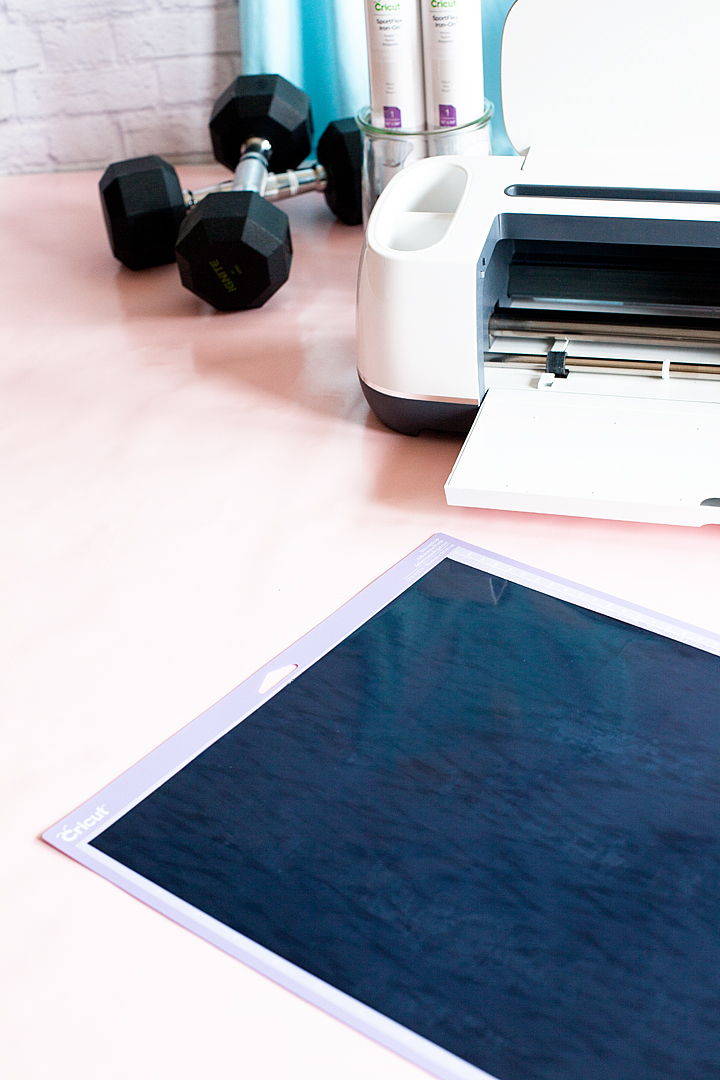
Now, if you haven’t ever worked with iron-on vinyl before, it’s a smidge different than traditional vinyl. You actually cut it on the underside of the material. Therefore, you’ll need to load your cutting mat with the shiny side of the SportFlex Iron-On face side down with the more matte side, right-side up.

Be Kind for everyone you meet is fighting a hard battle workout shirt created with Cricut SportFlex Iron-on vinyl - created by WhipperBerry

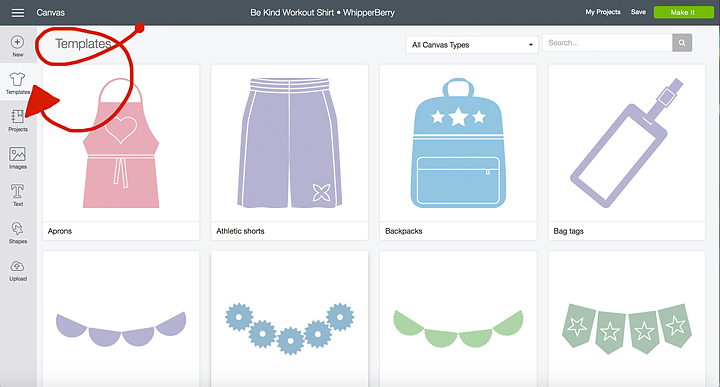
Then you’ll load your cutting mat into your Cricut Machine and prepare your design in Cricut Design Space. One great feature in Design Space is the template feature. You can select a t-shirt template and it will help you figure out measurements and spacing for your design. You’ll need to select the template button at the top left of your screen in Design Space.

How to select templates in Cricut Design Space

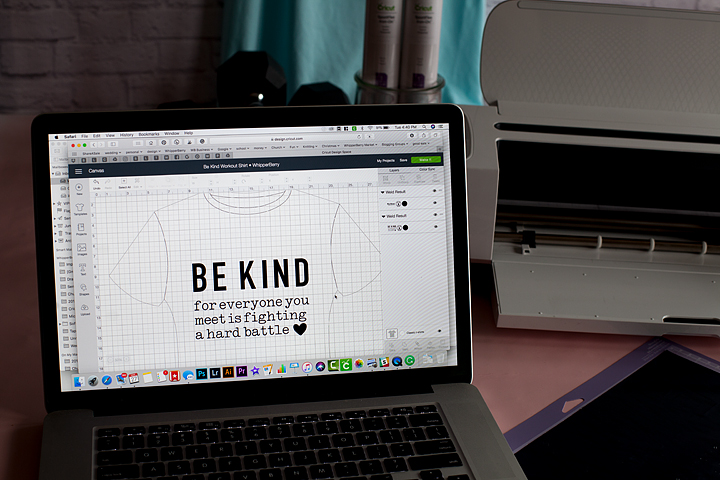
Then select the basic tee and it will load into your workspace. Now, keep in mind, the template only shows up when you select it this way. Your design doesn’t save with the template attached. If you want to use the template, you need to go and select it again each time you open the design.

Cricut T-Shirt template in Cricut Design Space

Now, I know my shirt is a tank but, at least this template gives me a little bit of a guide. You’ll know what works best for your shirt. Keep a measuring tape handy so that you can get proper measurements.

Preparing Your Design To Cut

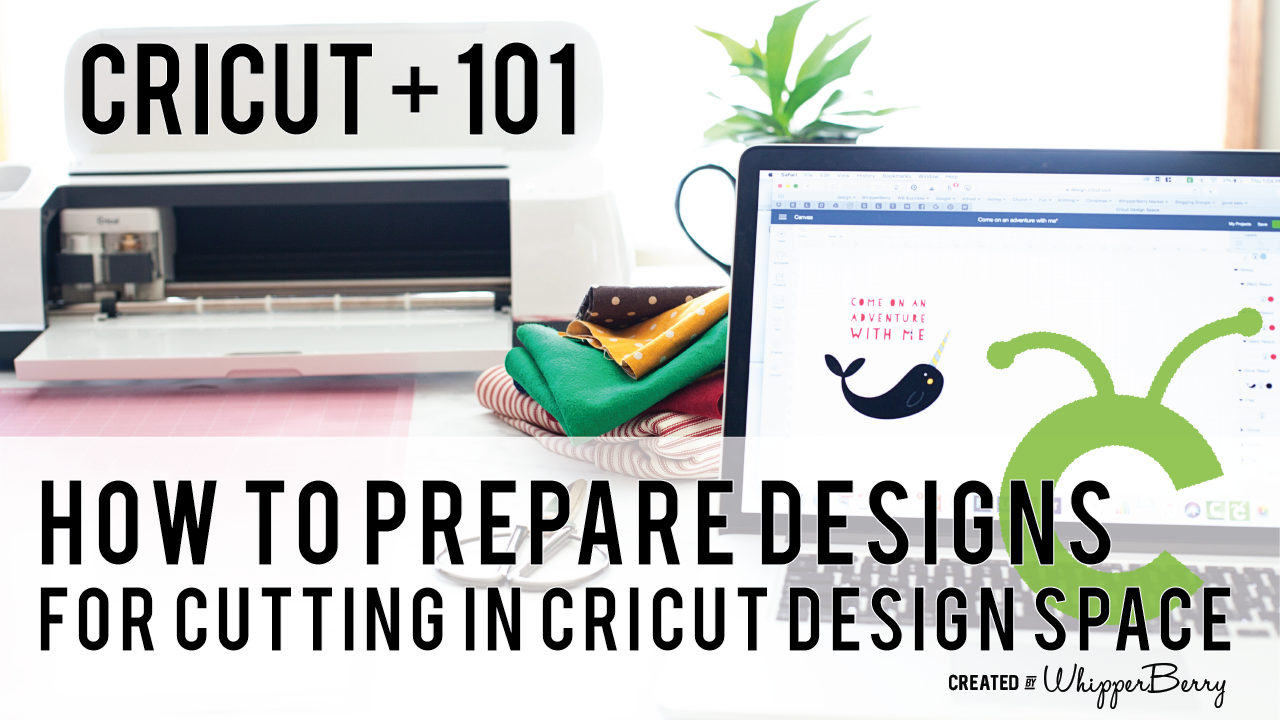
At this point, you’re ready to cut out your design on SportFlex Iron-On material. Your mat is loaded into your machine and you press make it. This is the point where you double check your cutting mat to see if you need to make any adjustments. If you aren’t comfortable with this quite yet, no worries, I have a Cricut 101 video that will guide you through that process. Visit this How To post and scroll down a bit for the video.

When you are working with multiply colors of fabric or paper, Cricut Design Space has some brilliant features that I really like. Instead of typing them all out I thought I would create a video for you watch that teaches you exactly how to prepare your designs to cut that really makes the cutting process so much easier.- WhipperBerry

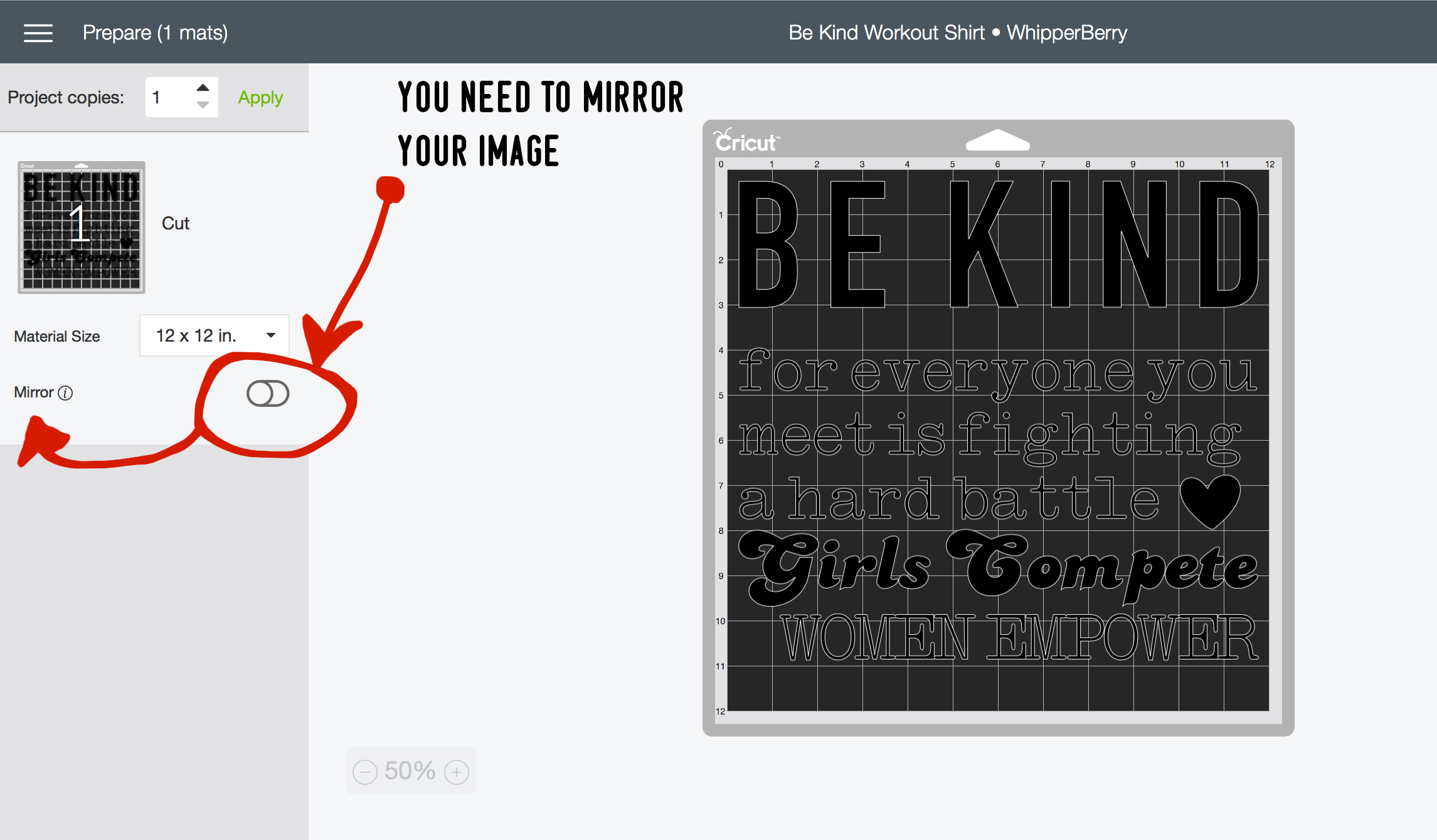
Now, your design is loaded into the preview workspace. At this point, you want to make sure to MIRROR YOUR IMAGE. Like I said before, you are going to need to cut your design on the underside of the SportFlex material. Your preview workspace looks like this,

How to mirror your image in Cricut Design Space

All you need to do is click on that little switch button to active the mirror option.

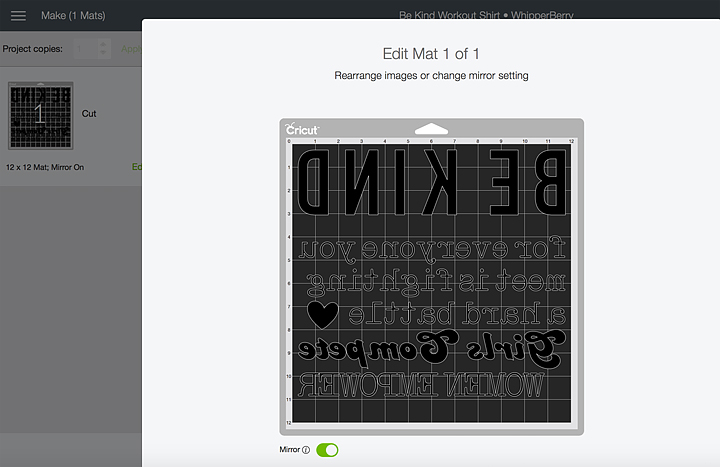
Mirrored image in Cricut Design Space

Now, it’s mirrored and you’re ready to move on.

Selecting The Right Material In Cricut Design Space

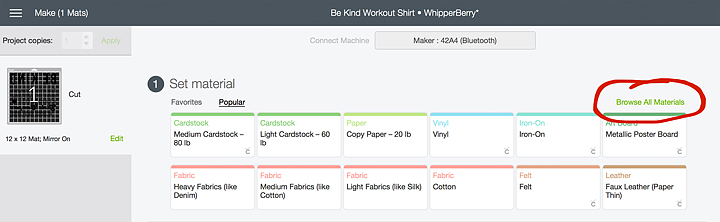
With a new iron-on product like SportFlex, you need to make sure that you select the right material settings when you’re getting ready to cut your design. After your machine has connected via Bluetooth, this screen will appear. Select Browse All Materials in the top right.

how to select the right settings for Cricut SportFlex Iron-On material

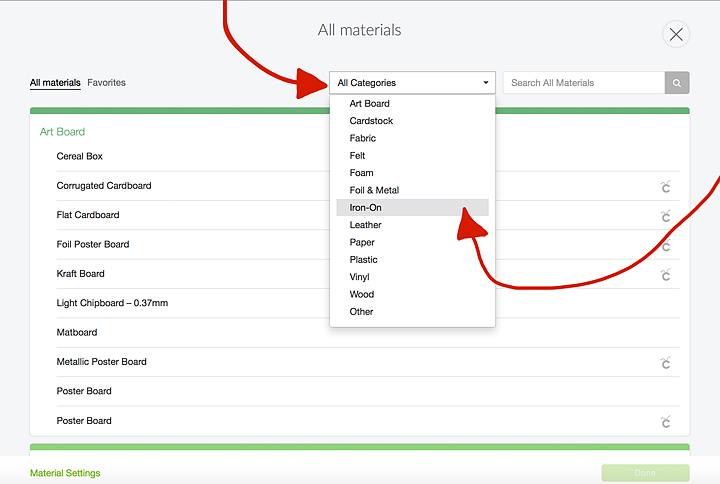
Then click on the Categories Down Down List and Select Iron-On.

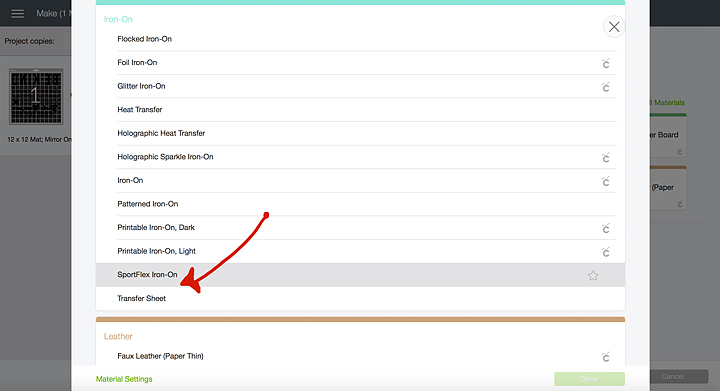
This screen will open and you’ll need to select SportFlex Iron-On. The reason why you need to be so specific is, each material in the Cricut Design Space has been calibrated meticulously buy the design team at Cricut. Each material cuts just a little different from the next. SportFlex Iron-On is a very thin material so as to not add a lot of bulk to your performance ware & to allow for movement. Therefore it needs a “Kiss Cut,” that means the machine will only cut the vinyl, not the protective film underneath. These guys are really good at what they do, aren’t they!

Now, you’re ready to cut. Press the GO button when it starts flashing and your design will begin cutting.

Weeding the SportFlex Iron-On Material

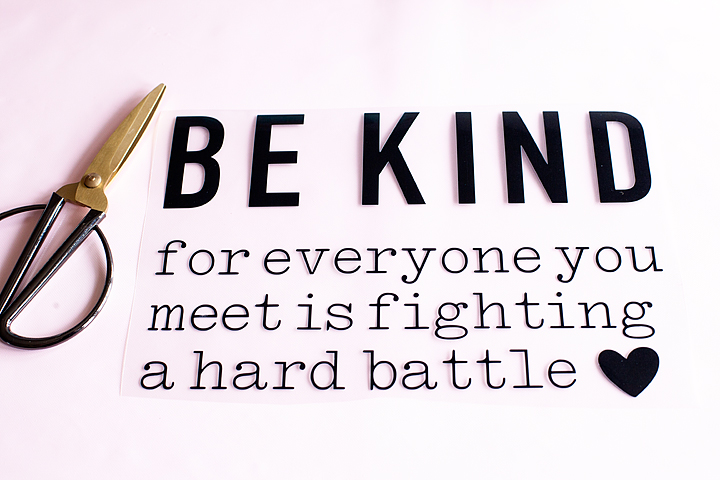
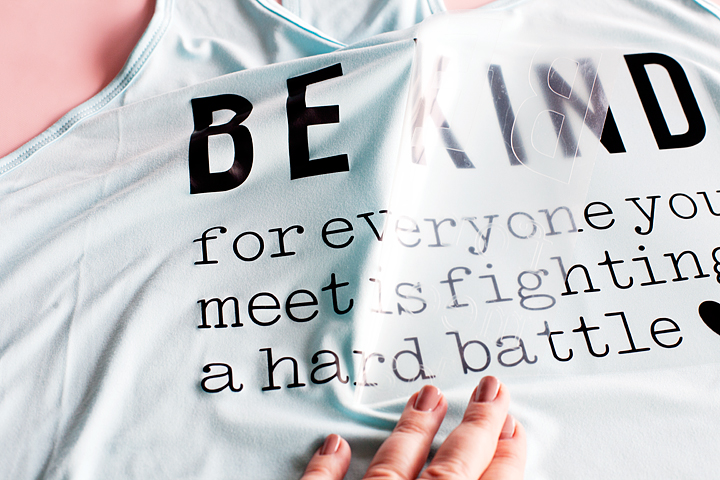
Typically, most iron-on or heat transfer type materials are easier to weed than traditional vinyl. That’s why I LOVE it soooooo much! One thing that you need to keep in mind. Weeding tools are really helpful. I can’t even imagine trying to weed without them. Second, even though the SportFlex is easy to weed, you want to take it slowly. It’s a very thin material and moving to fast will increases the chances of tearing your vinyl.

Be Kind for everyone you meet is fighting a hard battle t-shirt design

Applying the SportFlex Iron-On to Your Shirt

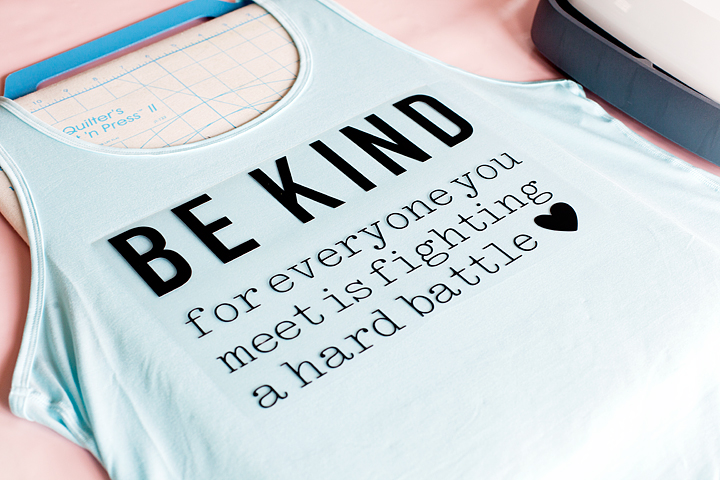
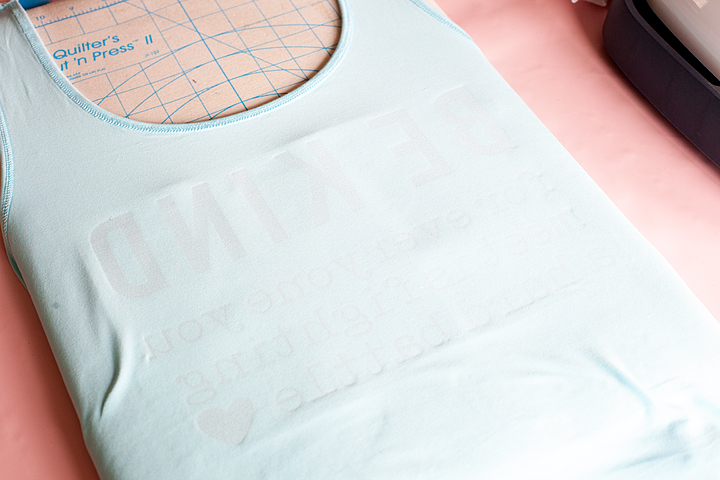
We’re almost finished, now all you need to do is apply the design to your shirt. I used a quilters Cut’n Press for this project because I had not yet received my Easy Press Mat. Sure enough, the mat just arrived as I am writing this post, therefore, I will use it for my next iron-on project. I can’t wait!!

I place the shirt on the mat and placed my Easy Press, which was preheated to 305˚, onto the area of shirt that I was planning on applying the vinyl for 15 seconds. This preheats the fabric and allows your SportFlex to adhere better. Then place your design on the shirt making sure to center and line it up properly.

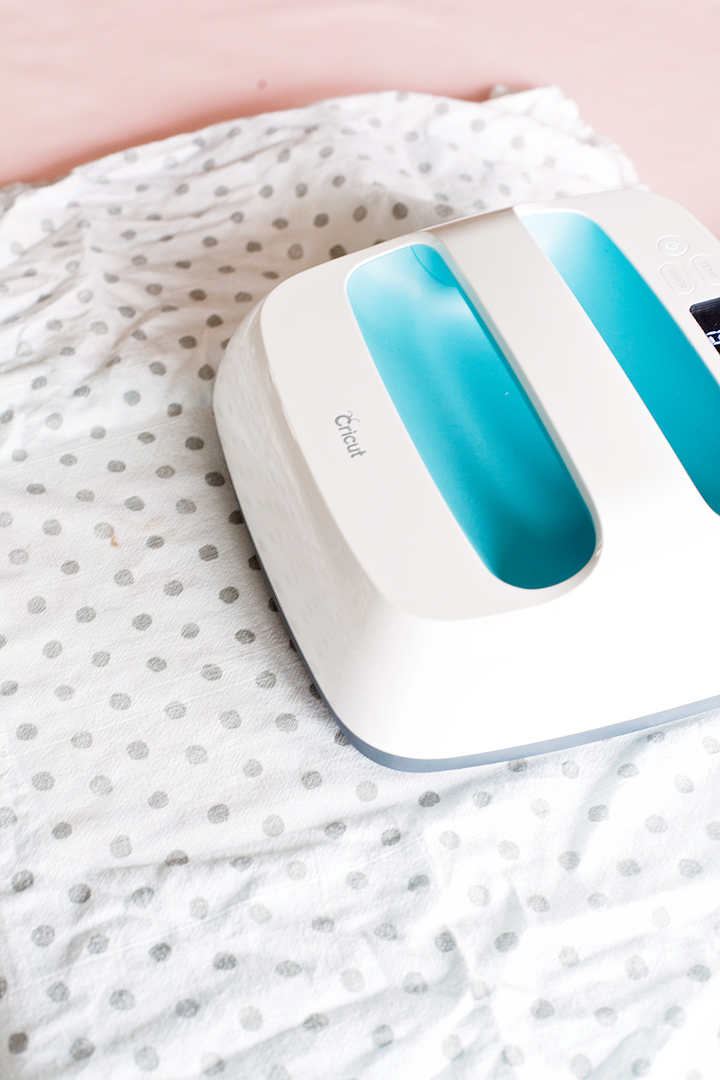
I covered mine with a light cotton cloth and then placed the Easy Press on my design for 30 seconds. Make sure if your design is larger than the 9-inch plate of the Easy Press, you move to another section and press again for 30 seconds.

Then, turn your shirt inside-out and press again for 30 seconds over the entire surface of the design.

Turn the shirt right-side out and let it cool for a few minutes and then carefully remove the protective sheet.

That’s it… Your shirt is all ready for the gym!

Bottom Line

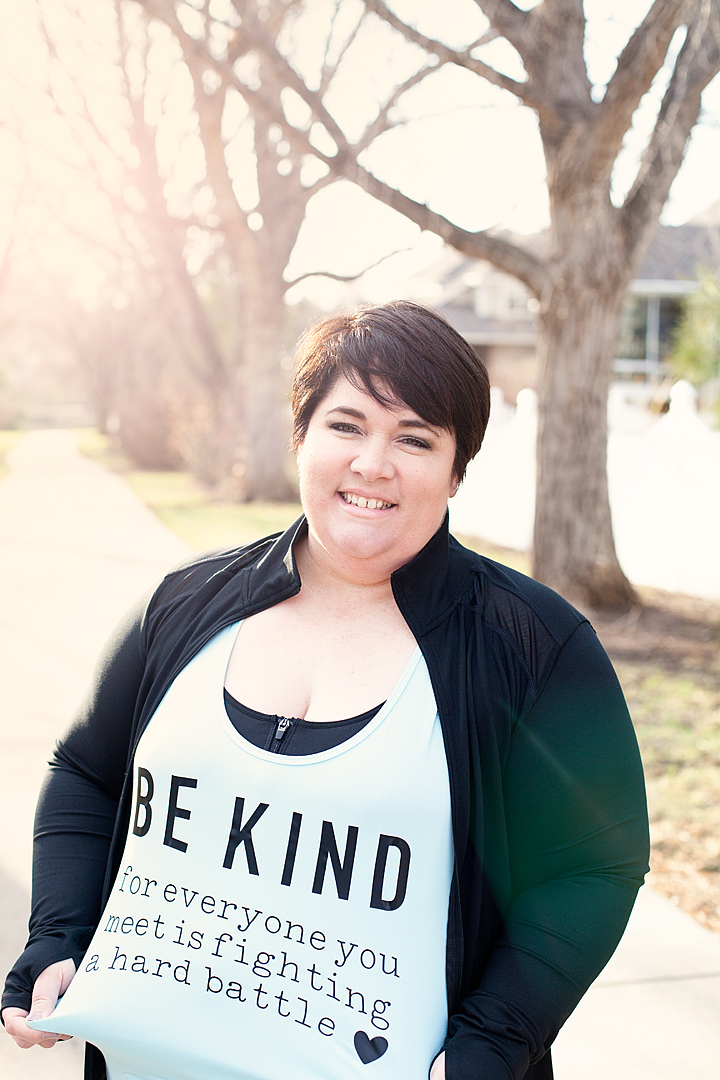
The bottom line is, no matter where you are on your wellness journey, we ALL need to be more kind to each other. We are all unique in our own way and we should love ourselves more no matter our shape, size, skin color and so on. This saying may not resonate with you, that’s alright. Jump into Cricut Design Space and design your own. It’s so easy! This saying really means a lot to me and I will wear it proudly as I work on becoming my best self!

Gulp, I feel like I’m in my sports bra and in bike shorts on top of the scale on The Biggest Loser. Why is this so hard to share our imperfections. What are you struggling with? What quote do you need on your shirt?

WhipperBerry - Be kind for everyone you meet is fighting a hard battle workout shirt

SaveSave

SaveSave

SaveSave

SaveSave

SaveSave

SaveSave

SaveSave

This is a sponsored conversation written by me on behalf of Cricut. The opinions and text are all mine.

SaveSave

SaveSave

SaveSave

  • « Go to Previous Page
  • Page 1
  • Page 2

Primary Sidebar

Heather from Whipperberry
Hello... my name is Heather and I'm the creator of WhipperBerry a creative lifestyle blog packed full of great recipes and creative ideas for your home and family. I find I am happiest when I'm living a creative life and I love to share what I've been up to along the way... Come explore, my hope is that you'll leave inspired!

Footer

  • Privacy Policy
  • Crafts
  • Food
  • Gifts
  • Holidays
  • Home
  • Mom Life
  • Recipes
  • Travel

Copyright © 2026 · Seasoned Pro