• Skip to primary navigation
  • Skip to main content
  • Skip to primary sidebar
  • Skip to footer

Whipperberry

WhipperBerry • Your Home For Creative Inspiration

  • Home
  • Recipes
    • Starters
    • Easy Weeknight Dinners
    • Main Dish
    • Salads
    • Side Dish
    • Soups & Stews
    • Desserts
    • Breakfast
    • Miscellaneous
  • Tutorials
    • Creative Crafts
    • DIY Decor
    • Fabric Crafts
    • Food How-To
    • Jewlery
    • Paint Projects
    • Paper Art
    • Party Styling
    • Photography and Graphic Design
    • Silhouette
  • Holidays
    • Easter
    • Mother’s Day
    • Father’s Day
    • 4th of July
    • Halloween
    • Thanksgiving
    • Christmas
    • Valentine’s Day
  • Gift Ideas
    • Gifts For Everyone
    • Gifts for Dad
    • Mother’s day
    • For The Girls
    • For The Kids
    • Teacher Gift Ideas
    • Christmas
  • Printables
    • Holiday
    • Gift Idea
    • LDS Primary
  • Travel
  • About
    • Terms
  • Contact
  • Nav Social Menu

    • Facebook
    • Instagram
    • Pinterest
    • RSS
    • Twitter

Review

Cricut Mug Press Review – Is it Worth the Cost?

43 · Aug 9, 2022 · Leave a Comment

Cricut Mug Press

Cricut has a lot of different crafting machines. I’ve had the privilege of using lots of them and even own four different ones. You can my crafts on this blog along with other crafting tutorials for sewing, cutting, painting, and more. Okay, so let’s get into the Cricut Mug Press review…

What Is The Cricut Mug Press?

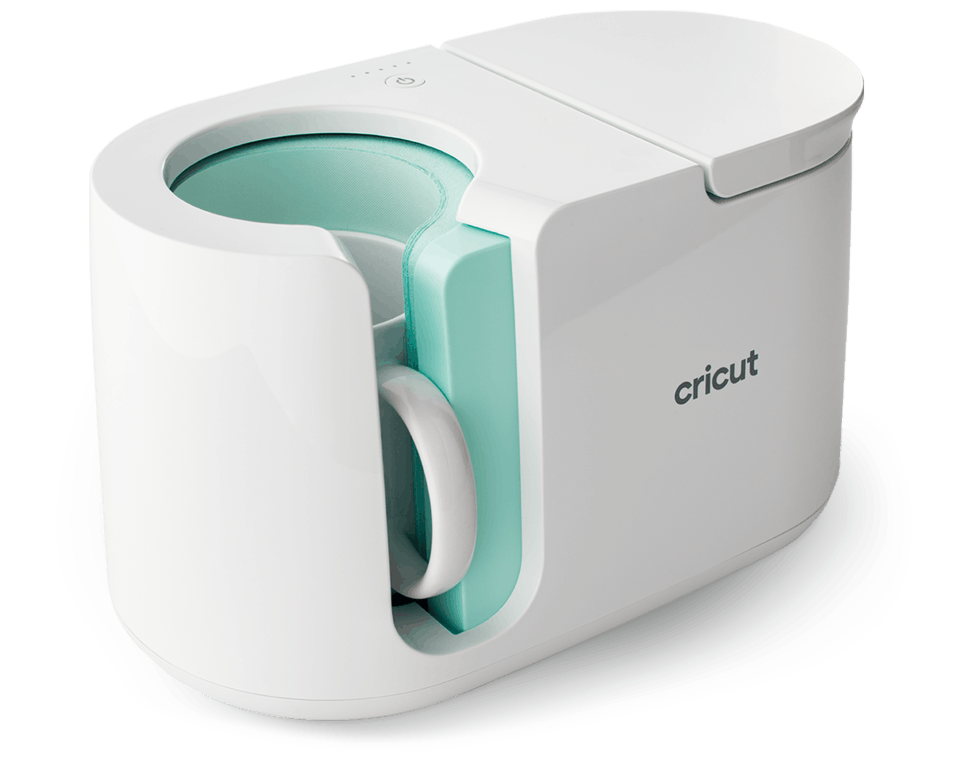
The Cricut Mug Press is an add-on accessory for Cricut cutting machines. It is compatible with the Cricut Joy, Maker, and Air machines. With the Cricut Mug Press, you can use Cricut Design Space software to create custom mugs and tumblers.

The Mug Press doesn’t apply decals; the designs are sublimated onto specially treated mugs. Your design will literally become part of the mug. The end result is a professional-looking piece with a smooth glossy finish.


GET THE CRICUT MUG PRESS HERE

Cricut Mug Press Features


The Cricut Mug Press is a fairly simple machine. It measures approximately 9.29” x 13.14” x 8.18”. This is compact enough that it stores easily on a shelf or in a drawer.

It features a patent-pending heating plate that ensures even heat distribution when transferring your design.

A simple one-touch settings button and a lever are the only controls, making it simple to operate. The “Smart Temperature” feature means that you don’t need to worry about setting a timer or figuring out how hot to set the mug press.

The Cricut Mug Press also features an auto-off switch, which prevents the machine from getting too hot. Since the mug press operates at very high temperatures, this is a very important safety feature.

What Does The Cricut Mug Press Come With?

Cricut products come with a bundle of things when you purchase a machine. These things will help you get started with crafting. The Mug Press is no different but it is a little light on accessories.

When you purchase a new Cricut Mug Press, you’ll get:

  • The Cricut Mug Press Heat Press for Mugs
  • USB cord for activation
  • User instructions to get started
  • Warranty Information

GET THE CRICUT MUG PRESS HERE

How Does The Cricut Mug Press Work?

The Cricut website describes the process to use the mug press as being just three easy steps: Design, Press, and Reveal!

That’s not inaccurate, but there are more details to creating custom-designed mugs. There is an online tutorial at cricut.com/make-mugs, but here are some important details about how the Cricut Mug Press operates.

The first thing to know about the Cricut Mug Press is that it works only with Cricut machines, and Cricut’s Design Space software.

To activate a brand new mug press, you need to do so in Cricut Design Space by plugging the mug press into a computer or laptop (not a phone or tablet).

The mug press connects to your computer via a USB cord. Once the activation process is completed, you can use Design Space from your tablet or phone if you prefer.

Once you’ve followed the steps to activate your machine, you’re ready to begin designing your first mug! It’s helpful to review the online tutorial at cricut.com/make-mugs, or many of the YouTube tutorials by talented crafters, before beginning your first project.

Next, it’s very important to note that the mug press won’t work for just any ceramic mug. This machine is basically a mug-shaped heat press that is optimized for infusible inks/sublimation printing.

You’ll need to use mugs that are known as “sublimation blanks” with this machine. Sublimation mugs (or “blanks”) are treated with an invisible poly-coating that allows the infusible inks to “fuse” with the ceramic mug.

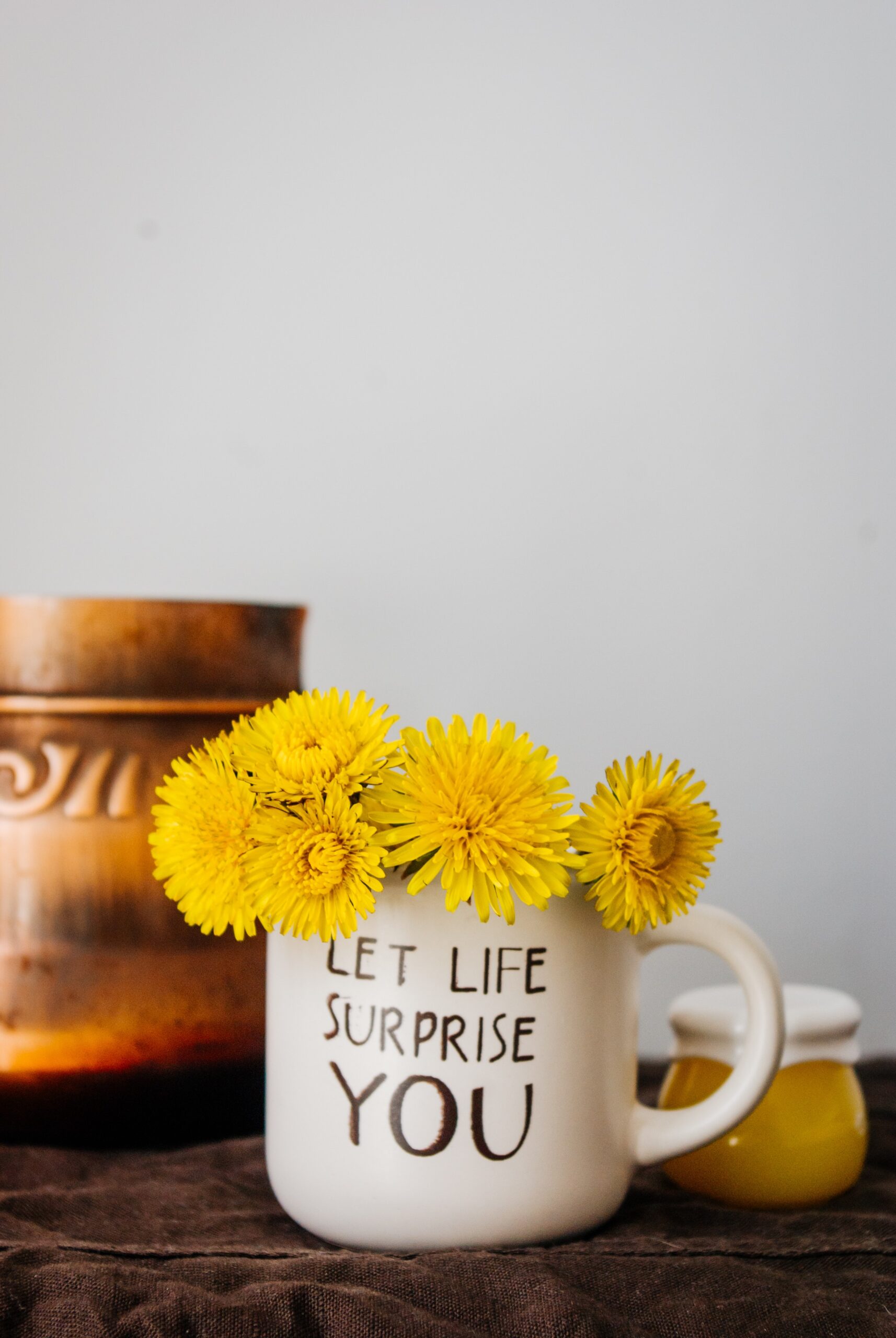
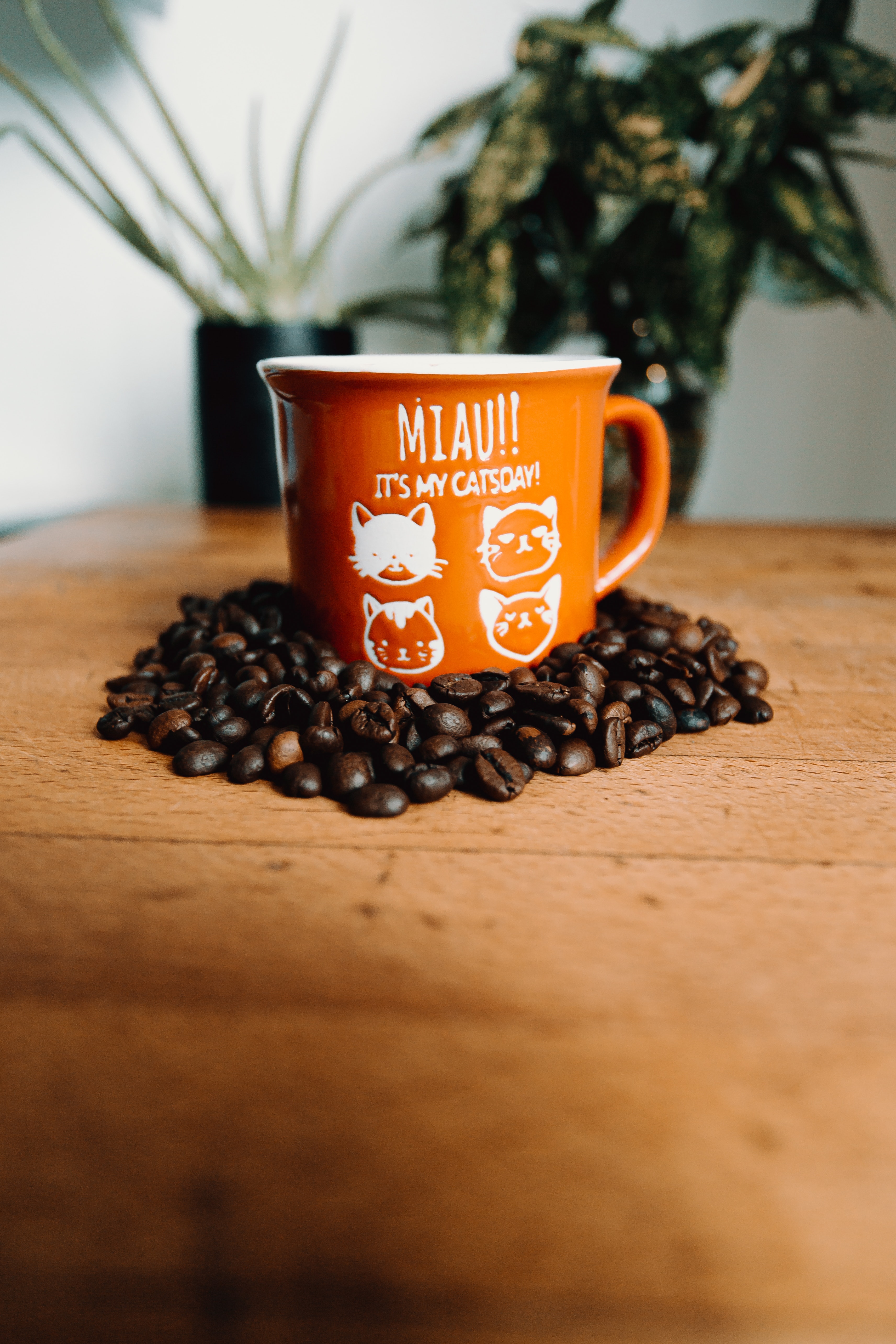
The result is a mug where the design is not on top of the mug surface like a decal, but actually becomes part of the mug itself. Cricut sells its own sublimation mugs in several sizes.

Additionally, there are many craft companies that sell mugs and tumblers that will work in the Cricut Mug Press.

Just be sure to check that they are indeed sublimation blanks and that the size is compatible with the mug press. Any mug used in the Cricut Mug Press should also have straight (not tapered) sides.


There are a few special materials needed to design a mug using the Cricut Mug Press.

Cricut’s infusible ink transfer sheets come in a large selection of colors and patterns, and any Cricut machine cuts them nicely.

If your design involves small, intricate details, such as writing, Cricut makes a line of infusible ink pens that can be loaded into the Cricut machines just like regular drawing pens.

The infusible ink pens can draw designs onto laser copy paper that can be applied with the Cricut Mug Press. 

Mug designs, like all Cricut projects, are created using their Design Space free software. In Design Space, there are a number of “ready-to-make” mug projects, as well as blank templates to create your own unique mugs.

Once you’ve selected your design, put the infusible ink transfer sheet on your cutting mat’s shiny side down. Before cutting, click on the “mirror” button in Design Space if your image contains any letters/words.

Once your design is cut out and all small bits have been “weeded”, it’s time to apply it to your mug!

GET THE CRICUT MUG PRESS HERE

Before applying your cut design, make sure the mug is clean and dry. Then, go over the outside of the mug with a lint roller to remove any remaining dust.

Even the tiniest of dust specks can leave marks when the mug is being pressed. Start preheating your mug press; it should only take 3-4 minutes. Apply your design by setting a mug down in front of you, with the handle facing you.

Slowly wrap your cut design around the mug, making sure the transfer sheet is flush with the bottom of the mug, and that it is wrapped snugly against the mug surface. Use the mug handle position to ensure your design is centered.

Infusible ink sheets will have sticky tabs on the carrier sheets to secure the wrap to the mug. Cricut also sells heat-resistant tape, if the infusible ink sheets aren’t sticking well. Do not use regular tape; it will melt in the mug press!
When the light is green on the mug press, it’s fully preheated and ready to go. Put the wrapped mug in the press, with the handle facing outward. Lower the lever on top, and double-check that mug looks secure and centered.

Closing the lever clamps the mug in place and begins the pressing process. There’s no need to set a timer or even check the temperature; the Cricut Mug Press does that automatically.

The press takes the temperature of the mug, as well as the temperature of the ambient air, and adjusts accordingly for the best time and heat to press your design.

Most mugs should only take 5-6 minutes to complete. The mug press will beep when it’s finished.

Once the mug press is done, raise the lever on top and remove your mug. Be careful when removing the mug. The handle should be cool enough to touch, but the mug will still be very hot!

Set the mug on a folded towel or another heat-resistant surface. Let your mug cool down, then carefully peel away the carrier sheet. You should now have a professional-looking mug decorated with your unique design!  

How Much Does The Cricut Mug Press Cost?

The Cricut Mug Press has a regular price of $199.99. Of course, you’ll also need supplies to begin creating your mugs. As with most of their cutting machines and accessories, Cricut sells the mug press in bundles that also include Cricut sublimation mugs and various supplies. I recommend getting the bundle for sure.

GET THE CRICUT MUG PRESS HERE

The “Mug Press and Essentials” Bundle includes 4 mugs along with a small selection of Infusible Ink Transfer Sheets and pen for $249.93.

The “Mug Press and Everything” Bundle includes eight mugs and a larger selection of Infusible Ink Transfer Sheets and pens for the price of $313.85. 

These bundles are a good value. It would cost more money to buy the Cricut Mug Press and all the included supplies separately.  Cricut.com frequently has these bundles on sale, too.

Cricut also sells their sublimation mugs in bulk packages of 36 mugs, which might be a better bargain if you plan on making a large number of mugs.

There are other brands of sublimation “blanks” (mugs, tumblers, etc) sold by various craft stores that you can use in the Cricut Mug Press. The prices might be more affordable than the Cricut brand, but be sure to double-check measurements to ensure they’ll fit properly in your mug press. 

GET THE CRICUT MUG PRESS HERE

Is The Cricut Mug Press Right For You?

The Cricut Mug Press is a compact, easy-to-use machine that produces professional quality customized mugs. The mugs are dishwasher and microwave safe, which is an improvement over personalized mugs made with permanent vinyl decals.

If you already have a Cricut machine and are fairly familiar with using Design Space, you’ll have no trouble getting great results with this machine.

It is a bit expensive, so consider the cost of the machine and materials when deciding if you’ll use it often enough to get your money’s worth.

The mug press is great if you plan on creating custom mugs to sell, or if you want a number of mugs with a team name or your own business logo on them.

Customized mugs also make fun gifts for all occasions. Create personalized mugs for wedding and housewarming gifts, perhaps paired with some gourmet coffee and/or teas.

You can design mugs for any holiday or special occasion. Mugs can be created to match specific kitchen decor or to simply reflect one’s personality.

Cricut Design Space has hundreds of images and fun, ready-to-make mug projects – and they’re easy to do with the Cricut Mug Press.
GET THE CRICUT MUG PRESS HERE

Cricut Joy Review – Is This Cricut Machine Worth it?

1 · Aug 4, 2022 · Leave a Comment

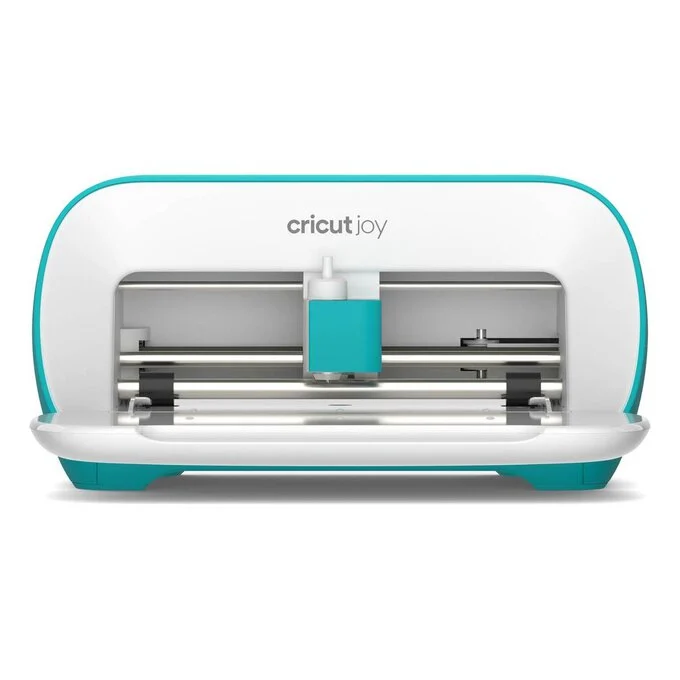
Cricut Joy Machine

Thinking about buying a Cricut Joy but have questions? You’re in the right place. In this Cricut Joy Review, I’m going to lay out exactly what the Cricut is, what it does, and if it’s the right machine for you.

The Cricut Joy is the smallest of the Cricut line of machines. It may be small, but it still can help with a large number of craft projects. It measures just 5.50 x 8.40 x 4.25 inches. There are also carrying cases available for the Cricut Joy, so you can easily pack it up and take it wherever you want to. It’s so simple; you can use it anywhere you have a wifi signal to use the Cricut Design Space app and an outlet to plug in the machine.

Cricut Joy Features

The small size and portability of the Cricut Joy are the most prominent features. Weighing just under 5 pounds, you can take this machine and your supplies with you on vacation or to have fun crafting at a friend’s house if you want. It’s also a great choice for those with limited crafting space in their homes since it can be easily stored on a small shelf or even in a drawer.

Because the Cricut Joy is compact and easy to use, this could be a great gift for any preteens/teens who enjoy crafting.

The Joy is capable of cutting over 50 materials, including Cricut Joy Smart Materials. The Smart Materials are unique in that they can be cut on this machine without a cutting mat. Because you can use the Smart Materials without a mat, the Joy can make cuts up to 20 feet long. In addition to cutting, the Joy can draw any shape and it writes in a wide variety of styles.

The Cricut Joy has one clamp for the blade housing. If you want to use a pen to draw part of your project, you will be prompted to switch out the blade and load your pen. This is different from the larger Cricut machines that have two clamps so you can use a blade and pen without having to switch them out. It’s important to note that regular Cricut pens don’t fit in the Cricut Joy clamp; you’ll need to have Cricut Joy specific pens. Fortunately, Cricut sells a wide variety of pens for the Joy and they’re not terribly expensive.

The Cricut Joy connects to Cricut Design Space (their design software) with Bluetooth wireless technology. You can use Design Space on a desktop computer, laptop, tablet, or even your smartphone. This makes it simple to use your Cricut Joy just about anywhere you can plug in and get a wireless signal.


How Does the Cricut Joy Work?

The Cricut Joy is probably the easiest Cricut machine to set up and operate. Like all the other Cricut machines, it needs to be paired with Cricut Design Space Software. To get started, you literally just plug in the Joy, open Design Space on your computer or mobile device, and click on the link to set up your new machine. It takes less than 5 minutes!

Cricut Design Space is the free software required to operate any Cricut machines. It works on any computer or mobile device. It’s easy to learn, and there are free tutorials available at learn.cricut.com to help familiarize yourself with all of its features. These tutorials will help you learn the basics of Design Space, as well as step-by-step processes for specific projects. There are many free files available on Design Space, but there is also a subscription option, known as Cricut Access. A subscription to Cricut Access gives you thousands of files and projects to upload to your Design Space account. If you don’t want to subscribe to Access, it’s possible to purchase files on Design Space individual

Every function done with the Cricut Joy is done through Design Space. Unlike the larger Cricut machines, the Joy doesn’t have any buttons or dials on it. 

If you’re using any of Cricut’s Smart Materials, you won’t need to use a cutting mat. You can load the materials directly into the Cricut Joy. You’re not limited to using Cricut Smart Materials, though. You can use most regular Cricut brand materials, as well as other brands, and simply cut them to fit on the Cricut Joy cutting mats.  

What Does the Cricut Joy Come With?

When you purchase a Cricut Joy, you’ll get the following:

  • The Cricut Joy machine and power adapter
  •  Cricut Joy blade and housing
  • Cricut Joy fine point pen (black)
  • Standard Grip Joy Mat
  • Welcome card
  • Warranty information
  • Free trial membership (for new subscribers) to Cricut Access 
  • Materials for a practice cut 

There are additional accessories you can purchase for the Joy, such as a Foiling Tool, card mats, and pens in different colors and widths.

Of course, you’ll also need to purchase materials to get started crafting with your Joy. Fortunately, Cricut also sells this machine bundled with different materials and supplies on their website.

How Much Does a Cricut Joy Cost?

The Cricut Joy is Cricut’s most affordable machine, with a regular price of $179.00. It is also sold in several different “bundled” options on the Cricut website.  The bundles include materials and accessories along with the Joy machine so you can get started on projects right away. These bundles have a regular price of around $250, but they frequently go on sale through the Cricut website. The Cricut Joy machine + materials bundles are a great value and would cost considerably more if all included items were to be purchased separately.

Another optional cost is a subscription to Cricut Access. A 30-day free trial to Cricut Access is available to new subscribers when you purchase any Cricut machine. Otherwise, the subscription costs $9.99 per month. For that price, you have access to over 200,000 images, 700 fonts, and thousands of ready-to-make projects. Additionally, Cricut Access members get a 10% discount on purchases made on cricut.com.

How Long Does the Cricut Joy Blade Last?


All of the Cricut blades are durable and last a decent amount of time. How long your Cricut Joy blade lasts depends entirely on how often you use your machine, and what materials you are cutting. On average, Cricut says their blades should last an average of six months, although it’s not unusual for the blades to last longer.

Replacement blades for the Cricut Joy are affordable at a price of just $12.99. You can tell if it’s time to replace your blade when it seems to tear your materials more than making nice clean cuts. 

Limitations of the Cricut Joy

While the Joy is a great little machine that is capable of many craft projects, it does have some minor limitations.

Because the Cricut Joy is a smaller machine, it is limited to smaller-sized projects than what can be accomplished on the larger Cricut machines. The largest cutting mat for the Joy is 4.5” by 12”. However, if you use Smart Materials which don’t require a cutting mat, the Joy can cut designs measuring 4.5 inches by 20 feet! 

While the Joy does cut 50 different materials, that is still not as much as can be cut with the large machines. It is capable of cutting quite a large variety of materials, including card stock of various sizes, poster board, assorted types of iron-on and vinyl, acetate, and even faux leather.

The only accessories available for the Cricut Joy are the blade, Joy pens of various colors and styles, and a foil transfer tool. This really isn’t a huge limitation, though. These three tools can be used for hundreds of different creative endeavors.

Is The Cricut Joy Right For You?

The Cricut Joy is a great machine for someone who enjoys crafts such as making greeting cards and invitations, vinyl decals for household goods & vehicles, labels to organize your home, and smaller iron-on projects. Instead of wrapping gifts to your loved ones on paper, you can create personalized gift bags and boxes with the Cricut Joy. You can even make customized party and holiday decorations for any occasion. Even though this smaller machine is limited in the size of what it can produce, it is capable of a surprising amount of creative tasks. 

If you’ve been curious about what you can make with a cutting machine but were hesitant about the cost, the Cricut Joy is a great choice! It is easily the most affordable cutting machine on the market, and the ease of use is unparalleled. The more you play with it, the more you’ll realize just how much you can create with it.

The Joy is also useful for small business owners or entrepreneurs who can use it to make custom labels, signs, and packaging for their products. 

Because of its compact size, the Cricut Joy is perfect for anyone who doesn’t have a large crafting space in their home, such as those who live in a small apartment or dorm room. Because it’s portable, you can take it along while you travel.

The Cricut Joy is a remarkable little machine with large crafting capabilities. It’s a great choice for anyone curious about what a cutting machine can do, or even as an additional Cricut machine for when you need to complete smaller projects. 

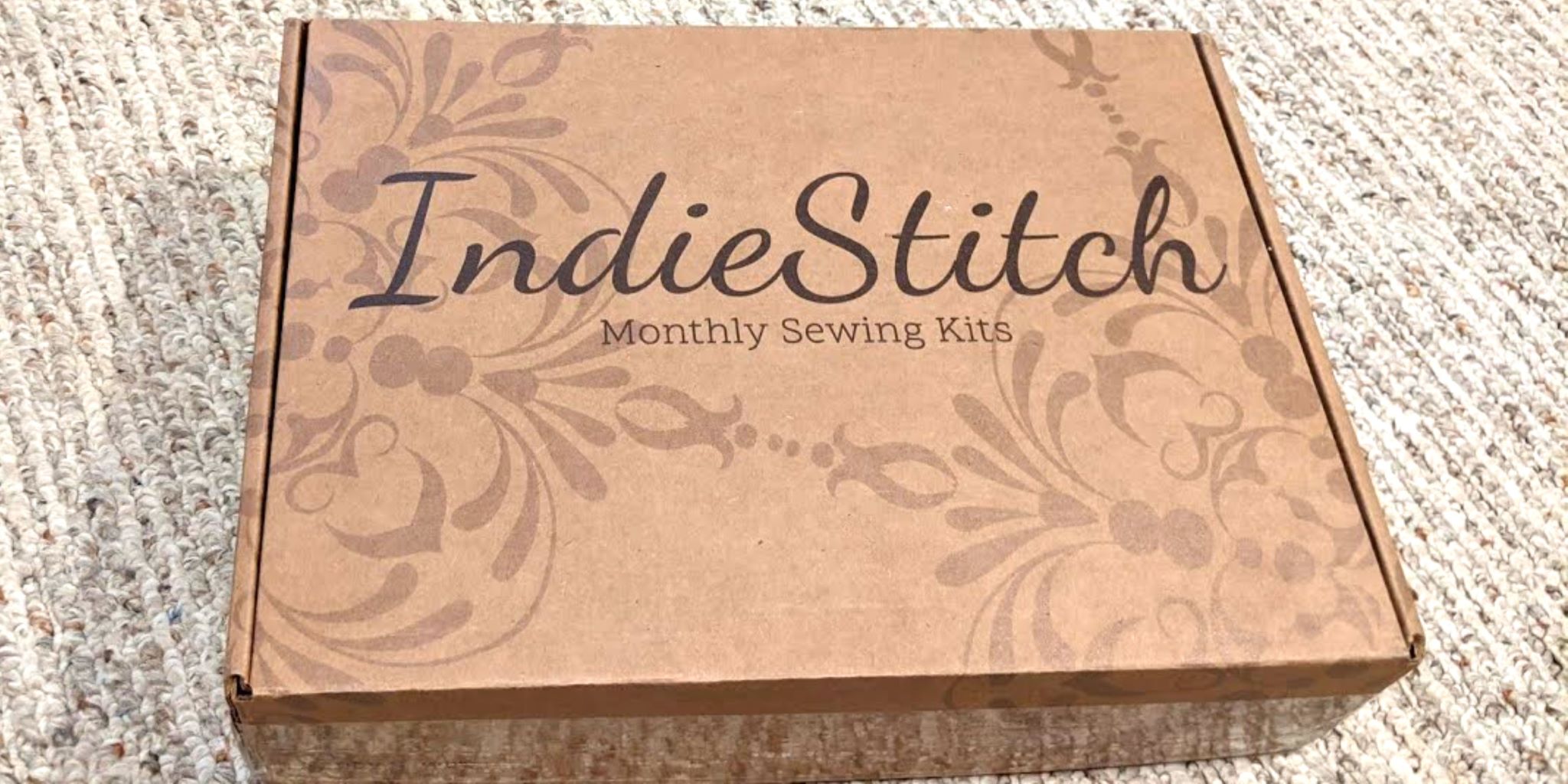
IndieStitch Review | Is it Worth the Cost?

3 · Jul 31, 2022 · Leave a Comment

What Is IndieStitch?

IndieStitch is a fun subscription service for anyone who likes to sew, or who wants to learn new sewing techniques and patterns. The company was started by a woman who loves to sew but realized she enjoyed her hobby much more when she had all the necessary materials at hand; ready to begin a project. 

Each month, IndieStitch subscribers receive a box with a new women’s clothing sewing pattern and all needed sewing supplies. Subscribers get a chance to review the pattern and fabric choices for each month before they are mailed out. After reviewing and confirming their fabric preferences, they will receive a box in the mail with everything needed to sew the project for that month. You literally could sit down at your sewing table and get started as soon as you open the box!

Get Started With IndieStitch

Of course, everyone has different tastes and it’s no guarantee that every pattern or included fabric will appeal to everyone. For that reason, if you don’t happen to like the pattern or any of the fabric choices for a particular month, you can just skip that box. That way, you won’t waste time or materials making something that doesn’t appeal to you.

The patterns from IndieStitch are usually for basic women’s wardrobe items that will easily suit anyone’s style. Past boxes have included patterns for skirts, dresses, buttoned shirts, tank tops, t-shirts, pants, pajamas, and more. Since a digital copy of the pattern is included as well as a printed copy, you’ll be able to make your favorite projects many times over.

Before the kits are mailed each month, subscribers will get the chance to review several fabric choices to use. You won’t have to worry about making a clothing item in a color or pattern that might not be flattering to you.  IndieStitch’s patterns are also very inclusive. The patterns are available in a wide range of sizes because people come in a wide range of sizes!

What Is Included in an IndieStitch Box?

In each IndieStitch monthly box, subscribers receive:

  • a digital copy of the pattern, direct from the designer
  • a full-size printout of the pattern, ready to cut
  • the chosen fabric for the project
  • coordinating thread and notions
  • and a few fun surprises!

You will literally have everything ready to begin sewing as soon as you unpack the box. How many times have you wanted to start a sewing project, but procrastinated because you didn’t feel like going to the fabric store? Or, have you been partway through a project and suddenly realized there was some other notion you didn’t have in your supplies? Because the IndieStitch box contains everything you’ll need, you won’t need to make a last-minute run to the fabric store for anything at all. This is so convenient! It’s easier to be motivated to start a project when you have everything provided for you.

Get Started With IndieStitch

How Much Does An IndieStitch Subscription Cost?

IndieStitch has three different subscription price options. The flexibility of these price options means that there is a subscription choice to meet just about any budget and time consideration. 

If you want to pay on a month-to-month basis, with no long-term contract, the cost is $59.95 per month. The shipping cost is only $5.00. Billing is done monthly. There is no commitment to this option, and you can cancel it any time you want.  This is a good choice if you just want to try a box for one or two months to see if an IndieStitch subscription is something you’ll enjoy. Keep in mind that the subscription does become more affordable if you sign up for a six or twelve-month contract. 

A six-month subscription to IndiStitch is $27.47 for the first box, then $54.95 per month for the remaining five months. That works out to the first box is half price! Shipping is also $5.00, and billing occurs monthly. According to their website, this is IndieStitch’s most popular subscription option.  If you’re confident you’ll enjoy the subscription but aren’t sure if you can make use of a 12-month contract, this is probably your best choice. 

The 12-month IndieStitch subscription costs $24.97 for the first box, then $49.95 per month for the remainder of the contract. Like the other options, the shipping cost is only $5.00, and the cost is billed each month. This option is great if you know you’ll enjoy sewing throughout the year, and this is the best value per box. 

In addition to the subscription options, there is an option to send a special IndieStitch gift subscription to someone who would enjoy it. Gift subscriptions are available for one, three, or six-month lengths. While the price for a gift subscription isn’t quite as good a value as a regular subscription, this is a fun, unique gift idea for your creative hard-to-buy-for loved ones.

Get Started With IndieStitch

Is IndieStitch Good For Beginners at Sewing?

Most IndieStitch patterns are described as being good for beginner/intermediate sewers.  There is an assumption that anyone ordering their sewing kits has some very basic sewing knowledge and is comfortable using a sewing machine. If you’re a beginner who wants to learn new skills and explore new projects, IndieStitch could be a good choice for you. Teenage or even preteen girls might enjoy IndieStitch as an easy and fun way to learn how to make their own clothes. The patterns and accessories are all supplied, which makes any project less intimidating to tackle.

In addition to providing fun, good-quality crafting supplies, IndieStitch has a great private online community where members can ask questions and share sewing tips with each other. Members also have access to an online monthly “sew along” video for each current project. If you are a beginner who learns best through visual instruction, these videos are a great way to improve your skills.

Get Started With IndieStitch

Is IndieStitch A Good Value?

Perhaps one of the best indicators of IndieStitch being a good value is the convenience of having all your needed supplies readily available. Since you’ll have everything necessary to begin sewing, you’ll save time (as well as money) by not having to make a trip to a fabric store for anything.

Get Started With IndieStitch

Not only does IndieStitch send its subscribers a complete sewing project kit each month, but it also provides a fun online community and instruction videos. The included digital copies of all patterns mean that you can make your favorite projects many times, customizing them to suit your style. The fabrics sent in each IndieStitch box are very good quality, as are all the included accessories. Any piece of clothing made from these kits should be fairly durable and long-lasting.  The price of a subscription box each month compares favorably to what one would spend if you purchased everything included individually, and access to the online community and instructional videos is like getting sewing instruction included, too.

An IndieStitch subscription is a good value for anyone who enjoys sewing, whether you’re a beginner looking to improve your skills or a more experienced sewer who enjoys simple but useful projects. Having the option to choose from several fabrics each month, as well as being able to skip any month, helps ensure that you won’t be paying for sewing kits that you won’t like. IndieStitch is definitely a quality subscription service that is worth trying out.

Get Started With IndieStitch

Craftsy Review – Is it Worth It?

18 · Jul 10, 2022 · 1 Comment

What Is Craftsy?

If you’re reading this you probably already know what it is. But just in case you’re a long-time follower that hasn’t heard of it, then let me share my Craftsy review with you. I think you’ll like it.

Craftsy.com is a creative resource website offering classes and resources for a wide variety of artistic interests. If there’s any creative endeavor you’ve always wanted to try, there’s a good chance Craftsy has a class covering that subject! The topics include (but are not limited to) popular crafts such as knitting, sewing, and baking, along with unique subjects such as woodworking, paper crafting, and various art techniques.

A Craftsy membership grants a subscriber access to over 1500 classes in 20 different categories, downloadable patterns, and recipes, along with the opportunity to participate in various Livestream events.  If you are unsure about becoming a member, Craftsy also offers a number of free classes. You can also purchase classes one at a time, without committing to an annual membership.

If you’re short on time I’ll just say this. Craftsy is definitely worth the cost. There are some good things and bad things but overall it’s great.

Get Craftsy Now

Classes Offered by Craftsy


Craftsy offers well over 1500 classes on a wide variety of creative topics.  That sounds a little overwhelming, doesn’t it? Thankfully, the Craftsy website is very user-friendly, and they have organized the class listings to make it easy to find hobbies that interest you!

The classes are arranged under the headings of Fabric Crafts, Yarn Crafts, Food, Art, and Living. There are numerous subcategories under each of these headings. For example, under the heading “Fabric Crafts”, you’ll find subcategories of Quilting, Sewing, and Embroidery.  

It can be overwhelming to find the “right” class for your interests.  For example: in the category of “Knitting”, there are 171 different classes! They range from a variety of techniques to specific projects.

Craftsy makes it easy to narrow your choices if you are looking for a particular instruction, though. Still using the “Knitting” category as an example, you can refine your search by choosing topics such as “Scarves and Shawls” or “Lace & Brioche Knitting”. 

Many of these classes include bonus materials, such as PDF documents with patterns or step-by-step instructions, and once you buy or upload a class you can go on the Craftsy website any time and watch it again and again.

The Craftsy instructors are all qualified experts on the topics they’re teaching. Links to each class often include introductory bios for the instructor. You’ll find many professional authors, teachers, artists, and craft business owners who are ready to share the wealth of their knowledge.

Get Craftsy Now


Craftsy’s Classes and Video Quality

There is no shortage of online DIY videos available for just about any skill you’d want to learn. It can be frustrating because not all instructional videos are made the same!  The videos on Craftsy are clearly produced by professional videographers and lighting teams. They’re bright and easy to see all the details.  Perhaps most importantly, the sound quality of their video classes is excellent! There are few things more frustrating about watching instructional videos than not being able to hear everything or understand what the instructor is saying.


Craftsy Cost – Their Pricing Plans

Basic membership to craftsy.com is $8.99 per month or a slightly discounted rate of $89.99 per year. This gives you access to all of the online video classes, printable bonus materials, a weekly email newsletter with ideas and helpful tips, and access to occasional live online instructional events. Additionally, you can share your Craftsy membership with up to three friends or family at no additional cost to you or the “guest members” you invite. That’s like getting four memberships for one price! This is a great value, especially for families with creative youngsters.

The annual price for a Craftsy members ship of $89.99 seems a little steep at first, but consider how many classes you or your family might be interested in purchasing. Prices for premium classes on craftsy.com range from $4.99 to $69.99, with the average seeming to be around $30. Three or four classes will probably cost you the same amount as an annual membership (which gives you access to over 1,000 classes).  While craft supply stores and local yarn stores routinely offer in-person classes, they typically cost $50 to $100, and you won’t have access to video to “retake” the class as often as you’d like.


Is Craftsy Right For You?

A Craftsy membership is a great resource for anyone who enjoys creating and learning. If you are always wanting to learn new skills, or improve on your current hobbies, this is a fantastic website.

The classes are best suited to people who are comfortable learning online and don’t feel the need for the social aspects of being in an “in-person” class.

The convenience of being able to watch the classes anytime is perfect for people who have busy work schedules, or who work shifts that don’t coincide with most in-person class times.

One special area of note is a category called “Fun For Kids”. These classes aren’t necessarily geared towards being specifically for children, but they are simple and enjoyable for any creative kids. These suggested classes could be a great resource for home-schooled children, or to keep creative minds engaged over holiday breaks.

If you’re ready to join you can use my special link below to sign up.

Get Craftsy Now

Small Things That Could Be Improved

The range of topics and quality of instruction on Craftsy is outstanding. However, there are a few minor things I feel could improve the website:

Some of the classes have a tab for “class discussion”. It’s an area where students can ask questions and offer tips among themselves. It doesn’t seem to be available for every class, though. It would be nice if that was a standard feature for all classes.

Another helpful feature would be if classes shared links to purchase suggested materials. It would be a timesaver to be able to purchase a class and the materials all on one page. At the very least, a page with links to suggested suppliers could be helpful.

Finally, there isn’t much of an online social aspect to being a Craftsy member. It would be fun if there was a way to share photos of completed projects from classes, and to connect with other members.

Conclusion: Is Craftsy Worth It?

Given the wide variety and professional quality of the classes offered, I think Craftsy is a good value, especially with the option to share a premium membership with up to three friends or family members.

Get Craftsy Now

Being able to try free classes, or just buy one or two of interest is a great way to give Craftsy a try if you’re unsure about paying for an entire year. If you’re a person who is comfortable with online classes and is always curious to try new skills or hobbies, you will love Craftsy. 

  • « Go to Previous Page
  • Page 1
  • Interim pages omitted …
  • Page 5
  • Page 6
  • Page 7
  • Page 8
  • Page 9
  • Go to Next Page »

Primary Sidebar

Heather from Whipperberry
Hello... my name is Heather and I'm the creator of WhipperBerry a creative lifestyle blog packed full of great recipes and creative ideas for your home and family. I find I am happiest when I'm living a creative life and I love to share what I've been up to along the way... Come explore, my hope is that you'll leave inspired!

Footer

  • Privacy Policy
  • Crafts
  • Food
  • Gifts
  • Holidays
  • Home
  • Mom Life
  • Recipes
  • Travel

Copyright © 2026 · Seasoned Pro