• Skip to primary navigation
  • Skip to main content
  • Skip to primary sidebar
  • Skip to footer

Whipperberry

WhipperBerry • Your Home For Creative Inspiration

  • Home
  • Recipes
    • Starters
    • Easy Weeknight Dinners
    • Main Dish
    • Salads
    • Side Dish
    • Soups & Stews
    • Desserts
    • Breakfast
    • Miscellaneous
  • Tutorials
    • Creative Crafts
    • DIY Decor
    • Fabric Crafts
    • Food How-To
    • Jewlery
    • Paint Projects
    • Paper Art
    • Party Styling
    • Photography and Graphic Design
    • Silhouette
  • Holidays
    • Easter
    • Mother’s Day
    • Father’s Day
    • 4th of July
    • Halloween
    • Thanksgiving
    • Christmas
    • Valentine’s Day
  • Gift Ideas
    • Gifts For Everyone
    • Gifts for Dad
    • Mother’s day
    • For The Girls
    • For The Kids
    • Teacher Gift Ideas
    • Christmas
  • Printables
    • Holiday
    • Gift Idea
    • LDS Primary
  • Travel
  • About
    • Terms
  • Contact
  • Nav Social Menu

    • Facebook
    • Instagram
    • Pinterest
    • RSS
    • Twitter

Product Review

DIY Baby Onesies with Silhouette Studio® Designer Edition & CAMEO | Bonus Discount Code

0 · Mar 22, 2012 · 8 Comments

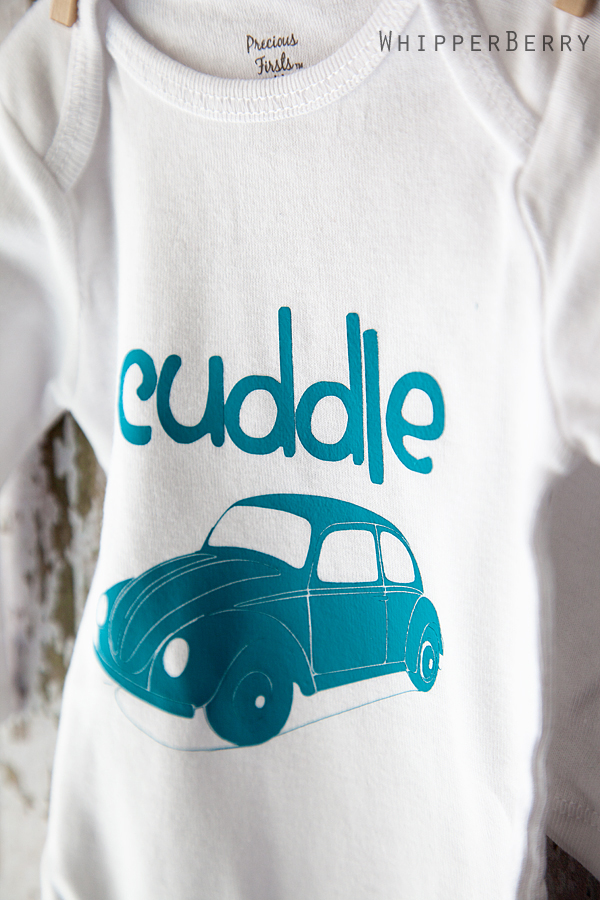
On Monday our family was thrilled to welcome a new little nephew into the world and I jumped at the chance to make some cute DIY onsies for the new little guy with my Silhouette CAMEO, the Silhouette Studio® Designer Edition & the Heat Transfer Material also from Silhouette.
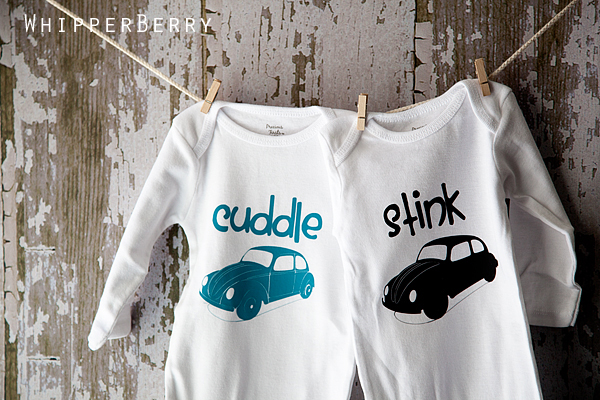
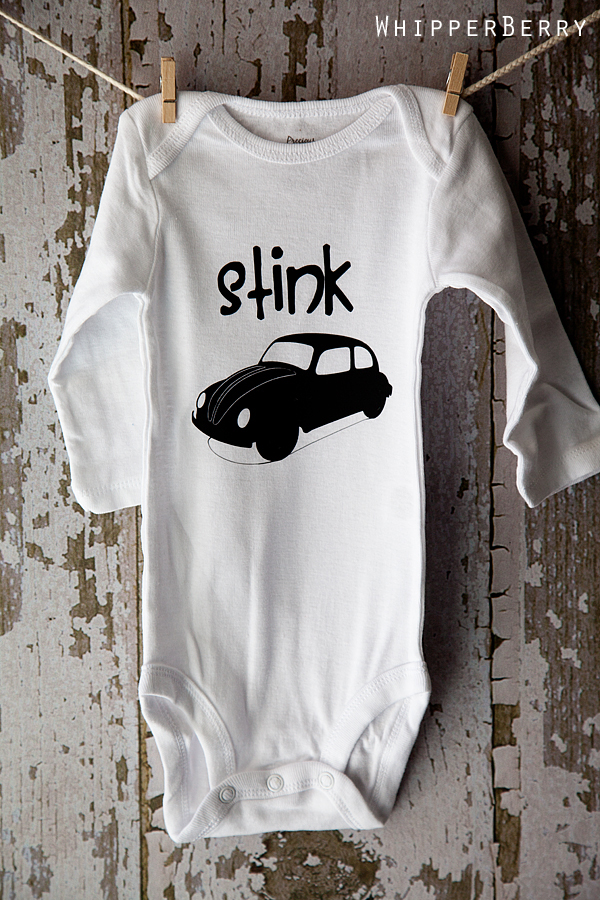
 

Aren't they cute? A Cuddle Bug and a Stink Bug… I LOVE it!! Back when I first bought my Silhouette SD a couple of years ago, I came up with this fun idea for a infant or toddler shirt, but my hands were tied.  Silhouette has thousands of images in the Silhouette Studio® however, they didn't have the VW Bug that I needed to make this shirt work.
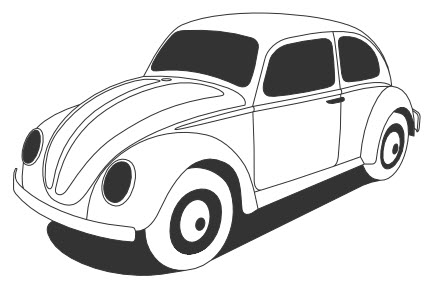
img source | vw bug from clipartsy

Since then Silhouette has introduced the Silhouette Studio Designer Edition that allows you to use Scalable Vector Graphics or .svg files that you can find on the web for your designs. When I found that out I did the HAPPY DANCE!! Here are some of the other features that the Silhouette Studio® Designer Edition has to offer…

  • Ability to open, manipulate, and cut .svg files
  • Rhinestone tools to convert designs into rhinestone templates and create your own rhinestone designs
  • Sketch tools to convert designs into several styles of sketchable art
  • Creative knife tools to allow you to clip designs using different patterns
  • Enhanced eraser set to modify designs with more precision
  • Built-in ruler and guide lines for precise alignment and drawing

Isn't that sooooo fun!!  All the things we can do now with our CAMEO and Silhouette SD. It's super easy to use as well. On Saturday I will have a tutorial on how to open and use a .svg file in Silhouette Studio® Designer Edition to create this fun infant onesie.

TODAY, I have an aaaamazing bundle deal to share with you from Silhouette.
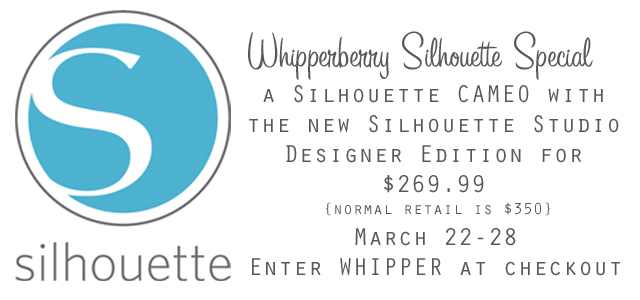
Click here to visit the Silhouette Shop and cash in on this smokin' hot deal!! Don't forget to check back on Saturday for the full tutorial on how to make these super CUTE shirts for your little ones.

Friday Flair & Silhouette Special | Link Party

0 · Feb 23, 2012 · 20 Comments

Hey guys… It's {almost} Friday!! I have so much to share with you guys today, so we are going to take care of a little house keeping before our fabulous Friday Flair!

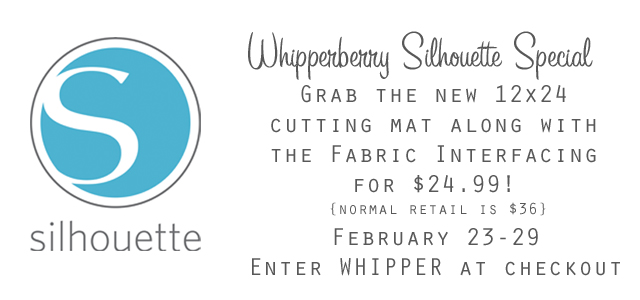
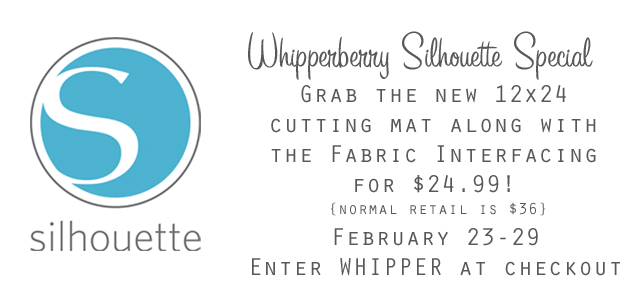
First, If you saw yesterday's post you had the chance to see the new larger cutting mat in action. In honor of the new release Silhouette is having a fun special this weekend!

Click here or on the Silhouette logo to find this fabulous deal! Remember you have to enter WHIPPER at checkout in order to receive the special deal.

Second, I'm sure the news had made it thought the grapevine… our beloved Google Friends connect is going away {for WordPress users anyway.} Starting in March if you follow WhipperBerry via GFC you will no longer receive WhipperBerry in your feed and… 

I would MISS you TERRIBLY!!!

We have several other options in order to follow WhipperBerry…

  • You can Subscribe to WhipperBerry via Feedburner and receive all of my posts directly in your inbox… the easiest and most convenient way!
  • You can follow WhipperBerry's RSS feed via Feedburner.  All you need to do in select your desired reader and you will never miss another WhipperBerry post EVER!!
  • Another option is to follow WhipperBerry via Facebook.  I update my page daily and always have some kind of goodie to share or chat about. Today we talked about our favorite books.
  • Twitter is another great way to follow WhipperBerry.
  • You can follow my boards on Pinterest or follow my quirky side via Instagram!

With so many different ways to follow WhipperBerry the whole GFC thing shouldn't be an issue! You may have already noticed I removed my GFC follower widget last week so we can get used to it.  I know… breath!  We can all make it through this change.

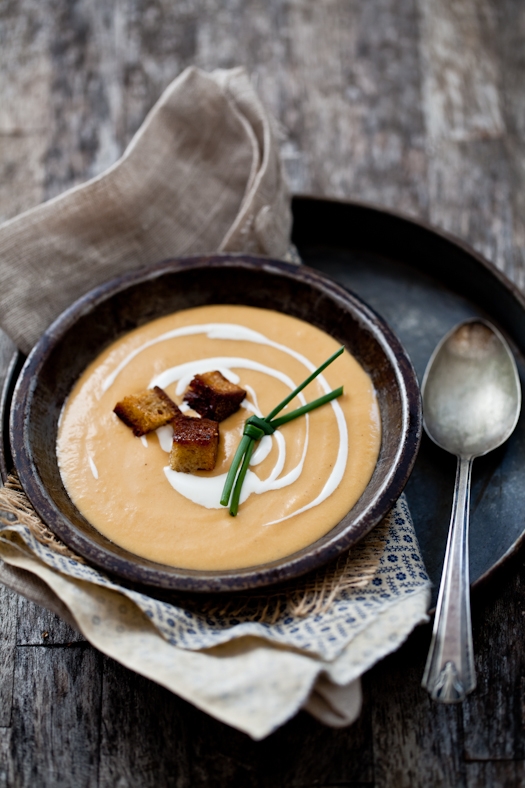
Third, My inspiration photo is from my sweet friend and uber talented photographer Helene Dujardin Miss Tartlette herself.  It's a fabulous shot of her Salmon Bisque in honor of TidyMom and Dine & Dishes Soupapalooza that starts on February 28th…

Have you guys picked your recipes yet? Can't wait to see you all there!!


Now Let's PARTY!!

Fabric Wall Art with Silhouette’s New larger Cutting Mat | Tutorial

0 · Feb 22, 2012 · 16 Comments

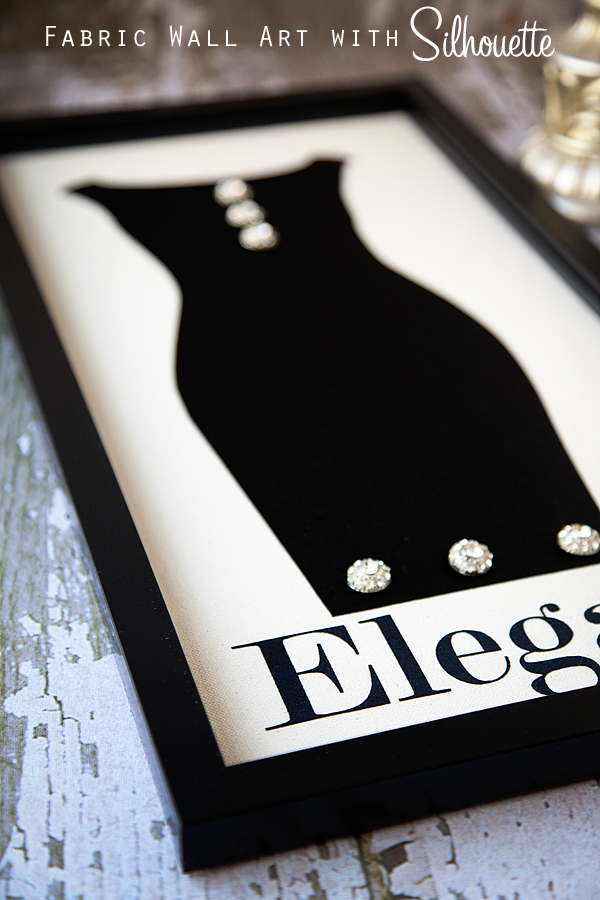
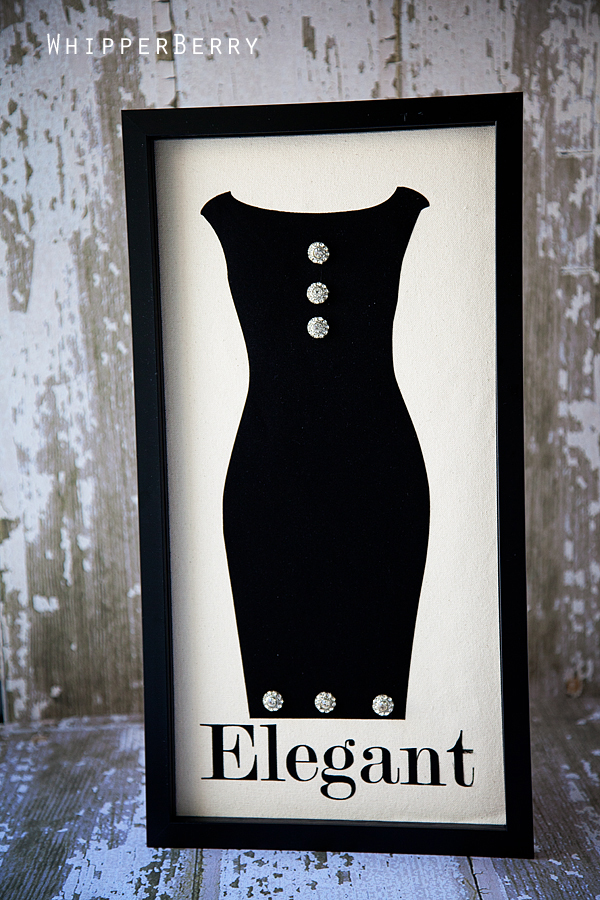
This last Christmas my Mom gave me a pretty special gift that I have repurposed and will now be re-gifting it right back to her for Mother's Day.  Now don't worry, this is the kind of re-gifting that is alright, even special in my book.  Thanks to my Silhouette CAMEO I've been able to make a stunning piece of fabric wall art with Silhouette's new larger cutting mat for my Mom…

Over Christmas my Mom gave me some beautiful buttons that she salvaged from a dress that my grandmother used to wear.  It was one of those 1950's black Audrey Hepburn kind of dresses that my Mom just loved.  She thought I could use the fabulous buttons for one of my projects.

Sure enough I thought of a project that would be perfect for these treasured family heirlooms, however I didn't have a cutting mat big enough to make the project just right.  I wanted to make a simple piece of wall art that was the silhouette of a black dress with the buttons on it.  The problem… if I used my 12×12 cutting mat the dress would be too small and the buttons would look silly.

Then I when to CHA and learned about Silhouette's new 12×24 cutting mat and I knew it was going to be perfect for my project. I ran out and bought some black dress fabric, some off white canvas duck cloth for the background and a 10×20 frame that I found on clearance.

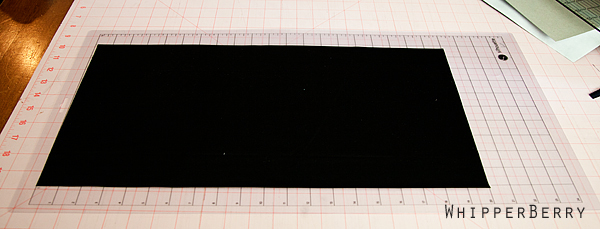
To start I ironed the black fabric onto some of the Silhouette Clean Cut Fabric Interfacing and then placed it on the 12×24 inch mat…

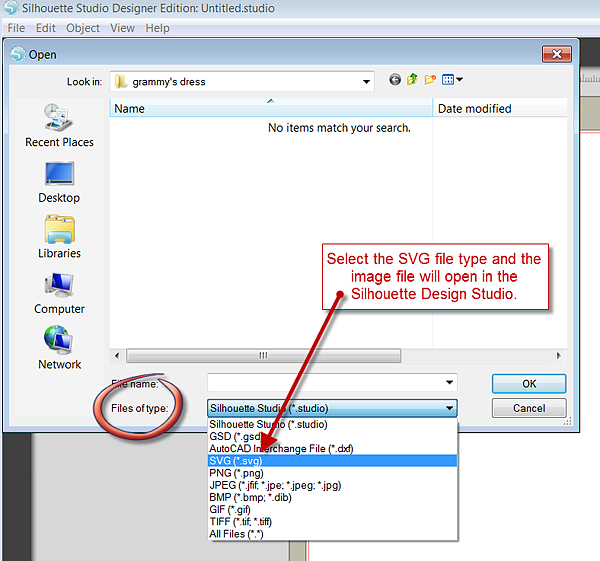
I then started the search for the perfect black dress silhouette for the project.  Unfortunately, all of the dresses in the Silhouette design gallery didn't fit the bill so I searched online for the perfect black dress {isn't that always the never ending search? A black dress for my party now I have to find one for a project! he he…}  I finally found a great SVG file that was PERFECT!! Because I've upgraded to the Silhouette Studio Designer Edition it was not a problem at all to use the SVG file. I downloaded the image and then open the design studio…

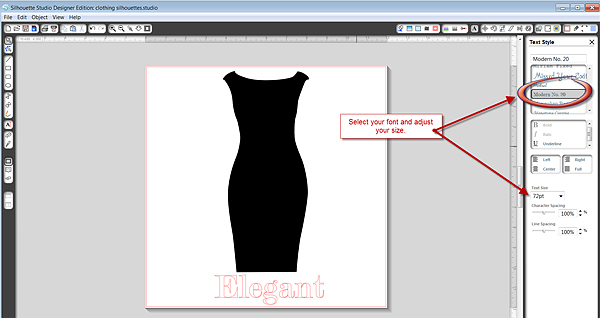
I opened the image and sized it to 14×7 and then added the text at the bottom. Using the Modern No. 20 font and sized it to fit the frame.

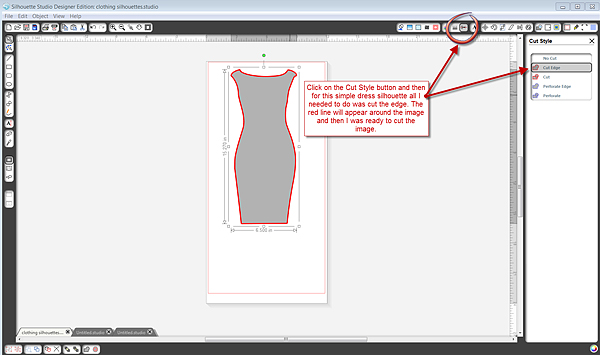
Next, I had to go to the Cut Style tool on the top right of the screen to allow my Cameo to recognize the SVG file while it was cutting.  While the image was selected I clicked on the Cut Edge tool and a red line appeared around the edge of the dress showing that the cameo now recognized the image and was ready to cut…

I placed the fabric lined with the Silhouette Clean Cut Fabric Interfacing on the 12×24 mat and ran it though the CAMEO.  I cut the dress first and then the words, just to make sure I didn't have any issues.

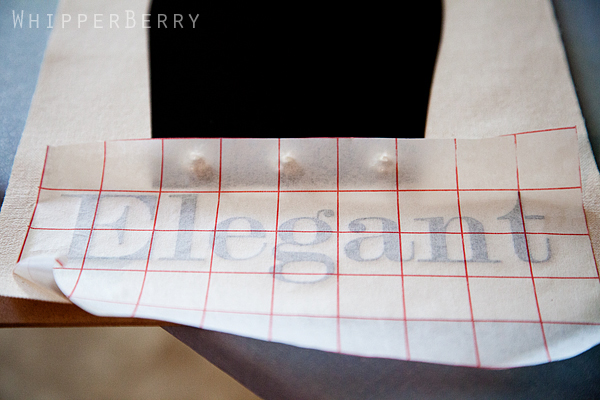
I removed the paper backing from the fabric and then ironed it onto the canvas duck cloth that I had cut to the perfect 10×20 size to fit the frame. Then I hot glued the precious buttons to the dress.  Next I cut the letters out of the same fabric…

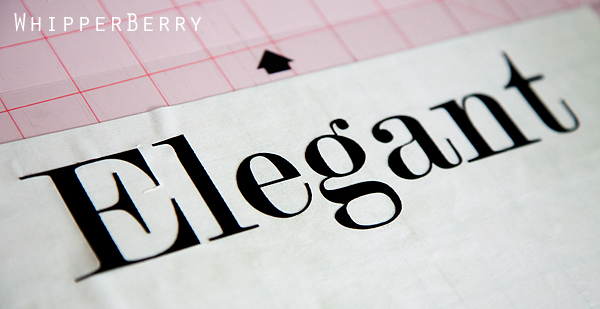
I used some vinyl transfer tape, just like you would with vinyl, to transfer the letters onto the canvas duck cloth.  This is where it got a little tricky.  I wasn't sure how the transfer tape would react to the heat of the iron, but I wanted my word to stay perfectly intact.  So, I took a risk.  I carefully and quickly ironed the letters through the transfer tape and it worked perfect.  I worked fast and I didn't place the iron on for very long. I could tell that it could cause issues if I lingered too long.

I removed the transfer tape and it looked PERFECT!! I was so excited! I placed it in the frame and was in awe.  Look at those letters… THEY ARE FABRIC!! 

Look at the clean cut and the perfect lines…

Have you ever had an idea in your head and once you've made it, it far and away surpasses your expectations?  This one totally did! I have to say I am madly and deeply in love with my Cameo now {not that I wasn't before, ha ha}…

Sorry Mom, you get to see your Mother's Day present early!

What a fun way to display my Grandmother's beautiful buttons.  A Priceless treasure that could've easily been tucked away in a drawer and forgotten about.  Now my Mom can have this on her wall and remember her beautiful and elegant mother every time she walks by this lovely fabric wall art. Happy Mother's Day Mom… I LOVE YOU!!

Here's a special deal for all of you…

Visit the Silhouette store by clickin here or on the Silhouette logo above and don't forget to enter WHIPPER at check out to get this smokin' deal!!

HeartGrams | Giveaway

0 · Feb 6, 2012 · 39 Comments

Several times a week I am contacted by people who would like to host a giveaway on WhipperBerry and I have to be pretty selective as to who I chose to partner-up with to present to my favorite people… YOU GUYS!! I was thrilled when the lovely ladies from Love Feast Table contacted me to host a giveaway for their HeartGrams!

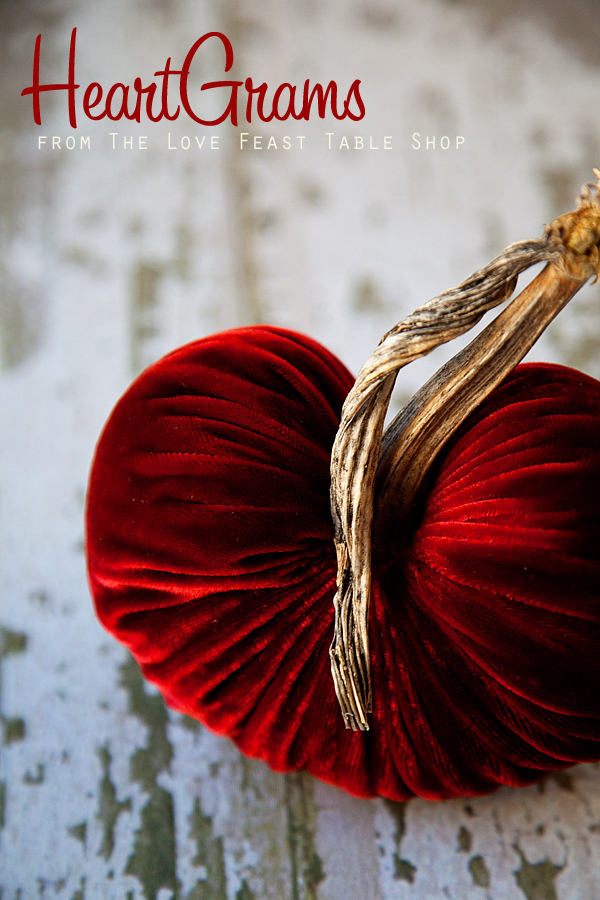
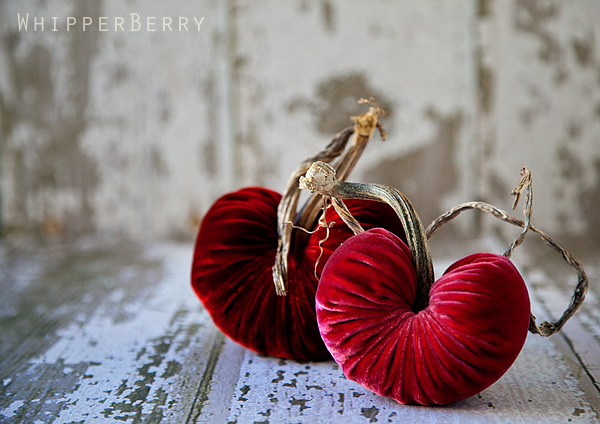
What a FUN gift to give YOUR favorite people in your life for Valentines day! These beautiful heart shaped velvet plush pumpkins, or HeartGrams as they are called are a stunning addition to any Valentine display.  It's a perfect gift to send to Moms, Sisters, Grandmothers, friends and sweethearts!  Let's face it Valentine's Day is a perfect day to share our love with all the amazing people we have in our lives, not just our sweethearts.

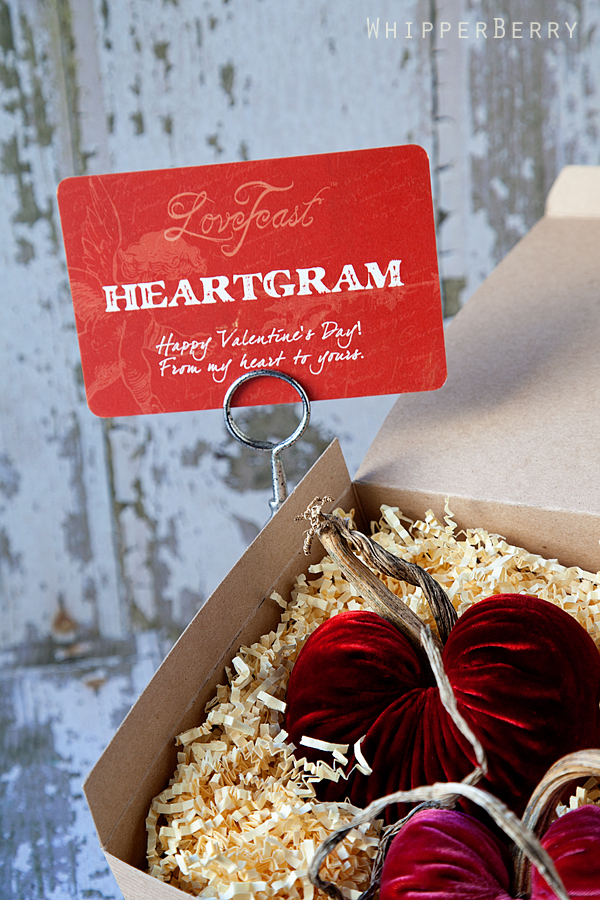
Each HeartGram is lovingly created with great attention to detail. The unique addition of the one-of-a-kind pumpkin stem is what gives every HeartGram it's distinctive style. The HeartGrams are packaged in a simple Kraft paper gift box with a fun postcard to personalize the gift for your loved ones…

Chris Ann and Kristin from Love Feast Table have been super generious and have offered one lucky reader a set of two beautiful HeartGrams for you to share with a loved one or keep for yourself!

BUT… don't wait to long to order yours!!  The last day to place your order to send to someone you love is on February 9th if you want them to arrive by February 14th!!

Here is what you need to do to enter the giveaway…

a Rafflecopter giveaway

Good luck, but don't wait too long to order a set for yourself and for a loved one. You're going to LOVE them!!

  • « Go to Previous Page
  • Page 1
  • Interim pages omitted …
  • Page 19
  • Page 20
  • Page 21
  • Page 22
  • Page 23
  • Interim pages omitted …
  • Page 27
  • Go to Next Page »

Primary Sidebar

Heather from Whipperberry
Hello... my name is Heather and I'm the creator of WhipperBerry a creative lifestyle blog packed full of great recipes and creative ideas for your home and family. I find I am happiest when I'm living a creative life and I love to share what I've been up to along the way... Come explore, my hope is that you'll leave inspired!

Footer

  • Privacy Policy
  • Crafts
  • Food
  • Gifts
  • Holidays
  • Home
  • Mom Life
  • Recipes
  • Travel

Copyright © 2026 · Seasoned Pro