• Skip to primary navigation
  • Skip to main content
  • Skip to primary sidebar
  • Skip to footer

Whipperberry

WhipperBerry • Your Home For Creative Inspiration

  • Home
  • Recipes
    • Starters
    • Easy Weeknight Dinners
    • Main Dish
    • Salads
    • Side Dish
    • Soups & Stews
    • Desserts
    • Breakfast
    • Miscellaneous
  • Tutorials
    • Creative Crafts
    • DIY Decor
    • Fabric Crafts
    • Food How-To
    • Jewlery
    • Paint Projects
    • Paper Art
    • Party Styling
    • Photography and Graphic Design
    • Silhouette
  • Holidays
    • Easter
    • Mother’s Day
    • Father’s Day
    • 4th of July
    • Halloween
    • Thanksgiving
    • Christmas
    • Valentine’s Day
  • Gift Ideas
    • Gifts For Everyone
    • Gifts for Dad
    • Mother’s day
    • For The Girls
    • For The Kids
    • Teacher Gift Ideas
    • Christmas
  • Printables
    • Holiday
    • Gift Idea
    • LDS Primary
  • Travel
  • About
    • Terms
  • Contact
  • Nav Social Menu

    • Facebook
    • Instagram
    • Pinterest
    • RSS
    • Twitter

Food

Drop Your Digital Device Here Free Printable + Disconnect to Reconnect GIVEAWAY

1 · May 15, 2014 · 23 Comments

+ This post brought to you by  the JM Smucker’s Co. & The Power of Family Meals, Disconnect to Reconnect + I remember years ago, when the world was just opening up to our new mobile technology. Everyone was so excited to have the ability to connect ANYWHERE. It was revolutionary. I could not wait until I could get my first cell phone. It was a brick, but I carried it proudly and LOVED being able to contact anyone, at anytime and in any place.  Then the technology continued to evolve and soon we could text, and then the birth of the smartphone happened. We could access the internet, our email ANYWHERE! It was brilliant.

Then I remember hearing a news story where the experts were saying that because of this new technology, we as humans will forget how to connect on a personal, face to face way.  They said that we as a society would become more and more isolated because of this technology.  We would forget how to make eye contact, we would forget how to make small talk, we would get sucked more and more into our devices and then society would face a human crisis.  My first thought was poppycock!   We as humans would never lose our personal connections.

And then as of late, I started observing… I saw people out at restaurants sitting together, not communicating, all of them with their eye glued to the screen of their smartphone. NO INTERACTION AT ALL!  It made my heart hurt.  Then it started to see it creep into my own family…

We would sit down to meals and my husband and I would be glued to the email inbox on our iPhones, or checking out the latest and greatest Youtube video.  As our kiddos got older, they too started to get their own devices, and meal time became a place to sit at the table, eat food and stare at our devices. Minimal talking, and the poor younger kiddos without devices were ignored and bored.  It actually shames me to have to say that, I’m embarrassed!

Once I woke-up and realized what was happening, I quickly took matters into my own hands and gently asked the family if we could make a change. At first, I met some resistance… what would we talk about? Ahhh Mom, really? But Honey, I have to stay connected to work. Does this sound familiar?

It took a little time, but we have successfully transitioned to device free meal times! No television, no iPhones, no iPads… just us,  and we LOVE it! Our family has taken the pledge at The Power of Family Meals® to EAT SCREEN FREE this Sunday!  You can take the pledge as well and join us. To help, I’ve created this free printable to help the family reconnect…

disconnect-1400x1400

This is a simple printable that you can print, fold in half and place on a tray or basket to encourage your family to drop their digital devices on the tray, away from the table and then join the family for a screen free meal!

Disconnect-to-reconnect-free-printable-from-WhipperBerry--3

You can download the “Drop your Digital Device Here” by clicking this link

I plan on using this simple sign during our family meals and even when we entertain with family and friends. Hopefully it will encourage even more to take a few minutes to unplug and connect with what really matters.

Badge

Breakfast for Dinner GIVEAWAY

The J.M. Smucker’s Co. has graciously donated a Breakfast for Dinner prize pack valued at $125 for one of you who decides to take the pledge!

Disconnect-to-Reconnect-Giveaway

It’s packed full of all kinds of goodies that will get your screen free dinner of to a good start.

The Breakfast for Dinner giveaway includes:

  • Presto Jumbo Cool Touch electric griddle (1)
  • 7-piece kitchen utensil set with stand (1)
  • Family Talk conversation game (1)
  • Smucker’s Strawberry Natural Squeeze jam (1)
  • JIF Creamy Peanut Butter (1)
  • JIF Chocolate Hazelnut Spread (1)
  • Folger’s Classic Roast (1)
  • Hungry Jack Breakfast Syrup (1)
  • Hungry Jack Complete Pancake and Waffle Mix (2)
  • Martha White Banana Nut Muffin Mix (2)
  • Crisco No-Stick Cooking Spray (1)
  • Martha White All-Purpose Flour (1)

Just follow the directions in the Rafflecopter box below to enter…
a Rafflecopter giveaway

App-solutely the BEST Father // Fathers Day Free Printable Cards

4 · May 13, 2014 · 7 Comments

Fathers Day Free Printable Cards // Hello WhipperBerry readers! We are so excited and honored to be contributors here at WhipperBerry. We have been fans of Heather and her amazing sense of style for years! First, let us introduce ourselves. We are Lisa and Pam and we blog over at Over the Big Moon. Over the Big Moon is all about family, traditions, and fun! We love to share free printables and today we have a Father Day free printable to share with you!

fathers day free printable

I am tired of giving my Dad ties and tools! But, an iTunes card is right up his alley!

app

They print 2 to a sheet so you can give one to Dad and one for Grandpa!

Download the Fathers Day Printable Here

fathers day printable

We hope you will come visit us at Over the Big Moon and check out some of our other posts: 60 days of Summer Fun w/ Printable Cards, Free Printable Pre-K packs, Super Fast Chicken Freezer Meals, and our Object Lesson in Honesty!

Thanks again Heather for having us! See you again next month!

WhipperBerry’s Favorite Photo Apps for Instagram

0 · May 12, 2014 · 4 Comments

+ Photo Apps for Instagram +whipperberry's-favorite-instagram-photo-apps

It’s no secret… I LOVE Instagram. I am a photographer at heart and so Instagram is my social media of choice.  Secretly, I wish I could send Facebook a tacky break-up text but I’m to classy for that. I just keep going back to my gramming love.

I love sharing what I’m up to visually, I love crafting or cooking in real time with my followers. I love sharing my highs and sometimes my lows. I love sharing my cute kiddos, I love sharing local or handmade businesses. I love coming together as a community to help lift one another like last week when the social world rallied around Baby Boy Bakery in the tragic loss of her son with the #redballoonsforryan movement. I love that I can share what fills my spirit with joy.

When we moved to Nebraska, I would have to say that I hit a point where I was a little blue with the move. It was fast, it was unexpected and it kind of rocked my world. Instagram saved me. I drove around our new little town and I Instagrammed all of the beautiful things I could find here until I actually started to fall in love with this quirky little city.  It was my life saver.

It’s no secret that teenagers can be a bit of a challenge at times (or all the time.) Believe it or not, Instagram saved my relationship with my daughter. It sounds silly, but it did. It gave us common ground. It was a safe place where we could just share what made us happy and it was miraculous!

With all that said, I thought I would share some of my favorite photo apps that I use when Instagraming. You know me, I can never leave things alone, I have to tinker just a bit until I have a photo that has just the right WOW factor.  I’m pretty basic most of the time. I like to share good clean photos most of the time with just a little bump from a fun filter. Other times when I have time to sit and play, that’s when I like to get fancy.

I have taken one photo and dressed it a bit in each of my favorite apps. I’ve kept it pretty simple, but each of these app have aaamazing features that you’ll have to dive in and check out further. Here are my favorite photo apps in no particular order…

pic-tap-go-#whipperberry

PicTapGo

PicTapGo is my go to photo app about 75% of the time.  The reason being… It’s simple and easy to use. I can easily pull in a photo, bump up the exposure, add a quick filter, crop and send right on over to Instagram. I love it. You can send over photos that aren’t sized right for Instagram directly from PicTapGo which is another GREAT feature. PicTapGo cost $1.99 in iTunes and you can buy it HERE.

litely-app-#whipperberry

Litely

Litely is rather new to me still,  but it is a fabulous app that can take your humdrum photos and kick them up a notch with lovely film like filters. I love that their filters are more natural looking and their basic editing features are fabulous. The design of the app is very appealing and it’s super easy to use. This is defiantly one to look at. Litely is free but it does have a few in-app purchases that are $1.99 each. You can download it HERE.

camera+-#whipperberry

Camera+

Camera+ is a very dynamic app that is packed full of all kinds of goodies. The one feature that it is known for, is their Clarity feature.  In my photo above,  the only thing that I did to alter the photo is add the Clarity feature. See how it can take a muddy, lifeless photo and add new life! Just look at the detail.  This app is huge and it can take your iPhone photography to a whole new level. You can shoot like a pro. Camera+ is $1.99 in iTunes you can purchase it HERE.

typic+-app-#whipperberry

Typic+

I ADORE this app… Typic+ is one of my favorite graphic apps  that combines a snipet of photo editing along with some stylish fonts and graphic elements that you can add to your photos.  It’s a visually appealing app that is easy to use and has a real bang for your buck when it comes to Instagram photo creation.  It’s simple to use, anyone with even a basic understanding of navigation through apps can use it to create some real masterpieces. Typic+ is $0.99 in iTunes but they do have a few in-app purchases that are between $0.99 – $4.99 you can buy it HERE.

bubbleframe-app-#whipperberry

BubbleFrame

BubbleFrame is a real gem from Fresh Produce LLC, the skies the limit with this app. You can create all kinds of fun layouts with shapes, add all kinds of graphic backgrounds, add video, create fun word art, you name it, you can do it with BubbleFrame.  It’s easy to navigate but it does take a little bit of time to get to know all the ins & outs of the program. But it is soooooo worth it!! You can purchase BubbleFrame in iTunes for  $1.99.

rhonna-design-app-#whipperberry

Rhonna Designs

What can I say about Rhonna Designs app… It’s just the bees knees when it comes to graphic design on your phone! Rhonna has created along with Fresh Product LLC one of the most amazing photo apps out there. You can create stunning photos with her app and you can create aaamazing word art. The title image for this post was actually created in Rhonna Designs. I have several blog friends out there that use her app to add graphics to their photos for their blog.  I’ve even created some fun printable word art with the RD app. You can purchase this app through iTunes for $1.99 but there are in-app purchases that you will need to make to have all of the design elements at your finger tips. You can find The Rhonna Designs App HERE.

fuzel-app-#whipperberry

Fuzel

If you are looking for a good collage app, I’m a fan of Fuzel. This is a pretty powerful app that can transform your photos into something really special. They have all kinds of layouts, traditional and non-traditional. It’s pretty easy to use and a must have if you love taking LOTS of photos. This way you can post a whole bunch of photos in one image and not get called that nasty “overgrammer” name! Fuzel is designed well, pretty easy to navigate. Fuzel is free to download, but there are in-app purchases. You can find it HERE.

flipagram

Flipagram

Last but not least is Flipagram.  This is a slide show app that I really like. It’s fun and super easy to use and is a great way to share a lot of content in one Instagram post. It’s like an Instagram flip book…

You can easily add commentary or music that is right on your iPhone. It’s perfect! This is a free app that you can find HERE on iTunes.

So that’s it… The photo apps that I use the most. Now, keep in mind, I am an iPhone user so I tend to stick pretty close to Apple and their iTunes store. I know that there are many android users out there. Most of these apps are available for Android, you’ll just have to check them out in the Android store.

Let me know if you have any questions, I will be happy  to answer them if I can!

Come find me on Instagram and let’s be friends!!

Disclaimer //  This is not a paid post, I’m just a fan and thought I would share!

The Party Bunch Link Party // no. 28

0 · May 9, 2014 · 10 Comments

Welcome friends… it’s FRIDAY!! Finally time to wind down and relax with the family for a few days. It’s also time to link up to our fun link party! I LOVE going through the projects every week and seeing all of the fun stuff you all have been up to. First off… A heartfelt thank you for coming back each week and joining in all the fun. Second… checkout what caught our eye this week…
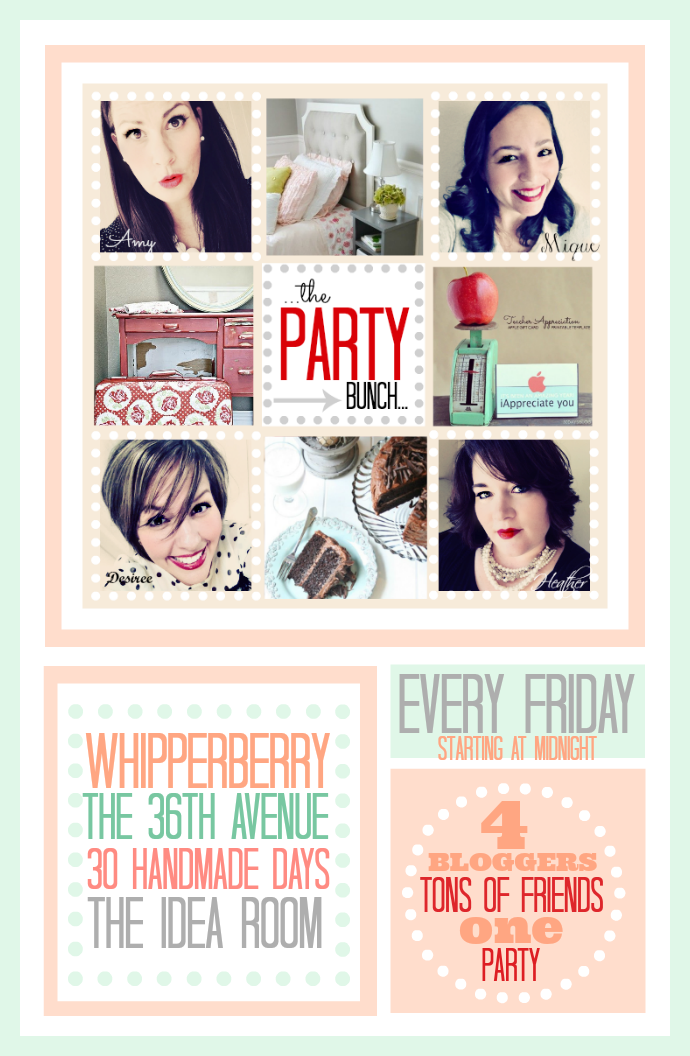
TPB Party Info Banner

Amy from The Idea Room, Mique from 30 Handmade Days, Heather from Whipperberry and Desiree from The 36th Avenue want to thank you for partying with us… You guys are the best!

Here are some of our favorites!

TPB-Heather-Favs

Heather’s Favorite

Mother’s Day Printable from Tatertots and Jello.

So sweet and simple. And still doable before this weekend!

TPB-Mique-Favs

Mique’s Favorite

Bacon Pesto Grilled Cheese from Practical Stewardship.

Grilled Cheese is my favorite. And so it pesto. And bacon. YUM!


TPB-Amy-Fav

Amy’s Favorite

Ready for Takeoff Wall from Bohemian Junktion.

Such a clever way to paint a wall for an airplane loving kid!

TPB-Desi-Favs

Desiree’s Favorite

Easy Homemade Tortillas from Mom on Timeout.

Nothing beats a homemade tortilla. Delicious!


As always thank you for so may fabulous projects and recipes!

We hope you take a minute and button up here!

TPB Button Large

Also we want to invite you to click here and follow

The Party Bunch Favorites on Pinterest.

We are featuring more of our favorite projects and recipes from the link party on this board!

Now it is time to party!

TPB Party Bunch Link Up... Every Friday to Sunday link up your projects over at  theidearoom.net , thirtyhandmadedays.com , whipperberry.com or the36thavenue.com Four bloggers = ONE BIG PARTY! We can't wait to see your projects!

Here are a few things to remember before you link up!

  • Please make sure to share the love and grab a button here to let your readers know that you linked up with us!
  • By linking up with The Party Bunch, you are giving permission to any of us to feature your projects and recipes on our social media with a link back to you. Thanks!

An InLinkz Link-up


DIY Black and White Wall Art

0 · May 8, 2014 · 8 Comments

DIY Black and White Wall Art // I have always been a huge fan of black & white. I love the stunning contrast and knew that when I was ready to dress up our front room in our new house I wanted a strong black & white theme. I also LOVE typography wall art and adore the hand painted typography displays that I’ve seen all over the place.

I however, CAN NOT hand paint a stick figure, let alone a beautiful hand lettered canvas… So, I did the next best thing! I busted out my Silhouette CAMEO, some black paper and a lovely large 24 x 24 canvas and went to work…

WhipperBerry-Sprint-Room-Makeover-12

I LOVE how it turned out! It’s an element in my HUGE gold frame that is in my front room that I have redesigned for the spring/summer…

WhipperBerry-Sprint-Room-Makeover-16

This is how it looked for Christmas this last year…

Michaels-Mini-Frames-justaddmichaels-5

The frame is HUGE and I love it, but it can be a challenge trying to find stuff to fill the space, a large canvas is perfect!

This project is really quite simple. I used the Meddon font which has an imperfect hand lettered look to design my typography art. Then I cut my saying, “Leave a little sparkle wherever you go” out of black textured card stock paper with my Silhouette CAMEO and then used Decoupage from DecoArt to affix the letters onto the canvas.

WhipperBerry-Sprint-Room-Makeover-1

Want to know a little secret to successful decoupaging? Wet your paper that you are wanting to affix to your surface FIRST before you place it onto your surface. I had a plate with a wet paper towel sitting next to me and placed the paper words on the towel for a few seconds to get them a little damp before I placed it on the canvas. This will help with any bubbling problem you may have once you add the Decoupage.

How to make typography wall art with Silhouette CAMEO and Decoupage

  1. Cut your words out on the Silhouette CAMEO. For this size of canvas I needed a machine that could cut large elements and the CAMEO is perfect for that. I used my 12×24 mat and it was perfect. I unfortunately didn’t have 12×24 black paper so I had to piece some of the words together, but that wasn’t a big deal.
  2. Figure out the placement of your words on the canvas.
  3. Starting in small areas, one word or part of a word at a time, remove the paper word and place on a wet paper towel. Then using a foam brush, place a thin layer of Decoupage onto your canvas. Replace the paper word onto your desired spot and gently press into the Decoupage. Then carefully with a light hand, brush another layer of Decoupage onto of the paper word. Be careful not to over work the paper. Especially when using black paper on a white canvas, the Decoupage will breakdown the paper and then you will have a muddy mess instead of a clean black and white canvas.  WhipperBerry-Sprint-Room-Makeover-2
  4.  Move onto the next word until you have the entire saying affixed with the Decoupage.
  5. Make sure you cover the entire canvas with Decoupage so that the canvas will have a uniformed appearance.
  6. Let the canvas dry and then hang!

WhipperBerry-Sprint-Room-Makeover-6

 I added a sheet of decorative metal that I found at Home Depot for a little added pop under the canvas and I LOVE how it looks!

WhipperBerry-Sprint-Room-Makeover-16


So… Do you love typography art? What saying would you like to create with this simple project? Leave a comment with your saying!!

Disclaimer // This is NOT a paid post, I am however a member of the Silhouette Circle which is an affiliate program.

  • « Go to Previous Page
  • Page 1
  • Interim pages omitted …
  • Page 301
  • Page 302
  • Page 303
  • Page 304
  • Page 305
  • Interim pages omitted …
  • Page 484
  • Go to Next Page »

Primary Sidebar

Heather from Whipperberry
Hello... my name is Heather and I'm the creator of WhipperBerry a creative lifestyle blog packed full of great recipes and creative ideas for your home and family. I find I am happiest when I'm living a creative life and I love to share what I've been up to along the way... Come explore, my hope is that you'll leave inspired!

Footer

  • Privacy Policy
  • Crafts
  • Food
  • Gifts
  • Holidays
  • Home
  • Mom Life
  • Recipes
  • Travel

Copyright © 2026 · Seasoned Pro