• Skip to primary navigation
  • Skip to main content
  • Skip to primary sidebar
  • Skip to footer

Whipperberry

WhipperBerry • Your Home For Creative Inspiration

  • Home
  • Recipes
    • Starters
    • Easy Weeknight Dinners
    • Main Dish
    • Salads
    • Side Dish
    • Soups & Stews
    • Desserts
    • Breakfast
    • Miscellaneous
  • Tutorials
    • Creative Crafts
    • DIY Decor
    • Fabric Crafts
    • Food How-To
    • Jewlery
    • Paint Projects
    • Paper Art
    • Party Styling
    • Photography and Graphic Design
    • Silhouette
  • Holidays
    • Easter
    • Mother’s Day
    • Father’s Day
    • 4th of July
    • Halloween
    • Thanksgiving
    • Christmas
    • Valentine’s Day
  • Gift Ideas
    • Gifts For Everyone
    • Gifts for Dad
    • Mother’s day
    • For The Girls
    • For The Kids
    • Teacher Gift Ideas
    • Christmas
  • Printables
    • Holiday
    • Gift Idea
    • LDS Primary
  • Travel
  • About
    • Terms
  • Contact
  • Nav Social Menu

    • Facebook
    • Instagram
    • Pinterest
    • RSS
    • Twitter

Review

Tech Talk + Getting to Know a ASUS Tablet

0 · Sep 22, 2014 · Leave a Comment

#spon: I’m required to disclose a relationship between our site and Intel. This could include the Intel Corporation providing us w/content, product, access or other forms of payment.
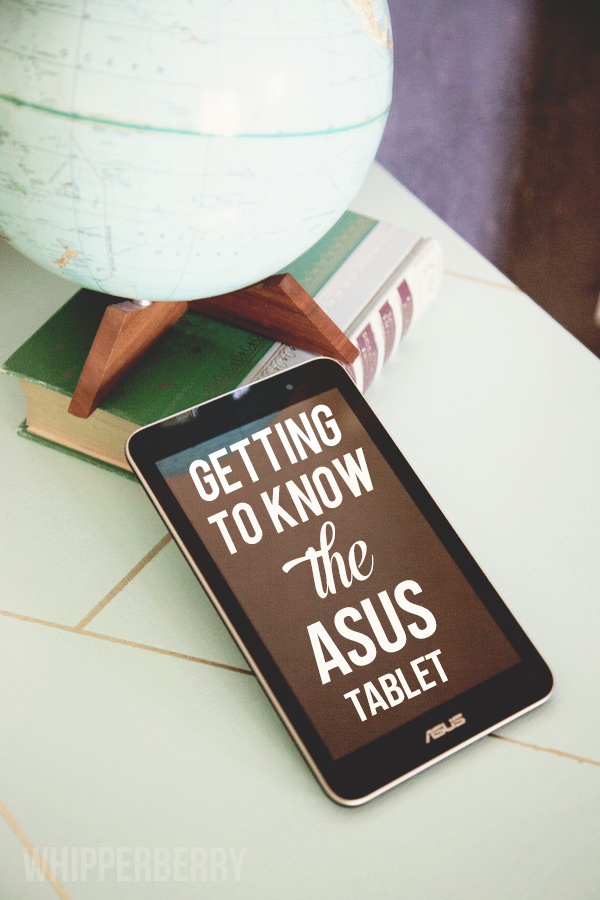
ASUS-Tablet

I’m a tech girl. I can pass on your typical gift items. I don’t need flowers or chocolates. But, if you want to sweeten me up… Give me a gadget. It’s been that way since I was a girl. Anything with buttons or a processor, I was smitten. So… When I was approached to give the ASUS Memo Pad 7 a whirl, of course I said, YES!

The ASUS tablet is part of the Intel Tablets family. It’s powered by an Intel Processor that makes for a fabulous user experience. The graphics are crisp, the wifi is super stable and the battery life is really great.  What’s even better is the price! You can score an ASUS for $150 a fraction of the cost of most tablets. The great thing is, even though you are getting a budget friendly tablet, you aren’t getting a budget type experience. So far, I’ve been thrilled with what I’ve found with this tablet.  My whole life, digitally that is, is with Google. My calendars, contacts, email and so on. The ASUS is very Google friendly.

I’m spending this week getting to know the tablet a little more. My life has become SUPER busy. I’m balancing several different major projects right now,  I need a great tool to keep me on track. I’m going to be using the ASUS this week to keep my life organized. I’ll pop back in on Friday and let you know how it goes.

Back to School Hair Care

2 · Aug 18, 2014 · Leave a Comment

Whether you like it or not, it’s back to school time! If you are anything like our family, that means a busy August, planning and preparing for the new year. We have new outfits for the first day, new school supplies and for sure everyone needs a haircut and revised back to school hair care routine. Even the littles need to look spiffy for the new year of Pre-School!

Gage-&-Evyn

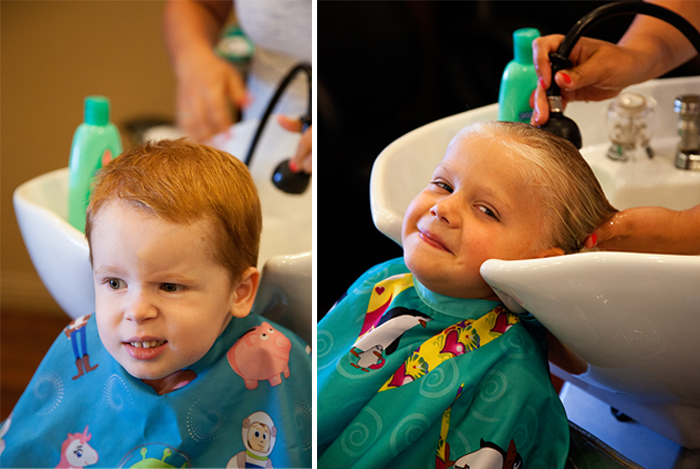
Gage and I joined our friend Evyn at our favorite hair stylist location here in Lincoln!
Some were more excited than others! That little spunky red head of mine… He’s not a fan of baths or showers… Nor does he like anyone messing with his hair. I guess that means he’s a boy! Having three daughters before him and no brothers of my own, I’m in new territory here. My husband assures me, it’s normal.

One way we’ve found that helps the process is using the right products. For us, from the very beginning, we started with JOHNSONS® Baby Shampoo NO MORE TEARS™ Formula. Now that he’s getting older and has more of that scrumptious red hair, we needed a bit more than what the baby shampoo had to offer. So, we upgraded to JOHNSONS® NO MORE TANGLES® Shampoo…

The reason we love JOHNSONS® products is not only do they make bath time easier with their NO MORE TEARS® formula along with their NO MORE TANGLES®, but I LOVE their commitment to making their products the safest out there for our kiddos. Check out this video about their commitment to excellence…

I know as a parent, that using these products isn’t going to harm my kiddos and that really gives me piece of mind.  Especially when you see these sweet faces!

Johnson's®-No-More-Tangles®-on-#WhipperBerry-6
I love this line with their JOHNSONS® NO MORE TANGLES® Shampoo & Conditioner, JOHNSONS® NO MORE TANGLES®  Leave-in Conditioner & JOHNSONS® NO MORE TANGLES® Detangling Spray.

Spunky Gage loves the NO MORE TEARS® formula, but sweet Evyn is a HUGE fan of the NO MORE TANGLES® with her soft and luscious long blonde hair.

Johnson's®-No-More-Tangles®-on-#WhipperBerry-10
Now, when I was a girl with thick long hair… The idea of my Mom combing out my hair, let alone blow drying it, sent shivers down my spine. That was back before the revolution of the no more tangles movement. Evyn doesn’t have to worry about that one bit!

Johnson's®-No-More-Tangles®-on-#WhipperBerry-14
Now that they have both had their back-to-school hair cuts…
These two kiddos with their clean, silky smooth hair are ready to tackle the world of Pre-School!!

Johnson's®-No-More-Tangles®-on-#WhipperBerry-36


Compensation for this post was provided by Johnson & Johnson Consumer Products Company, Division of Johnson & Johnson Consumer Companies, Inc. via AOL Media.  The opinions expressed herein are those of the author and are not indicative of the opinions or positions of Johnson & Johnson or AOL.


Bing in the Classroom

0 · May 22, 2014 · Leave a Comment

This post was created in partnership with Bing. //  I’m still in awe sometimes when it comes to the internet. The unfathomable amount of information that is available just at the click of your mouse is mind boggling! I’m mean really… if you were born before or while Ronald Regan was in office, you saw Top Gun in the movie theaters you also remember research projects being a MUCH BIGGER DEAL than they are today!! The vast amounts of amazing information at our finger tips is unprecedented. With that kind of power comes great responsibility!

Bing-in-the-Classroom

I know when I sit down with my kiddos while they are working on the internet I cringe a little. When my daughter Emily was just learning how to spell her name, she typed her name into a web search and I was shocked as to what appeared on our screen. It was just a simple search on her name, that should be safe, right? Nope… All kinds of porn images smacked us in the face. She was FOUR!!

It was a huge wake-up call for me. From that point I have been very vigilant when it comes to my kiddos and the internet. Even if they are searching for simple age appropriate things, sometimes the ads that bombard them aren’t the best.  I know that when I am at home with them I can monitor their internet usage, but what about when they are at school. One teacher cannot sit and look over the shoulder of 20-30 kiddos every single time they are using the internet at school monitoring the content that they are viewing. That is why the folks at Bing have created Bing in the Classroom.

Bing has created a safe, ad-free space for our children to explore in. Think about all of the wonderful place you can go and see now without even having to leave the classroom!

Screen-Shot-2014-05-22-at-9.20.29-AM

We can help Bing reach even more kiddos. Last month I told you about the Bing Rewards Program, where you can earn points every single time you do a Bing search, well when you sign up for Bing Rewards you can choose to donate your Bing Rewards to your local school to help provide Surface Tablets in the classroom.  This is a fabulous program that will help our kiddos discover all the amazing things the world has to offer with tablets in the classroom that are free of ads, with strict adult content filters and enhanced privacy protection. All you have to do is search away on Bing!! It’s a win/win so Sign up for Bing Rewards!  You can also show your support for Show support for #adfreesearch for our kiddos!

WhipperBerry’s Favorite Photo Apps for Instagram

0 · May 12, 2014 · 4 Comments

+ Photo Apps for Instagram +whipperberry's-favorite-instagram-photo-apps

It’s no secret… I LOVE Instagram. I am a photographer at heart and so Instagram is my social media of choice.  Secretly, I wish I could send Facebook a tacky break-up text but I’m to classy for that. I just keep going back to my gramming love.

I love sharing what I’m up to visually, I love crafting or cooking in real time with my followers. I love sharing my highs and sometimes my lows. I love sharing my cute kiddos, I love sharing local or handmade businesses. I love coming together as a community to help lift one another like last week when the social world rallied around Baby Boy Bakery in the tragic loss of her son with the #redballoonsforryan movement. I love that I can share what fills my spirit with joy.

When we moved to Nebraska, I would have to say that I hit a point where I was a little blue with the move. It was fast, it was unexpected and it kind of rocked my world. Instagram saved me. I drove around our new little town and I Instagrammed all of the beautiful things I could find here until I actually started to fall in love with this quirky little city.  It was my life saver.

It’s no secret that teenagers can be a bit of a challenge at times (or all the time.) Believe it or not, Instagram saved my relationship with my daughter. It sounds silly, but it did. It gave us common ground. It was a safe place where we could just share what made us happy and it was miraculous!

With all that said, I thought I would share some of my favorite photo apps that I use when Instagraming. You know me, I can never leave things alone, I have to tinker just a bit until I have a photo that has just the right WOW factor.  I’m pretty basic most of the time. I like to share good clean photos most of the time with just a little bump from a fun filter. Other times when I have time to sit and play, that’s when I like to get fancy.

I have taken one photo and dressed it a bit in each of my favorite apps. I’ve kept it pretty simple, but each of these app have aaamazing features that you’ll have to dive in and check out further. Here are my favorite photo apps in no particular order…

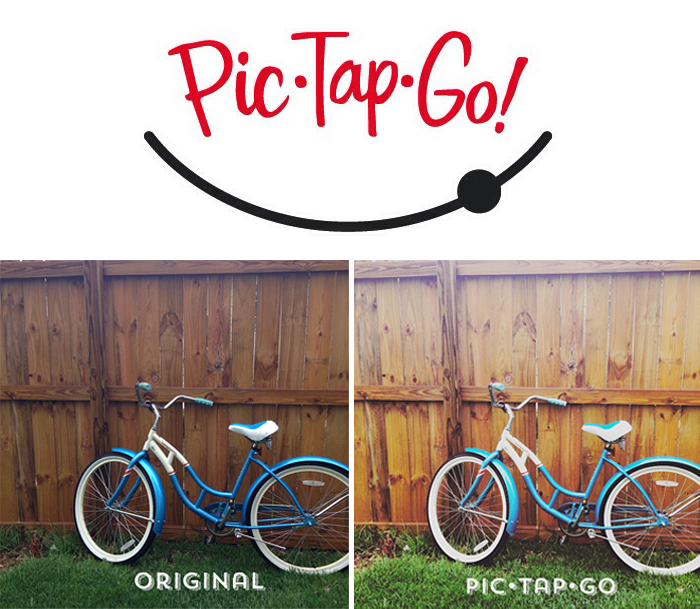
pic-tap-go-#whipperberry

PicTapGo

PicTapGo is my go to photo app about 75% of the time.  The reason being… It’s simple and easy to use. I can easily pull in a photo, bump up the exposure, add a quick filter, crop and send right on over to Instagram. I love it. You can send over photos that aren’t sized right for Instagram directly from PicTapGo which is another GREAT feature. PicTapGo cost $1.99 in iTunes and you can buy it HERE.

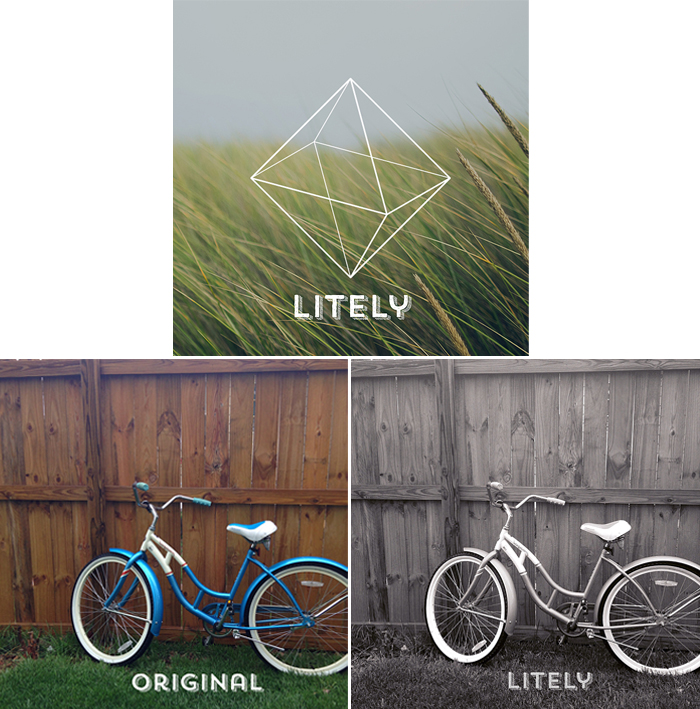
litely-app-#whipperberry

Litely

Litely is rather new to me still,  but it is a fabulous app that can take your humdrum photos and kick them up a notch with lovely film like filters. I love that their filters are more natural looking and their basic editing features are fabulous. The design of the app is very appealing and it’s super easy to use. This is defiantly one to look at. Litely is free but it does have a few in-app purchases that are $1.99 each. You can download it HERE.

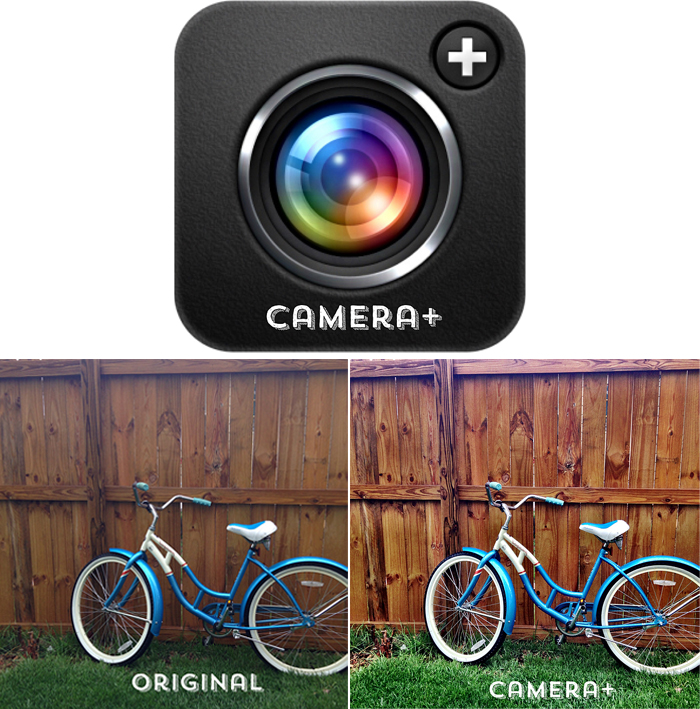
camera+-#whipperberry

Camera+

Camera+ is a very dynamic app that is packed full of all kinds of goodies. The one feature that it is known for, is their Clarity feature.  In my photo above,  the only thing that I did to alter the photo is add the Clarity feature. See how it can take a muddy, lifeless photo and add new life! Just look at the detail.  This app is huge and it can take your iPhone photography to a whole new level. You can shoot like a pro. Camera+ is $1.99 in iTunes you can purchase it HERE.

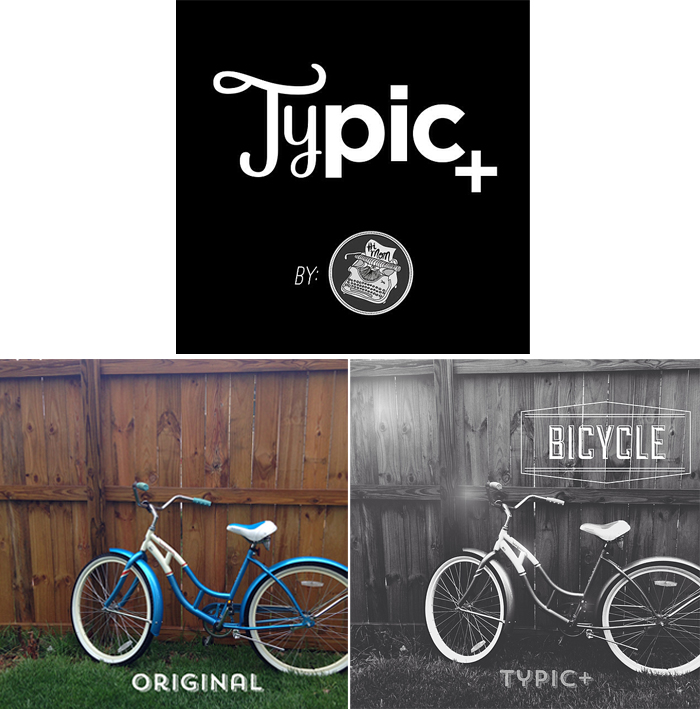
typic+-app-#whipperberry

Typic+

I ADORE this app… Typic+ is one of my favorite graphic apps  that combines a snipet of photo editing along with some stylish fonts and graphic elements that you can add to your photos.  It’s a visually appealing app that is easy to use and has a real bang for your buck when it comes to Instagram photo creation.  It’s simple to use, anyone with even a basic understanding of navigation through apps can use it to create some real masterpieces. Typic+ is $0.99 in iTunes but they do have a few in-app purchases that are between $0.99 – $4.99 you can buy it HERE.

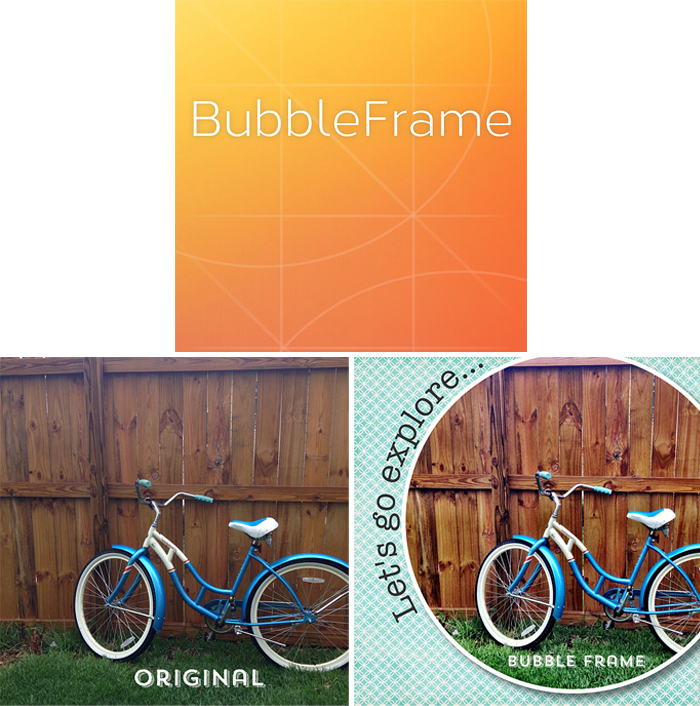
bubbleframe-app-#whipperberry

BubbleFrame

BubbleFrame is a real gem from Fresh Produce LLC, the skies the limit with this app. You can create all kinds of fun layouts with shapes, add all kinds of graphic backgrounds, add video, create fun word art, you name it, you can do it with BubbleFrame.  It’s easy to navigate but it does take a little bit of time to get to know all the ins & outs of the program. But it is soooooo worth it!! You can purchase BubbleFrame in iTunes for  $1.99.

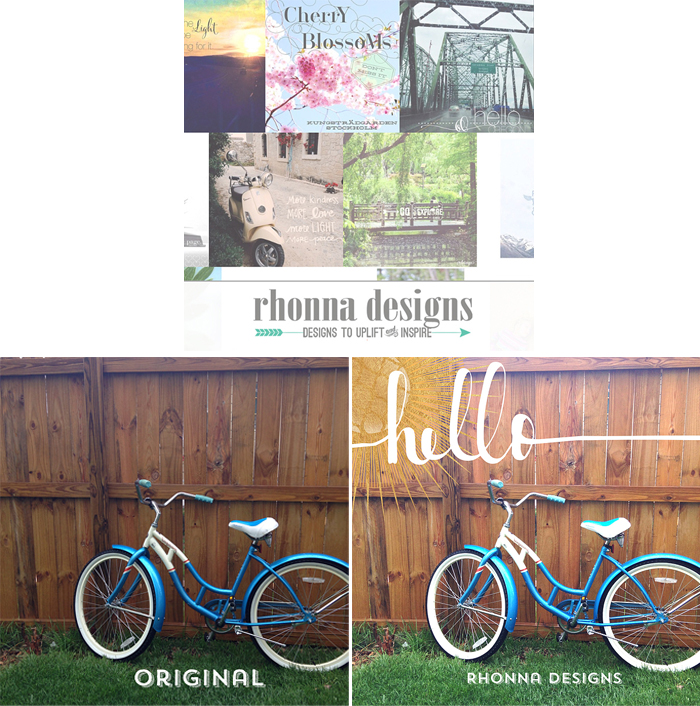
rhonna-design-app-#whipperberry

Rhonna Designs

What can I say about Rhonna Designs app… It’s just the bees knees when it comes to graphic design on your phone! Rhonna has created along with Fresh Product LLC one of the most amazing photo apps out there. You can create stunning photos with her app and you can create aaamazing word art. The title image for this post was actually created in Rhonna Designs. I have several blog friends out there that use her app to add graphics to their photos for their blog.  I’ve even created some fun printable word art with the RD app. You can purchase this app through iTunes for $1.99 but there are in-app purchases that you will need to make to have all of the design elements at your finger tips. You can find The Rhonna Designs App HERE.

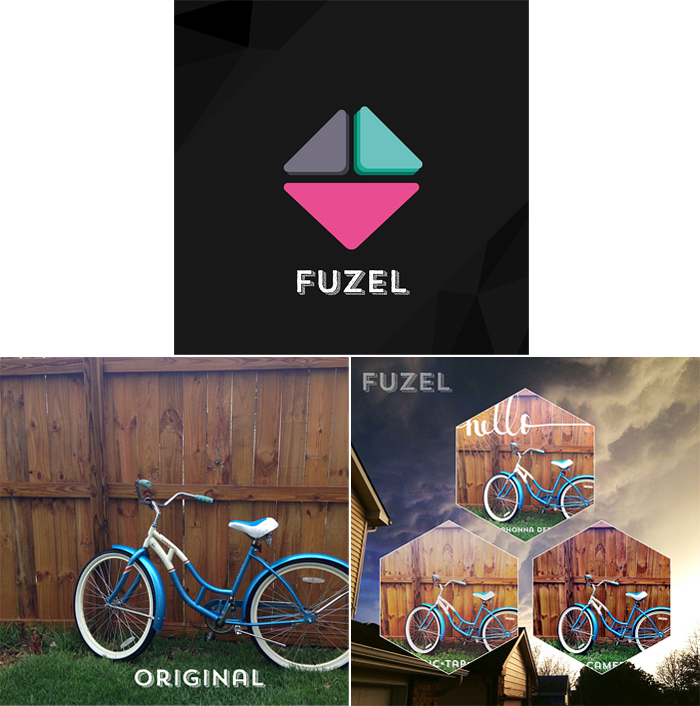
fuzel-app-#whipperberry

Fuzel

If you are looking for a good collage app, I’m a fan of Fuzel. This is a pretty powerful app that can transform your photos into something really special. They have all kinds of layouts, traditional and non-traditional. It’s pretty easy to use and a must have if you love taking LOTS of photos. This way you can post a whole bunch of photos in one image and not get called that nasty “overgrammer” name! Fuzel is designed well, pretty easy to navigate. Fuzel is free to download, but there are in-app purchases. You can find it HERE.

flipagram

Flipagram

Last but not least is Flipagram.  This is a slide show app that I really like. It’s fun and super easy to use and is a great way to share a lot of content in one Instagram post. It’s like an Instagram flip book…

You can easily add commentary or music that is right on your iPhone. It’s perfect! This is a free app that you can find HERE on iTunes.

So that’s it… The photo apps that I use the most. Now, keep in mind, I am an iPhone user so I tend to stick pretty close to Apple and their iTunes store. I know that there are many android users out there. Most of these apps are available for Android, you’ll just have to check them out in the Android store.

Let me know if you have any questions, I will be happy  to answer them if I can!

Come find me on Instagram and let’s be friends!!

Disclaimer //  This is not a paid post, I’m just a fan and thought I would share!

  • « Go to Previous Page
  • Page 1
  • Interim pages omitted …
  • Page 3
  • Page 4
  • Page 5
  • Page 6
  • Page 7
  • Interim pages omitted …
  • Page 12
  • Go to Next Page »

Primary Sidebar

Heather from Whipperberry
Hello... my name is Heather and I'm the creator of WhipperBerry a creative lifestyle blog packed full of great recipes and creative ideas for your home and family. I find I am happiest when I'm living a creative life and I love to share what I've been up to along the way... Come explore, my hope is that you'll leave inspired!

Footer

  • Privacy Policy
  • Crafts
  • Food
  • Gifts
  • Holidays
  • Home
  • Mom Life
  • Recipes
  • Travel

Copyright © 2026 · Seasoned Pro