• Skip to primary navigation
  • Skip to main content
  • Skip to primary sidebar
  • Skip to footer

Whipperberry

WhipperBerry • Your Home For Creative Inspiration

  • Home
  • Recipes
    • Starters
    • Easy Weeknight Dinners
    • Main Dish
    • Salads
    • Side Dish
    • Soups & Stews
    • Desserts
    • Breakfast
    • Miscellaneous
  • Tutorials
    • Creative Crafts
    • DIY Decor
    • Fabric Crafts
    • Food How-To
    • Jewlery
    • Paint Projects
    • Paper Art
    • Party Styling
    • Photography and Graphic Design
    • Silhouette
  • Holidays
    • Easter
    • Mother’s Day
    • Father’s Day
    • 4th of July
    • Halloween
    • Thanksgiving
    • Christmas
    • Valentine’s Day
  • Gift Ideas
    • Gifts For Everyone
    • Gifts for Dad
    • Mother’s day
    • For The Girls
    • For The Kids
    • Teacher Gift Ideas
    • Christmas
  • Printables
    • Holiday
    • Gift Idea
    • LDS Primary
  • Travel
  • About
    • Terms
  • Contact
  • Nav Social Menu

    • Facebook
    • Instagram
    • Pinterest
    • RSS
    • Twitter

Cricut 101

Cricut Joy Review – Is This Cricut Machine Worth it?

1 · Aug 4, 2022 · Leave a Comment

Cricut Joy Machine

Thinking about buying a Cricut Joy but have questions? You’re in the right place. In this Cricut Joy Review, I’m going to lay out exactly what the Cricut is, what it does, and if it’s the right machine for you.

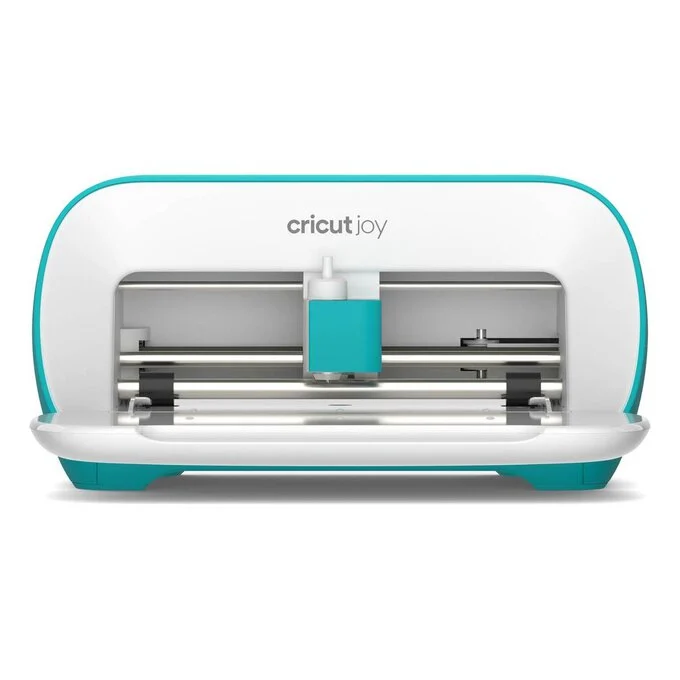
The Cricut Joy is the smallest of the Cricut line of machines. It may be small, but it still can help with a large number of craft projects. It measures just 5.50 x 8.40 x 4.25 inches. There are also carrying cases available for the Cricut Joy, so you can easily pack it up and take it wherever you want to. It’s so simple; you can use it anywhere you have a wifi signal to use the Cricut Design Space app and an outlet to plug in the machine.

Cricut Joy Features

The small size and portability of the Cricut Joy are the most prominent features. Weighing just under 5 pounds, you can take this machine and your supplies with you on vacation or to have fun crafting at a friend’s house if you want. It’s also a great choice for those with limited crafting space in their homes since it can be easily stored on a small shelf or even in a drawer.

Because the Cricut Joy is compact and easy to use, this could be a great gift for any preteens/teens who enjoy crafting.

The Joy is capable of cutting over 50 materials, including Cricut Joy Smart Materials. The Smart Materials are unique in that they can be cut on this machine without a cutting mat. Because you can use the Smart Materials without a mat, the Joy can make cuts up to 20 feet long. In addition to cutting, the Joy can draw any shape and it writes in a wide variety of styles.

The Cricut Joy has one clamp for the blade housing. If you want to use a pen to draw part of your project, you will be prompted to switch out the blade and load your pen. This is different from the larger Cricut machines that have two clamps so you can use a blade and pen without having to switch them out. It’s important to note that regular Cricut pens don’t fit in the Cricut Joy clamp; you’ll need to have Cricut Joy specific pens. Fortunately, Cricut sells a wide variety of pens for the Joy and they’re not terribly expensive.

The Cricut Joy connects to Cricut Design Space (their design software) with Bluetooth wireless technology. You can use Design Space on a desktop computer, laptop, tablet, or even your smartphone. This makes it simple to use your Cricut Joy just about anywhere you can plug in and get a wireless signal.


How Does the Cricut Joy Work?

The Cricut Joy is probably the easiest Cricut machine to set up and operate. Like all the other Cricut machines, it needs to be paired with Cricut Design Space Software. To get started, you literally just plug in the Joy, open Design Space on your computer or mobile device, and click on the link to set up your new machine. It takes less than 5 minutes!

Cricut Design Space is the free software required to operate any Cricut machines. It works on any computer or mobile device. It’s easy to learn, and there are free tutorials available at learn.cricut.com to help familiarize yourself with all of its features. These tutorials will help you learn the basics of Design Space, as well as step-by-step processes for specific projects. There are many free files available on Design Space, but there is also a subscription option, known as Cricut Access. A subscription to Cricut Access gives you thousands of files and projects to upload to your Design Space account. If you don’t want to subscribe to Access, it’s possible to purchase files on Design Space individual

Every function done with the Cricut Joy is done through Design Space. Unlike the larger Cricut machines, the Joy doesn’t have any buttons or dials on it. 

If you’re using any of Cricut’s Smart Materials, you won’t need to use a cutting mat. You can load the materials directly into the Cricut Joy. You’re not limited to using Cricut Smart Materials, though. You can use most regular Cricut brand materials, as well as other brands, and simply cut them to fit on the Cricut Joy cutting mats.  

What Does the Cricut Joy Come With?

When you purchase a Cricut Joy, you’ll get the following:

  • The Cricut Joy machine and power adapter
  •  Cricut Joy blade and housing
  • Cricut Joy fine point pen (black)
  • Standard Grip Joy Mat
  • Welcome card
  • Warranty information
  • Free trial membership (for new subscribers) to Cricut Access 
  • Materials for a practice cut 

There are additional accessories you can purchase for the Joy, such as a Foiling Tool, card mats, and pens in different colors and widths.

Of course, you’ll also need to purchase materials to get started crafting with your Joy. Fortunately, Cricut also sells this machine bundled with different materials and supplies on their website.

How Much Does a Cricut Joy Cost?

The Cricut Joy is Cricut’s most affordable machine, with a regular price of $179.00. It is also sold in several different “bundled” options on the Cricut website.  The bundles include materials and accessories along with the Joy machine so you can get started on projects right away. These bundles have a regular price of around $250, but they frequently go on sale through the Cricut website. The Cricut Joy machine + materials bundles are a great value and would cost considerably more if all included items were to be purchased separately.

Another optional cost is a subscription to Cricut Access. A 30-day free trial to Cricut Access is available to new subscribers when you purchase any Cricut machine. Otherwise, the subscription costs $9.99 per month. For that price, you have access to over 200,000 images, 700 fonts, and thousands of ready-to-make projects. Additionally, Cricut Access members get a 10% discount on purchases made on cricut.com.

How Long Does the Cricut Joy Blade Last?


All of the Cricut blades are durable and last a decent amount of time. How long your Cricut Joy blade lasts depends entirely on how often you use your machine, and what materials you are cutting. On average, Cricut says their blades should last an average of six months, although it’s not unusual for the blades to last longer.

Replacement blades for the Cricut Joy are affordable at a price of just $12.99. You can tell if it’s time to replace your blade when it seems to tear your materials more than making nice clean cuts. 

Limitations of the Cricut Joy

While the Joy is a great little machine that is capable of many craft projects, it does have some minor limitations.

Because the Cricut Joy is a smaller machine, it is limited to smaller-sized projects than what can be accomplished on the larger Cricut machines. The largest cutting mat for the Joy is 4.5” by 12”. However, if you use Smart Materials which don’t require a cutting mat, the Joy can cut designs measuring 4.5 inches by 20 feet! 

While the Joy does cut 50 different materials, that is still not as much as can be cut with the large machines. It is capable of cutting quite a large variety of materials, including card stock of various sizes, poster board, assorted types of iron-on and vinyl, acetate, and even faux leather.

The only accessories available for the Cricut Joy are the blade, Joy pens of various colors and styles, and a foil transfer tool. This really isn’t a huge limitation, though. These three tools can be used for hundreds of different creative endeavors.

Is The Cricut Joy Right For You?

The Cricut Joy is a great machine for someone who enjoys crafts such as making greeting cards and invitations, vinyl decals for household goods & vehicles, labels to organize your home, and smaller iron-on projects. Instead of wrapping gifts to your loved ones on paper, you can create personalized gift bags and boxes with the Cricut Joy. You can even make customized party and holiday decorations for any occasion. Even though this smaller machine is limited in the size of what it can produce, it is capable of a surprising amount of creative tasks. 

If you’ve been curious about what you can make with a cutting machine but were hesitant about the cost, the Cricut Joy is a great choice! It is easily the most affordable cutting machine on the market, and the ease of use is unparalleled. The more you play with it, the more you’ll realize just how much you can create with it.

The Joy is also useful for small business owners or entrepreneurs who can use it to make custom labels, signs, and packaging for their products. 

Because of its compact size, the Cricut Joy is perfect for anyone who doesn’t have a large crafting space in their home, such as those who live in a small apartment or dorm room. Because it’s portable, you can take it along while you travel.

The Cricut Joy is a remarkable little machine with large crafting capabilities. It’s a great choice for anyone curious about what a cutting machine can do, or even as an additional Cricut machine for when you need to complete smaller projects. 
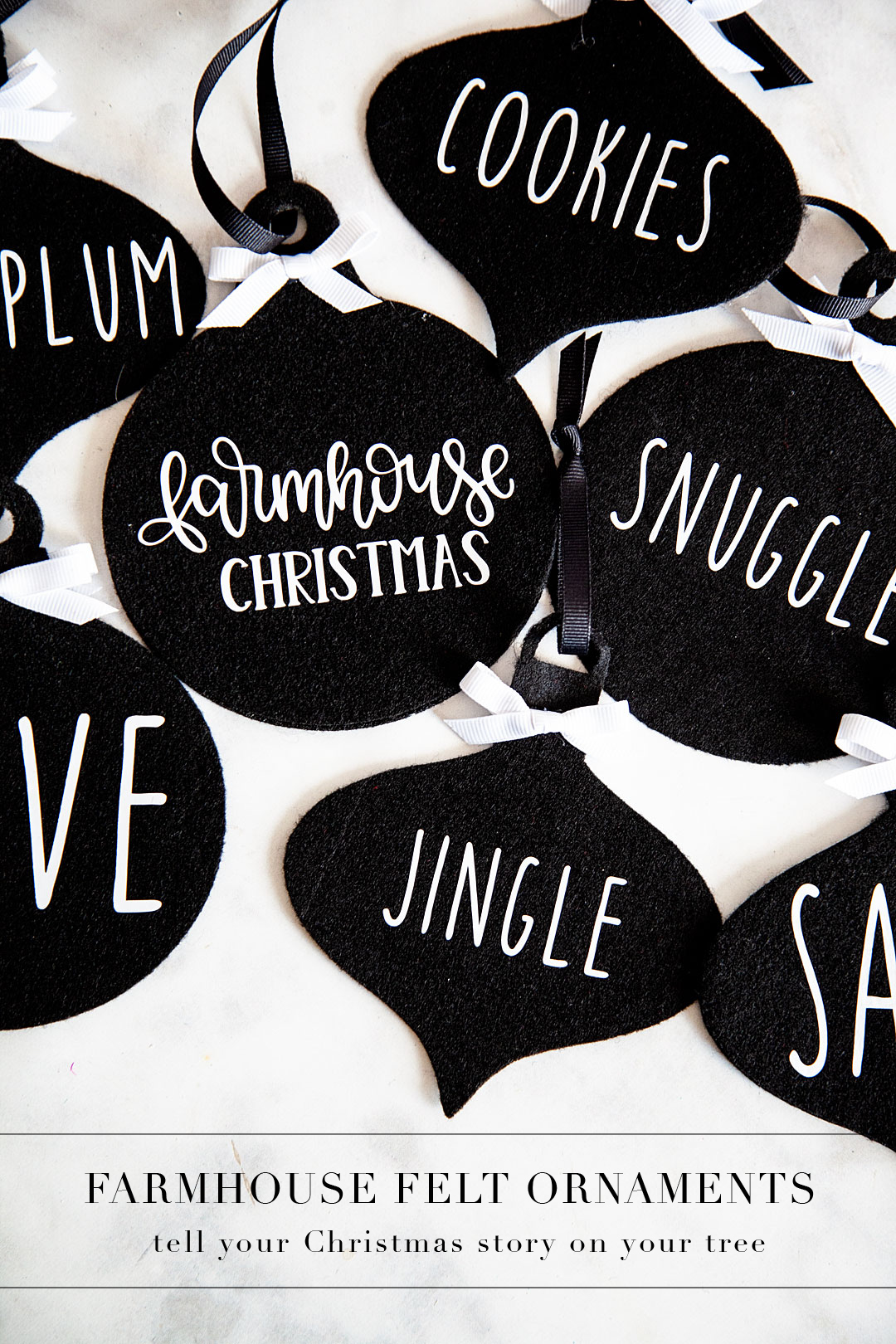
DIY Farmhouse Felt Christmas Ornaments

56 · Nov 14, 2018 · Leave a Comment

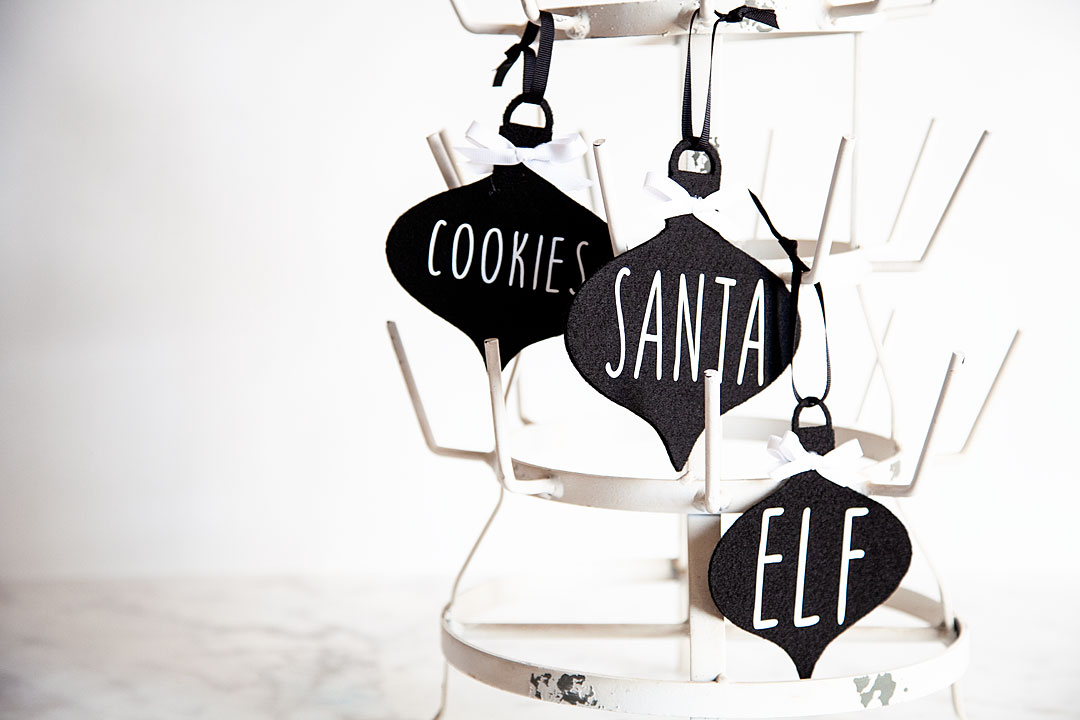
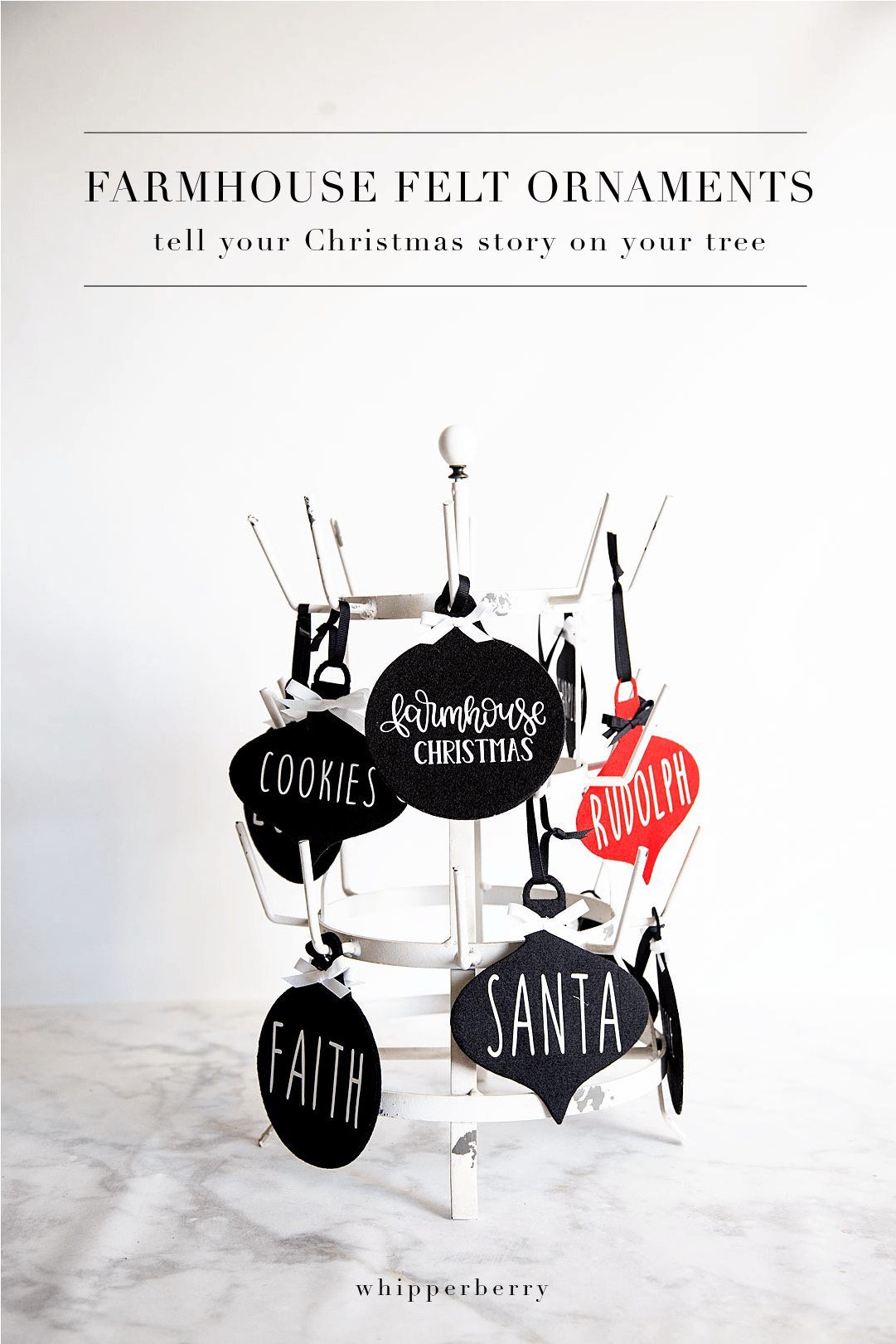
I am going to label this season at WhipperBerry the felt season. I LOVE all things felt and I love being able to cut and customize my felt designs using my Cricut Maker & my cute little Cricut EasyPress 2. I have been wanting to create a farmhouse style tree that is all black & white so I thought some simple and elegant felt ornaments are a perfect addition to the tree. Farmhouse felt Christmas ornaments are sure to be a classic staple for years to come as you decorate for the holidays, plus they are super easy to store and won’t break! I love it!! Here’s how you can make a set of your own.

+ This post is sponsored by my favorite folks at Cricut +Farmhouse felt Christmas ornaments are sure to be a classic staple for years to come as you decorate for the holidays, plus they are super easy to store and won't break! I love it!! Here's how you can make a set of your own.

What I love about these ornaments is that you can tell your Christmas story right on your tree with these simple word ornaments. If you love Santa and would like to have a tree dedicated to words that evoke fond memories of all things Santa, you can create that!

Farmhouse felt Christmas ornaments are sure to be a classic staple for years to come as you decorate for the holidays, plus they are super easy to store and won't break! I love it!! Here's how you can make a set of your own.

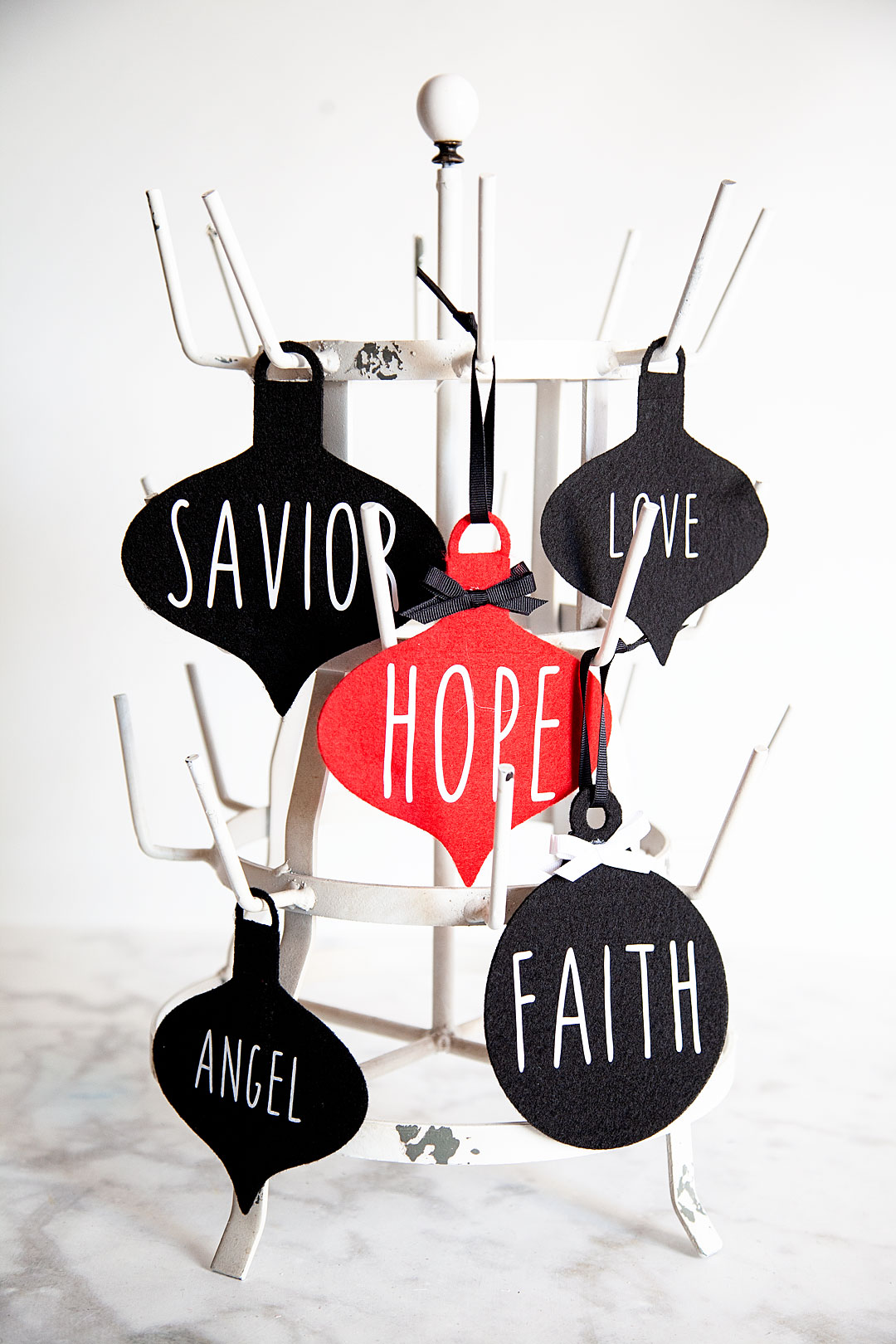
If you would like to tell the story about the birth of our Savior, Jesus Christ you can do that as well. I know that each family is different but that’s what’s beautiful about these simple ornaments. You create your own story.

Farmhouse felt Christmas ornaments are sure to be a classic staple for years to come as you decorate for the holidays, plus they are super easy to store and won't break! I love it!! Here's how you can make a set of your own.

Not to mention the fact that YOU can select the colors. If you are like me and would like to stick with black & white, great. If you want to have a rainbow tree, awesome! It’s all up to you and I LOVE that. Here, let me show you what you need and how to make these simple but elegant ornaments for your tree.

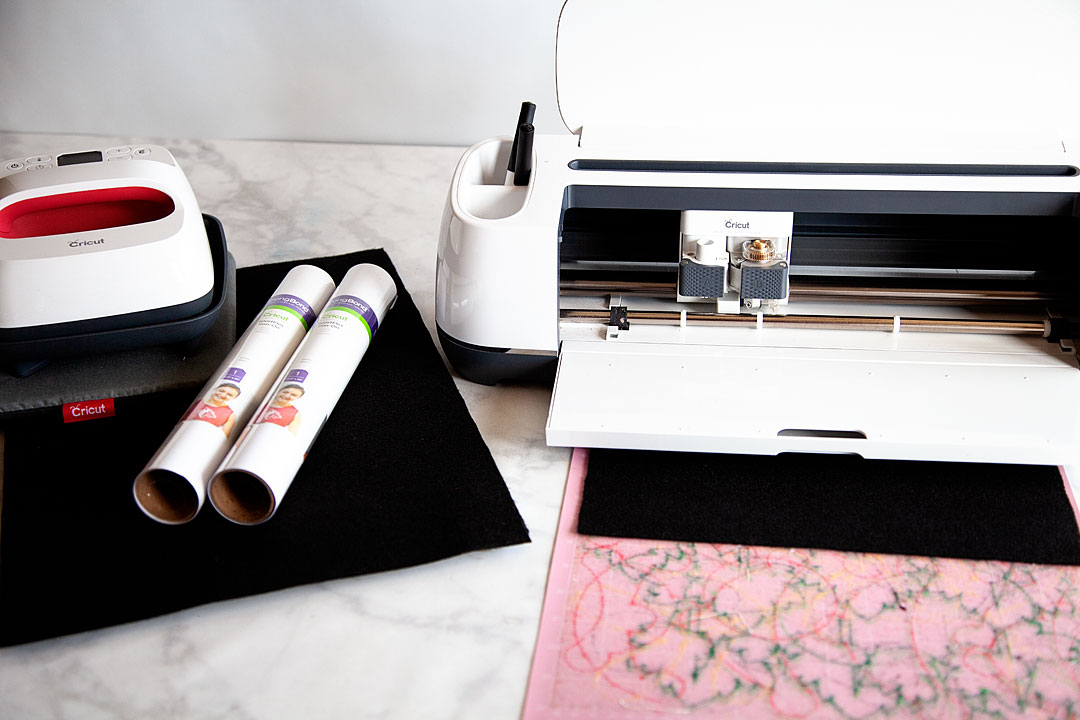
Farmhouse Felt Christmas Ornaments Supplies

Farmhouse felt Christmas ornaments are sure to be a classic staple for years to come as you decorate for the holidays, plus they are super easy to store and won't break! I love it!! Here's how you can make a set of your own.

  • Cricut Maker with Rotary Blade
  • Cricut EasyPress 2  –  6×7 
  • Cricut EasyPress Mat – small
  • Cricut Protective Mat
  • Cricut Fabric Cutting Mat
  • Cricut Everyday Iron-on – white
  • Felt
  • ribbon
  • scissors
  • hot glue gun
  • hot glue

Instructions

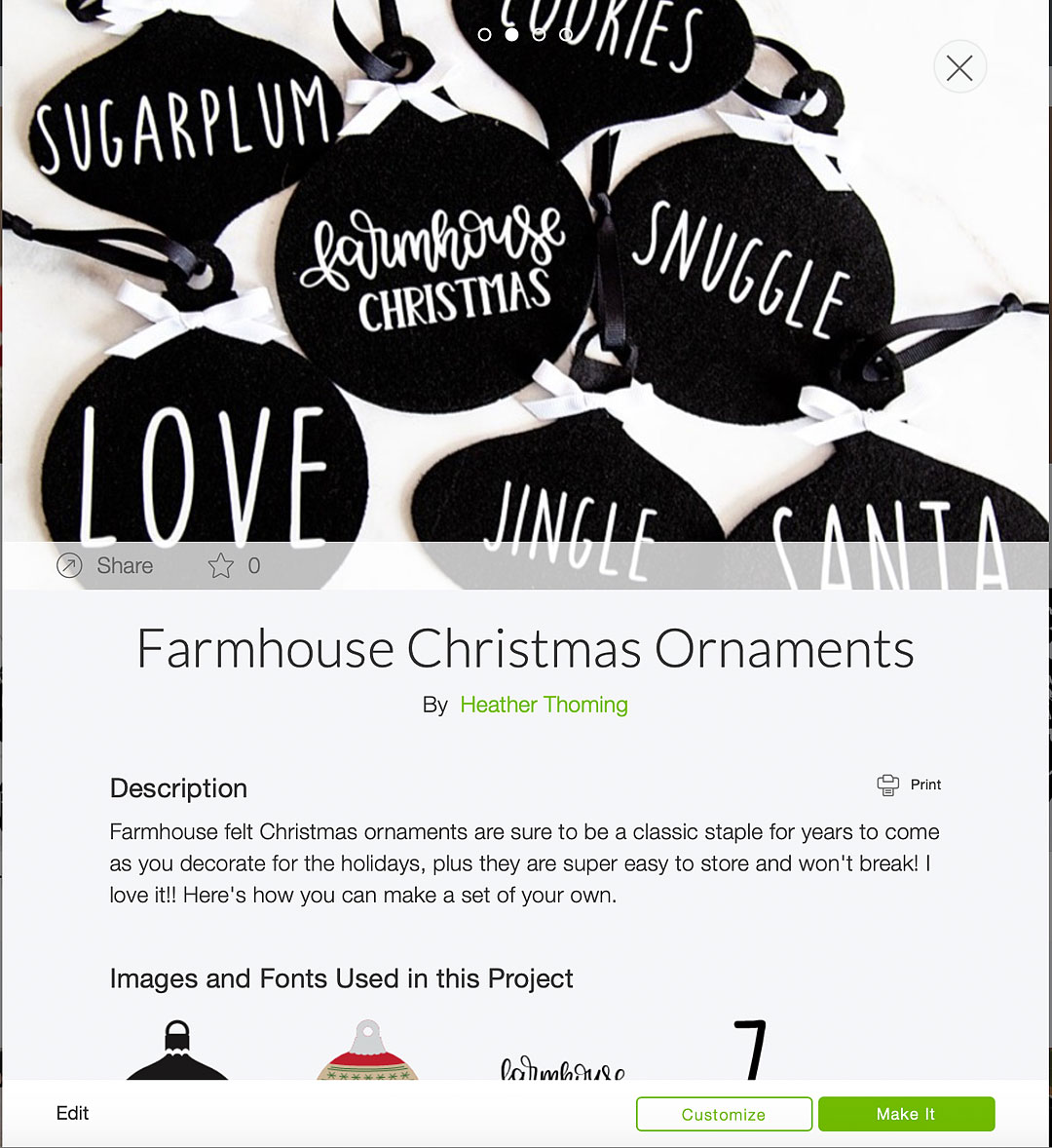
First, what you’ll need to do is to click on this LINK to my project in Cricut Design Space.  My design will let you add your own words and customize it how you would like OR, open Design Space and create some ornament designs of your own.

Farmhouse felt Christmas ornaments are sure to be a classic staple for years to come as you decorate for the holidays, plus they are super easy to store and won't break! I love it!! Here's how you can make a set of your own.

Now, if you are using my design, everything is sized and ready to go for you. If you are creating some ornaments of your own design, double check the sizes and make sure everything is prepped and ready to cut. If you don’t know how to do that you can visit this post that has a full video tutorial on how to prep your design for cutting in design space.

Once you are ready to cut, all you need to do is load your felt onto your Fabric cutting mat and follow the directions on the Design Space screen.

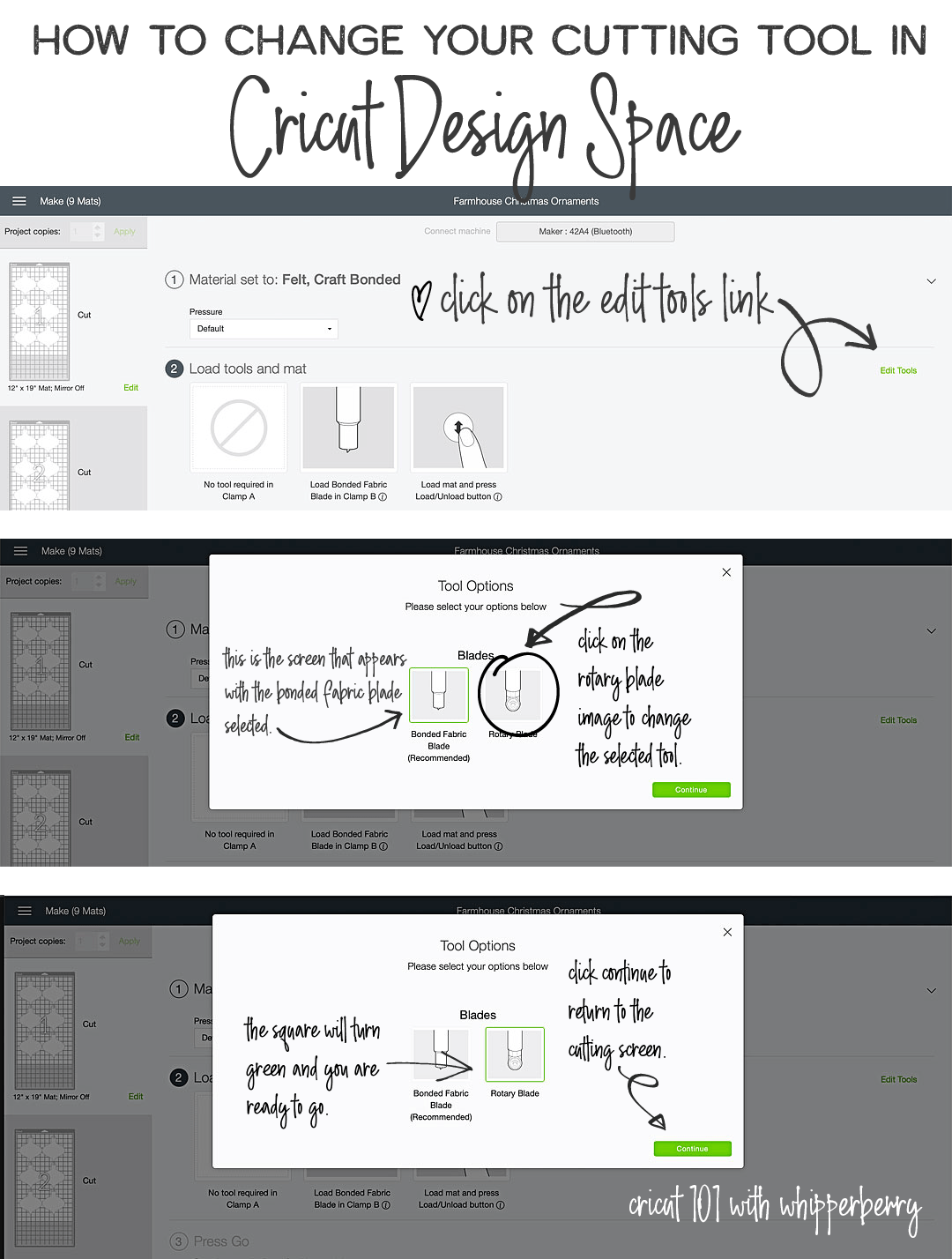
Now for cutting the felt, I have been more successful using the rotary blade than the deep cut blade so, you’ll have to manually change that when you’re ready to cut.

How to change the cutting tool in Cricut Design Space • Cricut 101 with WhipperBerry

Here are a couple of VERY IMPORTANT RULES…

  • When cutting felt on the Fabric Cutting Mat, DON’T worry about the fuzz that is left behind. I have been cutting all kinds of felt on just one cutting mat with fuzz and all and it’s not a problem. The more you play around with the cutting mat and try to scrape or wash that felt fuzz off, the more you are damaging your mat. Just keep going and ignore the fuzz. Of course, test to make sure that your felt is secure on the mat. It will after quite a few cuts become difficult to use and at that point, it’s a better idea to dispose of that mat and start using another one.
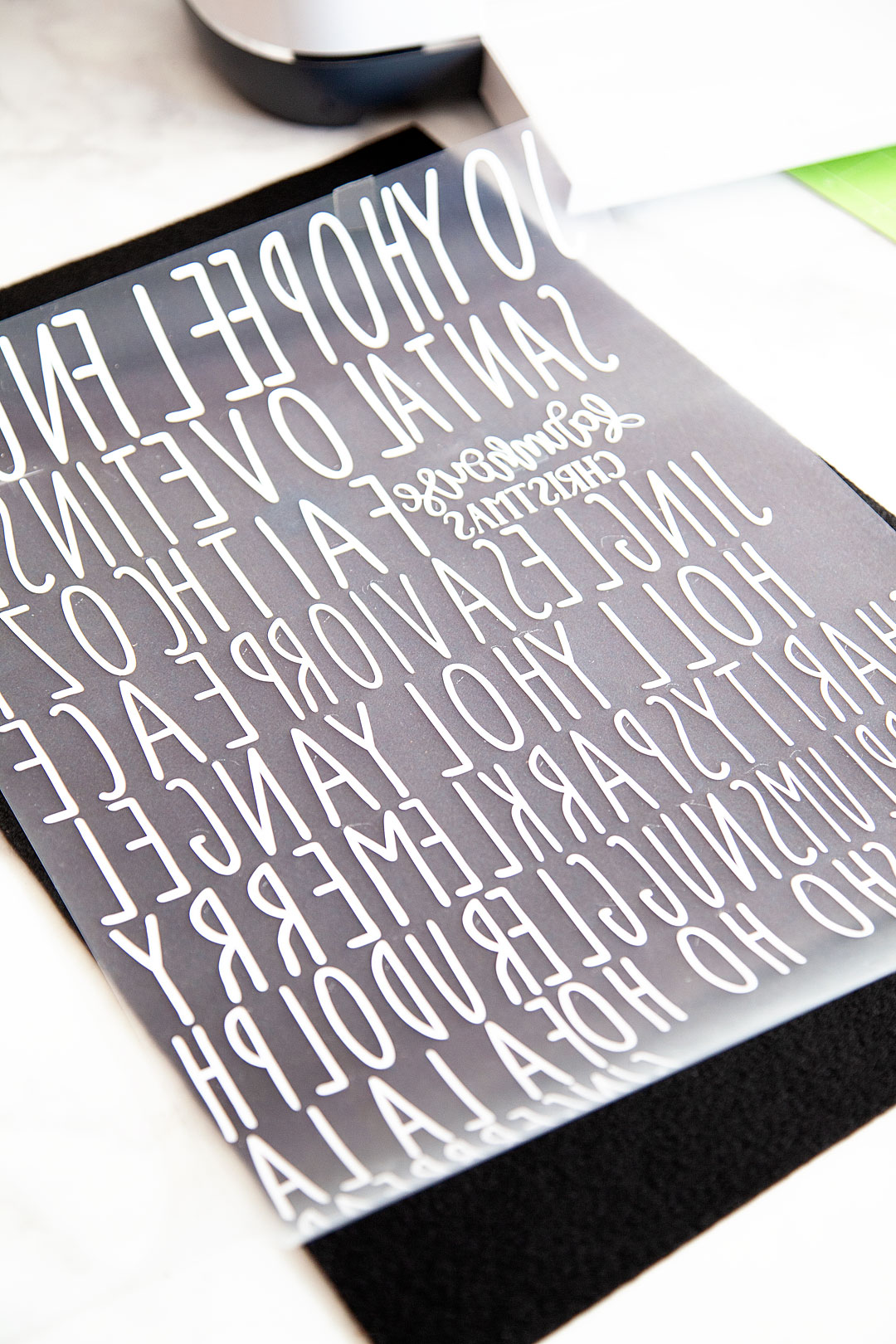
  • DON’T FORGET TO MIRROR YOUR IMAGES! I’ve done it more than I would like to admit which drives me CRAZY! When you are cutting your designs when using the iron-on vinyl, make sure to mirror your images. Remember, the design is cut on the back side of the Everyday Iron-On. You will flip it over and iron on your design onto the surface of your project.

Farmhouse felt Christmas ornaments are sure to be a classic staple for years to come as you decorate for the holidays, plus they are super easy to store and won't break! I love it!! Here's how you can make a set of your own.

It looks like a crazy bunch of backward letters but, flip it over and cut out your words and it looks just fine.

Farmhouse felt Christmas ornaments are sure to be a classic staple for years to come as you decorate for the holidays, plus they are super easy to store and won't break! I love it!! Here's how you can make a set of your own.

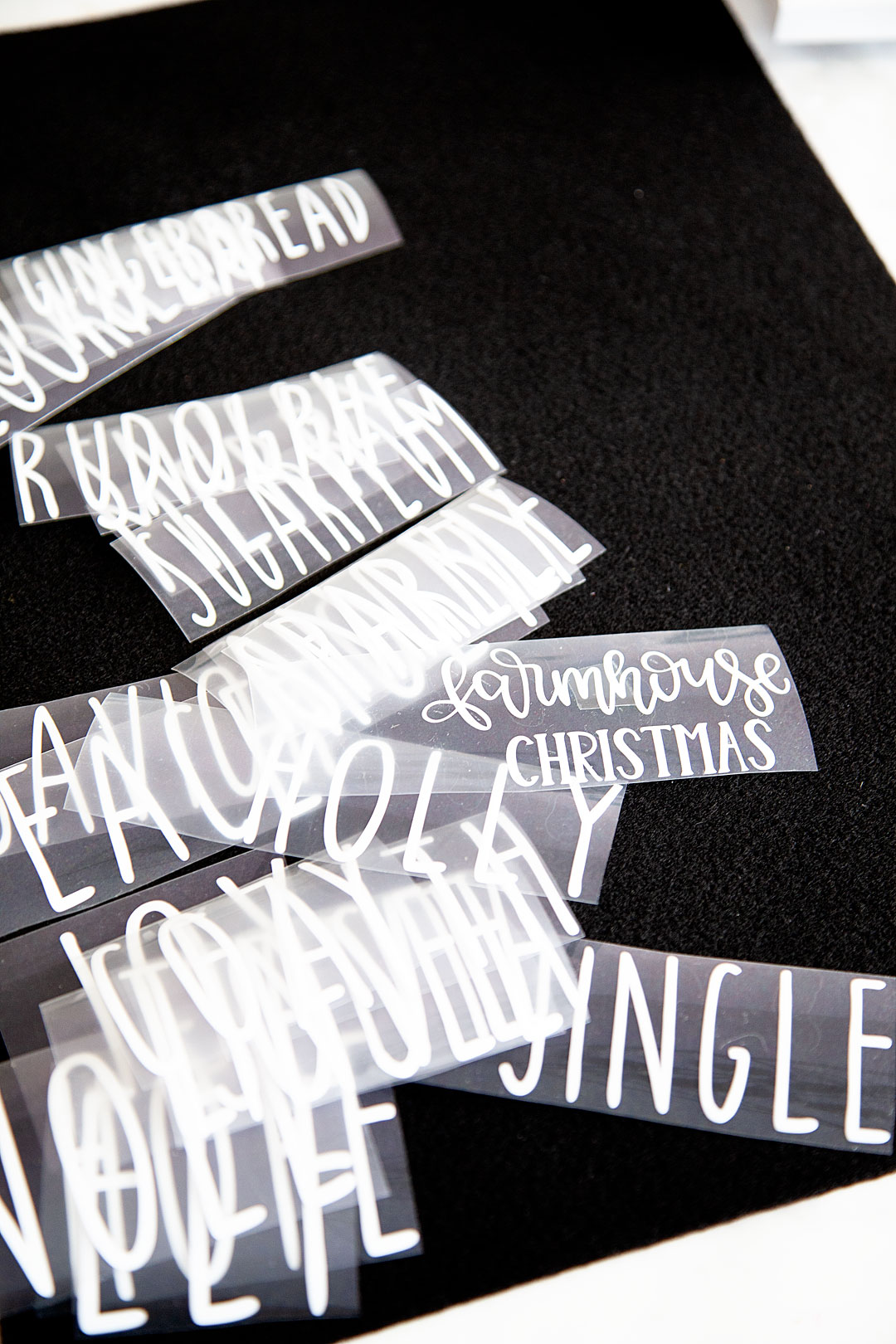
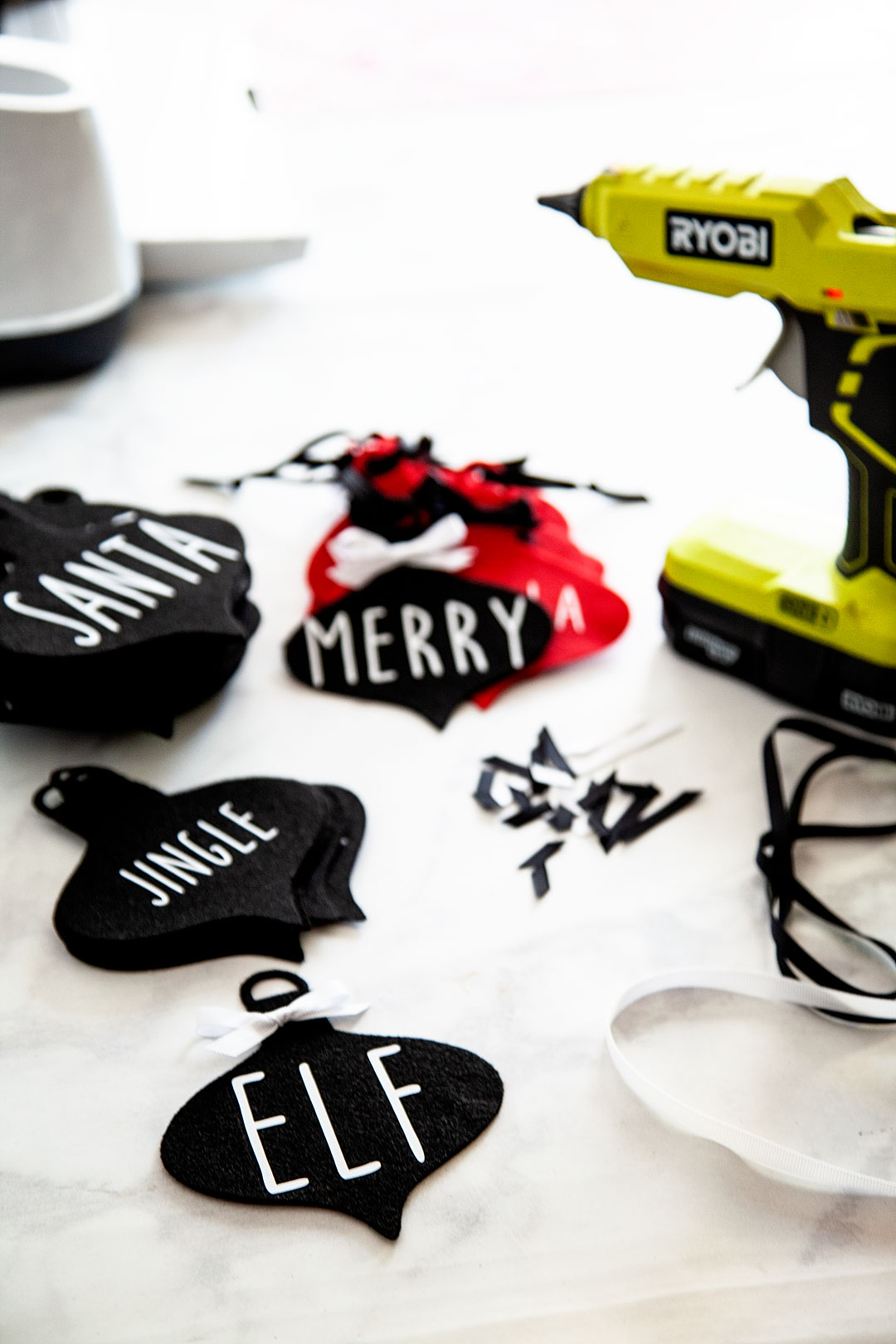
Now that your words are all cut along with your felt ornaments now, it’s time to press the EveryDay Iron-on onto the felt.

Farmhouse felt Christmas ornaments are sure to be a classic staple for years to come as you decorate for the holidays, plus they are super easy to store and won't break! I love it!! Here's how you can make a set of your own.

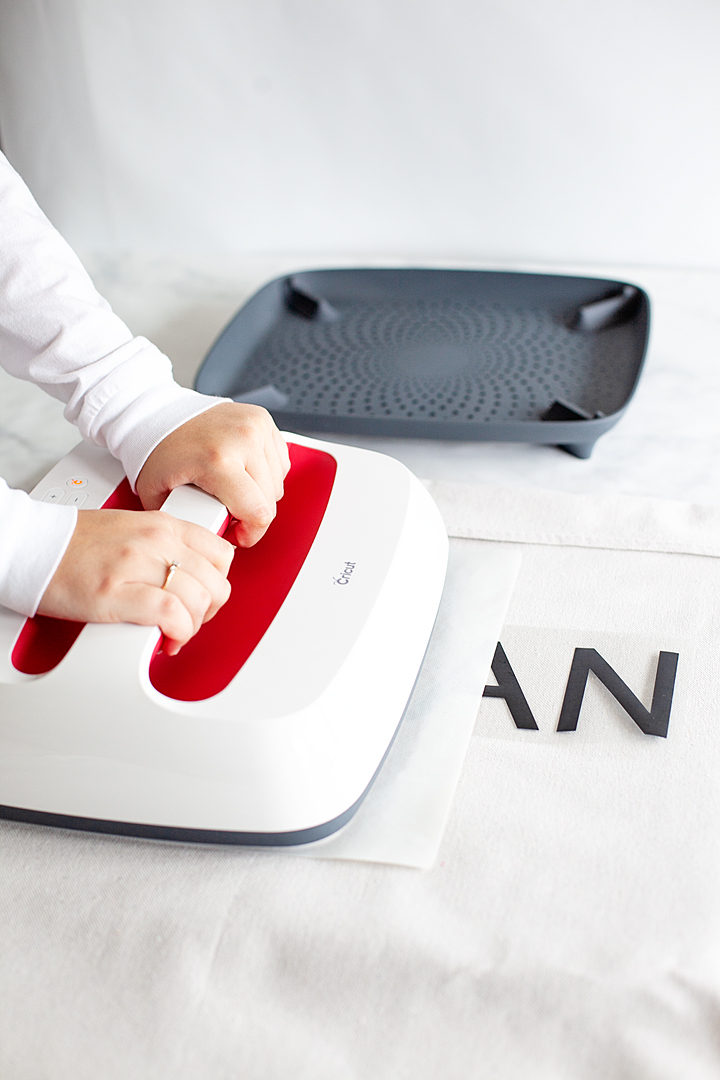
HANDS-DOWN the best tool to press any type of iron-on material is any of the Cricut EasyPress tools. I love these gems and don’t know what I would do without them in my crafting arsenal. The EasyPress and the EasyPress 2 machines are far superior to a regular iron. If you love to create anything with an iron-on element you need to invest in one or more of these great machines. The heat plate holds a consistent temperature all throughout the plate. With irons, you will have hot and cool spots. Also, the EasyPress 2 heats up super quick! I LOVE all three of the EasyPress 2 sizes. For this project, I’m using the small 6×7 size. CUTEST LITTLE EASYPRESS EVER!!

Farmhouse felt Christmas ornaments are sure to be a classic staple for years to come as you decorate for the holidays, plus they are super easy to store and won't break! I love it!! Here's how you can make a set of your own.

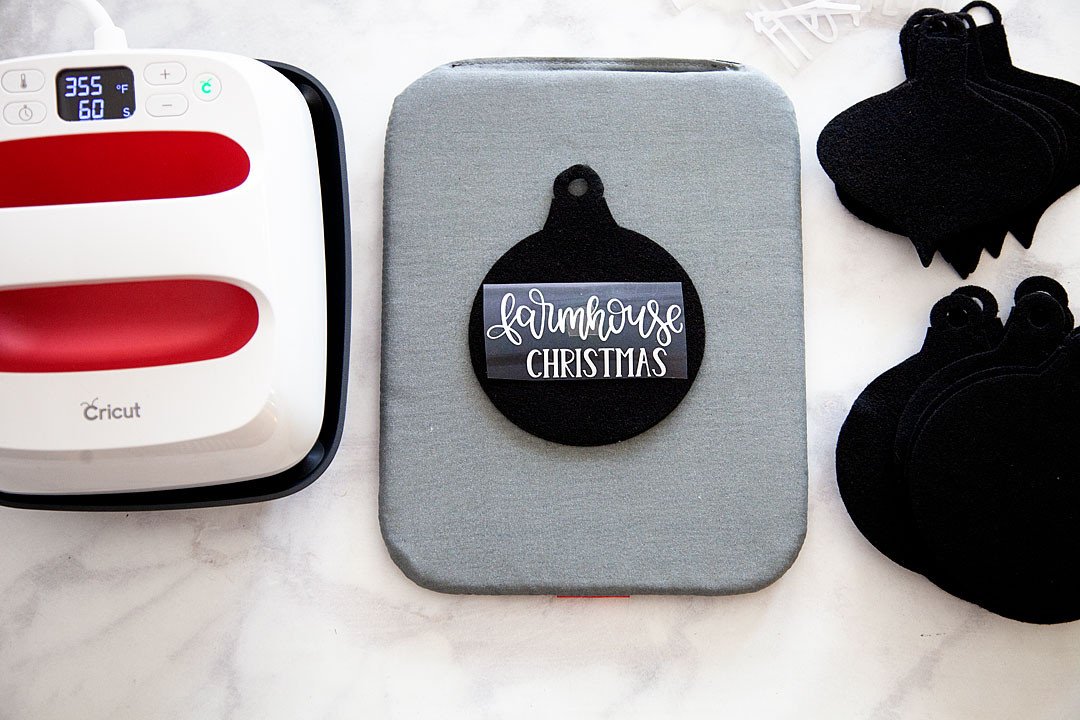
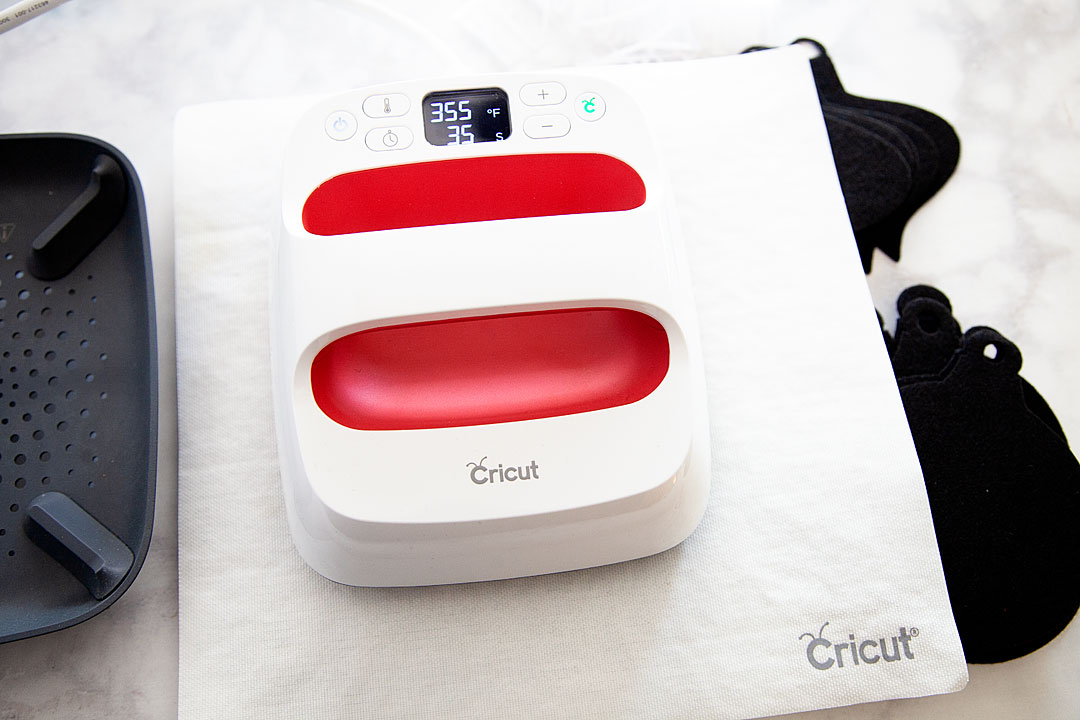
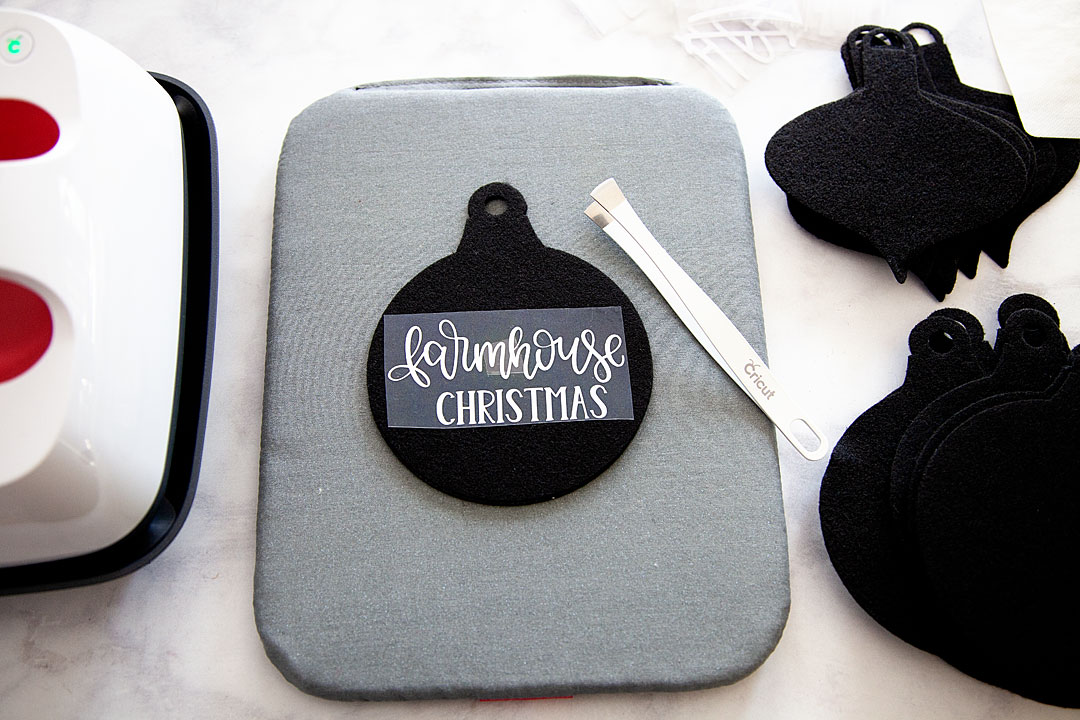
Now, all you need to do is to lay your felt down on your EasyPress Mat, place your words on the felt in the proper place, cover your ornament with the Cricut Protective Mat or a cotton tea towel and press with the small Easypress 2 set to 35o˚ for 60 seconds.

I use the remover tool to save my heat sensitive fingers from the Easy Press Mat and let it cool for about 1 minute.

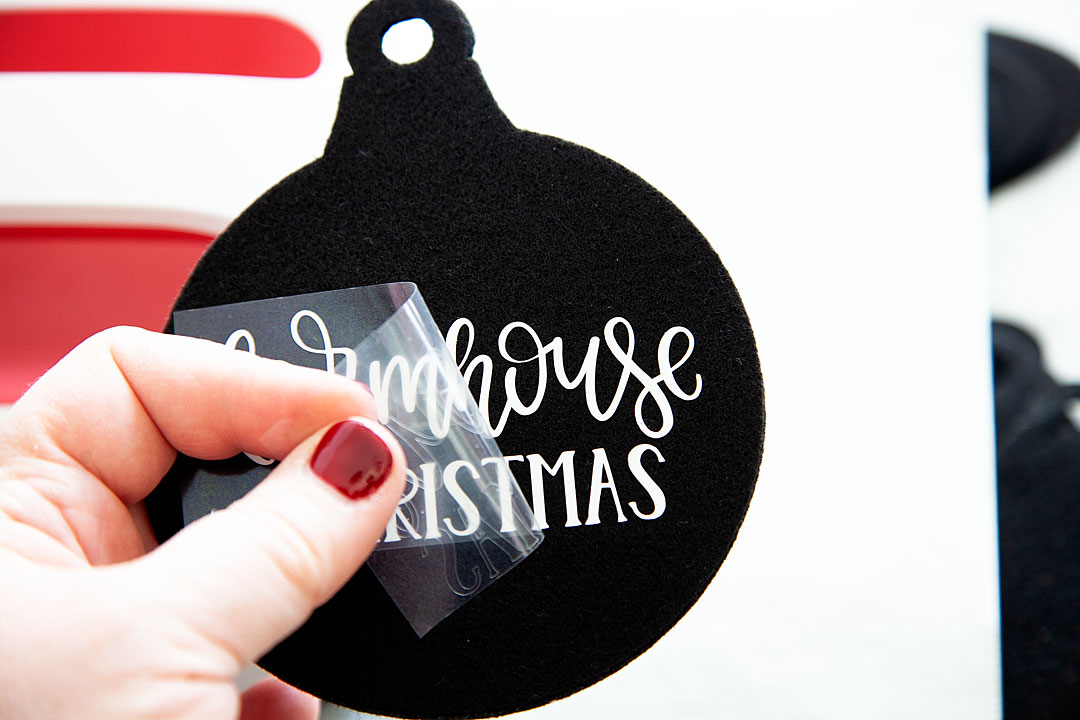
Then I carefully pull the protective sheet from the top of the Everyday Iron-on material. Always start slow and pull carefully. If you see any lifting, stop and give it another run under the EasyPress 2.

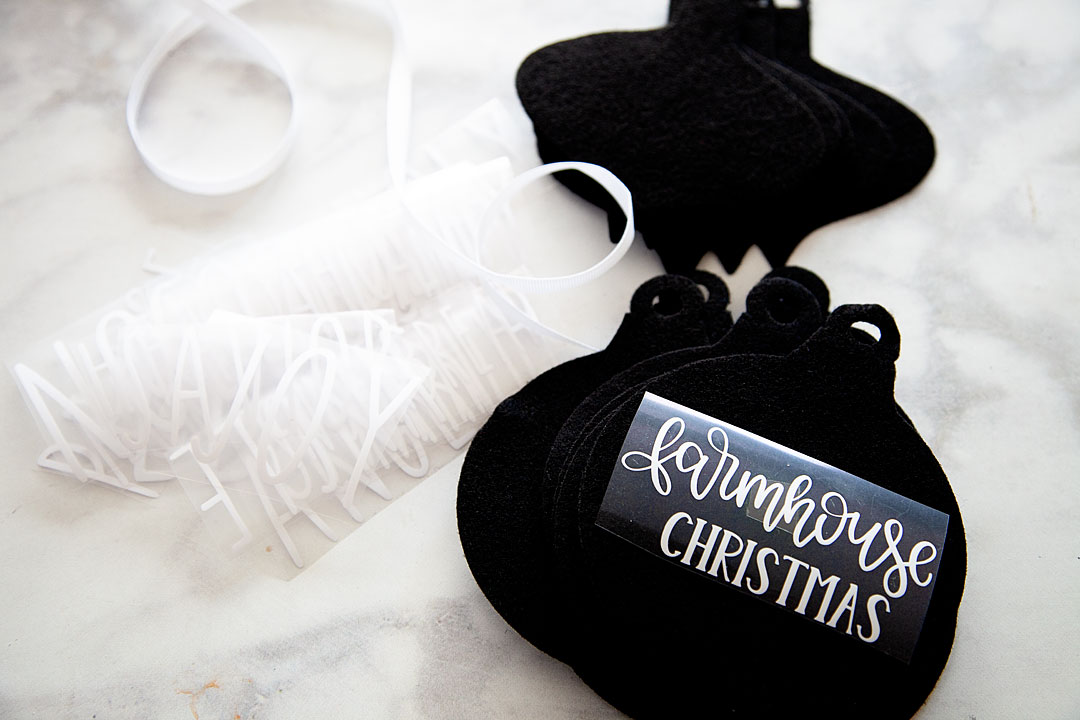
Now, all you need to do is add some ribbon bows if you’d like and some ribbon for the ornament to hang from.


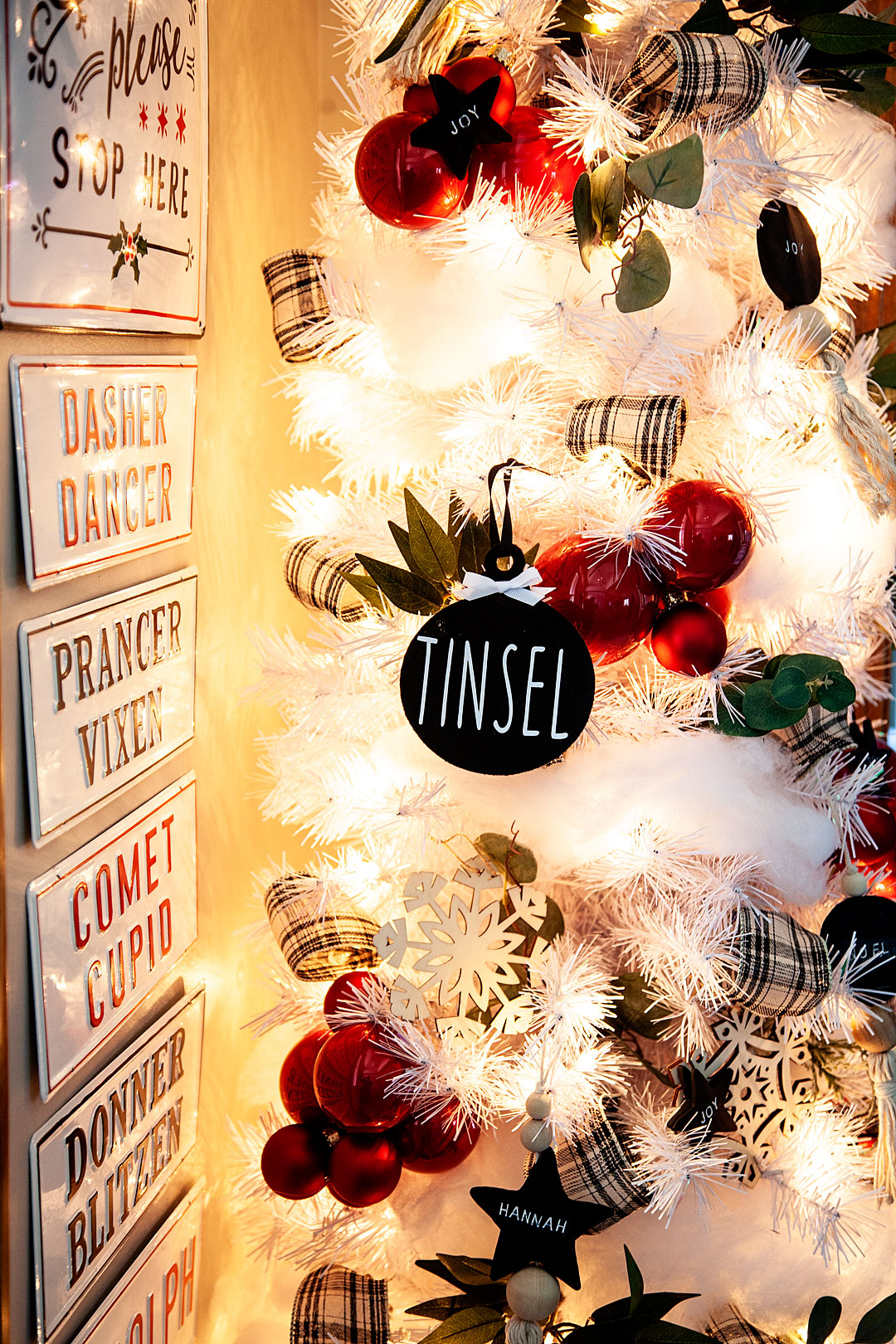
And, that’s it! You have some great non-breakable ornaments for your tree or to use as gift tags or even for a simple gift for neighbors!

Farmhouse felt Christmas ornaments are sure to be a classic staple for years to come as you decorate for the holidays, plus they are super easy to store and won't break! I love it!! Here's how you can make a set of your own.

Farmhouse felt Christmas ornaments are sure to be a classic staple for years to come as you decorate for the holidays, plus they are super easy to store and won't break! I love it!! Here's how you can make a set of your own.

This is a sponsored conversation written by me on behalf of Cricut. The opinions and text are all mine.

Italian Soda Bar Menu Created with Cricut EasyPress 2

30 · Aug 15, 2018 · Leave a Comment

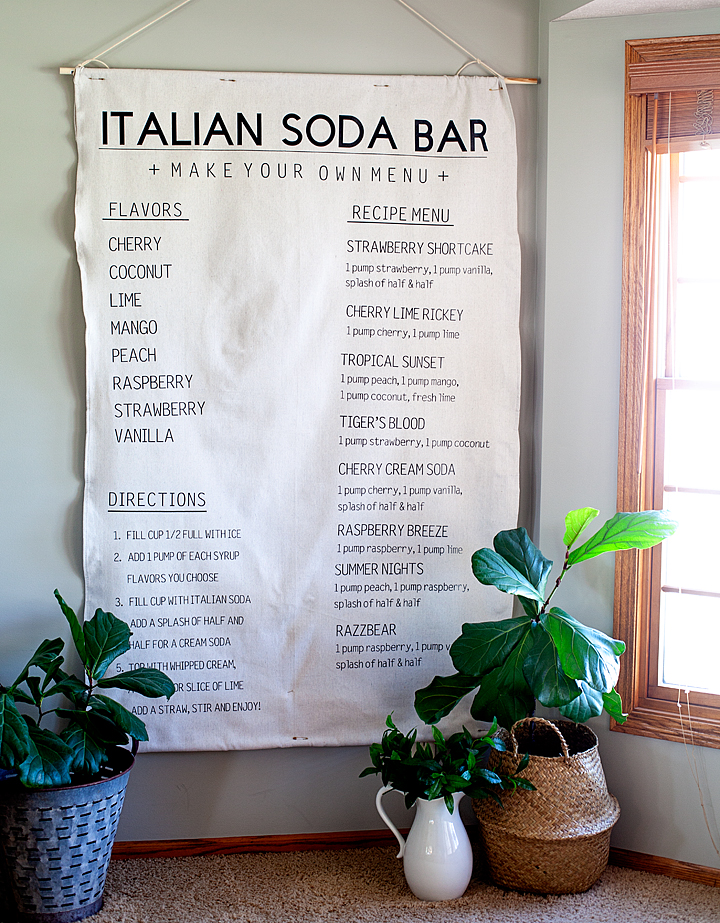
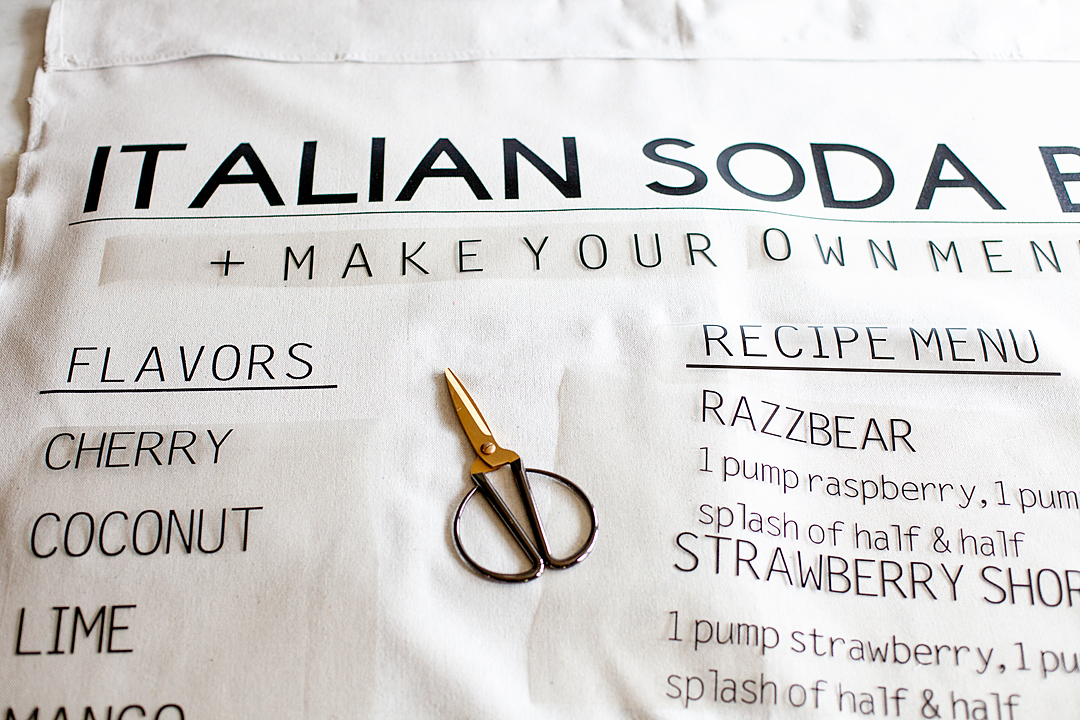
You guys, I’m so excited! I’ve been madly working on a fun project this summer… Creating for my oldest daughter’s wedding. Seriously, there is nothing more fun than to create for a wedding. One thing that is needed when creating for a wedding are LARGE scale displays, that’s how to create WOW factor. Anyone can create small scale stuff but, when you have the tools to create something larger than life, that’s when things go from typical to magical! I’ve been creating with my Cricut machines for years and with my inaugural Cricut EasyPress for over a year now but, I’m excited to introduce you to the Large Cricut EasyPress 2… A true makers dream! I’ve used the NEW Large Cricut EasyPress 2 to create a huge canvas sign for Haley’s wedding reception. We are going to have an Italian soda bar and I wanted to create a larger than life menu to place next to the bar. Here she is… Let me show you how to make this large scale canvas sign!

+ This post brought to you by the talented folks at Cricut +

HUGE Canvas Italian Soda Bar Menu Sign create with my favorite Cricut Maker & the NEW Cricut Large Easy Press 2 • WhipperBerry

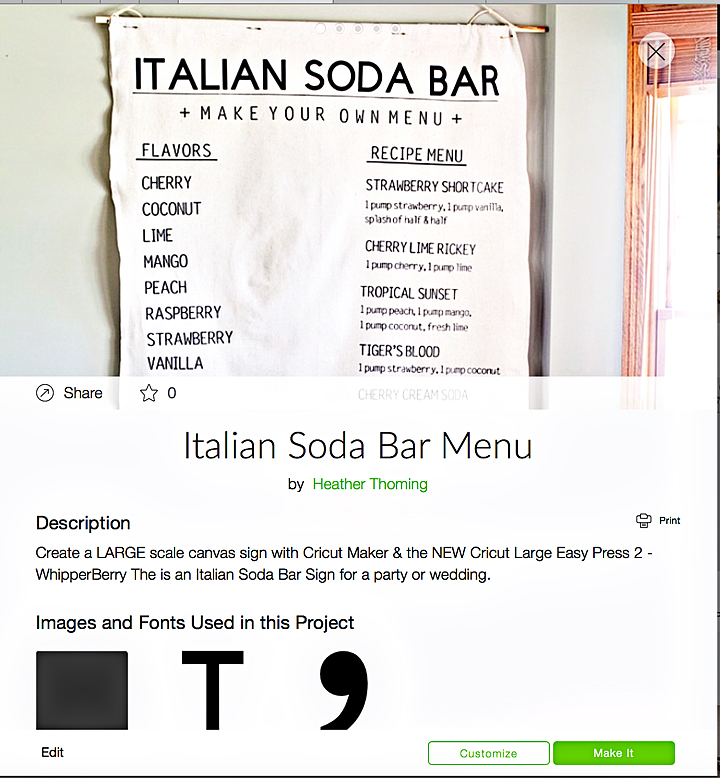
THE ITALIAN SODA BAR Menu

Early on in our wedding planning, Haley expressed that she would love to have an Italian Soda Bar as one of the elements to the reception. I was totally on board because I LOVE Italian sodas. If you aren’t familiar with an Italian soda, it’s a sparkling water with some added syrup and possibly added creamer or half & half depending on your taste. They are super scrumptious and fun to play around with.

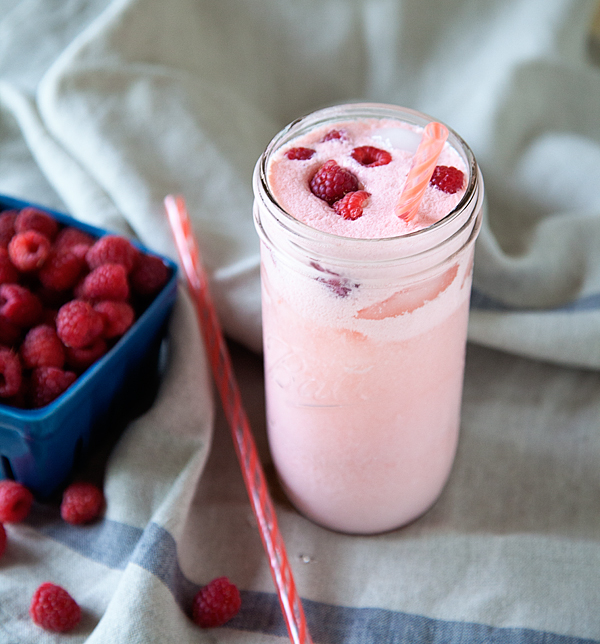
Peach Melba Italian Soda • WhipperBerry
peach melba italian soda • whipperberry

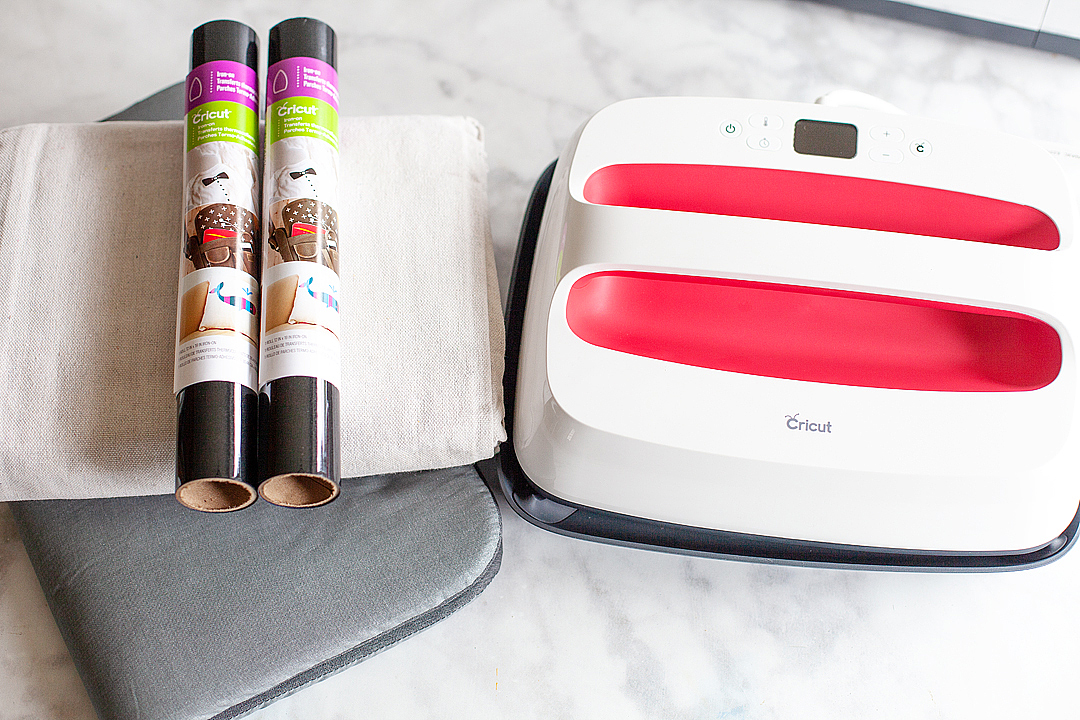
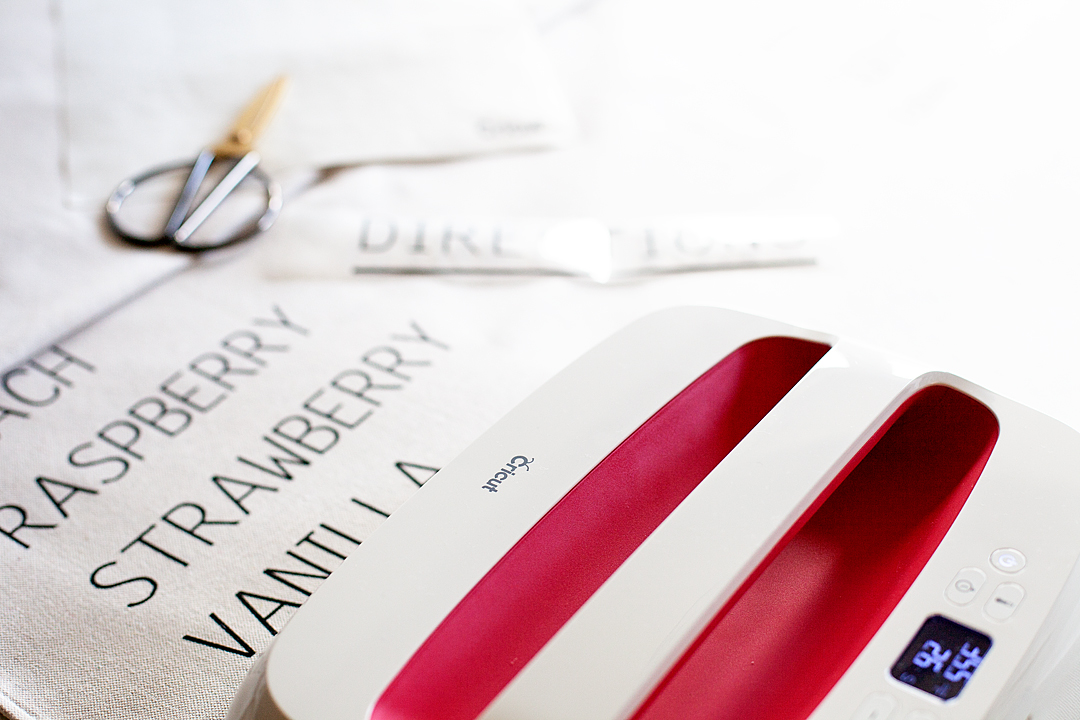
I thought it would be a great idea to create a stylish life-size menu to place next to the soda bar to draw peoples attention to our drink options at the reception. I, of course, turned to my favorite creative tools, my Cricut Maker and the NEW Large Cricut EasyPress 2! I loaded up an arm full of Cricut Everyday Iron-On™in black and set to work.

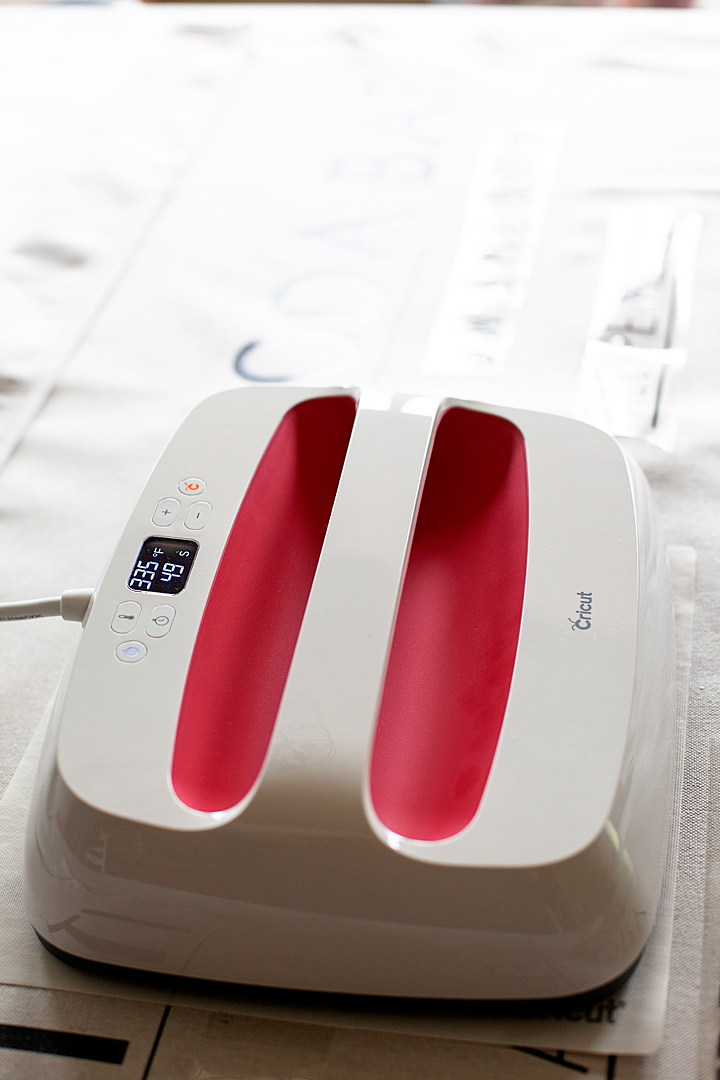
The Cricut EasyPress 2

What makes the EasyPress so cool? Well… First of all, the original EasyPress is still a total rockstar and will work just perfect for this project as well if you already have one. If you don’t already own an EasyPress, you love the features on the THREE NEW EasyPress 2 machines…

  • Three unique sizes (6×7, 9×9, and 12×10) to suit every project you can dream up
  • Professional iron-on success in 60 seconds or less
  • Easy to learn and simple to use
  • Ceramic-coated heat plate means dry, even heat for flawless transfers
  • Faster heat-up time
  • Precise temperature control up to 400˚ F (The old EasyPress only goes to 350˚)
  • Insulated, streamlined Safety Base keeps EP2 in protected resting position while also protecting the pressing surface
  • Easy to read digital display
  • Scrumptious raspberry color
  • USB port for firmware updates
HUGE Canvas Italian Soda Bar Menu Sign create with my favorite Cricut Maker & the NEW Cricut Large Easy Press 2 • WhipperBerry
the NEW large EasyPress 2

The Design

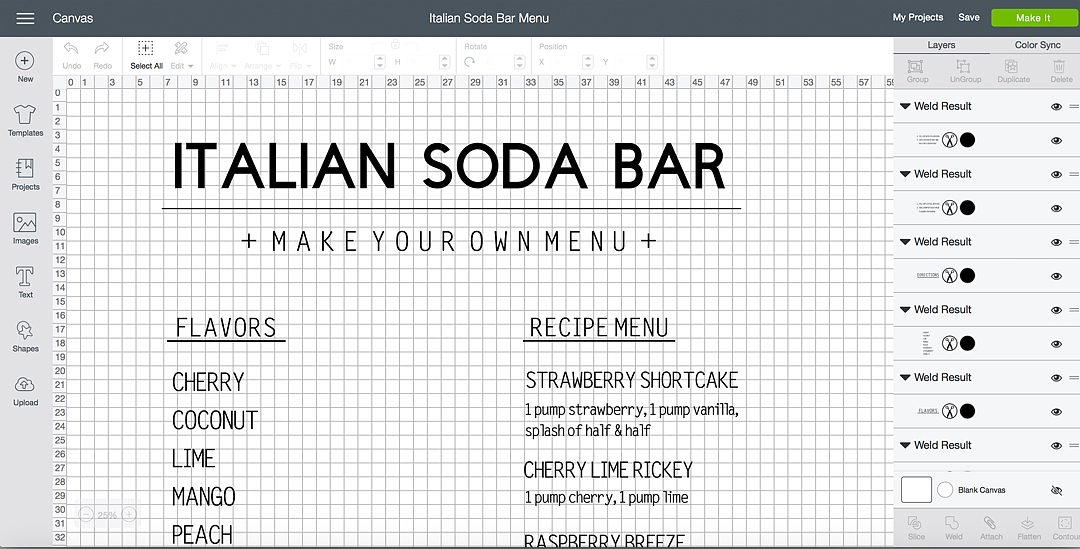
I created my design in Cricut Design Space…

You can use my exact design by clicking HERE and heading to Cricut Design Space

Then measured the “secret” material that I was going to use. It is 4 feet wide, so I then sized it appropriately within the software so that it would cut at the right size. Because of the size of the design, I knew that I was going to have to piece some things together like the underline in the title but, that wasn’t an issue at all.

Large Canvas Sign Supplies

Large Canvas Sign Supplies • WhipperBerry
  • Cricut cutting machine – I used the Cricut Maker
  • 12×24 light grip cutting mat
  • EasyPress Protective Mat
  • Cricut EasyPress 2 – large with the 10×12 plate
  • Cricut Everyday Iron-On – black, I used 10 rolls for this project
  • EasyPress Mat 12×60
  • canvas drop cloth – I found a 4 ft wide drop cloth at Home Depot for about $9
  • 2 wood dowels
  • 1 1/2 yards cotton rope

That’s right, I used a DROP CLOTH as my canvas for this life-sized menu sign and it turned out great. What I am loving more than anything is the NEW Cricut EasyPress 2, especially for a project of this size.

The NEW @cricut Easy Press 2 with the large 10x12 inch plate. Great for large scale projects • WhipperBerry

This menu sign is as tall as I am! Having the large EasyPress 2 made all of the difference. Not to mention the improved design and heat plate. This new EasyPress is a dream! I’ve longed for days when I could easily and cost-effectively made large-scale projects like this without spending an arm and a leg, I love how Cricut works to understand what makers are looking for and then work their little behinds off to create tools that are inspired by US!

Instructions

Now, this project may seem daunting, it’s really not. It’s your typical sign making but, on a larger scale. You have to click on my Italian Soda Bar sign in Design Space and then size it to the size you would like your sign to be. This is the beauty of design space. We can easily share projects and then customize it for our needs. Then, all you need to do is click the MAKE IT button. Design Space does all of the work when it comes to making sure you don’t waste your precious Everyday Iron-On material by placing your welded groups into sections that utilize the materials the most efficient way.

IMPORTANT | Make sure that BEFORE you cut your vinyl you select the MIRROR button when preparing your cutting mats for final cutting.

Here’s how to make your Italian Soda Bar sign,

  • Cut Everyday Iron-On Material on Cricut Maker or Explore Air 2 machine. DON’T FORGET TO MIRROR YOUR IMAGES.
  • Your sign will be jumbled up a little bit on your cutting mats but, don’t worry. You will cut them into sections after you weed the iron-on and place them on your drop cloth in the right order.
  • Weed material. This means to remove the excess iron-on material around your words to then discard. Make sure to weed carefully so that you don’t remove or tear any letters or numbers. You also want to make sure that you don’t accidentally remove punctuation and those little dots on top of the “i” and other letters.
  • Prepare your drop cloth. Layout your drop cloth on a large flat surface and make sure it is wrinkle free and ready to go.  TIP | Use the EasyPress to iron your drop cloth to prepare it to add the Everyday Iron-On™.
  • Cut and arrange your sign sections on your drop cloth. Now, I did this a little bit at a time starting with the title once I had the title pressed then I move down and work on another smaller section.
  • Measure – Now, I’m not really a measuring type of person but, (I should be) if eyeballing isn’t your thing. You may want to take out your measuring tape and to make sure everything is lined up appropriately.
HUGE Canvas Italian Soda Bar Menu Sign create with my favorite Cricut Maker & the NEW Cricut Large Easy Press 2 • WhipperBerry
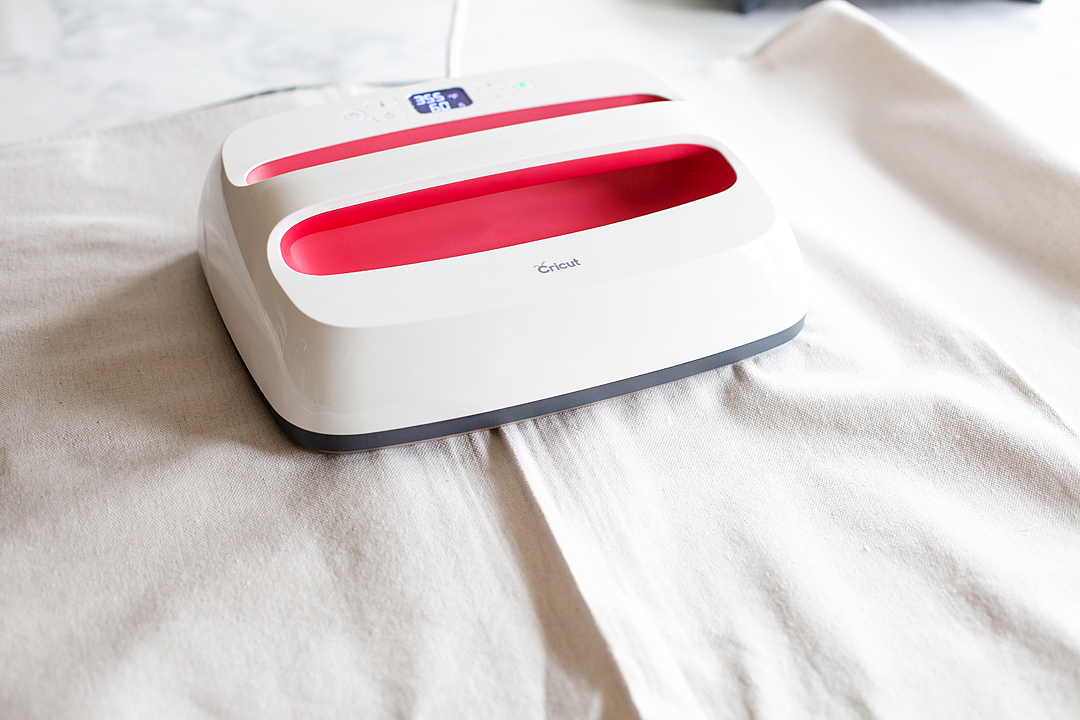
  • Turn-on your EasyPress 2 and set it to the following settings,
    • 340°F / 171°C
    • Pre-heat your surface: 5 sec
    • Press: 60 sec
    • Warm Peel (leave for 30-60 seconds and then gently peel)
  • Place the EasyPress Mat under the first section to press and cover with the protective cover and press the 1st section according to the guidelines above.
  • Repeat for the remaining sections.
HUGE Canvas Italian Soda Bar Menu Sign create with my favorite Cricut Maker & the NEW Cricut Large Easy Press 2 • WhipperBerry

The Cricut EasyPress 2 will be available this Fall from Cricut. What HUGE project would you like to make with an EP2? Stay tuned I have all kinds of goodies that I’m working on for the wedding that are going to look amazing thanks to the EP2.

This is a sponsored conversation written by me on behalf of Cricut. The opinions and text are all mine.

Soda Shop Wood Sign • The BEST 10 Tips for Working with the Cricut Knife Blade

39 · Jun 21, 2018 · 3 Comments

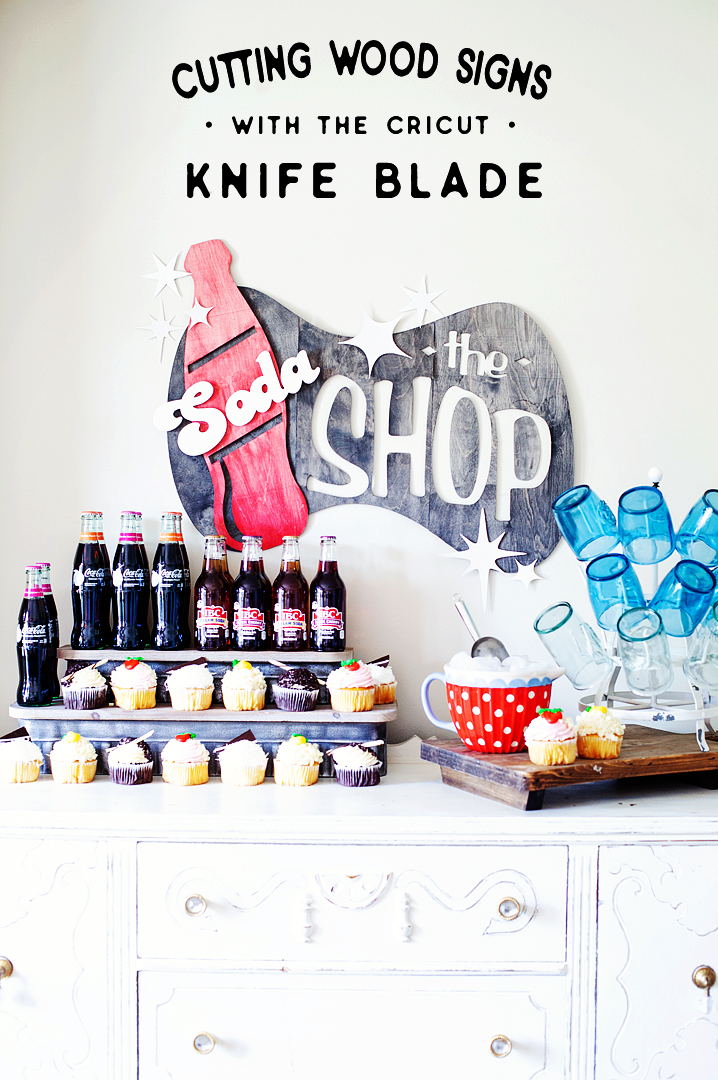
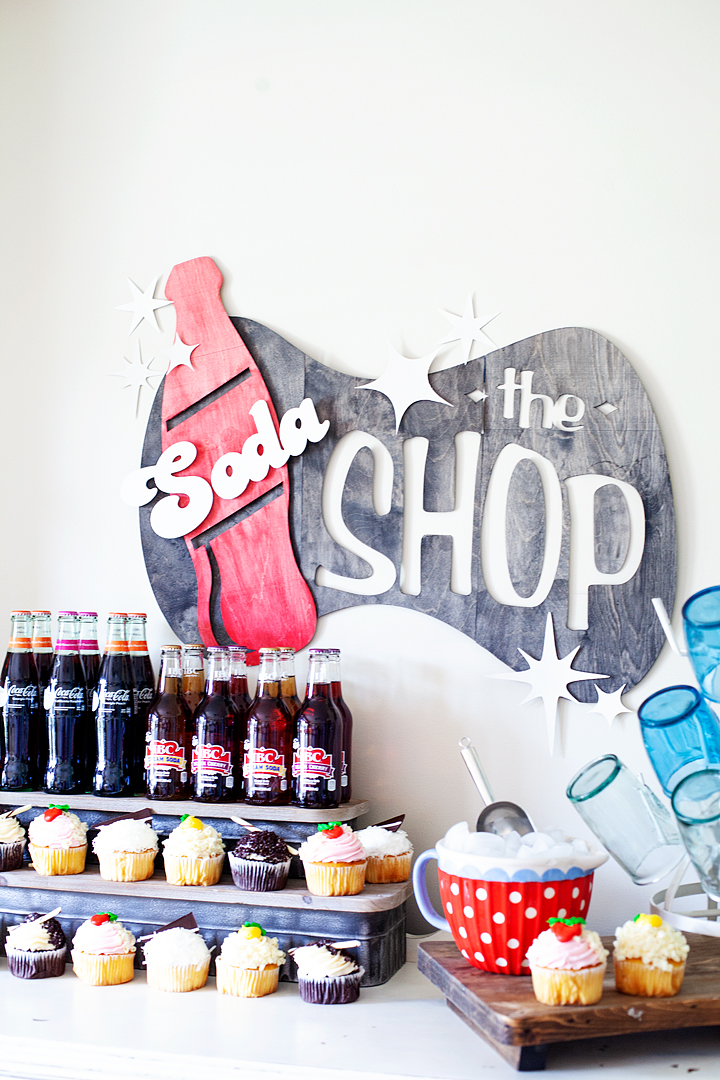
This my friends is one of the most exciting days of my crafting life! I have cut WOOD with my Cricut Maker using their new Cricut Knife Blade. All be it, thin wood but, it’s wood! My daughter Hannah graduated from High School and we made a simple soda bar for one of the elements of her Grad Party. Of course, our soda bar needed a soda shop sign and I thought it would be fun to create a retro style sign out of wood. Here’s how it turned out PLUS, the best 10 tips for working with the Cricut Knife Blade.

+ This post brought to you by the folks at Cricut +Come learn how to make this retro style soda shop sign made out of wood using the @cricut knife blade • whipperberry

When Hannah and I started working on her grad party one of the things she really wanted to have was a mini “soda shop.

Nothing too crazy or too expensive but, cute. I thought it would be fun to test out the Cricut Knife Blade and make a large scale sign out of Birchwood. Now Birch isn’t one of the officially approved woods that can be used with the Cricut Maker. However, I thought I would give it a go and see how it turned out.  It turned out beautiful! It took a little time so, I wouldn’t take on a project of this nature if you were in a hurry. Here is a quick little video along with my best 10 tips for working with the Cricut Knife Blade…

The Soda Shop Sign Design

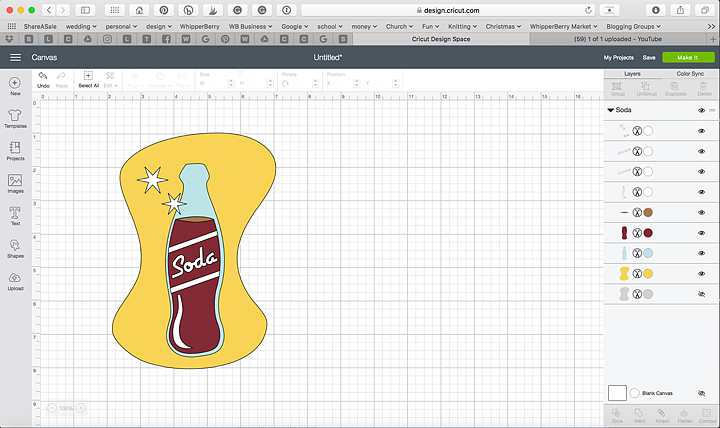
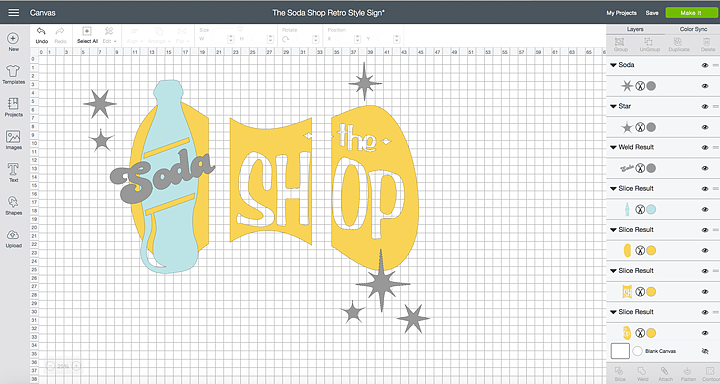
The inspiration for the design was classic retro style soda shop signs. Hannah is a bit of a retro type girl herself so I thought this was fitting. I found a retro looking soda bottle design in Cricut Design Space and thought it would be perfect to use as the base for my project.

Come learn how to make this retro style soda shop sign made out of wood using the @cricut knife blade • whipperberry

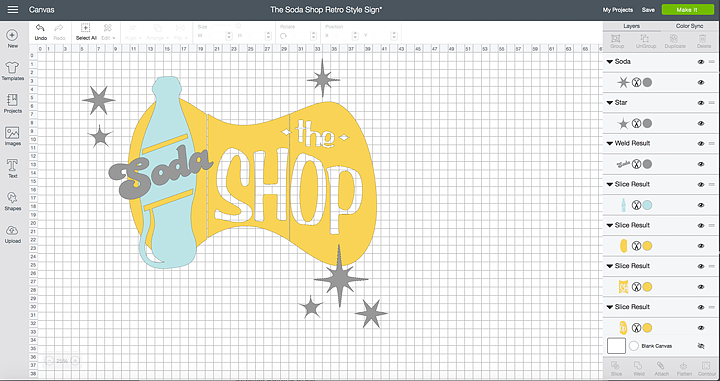
I used some of the elements of this design and then made a few tweaks here and there and this is what I eventually came up with…

Come learn how to make this retro style soda shop sign made out of wood using the @cricut knife blade • whipperberry

That’s what’s so cool about Cricut Design Space, you can play around with almost anything and make it your own. Do feel like you are stuck with whatever they have. Be creative and learn how to use the tools that Cricut provides for you to make your own style.

For this sign, I wanted it to be a rather large scale and knowing that with my Cricut Maker, I’m limited to 12 x24 inches I did a little creative troubleshooting. I used the slice tool to slice up my sign so that I could make it as big as I wanted it to be.

Come learn how to make this retro style soda shop sign made out of wood using the @cricut knife blade • whipperberry

I sized the sign to the desired size and then broke it down into thirds by creatively using the square tool along with the Slice Tool. With that, each section of the yellow part of the sign would fit on a 12 x 24 cutting mat and would allow for a much larger sign. Here is how I did that.

How to Create Sections Using the Slice Tool in Cricut Design Space

Cutting the Wood Sign on the Cricut Maker

Like I alluded to in the tips video, working with the knife blade takes more time and patience. However, it is soooo fun to work with (if you know how to use it right) so, don’t let that discourage you from using it. It is WELL WORTH IT!

I did have some frustration when making my sign at times because it wasn’t cutting through my wood at the beginning. After a little grumbling, I figured out that you really do need to calibrate your machine EACH TIME you start a cut with the knife blade. I cut the first section with the basic settings for Basswood and then had to hit the continue cut several more times to get it fully through the Birchwood. You just check each time the Maker finishes a pass (DO NOT REMOVE THE MAT FROM THE MAKER), lift up on the wood to see if it has completely cut through the wood. If it hasn’t, press the cut button and it will take another pass at the design, each time adding more pressure to go deeper through your material. Therefore, you need to keep an eye on things so that you don’t accidentally cut through your mat.

Make sure you watch my 10 tips video above for the rest of my tips for working with the knife blade. They’re pretty handy! You may also want to visit the Cricut blog to learn even more great tips for working with the new Cricut Knife Blade.

Painting and Hanging The Soda Shop Sign

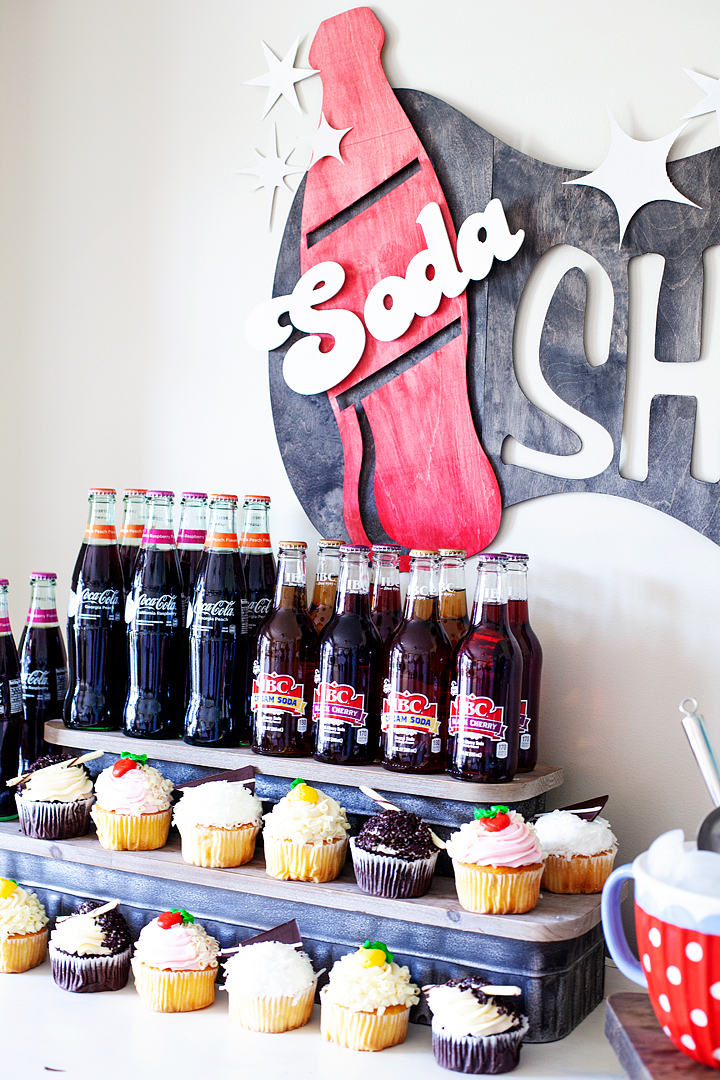
Once the sign was cut, it was time to paint it and get it all dolled up for the party. I wanted to make sure that the wood grain could still be seen through the paint so, I created a wash with some DecoArt Americana Acrylics. All you have to do is add a little water to the paint to create a color wash. You may want to have a rag on hand to wipe off the color wash, almost like you are staining the wood instead of painting it. With this technique, the sign will dry pretty fast and be ready to hang soon after painting.

Come learn how to make this retro style soda shop sign made out of wood using the @cricut knife blade • whipperberry

Hanging the Sign

I wanted the sign to have a bit of a 3D effect and not lay flat on the wall. Typically I use Command Strips but they get pretty pricey so, I opted for some removable mounting putty from 3M to mount the sign on the wall. I could use the putty to create the 3D effects by using more putty to build up the layers. It worked like a charm!

Come learn how to make this retro style soda shop sign made out of wood using the @cricut knife blade • whipperberry

One word of advice… If you have small little pieces of a wood sign, like the center of an “O” for example. Use some painters tape to tape them to the back of the sign so that you don’t lose them in transit. Becuase, that would be a crying shame!

The party turned out great. We had a ball celebrating Hannah and all of her accomplishments. Mom brag time, she graduated a year early! Yea, high school in 3 years! Nice job Hannah.

I’m holding onto the sign to use for her sister Haley’s wedding coming up in September. It just so happens that she is going to have a soda bar as well! Stay tuned… I’m going to have all kinds of Cricut projects coming up this summer for the wedding. You won’t want to miss out!

What do you want to make with a Cricut Maker and the new Cricut knife blade?


SaveSave

SaveSave

SaveSave

SaveSave

SaveSave

SaveSave

SaveSave

SaveSave

SaveSave

This is a sponsored conversation written by me on behalf of Cricut. The opinions and text are all mine.

SaveSave

SaveSave

  • Page 1
  • Page 2
  • Go to Next Page »

Primary Sidebar

Heather from Whipperberry
Hello... my name is Heather and I'm the creator of WhipperBerry a creative lifestyle blog packed full of great recipes and creative ideas for your home and family. I find I am happiest when I'm living a creative life and I love to share what I've been up to along the way... Come explore, my hope is that you'll leave inspired!

Footer

  • Privacy Policy
  • Crafts
  • Food
  • Gifts
  • Holidays
  • Home
  • Mom Life
  • Recipes
  • Travel

Copyright © 2026 · Seasoned Pro