• Skip to primary navigation
  • Skip to main content
  • Skip to primary sidebar
  • Skip to footer

Whipperberry

WhipperBerry • Your Home For Creative Inspiration

  • Home
  • Recipes
    • Starters
    • Easy Weeknight Dinners
    • Main Dish
    • Salads
    • Side Dish
    • Soups & Stews
    • Desserts
    • Breakfast
    • Miscellaneous
  • Tutorials
    • Creative Crafts
    • DIY Decor
    • Fabric Crafts
    • Food How-To
    • Jewlery
    • Paint Projects
    • Paper Art
    • Party Styling
    • Photography and Graphic Design
    • Silhouette
  • Holidays
    • Easter
    • Mother’s Day
    • Father’s Day
    • 4th of July
    • Halloween
    • Thanksgiving
    • Christmas
    • Valentine’s Day
  • Gift Ideas
    • Gifts For Everyone
    • Gifts for Dad
    • Mother’s day
    • For The Girls
    • For The Kids
    • Teacher Gift Ideas
    • Christmas
  • Printables
    • Holiday
    • Gift Idea
    • LDS Primary
  • Travel
  • About
    • Terms
  • Contact
  • Nav Social Menu

    • Facebook
    • Instagram
    • Pinterest
    • RSS
    • Twitter

Fabric

The Silhouette Curio is HERE

0 · Aug 27, 2015 · Leave a Comment

Silhouette-Curio

Guys… The new Silhouette Curio is HERE!!

I have a special discount just for you guys at the end of this post!!

Back in May, I had the chance to travel to Hawaii for the Silhouette Summit where they announced a TON of new products.

Silhouette-Summit

Linda from Craftaholics Anonymous and I with the CEO of Silhouette

All kinds of new consumable products, new software and software functions and TWO new members of the Silhouette family of crafting machines. The Curio and the Mint.

The Mint is a super fun little machine where you can create your own custom stamps and that will debut later this year.

Today, the Curio has launched. What’s special about the Curio you ask? Will this replace the CAMEO and Portrait?

The answer is no, it’s not meant to replace either machine. It is a new companion for your CAMEO or Portrait. It has all kinds of new features that the other machines do not have. For example…
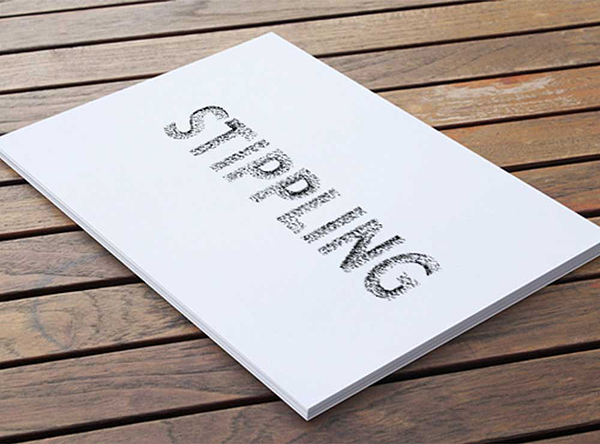
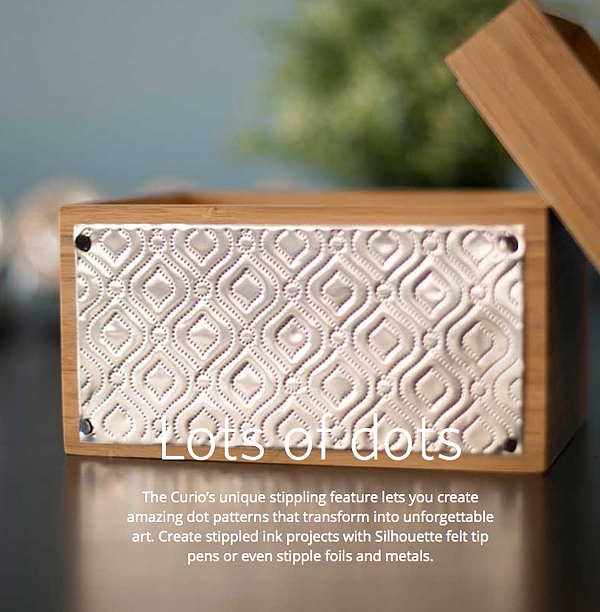
Silhouette Curio Stippling

Stippling – Not familiar with Stippling? It’s SUPER cool!! You create with little dots. Create stippled ink projects with Silhouette felt tip pens or even stipple foils and metals.
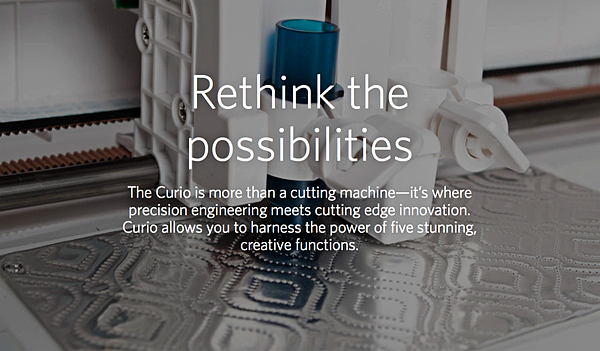
Silhouette-Curo-New-Possibilities

Silhouette-Curio-Stippling-2

How fun is that? The world of creating with metal has just opened even wider!

Next on the list of new features…
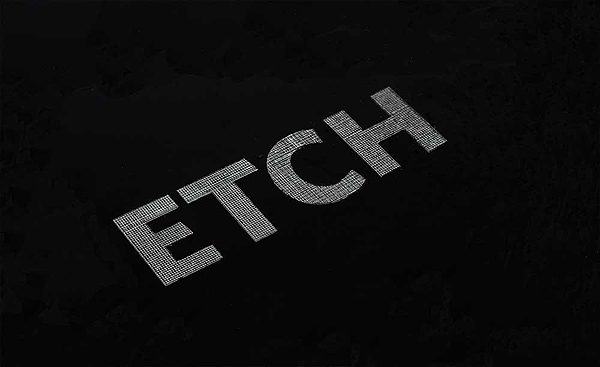
Silhouette-Curo-Etch

You can etch on metal now as well. Create beautifully etched metal with the Curio’s etching tool to customize jewelry, charms, home décor, mixed media art, and more.
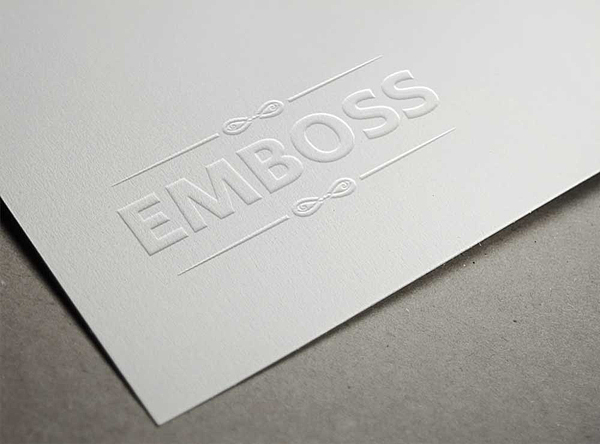
Silhouette-Curo-Emboss

The Curio can Emboss with a new embossing tool!
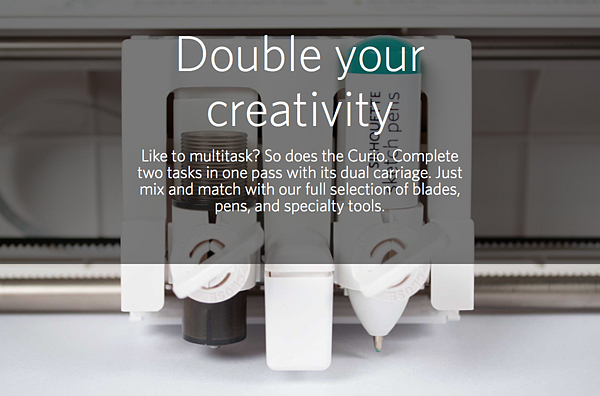
Silhouette-Curio-Double-your-creativity

The Curio has a dual carriage for double the fun!
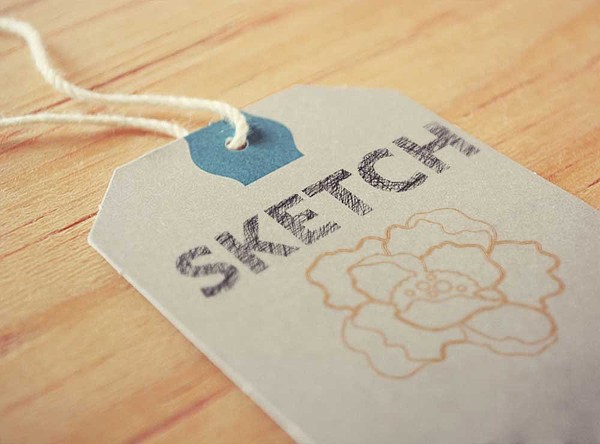
Silhouette-Curo-Sketch

You can still Sketch, you can do with TWO Silhouette felt tipped pens now.
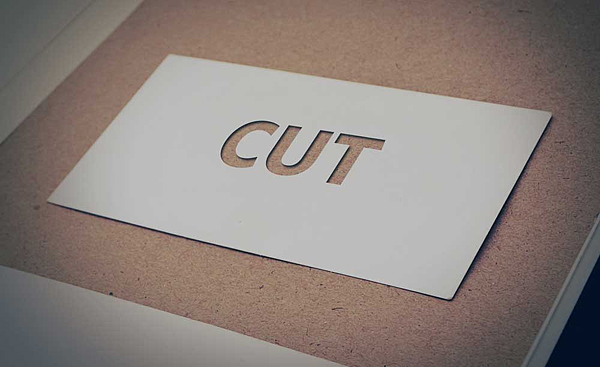
Silhouette-Curo-Cut

With the Curio you can still Cut, but you can cut even deeper!
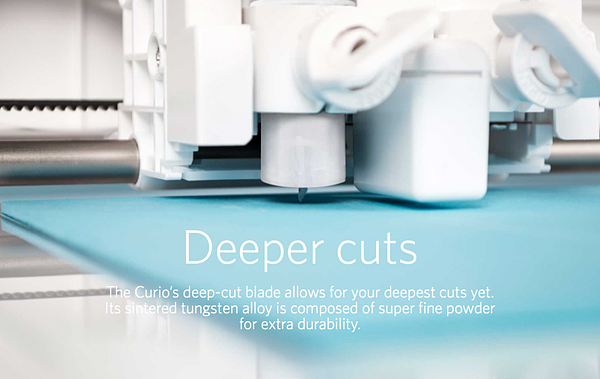
Silhouette-Curo-Deeper-Cuts

The Curio has an improved blade and more clearance which means more options. The Curio’s 5mm clearance allows you to etch, sketch, or cut on new project palettes. Think wood, foil, leather, foam, and even metal.

I can go on and on… You’ll have to go over to Silhouette and check it out for yourself.

I will be working on all kinds of projects here on WhipperBerry with the new Curio and would love for you to join me.

The price for a Curio is $249.99

The folks at Silhouette are giving you guys $15 off a new Curio if you use the code WHIPPER at checkout.

Click the link HERE to get the $15 discount

I can’t wait to start creating with the Curio, what about you? Head on over to their site to check out all of the new products and software options. The Silhouette brand of machines are truly my favorite crafting tool. I use them more than any other tool that I have in my creative tool box!

Disclaimer – I am a member of the Silhouette Makers Affiliate Program.

Anchor Bag with Silhouette PRINTABLE Heat Transfer Material

0 · Apr 21, 2014 · 154 Comments

This Anchor Bag project brought to you by Silhouette // Silhouette Portrait GIVEAWAY along with the April PromotionSilhouette-Portrait-Giveaway

Anchor Bag with Silhouette Printable Heat Transfer Material

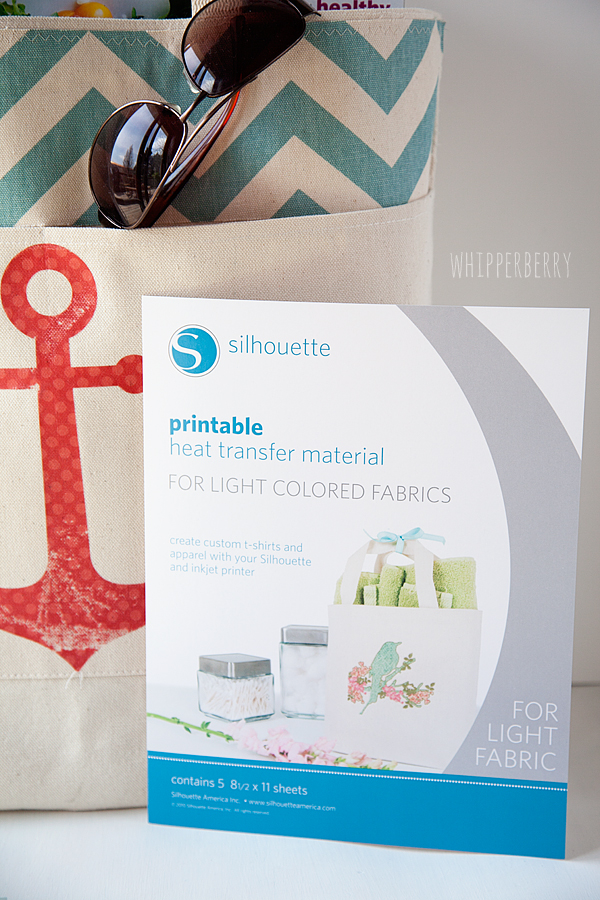
But, before we get to that… I have a super cool new product from Silhouette to share with you! PRINTABLE Heat Transfer Material!

anchor-bag-with-Silhouette-printable-heat-transfer-material-#whipperberry-7

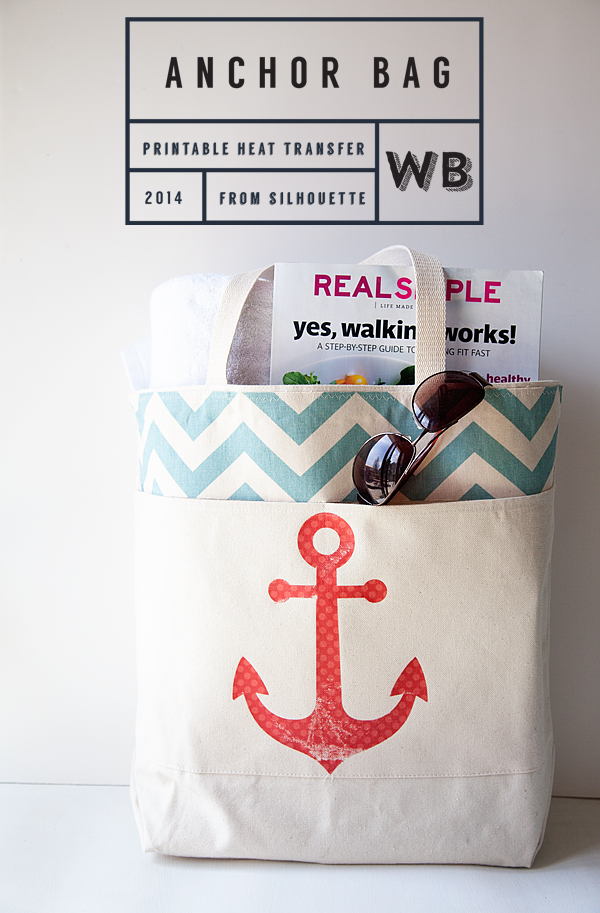
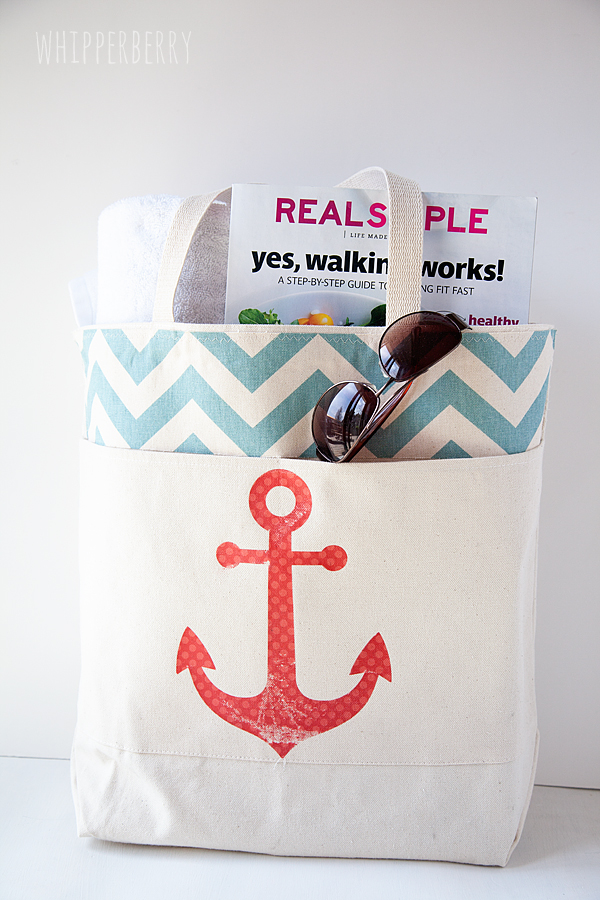
This is the coolest stuff… You can print directly on it, cut it out with your Silhouette and then iron it on to most types of fabric. I added a little flair to a canvas bag that I had sitting around and I LOVE it now.

anchor-bag-with-Silhouette-printable-heat-transfer-material-#whipperberry-5

What makes the anchor so fun is that I was able to take a fun polka-dot pattern from the Silhouette Shop and add it to a basic anchor shape to transform it into something a little extra special.

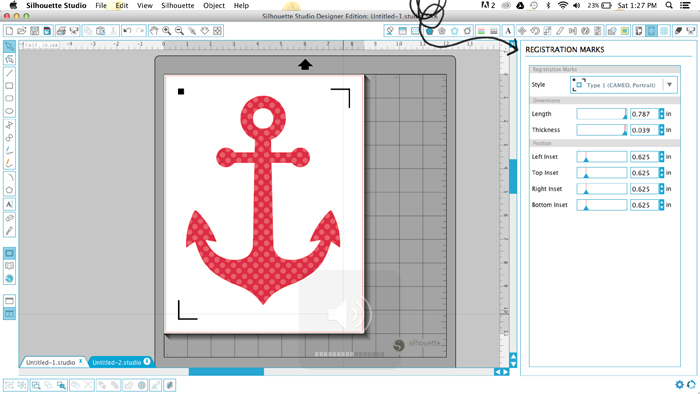
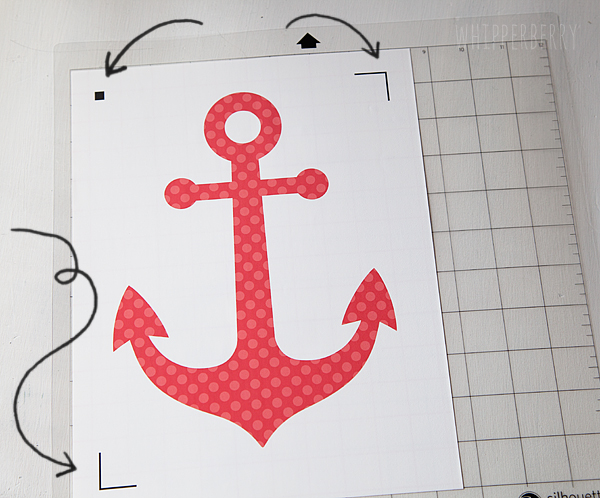
I created the anchor and then in the NEW and improved Silhouette Studio,  I used the print and cut option and then added Registration Marks to my design.

Screen-Shot-2014-04-19-at-1.27.47-PM

When I printed my out my design the registration marks are also printed and that is how the Silhouette machine can then cut out your printed design.

anchor-bag-with-Silhouette-printable-heat-transfer-material-#whipperberry-1

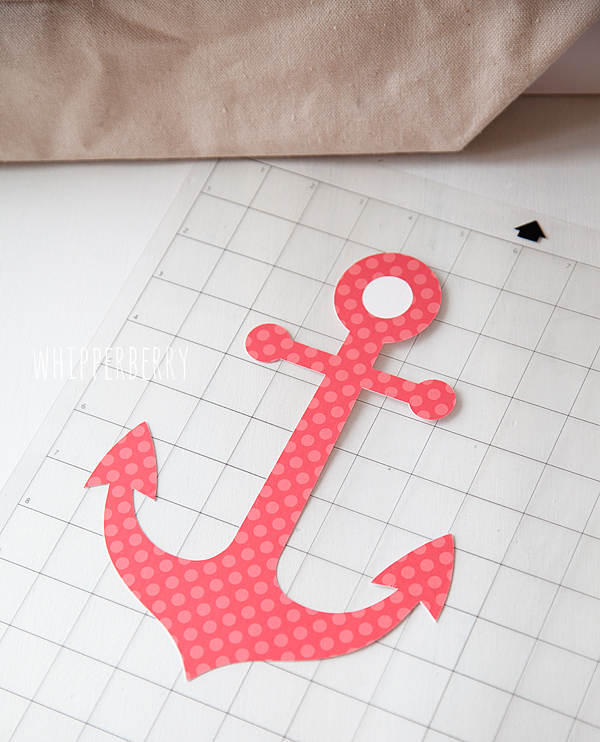
I cut out the anchor on my Silhouette CAMEO…

anchor-bag-with-Silhouette-printable-heat-transfer-material-#whipperberry-3

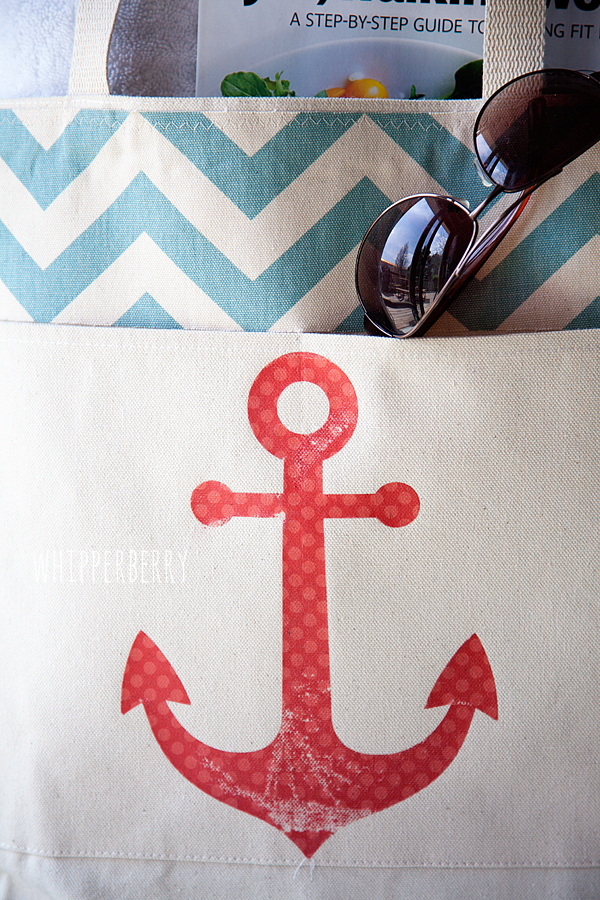
Then ironed it on to my bag following the package directions. I then used my finger nail to rough up the anchor a bit so that it looked a little worn.

anchor-bag-with-Silhouette-printable-heat-transfer-material-#whipperberry-4

It was as simple as that. It took more time trying to decide what image I wanted on the bag than actually making the project!

How fun is that?!

anchor-bag-with-Silhouette-printable-heat-transfer-material-#whipperberry-6

I love how the bag looks now and I have all kinds of fun ideas now floating around in my head for other projects.

April Silhouette Special Promotion

 This month’s special is wonderful… Here are all the details!

 April Promo, running April 21-301
Silhouette CAMEO
1 Heat Transfer Starter Kit
1 Printable Heat Transfer Material for Dark Fabrics
1 Printable Heat Transfer Material for Light Fabrics
$269.99
 Silhouette Portrait
1 Heat Transfer Starter Kit
1 Printable Heat Transfer Material for Dark Fabrics
1 Printable Heat Transfer Material for Light Fabrics
$139.99
All Heat Transfer materials will be 30% off as well!
And FREE Shipping!!!
button_aprilpromo
CLICK HERE to visit the April Promo shop, make sure you use the promo code WHIPPER when you check out to receive the special deal!

Silhouette Portrait + 12 month Deluxe Subscription GIVEAWAY // A $360 Value

For those of you feeling LUCKY… The lovely folks at Silhouette are giving away a Silhouette Portrait along with a 12 month Deluxe Subscription to the Silhouette Online Store where you have access to THOUSANDS of fabulous images and design ideas to help you create all kinds of masterpieces… This is a $360 VALUE!!

All you have to do if follow the directions in the Rafflecopter Box below to enter…

a Rafflecopter giveaway

Disclaimer // I was not paid for this post however, I am a member of the Sillhouette Circle which means I am an affiliate with Silhouette.

Hello Spring Burlap Sign

2 · Feb 25, 2014 · 9 Comments

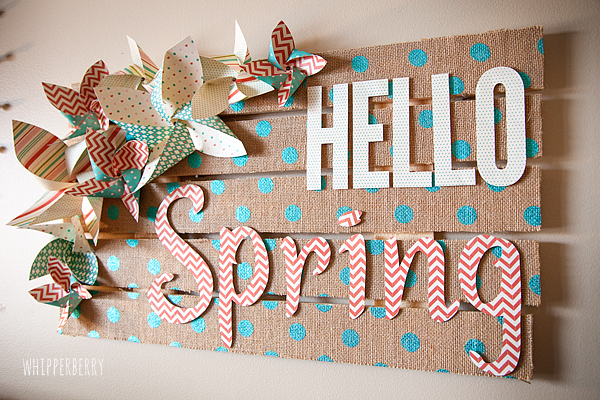
Spring Burlap Sign brought to you by Elmer’s Glue //  It’s almost here and I just can’t seem to get spring off my mind these days! The folks at Elmer’s challenged me to come up with a fun spring project and I was super excited to get busy working on it.  Not to long ago I attended the product launch event for the new Cricut Explore and all of the fun projects we saw at the event inspired this fun Hello Spring Sign…

Hello Spring Burlap Palette Sign from #whipperberry #elmersglue #explorecricut

 Doesn’t it just look cheery? Spring has no choice but to appear with this fun sign.

Everyone is still in love with burlap, and this new polka dot burlap that I found at Jo-Ann’s Fabrics I think is going to extend the life of the burlap trend. It is just so fun. I glued it onto a rustic palette wood board that I also found pre-made at Jo-Ann’s. Score on that one… I’ve made plenty of my own palette wood signs and it’s such a time saver to not have to build it yourself.  I topped it off with some Basic Grey Hey Girl paper, the graphic elements of the paper together with the burlap makes this sign just pop!

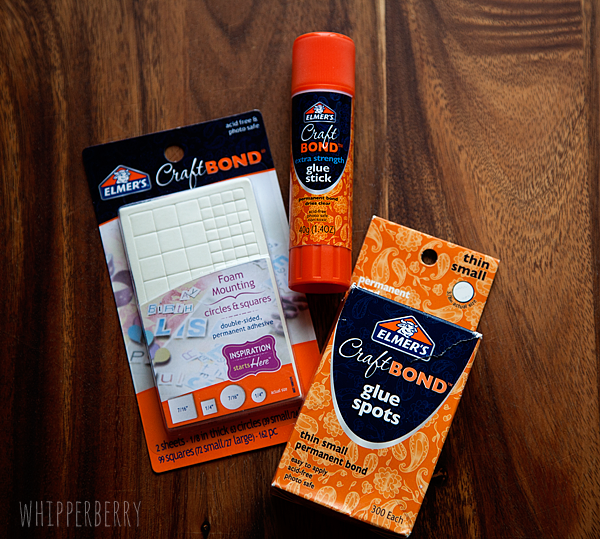
Now, I was super excited to try something new with one of Elmer’s glue sticks that I’ve been wanting to try. It’s their Elmer’s Xtreme School Glue Stick and it works like magic!! I would have to say I was a little skeptical, I, like many of you have been a little let down at times with the performance of glue sticks in the past. They just don’t have the chops for some projects. I thought for sure the glue stick wasn’t going to  be able to handle affixing the burlap to my palette sign, but sure enough it did. Not only that, it only took minutes rather than hours for the glue to dry and my sign was ready to work on in a snap… LOVE that! Needless to say, the Xtreme Glue Stick has won me over, it’s defiantly a case of “under promise, and OVER DELIVER.”  Here’s how I made my sign…

Hello Spring Burlap Sign Supplies

Hello-Spring-Sign-with-Elmers-Glue-#whipperberry-11

  • Elmer’s Xtreme School Glue
  • Elmer’s Glue Spots
  • Elmer’s Foam Mounting Squares & Dots
  • Basic Grey Hey Girl paper pack
  • Wood palette sign
  • 1/2 a yard of polka dot burlap
  • 10 mini brads
  • scissors
  • X-ACTO knife
  • X-ACTO self healing cutting mat
  • Cricut Explore (optional)

Hello Spring Burlap Sign Directions

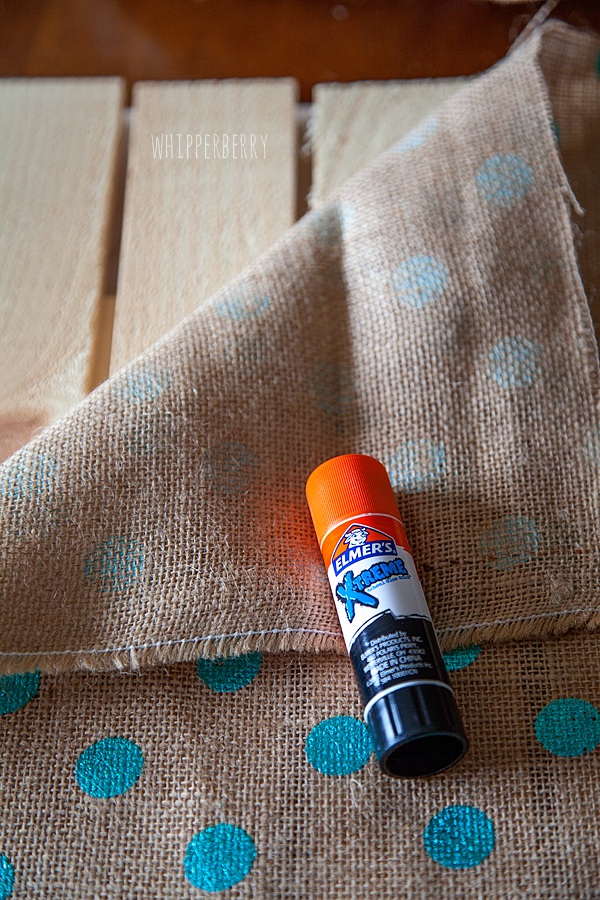
Lay your palette sign on a flat surface and lay your burlap on top.

Hello-Spring-Sign-with-Elmers-Glue-#whipperberry-1

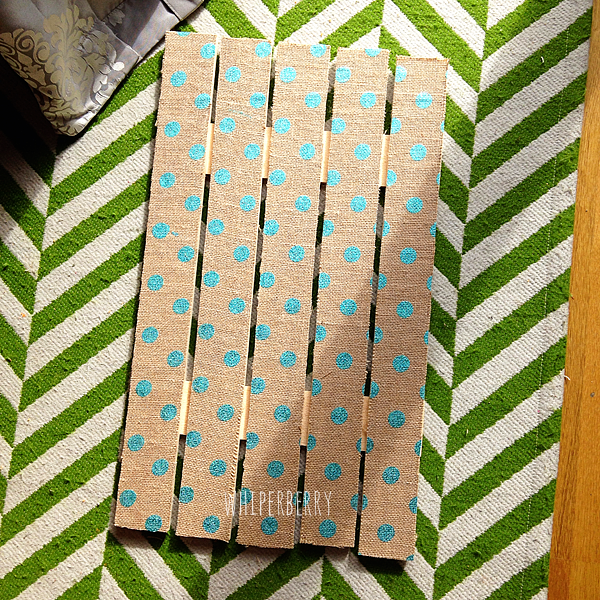
 Cut the fabric to roughly the size of the sign with about a 1 inch boarder around the board. Then center the burlap and using your Elmer’s Xtreme Glue Stick affix the burlap to the wood. I started on one slat at a time and in small 3-4 inch sections smoothing the burlap and I went along.

Hello-Spring-Sign-with-Elmers-Glue-#whipperberry-2

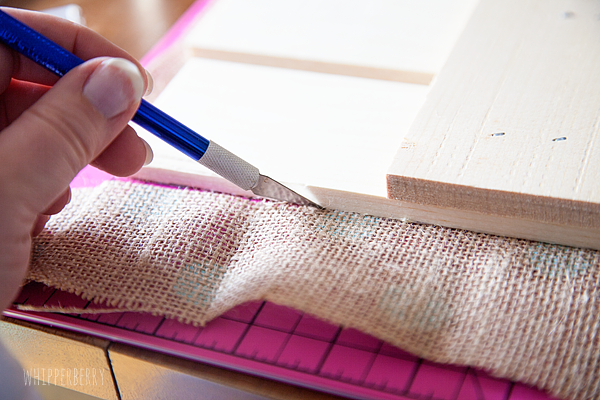
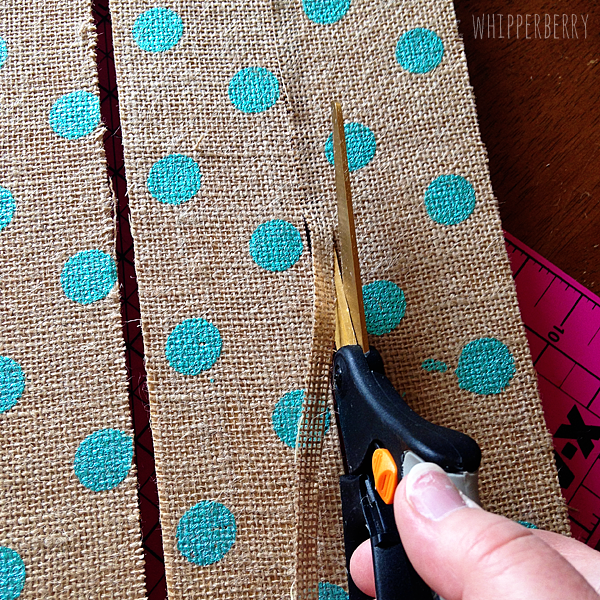
Wait for 15-20 minutes until the glue has completely dried. Next, you will trim your burlap. I used both an X-ACTO knife and scissors. Either one will work just fine. I did find that the scissors were a bit easier in certain places.

Hello-Spring-Sign-with-Elmers-Glue-#whipperberry-3

trimming-the-burlap

I was thrilled with how well the burlap trimmed up and my palette slats look fantastic with the addition of the burlap.

burlap-sign

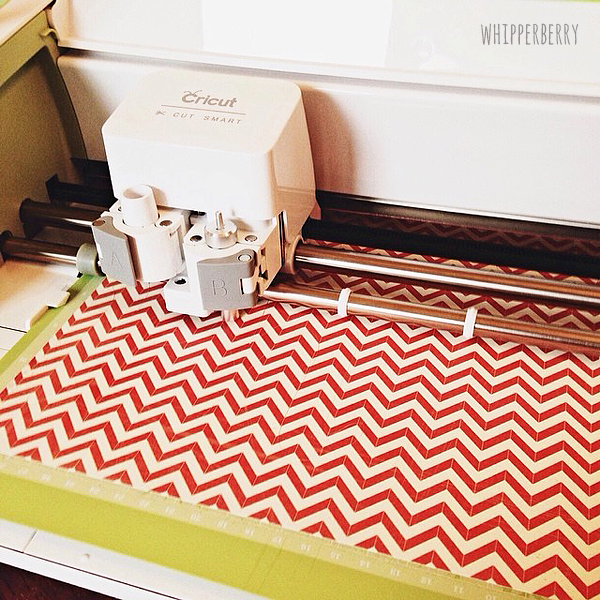
Next, I cut out my pinwheels on my Cricut Explore,

cutting-pinwheels-with-my-Cricut-Explore

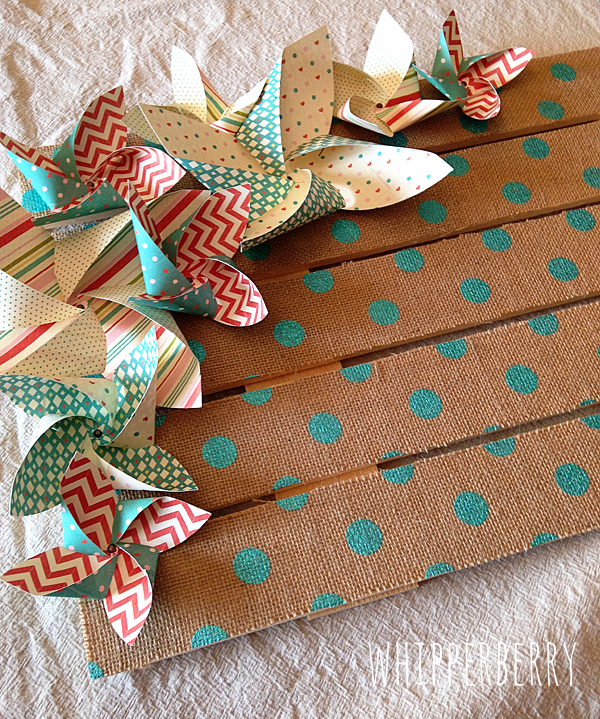
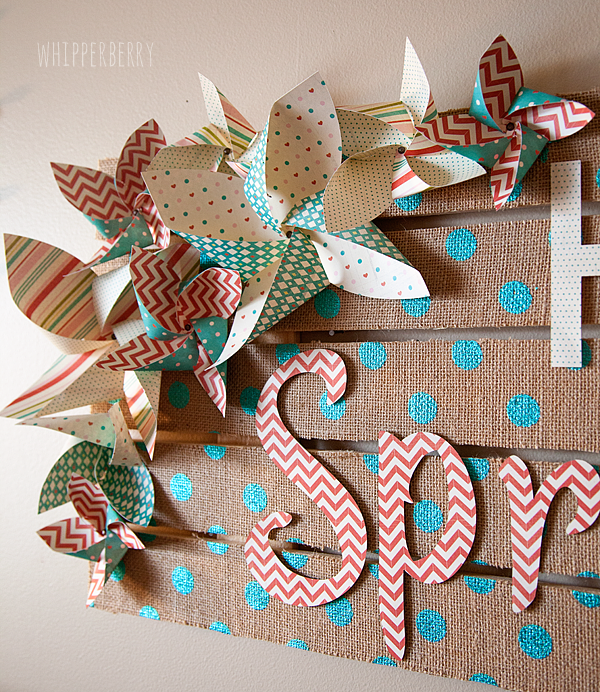
NOW, I know that the Cricut Explore isn’t available until March 15th, soooo… You can cut basic pinwheels using this great tutorial from First Palette.  I used Elmer’s Glue Spots to secure the pinwheels and then dressed them up with a mini brad in the center. Then I used the Elmer’s Foam Mounting Square to affix the pinwheels to the sign…

adding-the-pinwheels

Next, I cut my lettering using a couple of my favorite fonts on my Cricut Explore. The fonts are League Gothic and Suburbia. League Gothic is a pretty standard font, but Suburbia will be available in the Cricut Design Space once that is launch on February 27th.  Now, if you don’t have a Cricut or a Silhouette to cut your letters, you can always print them out from your computer and cut them out with your X-ACTO knife. That’s super slick as well. So… choose whatever font you would like for the Hello Spring and select your paper for the words.

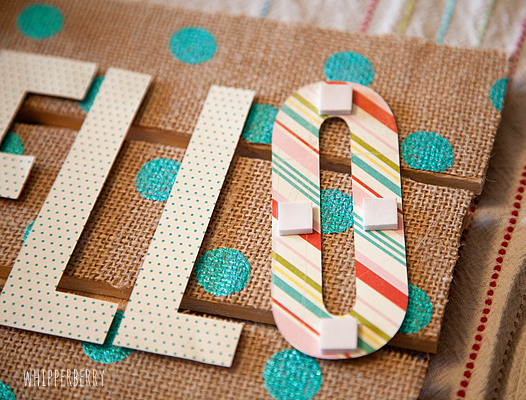
Next, I affixed the letters to the burlap sign with my Elmer’s Foam Mounting Squares…

Hello-Spring-Sign-with-Elmers-Glue-#whipperberry-4

 I LOVE these mounting squares, they give your letters a 3D effect which just adds more dimension to the sign…

Hello-Spring-Sign-with-Elmers-Glue-#whipperberry-7

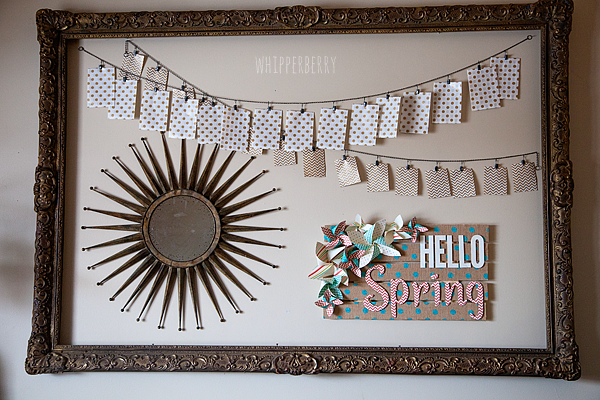
Isn’t that fun?! Once you have everything mounted to the sign, you’re finished! I added it to my giant frame in my living room to update it for the season…

Hello-Spring-Sign-with-Elmers-Glue-#whipperberry-10

Isn’t that a fun project that will brighten up any space? You can use it for any kind of saying, the polka dot burlap comes in a bunch of different colors and the skies the limit as to what you can create with that! One of my Creative team, Jenn from My Fabuless Life even used it to dress up some old folding chairs. All you need to do now is head over to JoAnn’s, stock up on supplies and get busy, you’ll have a fun new sign in just a couple of hours!

Disclaimer // I am a member of the 2014 Elmer’s Craft it Crew and received product and compensation for this post.  Please keep in mind… I will only endorse products and brands that I believe in 100% and use in my day to day life!

Embroidery Hoop Bulletin Board

1 · Feb 24, 2014 · 7 Comments

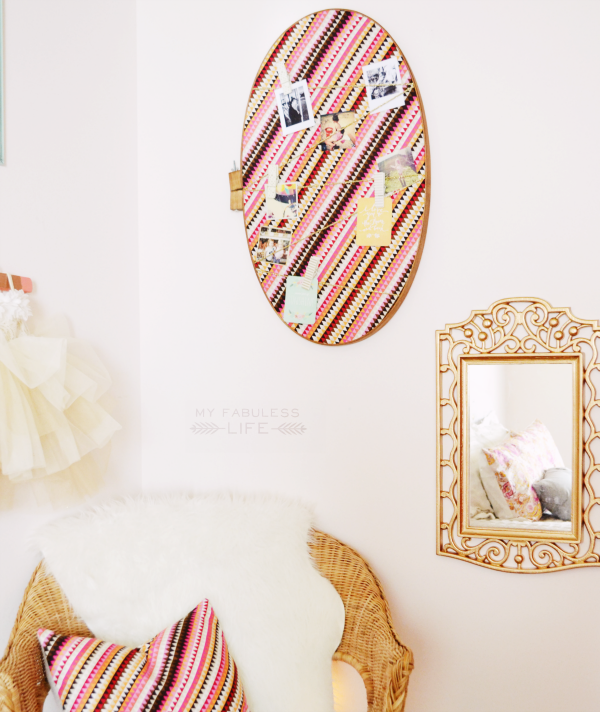
Hey all!  It’s Jenn from My Fabuless Life and this month, I’m SO excited to share this simple bulletin board project.  I’m just finishing up my daughter’s “big girl” room that we started a little over a year ago, and by “finishing up,” I mean we basically started over from scratch and went a whole different direction than where we started.  We had a bulletin board in the room for her pictures and art, but I knew I wanted to change it for something a little different and unexpected.  Enter a giant embroidery hoop and some fun tribal print fabric from JoAnn’s.  This project cost me roughly $10 to make and the impact in the room is huge (I’m so excited to share the whole room over on my blog next week).

embroidery hoop decor

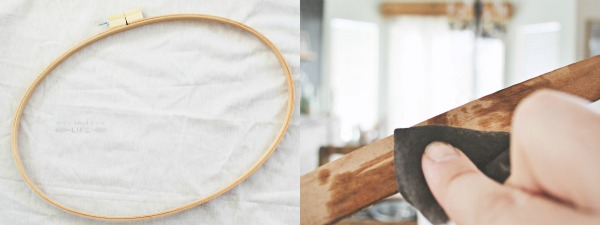
I bought a 27″ embroidery hoop in the fabric section at JoAnn’s–I assume these are for quilting or for embroidery like mighty hoops, but I don’t sew, so who knows.  What I do know is that my heart totally skipped a beat when I found out they made them this big!

I started by staining the outside ring of the hoop with Early American from Minwax. (If you need a little staining guidance, you can see my tutorial here).

stained embroidery hoop 2

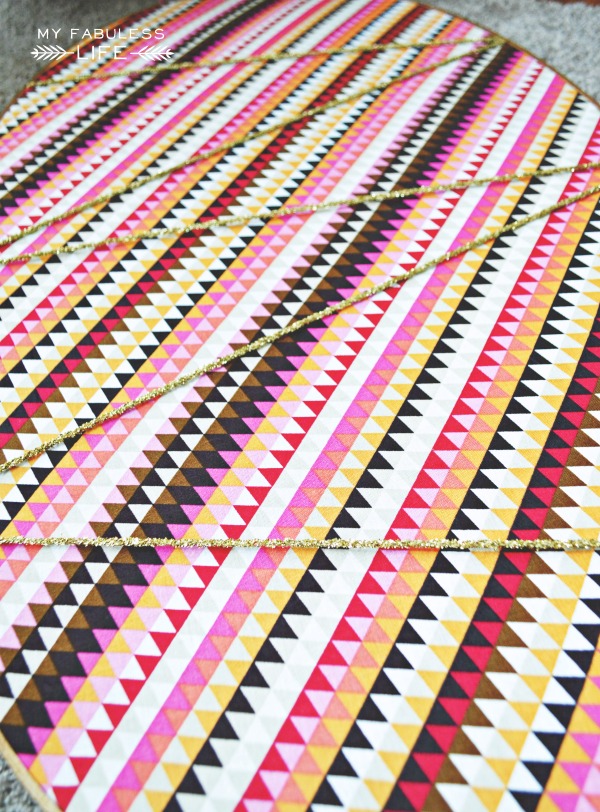
After the stain dried, I pulled the fabric through the hoop AS TIGHTLY AS POSSIBLE, then hot glued the fabric to the inside of the ring — again, TIGHT, TIGHT, TIGHT!  Then I took the outer ring back off, zig zagged some gold ribbon across, and used thumb tacks to tack it to the inside of the ring.

how to make a fabric bulletin board

Finally, just put the outer ring back on and hang (I just stuck a nail in the wall and hung it on there).

how to make a bulletin board

I hung Instagram pictures (what else?), some Project Life sized cards with quotes, and we’ll be adding some artwork as it’s created.

simple fabric bulletin board

You Might Also Like:

collage

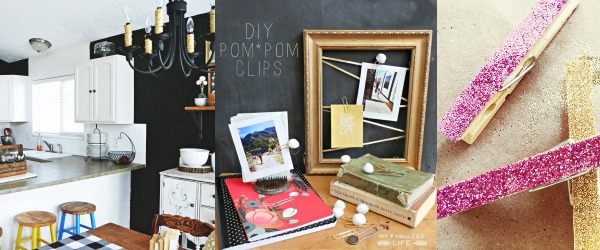
Black & White Kitchen Makeover / Pom Pom Clips / Simple Glitter Clothespins

  • « Go to Previous Page
  • Page 1
  • Page 2
  • Page 3
  • Page 4
  • Page 5
  • Page 6
  • Interim pages omitted …
  • Page 9
  • Go to Next Page »

Primary Sidebar

Heather from Whipperberry
Hello... my name is Heather and I'm the creator of WhipperBerry a creative lifestyle blog packed full of great recipes and creative ideas for your home and family. I find I am happiest when I'm living a creative life and I love to share what I've been up to along the way... Come explore, my hope is that you'll leave inspired!

Footer

  • Privacy Policy
  • Crafts
  • Food
  • Gifts
  • Holidays
  • Home
  • Mom Life
  • Recipes
  • Travel

Copyright © 2026 · Seasoned Pro