• Skip to primary navigation
  • Skip to main content
  • Skip to primary sidebar
  • Skip to footer

Whipperberry

WhipperBerry • Your Home For Creative Inspiration

  • Home
  • Recipes
    • Starters
    • Easy Weeknight Dinners
    • Main Dish
    • Salads
    • Side Dish
    • Soups & Stews
    • Desserts
    • Breakfast
    • Miscellaneous
  • Tutorials
    • Creative Crafts
    • DIY Decor
    • Fabric Crafts
    • Food How-To
    • Jewlery
    • Paint Projects
    • Paper Art
    • Party Styling
    • Photography and Graphic Design
    • Silhouette
  • Holidays
    • Easter
    • Mother’s Day
    • Father’s Day
    • 4th of July
    • Halloween
    • Thanksgiving
    • Christmas
    • Valentine’s Day
  • Gift Ideas
    • Gifts For Everyone
    • Gifts for Dad
    • Mother’s day
    • For The Girls
    • For The Kids
    • Teacher Gift Ideas
    • Christmas
  • Printables
    • Holiday
    • Gift Idea
    • LDS Primary
  • Travel
  • About
    • Terms
  • Contact
  • Nav Social Menu

    • Facebook
    • Instagram
    • Pinterest
    • RSS
    • Twitter

Crafts

America The Beautiful Porch Sign

9 · Jun 8, 2018 · 3 Comments

Dressing-up the front porch at my house has become one of my favorite things to do each season. Summer is always my time to show a little love for the good ol’e USA. I host a huge 4th of July party each year and I always try to dress things up extra special for that event. This year I created a new America The Beautiful porch sign to the mix and I jazzed it up with some great stars from Michaels!

+ This post is brought to you by the fine folks at Michaels +Patriotic front porch design for the 4th of July • Let's Flamingle Sign • Sign Making 101 • WhipperBerry

Shopping at Michaels Online

Michaels has all your red, white & blue needs this summer! And it’s now easier than ever to get all your supplies with Michael’s new buy online and pick up in store feature! Simply place your order online, select your store and your items will be ready and waiting for you there! I saved a ton of time by shopping online and then running in to my local michaels store to pick-up my order. I’m LOVING this option. No more wandering the isles with kiddos in tow. I can virtually wander the isles with my kiddos happy at home. So much less stress. Then I run in and grab my order when it’s ready… Super Slick! Have you tried this out at Michaels yet?

Supplies for the America the Beautiful Porch Sign Look

Here is what I ordered for this fun patriotic look…

  • Red Stars
  • Blue Stars
  • White Stars
  • Red Star Pillow
  • Blue Star Pillow
  • 24×48 canvas
  • red spray paint
  • 3M Command Strips
  • Cricut SportFlex – Midnight Blue • This one I did have to order online via Michaels
  • Cricut Iron-On Glitter – Red
  • Cricut Foil Iron-On – Gold
  • Cricut Easy Press or personal iron
  • Cricut Design Space File
  • Let’s Flamingal Sign

How to Put This Look Together

America the Beautiful Porch Sign • WhipperBerry

Now, this look has several different elements. We have the sign and the stars on the garden wall. This was using my new tried and tested method of using the Cricut Maker to cut Iron-On Vinyl and then affixing it to a canvas using the Cricut Easy Press. This is my new favorite sign making technique. You can learn how to do everything from start-to-finish in my Sign Making 101 post.

Then all you need to do is visit Cricut Design Space with the link above in the supply list and you’ll have access to my cut files that you can re-size to your desired sign size then, cut on your Cricut Machine for your sign.

America the Beautiful Porch Sign • WhipperBerry

Once your sign is finished then it’s time to hang everything. I’ve found that the 3M Strips are BRILLIANT even on outdoor walls.

Patriotic front porch design for the 4th of July • Let's Flamingle Sign • Sign Making 101 • WhipperBerry

I hand new signs each season on my brick wall with my Command Strips. They have withstood strong winter storms without a problem at all and, let me tell you… Nebraska is no joke when it comes to strong winds and crazy storms. I have yet to have a sign fall using my Command Strips on Brick.

Hygge Canvas Sign • Sign Making 101 • WhipperBerry

I used the Command Strips to hang the large 24×48 America The Beautiful porch sign on the garden wall. With the size of the sign, I did need to use a fair number of the Command Strips to make sure the sign was secure. Then I used the command strips to hang the stars as well.

America the Beautiful Porch Sign • WhipperBerry

I kind of have a love affair with Command Strips if you can’t tell! Patriotic front porch design for the 4th of July • Let's Flamingle Sign • Sign Making 101 • WhipperBerry

I also hung one of the stars on the front door to tie the two areas together and added the great star pillows from Michaels on my old chair. Add a few plants and the look is complete. It’s perfect for your 4th of July gatherings for sure!

What are you going to order from Michaels and pick-up at your local store this week? They have some amazing sales going on right now!!


SaveSave

SaveSave

SaveSave

SaveSave

SaveSave

SaveSave

How to Personalize Your Yeti Cup • Yeti Tumbler Design Ideas

62 · May 21, 2018 · Leave a Comment

Personalized Yeti

I’ve become a little obsessed with my Yeti cup to help me do just that. I’m also a HUGE believer in making everything look as fabulous as possible. Yeti has these WHITE Yeti 30 oz. Tumblers and I ran out and grabbed a few. I knew that it would look amazing when I dressed it up with a stylish design cut out of Cricut Premium Outdoor vinyl. I took off to Michaels to grab some of my favorite vinyl and set to work. Let me show you how to personalize your Yeti.

Here are Some Ways to Personalize Your Yeti Tumbler

This is so fun! Obviously, you can do this with any type of cup, I’m just a huge Yeti fan. I’m also a huge Cricut Fan so if you don’t have one, grab a friend who does and offer to make her a cup as well!

Supplies Needed for This Cricut Yeti Cup Design

  • Your favorite cup
  • Dreamer • Farmhouse Yeti Design
  • Cricut Premium Outdoor vinyl
  • Cricut Transfer Paper
  • Cricut Explore 3

Instructions to Get Cricut Vinyl on Your Yeti

First, you’ll need to open Cricut Design Space with the link provided above to access my design. If you are working with the same type of tumbler all you need to do is click the MAKE IT button on the bottom right of the screen and follow the steps on your machine.

If you are using a different size cup, you’ll need to measure your cup and decide what size to make your vinyl and then resize it in Design Space. Click on the CUSTOMIZE button also in the bottom right. Size the design to fit your cup and then follow the directions in Design Space to cut the design. Keep in mind… Either way, You’ll have to pay 99¢ to have access to the cute face in Cricut Design Space.

Next, you’ll need to apply your vinyl on your tumbler by following these HOW TO APPLY VINYL instructions that I posted not too long ago. Once you apply your vinyl, you’re all set to look FABULOUS this summer carrying around your white Yeti that has been customized just for you!

Are you a @Yeti lover like me? I love to personalize my Yeti Tumblers with my @cricut Maker and some simple Premium Outdoor Vinyl. It works in the dishwasher just great and is my favorite way to Say hydrated this summer! -WhipperBerry


Other Yeti Cup Designs for Ladies

Using a Circut Maker is the best way to personalize your Yeti tumbler. There are so many different designs that you can make. You definitely don’t have to make the farmhouse design but I wanted to show you how it works and well, I liked this design!

Please browse around the website here at WhipperBerry for other Cricut ideas.

Good luck personalizing your yeti cup!

SaveSaveSaveSaveSaveSave

SaveSave

SaveSave

Let’s Flamingle Sign • Sign Making 101

4 · May 10, 2018 · Leave a Comment

What do you call a group of flamingos? A Flamboyance of course! With a name like that, they are asking to Flamingle this Summer for all kinds of gatherings! I have been trying to find some inspiration for my new front porch sign for this summer and I finally stumbled up a fun flamingo themed saying that I thought was perfect for a summer sign created with my Cricut Maker & Easy Press, Let’s Flamingle Sign!

+ This post brought to you by the fabulous folks at Cricut +Let's Flamingle Sign - Sign Making 101 from WhipperBerry - This sign is great for a porch sign, party sign or a teen girls bedroom. It's simple, it's cute and really... Who doesn't love a FLAMINGO!

Sign Making 101

I love making signs… It’s is really one of my favorite ways to decorate my home. I especially love using the Cricut Iron-On Lite when I am making Canvas signs. Becuase of the nature of canvas, vinyl just doesn’t work but, Iron-On Lite works like a DREAM. It makes it look like your sign has been screen printed which I just love.

Now that Cricut has come up with the Easy Press and the Easy Press Mat, heat-transfer sign making is easier than ever! I grab the inexpensive canvas bulk packages at Michaels when they go on sale and have a whole slew of canvas sizes and shapes available when inspiration strikes.  Sometimes I frame them, sometimes I don’t. It’s really the mood that strikes me that day. These kinds of sign take minutes to make and really don’t involve a whole lot of mess (i.e. painting, sanding, etc.) and time-consuming work. Can I say it one more time… I LOVE them!!

Sign Making Supplies

Alright, let’s get down to the nitty-gritty… Here’s what you’ll need to make your Let’s Flamingle Sign.

  • 16x 20 canvas – or you can select the size that you want, just make sure that you size the design correctly before you cut your Iron-On Lite.
  • Cricut Iron-On Lite
  • Cricut Easy Press or an iron
  • Cricut Easy Press Mat or a towel
  • Cricut Iron-On Protective Sheet or a light cotton towel
  • Let’s Flamingle Sign design in Cricut Design Space

Directions for Let’s Flamingle Sign

This one, my friends, is basically… CUT, PRESS & CELEBRATE!

First, you’ll need to click on the Let’s Flamingle Sign link in the supplies list and open the project in Cricut Design Space. It is currently sized for a 16 x 20 canvas but, you can totally select your own size canvas. You will just need to make sure that your graphics are sized appropriately.

Next, you need to cut your Iron-On Lite according to the directions in Design Space. MAKE SURE TO MIRROR YOUR IMAGE! You will find a checkbox on the left-hand side of the cutting review screen, make sure that it is turned on so that your image will cut correctly. Anytime you use an iron-on type material, you will always need to mirror it before cutting the design.

Once your design is cut, you’ll need to weed the excess Iron-On Lite. That means you’ll need to remove the Iron-On Lite that doesn’t belong on your canvas.

Now that your Iron-On Lite is prepped and ready to go, you’ll need to preheat your Easy Press or your iron.

Cricut Easy Press Basic Guidelines

  • Work on a hard surface like a countertop or sturdy table. An ironing board will not work.
  • Protect your surface. You need to use the Cricut Easy Press Mat or a towel underneath the item that you are pressing to protect the countertop or table.
  • Use the heat settings suggested by the smart guys at Cricut. For this project, this is the suggested settings.
    340°F / 171°C
    Pre-heat Canvas: 5 sec
    Apply Iron-On Lite: 30 sec
    Heat for an additional 15 seconds on the back of the canvas with the protective lining still in place
    Warm Peel: remove liner while the design is warm to the touch, but not hot. This is when removing the liner will be easiest. If you allow it to cool completely, it will just take a little more effort to remove the liner.

    * If you are using a standard iron, heat settings and times will be different. 

  • Protect the surface of your Iron-On Lite along with the heat plate of the Easy Press by using the Iron-On Protective Sheet or light cotton tea towel.

With this canvas, the Easy Press Mat worked perfectly to not only protect my surface but to also provide a platform for the canvas. The frame of the canvas makes using the Easy Press a little bit of a challenge. You can not press on a canvas without a platform underneath, the canvas will stretch and your sign will be ruined. Becuase of the height of the canvas frame, the Easy Press Mat worked great and I didn’t need to add additional books underneath to create a firm surface.

When the Iron-On Lite is cool to the touch, carefully remove the protective film.

With that, your new sign is FINISHED!!

Let's Flamingle Sign - Sign Making 101 from WhipperBerry - This sign is great for a porch sign, party sign or a teen girls bedroom. It's simple, it's cute and really... Who doesn't love a FLAMINGO!

How easy was that! If you have the right tools, this sign is a cinch to make. I’m loving my new front porch sign and I can’t wait to “FLAMINGLE” with my friends this Summer!

Let's Flamingle Sign - Sign Making 101 from WhipperBerry - This sign is great for a porch sign, party sign or a teen girls bedroom. It's simple, it's cute and really... Who doesn't love a FLAMINGO!

How about you? What’s your summer look like? Looking to learn more about working in Cricut Design Space? You should check out my latest video on how to use the Slice Tool, it will rock your Cricut loving mind!

How to use the Cricut Slice Tool Graphic VIDEO TUTORIAL - WhipperBerry

More Cricut 101 Tutorials & Video Tutorials

  • How to Apply Patterened Iron-On
  • How to Apply the NEW SportFlex Iron-On
  • How to Work with Layers in Cricut Design Space
  • How to Prepare Your Designs to Cut on your Cricut Cutting Machine

Disclaimer • This post does contain some affiliate links they are purely for tracking purposes and are not paid links. However, I did receive payment for my time and received product to help in the creative process. Keep in mind, I will only share products that I truly love and use in my everyday life

This is a sponsored conversation written by me on behalf of Cricut. The opinions and text are all mine.

How to Use the Cricut Slice Tool • Cricut 101 Video Tutorial

10 · May 10, 2018 · Leave a Comment

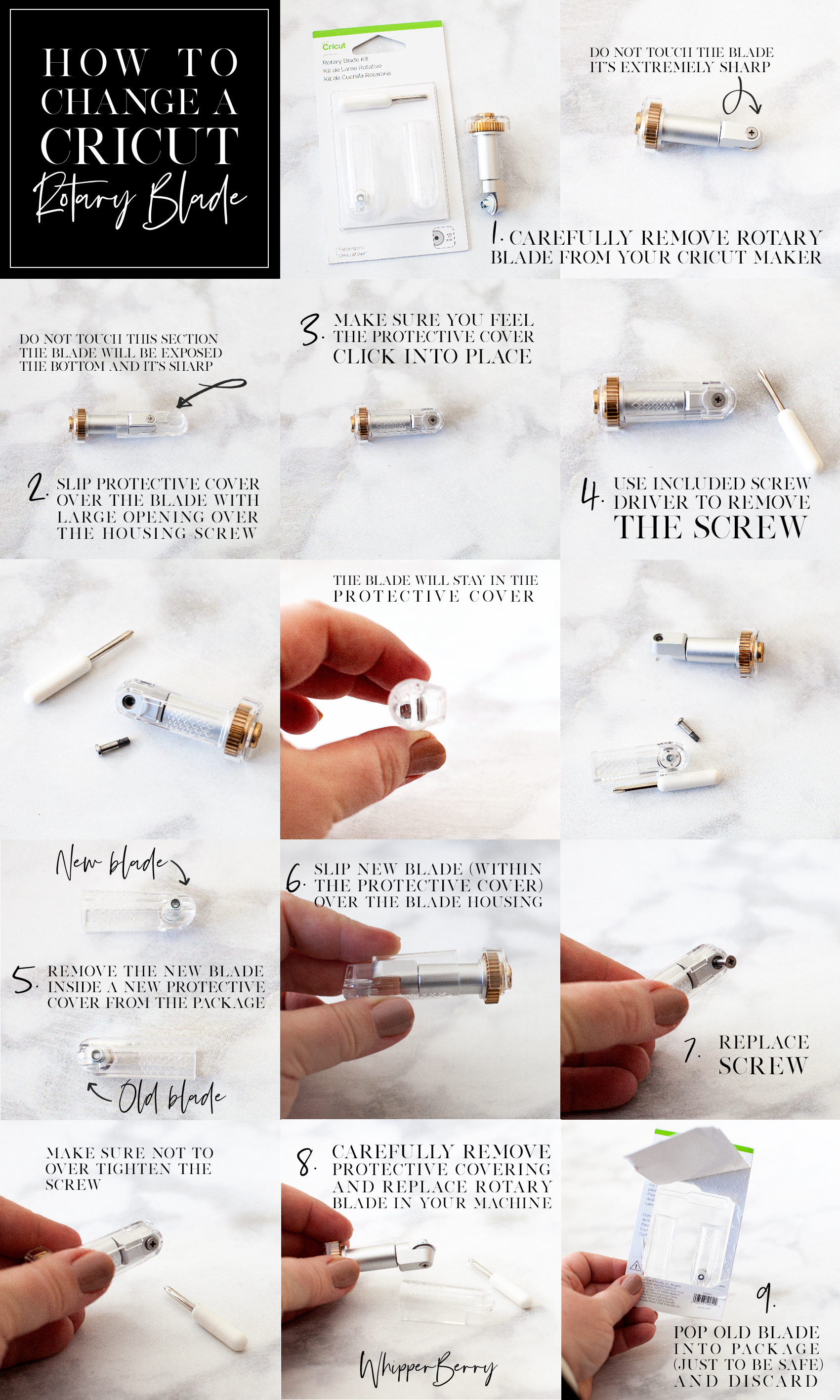
Have you been looking to have a little more flexibility with your design work in Cricut Design Space? Frustrated that you can’t erase parts of images that you would like to not include in your design? I’ve got you covered today!! Have you noticed that little icon on the bottom right of the Cricut Design Space platform? It looks like this…How to use the Cricut Slice Tool Graphic VIDEO TUTORIAL - WhipperBerry

When I first started using Cricut Design Space, I looked at that tool and really could not figure out what the point was. It turned into my little wallflower that stood away from my favorite tools begging to be invited to dance as well. One day, just by happenstance, I started to play around with the Slice Tool and boy, I’ve been a huge fan ever since.

Cricut Slice Tool Video Tutorial

I’ve put together a video tutorial on three different ways to effectively use the Slice Tool when working in Cricut Design Space. It’s going to totally change the way you create your graphics for use with your favorite Cricut cutting machine. The video is about 14 minutes long but, it is well worth the time if you’re wanting to stretch your design muscles in Design Space.

What do you think? Has this tutorial inspired you to create with a little more flexibility in Design Space? I hope so! I would love to see what you design, tag me in your social media posts so I can see what you’ve created with the Slice Tool!

Disclaimer

This is an unpaid post. I have been independently creating my Cricut 101 Video Tutorial Series without any financial incentive from the lovely folks at Cricut.

  • « Go to Previous Page
  • Page 1
  • Interim pages omitted …
  • Page 35
  • Page 36
  • Page 37
  • Page 38
  • Page 39
  • Interim pages omitted …
  • Page 88
  • Go to Next Page »

Primary Sidebar

Heather from Whipperberry
Hello... my name is Heather and I'm the creator of WhipperBerry a creative lifestyle blog packed full of great recipes and creative ideas for your home and family. I find I am happiest when I'm living a creative life and I love to share what I've been up to along the way... Come explore, my hope is that you'll leave inspired!

Footer

  • Privacy Policy
  • Crafts
  • Food
  • Gifts
  • Holidays
  • Home
  • Mom Life
  • Recipes
  • Travel

Copyright © 2026 · Seasoned Pro