• Skip to primary navigation
  • Skip to main content
  • Skip to primary sidebar
  • Skip to footer

Whipperberry

WhipperBerry • Your Home For Creative Inspiration

  • Home
  • Recipes
    • Starters
    • Easy Weeknight Dinners
    • Main Dish
    • Salads
    • Side Dish
    • Soups & Stews
    • Desserts
    • Breakfast
    • Miscellaneous
  • Tutorials
    • Creative Crafts
    • DIY Decor
    • Fabric Crafts
    • Food How-To
    • Jewlery
    • Paint Projects
    • Paper Art
    • Party Styling
    • Photography and Graphic Design
    • Silhouette
  • Holidays
    • Easter
    • Mother’s Day
    • Father’s Day
    • 4th of July
    • Halloween
    • Thanksgiving
    • Christmas
    • Valentine’s Day
  • Gift Ideas
    • Gifts For Everyone
    • Gifts for Dad
    • Mother’s day
    • For The Girls
    • For The Kids
    • Teacher Gift Ideas
    • Christmas
  • Printables
    • Holiday
    • Gift Idea
    • LDS Primary
  • Travel
  • About
    • Terms
  • Contact
  • Nav Social Menu

    • Facebook
    • Instagram
    • Pinterest
    • RSS
    • Twitter

Paper Crafts

How to Import and Use a SVG File in Cricut Design Space

55 · Nov 21, 2017 · 2 Comments

I LOVE to create my own designs for all kinds of things like signs, printables, special gifts and now, thanks to the Cricut Maker… Sewing projects! The issue that I ran into at the beginning was figuring out how to effectively use my own SVG files in Cricut Design Space. If you’re like me, and would like to either use either your own designs or other designs that you purchase from Etsy or other sites, this video tutorial is for you! You could use a Silhouette or a Cricut. If you’re unsure of which is better you can read my review of Cricut vs Silhouette here. Whether you are a sign maker, a paper crafter or you love to work with fabric, chances are you've wanted to either create your own SVG files or download files that you've purchased and use them with your Cricut Projects Here’s a great video tutorial on how to import your own SVG files into Cricut Design Space and how to easily use it in the software.
Whether you are a sign maker, a paper crafter or you love to work with fabric, chances are you’ve wanted to either create your own SVG files or download files that you’ve purchased and use them with your Cricut Projects. The Cricut Design Space is pretty robust but there are times when you need a little more in the design area. For example, create curved text and such for a project. I stumbled across a way to covert PDF sewing patterns into SVG files to use with my Cricut Maker.  Don’t worry, I’ll have a tutorial for that soon. Today, I want to focus on how to import and use that SVG file into Cricut Design Space and use it effectively. I’ve been working on this for a bit so I’ve managed to come-up with some great tips and tricks to help speed-up your work flow in order to cut down on possibly technology frustration.

Video Tutorial on How to Import and Use Your SVG Files in Cricut Design Space

Take a few minutes to sit and watch this video. I promise it will make your time in the Cricut Design Space much easier!
Snowball Bath Bomb Printable Gift Tag

45 · Nov 10, 2017 · 1 Comment

Hey guys! The Holidays are right around the corner and now’s the time to start preparing. I had a friend tell me today, “the Christmas season starts the minute Halloween is over and Thanksgiving is half-time.” I’m not one to run right past Thanksgiving but, I kind of get where he’s coming from. As busy as things get, it’s a great idea to start workin on those fun neighbor, office, teacher and friend gifts. Now, if you’re planning on baking, you’ll have to wait until the last minute to make your treats. With these Snowball Bath Bombs, you can still pull out the mixer and not have to scramble at the last minute to put your sweet treats together. These could be wrapped up in July if you’re really that prepared!

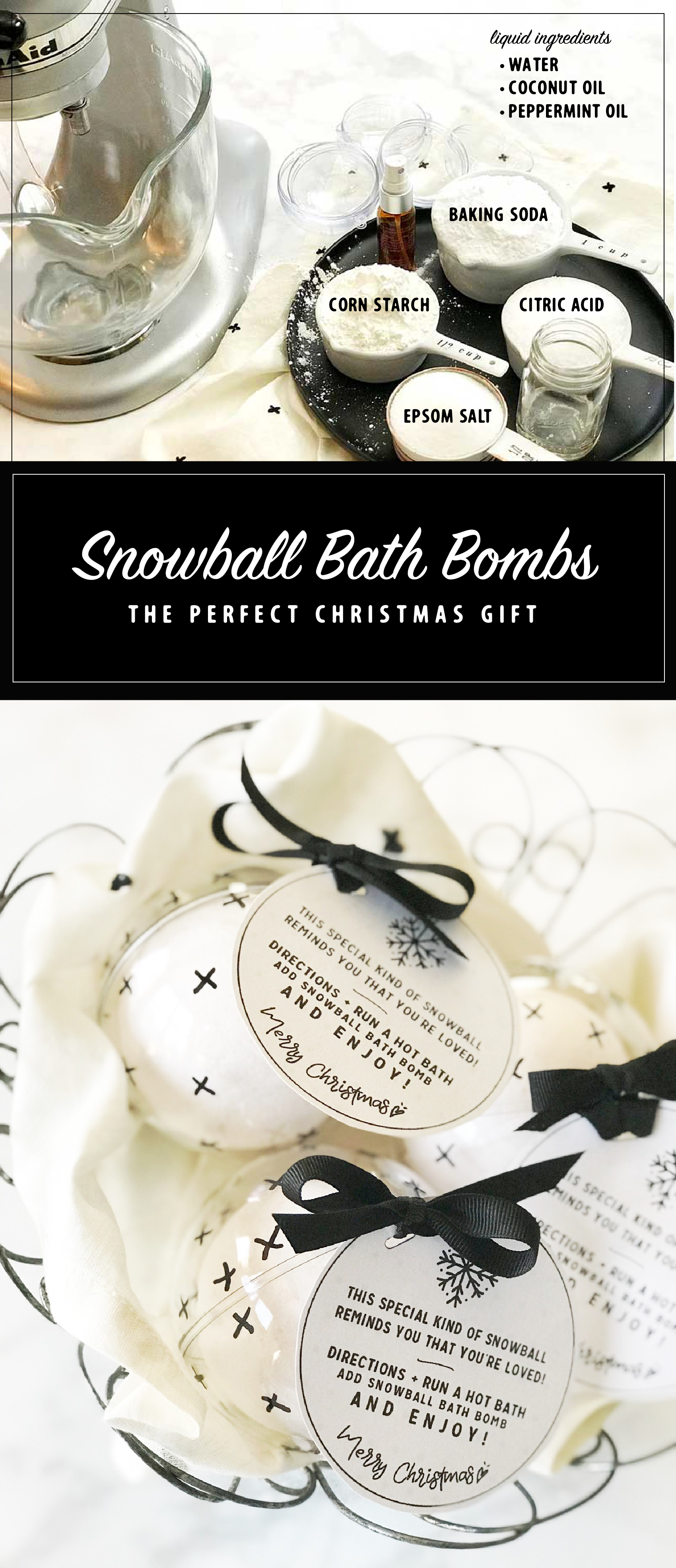
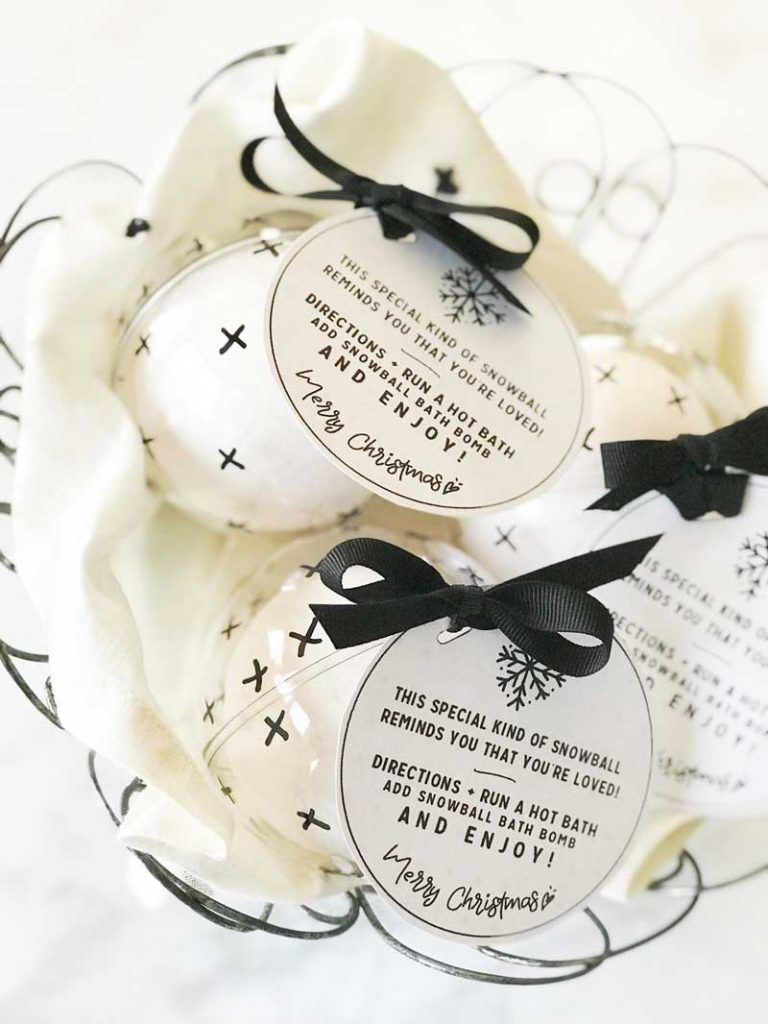
SNOWBALL BATH BOMBS Looking for a simple Christmas gift for friends and neighbors? This simple to make snowball bath bomb will quickly become your favorite gift to give this holiday season!

Check out this video to see how easy they are to make…

Snowball Bath Bombs via WhipperBerry from Heather Thoming on Vimeo.

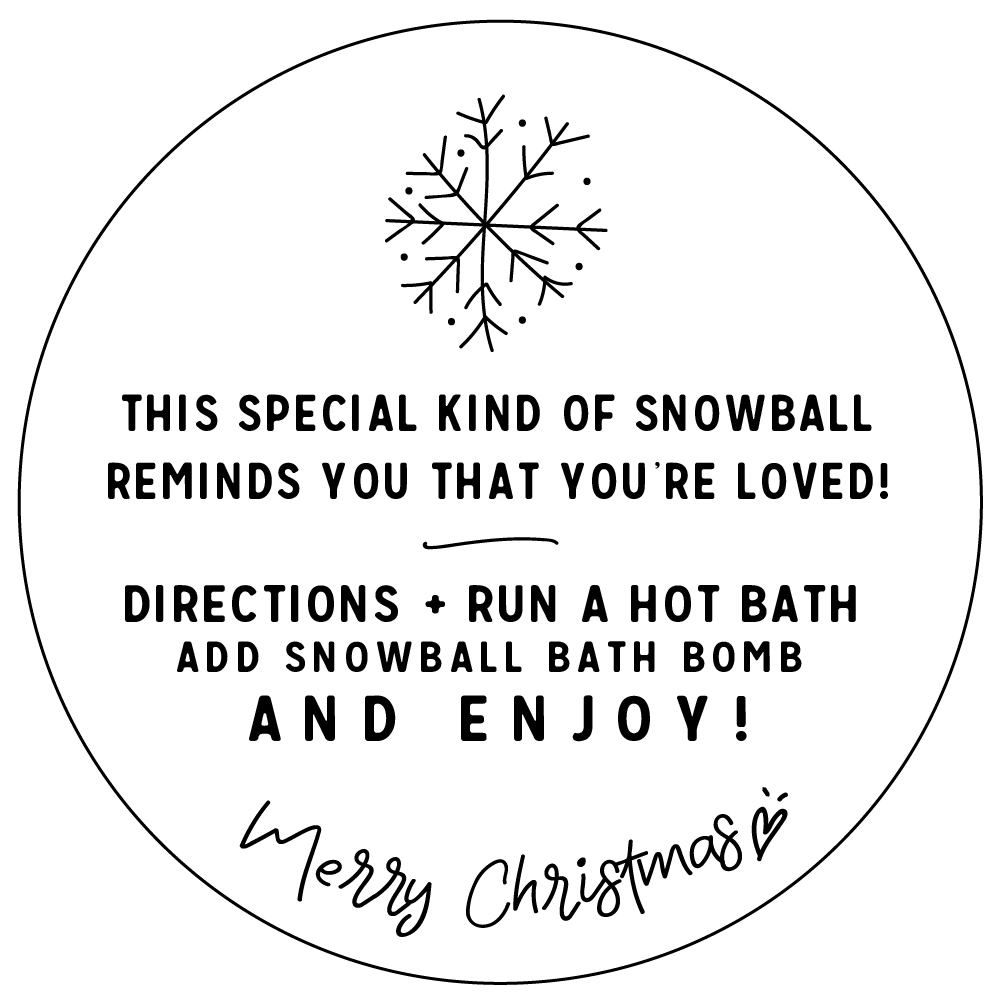
For the full recipe you’ll need to visit I Heart Nap Time to get all of the details on how to make the snowball bath bombs BUT… You can download the free printable HERE.

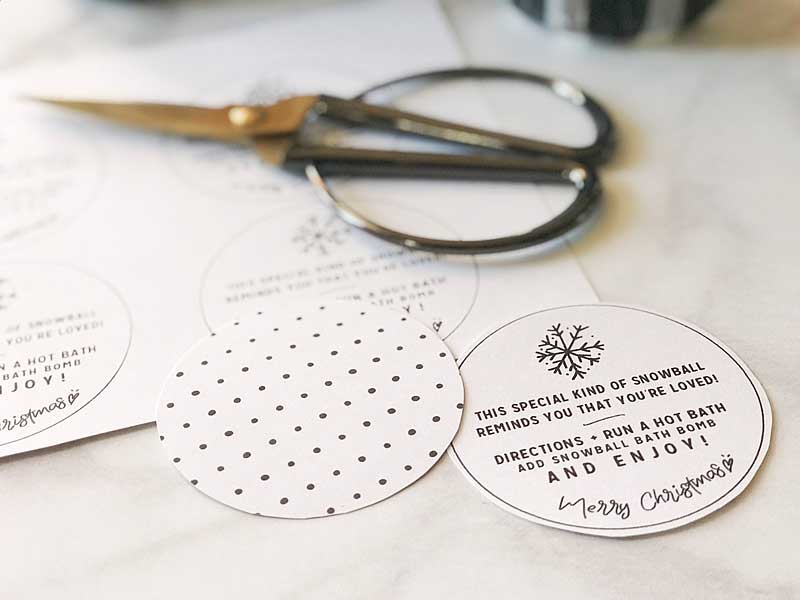
snowball bath bomb whipperberry free printable gift tag-100

This tag is double sided. All you need to do is print the front then flip your paper over and print the polka dots on the back side.

SNOWBALL BATH BOMBS Looking for a simple Christmas gift for friends and neighbors? This simple to make snowball bath bomb will quickly become your favorite gift to give this holiday season!

Make sure to run over to I Heart Naptime to get all of the instructions on how to make this gem of a little gift.  You can also pin the image below to help you remember what you’re going to make for your friends and neighbors this year. Happy gifting!

SNOWBALL BATH BOMBS Looking for a simple Christmas gift for friends and neighbors? This simple to make snowball bath bomb will quickly become your favorite gift to give this holiday season!

 Witch and Ghoul Death and Breakfast Paper Roll Sign with Cricut Easy Press

2 · Oct 16, 2017 · Leave a Comment

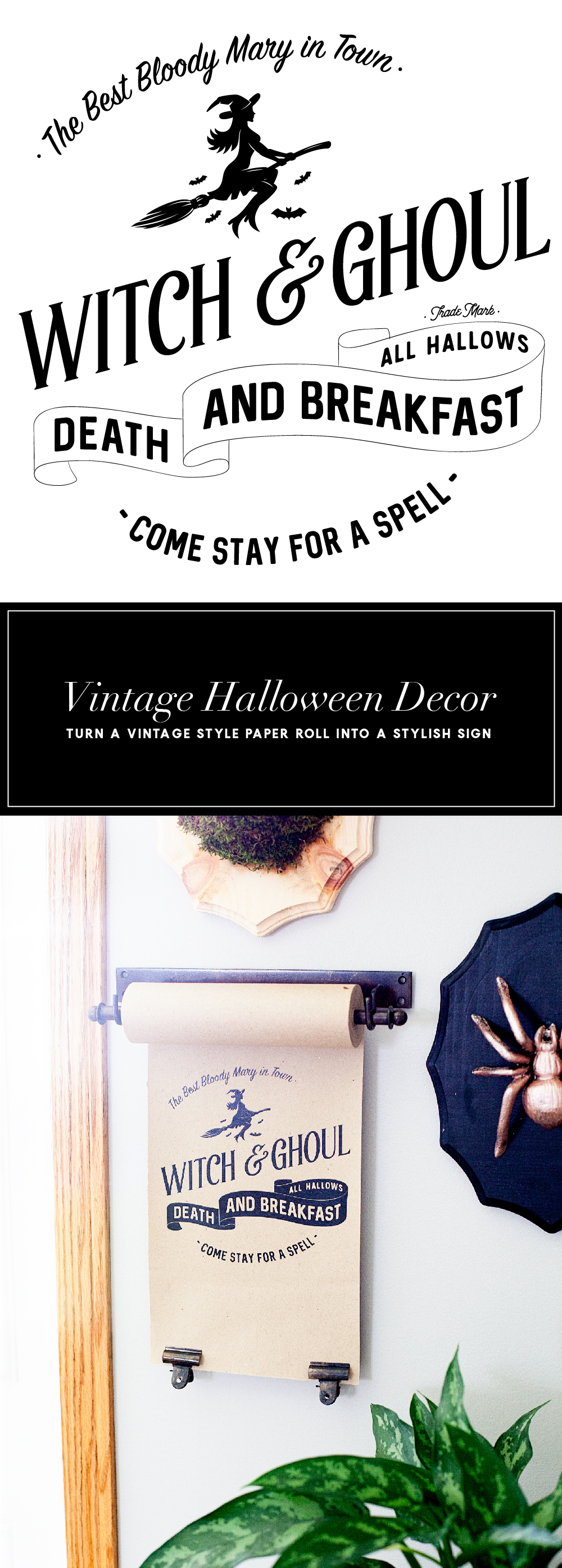
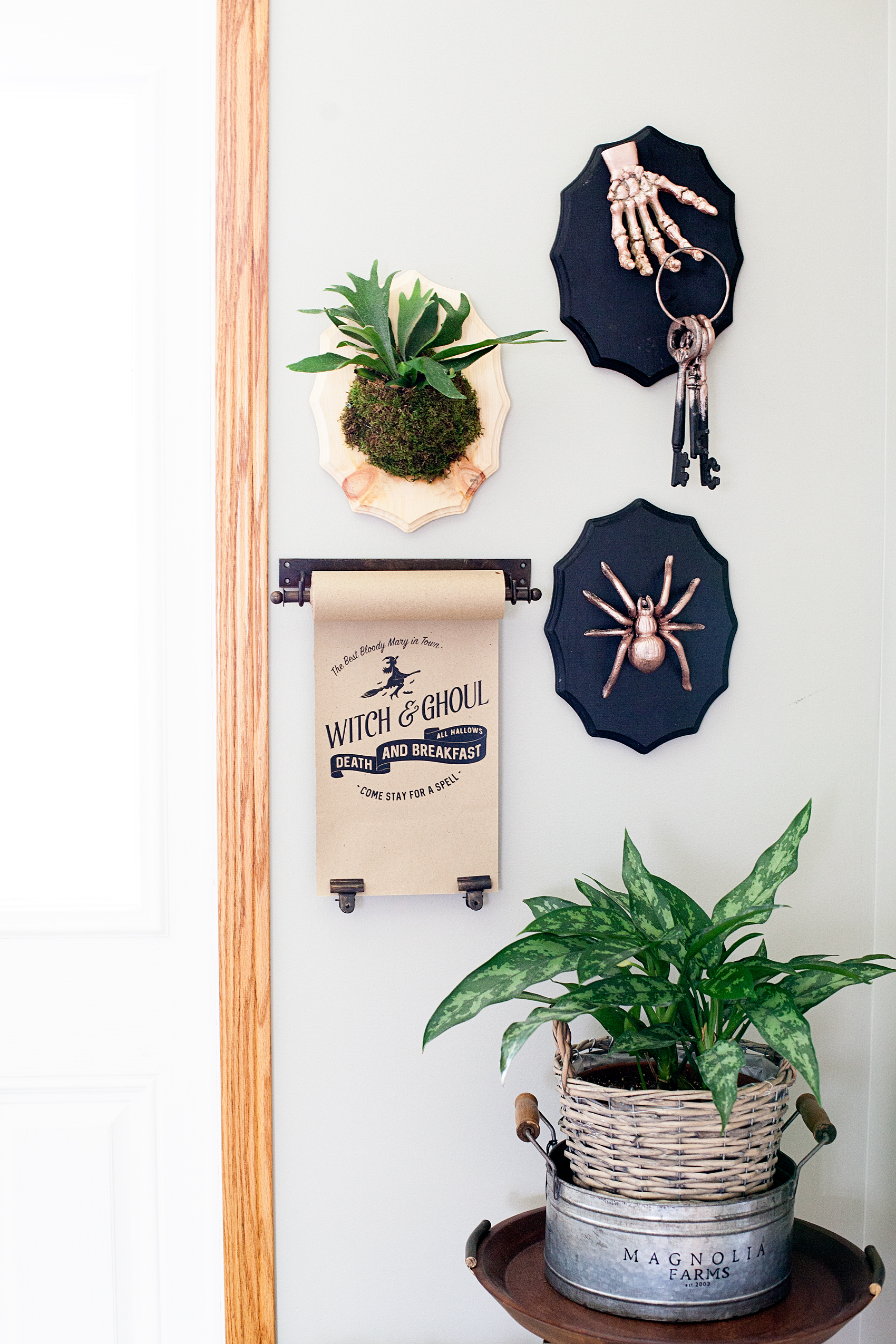
Today, I have a fun new idea. I’ve always loved the vintage paper rolls that little shops used to have. They would keep a roll of brown paper on it and use it to wrap parcels for their shoppers. Well, they are making a come back thanks to the vintage farmhouse lovers. I have found some vintage style paper rolls that aren’t too expensive and thought it would be fun to create new signs for the seasons with heat transfer vinyl and the NEW Cricut Easy Press.Travel back in time with this fun vintage paper roll sign created by WhipperBerry for Halloween. Witch and Ghoul Death and Breakfast sign available as an SVG file for cutting machines or a printable file for FREE!

• This post brought to you by Cricut •

Isn’t that fun?! It’s kind of a new concept when it comes to signage around the home.

Now, some people are naturally gifted and can create beautiful signs with just a sharpie and a little imagination. I however, can not… I wish I could! I was not gifted with that talent. The problem is that I love the look and I don’t have an arm and a leg to pay and actual artist to create my design each time I want to change it out. Then, I thought I could use vinyl and cut a design with the Cricut cutting machine. The problem with that is, the transfer tape would be a nightmare on the paper. It would just turn into a hot mess. Plus… I’m not a fan of weeding intricate designs out of vinyl. Although, I don’t mind weeding the Cricut Iron-on Lite! It’s so much easier to weed. I set out to see if it was possible to use Cricut Iron-On Lite on paper and sure enough, it works with the Easy Press!! I LOVE this new tool from Cricut!

All you need to do is to download my SVG file for the Witch and Ghoul sign OR you can download the free printable and print it out to display. You could even frame it if you’d like. I’ve sized it at 8×10 for your use.

Paper Roll Sign Supplies

  • vintage style paper roll like the one here
  • Cricut Iron-On Lite – Black
  • Cricut Maker or Explore series machine
  • Cricut Easy Press
  • light cotton towel
  • heat resistant surface to work on
  • scissors

Paper Roll Sign Instructions

First, you’ll need to upload the SVG file into Cricut Design Space and size your design for the size of your paper roll. My roll is 8 inches but, you can get even larger paper rolls. You’ll be able to size the design for your paper roll size.

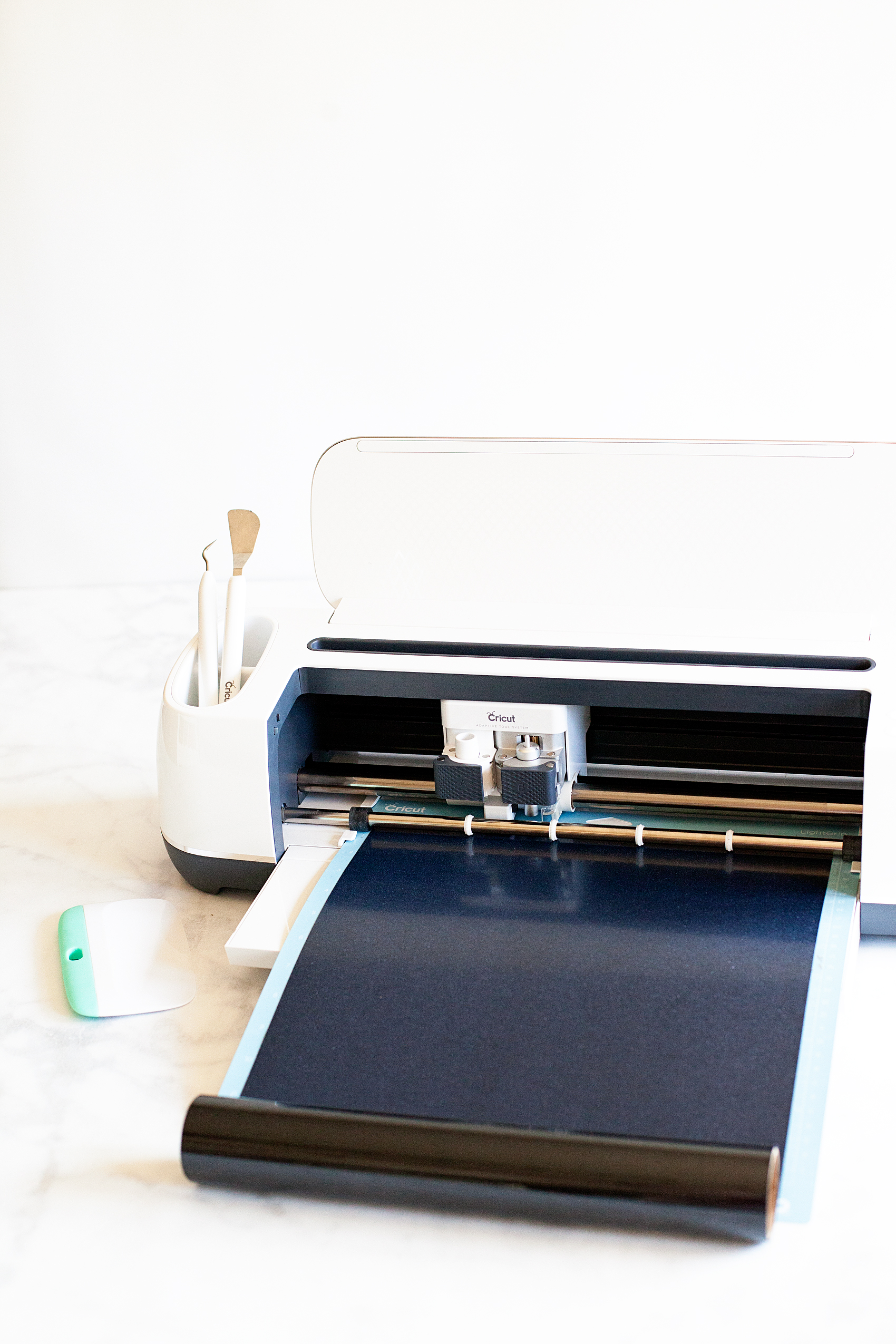
Then you’ll need to load your heat transfer vinyl onto your cutting mat and load into your machine and cut out the design.

Learning how to cut iron on vinyl with the Cricut Maker via WhipperBerry


Quick tip… I leave the vinyl on the roll while I am cutting it. It doesn’t interfere with the cutting process and it cuts down on waste.

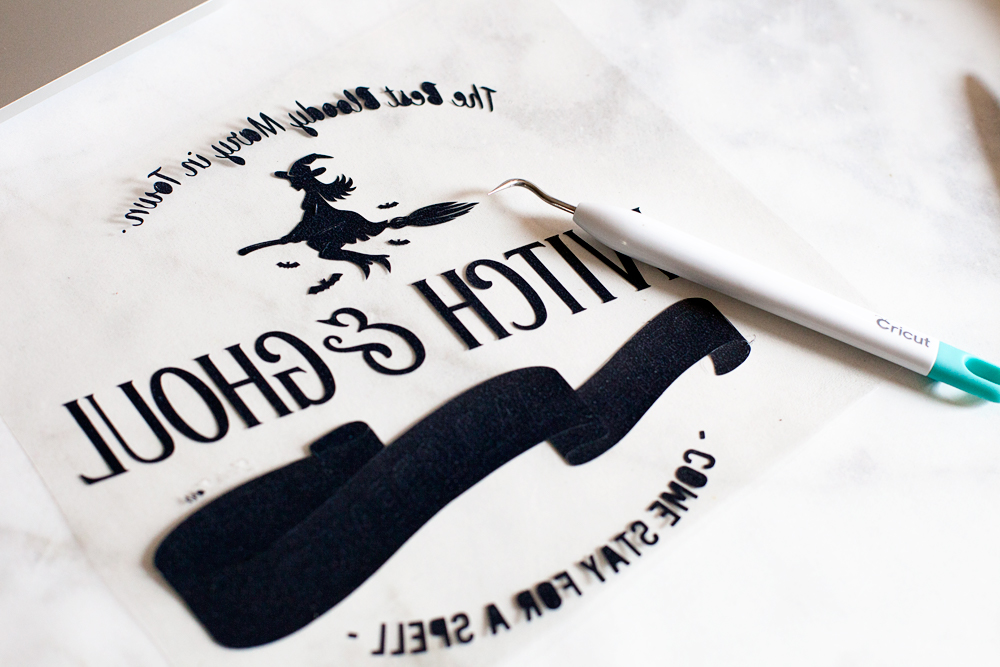
Then you’ll need to weed your design to remove the excess vinyl.

Travel back in time with this fun vintage paper roll sign created by WhipperBerry for Halloween. Witch and Ghoul Death and Breakfast sign available as an SVG file for cutting machines or a printable file for FREE!

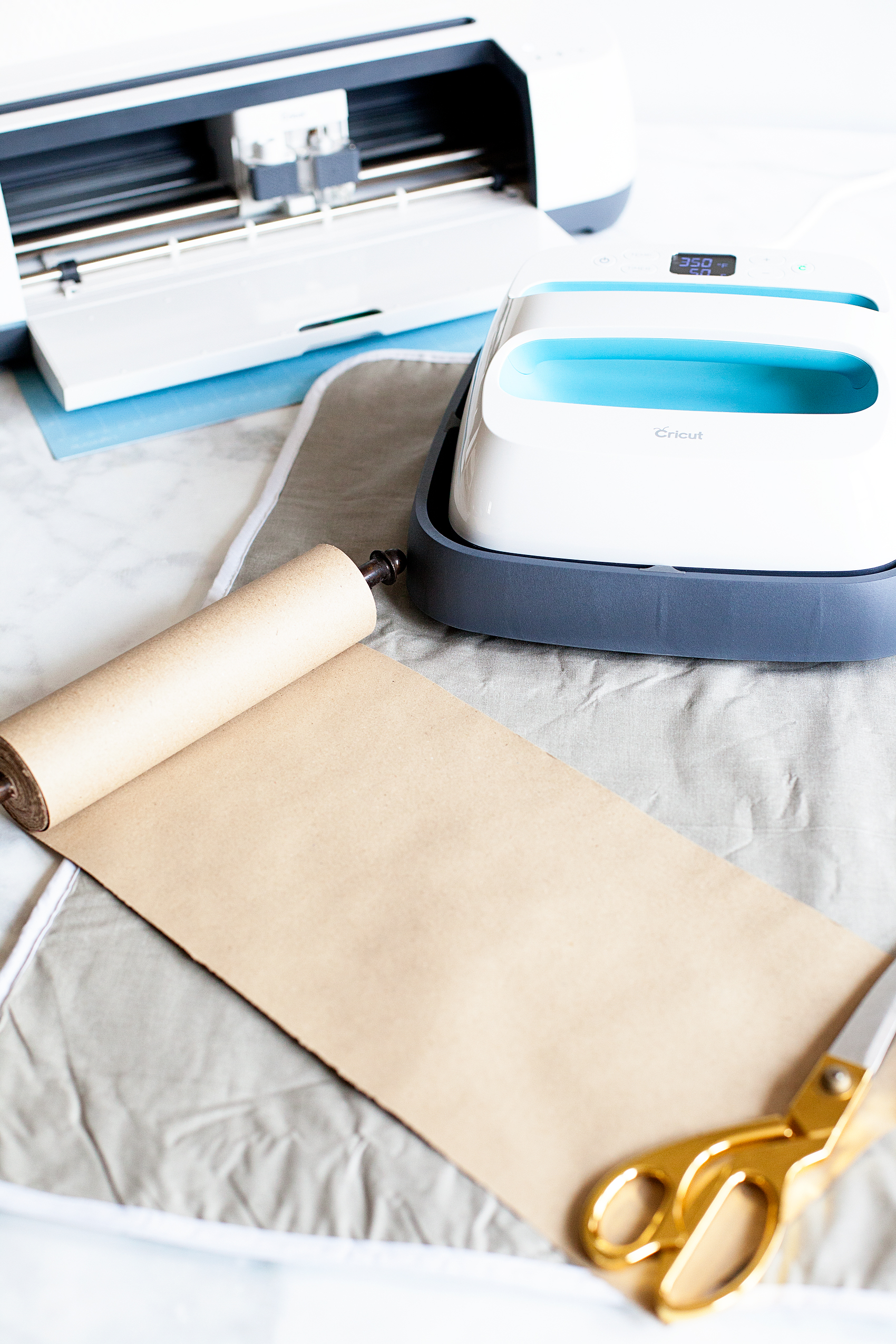
While you are weeding your vinyl, you’ll want to pre-heat your Cricut Easy Press. Once you finish with the weeding process, you should unroll some of your paper  and place something at the bottom of the roll to keep it from rolling back-up.

Travel back in time with this fun vintage paper roll sign created by WhipperBerry for Halloween. Witch and Ghoul Death and Breakfast sign available as an SVG file for cutting machines or a printable file for FREE!

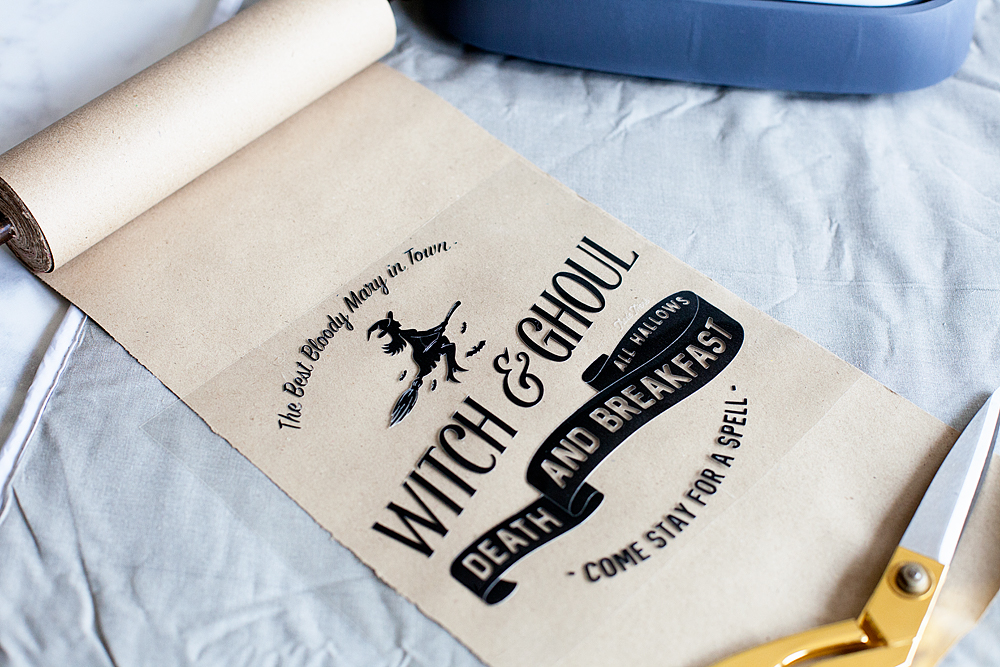
I like to pre-heat my surface before I lay down my design. The transfer seems to work best that way. Then I center the design onto the paper like so…

Travel back in time with this fun vintage paper roll sign created by WhipperBerry for Halloween. Witch and Ghoul Death and Breakfast sign available as an SVG file for cutting machines or a printable file for FREE!

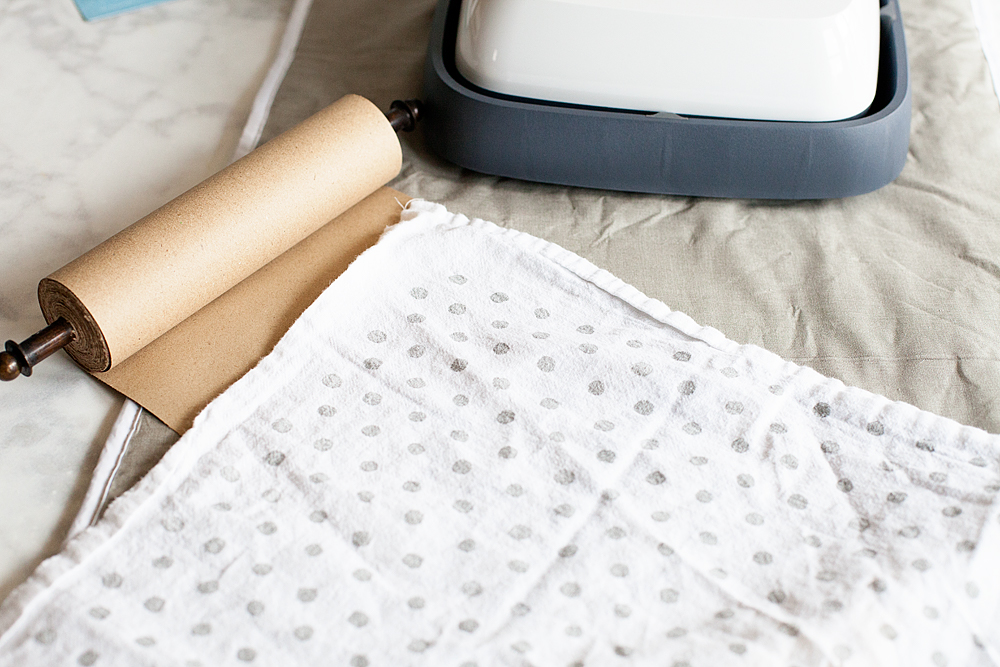
I then cover it with the cotton tea towel to protect the paper.

Travel back in time with this fun vintage paper roll sign created by WhipperBerry for Halloween. Witch and Ghoul Death and Breakfast sign available as an SVG file for cutting machines or a printable file for FREE!

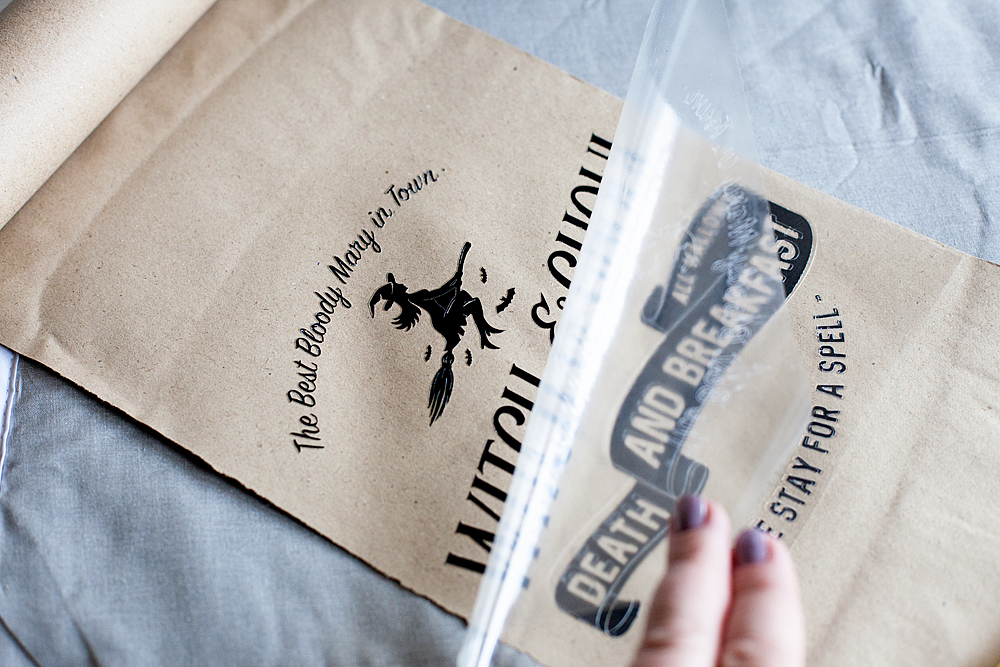
Then I place the Easy Press or the iron right on top and let it works it’s magic. I have found that 350˚ for about 50 seconds typically does the trick. Then, I let it cool for a minute or two and then remove the plastic protective covering.

Travel back in time with this fun vintage paper roll sign created by WhipperBerry for Halloween. Witch and Ghoul Death and Breakfast sign available as an SVG file for cutting machines or a printable file for FREE!

Replace the towel and do one more shot with the Easy Press. Voilá.. You’re finished!

Travel back in time with this fun vintage paper roll sign created by WhipperBerry for Halloween. Witch and Ghoul Death and Breakfast sign available as an SVG file for cutting machines or a printable file for FREE!

Doesn’t it look kinda of cool? You can check out my post on how to create that Halloween Taxidermy  to complete the entire look. It’s super easy too.

I LOVE, LOVE, LOVE the new Easy Press! I’ve used it on all kinds of surfaces now. Paper, canvas, fabric and my next project will be on ribbon. I can’t wait to show you how it turns out. Make sure you add the Cricut Easy Press to your Christmas list AND make sure you make it on the Nice List so that you will for sure get one. It’s one of those game changing tools that you are going to LOVE.

This is a sponsored conversation written by me on behalf of Cricut. The opinions and text are all mine.

Party Like A Pineapple Party

21 · May 30, 2017 · 5 Comments

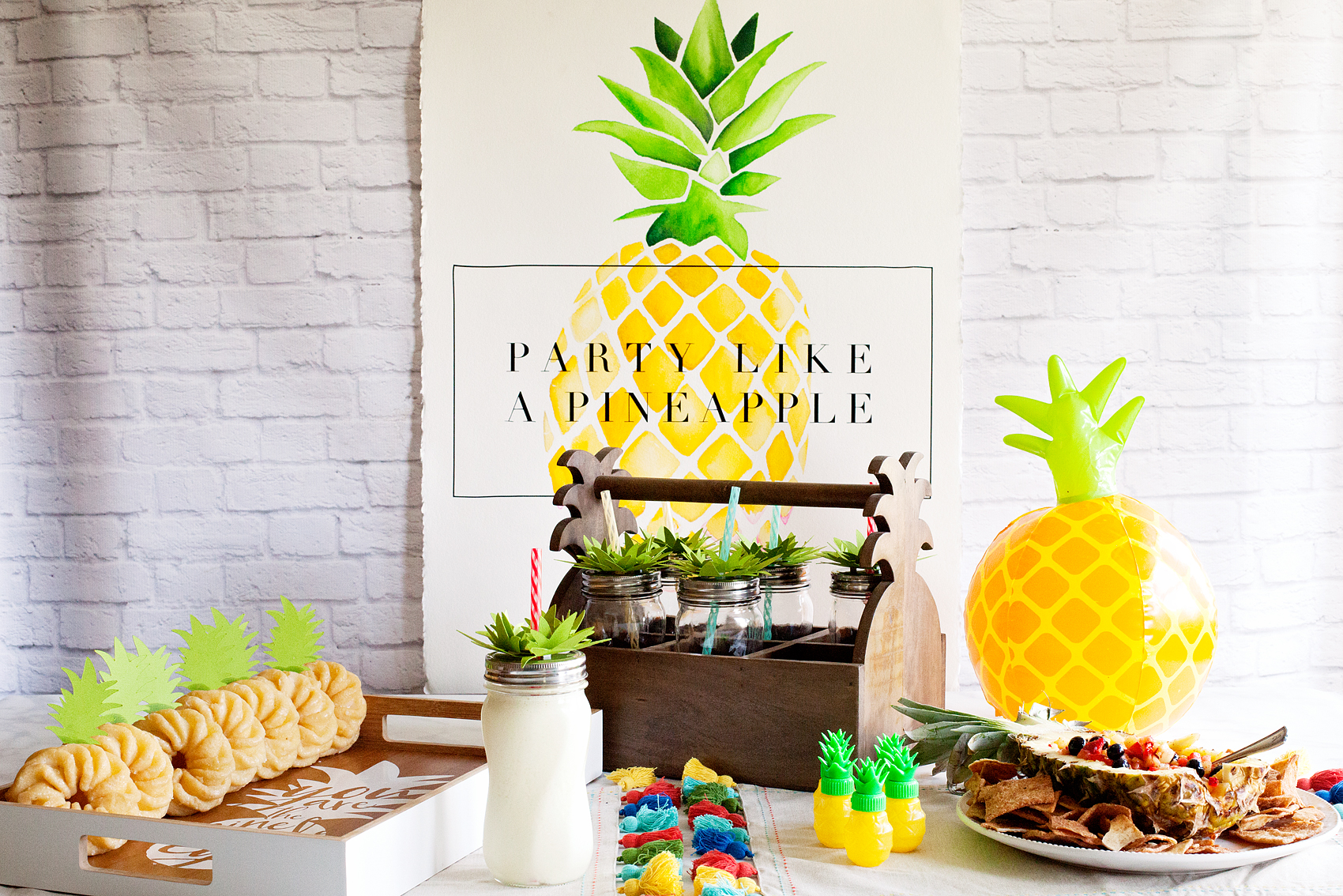
Whimsical and tasty, this Pineapple Party is the perfect summer hit for all ages. Come learn how I created this EASY and scrumptious party…

Who doesn’t love a whimsical and tasty party? This Pineapple Party is perfect for all ages. Come on over to WhipperBerry to learn how to recreate this EASY party!

Party Like a Pineapple post brought to you by • Cricut

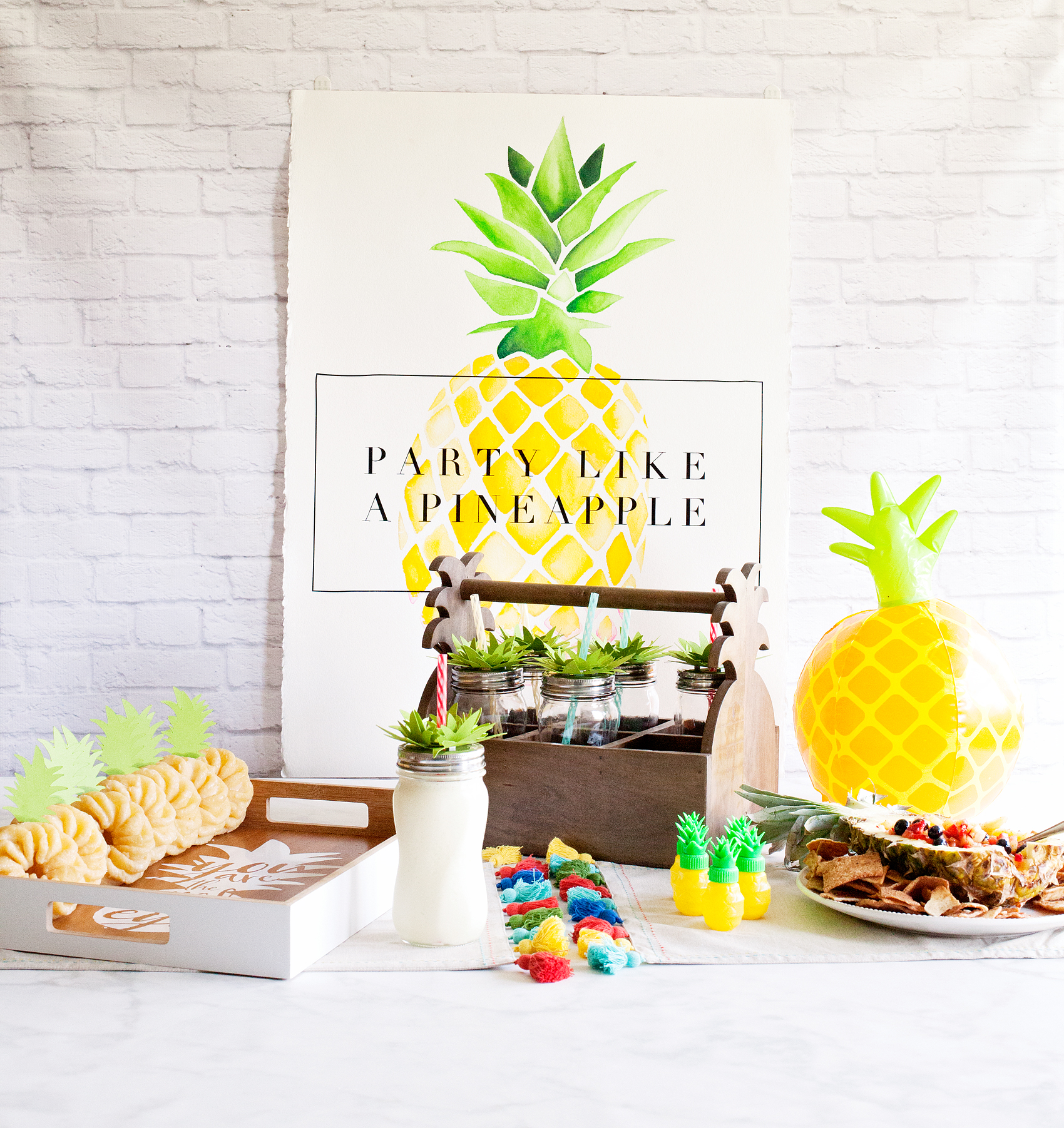
My sweet Em just turned 13 and of course we needed to have a fabulous, colorful party to celebrate this fun milestone. Em and I chatted about some party theme ideas and finally settled a PINEAPPLE PARTY, because… Who doesn’t love to Party like a Pineapple?! Well, to be quite honest, I’m not really sure how pineapples party BUT, the idea sounded colorful and fun. We set to work coming up with a few ideas for the party.

Now, my idea of a good party is one that doesn’t overwhelm me. I don’t want 20 different dishes and elements to put together. I also don’t want it to cost an arm and a leg either. Together Em and I decided on 6 design elements, 3 simple treats and 2 playful party favors. All of this in my mind was eye catching, scrumptious and easy to pull together. Here are the basic elements…

Who doesn’t love a whimsical and tasty party? This Pineapple Party is perfect for all ages. Come on over to WhipperBerry to learn how to recreate this EASY party!

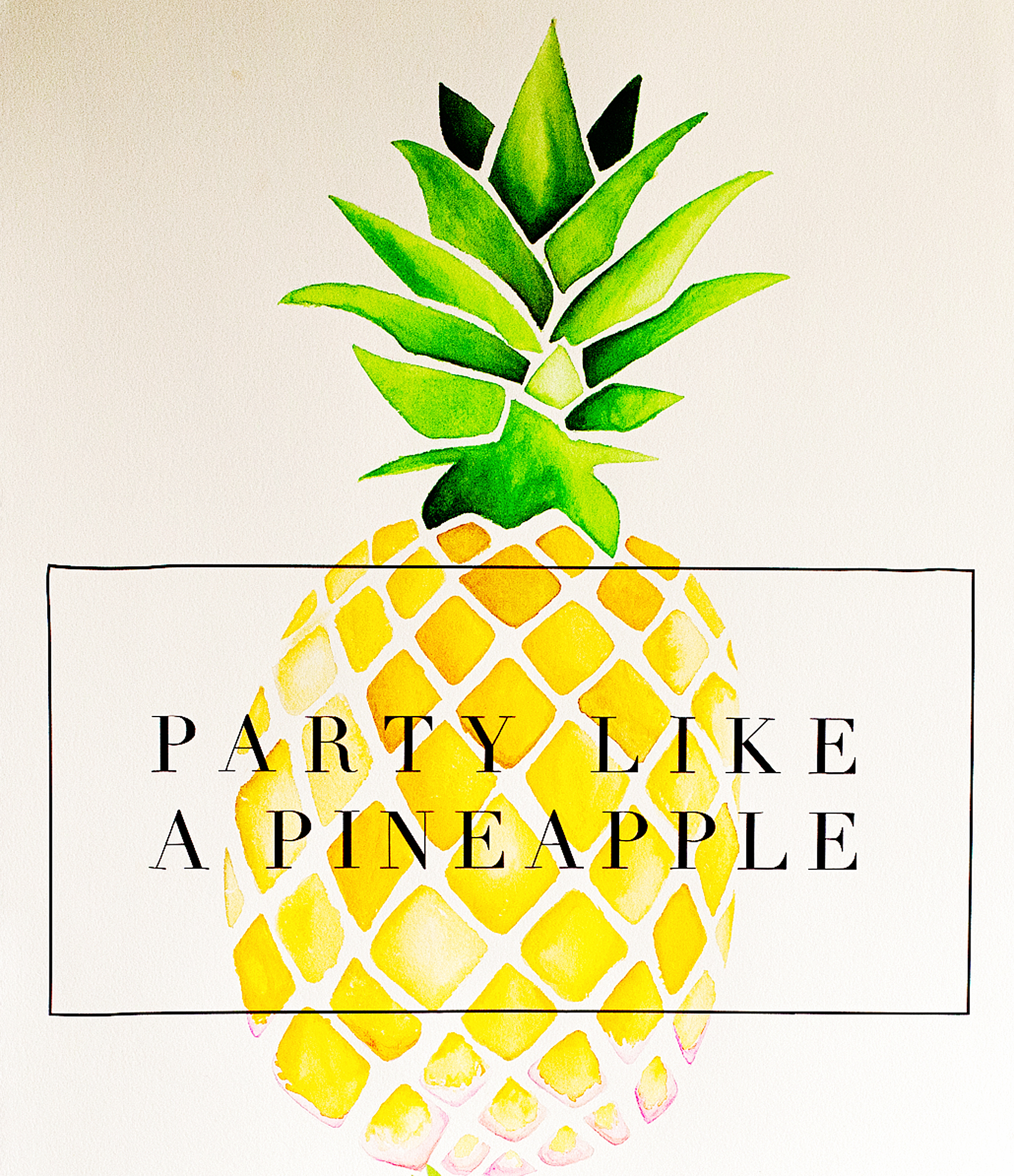
Design Element 1 | Party Like a Pineapple Watercolor Sign

This beautiful sign was a fun collaboration with my other daughter Jane and myself. Jane is super talented when it comes to art and I had her create this large water color pineapple for me and then I overlaid it with black vinyl cut on my Cricut Explore Air 2 to create the backdrop of the party. Don’t worry though… If you don’t have the watercolor gene, I have you covered there and will teach you how coming up in my next post so stay tuned!

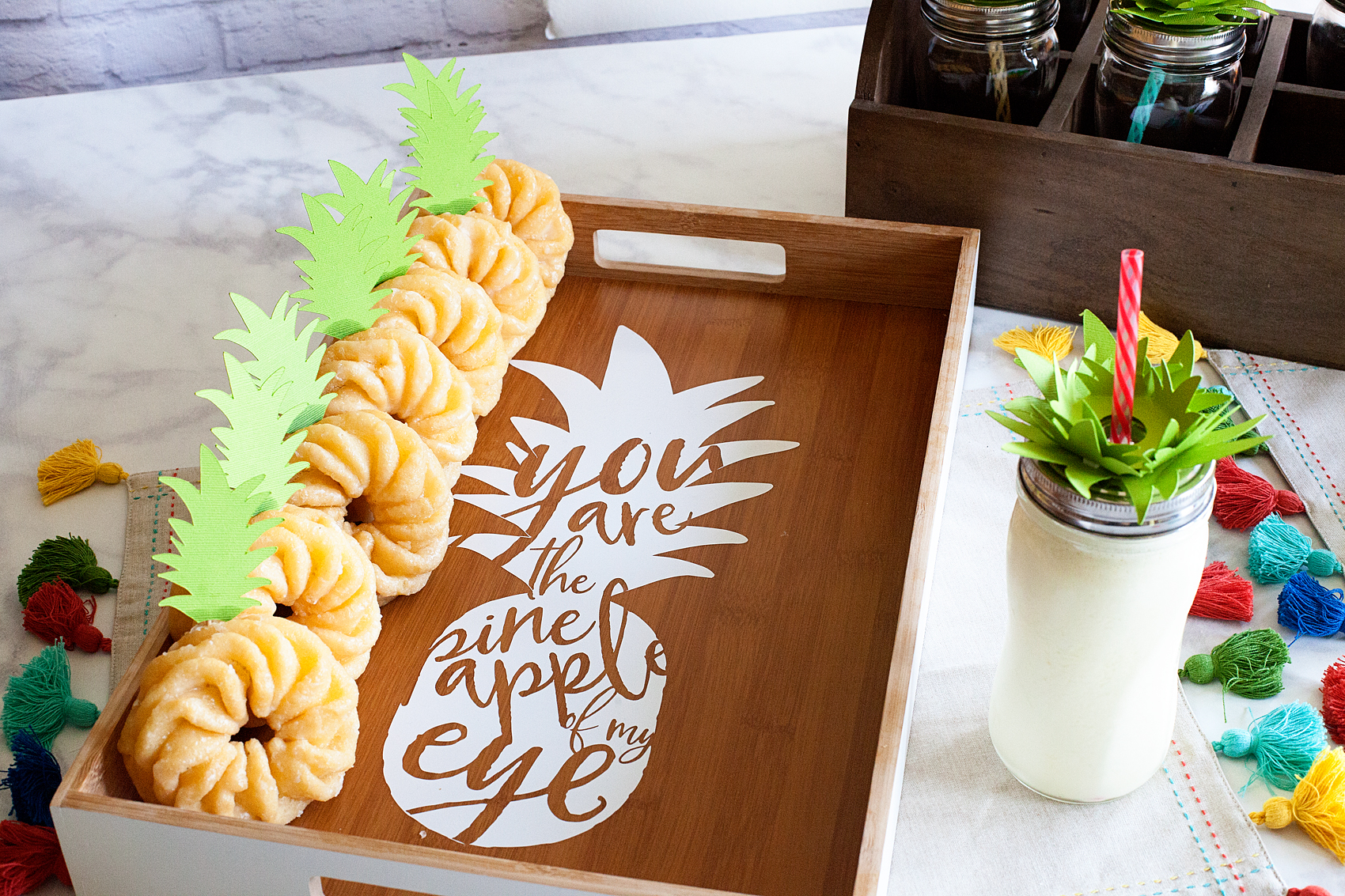
You are the Pineapple of my Eye tray created for a Pineapple Party • This Pineapple Party is perfect for all ages. Come on over to WhipperBerry to learn how to recreate this EASY party!

Design Element 2 | You are the Pineapple of my Eye Doughnut Tray

This tray turned out so cute! Em has always preferred doughnuts over cake so, I thought it would be fun to create a tray with a secret message. As the guests take their doughnuts the secret message is revealed. How fun is that?! Again, I created this with my favorite Premium Outdoor Vinyl from Cricut and I’ll be sharing my design with you guys so you can use it for your own projects.

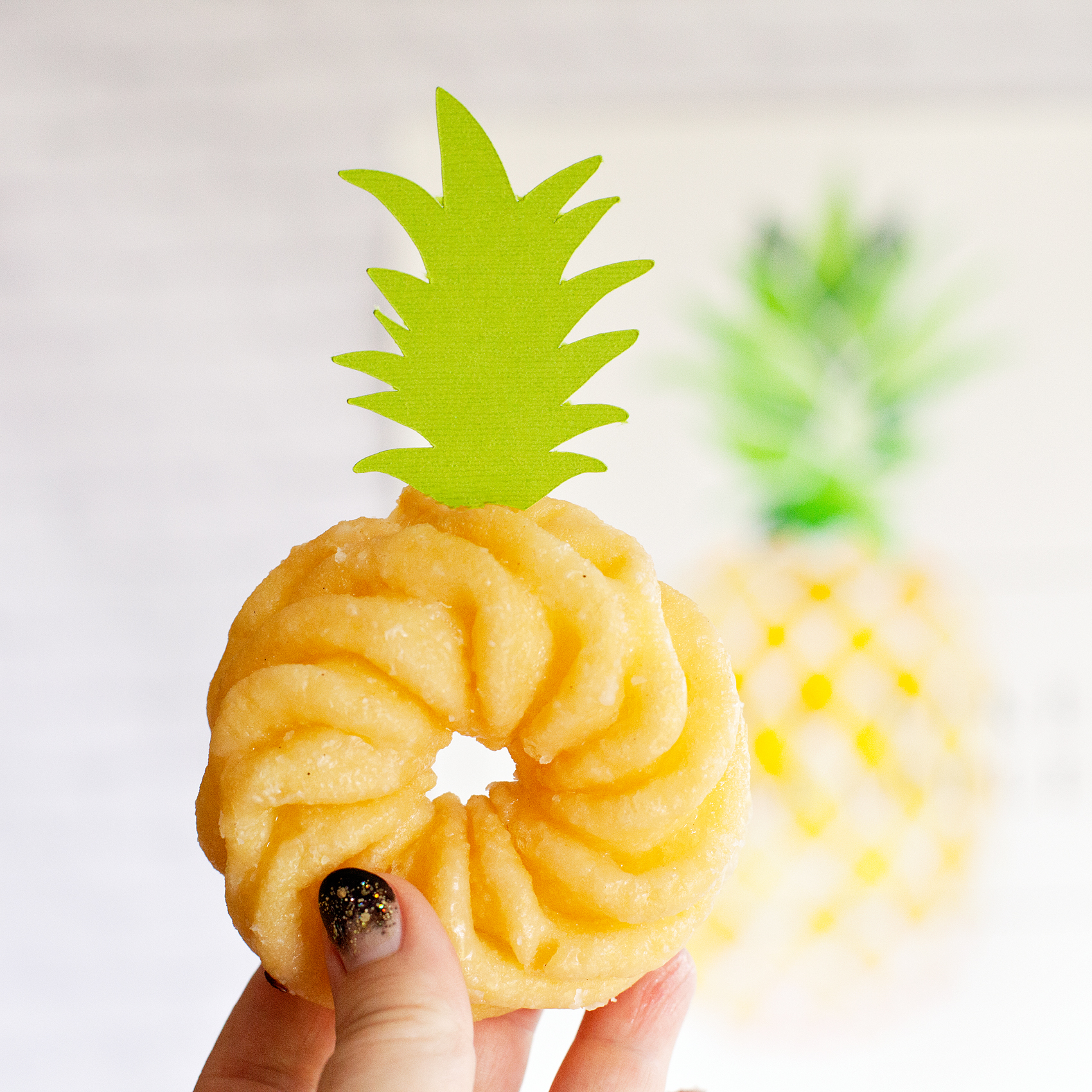
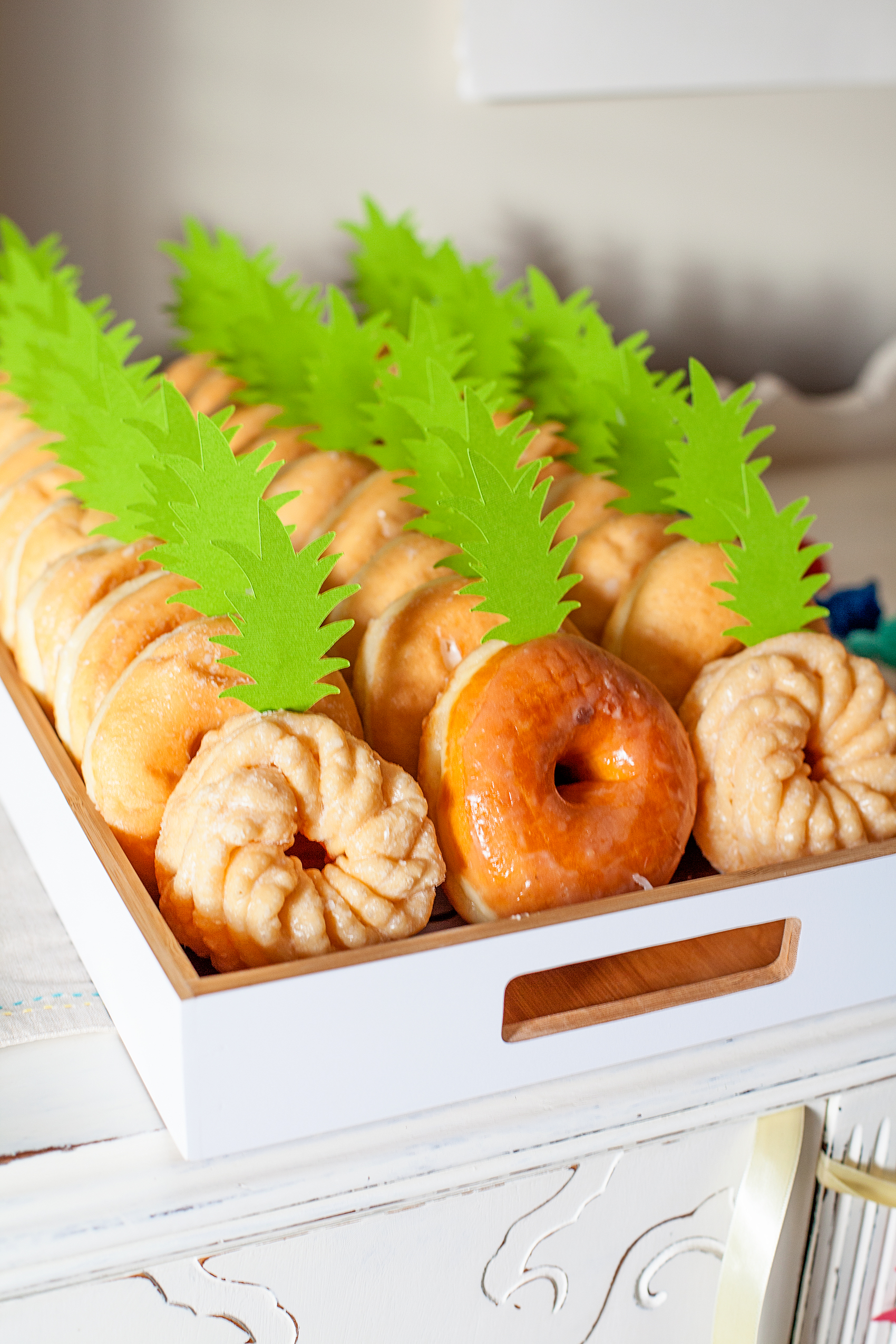
How CUTE are these "pineapple" doughnuts? This Pineapple Party is perfect for all ages. Come on over to WhipperBerry to learn how to recreate this EASY party!

Design Element 3 | The cutest Pineapple Doughnuts EVER

Um, hello? Are these not CUTE?! This is by far the EASIEST birthday cake I have ever “made.” I cut out the pineapple leave topper with my Cricut and then taped the leaves onto a toothpick, stuck it in the doughnut and voilá… A Pineapple Doughnut! I’ll be sharing my cut files for this simple project as well shortly.

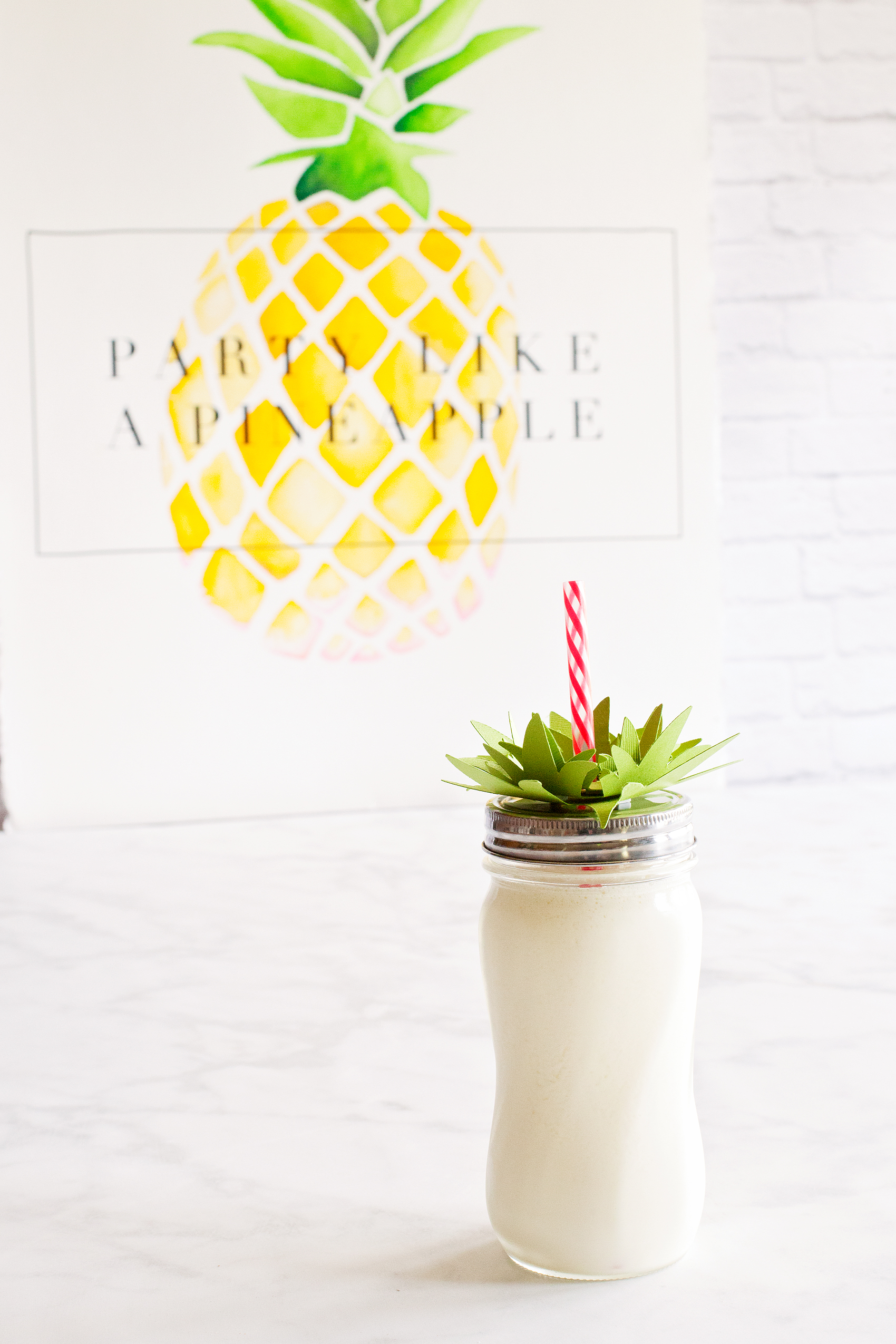
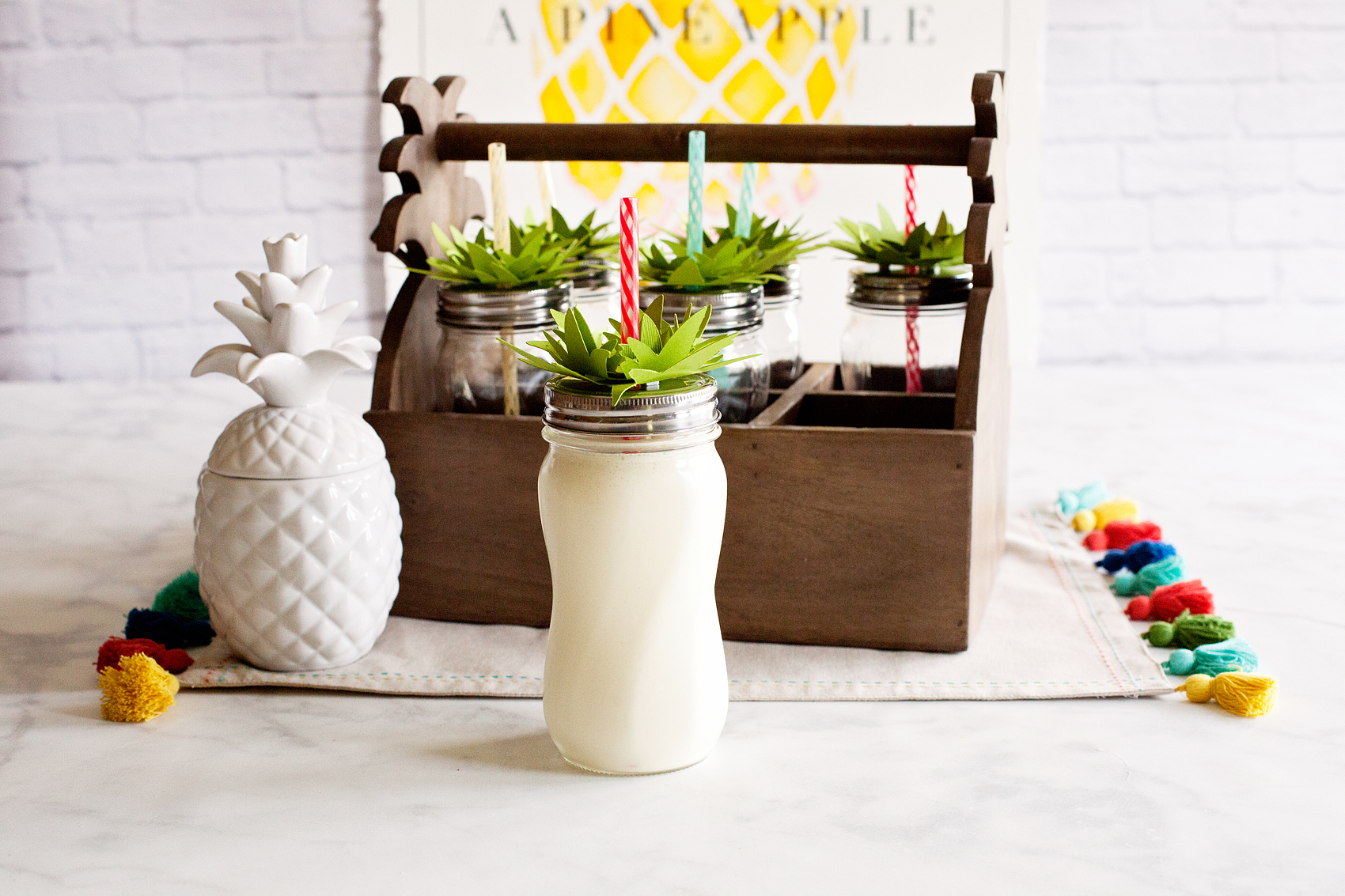
The cutest Dole Whip EVER! This Pineapple Party is perfect for all ages. Come on over to WhipperBerry to learn how to recreate this EASY party!

Design Element 4 | Pineapple Jars For Our Drinks

Another simple, yet eye catching design element that everyone will LOVE! I created my leaf pattern in Adobe Illustrator and then turned it into a cut file via the NEW Cricut Design Space software. Again, don’t worry! I’m sharing my files and will teach you how and what to use to recreate this fun drink idea.

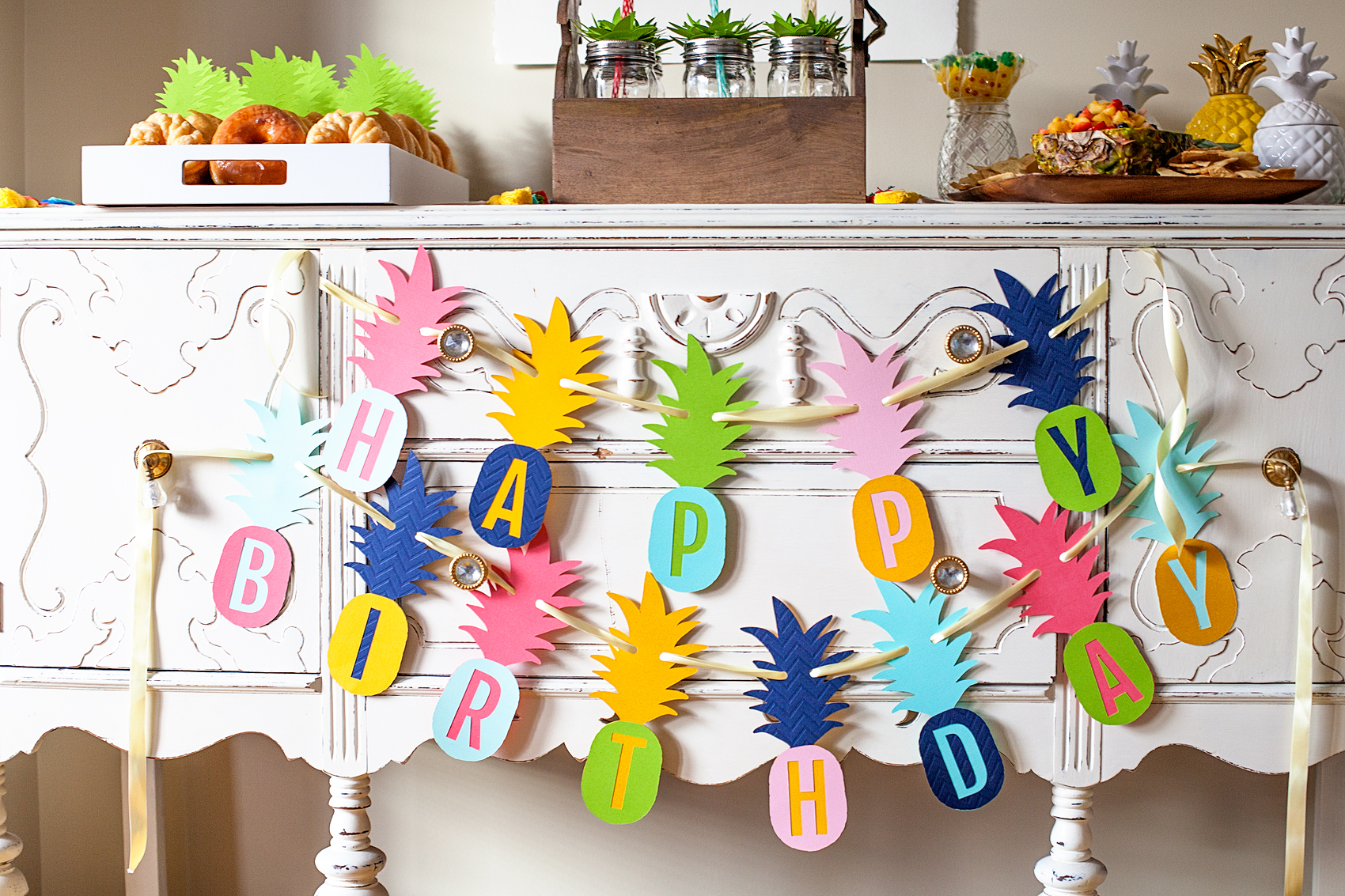
Who doesn’t love a whimsical and tasty party? This Pineapple Party Banner is perfect for all ages. Come on over to WhipperBerry to learn how to recreate this EASY party!

Design Element 5 | Pineapple Party Birthday Banner

You know… One of my favorite things about creating with my Cricut Explore Air 2 is, I’m not tied to someone else’s color scheme. I can use whatever colors I would like! Em and I went to Michaels and picked out some of her favorite colors in their craft paper section and when to town creating this fun pineapple birthday banner. Yep, you got it. I’ll be sharing this design that I created with you for your little pineapple’s birthday.

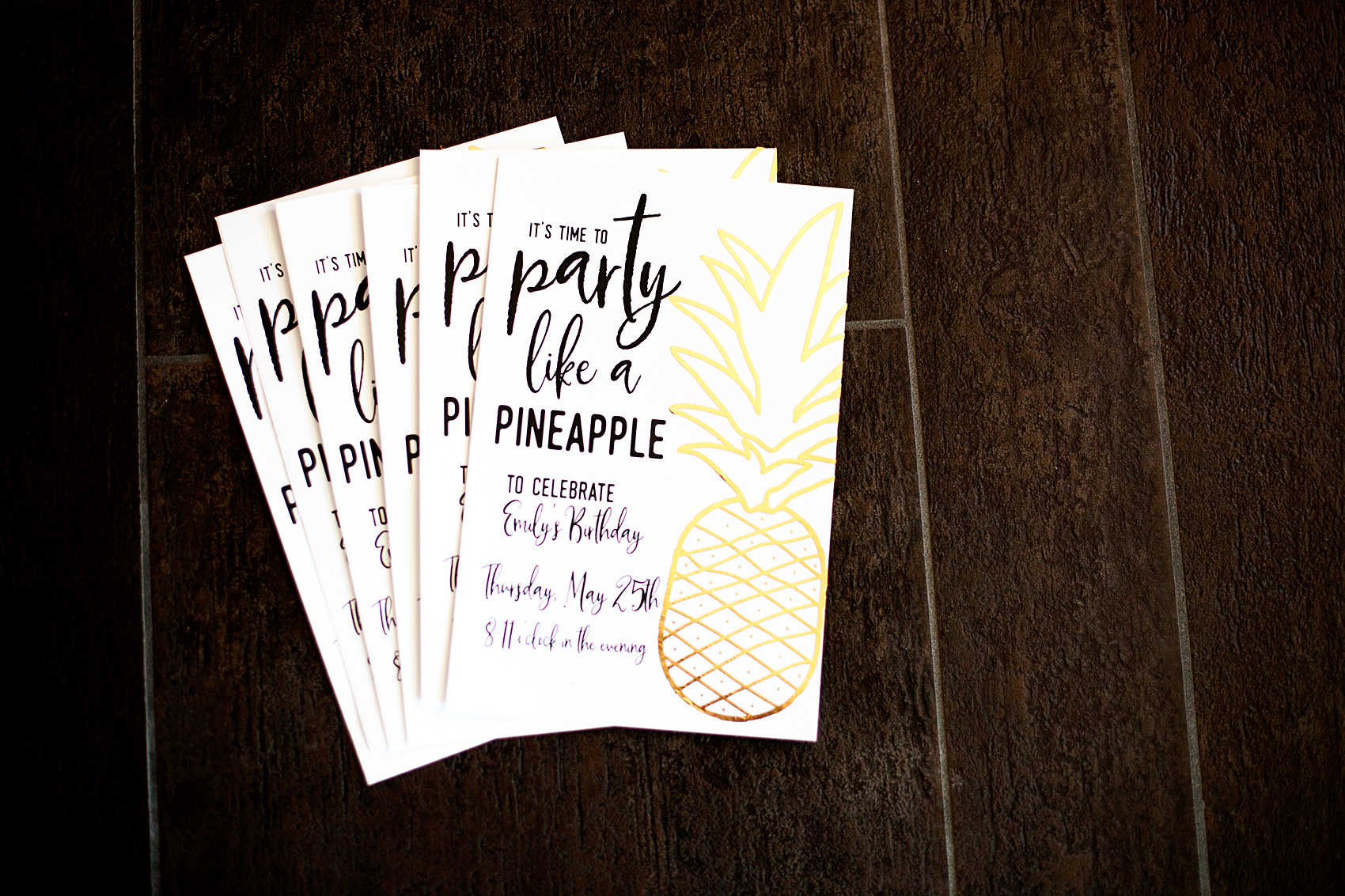
Pineapple Party Birthday Invitations • Who doesn’t love a whimsical and tasty party? This Pineapple Party is perfect for all ages. Come on over to WhipperBerry to learn how to recreate this EASY party!

Design Element 6 | Party like a Pineapple Invitations

Every good party starts with fabulous invitations! That’s my motto anyway. I printed this simple invitations right at home on cardstock and then added some foil love with the Cricut Adhesive Foil. Oh foil, how do I love thee, let me count the ways. I love adding foil elements to all kinds of stuff and the Cricut Adhesive Foil is top notch. I’ll share all of my files for this invitation as well.

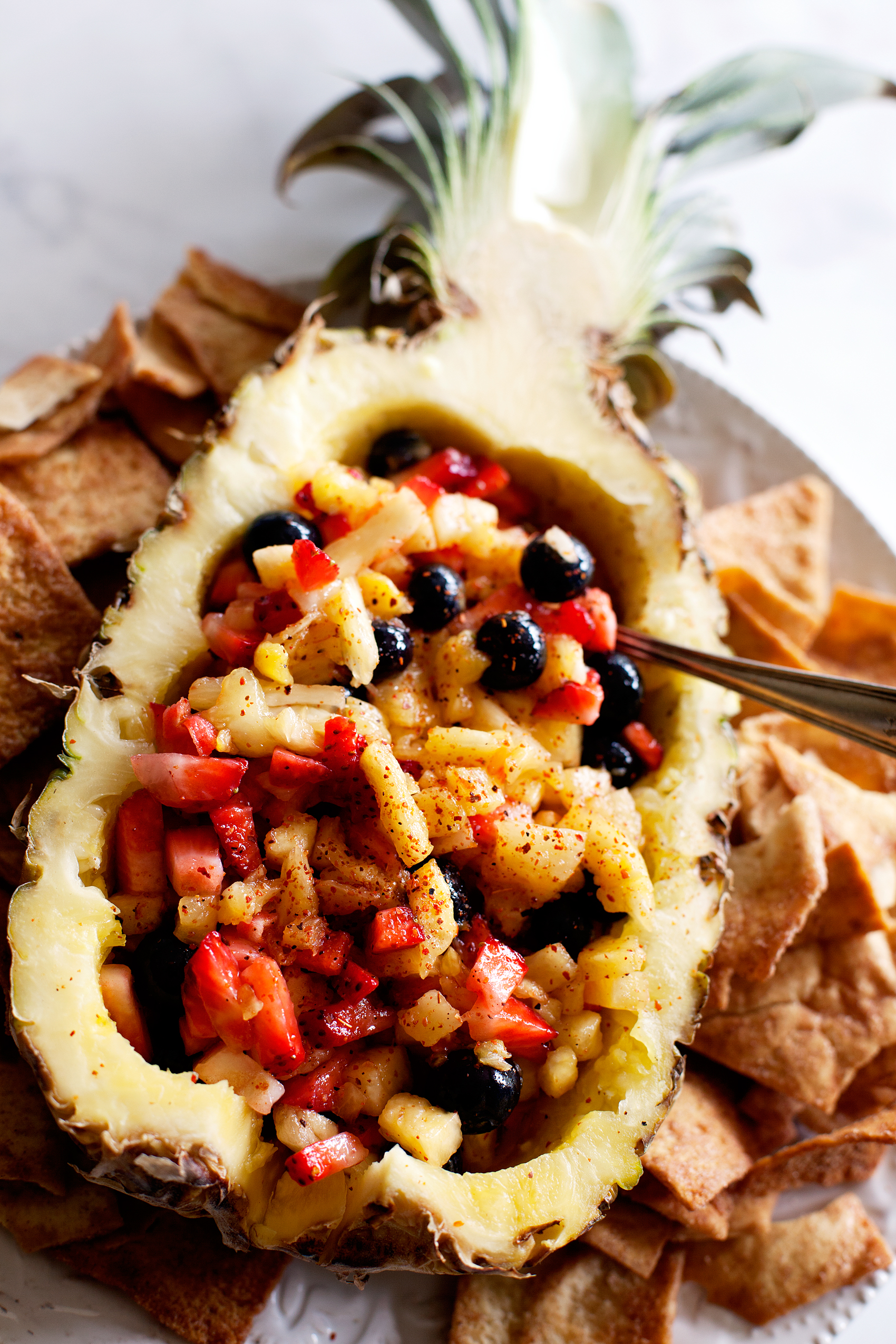
Pineapple Salsa, perfect treat for any summer party. Come on over to WhipperBerry to learn how to make it.

Tasty Treat 1 | Pineapple Salsa and Cinnamon Chips

This fruity pineapple salsa is the bee’s knees. It’s full of fresh flavor and a few secret ingredient that I’m sure will tickle your taste buds. Soon, I’ll be sharing this recipe so you can mix it up for your next party!

How CUTE are these "pineapple" doughnuts? This Pineapple Party is perfect for all ages. Come on over to WhipperBerry to learn how to recreate this EASY party!

Tasty Treat 2 | “Pineapple” Doughnut Cake

Like I said before, the EASIEST birthday cake EVER!! I ran to my favorite local doughnut shop and grab a couple dozen, topped them with my paper toppers and we were good to go. Done! Love those quick little time savers when it comes to party planning.

The cutest Dole Whip EVER! This Pineapple Party is perfect for all ages. Come on over to WhipperBerry to learn how to recreate this EASY party!

Tasty Treat 3 | Dole Whips

Now, any Pineapple Party worth it’s weight will for sure have Dole Whips at some point in the evening. It’s a must my friends. I have the perfect Dole Whip recipe that only has three ingredients and you’ll LOVE it.

Who doesn’t love a whimsical and tasty party? This Pineapple Party is perfect for all ages. Come on over to WhipperBerry to learn how to recreate this EASY party!

Party Favors | Pineapple Beach Balls & Pineapple Bubbles

I’m sorry, I don’t care what your age is, everyone loves beach balls and bubbles. The fact that you can get the two from Oriental Trading is just icing on the pineapple cake. I’ll be sharing all of the details here as well.

Doesn’t it all look fun? Well, with that… I need to get to work. I have several posts to work on to help you guys have a fun Pineapple Party too. Keep and eye out, follow along on Facebook and Instagram to see when the posts go live.

Don’t forget to PARTY LIKE A PINEAPPLE!

  • « Go to Previous Page
  • Page 1
  • Page 2
  • Page 3
  • Page 4
  • Interim pages omitted …
  • Page 9
  • Go to Next Page »

Primary Sidebar

Heather from Whipperberry
Hello... my name is Heather and I'm the creator of WhipperBerry a creative lifestyle blog packed full of great recipes and creative ideas for your home and family. I find I am happiest when I'm living a creative life and I love to share what I've been up to along the way... Come explore, my hope is that you'll leave inspired!

Footer

  • Privacy Policy
  • Crafts
  • Food
  • Gifts
  • Holidays
  • Home
  • Mom Life
  • Recipes
  • Travel

Copyright © 2026 · Seasoned Pro