• Skip to primary navigation
  • Skip to main content
  • Skip to primary sidebar
  • Skip to footer

Whipperberry

WhipperBerry • Your Home For Creative Inspiration

  • Home
  • Recipes
    • Starters
    • Easy Weeknight Dinners
    • Main Dish
    • Salads
    • Side Dish
    • Soups & Stews
    • Desserts
    • Breakfast
    • Miscellaneous
  • Tutorials
    • Creative Crafts
    • DIY Decor
    • Fabric Crafts
    • Food How-To
    • Jewlery
    • Paint Projects
    • Paper Art
    • Party Styling
    • Photography and Graphic Design
    • Silhouette
  • Holidays
    • Easter
    • Mother’s Day
    • Father’s Day
    • 4th of July
    • Halloween
    • Thanksgiving
    • Christmas
    • Valentine’s Day
  • Gift Ideas
    • Gifts For Everyone
    • Gifts for Dad
    • Mother’s day
    • For The Girls
    • For The Kids
    • Teacher Gift Ideas
    • Christmas
  • Printables
    • Holiday
    • Gift Idea
    • LDS Primary
  • Travel
  • About
    • Terms
  • Contact
  • Nav Social Menu

    • Facebook
    • Instagram
    • Pinterest
    • RSS
    • Twitter

Paper Crafts

How to Write on Labels with Cricut to Create Your Own Handwritten Labels

129 · Mar 28, 2017 · Leave a Comment

Love the look of handwritten labels but you’re not in love with your own handwriting? No problem! These Cricut handwritten labels come to the rescue!
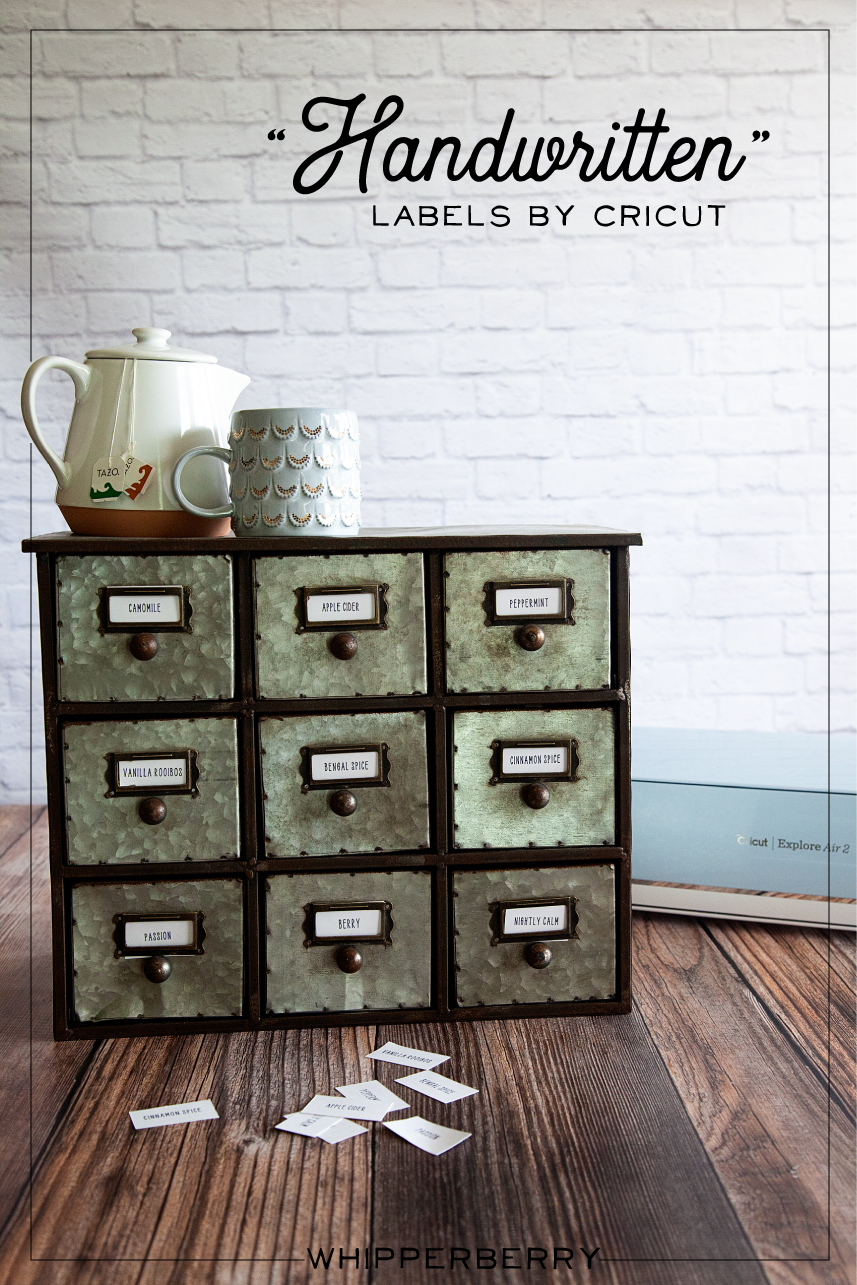
Handwritten label by Cricut. Get that perfect look for your home weather it's; industrial labels, farmhouse labels or modern labels. You can achieve that perfect "handwritten" look even if you don't have great hand writing with the Cricut using your favorite handwritten fonts.

My Handwritten Labels Circut Explore Air 2 Project

Did you know that you can WRITE with your Cricut and cut out cute labels? You can even write on Avery labels with your Cricut! I put the Cricut markers to the test and created an easy-to-follow video to show you how to create some simple industrial-style labels that everyone loves right now. Here’s what inspired this project…

I have become obsessed with herbal tea this winter. My husband and I would share a mug of tea every night before bed to warm ourselves before hitting the hay. We started with one flavor of tea, Camomile, and over the chilly months, we started collecting all kinds of new flavors. Soon our collection of herbal tea started to take over our kitchen and I decided that it was time to find a better storage solution for our newfound tea love. I found a great industrial-style cabinet that fits perfectly in our kitchen and loaded it up with all of our tea.

The next step was to create some labels for our new tea storage solution. Because the cabinet was an industrial-style cabinet I wanted to create some industrial-looking labels that were handwritten. The problem… I’m not a huge fan of my handwriting. I was just not blessed with that gift, nor do I have the time to practice, practice, practice. I remembered that my Cricut Explore Air 2 has a great “handwritten” option using the Cricut Explore Pens.
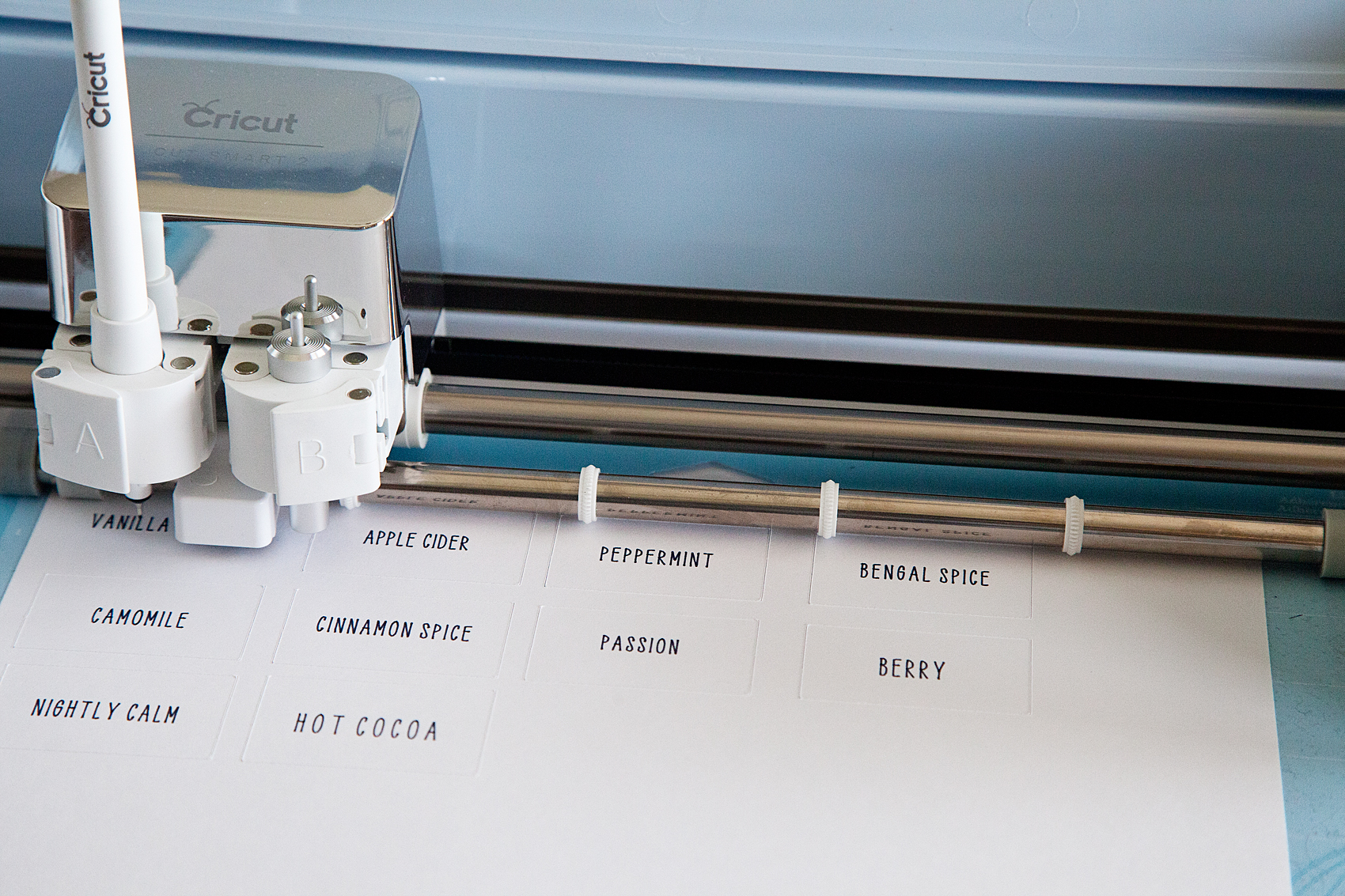
Handwritten label by Cricut. Get that perfect look for your home weather it's; industrial labels, farmhouse labels or modern labels. You can achieve that perfect "handwritten" look even if you don't have great hand writing with the Cricut using your favorite handwritten fonts.

How to Write on Avery Labels with Your Cricut – Handwritten Label Inspiration

This is such a simple beginner project that anyone at any creative level can create for their home with their Cricut machine. For this industrial-style label, I kept things simple. I really only needed a “handwritten” tea name with a rectangle cut around it… Pretty basic. However, you can create all kinds of great “handwritten” labels with fancy shapes as well. I created a Label Design Pinterest board with some inspiration for all kinds of fun “handwritten” labels that you can make with the Cricut Explore Air 2.

The video below shows you in-depth how to create the lables.

How to Make Your Own Handwritten Labels With Cricut Explore Air 2

With all of that inspiration, you have to be chomping at the bit to get started. I created a simple, easy-to-follow video to show you exactly how to make these basic handwritten labels for a storage solution in your home. Grab a cup of tea, sit back and learn how to make your own labels.


Here’s What You Need to Make These Cricut Handwritten Labels

There are a few things you’ll need to make these awesome labels. The good news is you can get all of them online. Since you’re reading this I bet you already have a Cricut machine but if not, what are you waiting for!? The rest of the tools you may or may not have and I’d recommend picking them up to get this project going 🙂

  1. Cricut Machine (I used the Explore Air 2 for this)
  2. Cricut Pens
  3. Cricut Cutting Mat
  4. Avery Lables
  5. Optional but helpful: The Cricut spatula tool
  6. And just a little bit of practice!

That’s all you really need for this project. Most of these items are very cheap unless you don’t already have a Cricut machine. Even then, if you want to get into DIY home crafts and projects, the machines really are a bargain!

Tips & Tricks for Handwritten Cricut Labels
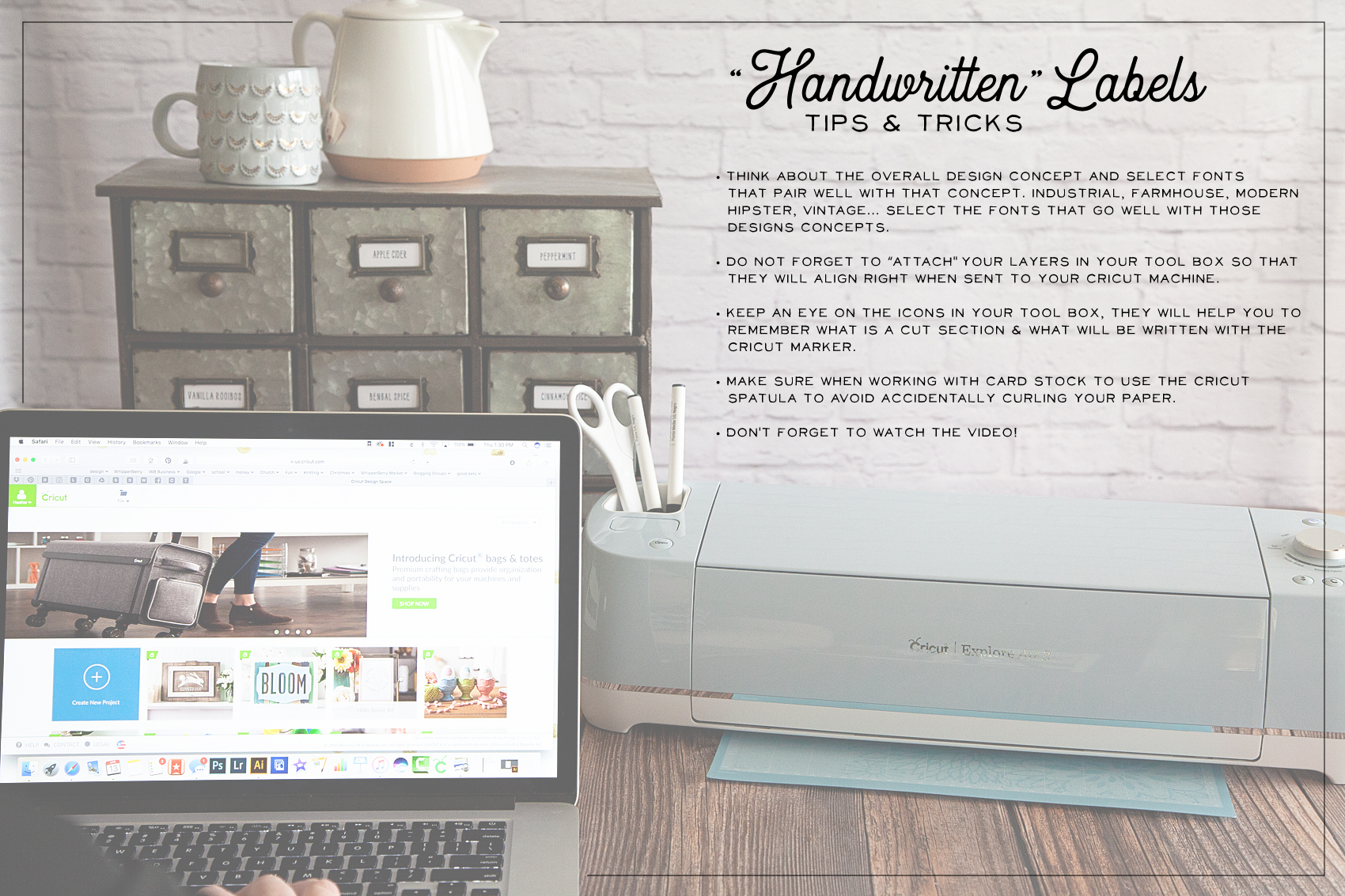
"Handwritten" label by Cricut. Get that perfect look for your home weather it's; industrial labels, farmhouse labels or modern labels. You can achieve that perfect "handwritten" look even if you don't have great hand writing with the Cricut using your favorite handwritten fonts.

Here are a few tips & tricks that I learned along the way.

  • STOP and think about your end game. What style are you looking to create with your handwritten labels? Make sure you are selecting fonts that pair well with that design concept. If you are going for an industrial look, you aren’t going to use a font that is more shabby chic. If you have a farmhouse style in your home, you aren’t going to select a modern-style font and so on.
  • When working within Cricut Design Space, don’t forget to ATTACH your layers before you send your design to your machine. We go over this in the video so make sure you check that out before you get started.
  • The Cricut Design Space makes it super easy to tell the difference between a handwritten layer and a cut layer in your label design. Keep an eye on the icons to tell the difference between the layers. (HINT… I cover this in the video.)
  • USE your Cricut tools! I always want to move too fast and forget that Cricut has created some great tools to help make your projects the best they can be. When removing card stock paper from the cutting mat, use the SPATULA TOOL to keep your paper nice and flat. If you remove the paper by just pulling it away from the cutting mat, it will curl slightly.
  • Don’t forget to watch the video! It’s less than 10 minutes and it covers everything you’ll need to know to create your own “handwritten” labels.

Now hopefully you know how to make labels with your Cricut Explore Air 2. As always, If you have questions post them in the comments below and I will answer!
9 Great Printable Drink Notes for Back-To-School

10 · Sep 7, 2016 · 1 Comment

I’ve partnered with Huhtamaki Inc. for the Chinet® brand to create this post! Enjoy!

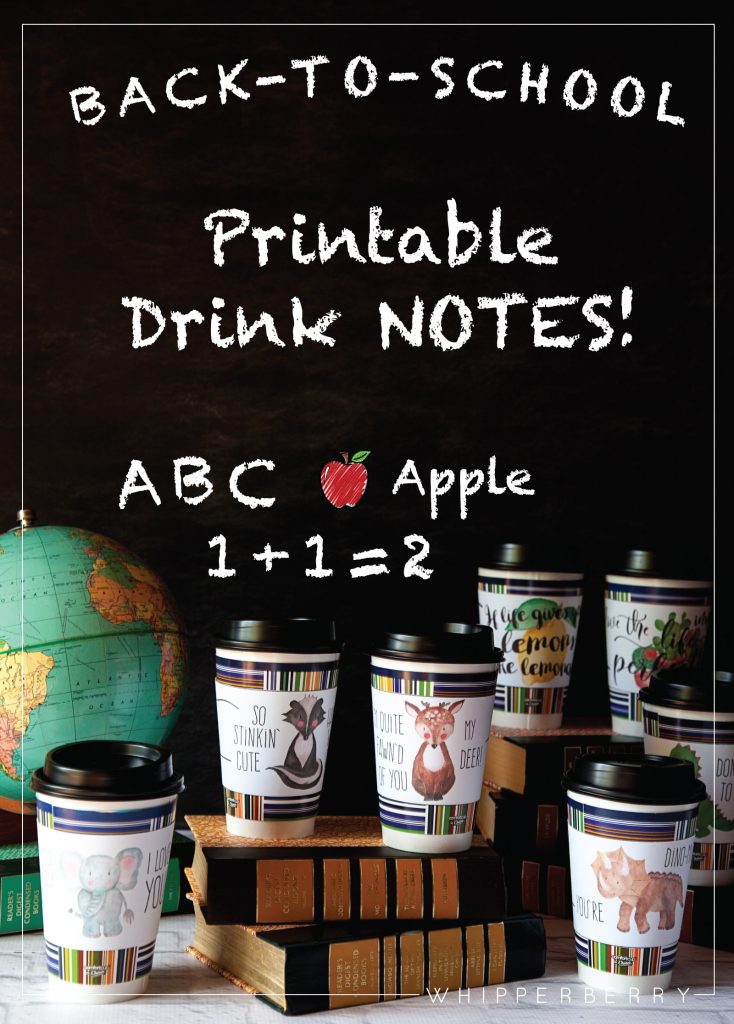
Free Printable drink notes created for @mychinet from WhipperBerry... A great way to send the kiddos off to school each morning! @AOL_Lifestyle #ad  

I don’t know about you, but I’m always looking for ways to help my kiddos feel extra special. Especially now that they have gone back to school, and the daily grind is starting to get to them a bit. The magic of summer is over, and they need a little pick me up in the mornings.

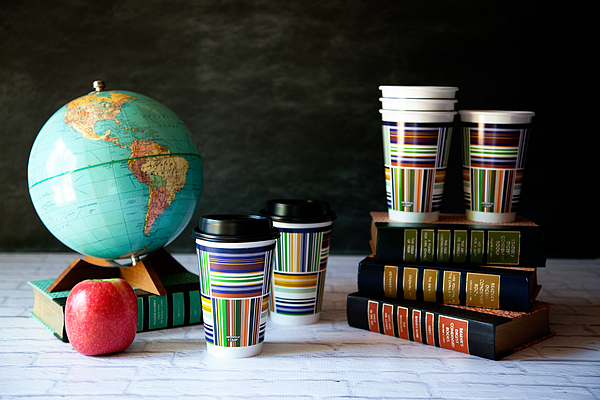
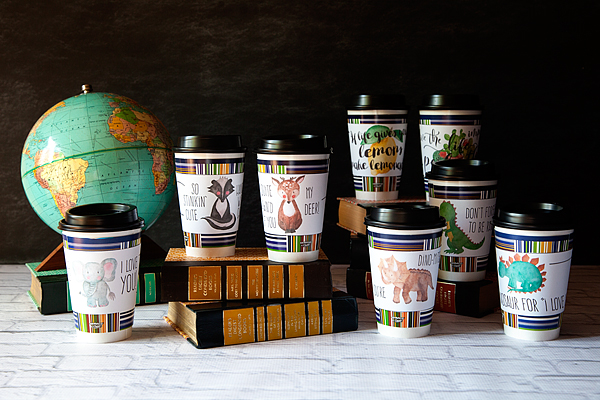
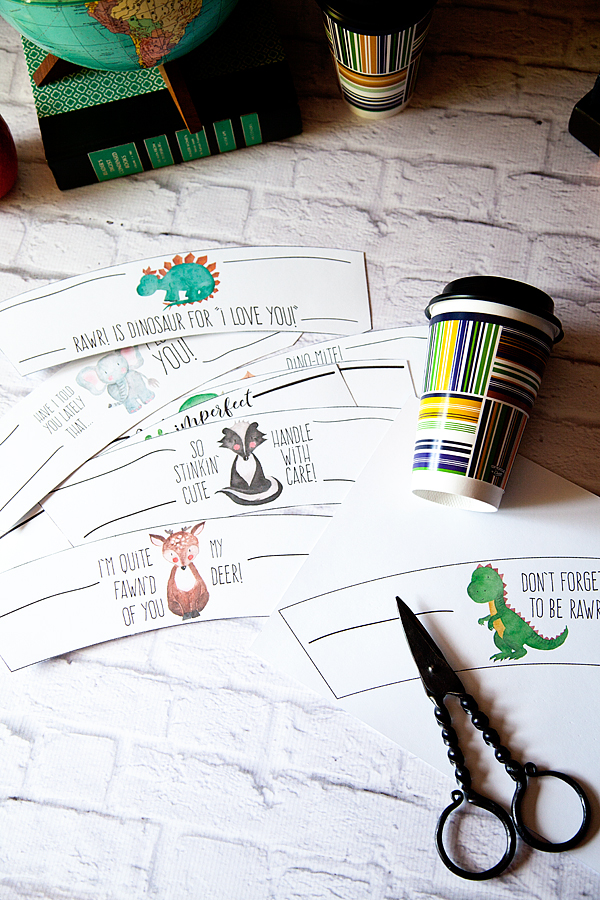
I’ve always been a fan of the good printable ol’ lunchbox note, but I thought it would be fun to change things up a bit and create some morning drink notes that you can wrap around a Comfort Cup® by Chinet® cup for a little boost at the beginning of the day!

Free Printable drink notes created for @mychinet from WhipperBerry... A great way to send the kiddos off to school each morning! @AOL_Lifestyle #ad

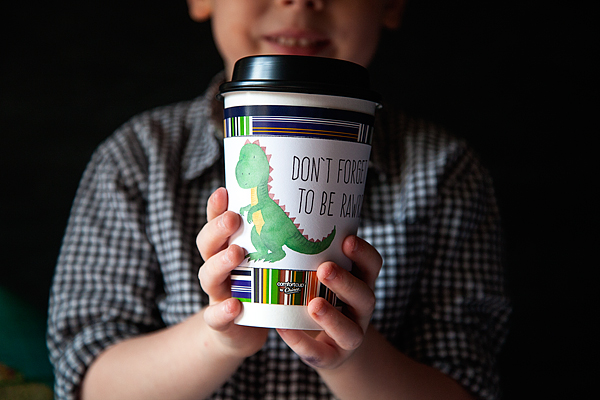
We aren’t coffee drinkers at our house, but we LOVE hot chocolate, Choffy, flavored milk steamers, herbal tea… all kinds of tasty treats. The Comfort Cup® by Chinet® insulated hot cup is perfect for keeping your hot drink hot, and it’s specially designed to keep your hands comfortable with a special three layer system that keeps the cup insulated.

free-printable-drink-sleeves-for-kids-from-whipperberry-1

They aren’t just for hot drinks either! They’re perfect for taking your colds drinks on-the-go as well. My kiddos are always wanting to take drinks with them to school or other activities, and I’m always getting frustrated with them leaving their drink containers places. The amount of drink containers that they’ve left for the universe makes my head spin. When I use the Comfort Cup® by Chinet® insulated hot cups I know I won’t have to worry about that. Plus, who doesn’t love to walk around with a cute cup while on the way to school or other activities?

Free Printable drink notes created for @mychinet from WhipperBerry... A great way to send the kiddos off to school each morning! @AOL_Lifestyle #ad

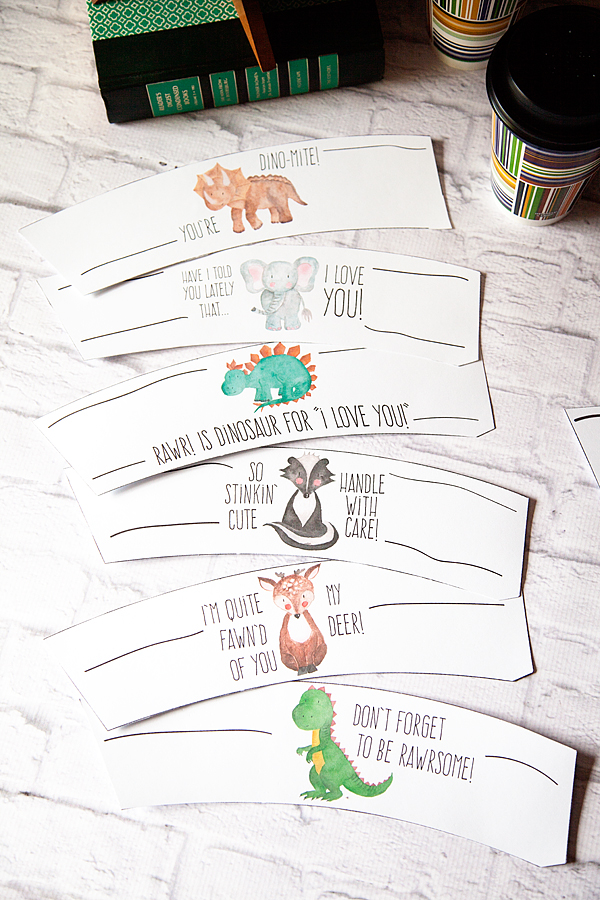
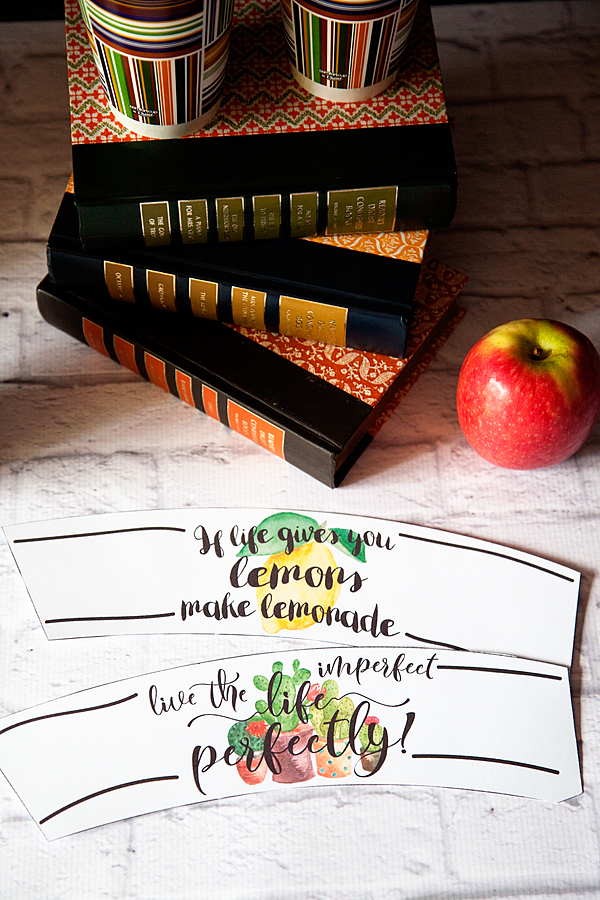
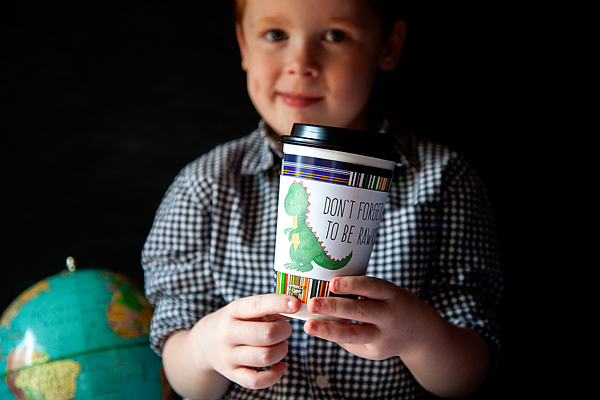
You pair them with my fun printable drink sleeves with a cute little note, your kiddos are going to adore them! I’ve created a set for the younger, elementary age kiddos and then a couple that the teenagers might like (well, teen girls anyway. The boys maybe not so much.)

Free Printable drink notes created for @mychinet from WhipperBerry... A great way to send the kiddos off to school each morning! @AOL_Lifestyle #ad

Free Printable drink notes created for @mychinet from WhipperBerry... A great way to send the kiddos off to school each morning! @AOL_Lifestyle #ad

They are simple to use, you can download the files HERE. Then print them out on card stock paper and cut them out with scissors. Super easy… No need for a fancy cutting machine!

Free Printable drink notes created for @mychinet from WhipperBerry... A great way to send the kiddos off to school each morning! @AOL_Lifestyle #ad

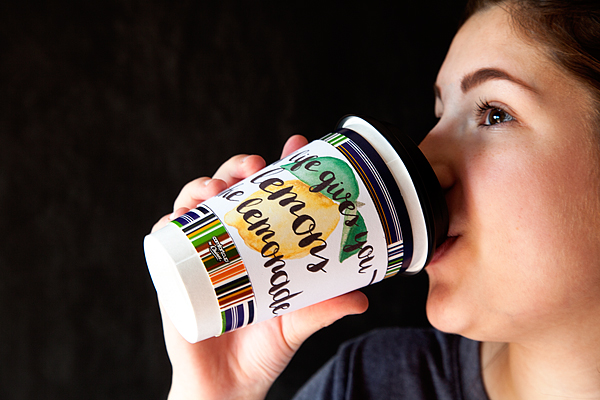
Wrap them around your Comfort Cup® by Chinet® insulated hot cups, and affix with tape or glue dots. It’s that simple.

Free Printable drink notes created for @mychinet from WhipperBerry... A great way to send the kiddos off to school each morning! @AOL_Lifestyle #ad

What a simple way to help your kiddos feel extra special!

Free Printable drink notes created for @mychinet from WhipperBerry... A great way to send the kiddos off to school each morning! @AOL_Lifestyle #ad

Enjoy the Ride Marquee Sign for Mother’s Day

0 · Apr 1, 2016 · Leave a Comment

+  This Enjoy the Ride Marquee Sign for Mother’s Day post was brought to you by Michaels  +

Enjoy-the-Ride-Marquee-Sign-from-Heidi-Swapp-by-WhipperBerry-6

Hey, hey… It’s time for this month’s Michaels Makers Challenge!

This months challenge is all about Mother’s Day.

28116_MS_MM_AprilChallenge_s

How fun is that?!

It’s crazy to think that I have been a Mom for 18 years now… gulp! Now that my girls are a little older it’s so fun to work on projects together.

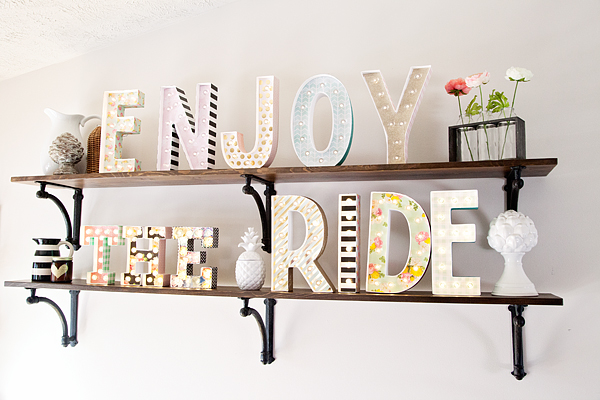
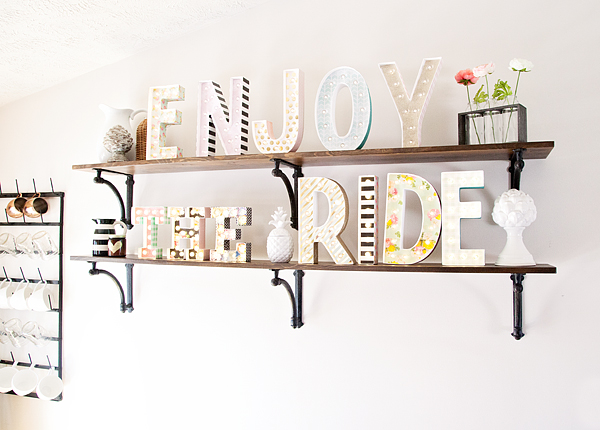
I have been wanting to create some type of sign to remind our whole family to stop, take a step back and ENJOY THE RIDE.

Sometime our lives get so crazy, especially now that the kiddos are getting older and have crazy schedules themselves, we forget to find joy in the moment. The girls and I decided we wanted to create a marquee sign to put on our shelves in our kitchen to give us that simple reminder everyday.

If you know me, you know I have a love of marquee letters. I started out making my own, you can find that post HERE. Then my fabulous friend Heidi Swapp…

Hello-my-name-is-heidi-2

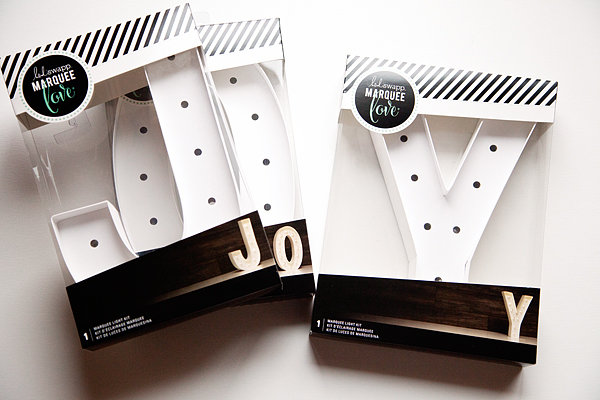
Took the marquee world by storm with her Marquee Love Letters.

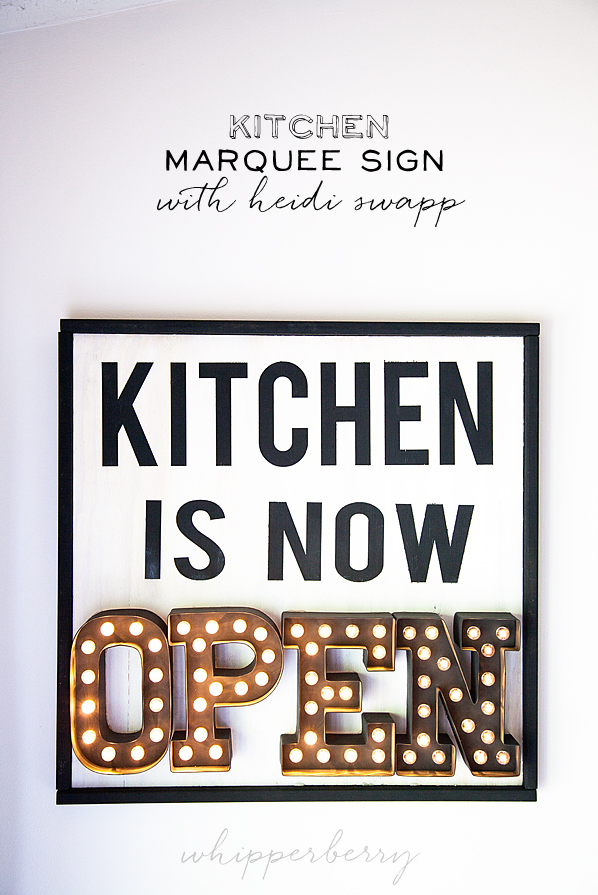
I created this fun kitchen sign with her original Marquee Love…

kitchen-marquee-sign-with-heidi-swapp-by-whipperberry

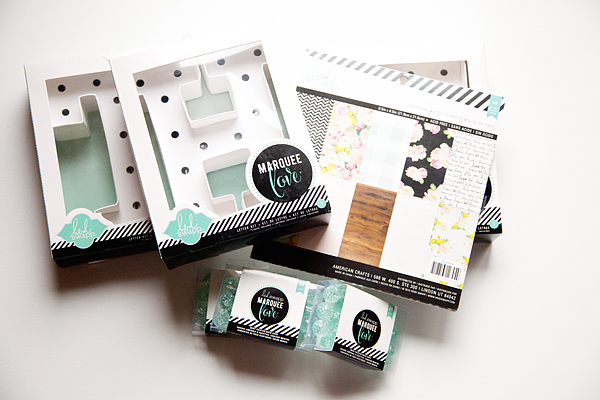
Now Heidi has introduced a larger  12 inch Marquee Letters that exclusive at Michaels and I’ve fallen in love again!

Enjoy-the-Ride-Marquee-Sign-from-Heidi-Swapp-by-WhipperBerry-3

My girls and I decided they would be perfect for our Enjoy the Ride sign and set to work together to dress-up the letters.

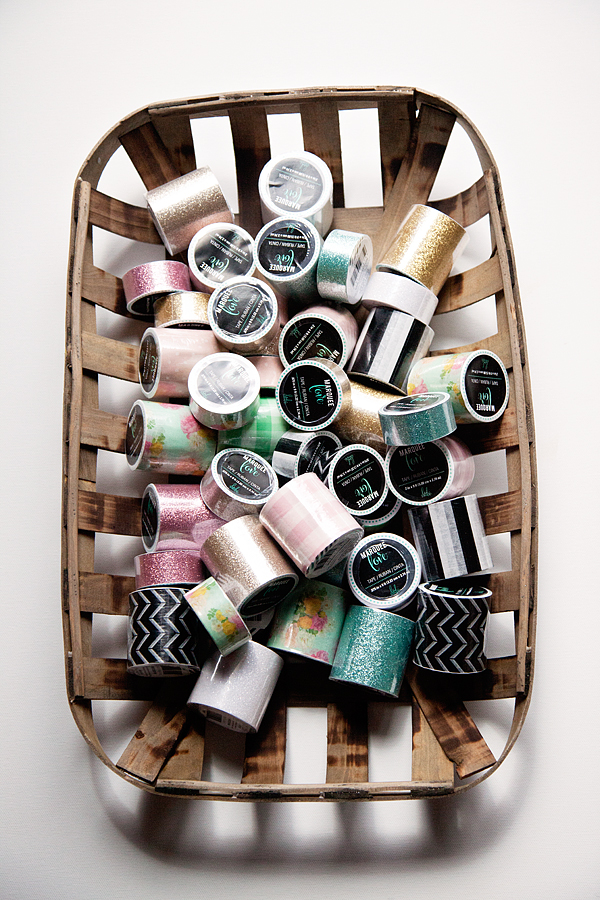
We used Heidi Swapp Marquee Love Washi Tape…

Enjoy-the-Ride-Marquee-Sign-from-Heidi-Swapp-by-WhipperBerry-1

 And the coordinating paper to dress up the letters.

Enjoy-the-Ride-Marquee-Sign-from-Heidi-Swapp-by-WhipperBerry-5

It was so fun to work together with the girls to create this new masterpiece. With Heidi’s washi tape & paper, it’s super easy to add a little flair to the letters. Talk about an aaaamazing Mother’s Day gift!

A handmade gift from your kiddos is always fantastic no matter how simple it is. It really starts to get fun when you can work together with your kiddos to create a project together. We LOVED it!

Enjoy-the-Ride-Marquee-Sign-from-Heidi-Swapp-by-WhipperBerry-7

Looking for more Mother’s Day inspiration? You can visit Michaels for project ideas or their blog The Glue String for all kinds of goodies PLUS, you can check out the 49 other Michaels Makers for their fun takes on this months challenge!

An InLinkz Link-up


The Silhouette Curio is HERE

0 · Aug 27, 2015 · Leave a Comment

Silhouette-Curio

Guys… The new Silhouette Curio is HERE!!

I have a special discount just for you guys at the end of this post!!

Back in May, I had the chance to travel to Hawaii for the Silhouette Summit where they announced a TON of new products.

Silhouette-Summit

Linda from Craftaholics Anonymous and I with the CEO of Silhouette

All kinds of new consumable products, new software and software functions and TWO new members of the Silhouette family of crafting machines. The Curio and the Mint.

The Mint is a super fun little machine where you can create your own custom stamps and that will debut later this year.

Today, the Curio has launched. What’s special about the Curio you ask? Will this replace the CAMEO and Portrait?

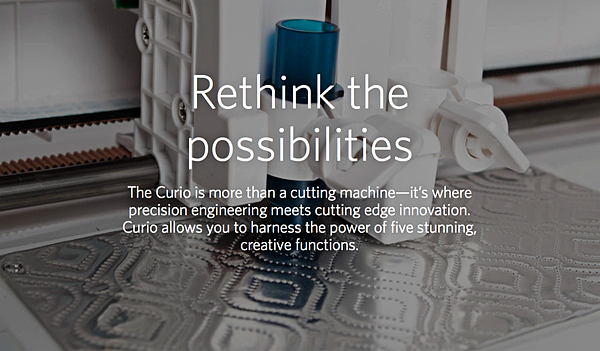
The answer is no, it’s not meant to replace either machine. It is a new companion for your CAMEO or Portrait. It has all kinds of new features that the other machines do not have. For example…

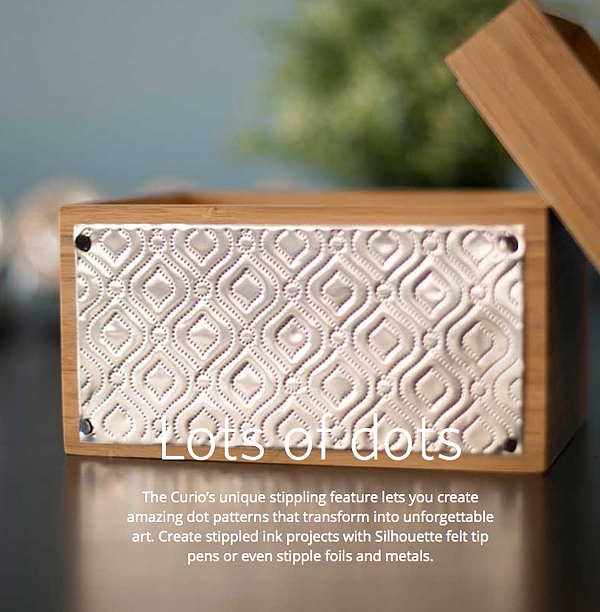
Silhouette Curio Stippling

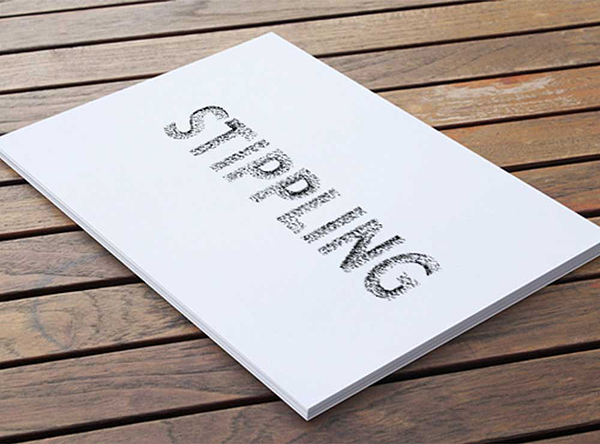
Stippling – Not familiar with Stippling? It’s SUPER cool!! You create with little dots. Create stippled ink projects with Silhouette felt tip pens or even stipple foils and metals.

Silhouette-Curo-New-Possibilities

Silhouette-Curio-Stippling-2

How fun is that? The world of creating with metal has just opened even wider!

Next on the list of new features…

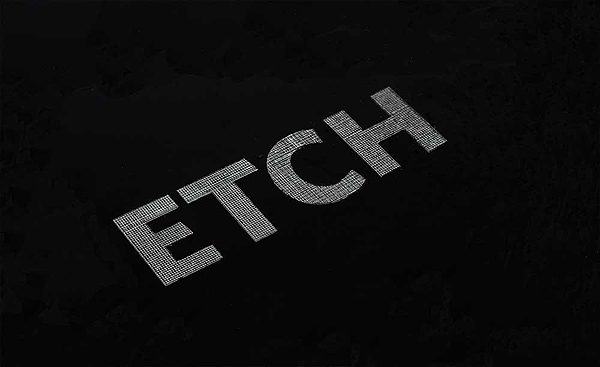
Silhouette-Curo-Etch

You can etch on metal now as well. Create beautifully etched metal with the Curio’s etching tool to customize jewelry, charms, home décor, mixed media art, and more.

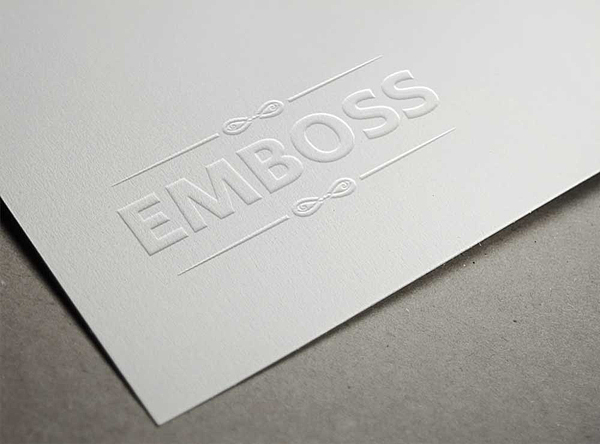
Silhouette-Curo-Emboss

The Curio can Emboss with a new embossing tool!

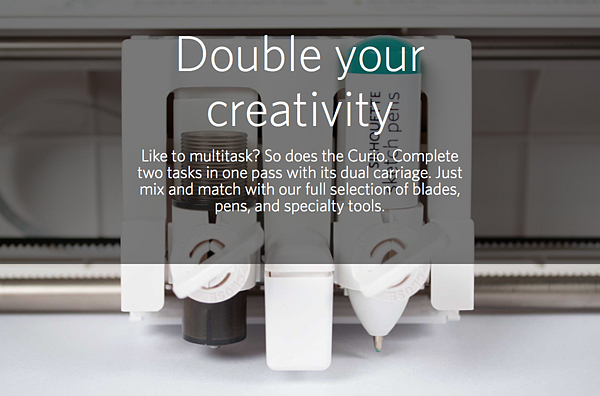
Silhouette-Curio-Double-your-creativity

The Curio has a dual carriage for double the fun!

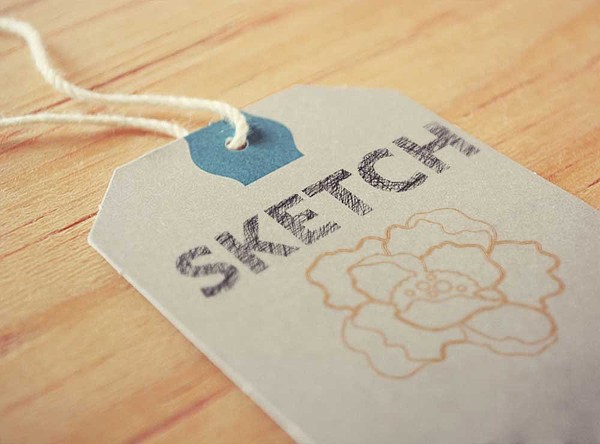
Silhouette-Curo-Sketch

You can still Sketch, you can do with TWO Silhouette felt tipped pens now.

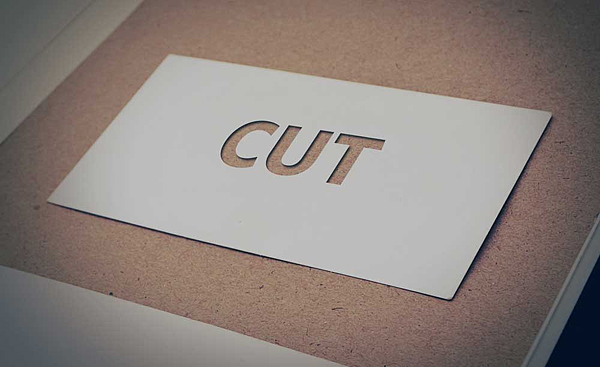
Silhouette-Curo-Cut

With the Curio you can still Cut, but you can cut even deeper!

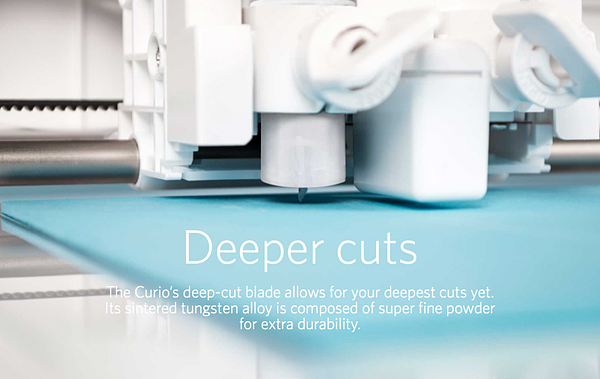
Silhouette-Curo-Deeper-Cuts

The Curio has an improved blade and more clearance which means more options. The Curio’s 5mm clearance allows you to etch, sketch, or cut on new project palettes. Think wood, foil, leather, foam, and even metal.

I can go on and on… You’ll have to go over to Silhouette and check it out for yourself.

I will be working on all kinds of projects here on WhipperBerry with the new Curio and would love for you to join me.

The price for a Curio is $249.99

The folks at Silhouette are giving you guys $15 off a new Curio if you use the code WHIPPER at checkout.

Click the link HERE to get the $15 discount

I can’t wait to start creating with the Curio, what about you? Head on over to their site to check out all of the new products and software options. The Silhouette brand of machines are truly my favorite crafting tool. I use them more than any other tool that I have in my creative tool box!

Disclaimer – I am a member of the Silhouette Makers Affiliate Program.

  • « Go to Previous Page
  • Page 1
  • Page 2
  • Page 3
  • Page 4
  • Page 5
  • Interim pages omitted …
  • Page 9
  • Go to Next Page »

Primary Sidebar

Heather from Whipperberry
Hello... my name is Heather and I'm the creator of WhipperBerry a creative lifestyle blog packed full of great recipes and creative ideas for your home and family. I find I am happiest when I'm living a creative life and I love to share what I've been up to along the way... Come explore, my hope is that you'll leave inspired!

Footer

  • Privacy Policy
  • Crafts
  • Food
  • Gifts
  • Holidays
  • Home
  • Mom Life
  • Recipes
  • Travel

Copyright © 2026 · Seasoned Pro