• Skip to primary navigation
  • Skip to main content
  • Skip to primary sidebar
  • Skip to footer

Whipperberry

WhipperBerry • Your Home For Creative Inspiration

  • Home
  • Recipes
    • Starters
    • Easy Weeknight Dinners
    • Main Dish
    • Salads
    • Side Dish
    • Soups & Stews
    • Desserts
    • Breakfast
    • Miscellaneous
  • Tutorials
    • Creative Crafts
    • DIY Decor
    • Fabric Crafts
    • Food How-To
    • Jewlery
    • Paint Projects
    • Paper Art
    • Party Styling
    • Photography and Graphic Design
    • Silhouette
  • Holidays
    • Easter
    • Mother’s Day
    • Father’s Day
    • 4th of July
    • Halloween
    • Thanksgiving
    • Christmas
    • Valentine’s Day
  • Gift Ideas
    • Gifts For Everyone
    • Gifts for Dad
    • Mother’s day
    • For The Girls
    • For The Kids
    • Teacher Gift Ideas
    • Christmas
  • Printables
    • Holiday
    • Gift Idea
    • LDS Primary
  • Travel
  • About
    • Terms
  • Contact
  • Nav Social Menu

    • Facebook
    • Instagram
    • Pinterest
    • RSS
    • Twitter

Silhouette

DIY Black and White Wall Art

0 · May 8, 2014 · 8 Comments

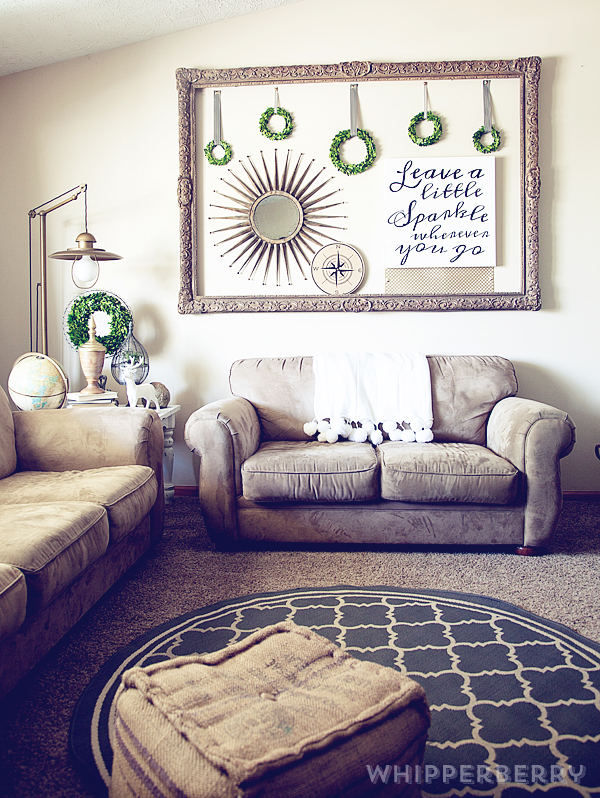
DIY Black and White Wall Art // I have always been a huge fan of black & white. I love the stunning contrast and knew that when I was ready to dress up our front room in our new house I wanted a strong black & white theme. I also LOVE typography wall art and adore the hand painted typography displays that I’ve seen all over the place.

I however, CAN NOT hand paint a stick figure, let alone a beautiful hand lettered canvas… So, I did the next best thing! I busted out my Silhouette CAMEO, some black paper and a lovely large 24 x 24 canvas and went to work…
WhipperBerry-Sprint-Room-Makeover-12

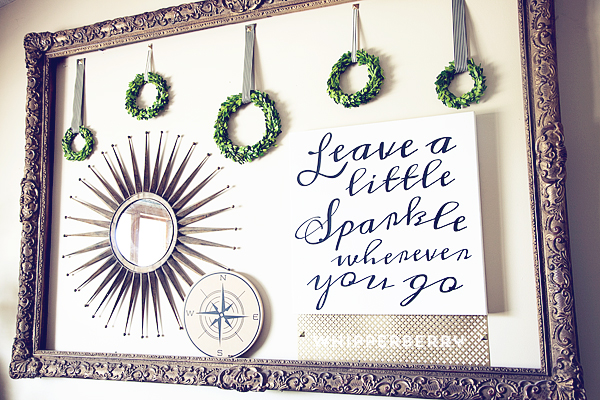
I LOVE how it turned out! It’s an element in my HUGE gold frame that is in my front room that I have redesigned for the spring/summer…
WhipperBerry-Sprint-Room-Makeover-16

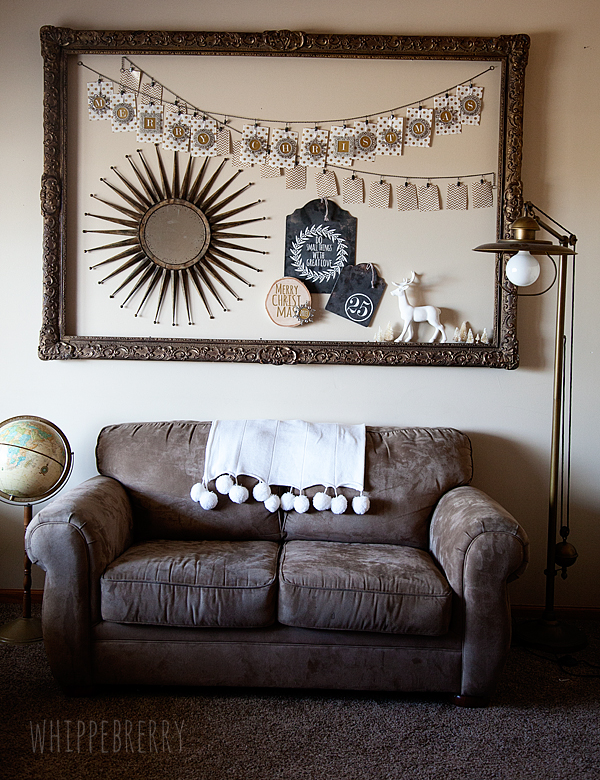
This is how it looked for Christmas this last year…
Michaels-Mini-Frames-justaddmichaels-5

The frame is HUGE and I love it, but it can be a challenge trying to find stuff to fill the space, a large canvas is perfect!

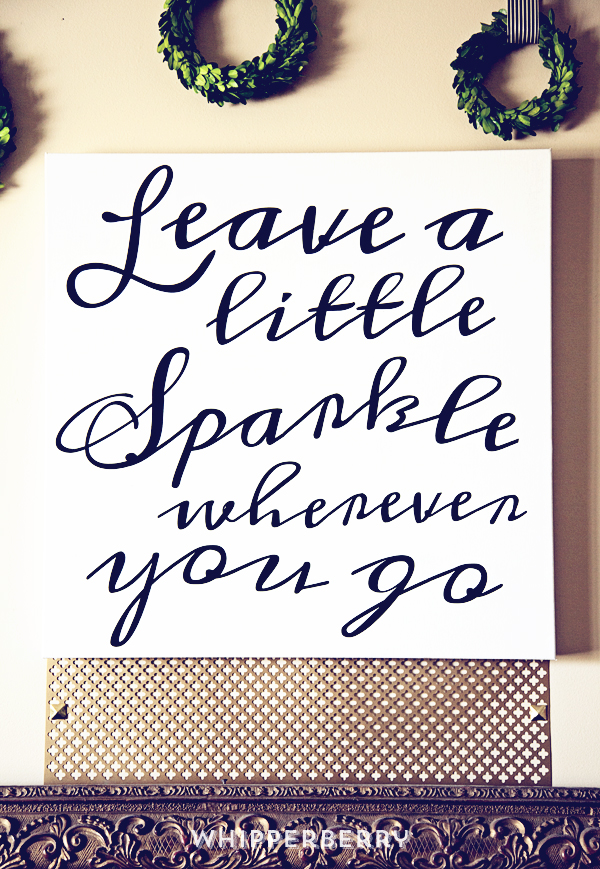
This project is really quite simple. I used the Meddon font which has an imperfect hand lettered look to design my typography art. Then I cut my saying, “Leave a little sparkle wherever you go” out of black textured card stock paper with my Silhouette CAMEO and then used Decoupage from DecoArt to affix the letters onto the canvas.

WhipperBerry-Sprint-Room-Makeover-1

Want to know a little secret to successful decoupaging? Wet your paper that you are wanting to affix to your surface FIRST before you place it onto your surface. I had a plate with a wet paper towel sitting next to me and placed the paper words on the towel for a few seconds to get them a little damp before I placed it on the canvas. This will help with any bubbling problem you may have once you add the Decoupage.

How to make typography wall art with Silhouette CAMEO and Decoupage

  1. Cut your words out on the Silhouette CAMEO. For this size of canvas I needed a machine that could cut large elements and the CAMEO is perfect for that. I used my 12×24 mat and it was perfect. I unfortunately didn’t have 12×24 black paper so I had to piece some of the words together, but that wasn’t a big deal.
  2. Figure out the placement of your words on the canvas.
  3. Starting in small areas, one word or part of a word at a time, remove the paper word and place on a wet paper towel. Then using a foam brush, place a thin layer of Decoupage onto your canvas. Replace the paper word onto your desired spot and gently press into the Decoupage. Then carefully with a light hand, brush another layer of Decoupage onto of the paper word. Be careful not to over work the paper. Especially when using black paper on a white canvas, the Decoupage will breakdown the paper and then you will have a muddy mess instead of a clean black and white canvas.  WhipperBerry-Sprint-Room-Makeover-2
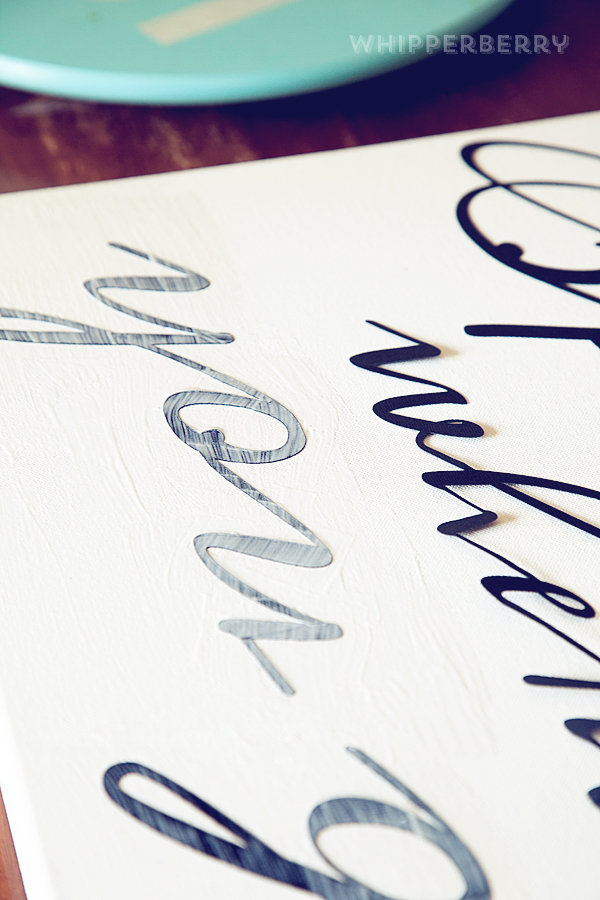
  4.  Move onto the next word until you have the entire saying affixed with the Decoupage.
  5. Make sure you cover the entire canvas with Decoupage so that the canvas will have a uniformed appearance.
  6. Let the canvas dry and then hang!

WhipperBerry-Sprint-Room-Makeover-6

 I added a sheet of decorative metal that I found at Home Depot for a little added pop under the canvas and I LOVE how it looks!

WhipperBerry-Sprint-Room-Makeover-16


So… Do you love typography art? What saying would you like to create with this simple project? Leave a comment with your saying!!

Disclaimer // This is NOT a paid post, I am however a member of the Silhouette Circle which is an affiliate program.

Anchor Bag with Silhouette PRINTABLE Heat Transfer Material

0 · Apr 21, 2014 · 154 Comments

This Anchor Bag project brought to you by Silhouette // Silhouette Portrait GIVEAWAY along with the April PromotionSilhouette-Portrait-Giveaway

Anchor Bag with Silhouette Printable Heat Transfer Material

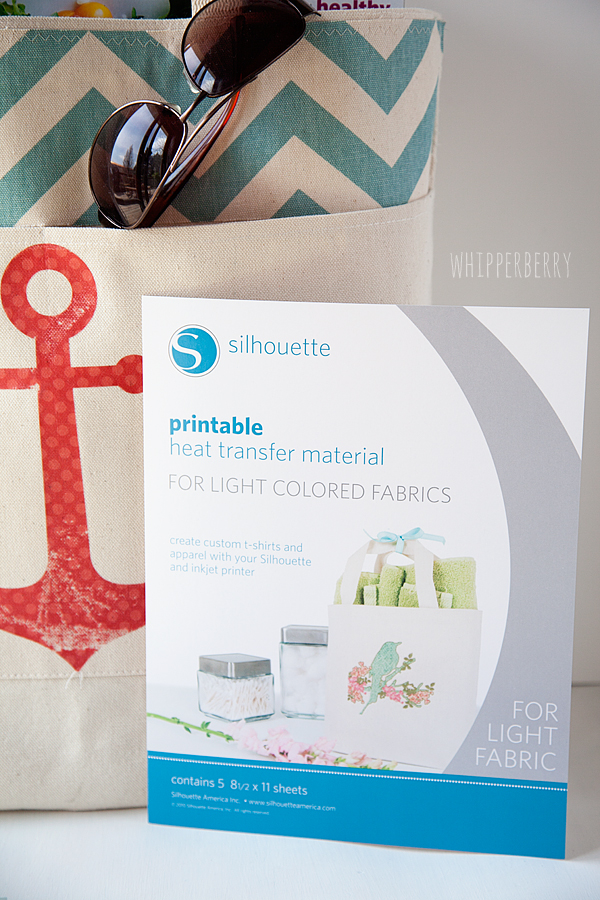
But, before we get to that… I have a super cool new product from Silhouette to share with you! PRINTABLE Heat Transfer Material!

anchor-bag-with-Silhouette-printable-heat-transfer-material-#whipperberry-7

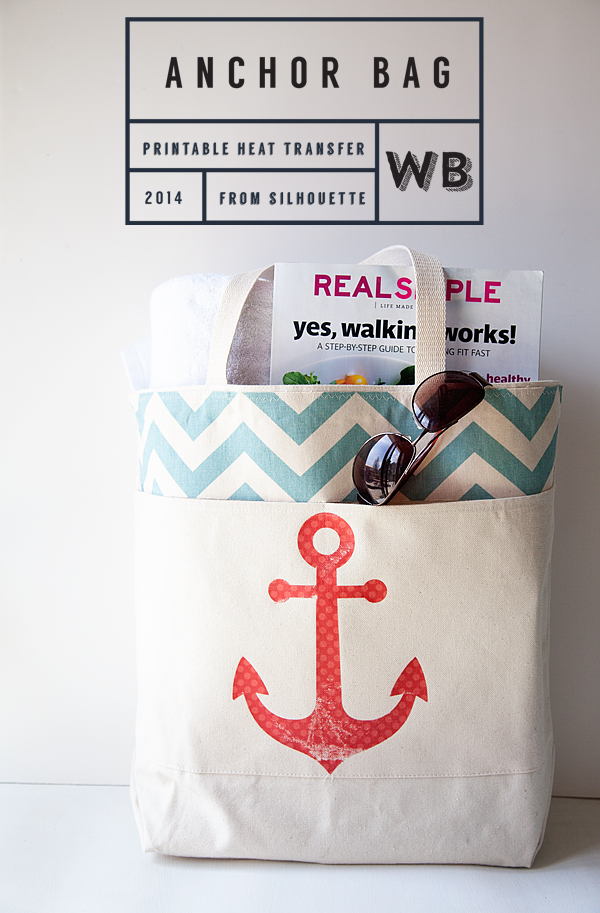
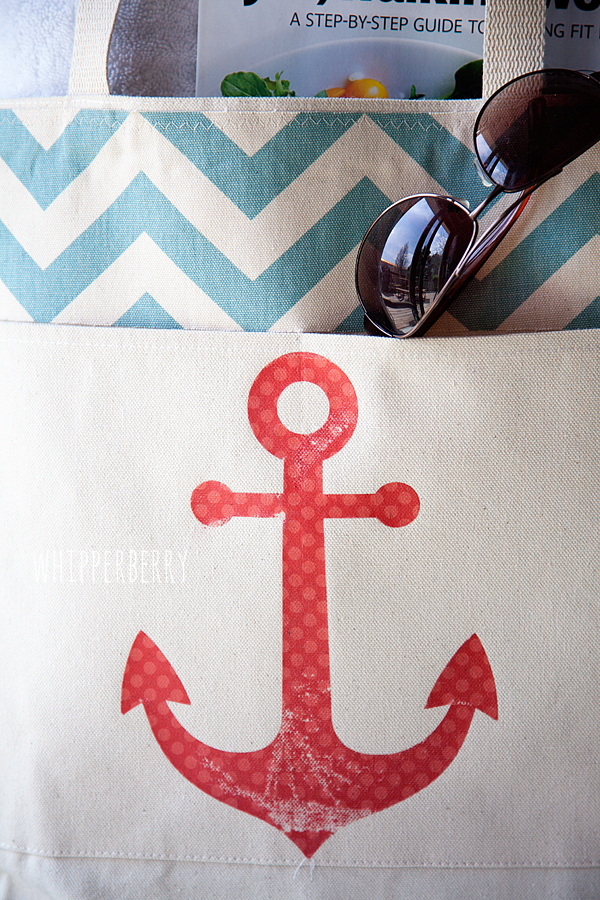
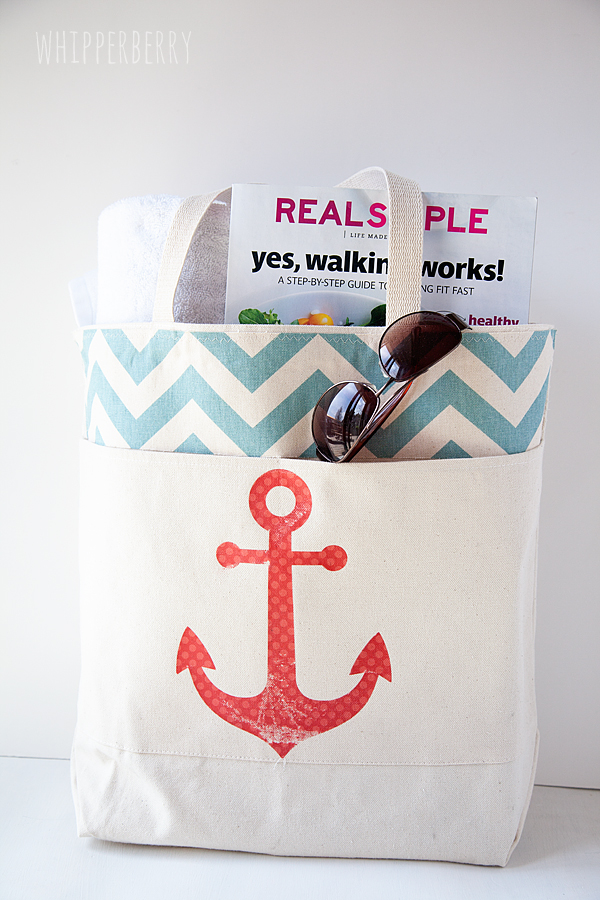
This is the coolest stuff… You can print directly on it, cut it out with your Silhouette and then iron it on to most types of fabric. I added a little flair to a canvas bag that I had sitting around and I LOVE it now.

anchor-bag-with-Silhouette-printable-heat-transfer-material-#whipperberry-5

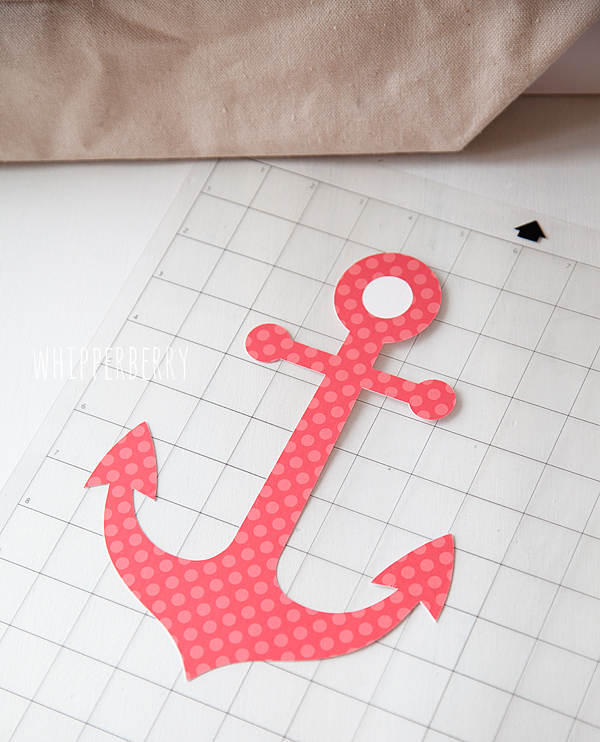
What makes the anchor so fun is that I was able to take a fun polka-dot pattern from the Silhouette Shop and add it to a basic anchor shape to transform it into something a little extra special.

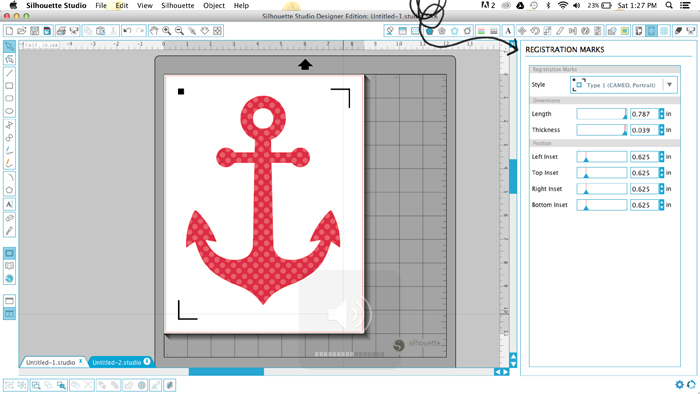
I created the anchor and then in the NEW and improved Silhouette Studio,  I used the print and cut option and then added Registration Marks to my design.

Screen-Shot-2014-04-19-at-1.27.47-PM

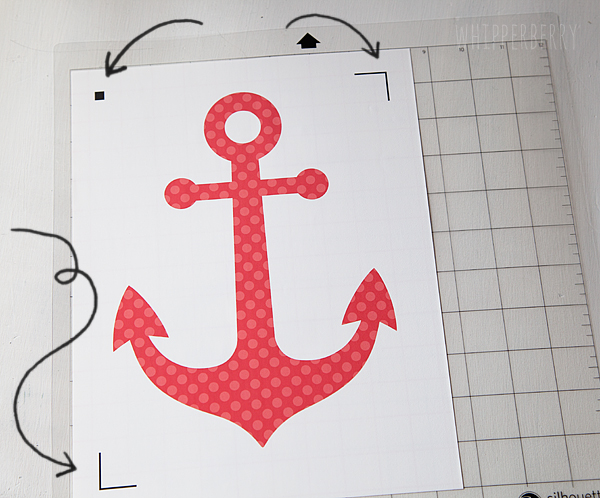
When I printed my out my design the registration marks are also printed and that is how the Silhouette machine can then cut out your printed design.

anchor-bag-with-Silhouette-printable-heat-transfer-material-#whipperberry-1

I cut out the anchor on my Silhouette CAMEO…

anchor-bag-with-Silhouette-printable-heat-transfer-material-#whipperberry-3

Then ironed it on to my bag following the package directions. I then used my finger nail to rough up the anchor a bit so that it looked a little worn.

anchor-bag-with-Silhouette-printable-heat-transfer-material-#whipperberry-4

It was as simple as that. It took more time trying to decide what image I wanted on the bag than actually making the project!

How fun is that?!

anchor-bag-with-Silhouette-printable-heat-transfer-material-#whipperberry-6

I love how the bag looks now and I have all kinds of fun ideas now floating around in my head for other projects.

April Silhouette Special Promotion

 This month’s special is wonderful… Here are all the details!

 April Promo, running April 21-301
Silhouette CAMEO
1 Heat Transfer Starter Kit
1 Printable Heat Transfer Material for Dark Fabrics
1 Printable Heat Transfer Material for Light Fabrics
$269.99
 Silhouette Portrait
1 Heat Transfer Starter Kit
1 Printable Heat Transfer Material for Dark Fabrics
1 Printable Heat Transfer Material for Light Fabrics
$139.99
All Heat Transfer materials will be 30% off as well!
And FREE Shipping!!!
button_aprilpromo
CLICK HERE to visit the April Promo shop, make sure you use the promo code WHIPPER when you check out to receive the special deal!

Silhouette Portrait + 12 month Deluxe Subscription GIVEAWAY // A $360 Value

For those of you feeling LUCKY… The lovely folks at Silhouette are giving away a Silhouette Portrait along with a 12 month Deluxe Subscription to the Silhouette Online Store where you have access to THOUSANDS of fabulous images and design ideas to help you create all kinds of masterpieces… This is a $360 VALUE!!

All you have to do if follow the directions in the Rafflecopter Box below to enter…

a Rafflecopter giveaway

Disclaimer // I was not paid for this post however, I am a member of the Sillhouette Circle which means I am an affiliate with Silhouette.

Silhouette Designer Edition Promo + CAMEO Giveaway

0 · Feb 6, 2014 · 413 Comments

// Silhouette Designer Edition Promotion and Silhouette CAMEO Giveaway // 

WhipperBerry-Silhouette-CAMEO-Giveaway

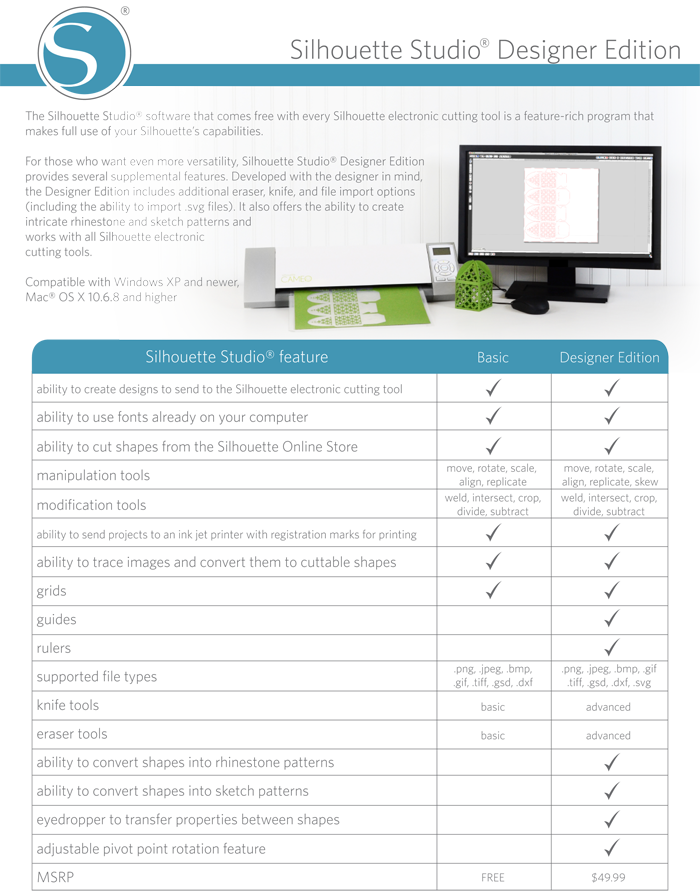
I've got the goods for you this month friends. Last month at CHA Silhouette released a whole slew of fun new products to create with… Adhesive Washi sheet, Magnet Paper, Vellum, they even have a fancy new bag! With all of that, my favorite product to use with either one of the Silhouette machines is the Silhouette Designer Edition Software.  It gives you all the freedom in the world to design to your hearts content. Here is a breakdown of what the Designer Edition Software has to offer…

Silhouette-designer-edition

Let me boil this down for you…

Untitled-2That's right… You can cut and design with .png, .jpeg, .bmp, .gif, .tiff, .gsd, .dxf, and .svg files. I don't even know what some of those file types are! Basically the sky's the limit, plus you still have access to the Silhouette Online Store and the thousands of images available there.

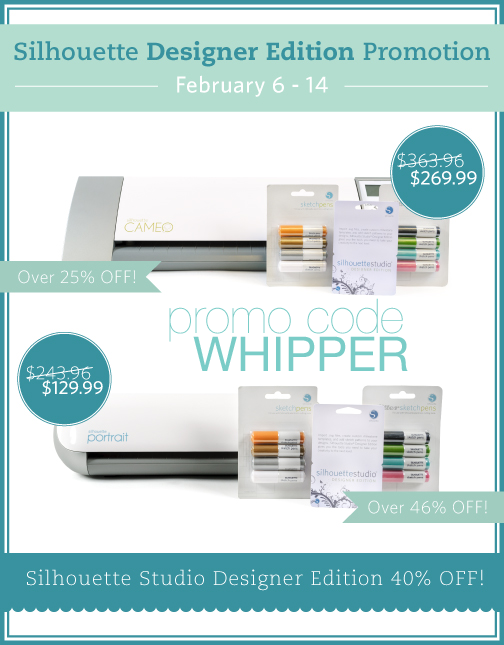
With that said… Here is Silhouette's February Promotion

button_feb6-14

CLICK HERE TO VISIT THE SILHOUETTE SHOP

DON'T FORGET TO ENTER THE PROMO CODE WHIPPER AT CHECKOUT TO RECEIVE THE SPECIAL PRICING. 

1.    The Silhouette CAMEO®, The Silhouette Studio® Designer Edition Software, the glitter collection sketch pens, and the metallic collection sketch pens for $269.99 ($94 in savings)

2.    The Silhouette Portrait™, The Silhouette Studio® Designer Edition Software, the glitter collection sketch pens, and the metallic collection sketch pens for $129.99 ($114 in savings)

3.    40% off the Silhouette Studio® Designer Edition Software!

Not too bad if you ask me! For those of you feeling lucky… I am going to give a CAMEO away to one lucky WhipperBerry friend! Just follow the directions in the Rafflecopter box below. 

This giveaway is for anyone with a shipping address within the United States and will be open until 11:59 pm on February 10th. The winner will be announced here on the 11th.

This giveaway is not affiliated with Facebook or Pinterest in anyway.

a Rafflecopter giveaway


Flash Silhouette CAMEO Giveaway

0 · Jan 14, 2014 · 407 Comments

Silhouette CAMEO Giveaway in honor of CHA 2014

WhipperBerry-CHA-Silhouette-CAMEO-Giveaway

Can you feel the excitement in the air? It's a new year with a wealth of new possibilities! 

This week all of the who's, who's in the crafting world are attending CHA, the Craft and Hobby Association trade show in Anaheim, California. You all know one of my favorites at CHA, the lovely folks at Silhouette! 

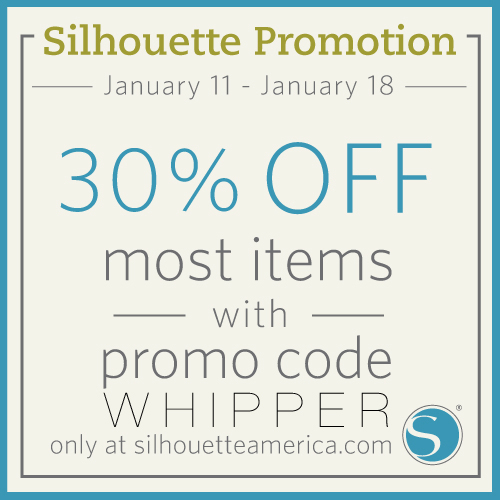
CHA is the place to show off what you have in store for the new year, all of the goodies and new gadgets and such. Silhouette has all kinds of fun stuff in store for 2014. They have new washi paper that you can use to create your own washi shapes, you can now cut directly from Adobe Illustrator® or CorelDRAW® with the new Silhouette Connect plug-in and so much more!  To celebrate almost everything is on sale in the Silhouette store this week…

WhipperBerry-CHA-bloggerpromo_january

Click HERE to visit the Silhouette Store to cash in on all of these great deals!

Don't forget to enter WHIPPER at checkout to get your 30% off.

Now, this discount does not apply to the machines, gift cards, $10/$25 download cards, shapes or subscriptions. It does apply to all the consumable materials we all love to use, so now's the time to stock up for the year!

Silhouette CAMEO Giveaway

Also to celebrate, our friends at Silhouette are going to giveaway a Silhouette CAMEO to one lucky WhipperBerry friend!

This giveaway is open to anyone with a shipping address within the United States. It is sponsored by Silhouette and is not affiliated with Facebook, Pinterest, Twitter or Instagram in any way. It will run until 11:59 pm on January 14th. The winner will be announced on January 15th.

a Rafflecopter giveaway

  • « Go to Previous Page
  • Page 1
  • Page 2
  • Page 3
  • Page 4
  • Page 5
  • Page 6
  • Interim pages omitted …
  • Page 9
  • Go to Next Page »

Primary Sidebar

Heather from Whipperberry
Hello... my name is Heather and I'm the creator of WhipperBerry a creative lifestyle blog packed full of great recipes and creative ideas for your home and family. I find I am happiest when I'm living a creative life and I love to share what I've been up to along the way... Come explore, my hope is that you'll leave inspired!

Footer

  • Privacy Policy
  • Crafts
  • Food
  • Gifts
  • Holidays
  • Home
  • Mom Life
  • Recipes
  • Travel

Copyright © 2026 · Seasoned Pro