• Skip to primary navigation
  • Skip to main content
  • Skip to primary sidebar
  • Skip to footer

Whipperberry

WhipperBerry • Your Home For Creative Inspiration

  • Home
  • Recipes
    • Starters
    • Easy Weeknight Dinners
    • Main Dish
    • Salads
    • Side Dish
    • Soups & Stews
    • Desserts
    • Breakfast
    • Miscellaneous
  • Tutorials
    • Creative Crafts
    • DIY Decor
    • Fabric Crafts
    • Food How-To
    • Jewlery
    • Paint Projects
    • Paper Art
    • Party Styling
    • Photography and Graphic Design
    • Silhouette
  • Holidays
    • Easter
    • Mother’s Day
    • Father’s Day
    • 4th of July
    • Halloween
    • Thanksgiving
    • Christmas
    • Valentine’s Day
  • Gift Ideas
    • Gifts For Everyone
    • Gifts for Dad
    • Mother’s day
    • For The Girls
    • For The Kids
    • Teacher Gift Ideas
    • Christmas
  • Printables
    • Holiday
    • Gift Idea
    • LDS Primary
  • Travel
  • About
    • Terms
  • Contact
  • Nav Social Menu

    • Facebook
    • Instagram
    • Pinterest
    • RSS
    • Twitter

Cricut

DIY Farmhouse Christmas Carol Star Tree Ornaments

111 · Nov 1, 2017 · 6 Comments


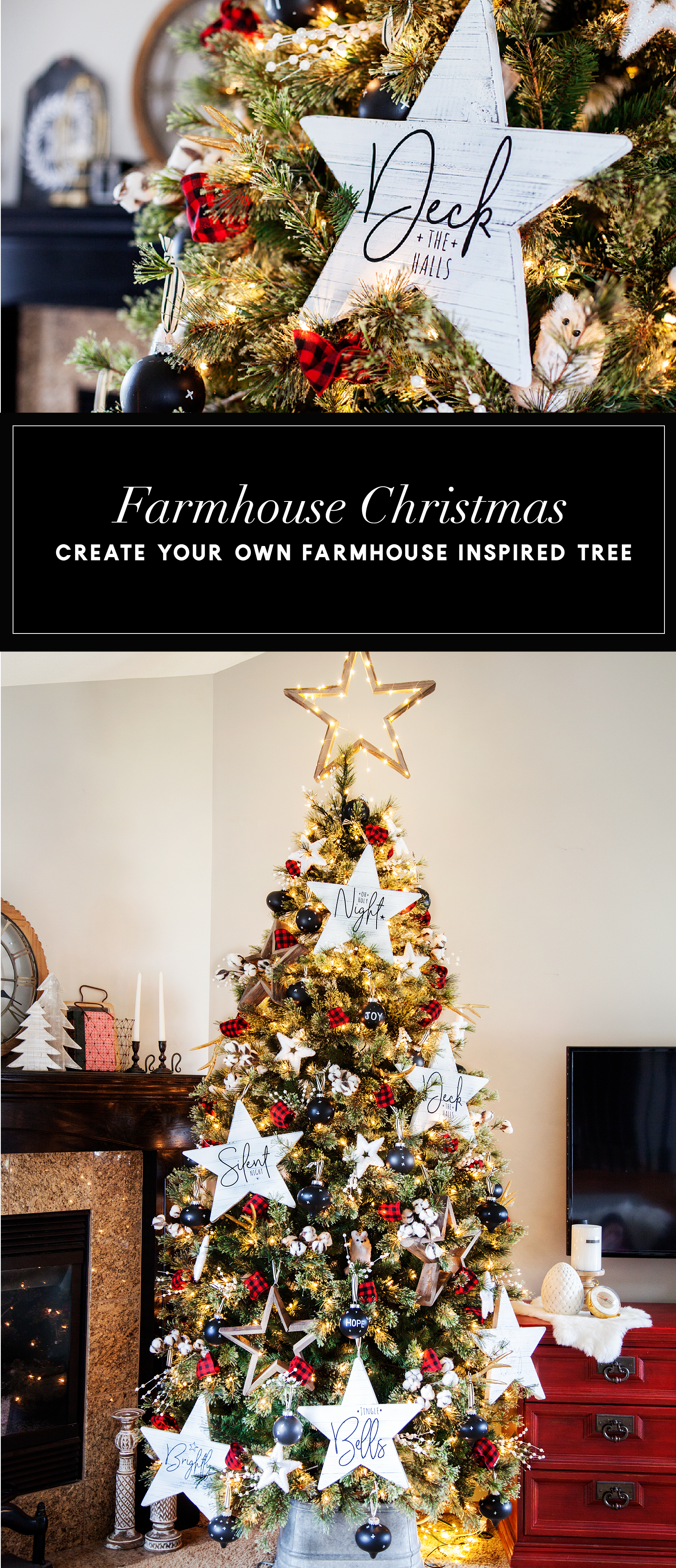
It’s officially Holiday Season! One thing that I LOVE about the Holidays is creating my own custom decor for our home. Love FARMHOUSE decor?

Then you are going to LOVE this Farmhouse-inspired Christmas Carol Star ornament that you can create for your home. This week I’ve teamed-up with DecoArt and Cricut to create some new ornaments for my Christmas tree this year.

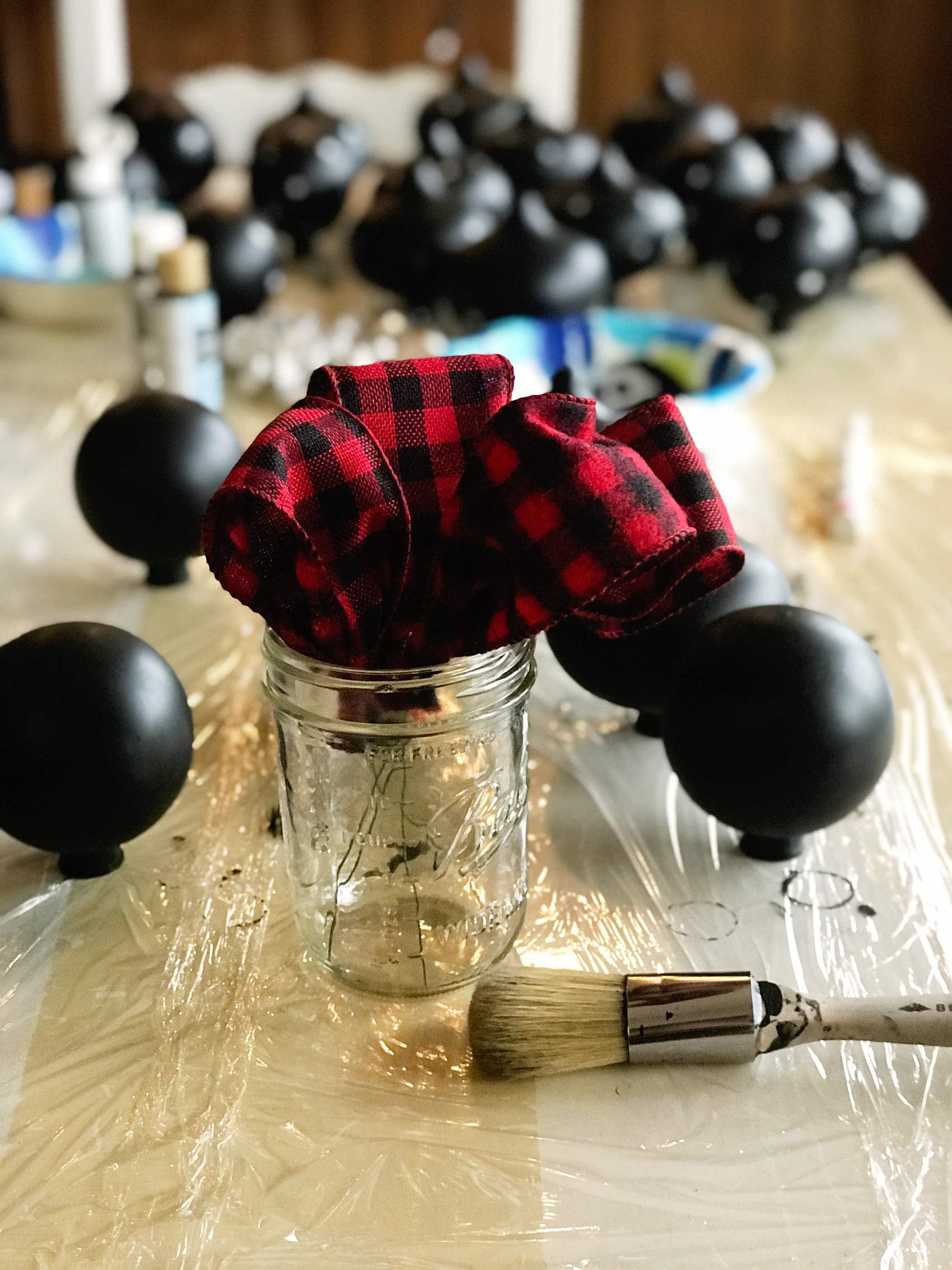
We decided to go with the star of Christmas theme, so… I thought it would be fun to chalk paint some large wood stars and then put titles of Christmas Carols on them. They turned out so cute… Come learn how to make them for yourself.Create your own farmhouse Christmas decorations with a little help from WhipperBerry - Christmas Carol Stars

A few years ago, one of my good friends had the most beautiful Christmas trees. She had large stars all over the tree and I just adored it.

I asked her where the stars were from and I was devastated to learn that they were given to her from a friend who found them discarded from a department store after the holidays. DANG! There was no way of finding a set of my own.

This year, I decided it was time to make some large stars of my own. The timing couldn’t be more perfect! DecoArt and Cricut have teamed up this year to create all kinds of fabulous fun this Holiday season…

22520087_10212667444788382_464973044413398504_o

I love it when to amazing companies come together to inspire all of us to bring a little bit of our personalities into our home. These two are perfect for that. I’m sure that this will tickle your fancy… You’ll want to visit the DecoArt Blog to check out the GIVEAWAYS DecoArt & Cricut have up their sleeves this year!

Christmas Carol Stars Supply List

  • raw wood stars from Amazon
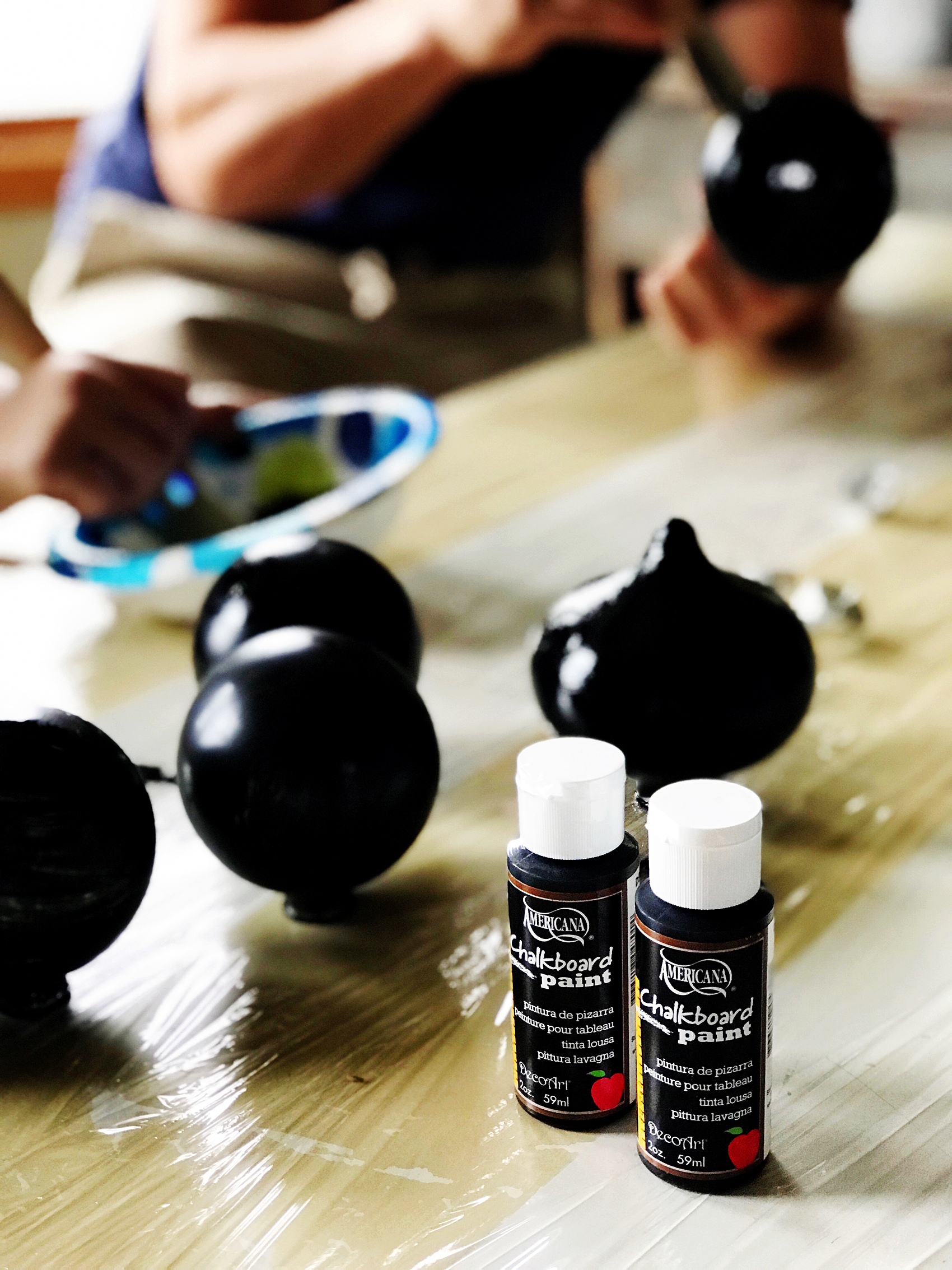
  • Americana Decor Curb Appeal – Black
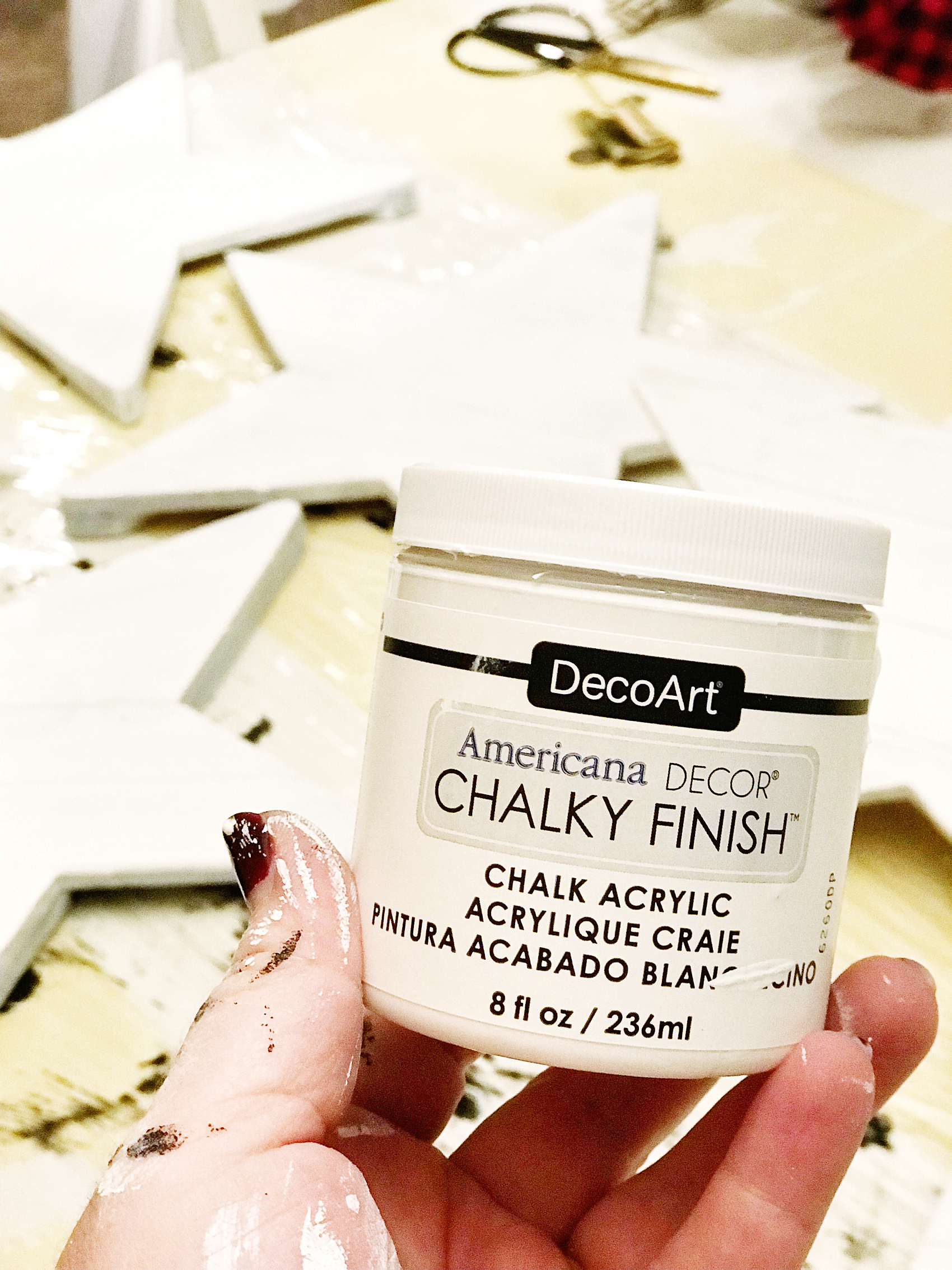
  • Americana Decor Chalky Finish – Everlasting
  • paint brush
  • 250 grit sandpaper
  • Cricut vinyl – midnight
  • Cricut transfer tape
  • Cricut cutting machine like the  Cricut Maker

Instructions for Christmas Carol Stars

raw-star

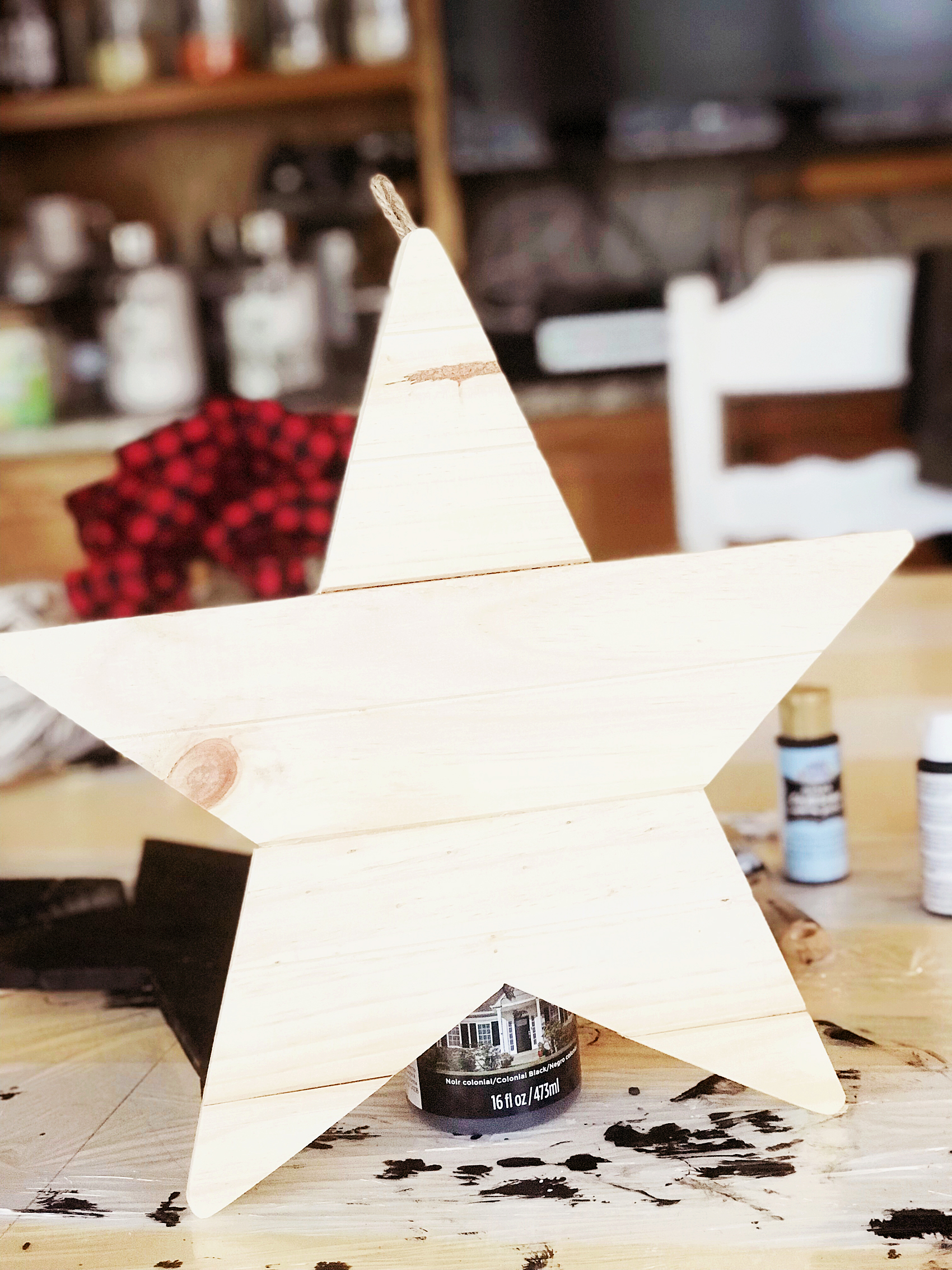
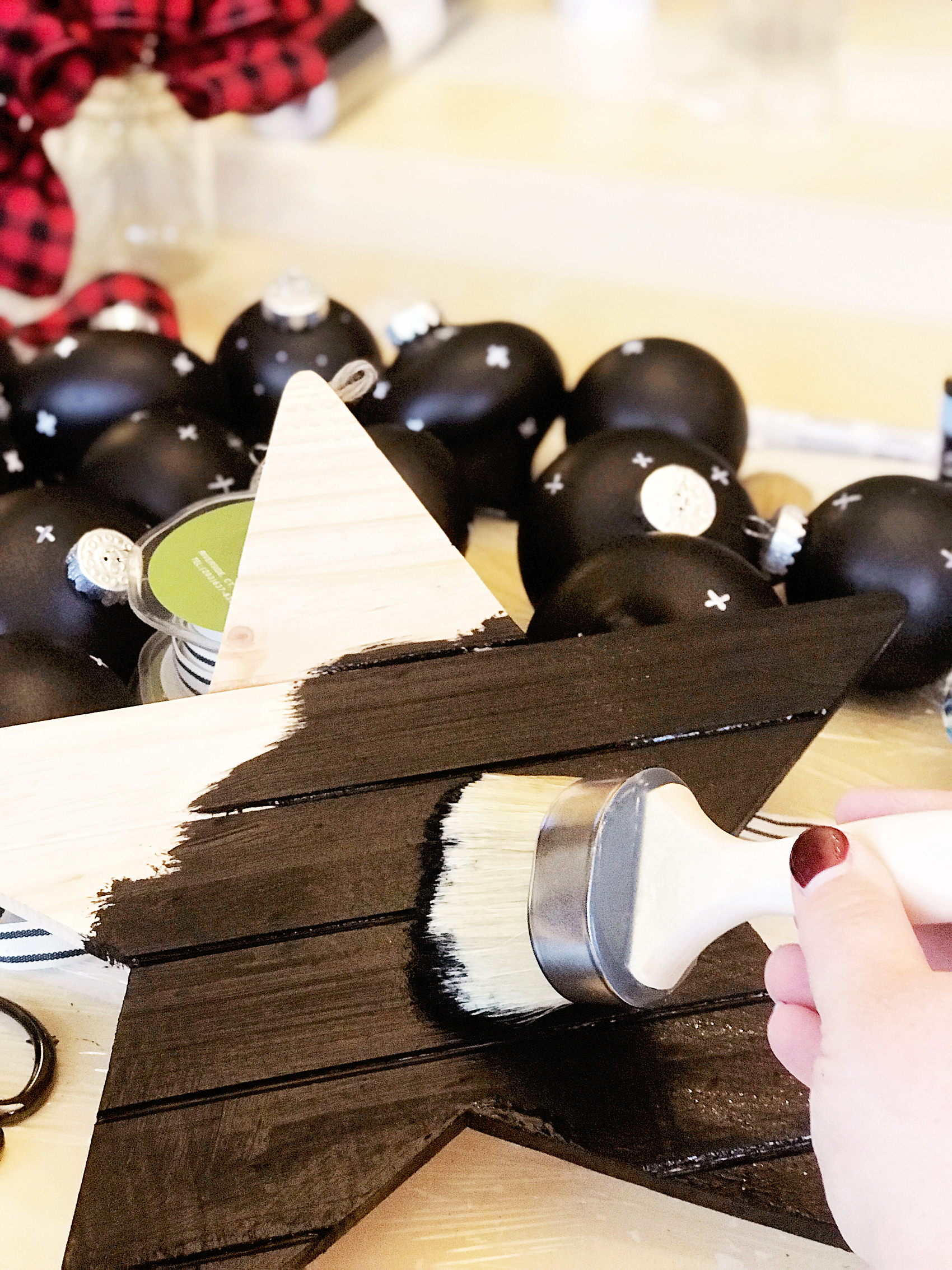
First, grab your raw wood stars and wipe them down with a damp cloth to make sure they are dust and dirt free. Then paint your base coat with the Americana Decor Curb Appeal paint.

painting-the-star-black-first

The reason why I used the Curb Appeal paint is… One, it’s a durable paint and will stand up to the distressing of the chalk paint. Two, I just happened to have some left over after I painted my front door. I wanted to have a black base because I wanted it to show through when I distressed the white (Everlast) paint.

PRO TIP +  When using chalk paint, you will typically distress your paint to create the look that is typical with chalk paint. You’ll need to keep in mind what color you want to show through once distressed. You’ll need to use that color as your base color then paint your finishing color on top. Then make sure when you are distressing your piece, you don’t use too much pressure. You don’t want to accidentally distress down through your base coat.

Once your base coat is dry, paint your top coat with the Americana Decor Chalky Finish paint in Everlasting.

painting-farmhouse-wood-star

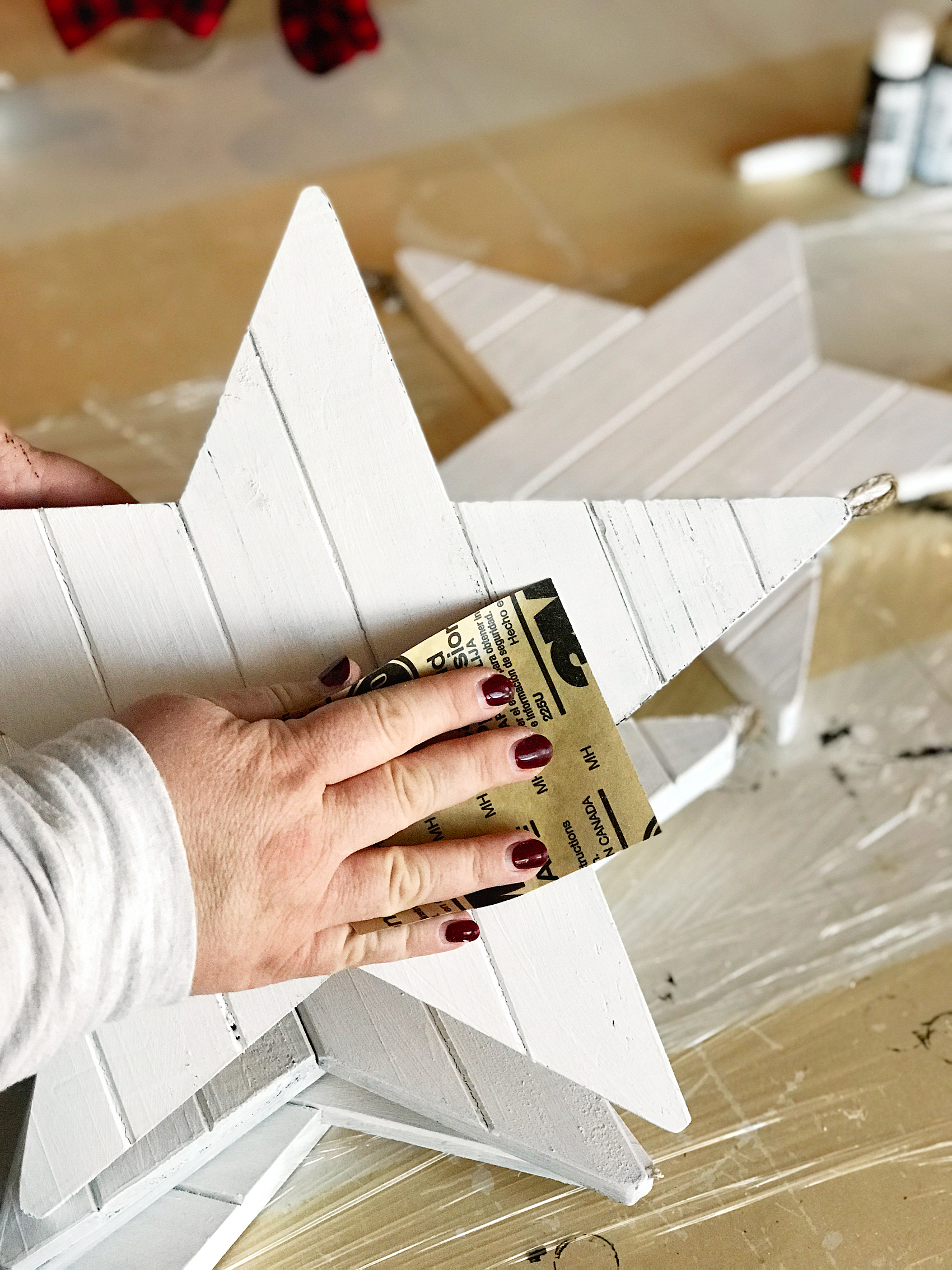
Pro Tip + Don’t worry about making your top coat look PERFECT with multiple layers of paint. You will be distressing them, no need for perfection. The heavier your layer of paint, the harder your piece will be to distress. No need to make extra work for yourself.

To distress, use a 250 grit sandpaper and lightly sand the raised edges of the stars.

how-to-distress-wooden-star-4

Christmas Carol Graphics

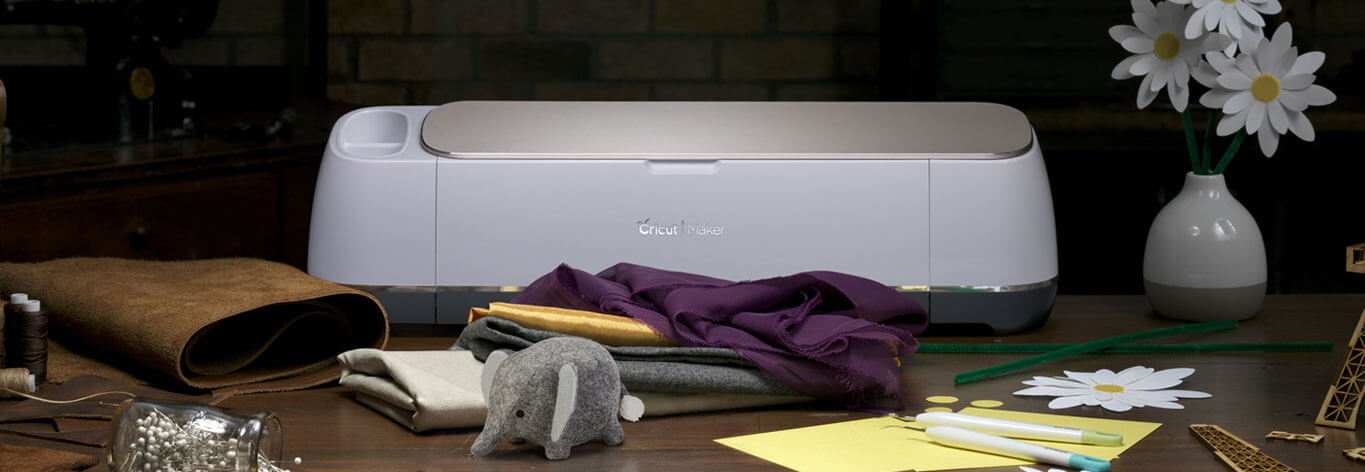
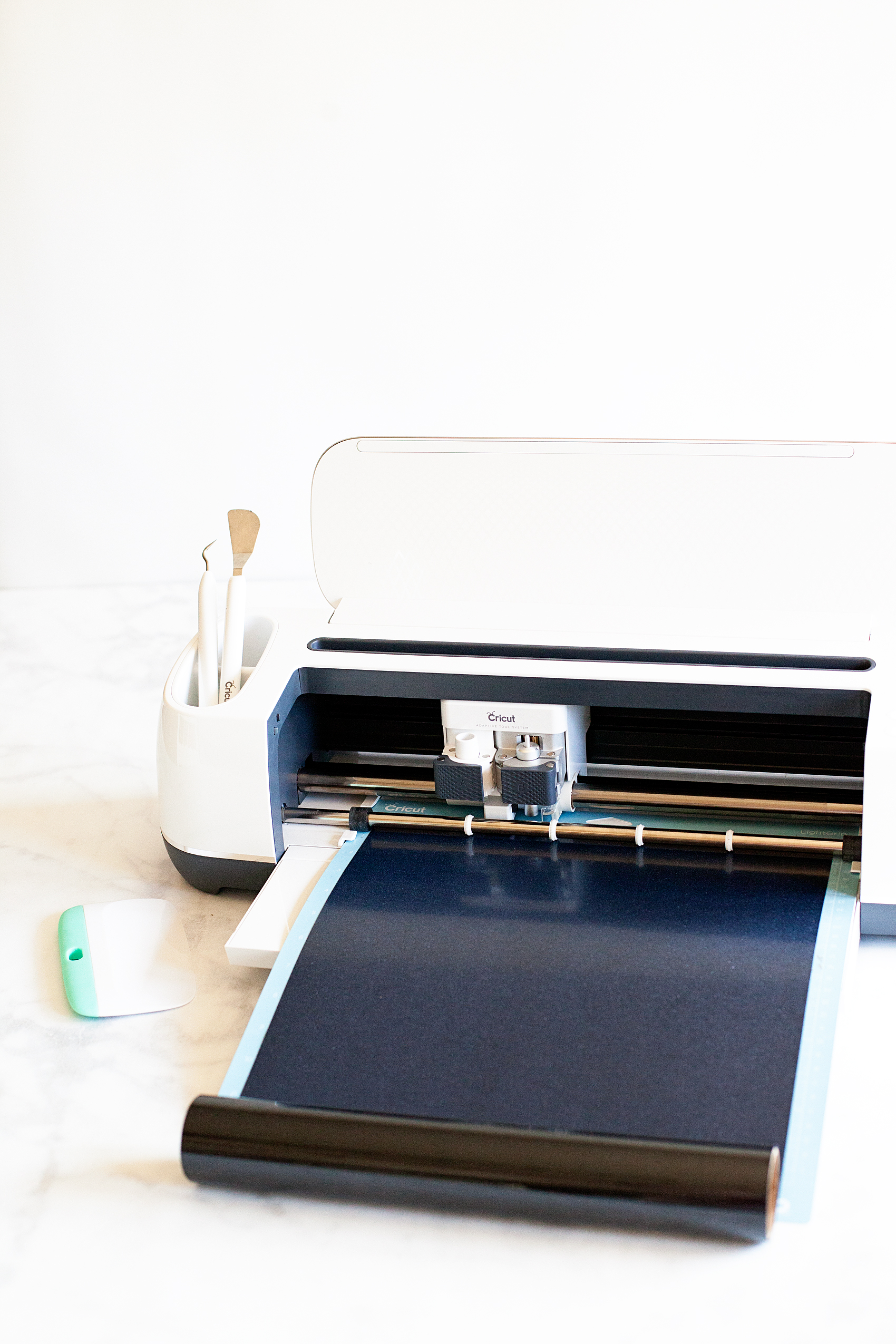
Now, it’s time to break out your Cricut machine. I’ve used the Cricut Explore machines and the Cricut Maker and I LOVE them both. For this project, I used my Cricut Maker but, either one is fine.

Athena_shop_hero_no-copy-copy2

Learning how to cut iron on vinyl with the Cricut Maker via WhipperBerry

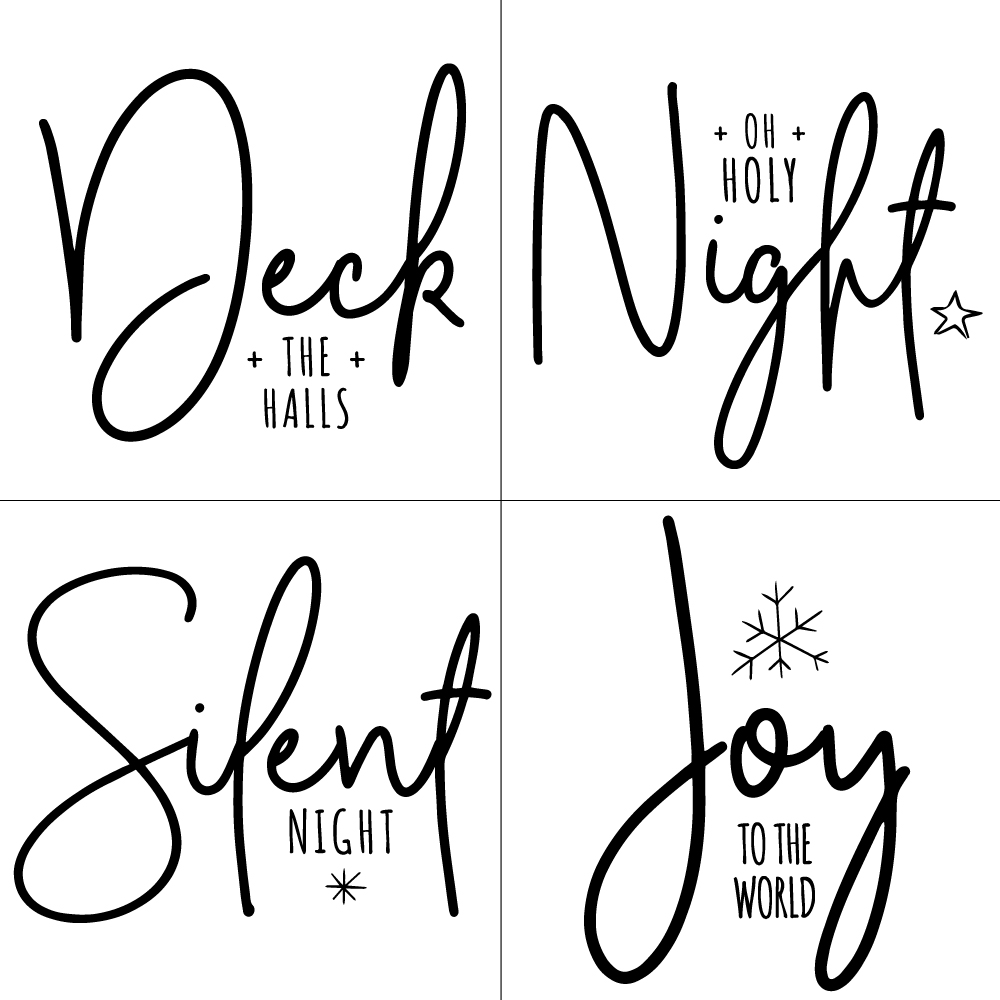
To begin, I created these designs to put on the chalk painted stars…Farmhouse Christmas Carol Ornaments from WhipperBerry

I love how they help to usher in the spirit of the season. They remind us of seasons past and they also help to remember the true meaning of the season… The birth of our Savior Jesus Christ.

You can download these Christmas Carol designs HERE

Then all you need to do is to upload the SVG files to the Cricut Design Space. You can check out this post on how to upload a design in the Cricut Design Space to learn how to do that.

Then you’ll cut your designs on your Cricut machine and then apply the vinyl to your stars. To learn how to apply vinyl, visit this post… How to Apply Vinyl Tutorial that I created.

It’s really not hard if you follow a few simple steps. It truly is one of my favorite ways to create for my home.

Pro Tip + Make sure you wipe down your stars with a damp cloth to remove any remaining paint dust. It will make applying the vinyl much easier.

Now your stars are ready to add to your tree!

Farmhouse-Star-Christmas-Tree-via-WhipperBerry-3

Farmhouse-Star-Christmas-Tree-via-WhipperBerry-9

I can’t wait to see what you guys create this Holiday Season! Make sure to tag me on your social media posts. You can follow me on Facebook, Instagram & Pinterest.

 Witch and Ghoul Death and Breakfast Paper Roll Sign with Cricut Easy Press

2 · Oct 16, 2017 · Leave a Comment

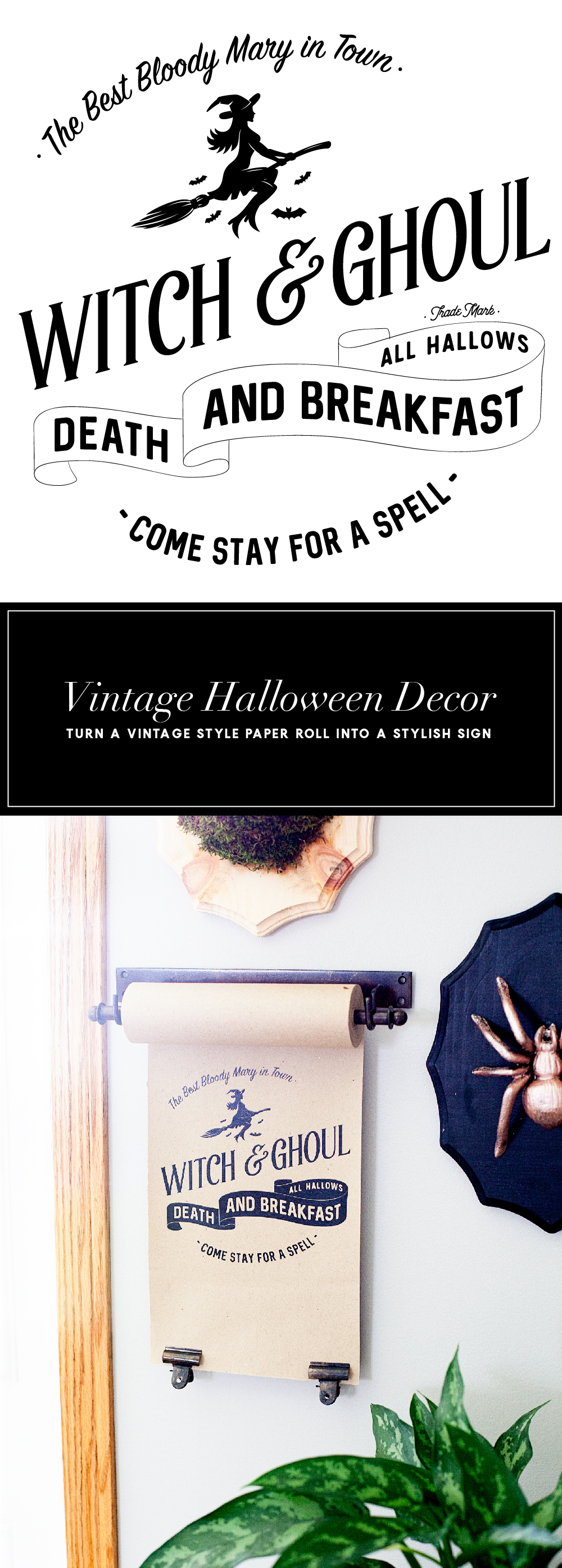
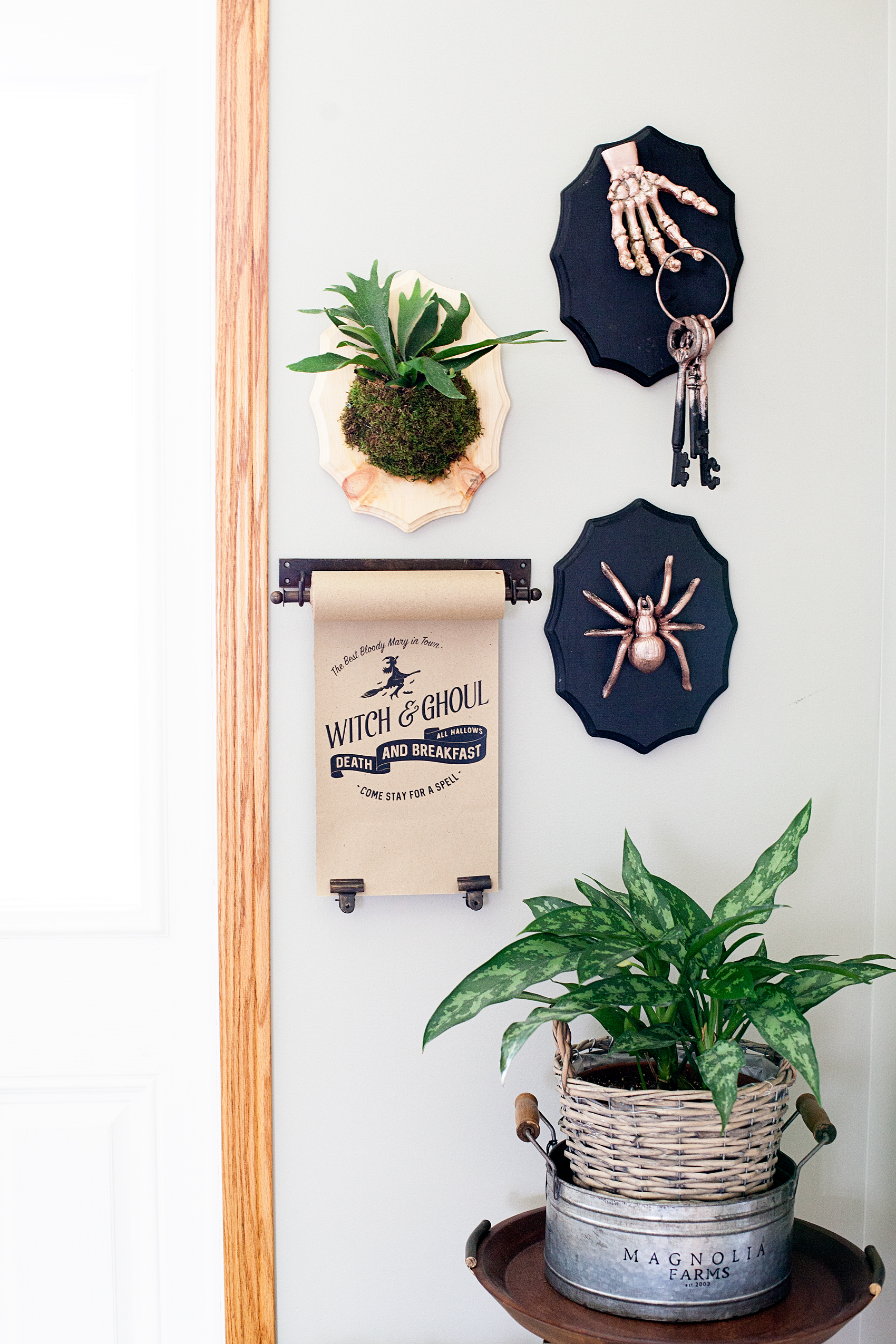
Today, I have a fun new idea. I’ve always loved the vintage paper rolls that little shops used to have. They would keep a roll of brown paper on it and use it to wrap parcels for their shoppers. Well, they are making a come back thanks to the vintage farmhouse lovers. I have found some vintage style paper rolls that aren’t too expensive and thought it would be fun to create new signs for the seasons with heat transfer vinyl and the NEW Cricut Easy Press.Travel back in time with this fun vintage paper roll sign created by WhipperBerry for Halloween. Witch and Ghoul Death and Breakfast sign available as an SVG file for cutting machines or a printable file for FREE!

• This post brought to you by Cricut •

Isn’t that fun?! It’s kind of a new concept when it comes to signage around the home.

Now, some people are naturally gifted and can create beautiful signs with just a sharpie and a little imagination. I however, can not… I wish I could! I was not gifted with that talent. The problem is that I love the look and I don’t have an arm and a leg to pay and actual artist to create my design each time I want to change it out. Then, I thought I could use vinyl and cut a design with the Cricut cutting machine. The problem with that is, the transfer tape would be a nightmare on the paper. It would just turn into a hot mess. Plus… I’m not a fan of weeding intricate designs out of vinyl. Although, I don’t mind weeding the Cricut Iron-on Lite! It’s so much easier to weed. I set out to see if it was possible to use Cricut Iron-On Lite on paper and sure enough, it works with the Easy Press!! I LOVE this new tool from Cricut!

All you need to do is to download my SVG file for the Witch and Ghoul sign OR you can download the free printable and print it out to display. You could even frame it if you’d like. I’ve sized it at 8×10 for your use.

Paper Roll Sign Supplies

  • vintage style paper roll like the one here
  • Cricut Iron-On Lite – Black
  • Cricut Maker or Explore series machine
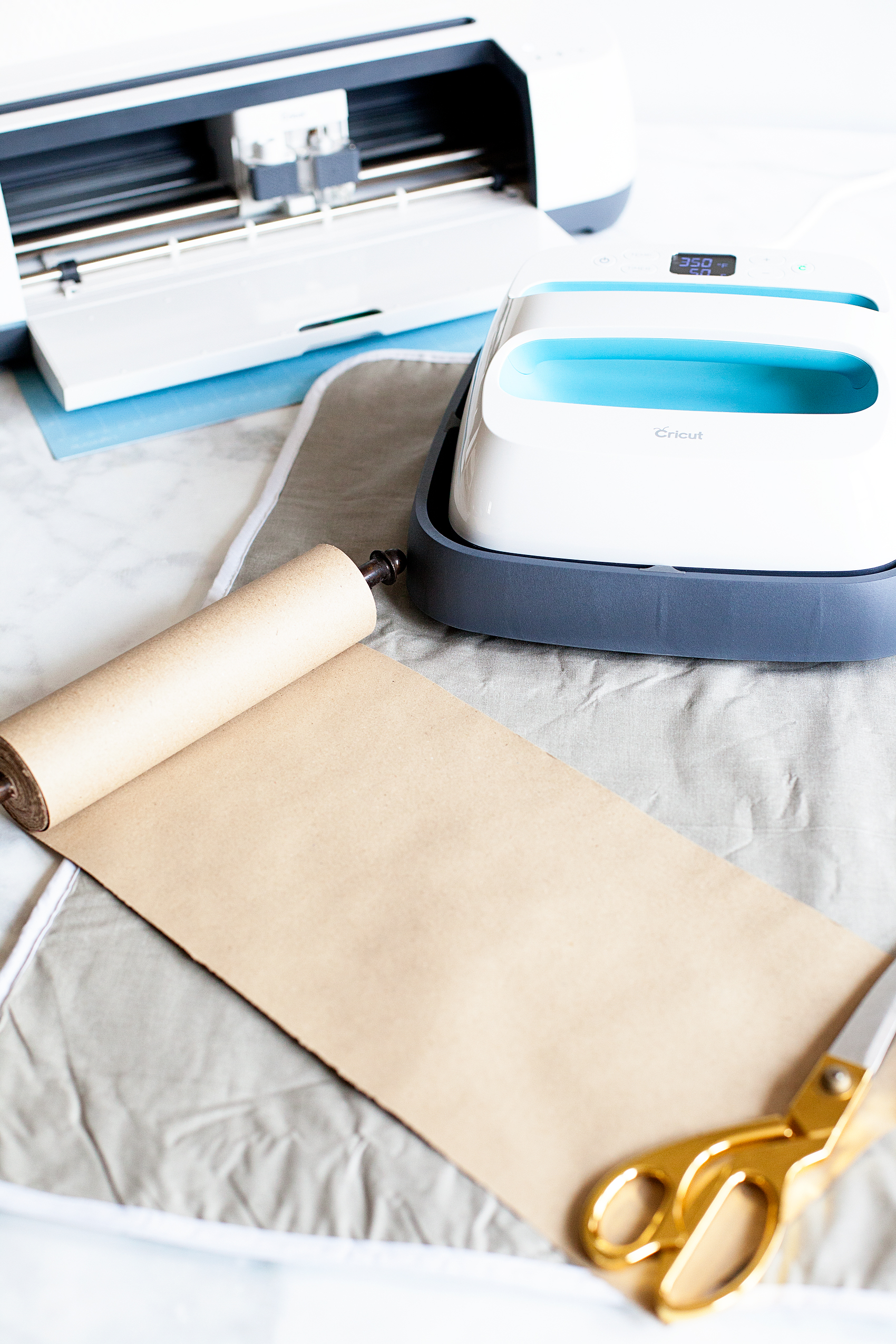
  • Cricut Easy Press
  • light cotton towel
  • heat resistant surface to work on
  • scissors

Paper Roll Sign Instructions

First, you’ll need to upload the SVG file into Cricut Design Space and size your design for the size of your paper roll. My roll is 8 inches but, you can get even larger paper rolls. You’ll be able to size the design for your paper roll size.

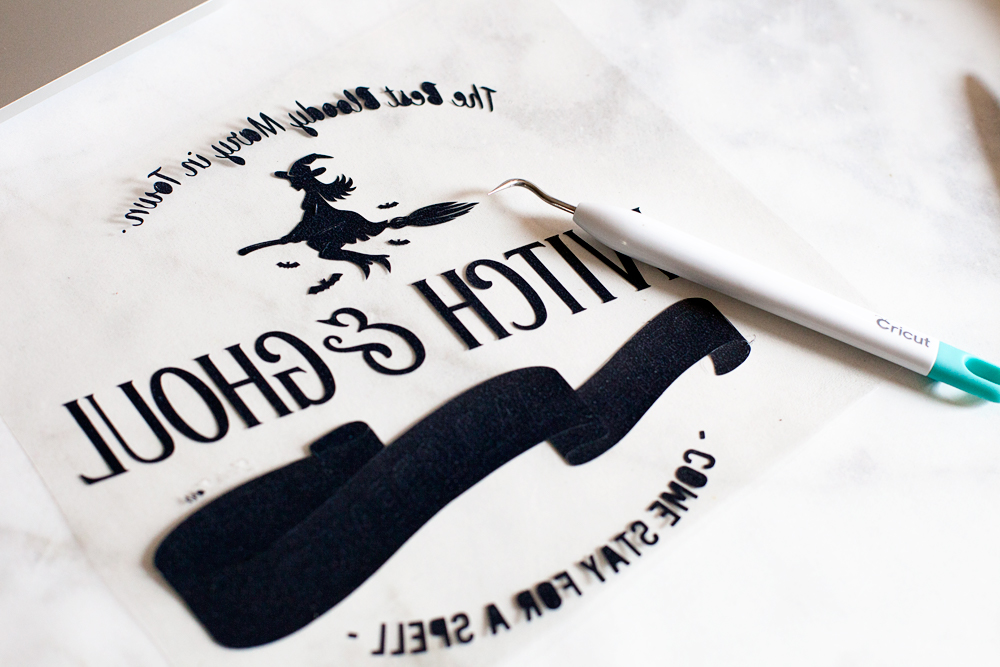
Then you’ll need to load your heat transfer vinyl onto your cutting mat and load into your machine and cut out the design.

Learning how to cut iron on vinyl with the Cricut Maker via WhipperBerry


Quick tip… I leave the vinyl on the roll while I am cutting it. It doesn’t interfere with the cutting process and it cuts down on waste.

Then you’ll need to weed your design to remove the excess vinyl.

Travel back in time with this fun vintage paper roll sign created by WhipperBerry for Halloween. Witch and Ghoul Death and Breakfast sign available as an SVG file for cutting machines or a printable file for FREE!

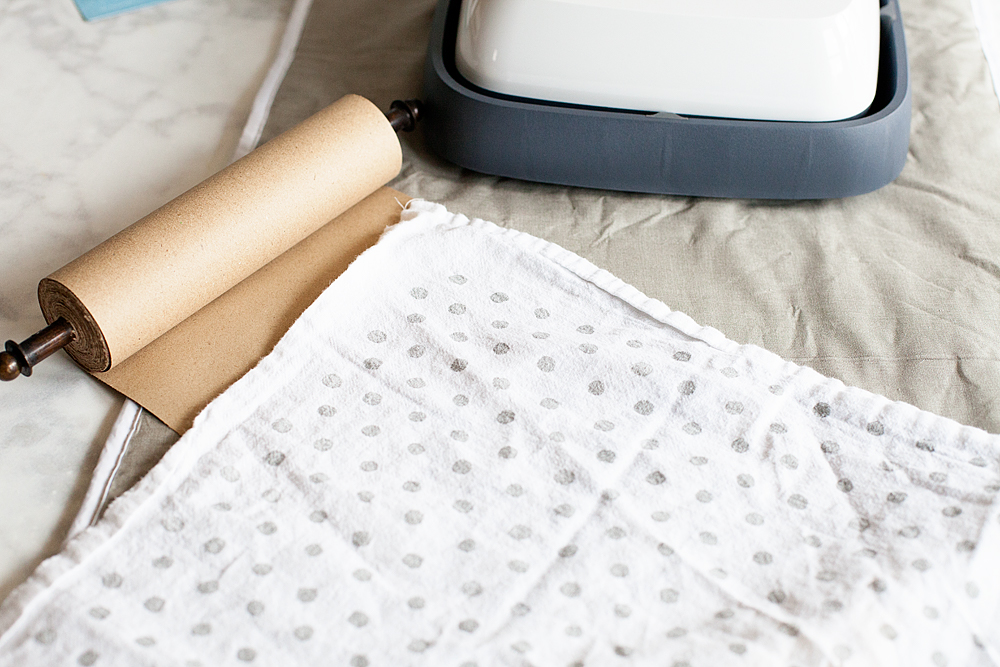
While you are weeding your vinyl, you’ll want to pre-heat your Cricut Easy Press. Once you finish with the weeding process, you should unroll some of your paper  and place something at the bottom of the roll to keep it from rolling back-up.

Travel back in time with this fun vintage paper roll sign created by WhipperBerry for Halloween. Witch and Ghoul Death and Breakfast sign available as an SVG file for cutting machines or a printable file for FREE!

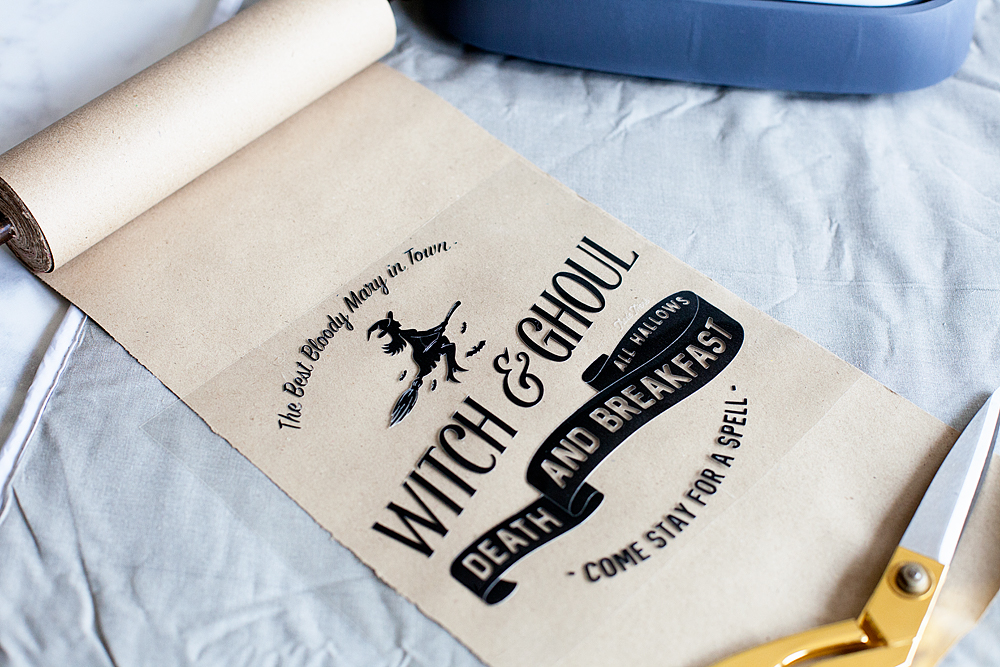
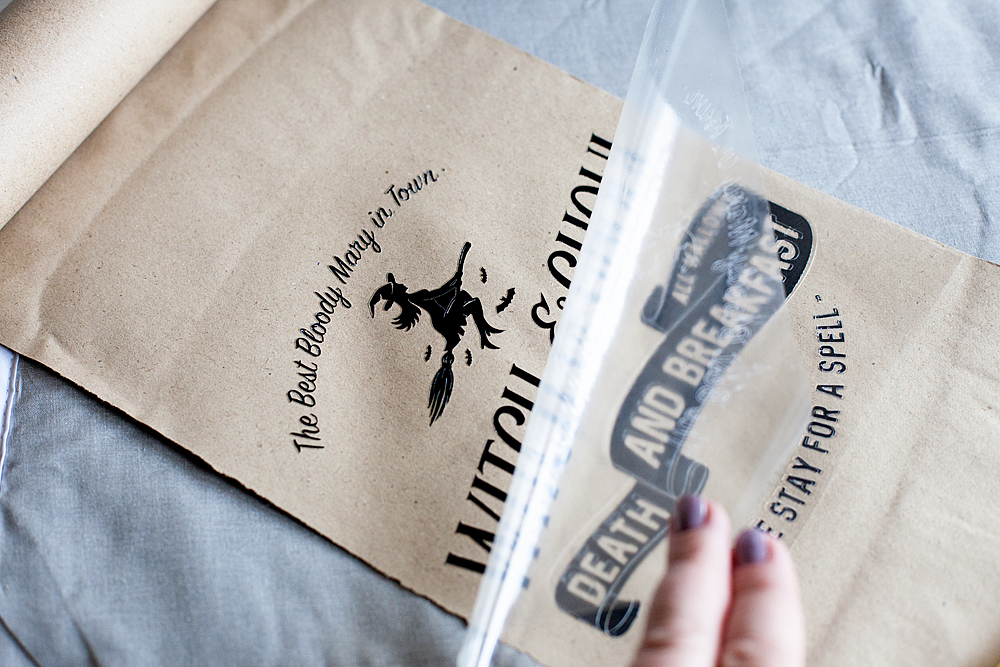
I like to pre-heat my surface before I lay down my design. The transfer seems to work best that way. Then I center the design onto the paper like so…

Travel back in time with this fun vintage paper roll sign created by WhipperBerry for Halloween. Witch and Ghoul Death and Breakfast sign available as an SVG file for cutting machines or a printable file for FREE!

I then cover it with the cotton tea towel to protect the paper.

Travel back in time with this fun vintage paper roll sign created by WhipperBerry for Halloween. Witch and Ghoul Death and Breakfast sign available as an SVG file for cutting machines or a printable file for FREE!

Then I place the Easy Press or the iron right on top and let it works it’s magic. I have found that 350˚ for about 50 seconds typically does the trick. Then, I let it cool for a minute or two and then remove the plastic protective covering.

Travel back in time with this fun vintage paper roll sign created by WhipperBerry for Halloween. Witch and Ghoul Death and Breakfast sign available as an SVG file for cutting machines or a printable file for FREE!

Replace the towel and do one more shot with the Easy Press. Voilá.. You’re finished!

Travel back in time with this fun vintage paper roll sign created by WhipperBerry for Halloween. Witch and Ghoul Death and Breakfast sign available as an SVG file for cutting machines or a printable file for FREE!

Doesn’t it look kinda of cool? You can check out my post on how to create that Halloween Taxidermy  to complete the entire look. It’s super easy too.

I LOVE, LOVE, LOVE the new Easy Press! I’ve used it on all kinds of surfaces now. Paper, canvas, fabric and my next project will be on ribbon. I can’t wait to show you how it turns out. Make sure you add the Cricut Easy Press to your Christmas list AND make sure you make it on the Nice List so that you will for sure get one. It’s one of those game changing tools that you are going to LOVE.

This is a sponsored conversation written by me on behalf of Cricut. The opinions and text are all mine.

Welcome to Our Patch • Fall Porch Ideas

2 · Sep 15, 2017 · Leave a Comment

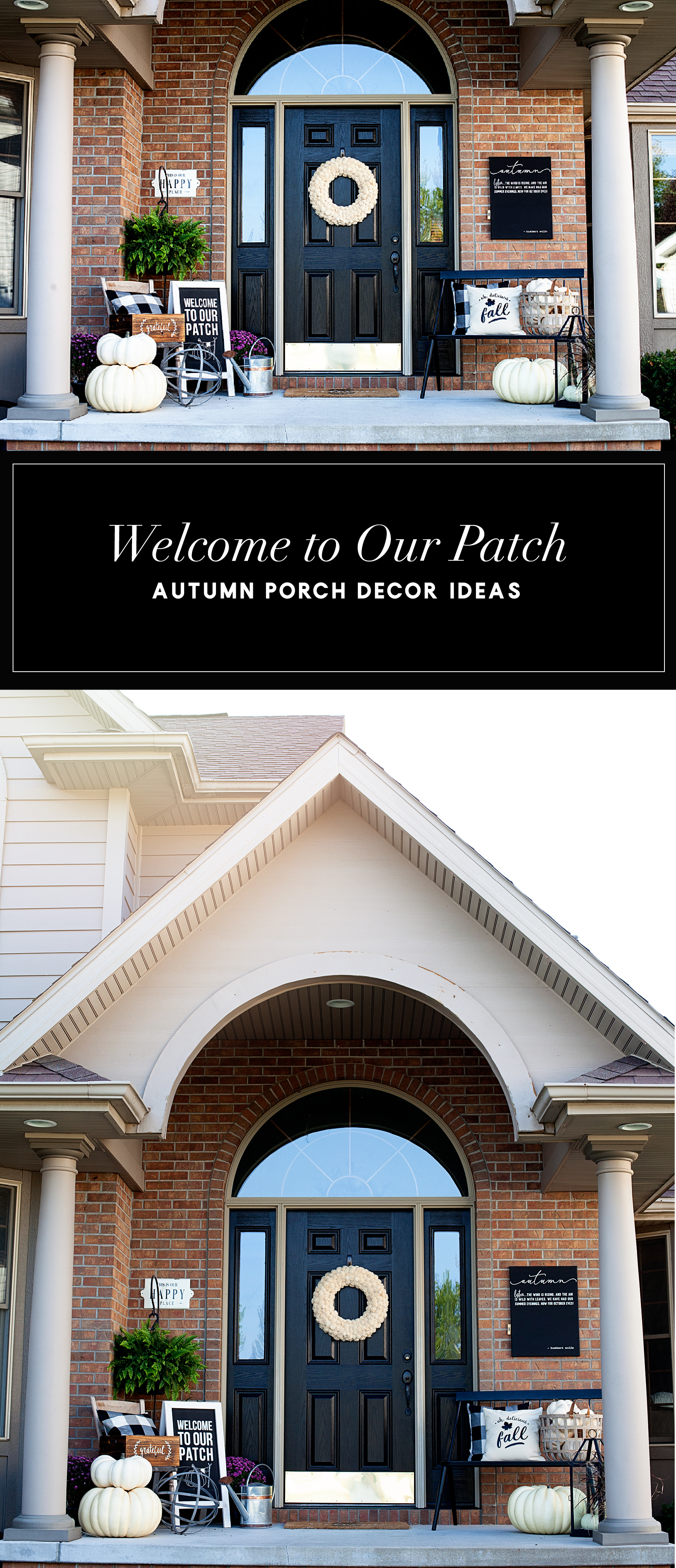
Easily dress-up your front porch for Fall with gorgeous white Autumn pumpkins from Michaels and a few DIY projects created with a little help from Cricut that will turn your drab porch into something the neighbors will truly envy! Easily dress-up your front porch for Fall with gorgeous white Autumn pumpkins from Michaels and a few DIY projects created with a little help from Cricut that will turn your drab porch into some the neighbors will truly envy • Created by WhipperBerry

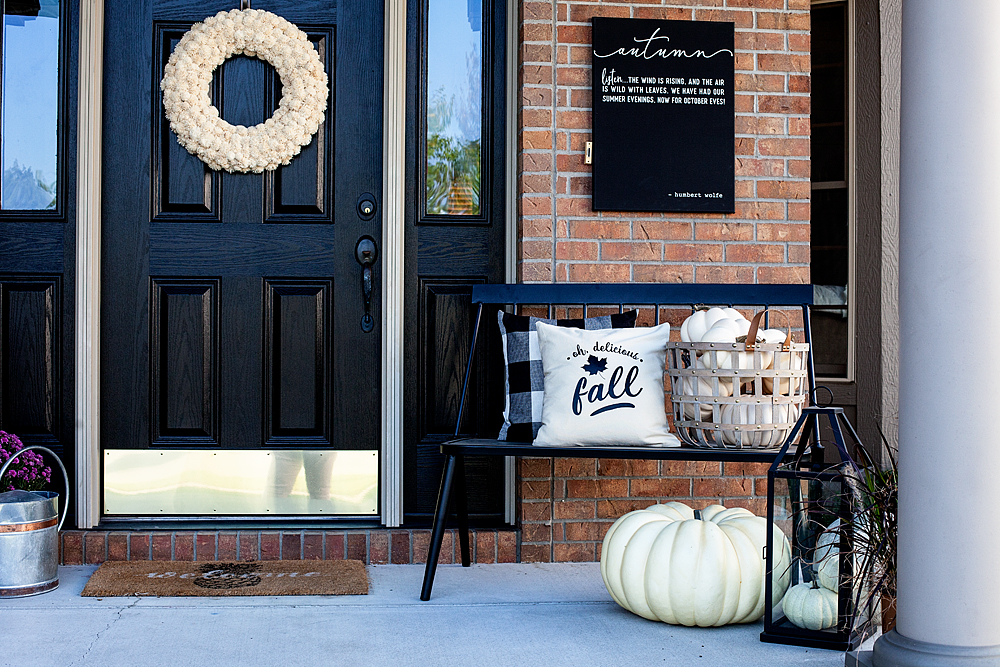
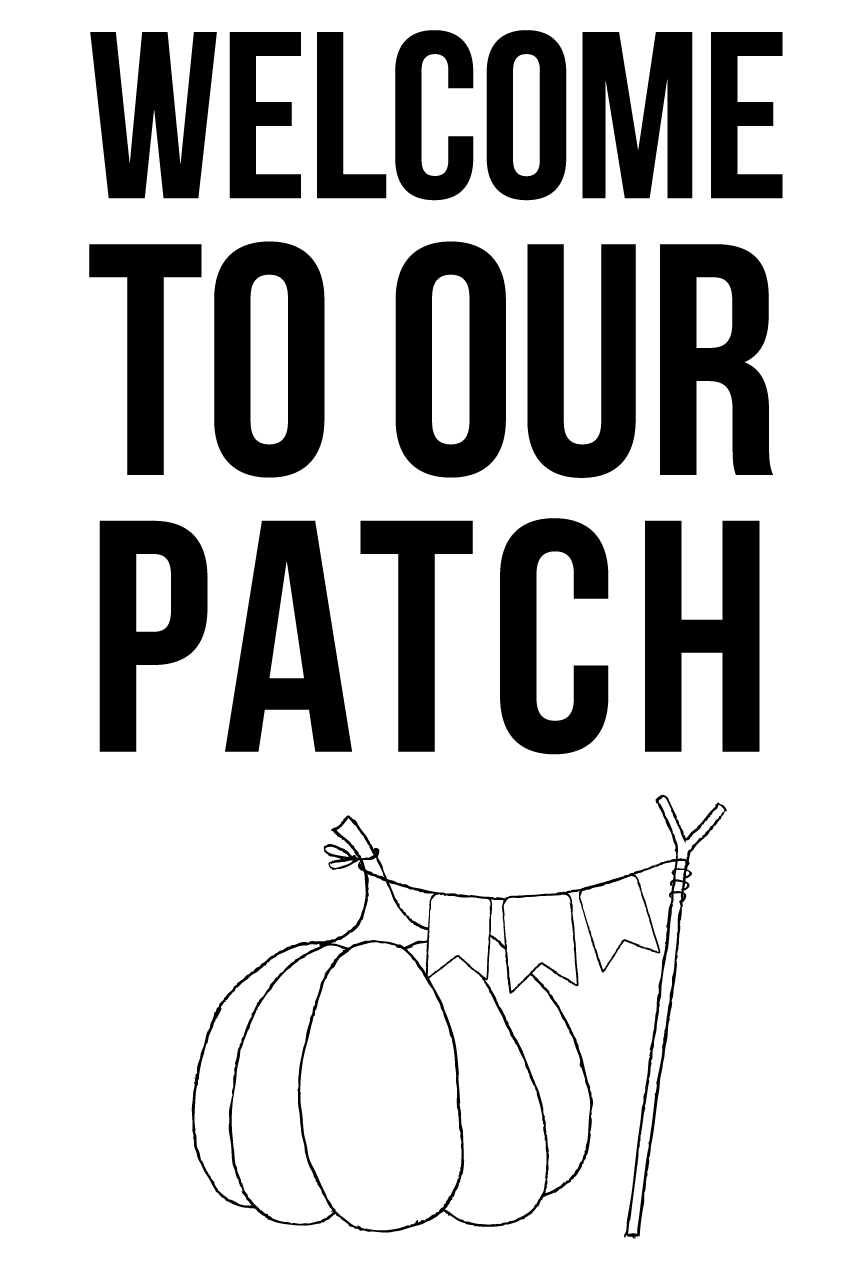
You guys!! I’m so excited to share my new front porch. If you’ve been following along in our home journey, you will know that back in March we purchase a new home here in Lincoln, Nebraska. I’ve been slowing getting the house up to snuff and I’m finally ready to show off our front porch with the fun Autumn decor that I’ve created. I’m calling it, Welcome to Our Patch.

I’ve been working on some fun design elements with my Cricut Maker and playing around with different types of Cricut vinyl. Plus, I found these amazing PUMPKINS from Michaels. I LOVE how Michaels has really stepped up the pumpkin game. From playful pumpkins to spooky sights, Michaels has everything you need to MAKE it fun or beautiful this fall!

Easily dress-up your front porch for Fall with gorgeous white Autumn pumpkins from Michaels and a few DIY projects created with a little help from Cricut that will turn your drab porch into some the neighbors will truly envy • Created by WhipperBerry

Fall Porch Ideas

I tend to stick with the more classic and neutral white pumpkins when it comes to fall decorating. I found these BEAUTIFUL white pumpkins at Michaels in various shapes and sizes. They are all in that heirloom, pumpkin carriage type of pumpkin and they are just so pretty. I also LOVE that they won’t ever go bad and I can keep them year to year. Here are some ideas on how to use them in your decorating.

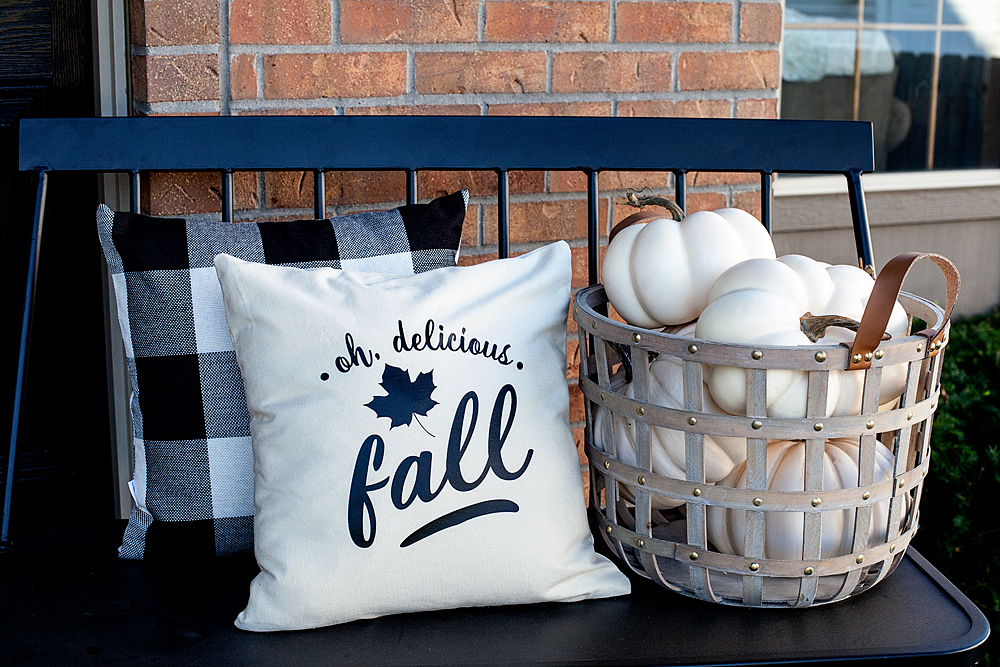
  • Grab a fabulous basket at Michaels and fill it with the smaller white pumpkins like the photo above.
  • Use pillows as part of your outdoor decor. I created this “Oh, Delicious Fall” pillow using my Cricut Maker and some of the Cricut Iron-On Lite along with the NEW Cricut Easy Press.
  • Invest in some of the large vintage style pumpkins to add to your beautiful “pumpkin patch.”
  • Fill a lantern with some of the smaller white pumpkins.

Easily dress-up your front porch for Fall with gorgeous white Autumn pumpkins from Michaels and a few DIY projects created with a little help from Cricut that will turn your drab porch into some the neighbors will truly envy • Created by WhipperBerry

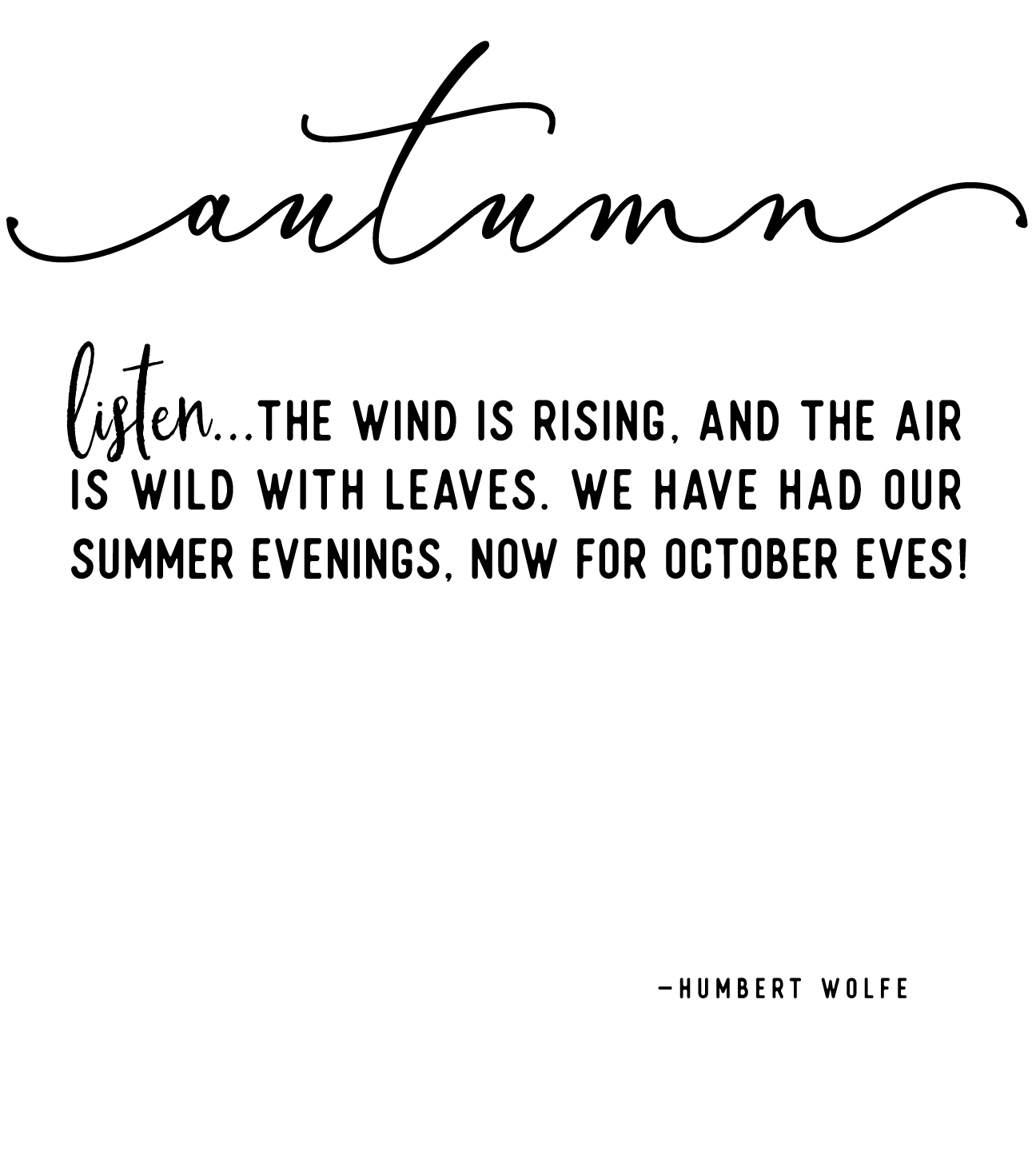
  • Create some wall art with a black canvas and some of the Cricut Iron-On Lite again. This works well for a front porch, indoor wall art or a mantel piece. I actually attached it to the brick with my FAVORITE Command Strips that I stock-up on at Michaels. I have been amazed at how well they work on the brick. It’s really cool! I see a whole bunch of outdoor wall art in my future.

Easily dress-up your front porch for Fall with gorgeous white Autumn pumpkins from Michaels and a few DIY projects created with a little help from Cricut that will turn your drab porch into some the neighbors will truly envy • Created by WhipperBerry

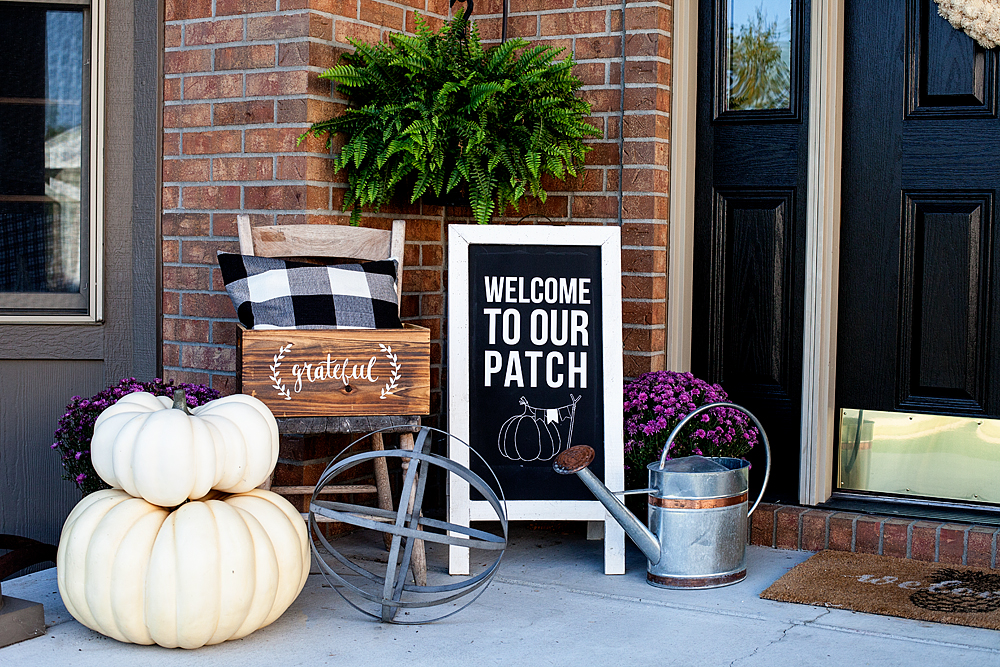
  • Grab an A-frame chalkboard sign from Michaels and add the “Welcome to Our Patch” design that I created for another great typography element. You know I love my word art!
  • Add a watering can, another pillow in a rustic crate, some plants… Anything you have around that could make this grouping look fall like. And of course… Pumpkins, more pumpkins for sure! It is a patch you know.

Easily dress-up your front porch for Fall with gorgeous white Autumn pumpkins from Michaels and a few DIY projects created with a little help from Cricut that will turn your drab porch into some the neighbors will truly envy • Created by WhipperBerryEasily dress-up your front porch for Fall with gorgeous white Autumn pumpkins from Michaels and a few DIY projects created with a little help from Cricut that will turn your drab porch into some the neighbors will truly envy • Created by WhipperBerry

You can download all of the SVG files for each element HERE

Let’s get busy and start our Fall crafting! Visit Michaels TODAY for all kinds of FABULOUS DEALS! For more inspiration, visit the Michaels Blog, Facebook, Instagram or Pinterest. They for sure have you covered.

Easily dress-up your front porch for Fall with gorgeous white Autumn pumpkins from Michaels and a few DIY projects created with a little help from Cricut that will turn your drab porch into some the neighbors will truly envy • Created by WhipperBerry

DIY Fall Throw Pillow • Oh, Delicious Fall

9 · Aug 30, 2017 · 3 Comments

Summer is coming to a close and it’s time to start thinking about Fall decor! This DIY Fall Throw Pillow is Perfect for your front porch or any room in the house!

Come make this simple Fall throw pillow with the fun "Oh, Delicious Fall" design by WhipperBerry. This is created with the Cricut Maker & Easy Press along with the Cricut Heat Transfer Material.

{ This post brought to you by • Cricut }

It’s time to start decorating for Fall and I’m over the moon excited to finally have a front porch that I can decorate! I’ve been working on all kinds of projects for the porch design and today I’m going to show you one of the elements. My DIY Fall throw pillow with the cute saying, “Oh, Delicious Fall.” Earlier today if you have been following my Story on Instagram… You watched live, how easy it is to make this simple accent pillow with the new Cricut Maker & Easy Press along with the Cricut Heat Transfer Material. It’s sooooo cool!!

The Cricut MAKER

You guys… I know you’ve seen all the buzz around the creative world about the new Cricut Maker and Cricut Easy Press. I’m here to tell you, everything you’ve heard is legit. These two new machines are game changers in the creative world. I’m sure you’ve seen some of the stuff the new Cricut Maker can do, it cuts…

  • fabric { without any type of backing }
  • felt
  • leather
  • balsa and bass wood
  • crepe paper
  • chip board
  • mat board
  • and the list goes on and on…

The engineers at Cricut have come up with an adaptive cutting tool system that is truly inspired. They have also dramatically increased the cutting power which allows for all of the new materials. They’ve increased the cutting power 10x… That’s seriously impressive! Here are some of the displays with amazing vignettes all created with the Cricut Maker for the launch event earlier this month.

The Cricut Maker and Easy Press Launch Event with WhipperBerry

The Cricut adaptive tool system

Well, enough about that… Let’s get to work on the Fall throw pillow. Now keep in mind, I am using the new Cricut Maker but, you can use any of the Cricut cutting machines like the Cricut Air 2 for this project. We are using the Cricut Heat Transfer Material that any of those machines can handle just fine. Also, I am using the Cricut Easy Press, which is FABULOUS!! But, you won’t be left out in the cold if you don’t have an Easy Press yet… You can use your iron to create this accent fluffy pillow as well.

Instructions for the DIY Fall Throw Pillow

Materials needed:

  • pillow cover
  • pillow form
  • Cricut Iron-On Lite – black
  • Cricut Light Grip cutting mat
  • Cricut cutting machine
  • Cricut Easy Press or an Iron
  • light cotton towel
  • Cricut Design Space

Directions:

First, you need to download the “Oh, delicious Fall” design that I’ve created for this pillow.

Oh, delicious Fall design for accent pillow by WhipperBerry

Then you’ll need to upload it into Design Space…

Working in Cricut Design Space

You’ll do that by clicking on the upload button on the left side of the screen.

upload in cricut design space-100

Now, the design is already sized for your standard 15 inch throw pillow but you can size it larger or smaller if you like. You will also need to add the maple leaf from the image library. I searched for a maple leaf in the search bar and then selected the leaf below. You could always select whatever image you like.

Cricut Maple Leaf-100

Size and place the leaf into the design and then you need to select your designs and then Weld them together and then Attach them to your “cutting mat.”

weld your design-100

Now, it’s time to “Make It” by clicking on the Make It button at the top right of the screen. When working with iron-on material, you need to make sure that you mirror the design so that it cuts properly.

mirror image for iron on -100

Now, you need to place your Cricut Iron-On light onto your cutting mat. Make sure to follow the package directions for how to place it on your mat. Basically, the shiny side needs to be placed face down on the mat. If you were following my Instagram Story, you would have seen that I don’t bother to cut the material off of the roll until I have finished cutting my design. It cuts down on waste and makes it easier to remove your design from the cutting mat. All you need to do is roll it right back up. It’s super slick.

How to load your Cricut Iron-On Lite onto your cutting mat.

Now, you need to load your mat into the machine, connect your machine to your computer, iPad or other mobil device via Bluetooth and then select your material that you will be cutting.

Oh,-Delicious-Fall-Pillow-Cricut-Maker-Cricut-Easy-Press-WhipperBerry-12

Click on Iron-On and you’re all set to cut…

Learning how to cut iron on vinyl with the Cricut Maker via WhipperBerry

Once you have finished the cutting process, you’ll need to weed your iron-on vinyl to remove the excess material.

Oh,-Delicious-Fall-Pillow-Cricut-Maker-Cricut-Easy-Press-WhipperBerry-13

While you are weeding your iron-on vinyl, you’ll want to pre-heat your Cricut Easy Press or your iron so that you’re ready to go once you’ve finished weeding.

The NEW Cricut MAKER and the Cricut Easy Press

I have found a setting of 350˚ for about 50 seconds usually does the trick when I’m working with the Cricut Iron-On Lite. The nice thing about the easy press is that is has nice consistent temperature over the entire base. Check this out…

ed00ca8a52d9b0e655dc521e1366d505

This is showing the heat variance with a traditional iron. That’s why some people have been frustrated in the past with creating iron-on projects. You don’t have to worry about that anymore with the Easy Press. It has a large 9×9 inch plate which is AWSOME!! That’s how you’ll achieve professional results without investing in a bulking and expensive heat press machine. It’s light weight and easy to store which is a total bonus.

First, I pre-heat my pillow cover, this helps to start the iron-on process with the vinyl. Plus, it irons out any wrinkles in your pillow cover.

Oh,-Delicious-Fall-Pillow-Cricut-Maker-Cricut-Easy-Press-WhipperBerry-16

Oh, I also use a portable ironing blanket that you can find at Walmart or Target in the laundry section. It’s perfect for protecting your surface while you’re using the Easy Press.

Now, center your design on your pillow cover.

Oh,-Delicious-Fall-Pillow-Cricut-Maker-Cricut-Easy-Press-WhipperBerry-17

Cover your design with a light cotton tea towel.

Oh,-Delicious-Fall-Pillow-Cricut-Maker-Cricut-Easy-Press-WhipperBerry-18

And then, place the Easy Press onto your design with the timer set for 50 seconds and press the Cricut button to start the timer. Lightly press on the Easy Press and wait for the timer to go off.

Oh,-Delicious-Fall-Pillow-Cricut-Maker-Cricut-Easy-Press-WhipperBerry-19

Now, my design was a little larger than the 9×9 plate so I did it a few times to make sure I had transferred the entire design onto my pillow cover. Then I removed the protective plastic cover, replaced the towel and then did one more go with the Easy Press to make sure everything was set.

Oh,-Delicious-Fall-Pillow-Cricut-Maker-Cricut-Easy-Press-WhipperBerry-20

That was it! I put the pillow form into the pillow cover and voilá… I had a fun accent piece for my new front porch bench.

Oh, Delicious Fall accent pillow created by WhipperBerry

How simple is that? If you don’t have a Cricut machine or the Cricut Easy Press… I would for sure start dropping hints to Santa pronto! This is a new era for creating and these are the must have tools!!

Disclaimer • I am a Cricut Ambassador this year and I’m thrilled to be a part of that crew. I truly love these products and for sure would not share anything that I didn’t naturally use in my own life and LOVE. I have received product and payment for my time in putting together this informative post for you guys. I hope you ENJOY!

This is a sponsored conversation written by me on behalf of Cricut. The opinions and text are all mine.

  • « Go to Previous Page
  • Page 1
  • Interim pages omitted …
  • Page 9
  • Page 10
  • Page 11
  • Page 12
  • Page 13
  • Go to Next Page »

Primary Sidebar

Heather from Whipperberry
Hello... my name is Heather and I'm the creator of WhipperBerry a creative lifestyle blog packed full of great recipes and creative ideas for your home and family. I find I am happiest when I'm living a creative life and I love to share what I've been up to along the way... Come explore, my hope is that you'll leave inspired!

Footer

  • Privacy Policy
  • Crafts
  • Food
  • Gifts
  • Holidays
  • Home
  • Mom Life
  • Recipes
  • Travel

Copyright © 2026 · Seasoned Pro