• Skip to primary navigation
  • Skip to main content
  • Skip to primary sidebar
  • Skip to footer

Whipperberry

WhipperBerry • Your Home For Creative Inspiration

  • Home
  • Recipes
    • Starters
    • Easy Weeknight Dinners
    • Main Dish
    • Salads
    • Side Dish
    • Soups & Stews
    • Desserts
    • Breakfast
    • Miscellaneous
  • Tutorials
    • Creative Crafts
    • DIY Decor
    • Fabric Crafts
    • Food How-To
    • Jewlery
    • Paint Projects
    • Paper Art
    • Party Styling
    • Photography and Graphic Design
    • Silhouette
  • Holidays
    • Easter
    • Mother’s Day
    • Father’s Day
    • 4th of July
    • Halloween
    • Thanksgiving
    • Christmas
    • Valentine’s Day
  • Gift Ideas
    • Gifts For Everyone
    • Gifts for Dad
    • Mother’s day
    • For The Girls
    • For The Kids
    • Teacher Gift Ideas
    • Christmas
  • Printables
    • Holiday
    • Gift Idea
    • LDS Primary
  • Travel
  • About
    • Terms
  • Contact
  • Nav Social Menu

    • Facebook
    • Instagram
    • Pinterest
    • RSS
    • Twitter

Cricut

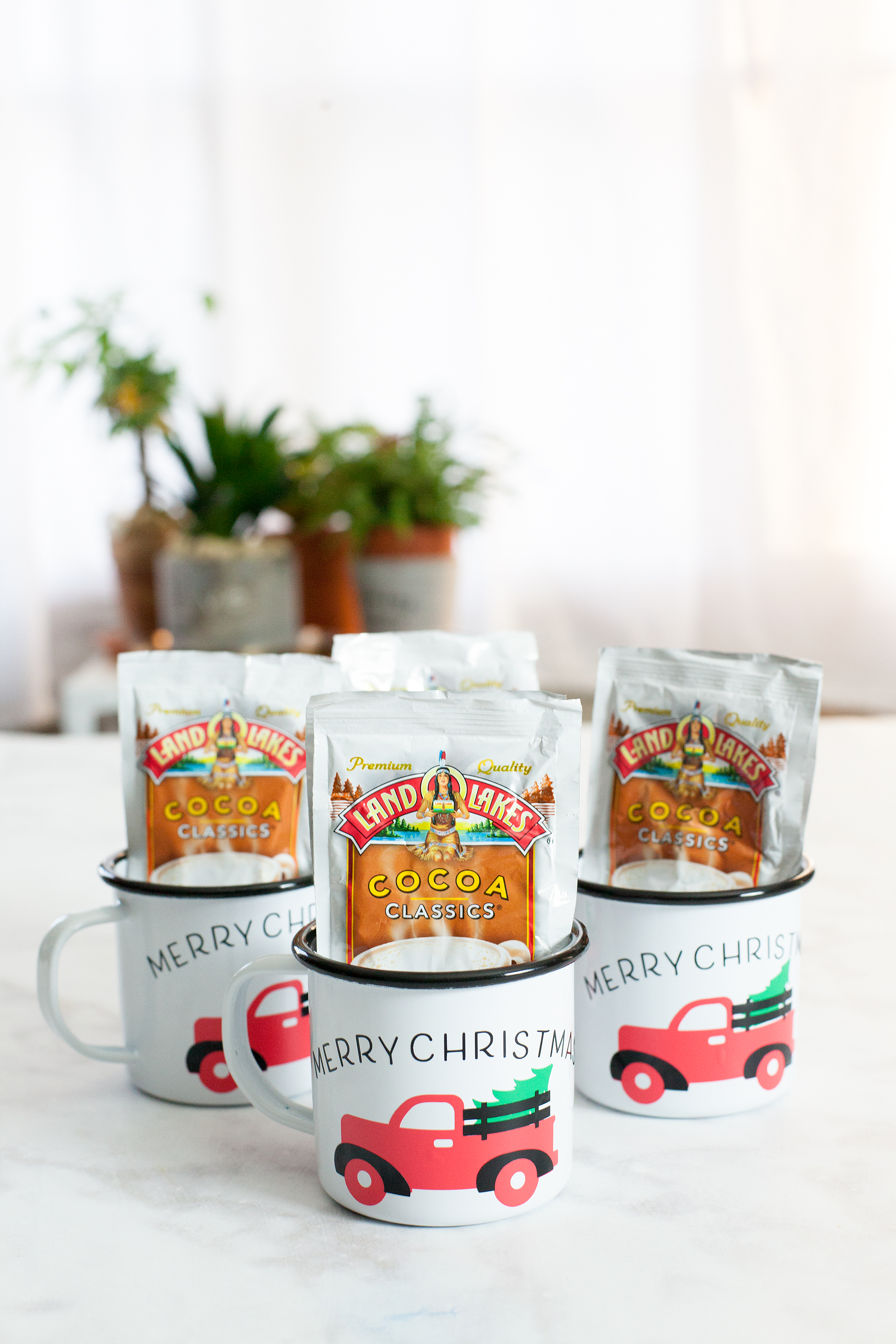
Christmas Tree Truck Mug • Cricut Holiday Gift Giving

10 · Nov 29, 2017 · 2 Comments

Always, always, always… Looking for fun and unique gifts that I can create for friends and family during the holidays. This Christmas Tree Truck Mug, that I created with my Cricut Maker, has my heart! I Now if you aren’t sure which is better, Cricut vs Silhouette, then make sure you check out that comparison! Anyways, I love how it turned out. This Christmas Tree Mug filled with hot chocolate packets is fun to give to friends, neighbors, teachers, and so on. I typically stick with black and white in my designs because I LOVE black and white. This time, I branched out and layered different colors of vinyl to create a fun look on a white and black enamelware mug. While I was making them I created a video tutorial on how to layer your vinyl when working with multicolored vinyl projects. Come check it out…

+ This post brought to you by Cricut +Always, always always looking for fun and unique gifts that I can create for friends and family during the holidays. This one that I created with my Cricut Maker has my heart! I love how it turned out. This Christmas Tree Mug is so cute and fun to give to friends, neighbors, teachers and so on.

Christmas Tree Truck Mug

Inspired by the ever-popular red truck with a Christmas Tree in the back, I thought it would translate nicely into a fun neighbor gift. This project is really quite simple. However, it looks impressive and your friends who receive it are going to LOVE it! I know I would if someone gave it to me. Here’s what you’ll need to make some of your own.

Materials

For the mug, I found some enamel ware mugs at Amazon (I’m not an affiliate) but they can be pretty pricey. If you want a more budget friendly option, I would visit a Dollar Store, Dollar Tree or even a thrift store to find just some basic white mugs.

  • white mug
  • design file for Cricut Design Space
  • black vinyl
  • red vinyl
  • green vinyl
  • Cricut Transfer Tape
  • Cricut Cutting Machine ie. Cricut Maker or Cricut Explore Air 2
  • Cricut Light Grip Cutting Mat
  • hot chocolate packets

Instructions

The first thing you might want to do is watch a video tutorial that I created that shows how to create curved text in Cricut Design Space AND how to apply the vinyl to the mug. It would be really helpful. Don’t worry though, I’ve handled the entire design process for you! Once you watch the video, make sure you have clicked on the link to my design file so that you can easily create this project in Cricut Design Space. Select the click it button on the bottom right and follow the steps to cut all three colors of vinyl. Next step, you’ll need to weed your vinyl. That means that you need to remove all of the vinyl around your image and inside the image. Once you’ve weeded the vinyl, you’re ready to apply it to the mug. Here is a quick video tutorial on how to easily layer your vinyl.

WhipperBerry Cricut Design School-How to Easily Layer Vinyl Video Tutorial from Heather Thoming on Vimeo.

Now, all you need to do is fill your cute mugs with your favorite hot chocolate packets. Then, make a list of all your favorite friends & neighbors to give one if these fun mugs to this Christmas.

Learn how to create stylish curved text in Cricut Design Space • Video Tutorial created by WhipperBerry

Cricut Questions

Have any Cricut questions? I’d be happy to tackle them if you’d like. Leave a comment or email me at heather @ whipperberry . com and I’ll put together a video to help shine some light on what has been perplexing you.

This is a sponsored conversation written by me on behalf of Cricut. The opinions and text are all mine. I have included some Share-a-Sale links for tracking purposes only. I am not a Cricut Affiliate.

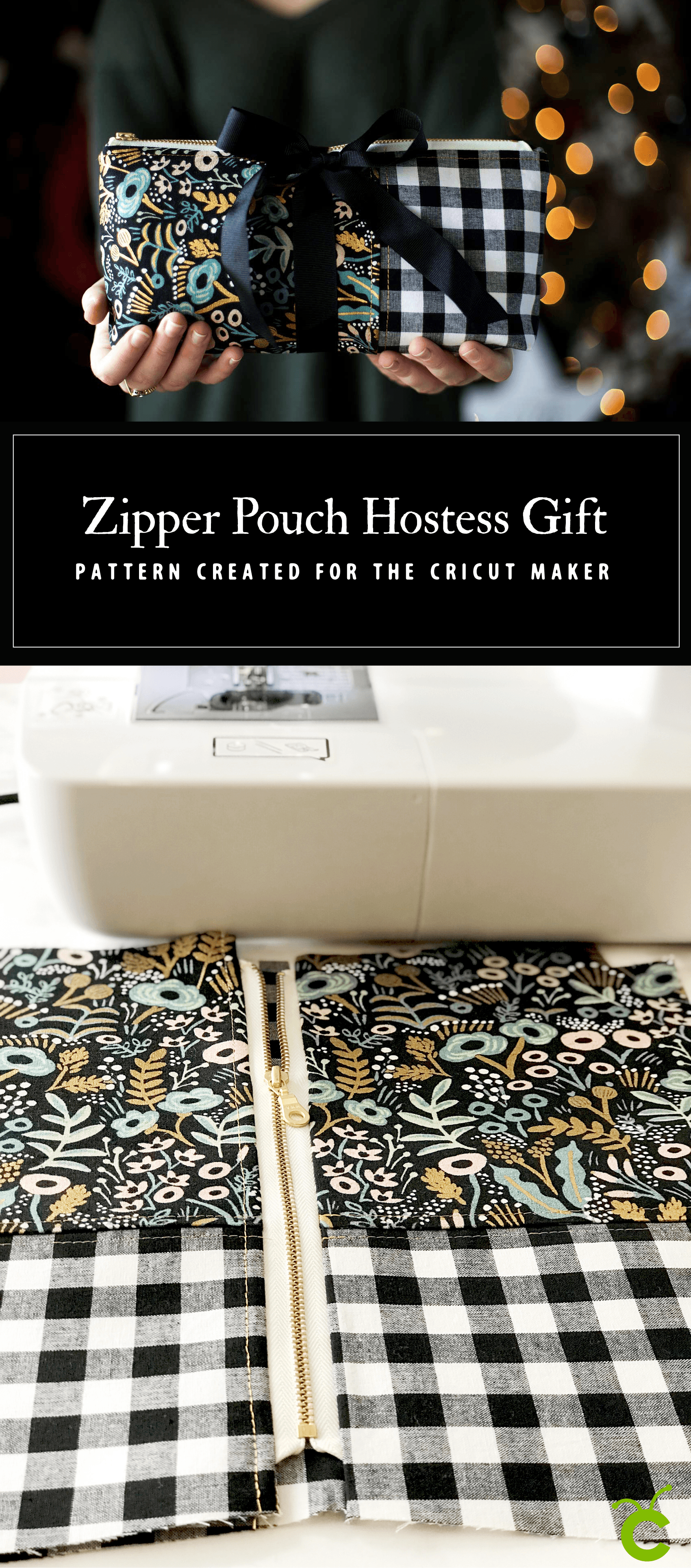
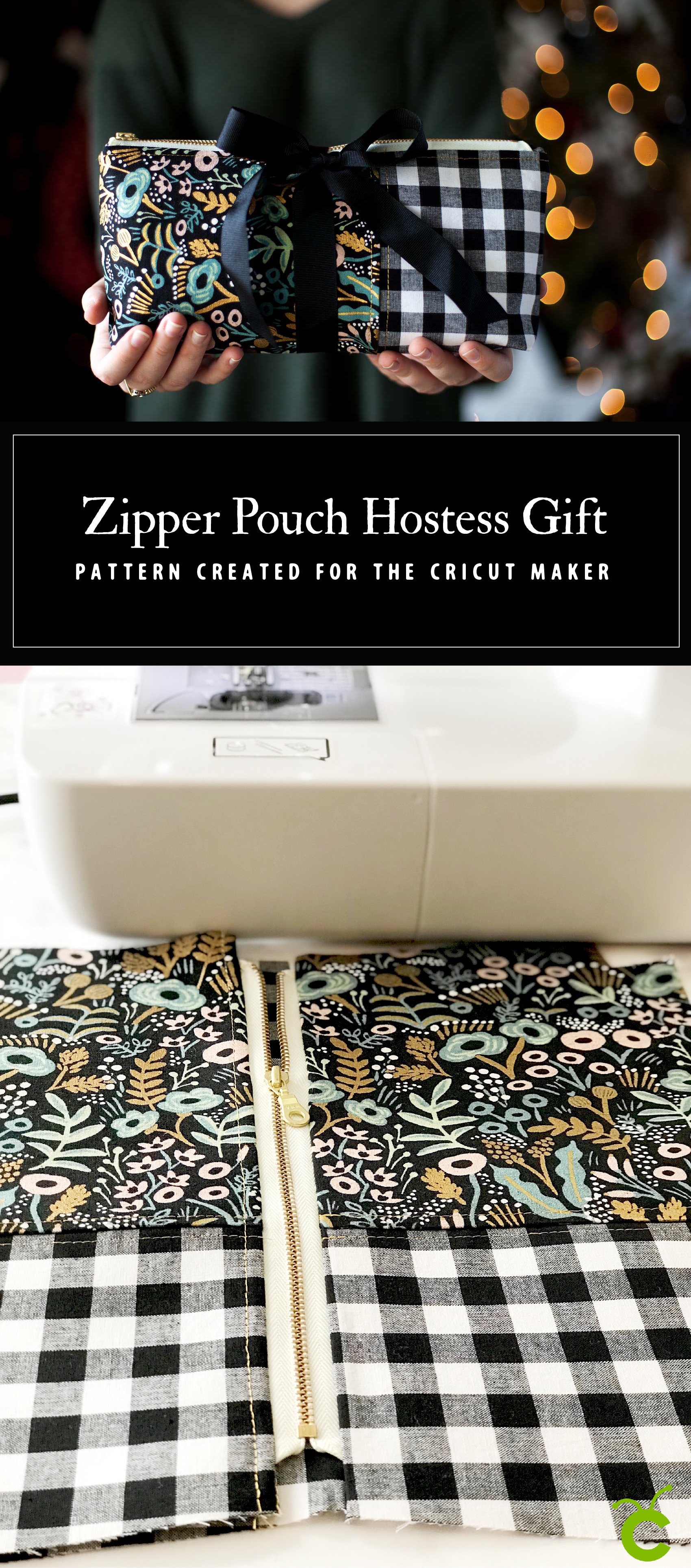
Zipper Pouch a Perfect Holiday Hostess Gift Cut with the Cricut Maker

121 · Nov 22, 2017 · 8 Comments

I am a HUGE fan of thoughtful handmade gifts! I try as much as possible to create something special to give friends and family during the holiday season. This year I have become a little obsessed with stylish little zipper pouches. They are so handy for keeping those little odds and ends organized and really… They’re so darn cute! I’ve even created a design of my own it’s called the WhipperBerry Zipper Pouch and it’s the perfect Holiday Hostess Gift!

+ This post is brought to you by Cricut +Everyone loves thoughtful homemade gifts and this stylish zipper pouch is the perfect gift to whip-up in a fews hours to give as a fabulous Christmas gift this year + you can take the guess work out of cutting the pattern with the Cricut Maker! Come on over and learn how to make one of your own on WhipperBerry.

  Not too long ago, I made a cute little pencil pouch using the pattern created by Anna from Noodlehead. I LOVED the pattern so much… I was a total nerd and decided that I wanted to convert Anna’s PDF pattern to a SVG file so that I could cut my fabric on my Cricut Maker. It took a little trial and error, but I managed to make it work. I imported my newly created SVG file to the Cricut Design Space and again, with a little more fiddling around, I managed to make it work. I was THRILLED! I love Anna’s pencil pouch and I’ve now sewn a few different variations trying to improve my sewing skills. I love this little pouch but, I’ve been wanting to make one that is larger and will hold things other than just pens and pencils. I decided to modify Anna’s pattern a bit and make a larger zipper pouch to give as holiday hostess gifts this year.

Why Sew with the Cricut Maker

This is a BOLD move for me! I’ve embraced all kinds of creative gift ideas, but I’ve never sewn for my friends and family. I’ve always thought it was too hard, too troublesome, too time consuming. This cute, stylish and heartfelt gift is quite frankly one that I would LOVE to receive. So, why not make several? I’ve always shied away from sewing because I could never cut the pattern just right. Something would ALWAYS be off… Not anymore!!! I’ve been cutting fabric for sewing projects now for a few months and man am I hooked. Knowing that you are starting off with good bones makes the sewing so much more enjoyable. Reasons why I love cutting fabric with the Cricut Maker…

  • Precision cuts – you’ll always start with good bones.
  • Less waste – you’ll use far less fabric by using a precision cutting tool.
  • Empowerment – the Cricut Maker is bring sewing to the masses, no more excuses, you CAN do this.
  • More intricate designs – have you always kept things really simple? With the Cricut Maker, you can get as fancy as you want.

Here’s a quick little video on how I cut my fabric for the zipper pouch

The WhipperBerry Zipper Pouch Material List

  • 10″ zipper
  •  14″ x 28″ of cotton fabric for lining + I used Cotton + Steel black and white Checkers for the lining and the accent fabric
  • 16″ x 18″ main print cotton linen canvas – I used Cotton + Steel  Tapestry Midnight Canvas
  • 8″ x 12″ accent fabric
  • 1/2 yard Fusible Ultra Lightweight Interfacing
  • thread that compliments your fabric
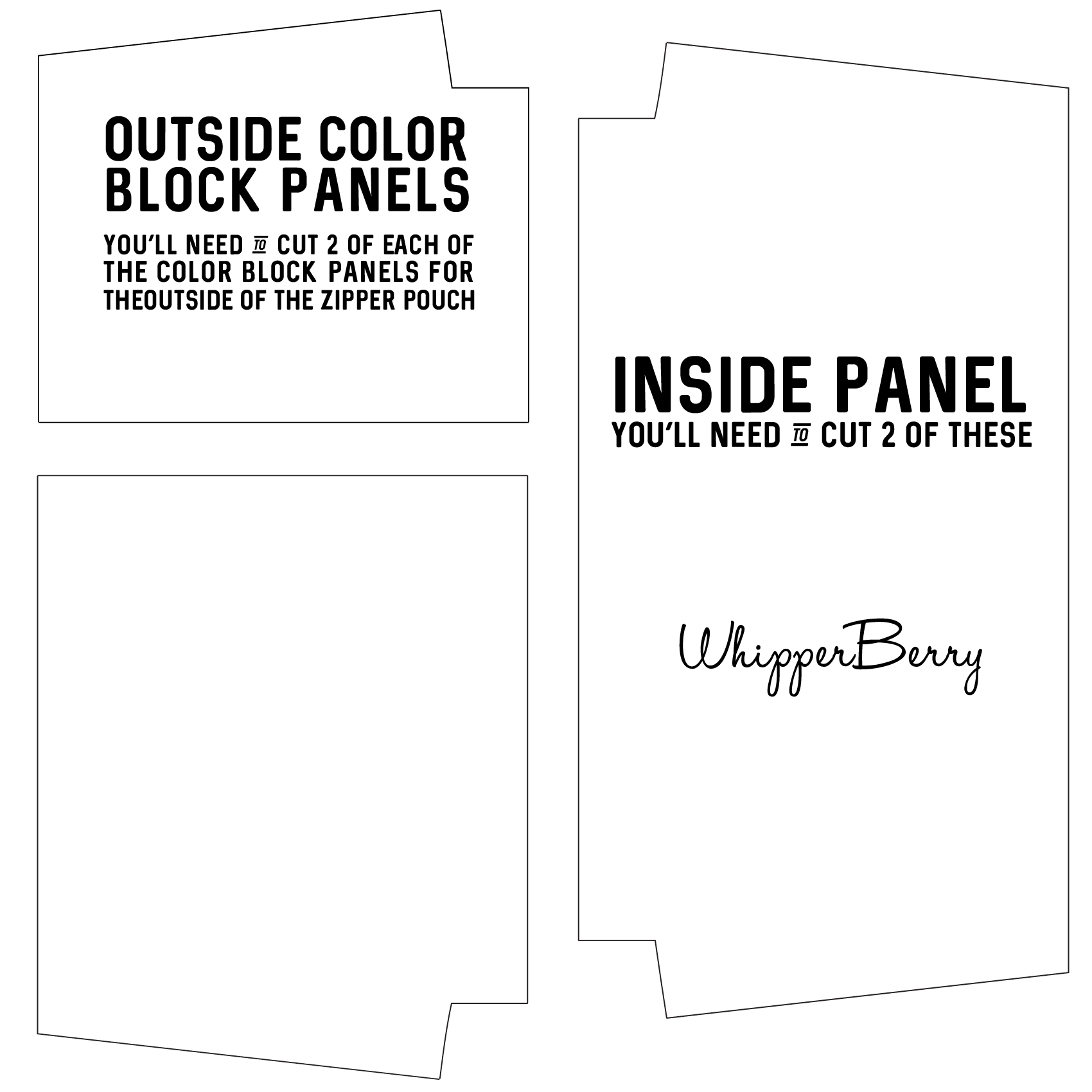
  • download the SVG cutting files

Everyone loves thoughtful homemade gifts and this stylish zipper pouch is the perfect gift to whip-up in a fews hours to give as a fabulous Christmas gift this year + you can take the guess work out of cutting the pattern with the Cricut Maker! Come on over and learn how to make one of your own on WhipperBerry.

Instructions

First thing to do it to visit my post on How to Import and Use a SVG File in Cricut Design Space. I have a full video Tutorial on how to cut this exact pattern and it will really help the cutting go super smooth. Before I start cutting though, I fuse my interfacing onto the lining of my pouch. If you are using a lighter fabric for either one of the exterior pieces, you’ll want to fuse that fabric as well. Make sure to do this step BEFORE you cut your fabric. Pro Tip • If you don’t have enough interfacing to cover your entire piece of fabric, don’t worry. Keep your interfacing scraps and piece it together. No biggie! IMG_2613

Piece the Outside

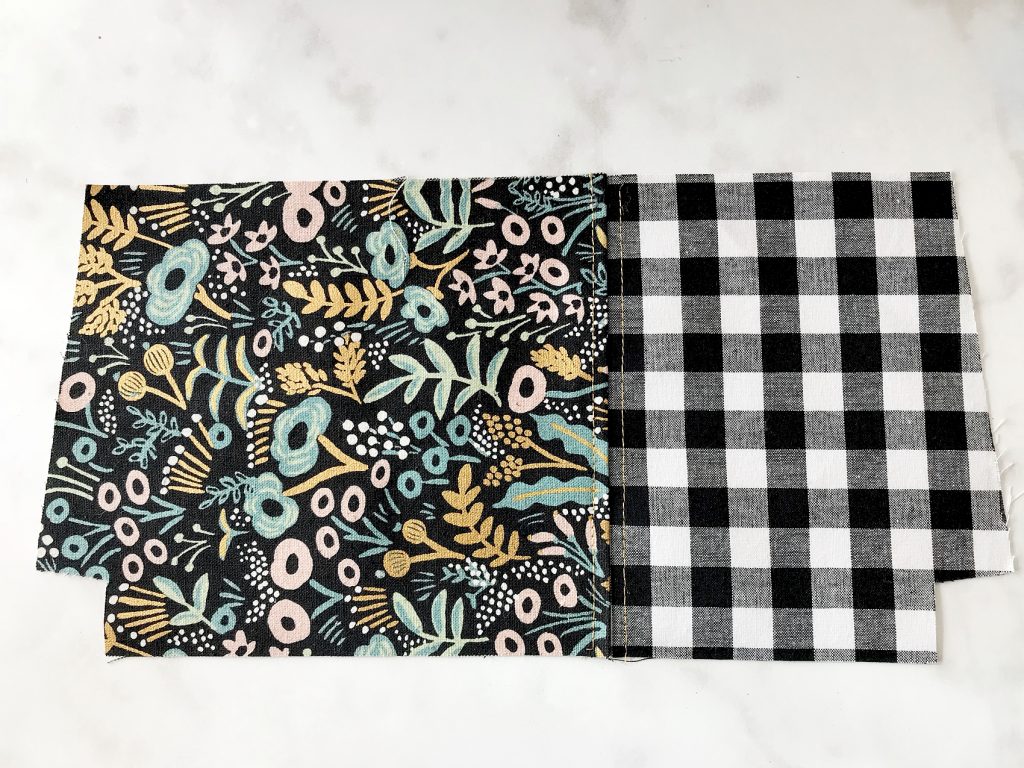
Start by sewing the outside together by placing the main print and accent fabric right sides together and sew using a 1/4″ seam allowance. Press seam to one side and topstitch. Then repeat with the other side of the exterior of the pouch. IMG_2516 IMG_2529

How to Prepare the Zipper

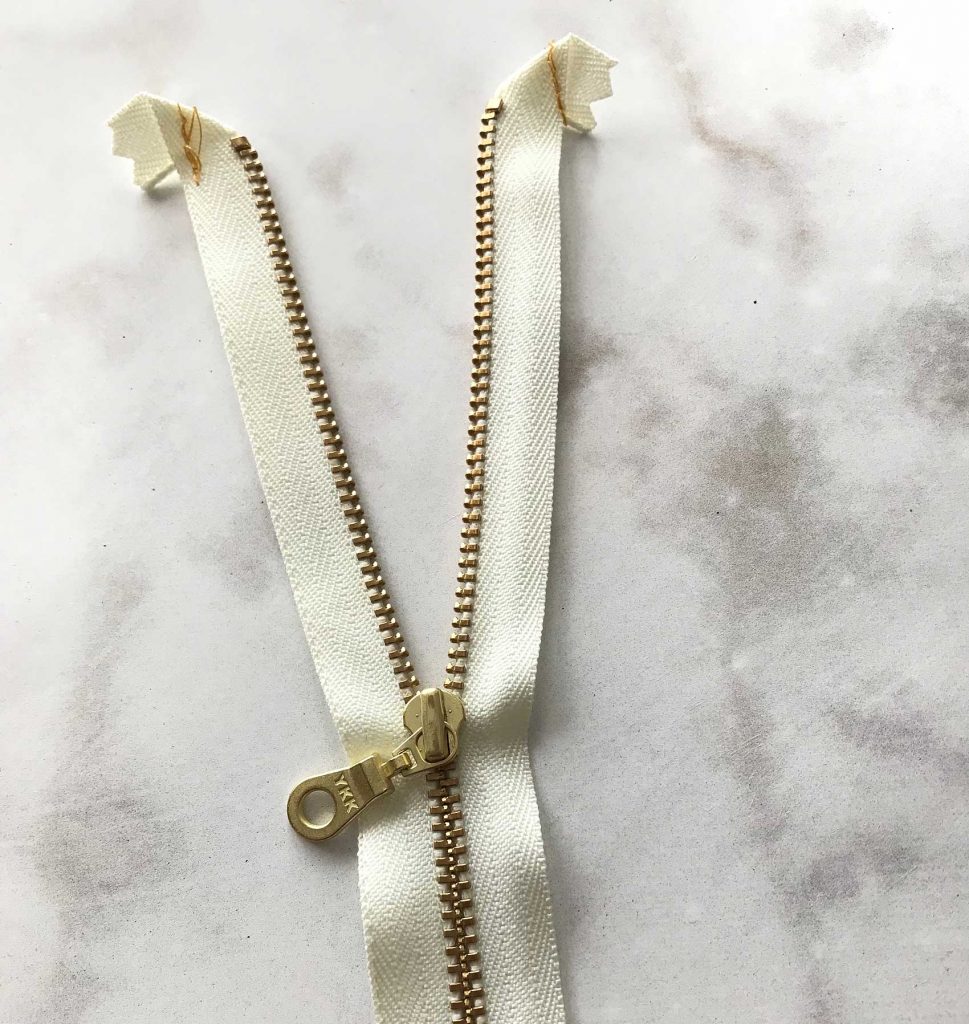
Before you attach your zipper, you need to prepare both ends of the zipper by folding it over towards the back side and placing a few stitches to hold it in place. Repeat on all four ends of the zipper. IMG_2533

Attach the Zipper

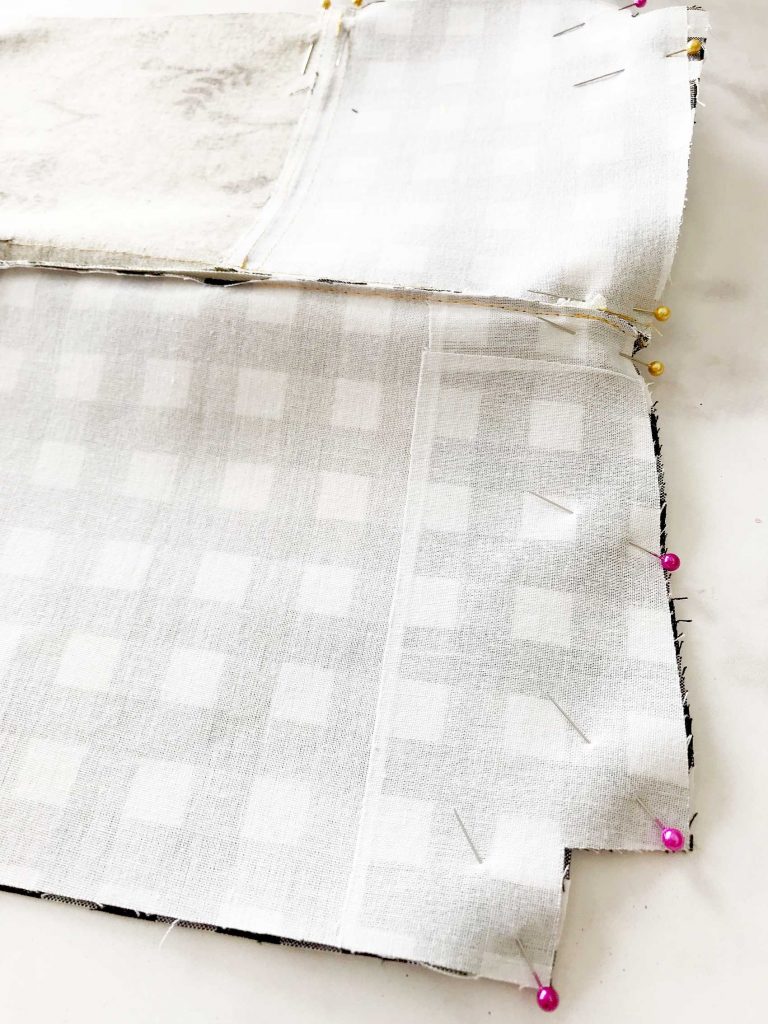
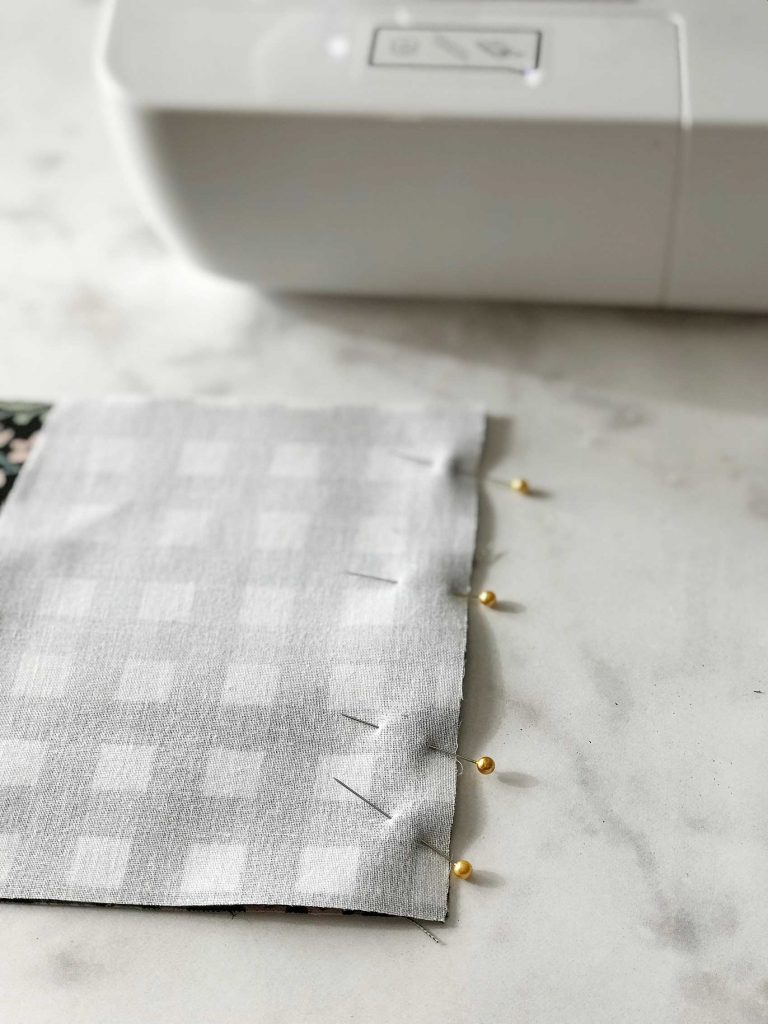
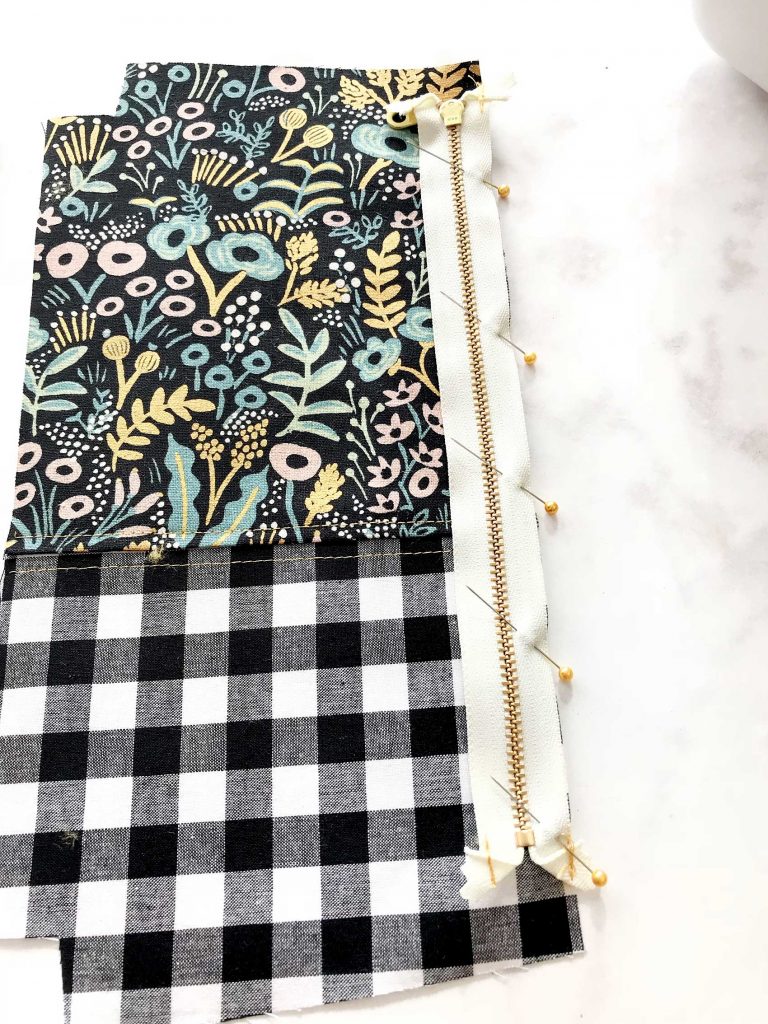
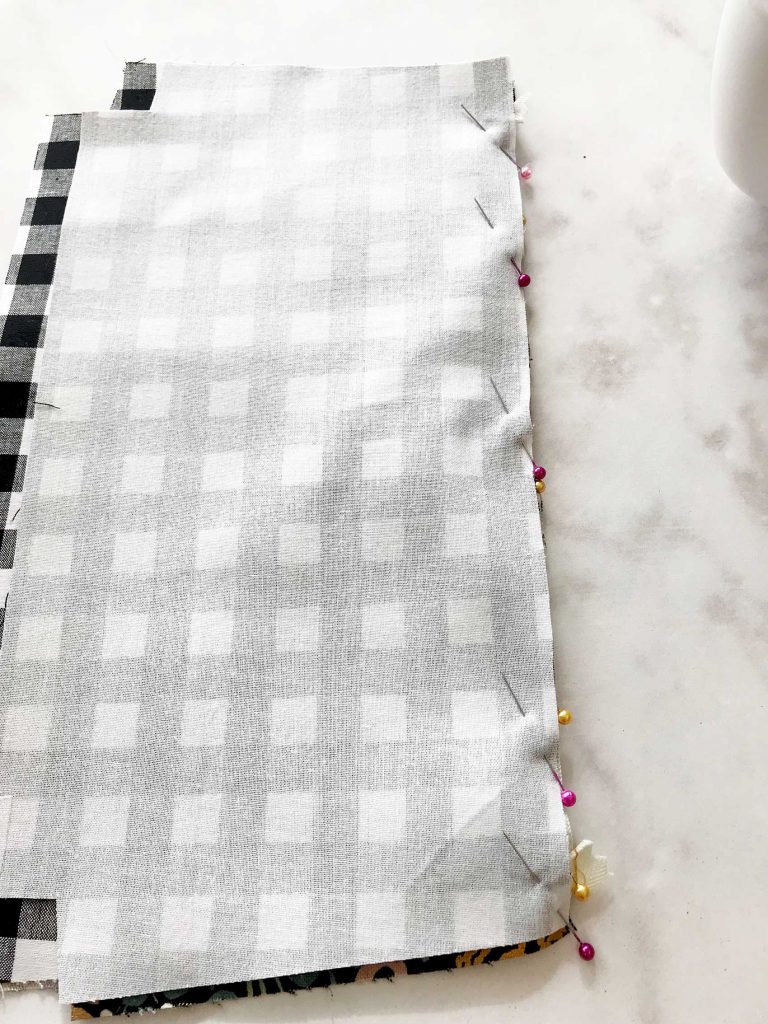
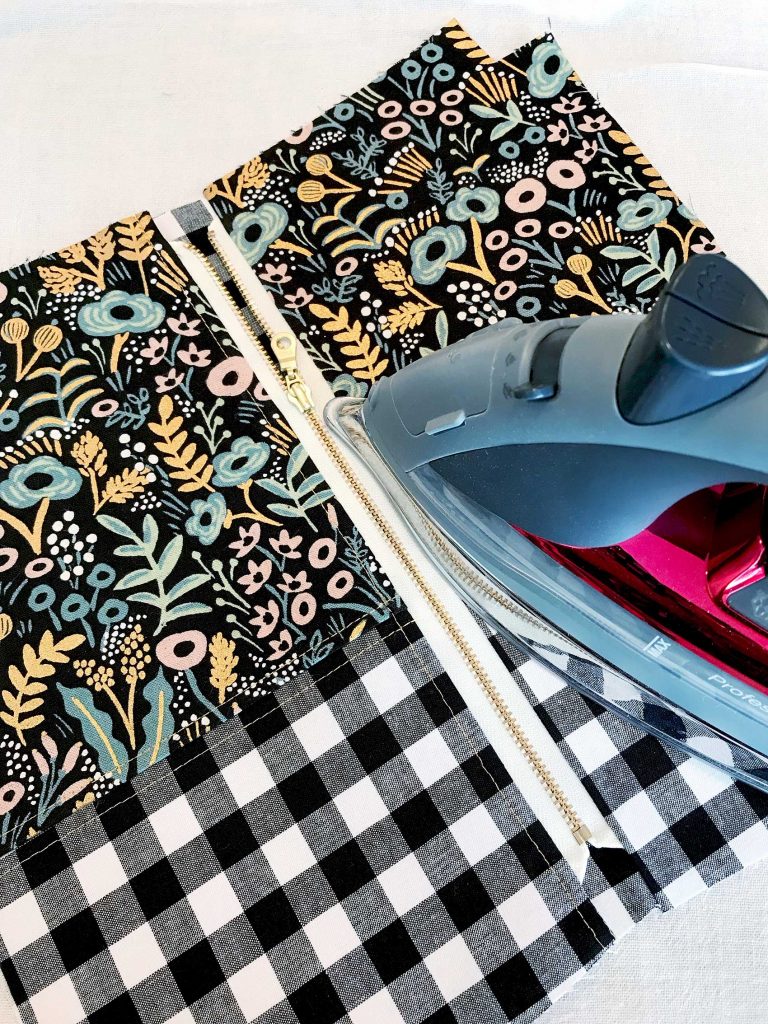
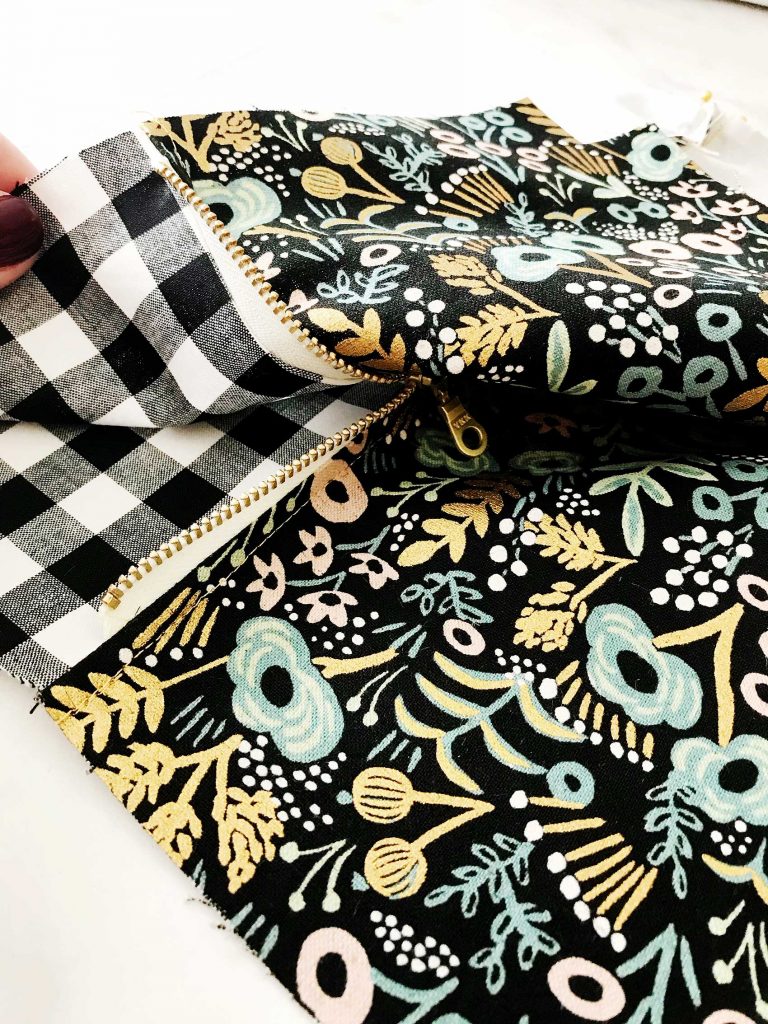
With exterior panel right side up, center zipper right side facing down (zipper pull at left) along top edge then pin in place. IMG_2602 IMG_2605 Place one lining piece, right side down on top of the exterior piece again pin into place. Using your zipper foot, sew along top edge using a 1/4″ seam allowance. Open like a book and press exterior panel away from zipper. Topstitch along zipper using an 1/8″ seam allowance. Make sure NOT to top stitch both layers together. Position outside panel and lining panel wrong side on together and press away from zipper. Repeat the same steps to attach the other side of the bag with the remaining exterior panel and lining panel to the other side of the zipper. This time placing zipper pull at right. Keep and eye on your top seems and make sure they match up.  IMG_2609 Then press both sides again. IMG_2606
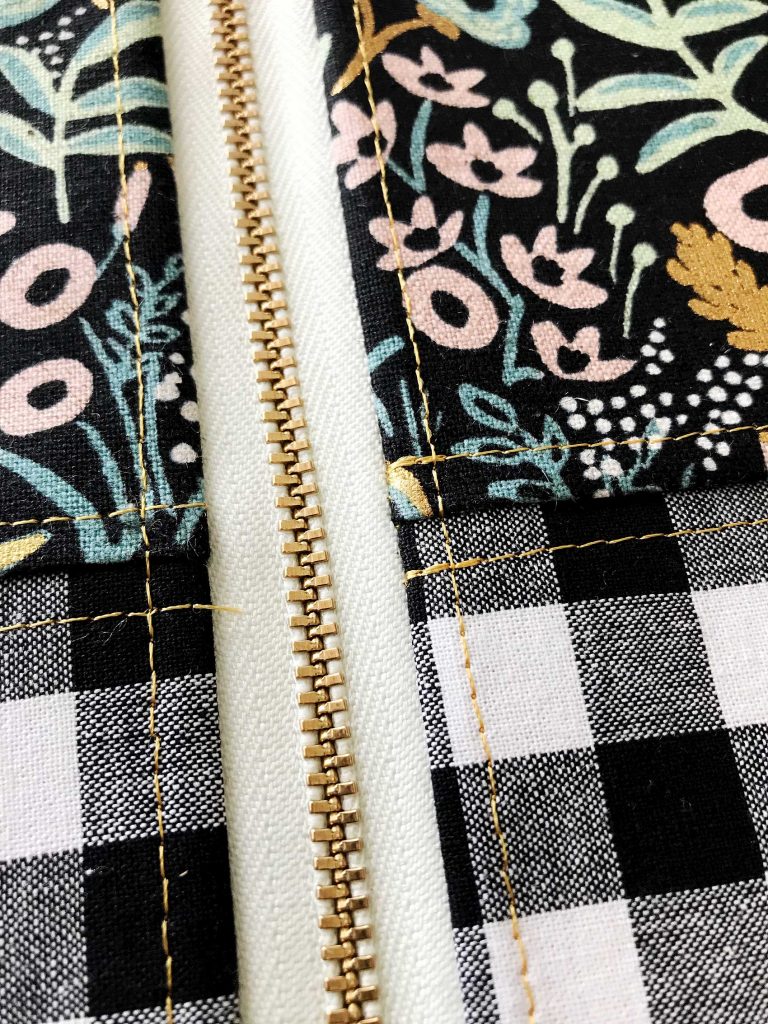
Finish the Zipper Pouch

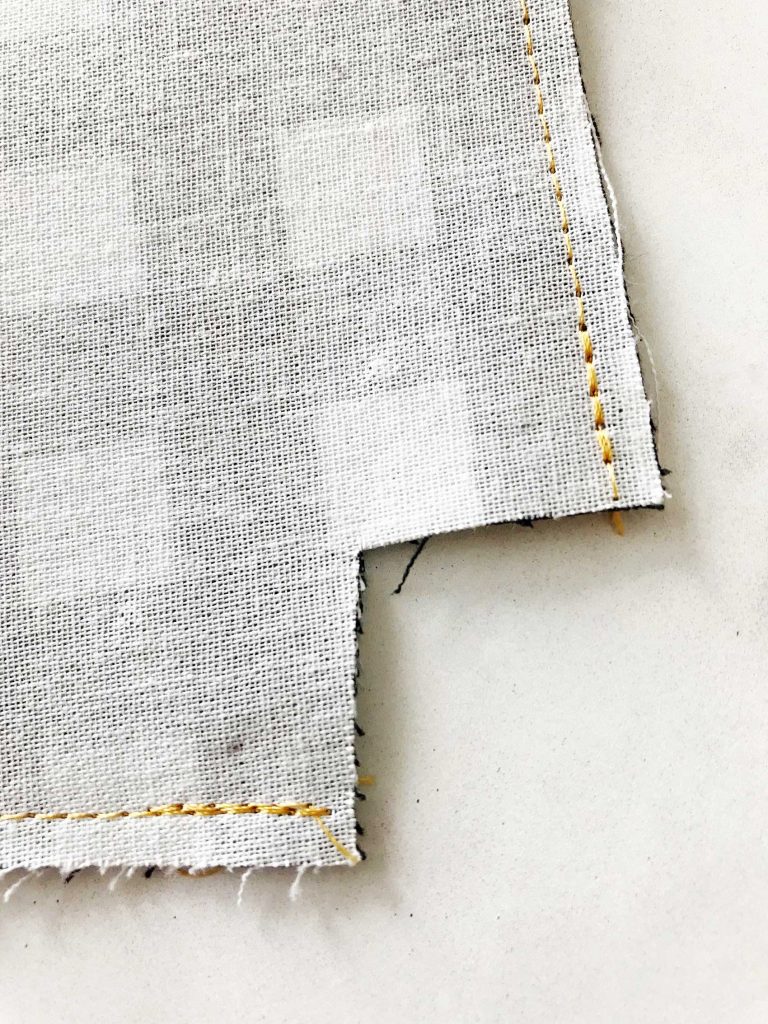
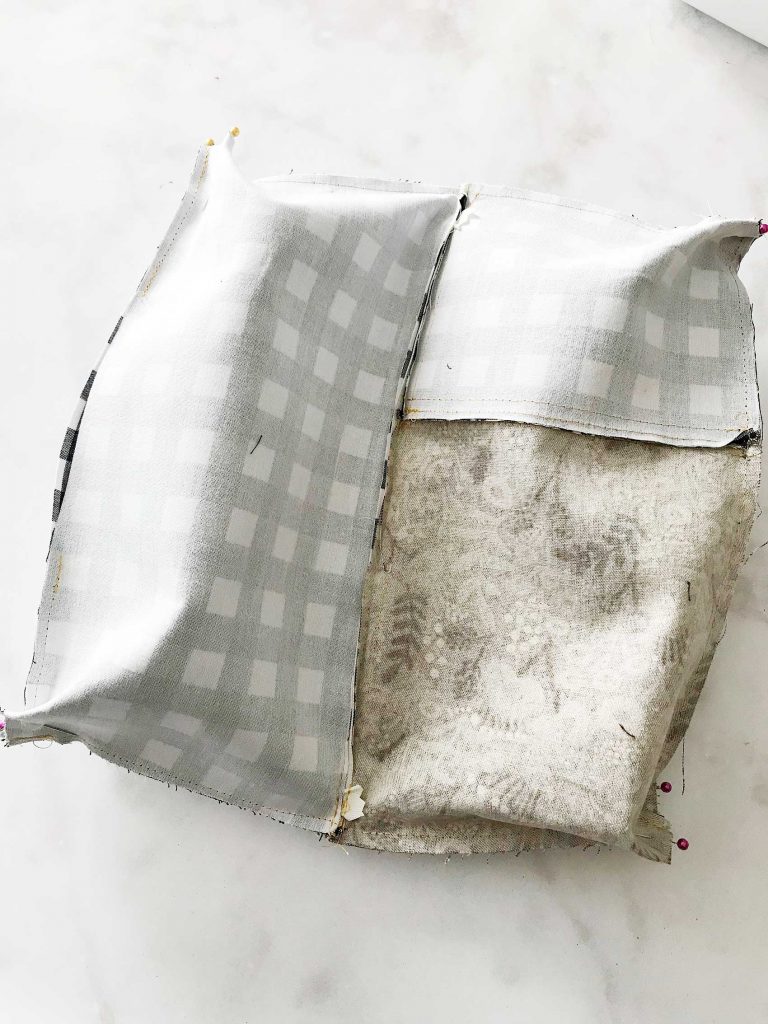
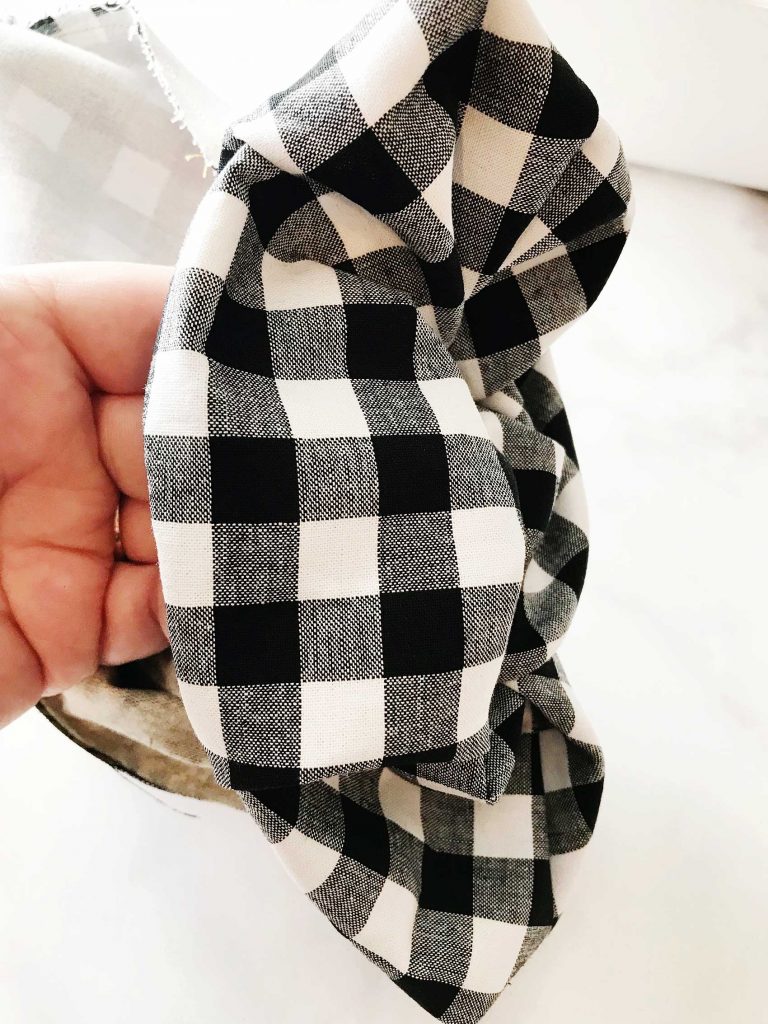
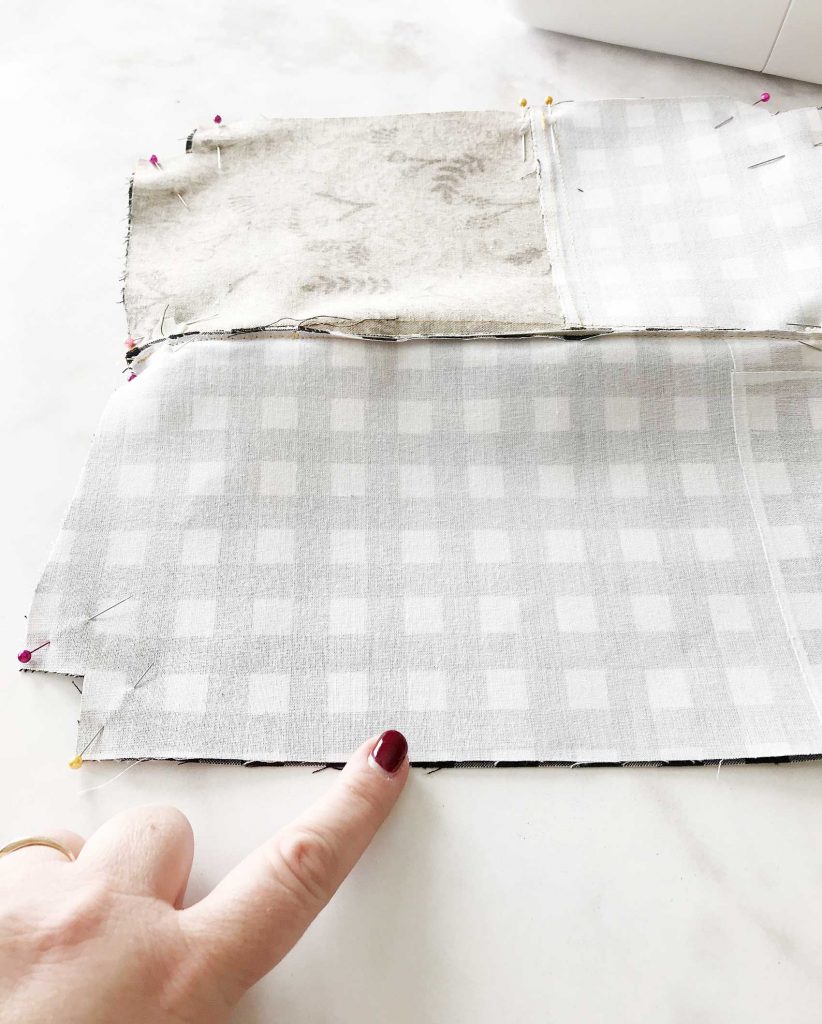
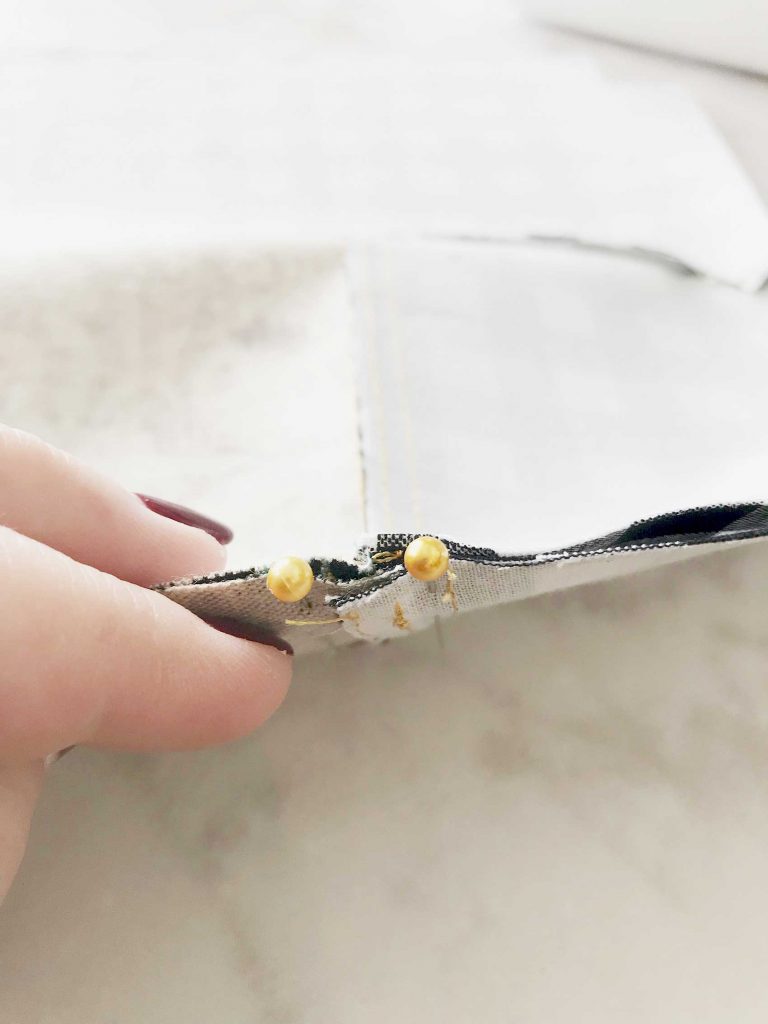
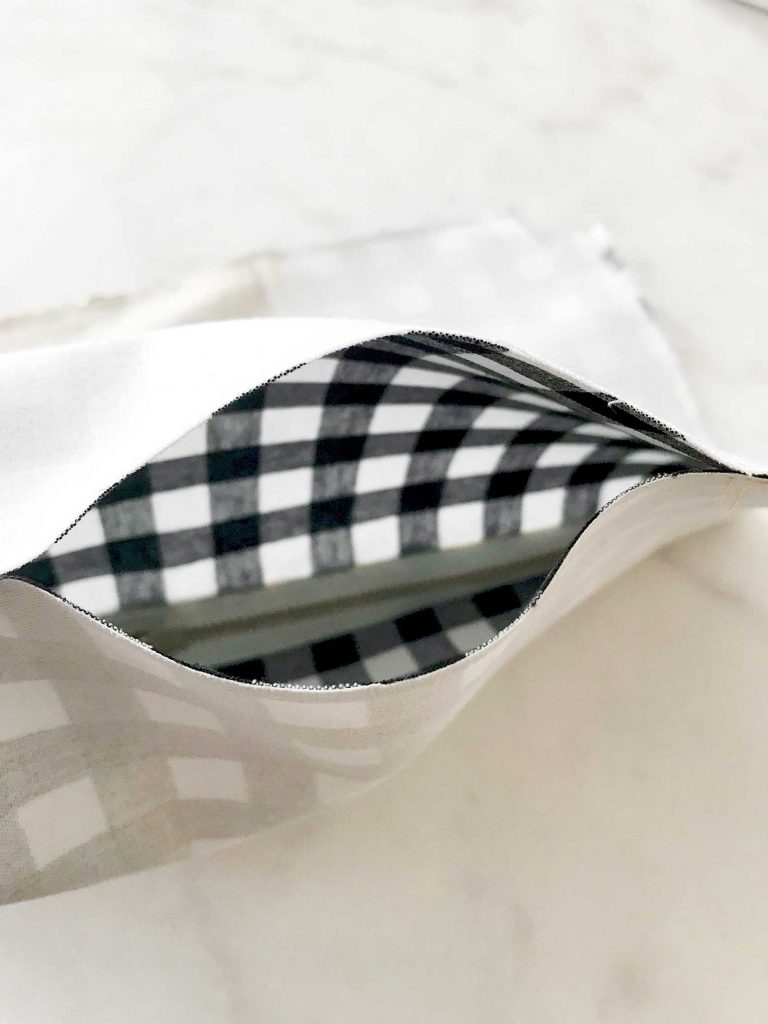
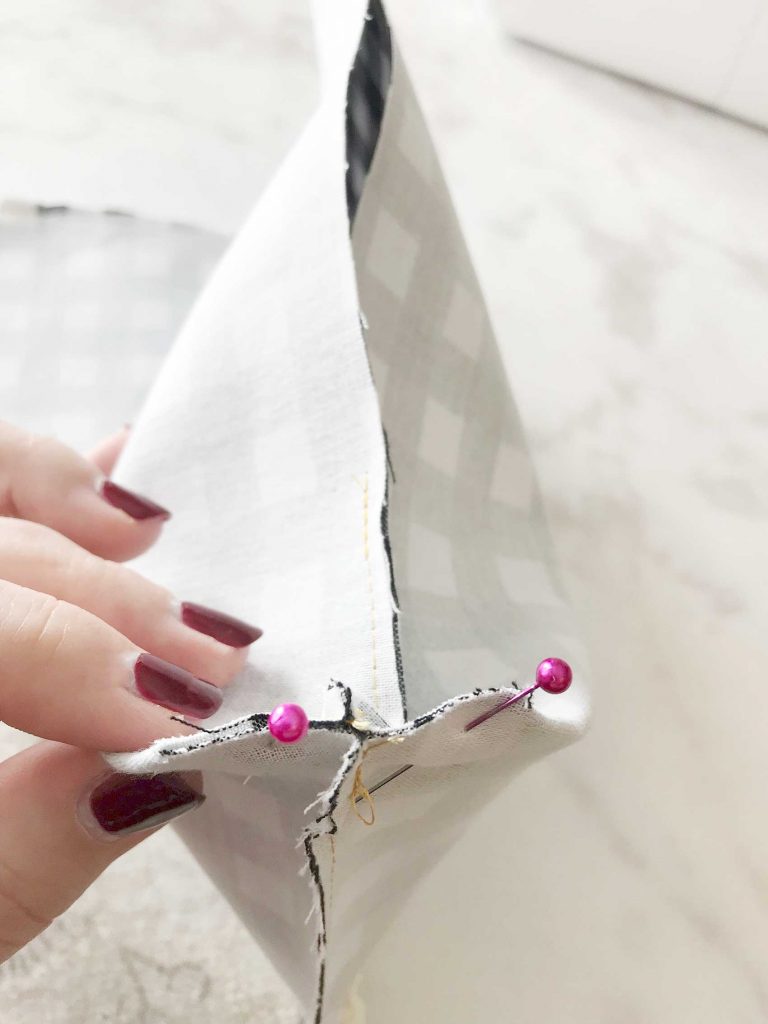
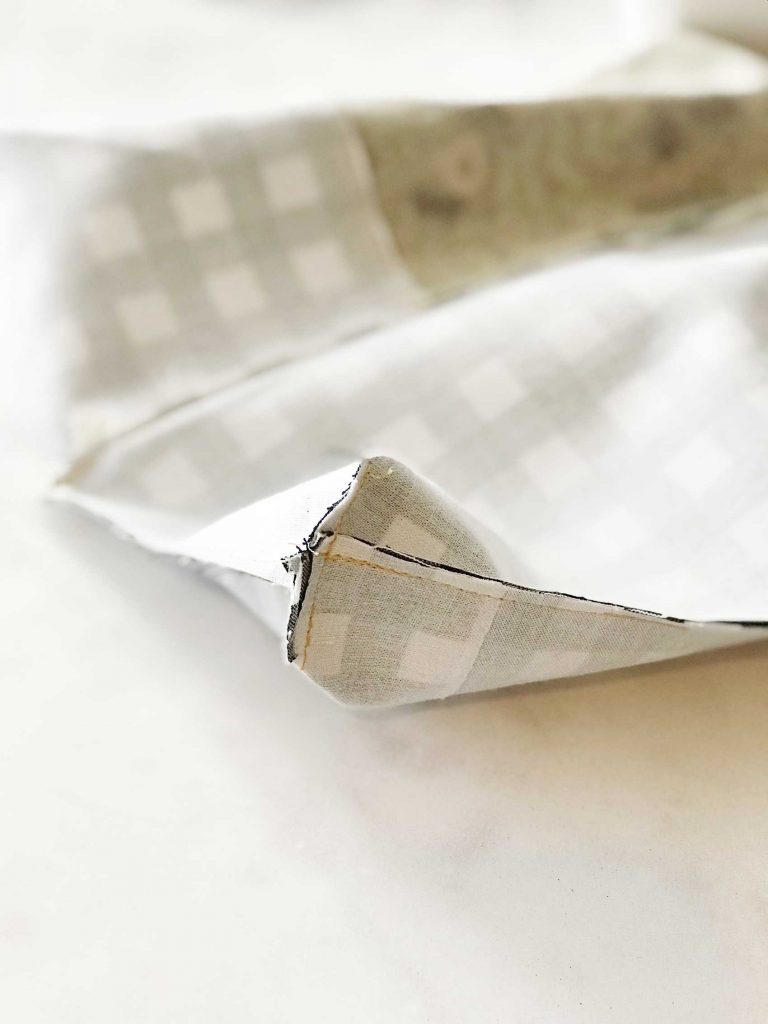
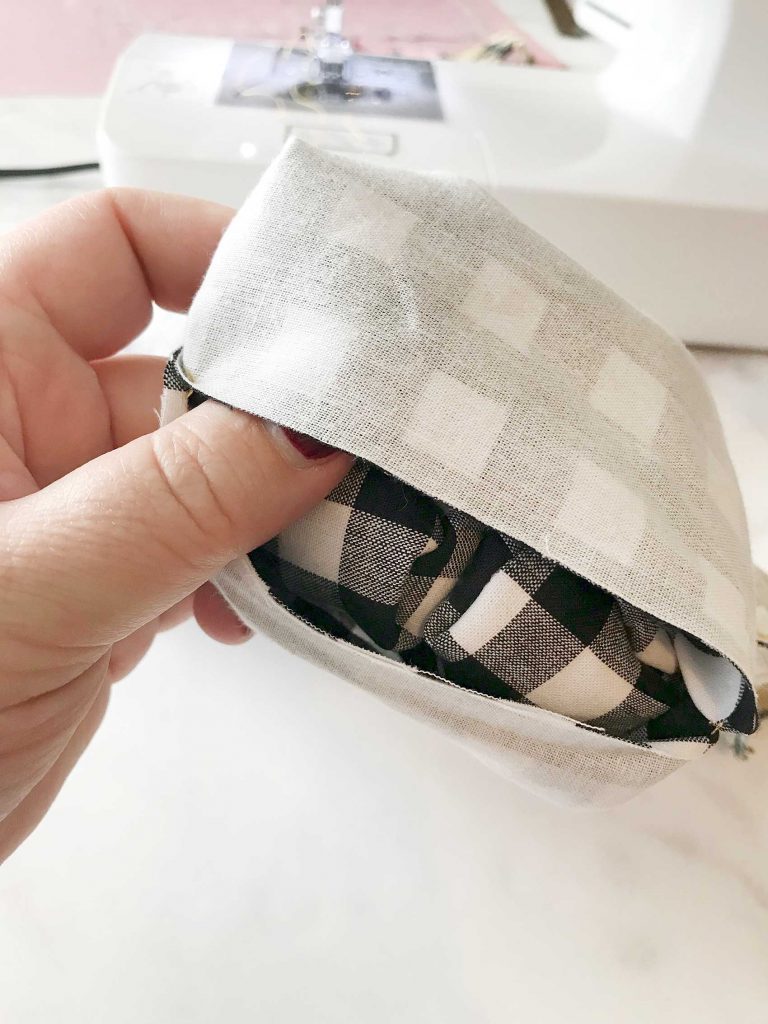
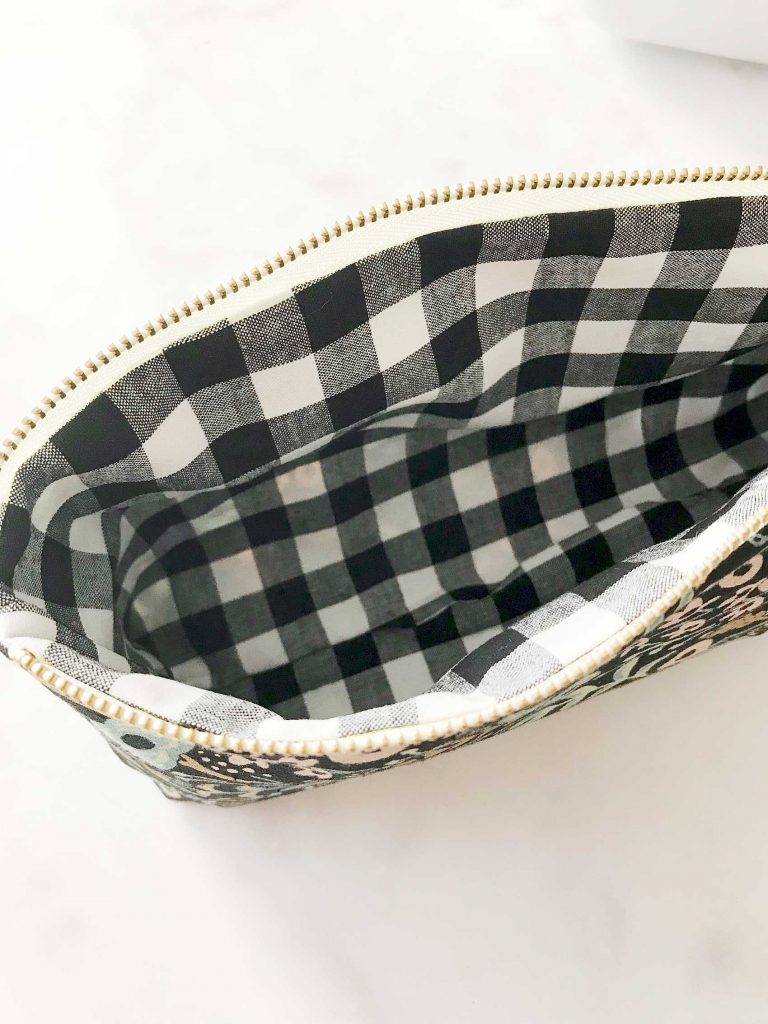
Open zipper halfway. This is an important step. IMG_2611 Position exterior panels right side together and lining pieces right side together and pin along sides and bottom. IMG_2614 Be sure that you place pins on either side at the intersections of where the lining meets the exterior on each side of the pouch and where the seem of the exterior meet. IMG_2610 Sew along the bottom and sides of the pouch using a 1/4″ seam allowance. You will need to leave a 4 inch opening in the lining so that you’ll be able to turn your pouch. Make sure to not stitch together the corner cut outs. IMG_2617 IMG_2615 Speaking of corner cut outs… Check out the precision of how the fabric lines up. That’s solely possible because of the Cricut Maker. You can sew with confidence knowing that your fabric will line-up easily because of the perfect cuts. Ok, back to work… Reach inside your bag and shimmy the zipper open all the way. Box your corners by pinching the corners together and line-up the seam and pin. IMG_2616 Repeat on the remaining 3 corners. IMG_2618 Sew straight across with a 1/4″ seam allowance. IMG_2620 Repeat with the remaining 3 sides. You’re so close to the finish line! All you need to do is turn out your pouch so that it is right side out. That’s where the 4 inch opening comes in handy. IMG_2621 IMG_2622 Pull it through that opening just as if you were turning a sock right side out. IMG_2623 Are you just swimming with PRIDE now!!! Take a minute to make sure everything is settled in all the right places. Push the lining corners into the right spot. You may want to use the eraser side of a pencil or a chopstick to push those into place. You may want to even press your pouch again if it needs it. That’s it, you now have a beautiful, stylish large pouch that you made yourself. It has your fingerprints all over it. You chose your favorite fabric and it screams your style! Everyone loves thoughtful homemade gifts and this stylish zipper pouch is the perfect gift to whip-up in a fews hours to give as a fabulous Christmas gift this year + you can take the guess work out of cutting the pattern with the Cricut Maker! Come on over and learn how to make one of your own on WhipperBerry. Now, you can profile all of your friends and figure out what their perfect little somethings zipper pouch would look like. Then, whip one up for them to take as a hostess gift, holiday gift, friend gift, it’s Tuesday gift… Basically, it’s a great creative gift that ANYONE can make with a little help from the Cricut Maker & a sewing machine. You could even personalize it with some Cricut Iron-on Lite and the Cricut Easy Press. That would be really cool. What to win some amazing Cricut goodies for yourself? Enter below for a chance to win! a Rafflecopter giveaway If you’re looking to make a shorter pencil pouch, visit Noodlehead for that pattern and directions.

This is a sponsored conversation written by me on behalf of Cricut. The opinions and text are all mine.

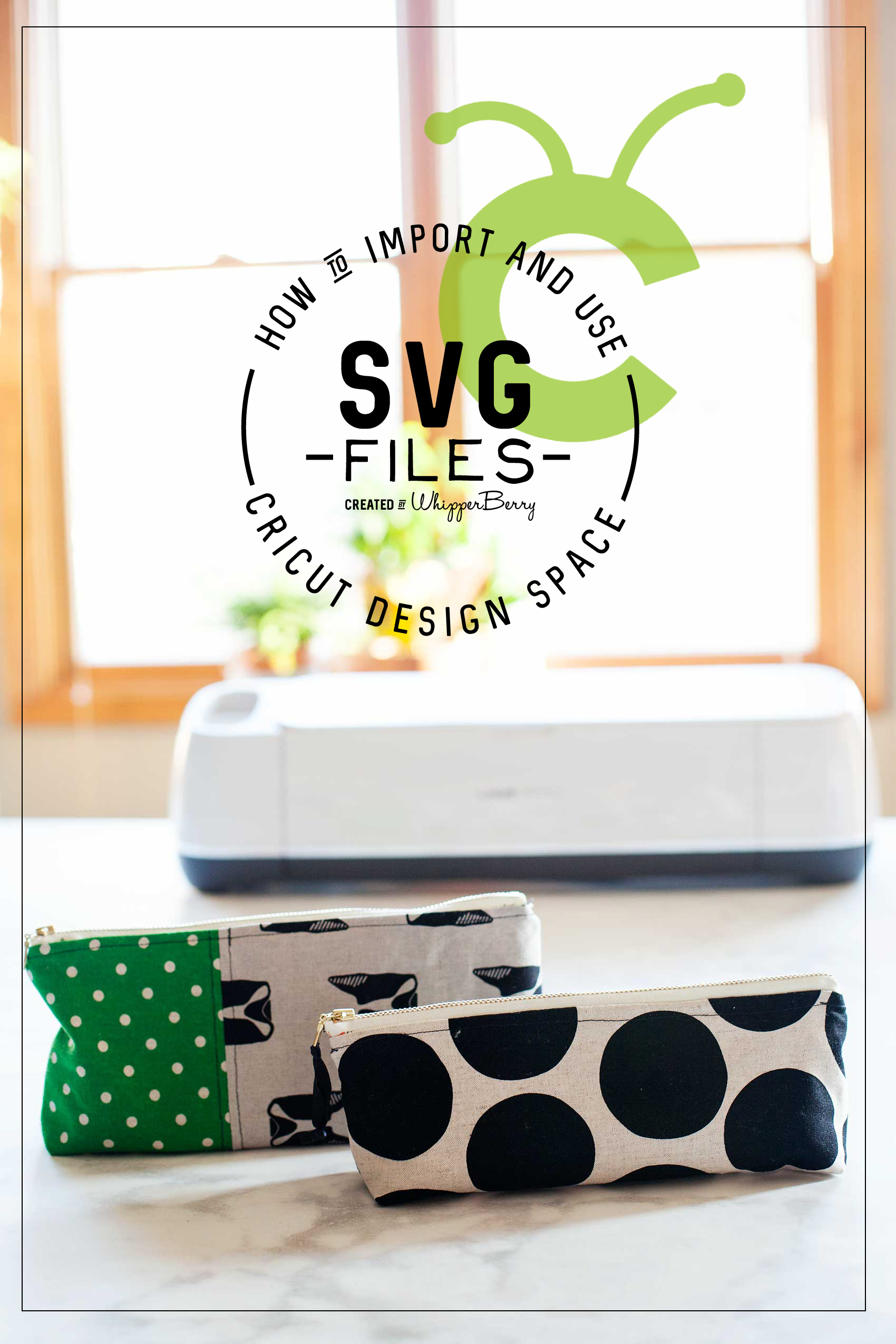
How to Import and Use a SVG File in Cricut Design Space

55 · Nov 21, 2017 · 2 Comments

I LOVE to create my own designs for all kinds of things like signs, printables, special gifts and now, thanks to the Cricut Maker… Sewing projects! The issue that I ran into at the beginning was figuring out how to effectively use my own SVG files in Cricut Design Space. If you’re like me, and would like to either use either your own designs or other designs that you purchase from Etsy or other sites, this video tutorial is for you! You could use a Silhouette or a Cricut. If you’re unsure of which is better you can read my review of Cricut vs Silhouette here. Whether you are a sign maker, a paper crafter or you love to work with fabric, chances are you've wanted to either create your own SVG files or download files that you've purchased and use them with your Cricut Projects Here’s a great video tutorial on how to import your own SVG files into Cricut Design Space and how to easily use it in the software.

Whether you are a sign maker, a paper crafter or you love to work with fabric, chances are you’ve wanted to either create your own SVG files or download files that you’ve purchased and use them with your Cricut Projects. The Cricut Design Space is pretty robust but there are times when you need a little more in the design area. For example, create curved text and such for a project. I stumbled across a way to covert PDF sewing patterns into SVG files to use with my Cricut Maker.  Don’t worry, I’ll have a tutorial for that soon. Today, I want to focus on how to import and use that SVG file into Cricut Design Space and use it effectively. I’ve been working on this for a bit so I’ve managed to come-up with some great tips and tricks to help speed-up your work flow in order to cut down on possibly technology frustration.

Video Tutorial on How to Import and Use Your SVG Files in Cricut Design Space

Take a few minutes to sit and watch this video. I promise it will make your time in the Cricut Design Space much easier!

Farmhouse Inspired Christmas Tree – Dream Tree Challenge

75 · Nov 1, 2017 · 1 Comment

It’s getting close to my favorite time of year… Christmas!! Every year it’s so fun to participate in the Michaels Dream Tree Challenge and this year has been EXTRA FUN!  We gathered together as a family and crafted our Christmas tree together and it was so fun. From trees to ornaments and holiday décor, Michaels has everything you need to MAKE this holiday your own! You can even shop over 100 Christmas Trees at Michaels.com. Crafting your tree together is a  great way to bring the family together at the beginning of the Holiday season. Here is what we created to make our 2017 tree magical for our home and family.

Farmhouse Inspired Christmas Tree -WhipperBerry-100

The Christmas Tree

This year, I picked the 7.5 Ft. Pre-Lit Jasper Cashmere Artificial Christmas Tree, Clear Lights by Ashland™.  At first it was a little wide for our space. BUT… We placed it on top of an old bucket I had and then bent the lower branches down to give it a slimmer figure. I wish ‘slimming-down’ was that easy for all of us! 😉 That also raised the tree up a bit, which makes it look better in a room with vaulted ceilings.

Regardless of what this photo looks like below (someone was being a bit dramatic…) The Jasper tree is super easy to set-up. It’s literally plug and play. The electricity runs through the poll of the tree so you don’t have to go hunting around for all of the connections. Then all you have to do is fluff the branches.

setting-up-the-tree

Farmhouse Inspired Christmas Ornaments

Part of the fun when decorating for the Holidays is actually making some of your own decor. This year I was inspired by some ornaments that Joanna Gains has created for another store. I LOVE them and thought we could make some of our own with supplies from Michaels.

I grabbed some of the shatter proof ornaments at Michaels along with some of the Americana Chalkboard Paint from DecoArt…

Shatter proof ornaments from @Michaels

  • Plastic Onion Ornaments By Artminds™

  • Clear Plastic Ornaments By Artminds™

  • Americana Chalkboard Paint

Americana Chalkboard Paint for Christmas Ornaments

paining ornaments-100

My daughter Haley is home from college with her boyfriend Kyle and we decided to have a paint party. We covered the table with plastic wrap and went to town with the clear ornaments from Michaels.  We painted them all over with the chalkboard paint. Now, the only reason I use chalkboard paint is because I like the matte look. Then we used a white paint marker from Sharpie and created all of the little swiss crosses on the ornaments.

Create DIY Hearth and Home Black Swiss Cross Christmas Ornaments via WhipperBerry

They turned out super cute and we had so much fun making them together!

Create DIY Hearth and Home Black Swiss Cross Christmas Ornaments via WhipperBerry

Create DIY Hearth and Home Black Swiss Cross Christmas Ornaments via WhipperBerry

I think they may be my new favorite Christmas ornaments for our tree.

Next, we painted some large wood stars from Michaels with Americana Decor Chalky Finish paint from DecoArt.  Then we used my Cricut Maker to add titles of Christmas Carols onto the stars. You can learn how to make those HERE. You can even download the graphics that I designed for the stars!

DIY Christmas Star from WhipperBerry

Farmhouse Christmas Carol Ornaments from WhipperBerry

The next element for my tree is a few types of picks that I found in the Christmas pick section of Michaels.

Love FARMHOUSE decor? Then you are going to LOVE this Farmhouse inspired Christmas Carol Star ornament that you can create for your home.

Quite honestly, picks are some of my favorite ways to add personality to my Christmas trees. They really add to the tree and they aren’t very pricey. I LOVE the fuzzy little stars, the gold antlers, and the cotton stems. They look fabulous on the tree!

Love FARMHOUSE decor? Then you are going to LOVE this Farmhouse inspired Christmas Carol Star ornament that you can create for your home.

Love FARMHOUSE decor? Then you are going to LOVE this Farmhouse inspired Christmas Carol Star ornament that you can create for your home.

The last element is the ribbon picks.  They couldn’t be easier to make. I found some perfect ribbon at Michaels and cut it into 6 inch sections…

Love FARMHOUSE decor? Then you are going to LOVE this Farmhouse inspired Christmas Carol Star ornament that you can create for your home.

Then I folded it in half and wrapped some floral wire around the bottom leaving a 4-5 inch tail to secure it to the tree. Super simple and the bottom doesn’t need to be pretty.

Love FARMHOUSE decor? Then you are going to LOVE this Farmhouse inspired Christmas Carol Star ornament that you can create for your home.

Love FARMHOUSE decor? Then you are going to LOVE this Farmhouse inspired Christmas Carol Star ornament that you can create for your home.

Then you use the wire tail to attach them to the tree. An easy, easy way to fill in those bald spots on the tree or add a pop of color. Again, it’s a very cost friendly way to add color to your tree.

Love FARMHOUSE decor? Then you are going to LOVE this Farmhouse inspired Christmas Carol Star ornament that you can create for your home.

One last thing… I almost forgot! We decided to HANG our star from the ceiling for this tree. I bought a large wood star at Michaels and wrapped it with some wire lights and then hung it from the ceiling. We made sure to place our hook in a stud so that we didn’t have issues with the weight of the star. It’s so simple and tops it with that rustic farmhouse look.

Wow, it’s amazing how some simple elements can come together to create a really stunning tree. All of my kiddos have said this tree is the best we’ve ever had. Make sure to download the Michaels App on your smartphone so you don’t miss any of their amazing holiday deals this season. It really is a great app to have. No more saving receipts! That’s worth it right there.

Don’t forget to tag me in your tree photos… I love to see what you guys are creating!

For more inspiration, visit the Michaels blog and their Pinterest, Facebook and Instagram accounts.

  • « Go to Previous Page
  • Page 1
  • Interim pages omitted …
  • Page 8
  • Page 9
  • Page 10
  • Page 11
  • Page 12
  • Page 13
  • Go to Next Page »

Primary Sidebar

Heather from Whipperberry
Hello... my name is Heather and I'm the creator of WhipperBerry a creative lifestyle blog packed full of great recipes and creative ideas for your home and family. I find I am happiest when I'm living a creative life and I love to share what I've been up to along the way... Come explore, my hope is that you'll leave inspired!

Footer

  • Privacy Policy
  • Crafts
  • Food
  • Gifts
  • Holidays
  • Home
  • Mom Life
  • Recipes
  • Travel

Copyright © 2026 · Seasoned Pro