• Skip to primary navigation
  • Skip to main content
  • Skip to primary sidebar
  • Skip to footer

Whipperberry

WhipperBerry • Your Home For Creative Inspiration

  • Home
  • Recipes
    • Starters
    • Easy Weeknight Dinners
    • Main Dish
    • Salads
    • Side Dish
    • Soups & Stews
    • Desserts
    • Breakfast
    • Miscellaneous
  • Tutorials
    • Creative Crafts
    • DIY Decor
    • Fabric Crafts
    • Food How-To
    • Jewlery
    • Paint Projects
    • Paper Art
    • Party Styling
    • Photography and Graphic Design
    • Silhouette
  • Holidays
    • Easter
    • Mother’s Day
    • Father’s Day
    • 4th of July
    • Halloween
    • Thanksgiving
    • Christmas
    • Valentine’s Day
  • Gift Ideas
    • Gifts For Everyone
    • Gifts for Dad
    • Mother’s day
    • For The Girls
    • For The Kids
    • Teacher Gift Ideas
    • Christmas
  • Printables
    • Holiday
    • Gift Idea
    • LDS Primary
  • Travel
  • About
    • Terms
  • Contact
  • Nav Social Menu

    • Facebook
    • Instagram
    • Pinterest
    • RSS
    • Twitter

Wood

Canvas Hygge Sign with Cricut Iron-On Lite • Sign Making 101

21 · Dec 31, 2017 ·

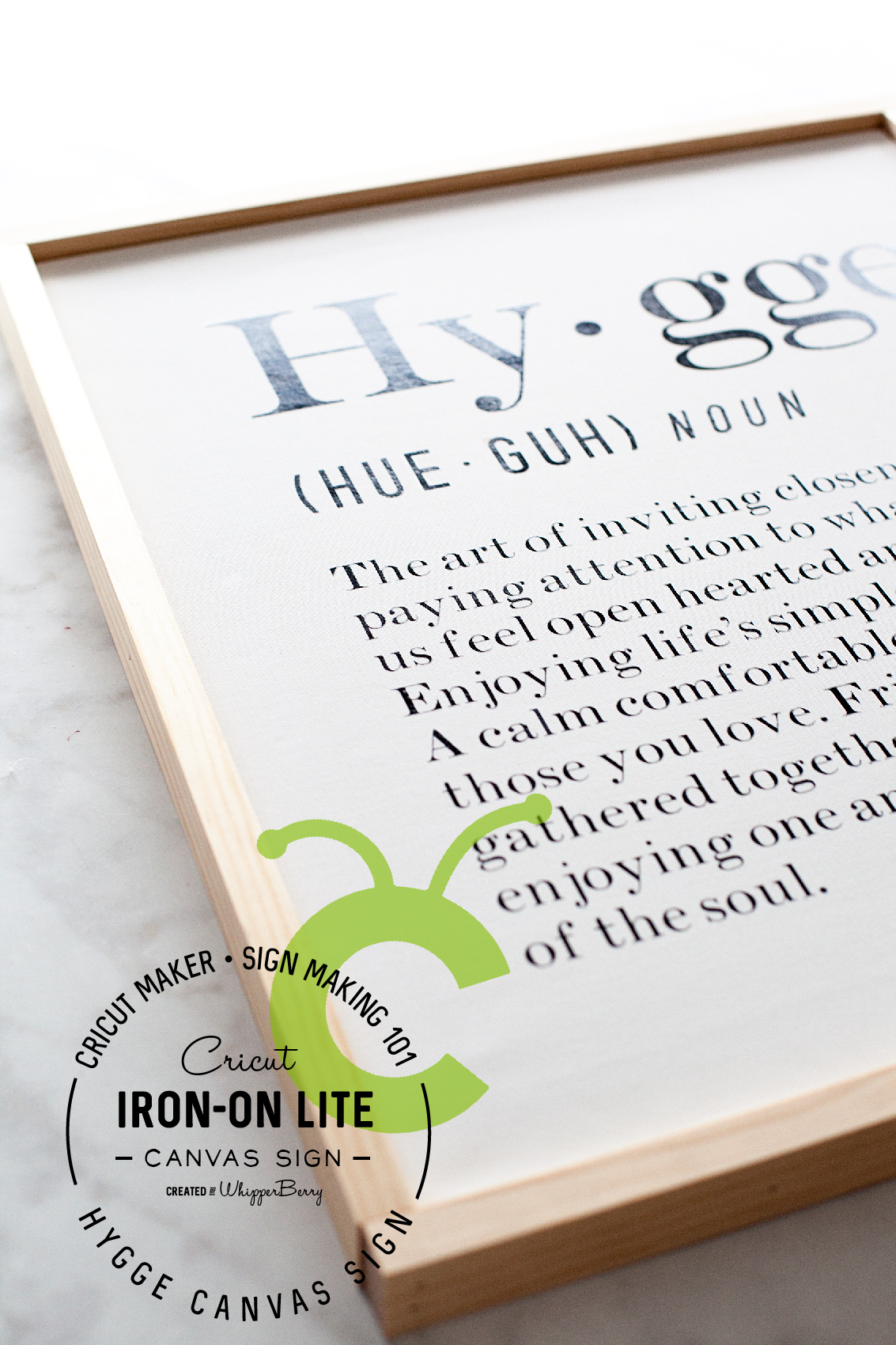
Did you know that you can make beautiful canvas signs with heat transfer vinyl like the Cricut Iron-On Lite? It’s super EASY! Continue reading to learn how, in my Sign Making 101 series. Plus, you can learn all about the magic of the Danish concept of Hygge! Canvas Hygge Sign designed by WhipperBerry and created with Cricut Iron-On lite along with the Cricut Maker & Cricut Easy Press.

+ This post brought to you by the lovely folks at Cricut +Hygge Canvas Sign designed by WhipperBerry and created with @cricut Iron-On lite along with the Cricut Easy Press. Did you know that you can make beautiful signs with heat transfer vinyl like the Cricut Iron-On Lite? It’s super EASY come on over to WhipperBerry to learn how in my Sign Making 101 series + You can learn all about the magic of the Danish concept of Hygge!
What is Hygge?

You guys… The Holidays are over (well, we still have New Years) and it’s time to hunker down and create a little more Hygge in our homes to help us get through these cold months. Seriously, It’s supposed to be -38˚ F (that includes windchill of course) this weekend here in Lincoln! We need a little extra cozy to help us weather those types of temperatures.  We need something to help us enjoy this time of year rather than dreading it.

The Danish have come-up with a great concept to help them through this cold and dark months. It’s the concept of Hygge. Directly translated, the word means “fun.” However, in Denmark it means so much more than that. It’s really more of a feeling. That feeling that you get when you are sitting with those you love in a candlelit room, in front of the fire, eating good food, playing fun games or even just reading good books. It’s a time to snuggle-up together, leaving all of the drama behind, a time to build and strengthen relationships, and find joy in the season of your life. You can’t buy hygge, but you can work to create this feeling in your home.

I’ve fallen in love with the concept along with the word therefore, I had to make a sign to help those around me understand the feeling we are looking for this winter.
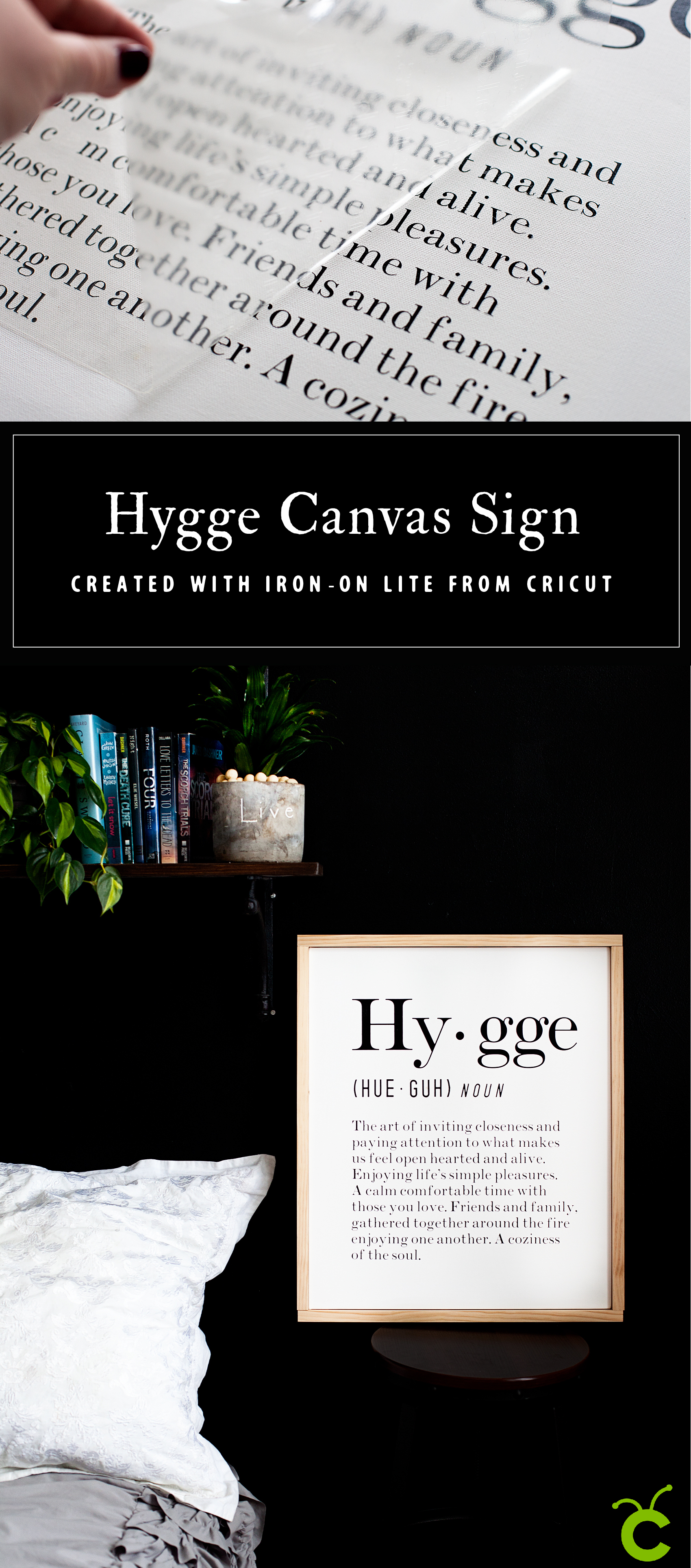
Hygge Canvas Sign designed by WhipperBerry and created with @cricut Iron-On lite along with the Cricut Easy Press. Did you know that you can make beautiful signs with heat transfer vinyl like the Cricut Iron-On Lite? It’s super EASY come on over to WhipperBerry to learn how in my Sign Making 101 series + You can learn all about the magic of the Danish concept of Hygge!

Why Use Canvas When Making Signs?

My friends… This type of sign making has become my all time favorite way to create signs for my home. It’s clean, modern and works with all kinds of styles. In addition, it is the EASIEST way to make a nice looking sign EVER!!! With wood signs, it involves messy paint, traditional vinyl (which is not my favorite to weed) and a little more room for error. The canvas sign uses heat transfer vinyl from Cricut called Iron-On Lite. It’s super easy to weed (more on weeding in a bit) and adhere to your canvas surface. Because of the texture of canvas, traditional vinyl does not work… at all. Believe me, I’ve tried it.

Another bonus to creating with canvas rather than wood… It’s much lighter. I created a ton of wood signs a few years ago for a creative market. My husband and I nearly killed ourselves loading the signs into the building because they were so heavy. I truly wish I would have figured this out before hand.

Tips and Tricks for Sign Making with Canvas

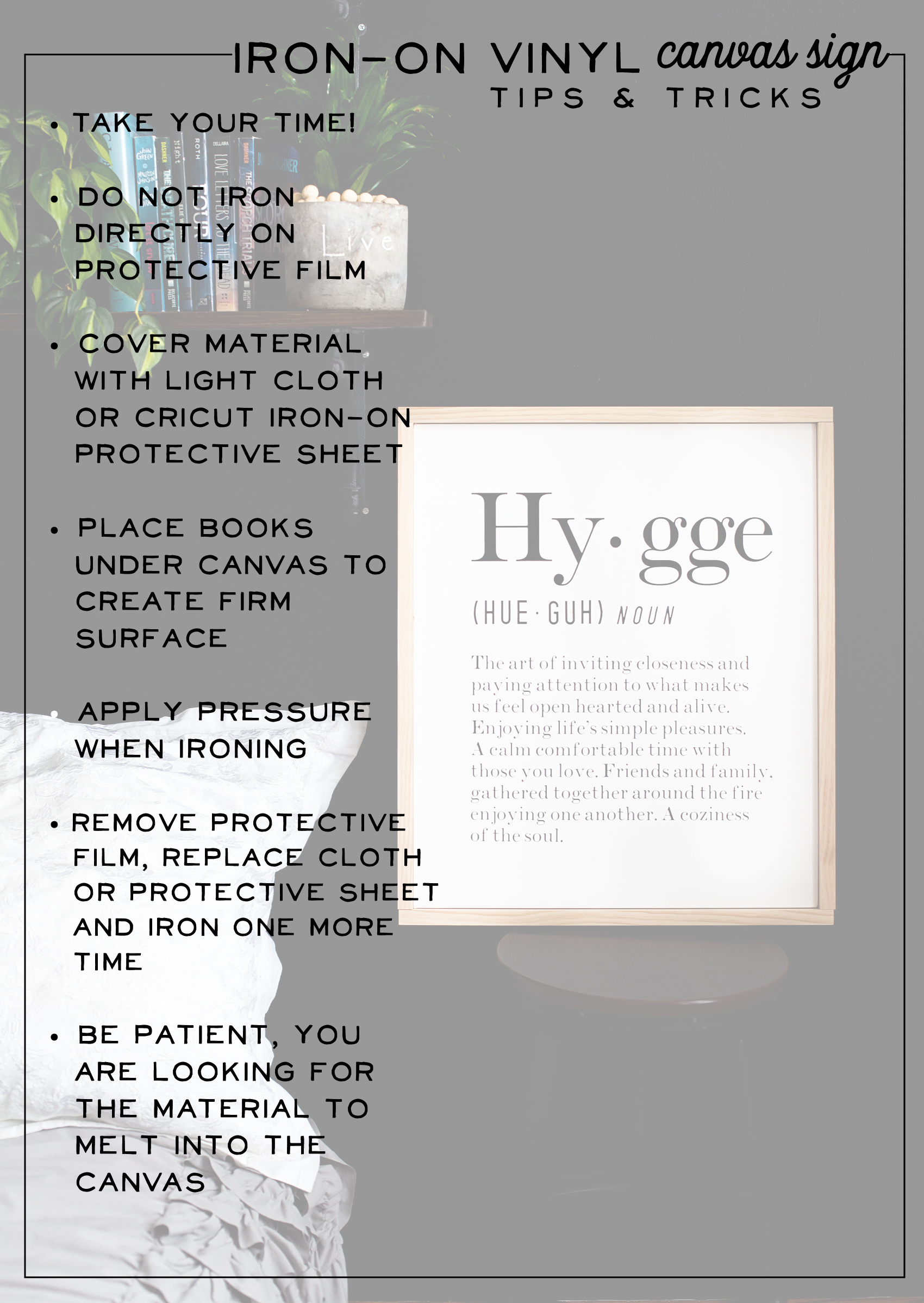
After making a few canvas signs with Cricut Iron-On Lite I’ve come up with a list of tips and tricks to help make the process smooth for you.
Hygge Canvas Sign designed by WhipperBerry and created with @cricut Iron-On lite along with the Cricut Easy Press. Did you know that you can make beautiful signs with heat transfer vinyl like the Cricut Iron-On Lite? It’s super EASY come on over to WhipperBerry to learn how in my Sign Making 101 series + You can learn all about the magic of the Danish concept of Hygge!

  • Take your time – As with pretty much any creative endeavor, rushing has never produced wonderful results. Take your time and you love what you end-up with.
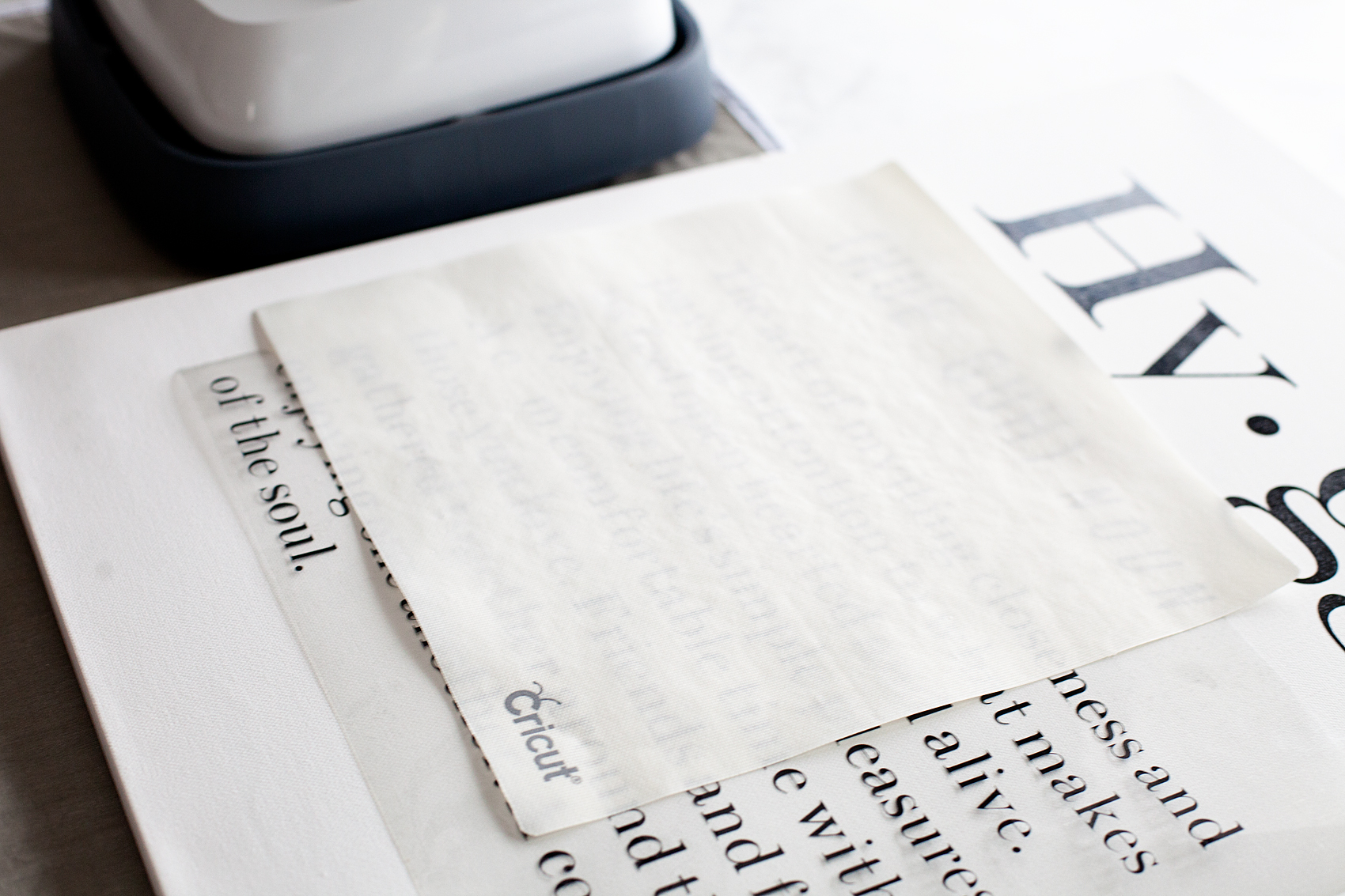
  • Do not iron directly on protective film – This is the clear plastic that the heat transfer material comes on. Ironing or using the Cricut Easy Press directly on this film will cause scorching of your materials and will create undesirable results. Always use the Cricut Protective Sheet when doing any type of iron-on project.
  • Cover material with light cloth or Cricut Protective Sheet – Again, you want to protect the surface of your canvas along with the heat transfer vinyl.
  • Place books under the canvas to create a firm surface – Canvas is traditionally stretched on a frame and if you were to press directly on the canvas, you would stretch the canvas and your sign would turn out really wonky. My trick… Place a book or a few magazines under the canvas to create a firm surface for you to work on. Hygge-Sign--Canvas-and-Heat-Transfer-Vinyl-with-Cricut-Maker---created-by-WhipperBerry-8
  • Apply pressure when ironing – It really helps to put a little pressure on the Cricut Easy Press or your iron to achieve the results that you are looking for.
  • Remove protective film and replace Cricut Protective Sheet or cloth and press one more time – This will make sure that the HT vinyl has fully adhered to the canvas.
  • Be patient – You are looking for the Iron-On Lite to melt into the canvas or really whatever material you are using. Take a little time, especially if you are using an iron rather than the Cricut Easy Press. Typical clothes-irons don’t have a consistent heat plate so you are going to have hot spots and cools spots. Therefore, it’s going to take a little extra time to get full adhesion.

Materials

  • canvas – for this sign I used a 20×24 level 1 canvas from Michaels
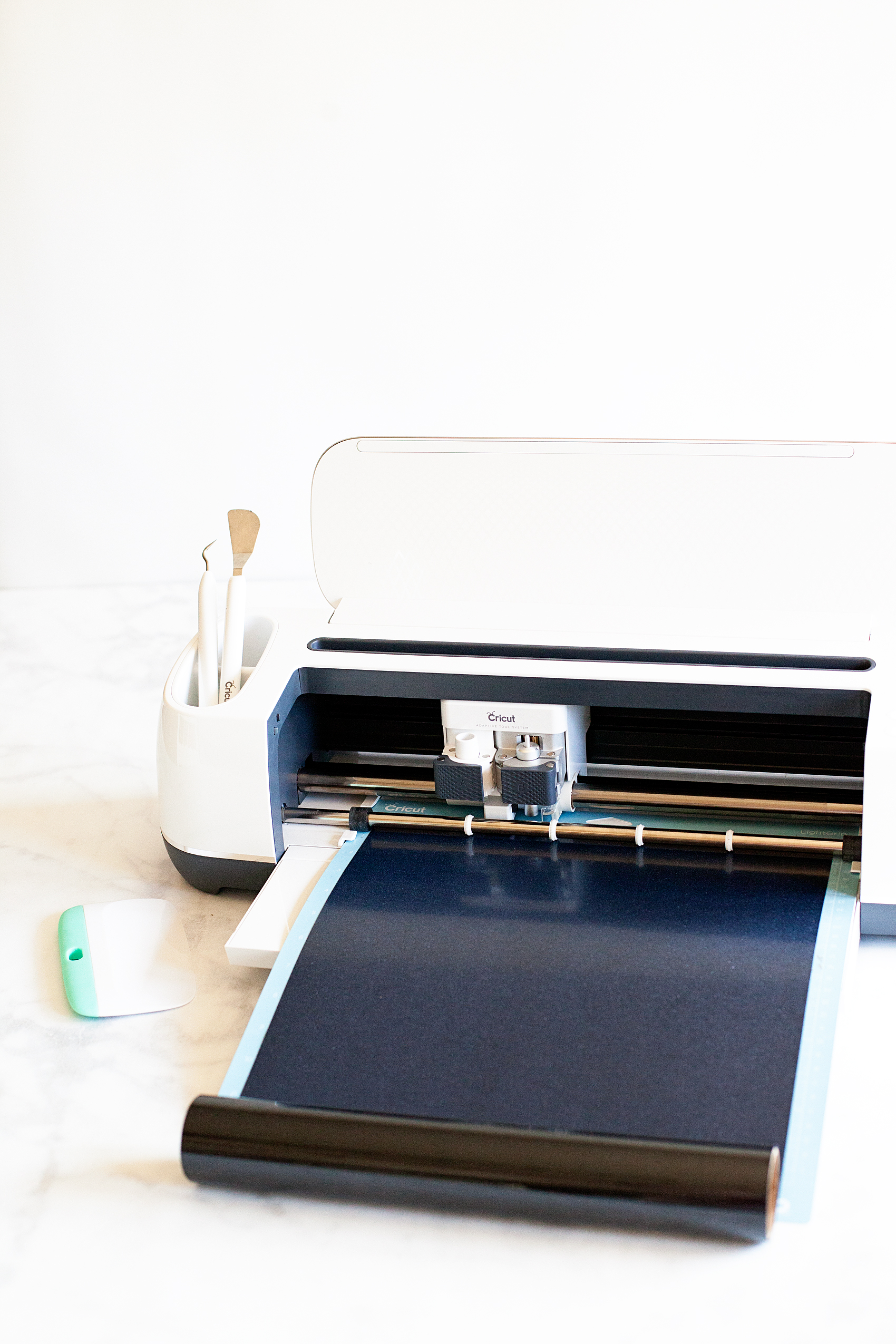
  • Cricut cutting machine – I use the Cricut Maker
  • 12×24 inch Light Cutting Mat
  • Cricut Iron-On Lite – Black
  • Cricut Protective Sheet or light cloth
  • Cricut Easy Press or IronHygge Canvas Sign designed by WhipperBerry and created with @cricut Iron-On lite along with the Cricut Easy Press. Did you know that you can make beautiful signs with heat transfer vinyl like the Cricut Iron-On Lite? It’s super EASY come on over to WhipperBerry to learn how in my Sign Making 101 series + You can learn all about the magic of the Danish concept of Hygge!

Material for frame • Optional

  • 1x2x8 premium wood – 2×24 inch boards, 2×21 inch boards
  • hot glue gun
  • hot glue stick
  • Brad Nailer & nails

Hygge Canvas Sign Design

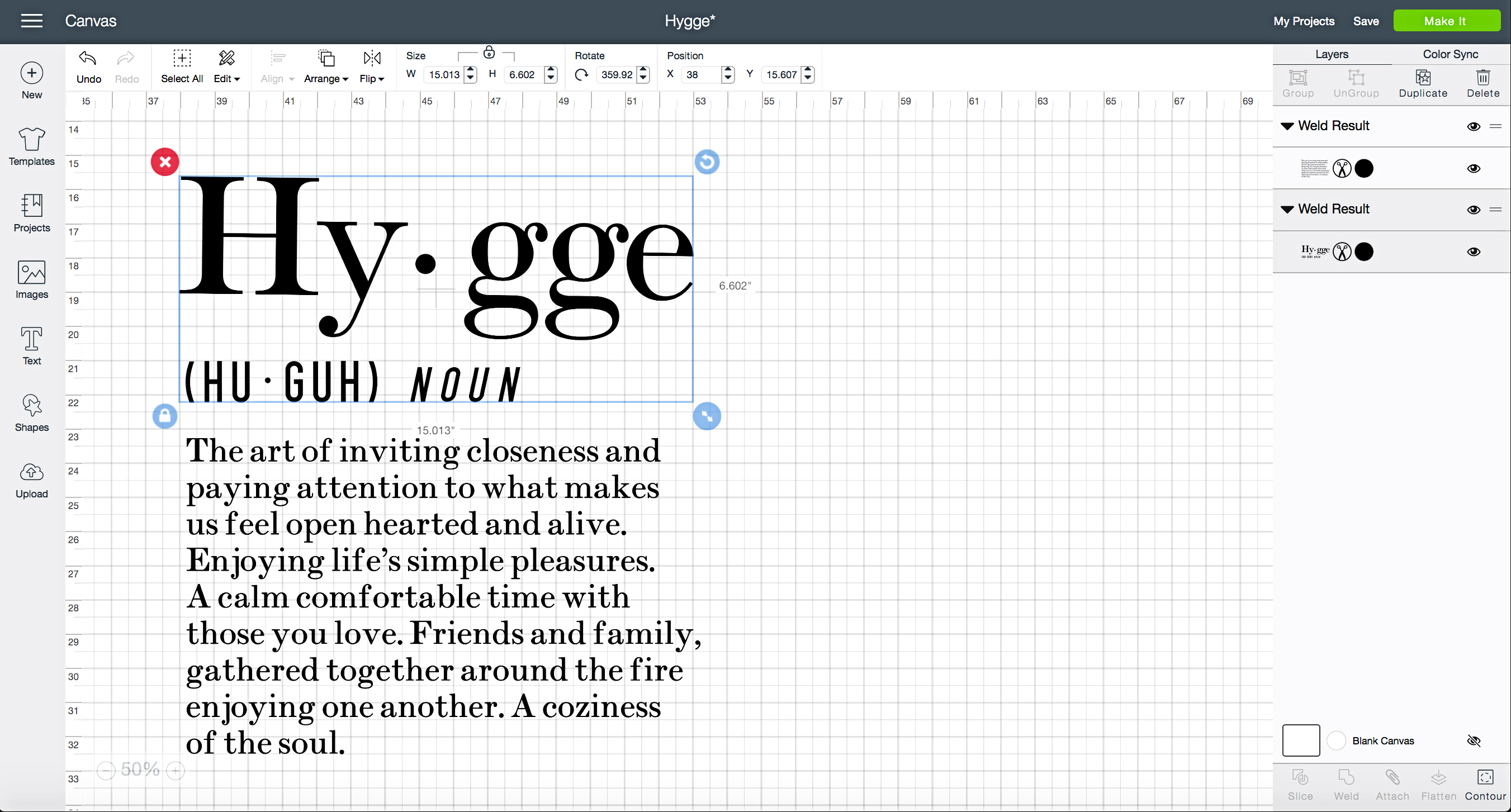
Of course you’re going to need the design for this Hygge sign. I created the whole thing in Cricut Design Space with Cricut fonts so it’s easy to share with you guys.
Hygge Canvas Sign designed by WhipperBerry and created with @cricut Iron-On lite along with the Cricut Easy Press. Did you know that you can make beautiful signs with heat transfer vinyl like the Cricut Iron-On Lite? It’s super EASY come on over to WhipperBerry to learn how in my Sign Making 101 series + You can learn all about the magic of the Danish concept of Hygge!

Now, I have a Cricut Access account which is super fabulous! It gives me access to many, many different graphics and fonts within Design Space. Here what it has to offer…

• For use with Cricut Explore and Cricut MakerTM only
• Unlimited access to over 30,000 images and 1,000 projects
• Includes the 370+ fonts in Cricut Access Fonts
• 10% off purchases on Cricut.com and Design Space®
• Exclusive images and fonts
• Includes multilayer images, single-layered images, 3D projects, and much more!

That is a great deal, especially if you love to create. Now, not everything is included in Cricut Access. Some images and fonts have a special license, and therefore, they can’t be included. One of the fonts I used for my Hygge canvas sign is a paid font BUT… Once I purchase the font, I will have it forever in my Cricut account.

Instructions

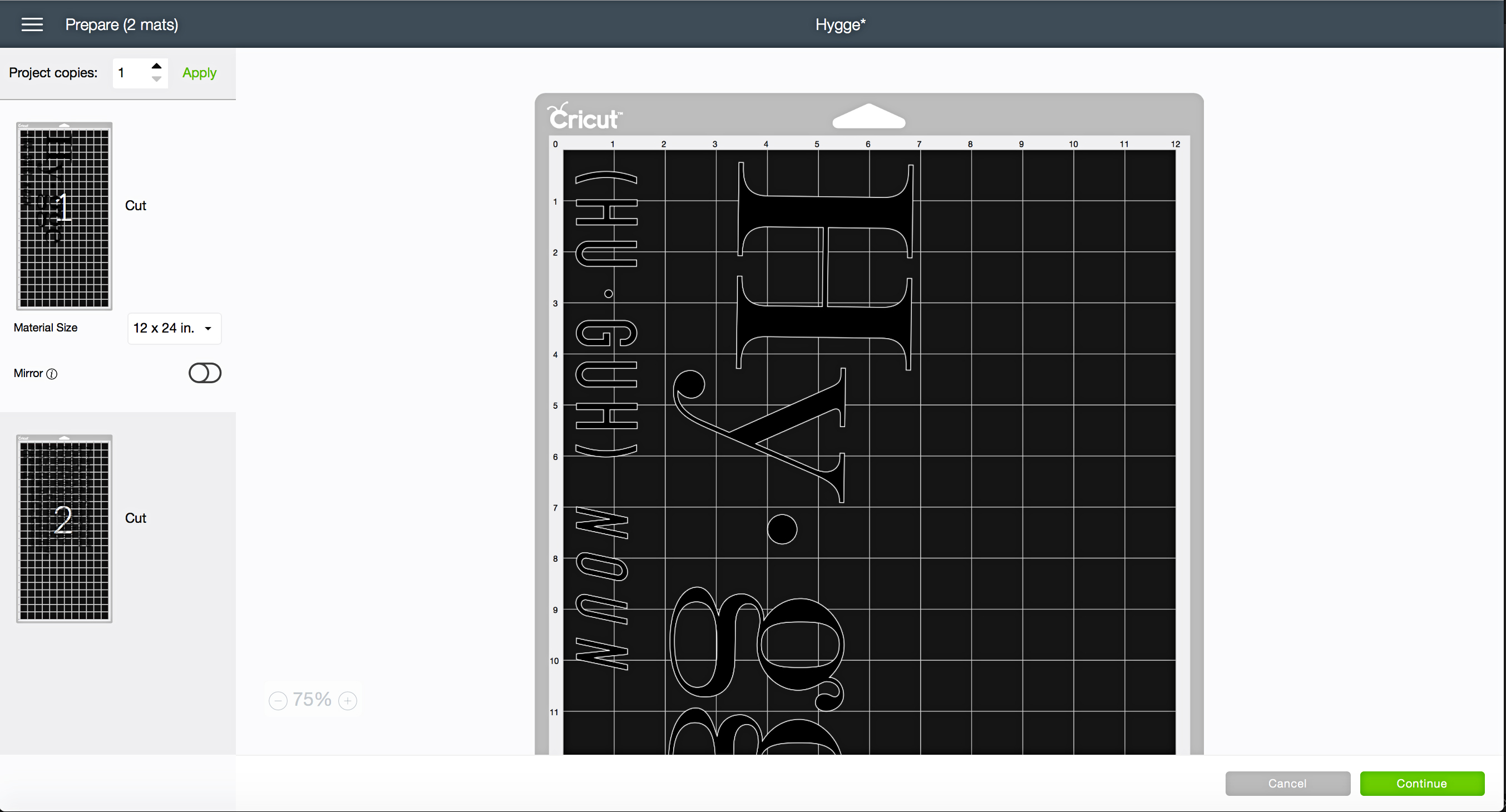
Guys… This is so easy. All you need to do is open Cricut Design Space HERE to open the design. Size the design to the size of your canvas. My canvas is rather large so I broke the design into 2 pieces and turned it sideways so that it would fit nicely on a 12×24 inch cutting mat. As long as the design is sized right, load your Cricut Iron-On Lite into your machine and click the Make It button.

Hygge Canvas Sign designed by WhipperBerry and created with @cricut Iron-On lite along with the Cricut Easy Press. Did you know that you can make beautiful signs with heat transfer vinyl like the Cricut Iron-On Lite? It’s super EASY come on over to WhipperBerry to learn how in my Sign Making 101 series + You can learn all about the magic of the Danish concept of Hygge!

Your design will load into the Prepare Mat screen.
Hygge Canvas Sign designed by WhipperBerry and created with @cricut Iron-On lite along with the Cricut Easy Press. Did you know that you can make beautiful signs with heat transfer vinyl like the Cricut Iron-On Lite? It’s super EASY come on over to WhipperBerry to learn how in my Sign Making 101 series + You can learn all about the magic of the Danish concept of Hygge!

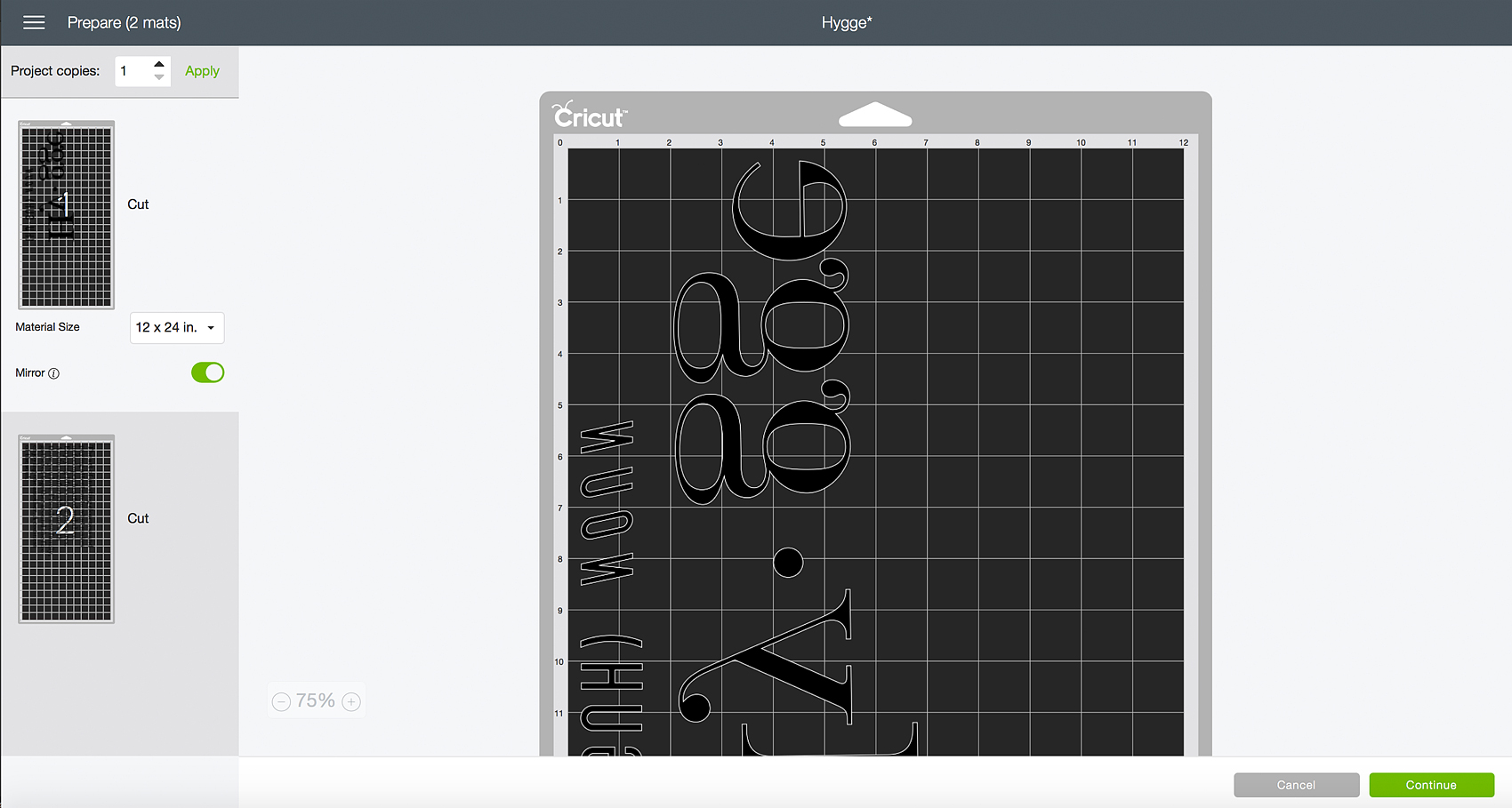
Now, this is VERY IMPORTANT! On the left side of the screen, you’ll see a button that says MIRROR. Click on that slider button and watch how your design flips and becomes mirrored.
Hygge Canvas Sign designed by WhipperBerry and created with @cricut Iron-On lite along with the Cricut Easy Press. Did you know that you can make beautiful signs with heat transfer vinyl like the Cricut Iron-On Lite? It’s super EASY come on over to WhipperBerry to learn how in my Sign Making 101 series + You can learn all about the magic of the Danish concept of Hygge!

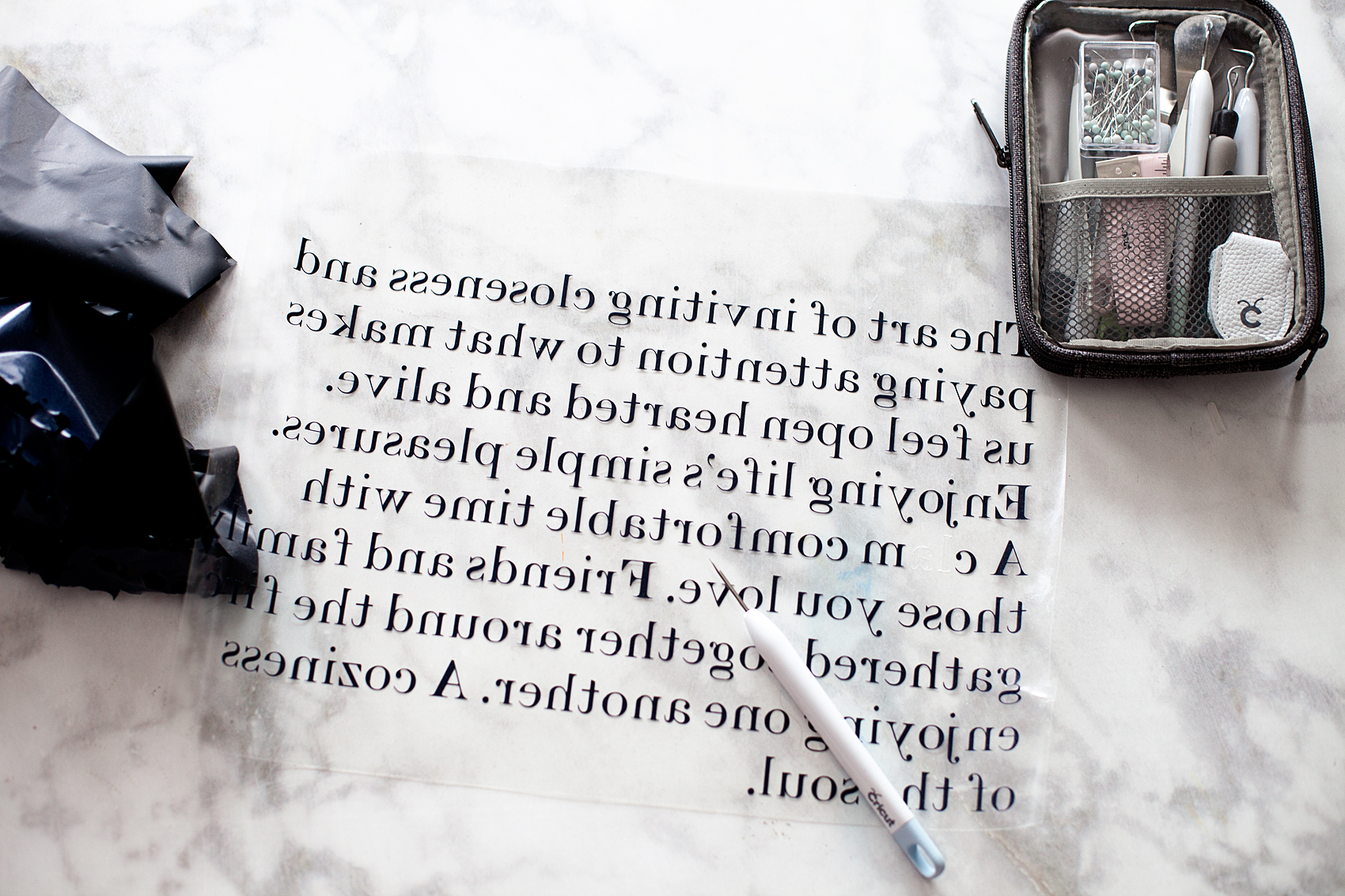
When using Cricut Iron-On Lite, you need to mirror your image because of the way the heat transfer vinyl works. The actual vinyl lays on a clear plastic sheet with the side of the vinyl that is meant to be melted into your surface facing up. Many people get confused as to which side of the material to cut on. You want to make sure the shiny side of the Iron-On Lite is face down on your cutting mat with the matte side of the vinyl facing up.

With your image mirrored and your vinyl correctly placed on your mat, you are ready to cut your design. Click on the Continue button, connect your machine, select your cutting material which is Iron-On, load your mat into the machine. When the Cut button on your machine starts flashing, press it and your design will start cutting.

When your design is finished cutting, remove the mat from the machine, remove the iron-on vinyl and weed your design. What does weeding mean? That is when you use one of the great Weeding Tools that Cricut makes to remove the excess vinyl from your design leaving only the design itself.
Hygge Canvas Sign designed by WhipperBerry and created with @cricut Iron-On lite along with the Cricut Easy Press. Did you know that you can make beautiful signs with heat transfer vinyl like the Cricut Iron-On Lite? It’s super EASY come on over to WhipperBerry to learn how in my Sign Making 101 series + You can learn all about the magic of the Danish concept of Hygge!

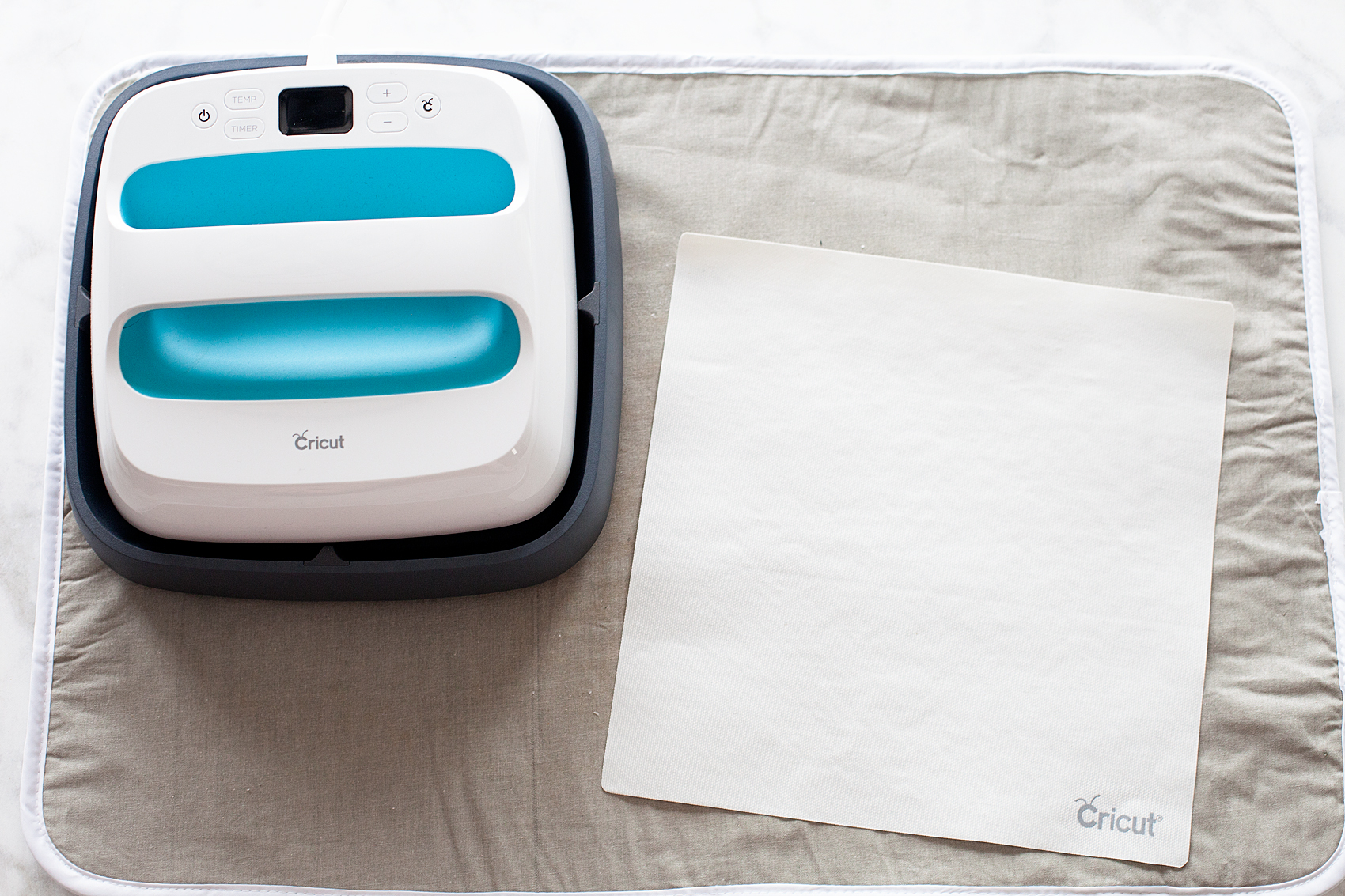
Next, you’ll turn on your Cricut Easy Press or your iron and prepare your canvas. When I’m using my Easy Press, I use either a towel or a protective heat mat that I found in the laundry section at Walmart, placing that on a firm surface like a counter top, or table, NOT an ironing board. They aren’t firm enough.

Then, I grab a book or a stack on magazines to place under the canvas, like I talked about before in the tips and tricks section.
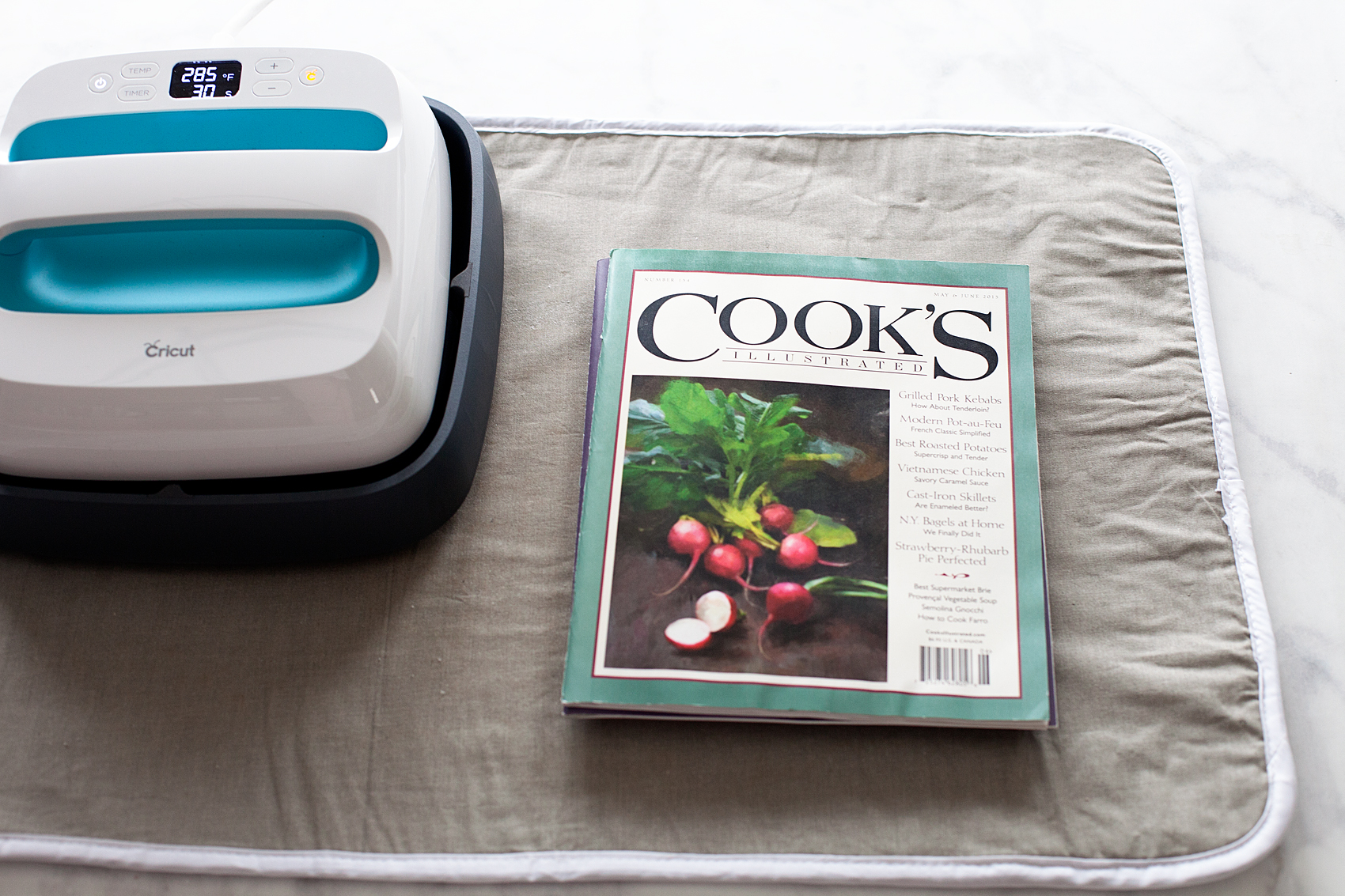
Hygge-Sign--Canvas-and-Heat-Transfer-Vinyl-with-Cricut-Maker---created-by-WhipperBerry-7

Place the design onto my canvas with the protective film facing up. Place the Cricut Protective Sheet on top of your first section…
Hygge Canvas Sign designed by WhipperBerry and created with @cricut Iron-On lite along with the Cricut Easy Press. Did you know that you can make beautiful signs with heat transfer vinyl like the Cricut Iron-On Lite? It’s super EASY come on over to WhipperBerry to learn how in my Sign Making 101 series + You can learn all about the magic of the Danish concept of Hygge!

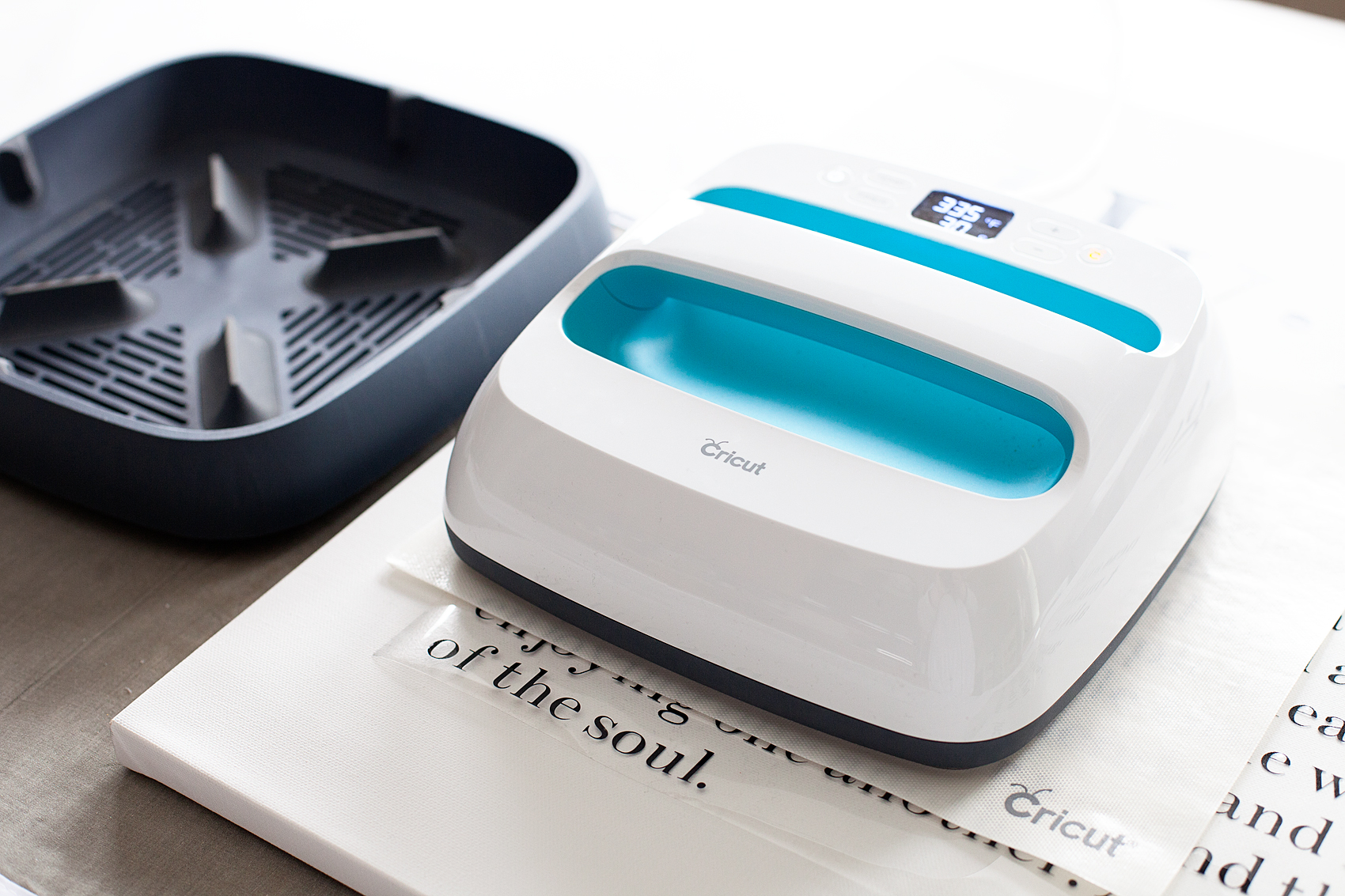
Then press your design with the Easy Press or your Iron.
Hygge Canvas Sign designed by WhipperBerry and created with @cricut Iron-On lite along with the Cricut Easy Press. Did you know that you can make beautiful signs with heat transfer vinyl like the Cricut Iron-On Lite? It’s super EASY come on over to WhipperBerry to learn how in my Sign Making 101 series + You can learn all about the magic of the Danish concept of Hygge!

I set my temperature on the Easy Press to 350˚ and let it do it’s thing for about 40-50 seconds. You need to be careful not to let it sit for too long, the vinyl will melt in a way that you won’t like.

If you are using an iron, this will take a bit longer, just be patient.

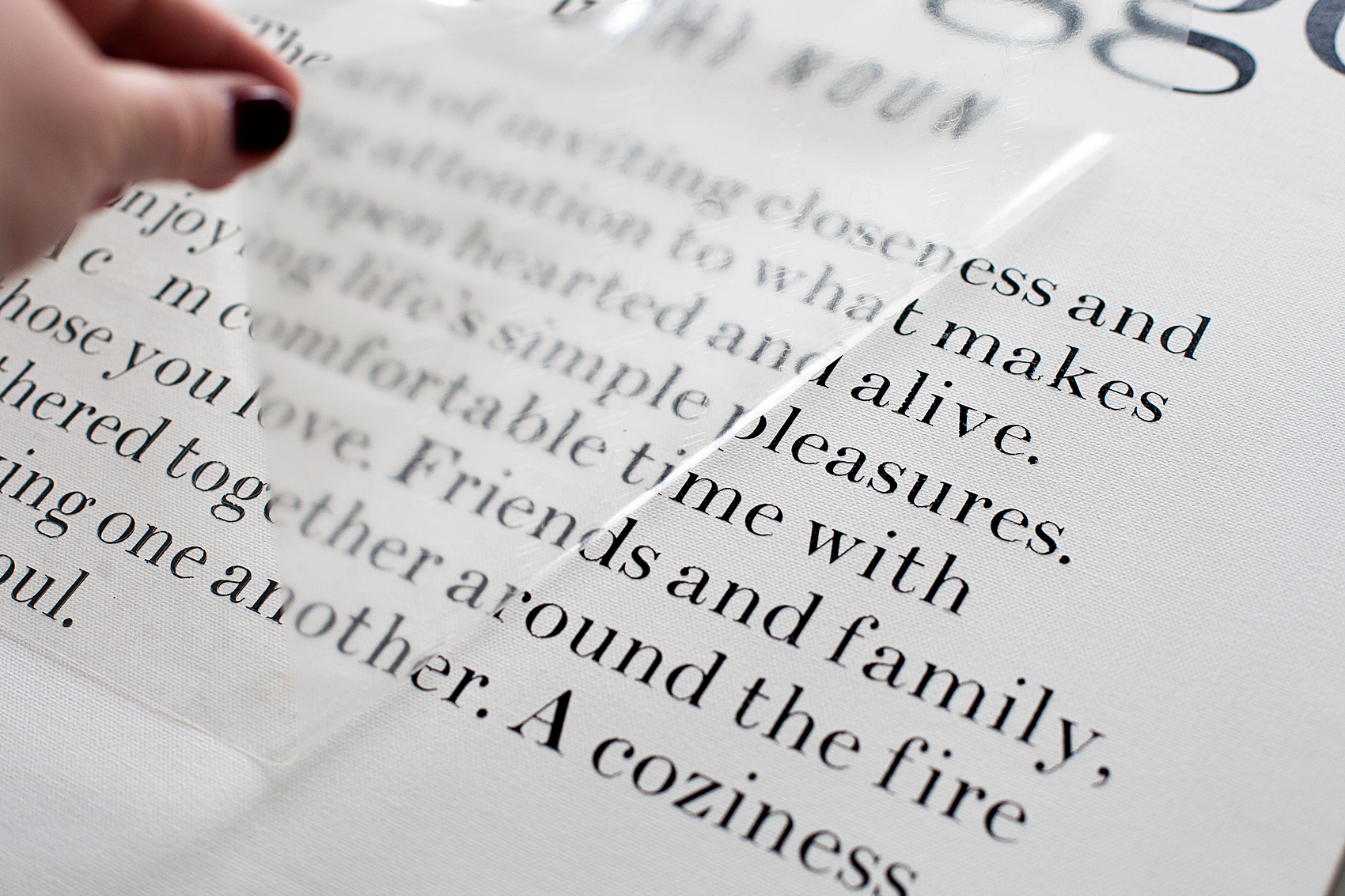
Continue pressing the vinyl until you have covered the entire design. Let cool for a few seconds then, remove the protective film and voilá, you have a beautiful new canvas sign for your home!
Hygge Canvas Sign designed by WhipperBerry and created with @cricut Iron-On lite along with the Cricut Easy Press. Did you know that you can make beautiful signs with heat transfer vinyl like the Cricut Iron-On Lite? It’s super EASY come on over to WhipperBerry to learn how in my Sign Making 101 series + You can learn all about the magic of the Danish concept of Hygge!

If you would like to add the frame, all you need to do is hot glue the frame pieces onto the canvas, one at a time. I place my canvas on top of a stack of three ball jar lids. A stack of three in each corner. That seems to be the perfect placement for adding the frame.

Glue one of the frame sides onto the canvas then firmly attach it with the brad nailer while the glue is still warm. Move onto the next side until you have completed all four sides.
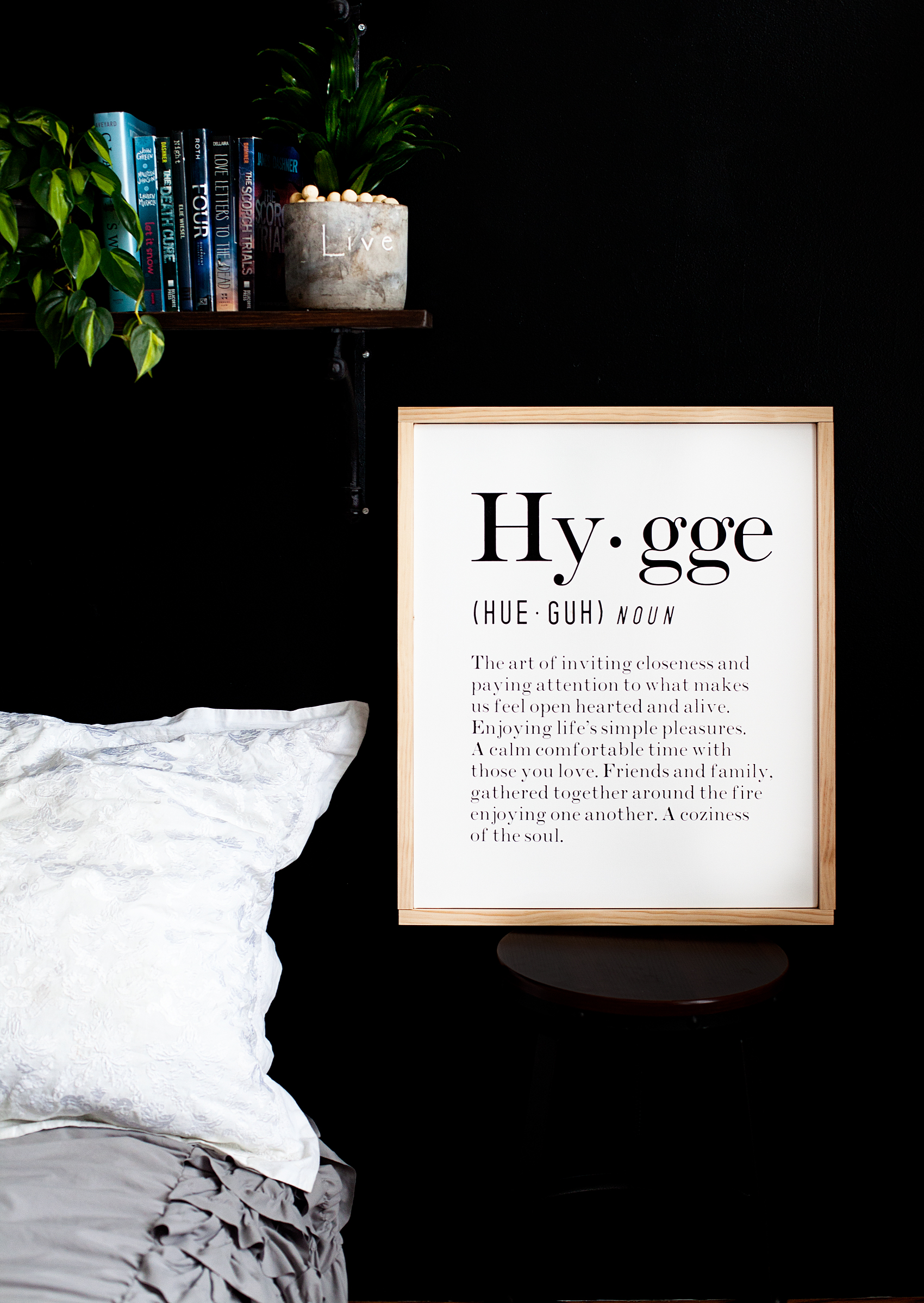
Hygge Canvas Sign designed by WhipperBerry and created with @cricut Iron-On lite along with the Cricut Easy Press. Did you know that you can make beautiful signs with heat transfer vinyl like the Cricut Iron-On Lite? It’s super EASY come on over to WhipperBerry to learn how in my Sign Making 101 series + You can learn all about the magic of the Danish concept of Hygge!

This is a sponsored conversation written by me on behalf of Cricut. The opinions and text are all mine.
How to Import and Use a SVG File in Cricut Design Space

55 · Nov 21, 2017 · 2 Comments

I LOVE to create my own designs for all kinds of things like signs, printables, special gifts and now, thanks to the Cricut Maker… Sewing projects! The issue that I ran into at the beginning was figuring out how to effectively use my own SVG files in Cricut Design Space. If you’re like me, and would like to either use either your own designs or other designs that you purchase from Etsy or other sites, this video tutorial is for you! You could use a Silhouette or a Cricut. If you’re unsure of which is better you can read my review of Cricut vs Silhouette here. Whether you are a sign maker, a paper crafter or you love to work with fabric, chances are you've wanted to either create your own SVG files or download files that you've purchased and use them with your Cricut Projects Here’s a great video tutorial on how to import your own SVG files into Cricut Design Space and how to easily use it in the software.

Whether you are a sign maker, a paper crafter or you love to work with fabric, chances are you’ve wanted to either create your own SVG files or download files that you’ve purchased and use them with your Cricut Projects. The Cricut Design Space is pretty robust but there are times when you need a little more in the design area. For example, create curved text and such for a project. I stumbled across a way to covert PDF sewing patterns into SVG files to use with my Cricut Maker.  Don’t worry, I’ll have a tutorial for that soon. Today, I want to focus on how to import and use that SVG file into Cricut Design Space and use it effectively. I’ve been working on this for a bit so I’ve managed to come-up with some great tips and tricks to help speed-up your work flow in order to cut down on possibly technology frustration.

Video Tutorial on How to Import and Use Your SVG Files in Cricut Design Space

Take a few minutes to sit and watch this video. I promise it will make your time in the Cricut Design Space much easier!

Farmhouse Inspired Christmas Tree – Dream Tree Challenge

75 · Nov 1, 2017 · 1 Comment

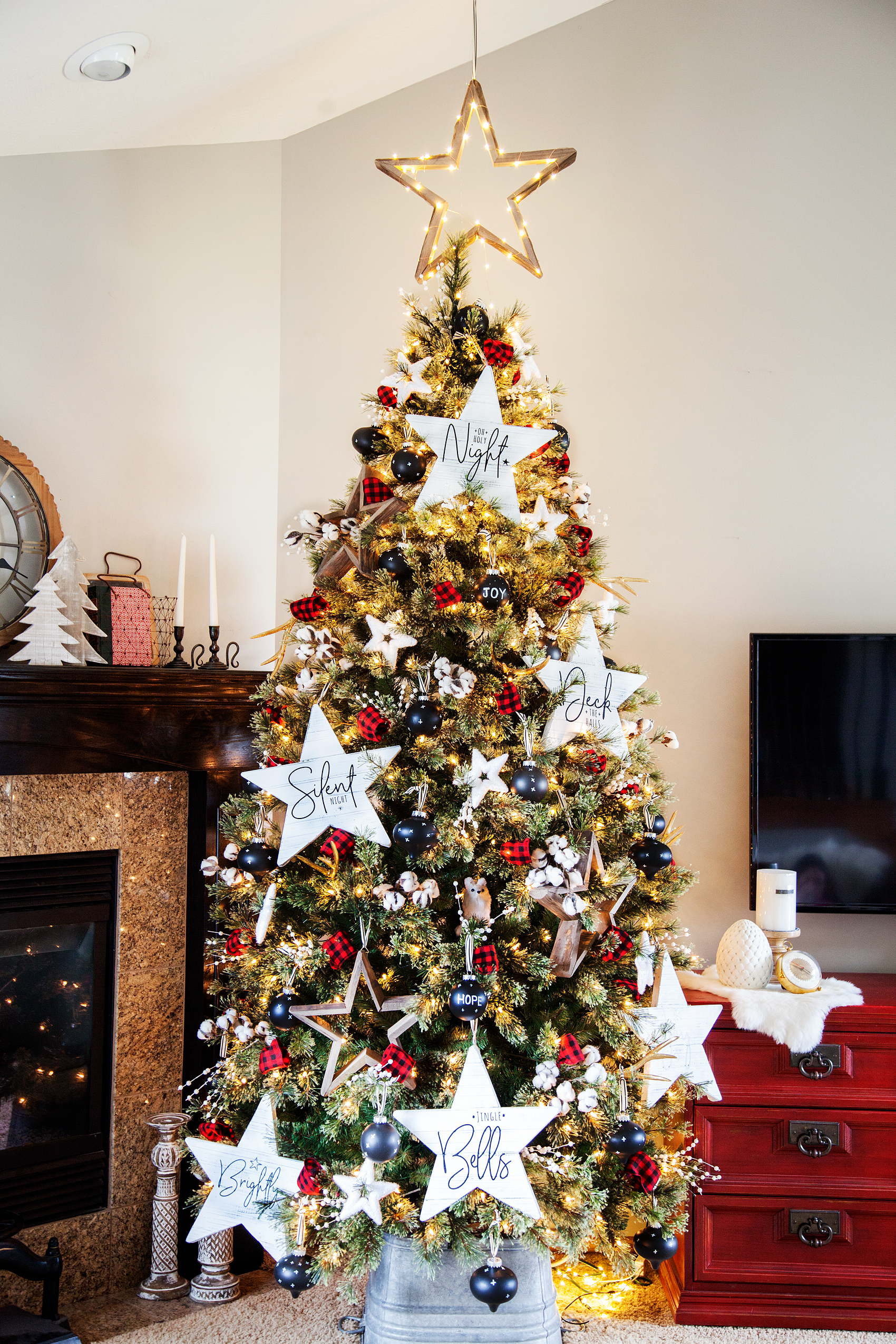
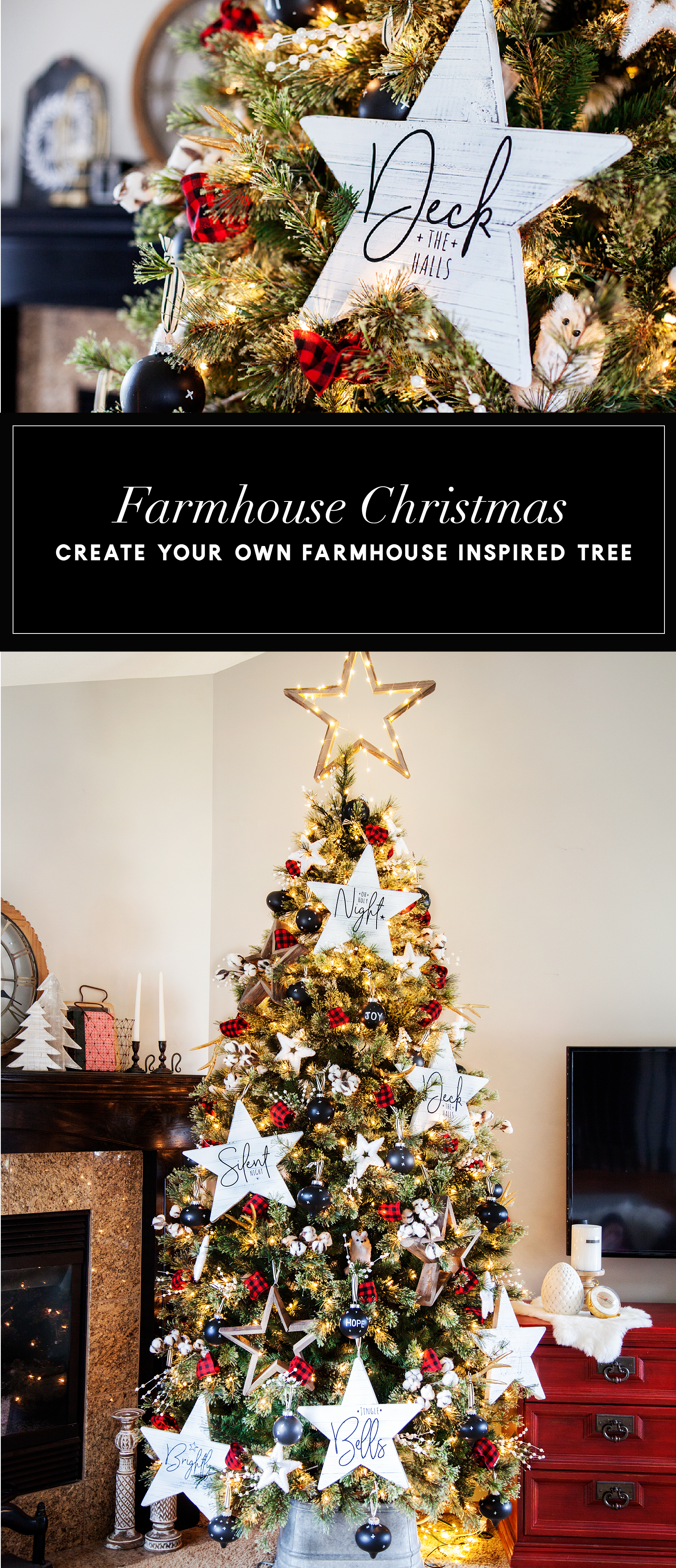
It’s getting close to my favorite time of year… Christmas!! Every year it’s so fun to participate in the Michaels Dream Tree Challenge and this year has been EXTRA FUN!  We gathered together as a family and crafted our Christmas tree together and it was so fun. From trees to ornaments and holiday décor, Michaels has everything you need to MAKE this holiday your own! You can even shop over 100 Christmas Trees at Michaels.com. Crafting your tree together is a  great way to bring the family together at the beginning of the Holiday season. Here is what we created to make our 2017 tree magical for our home and family.

Farmhouse Inspired Christmas Tree -WhipperBerry-100

The Christmas Tree

This year, I picked the 7.5 Ft. Pre-Lit Jasper Cashmere Artificial Christmas Tree, Clear Lights by Ashland™.  At first it was a little wide for our space. BUT… We placed it on top of an old bucket I had and then bent the lower branches down to give it a slimmer figure. I wish ‘slimming-down’ was that easy for all of us! 😉 That also raised the tree up a bit, which makes it look better in a room with vaulted ceilings.

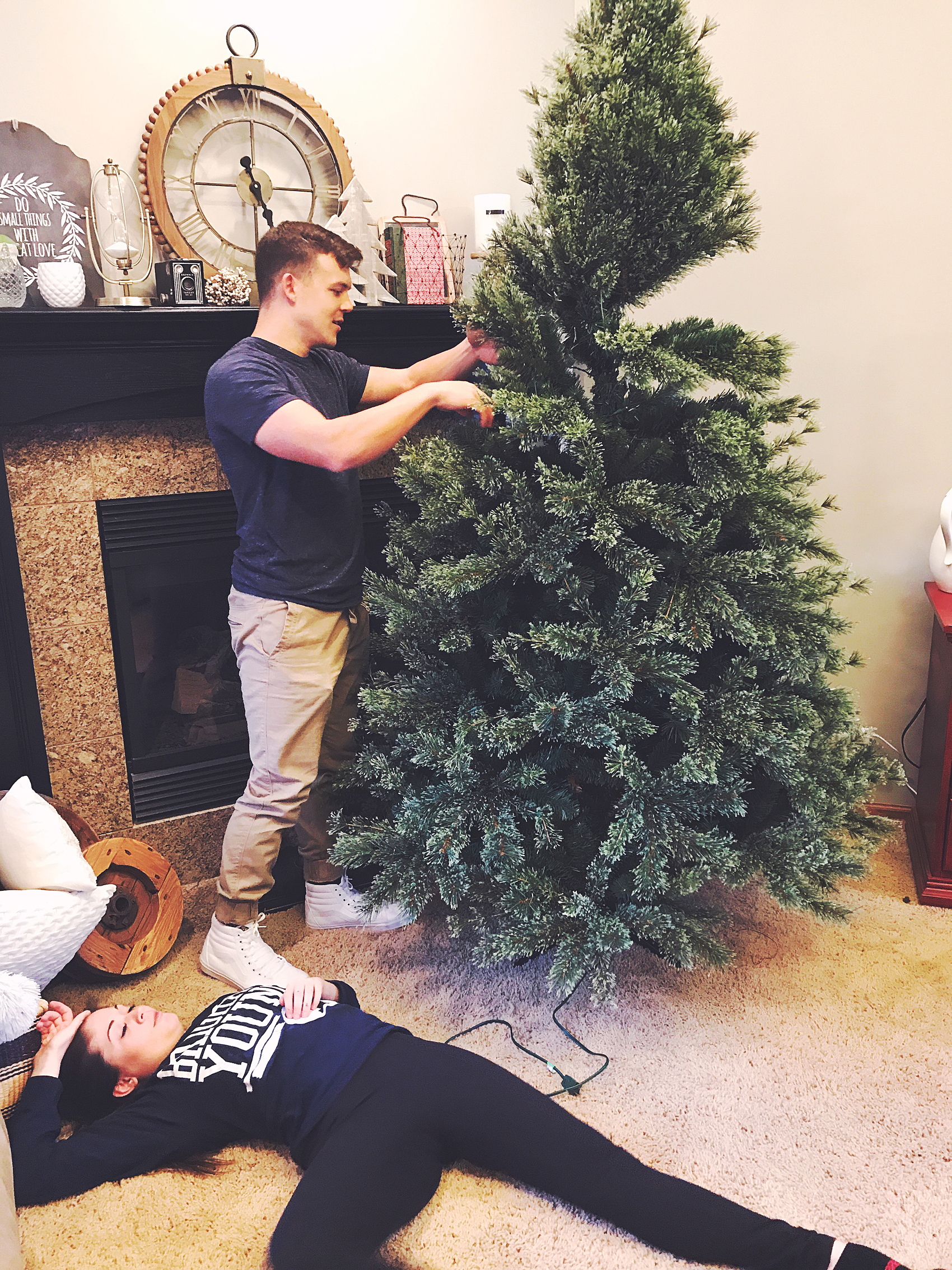
Regardless of what this photo looks like below (someone was being a bit dramatic…) The Jasper tree is super easy to set-up. It’s literally plug and play. The electricity runs through the poll of the tree so you don’t have to go hunting around for all of the connections. Then all you have to do is fluff the branches.

setting-up-the-tree

Farmhouse Inspired Christmas Ornaments

Part of the fun when decorating for the Holidays is actually making some of your own decor. This year I was inspired by some ornaments that Joanna Gains has created for another store. I LOVE them and thought we could make some of our own with supplies from Michaels.

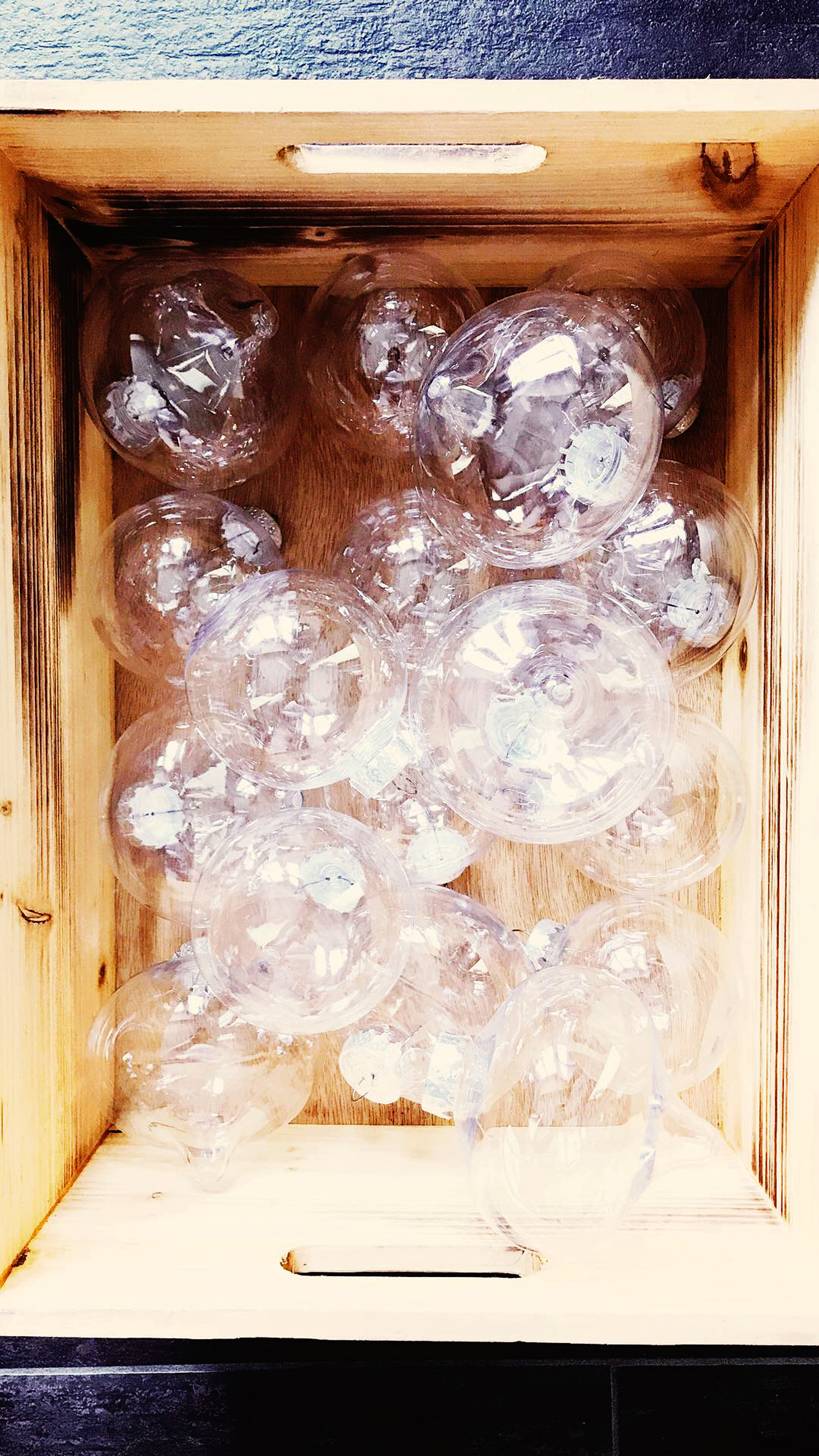
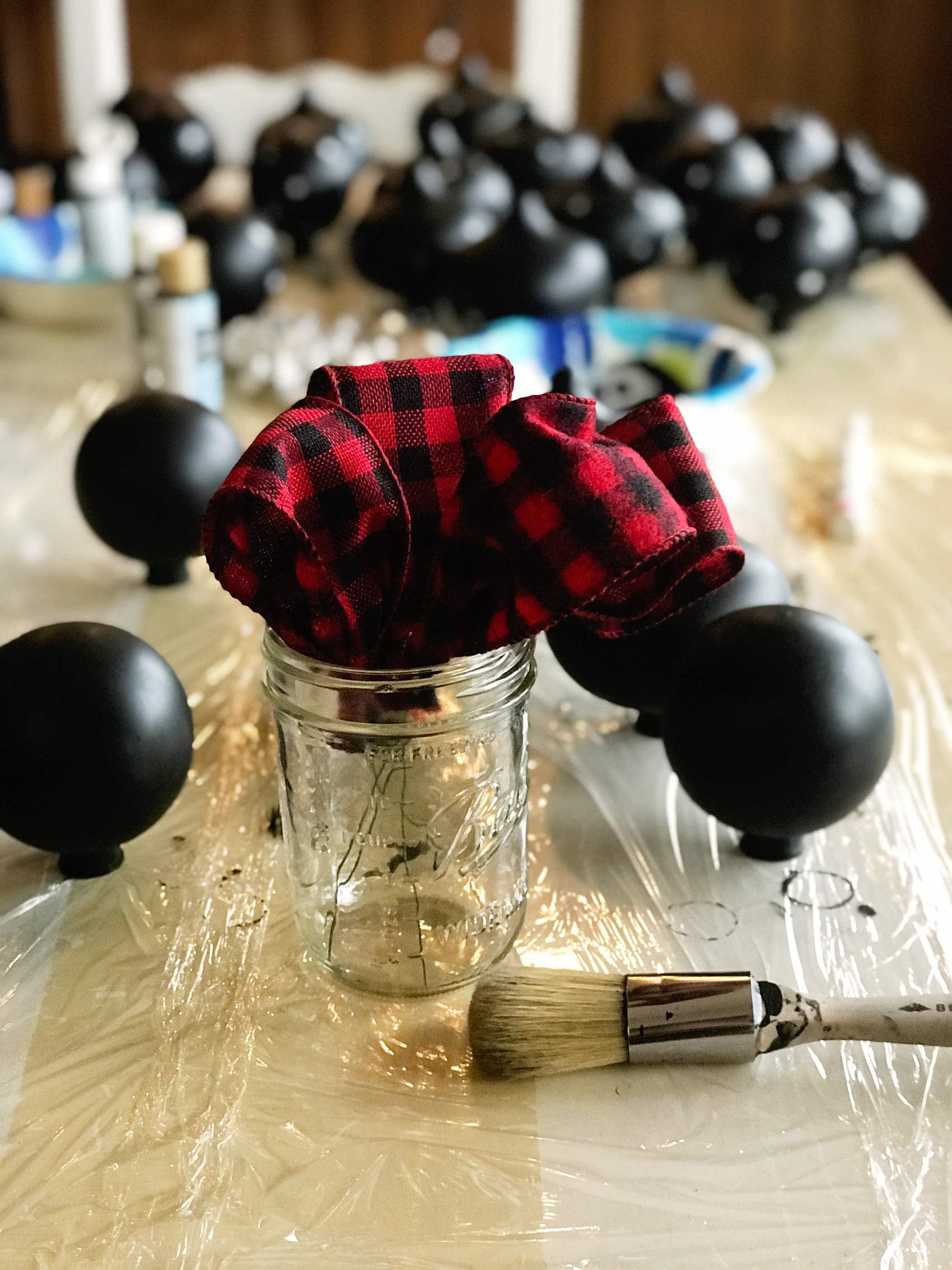
I grabbed some of the shatter proof ornaments at Michaels along with some of the Americana Chalkboard Paint from DecoArt…

Shatter proof ornaments from @Michaels

  • Plastic Onion Ornaments By Artminds™

  • Clear Plastic Ornaments By Artminds™

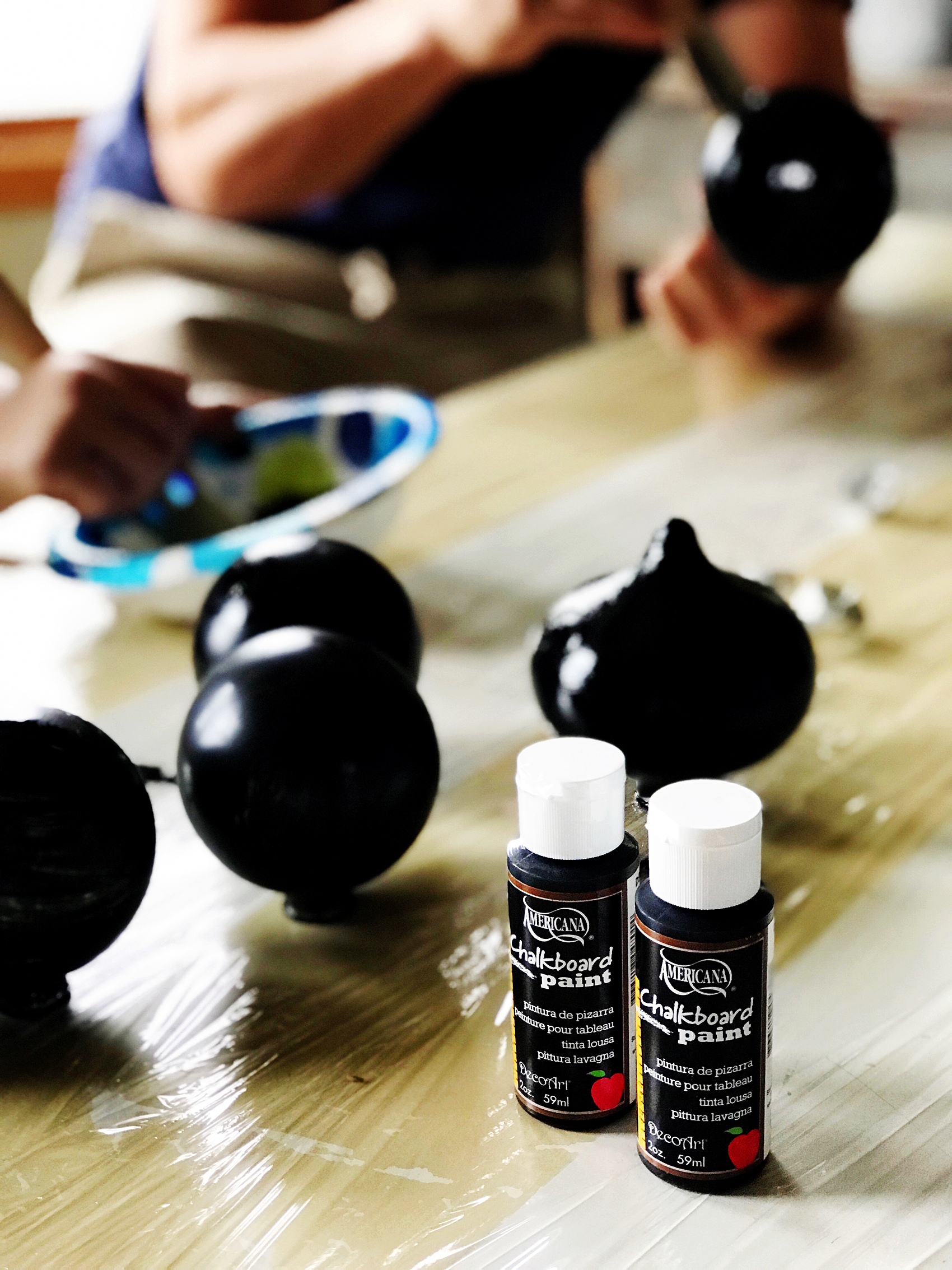
  • Americana Chalkboard Paint

Americana Chalkboard Paint for Christmas Ornaments

paining ornaments-100

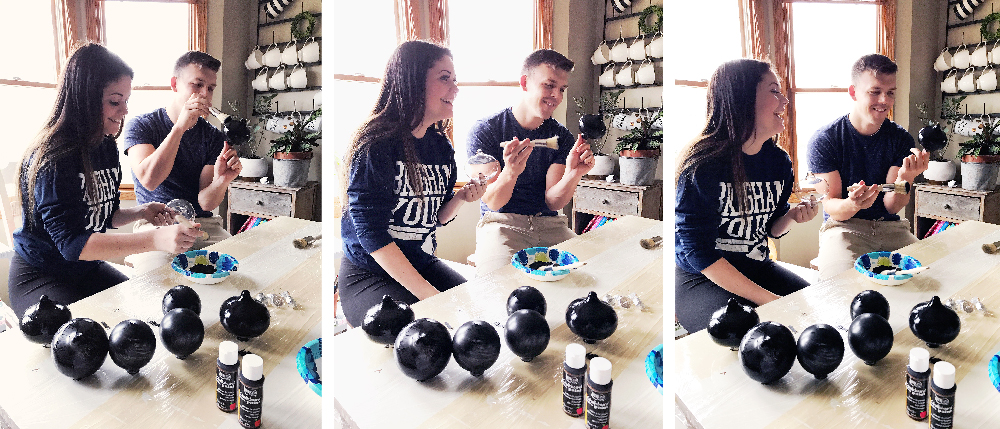
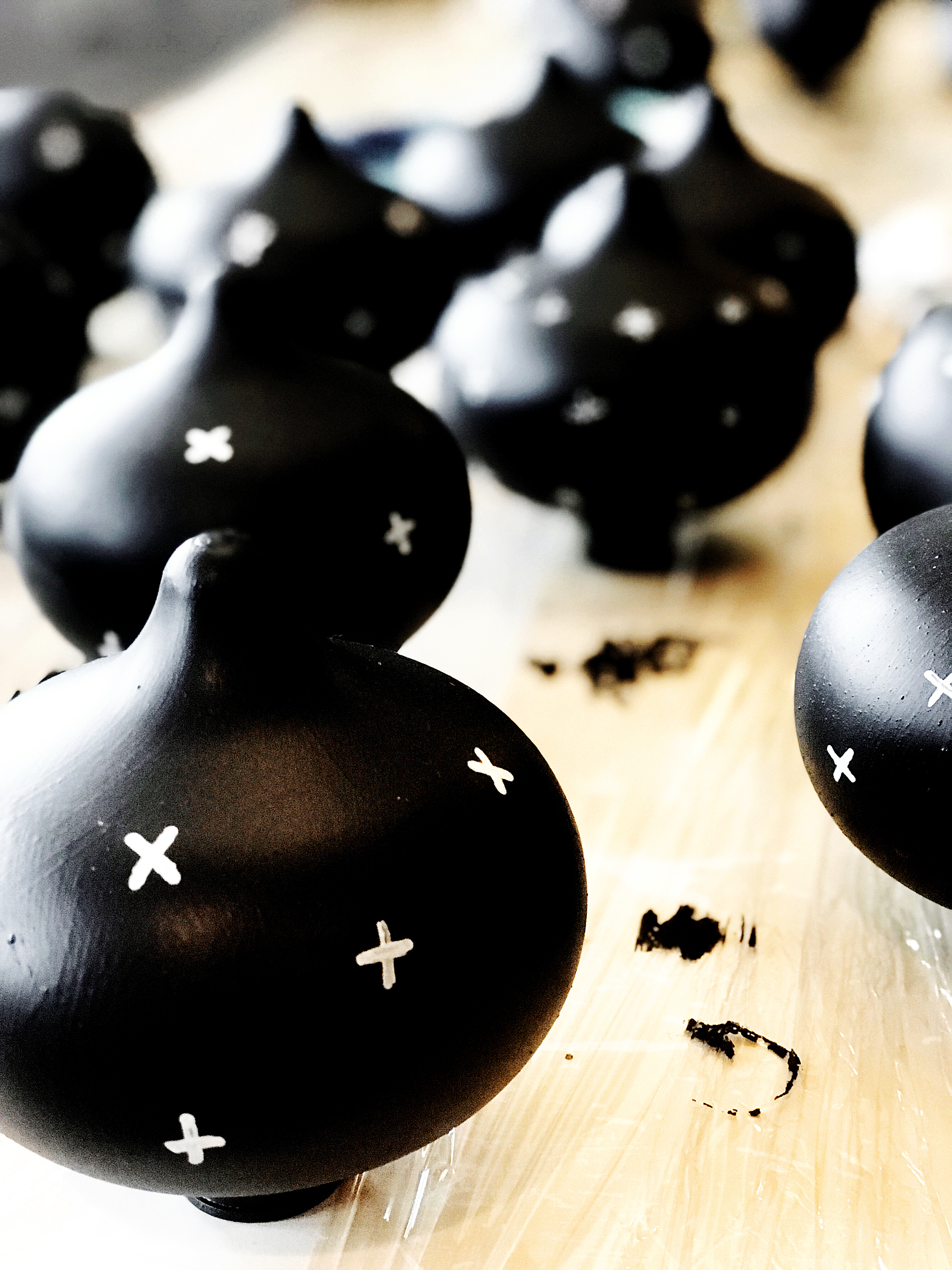
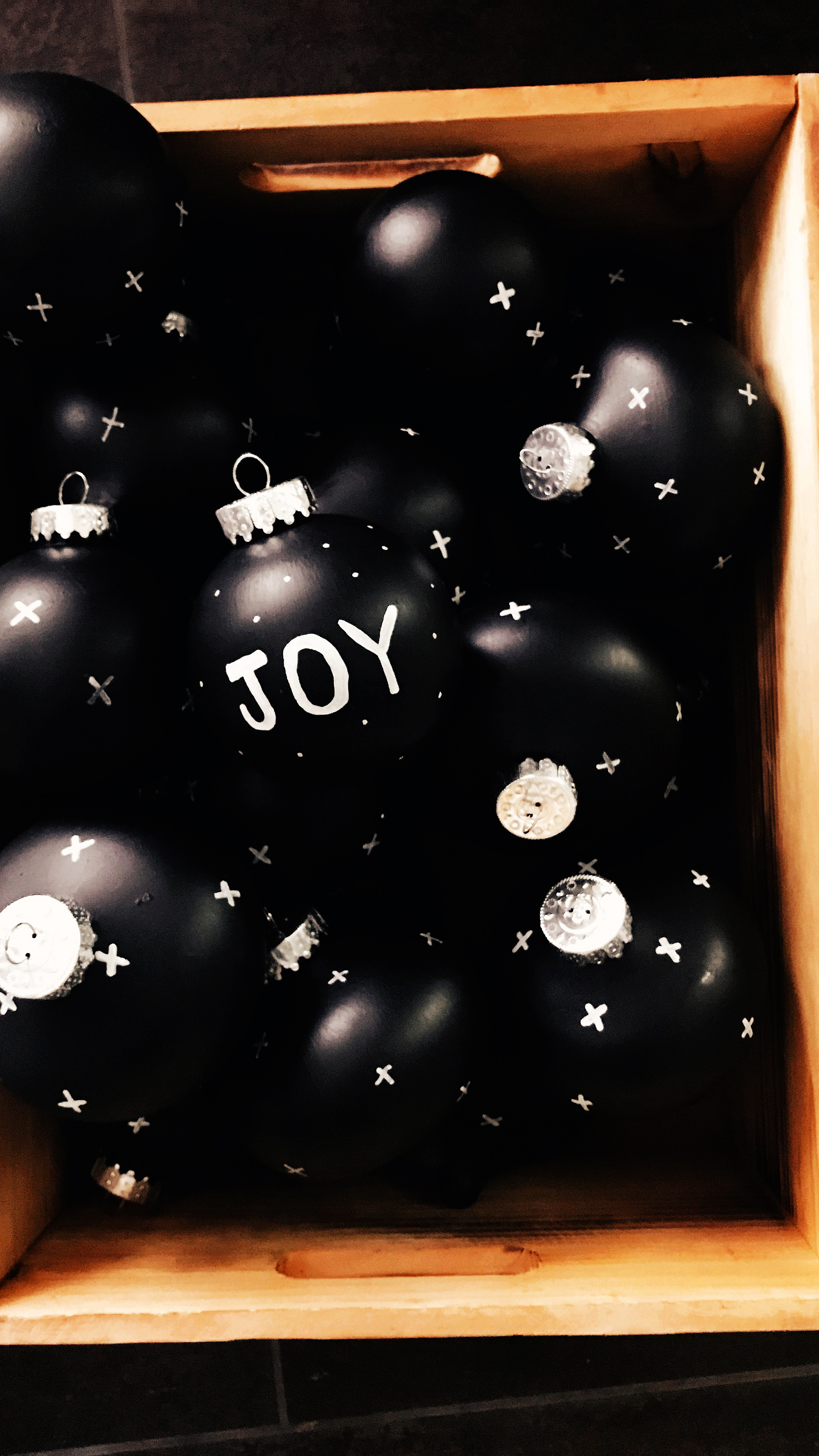
My daughter Haley is home from college with her boyfriend Kyle and we decided to have a paint party. We covered the table with plastic wrap and went to town with the clear ornaments from Michaels.  We painted them all over with the chalkboard paint. Now, the only reason I use chalkboard paint is because I like the matte look. Then we used a white paint marker from Sharpie and created all of the little swiss crosses on the ornaments.

Create DIY Hearth and Home Black Swiss Cross Christmas Ornaments via WhipperBerry

They turned out super cute and we had so much fun making them together!

Create DIY Hearth and Home Black Swiss Cross Christmas Ornaments via WhipperBerry

Create DIY Hearth and Home Black Swiss Cross Christmas Ornaments via WhipperBerry

I think they may be my new favorite Christmas ornaments for our tree.

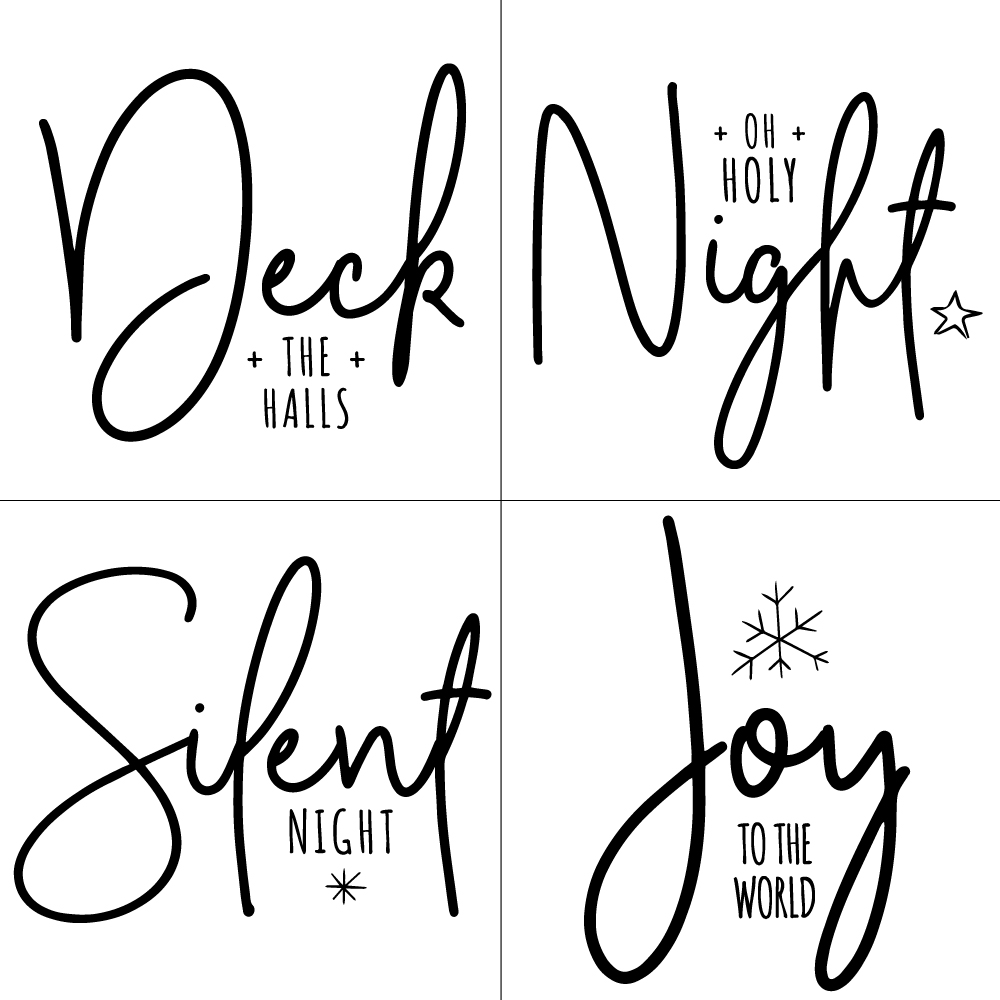
Next, we painted some large wood stars from Michaels with Americana Decor Chalky Finish paint from DecoArt.  Then we used my Cricut Maker to add titles of Christmas Carols onto the stars. You can learn how to make those HERE. You can even download the graphics that I designed for the stars!

DIY Christmas Star from WhipperBerry

Farmhouse Christmas Carol Ornaments from WhipperBerry

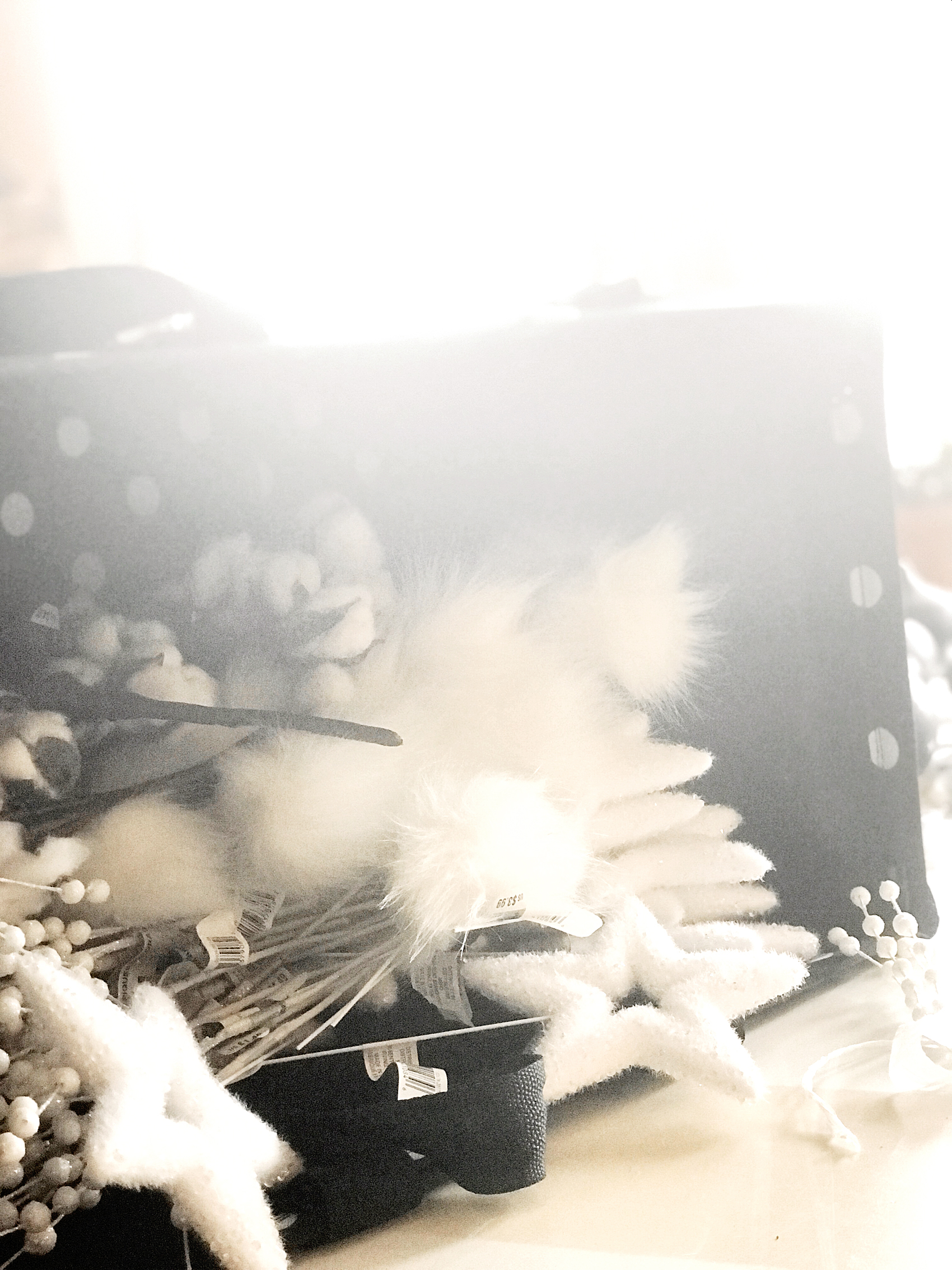
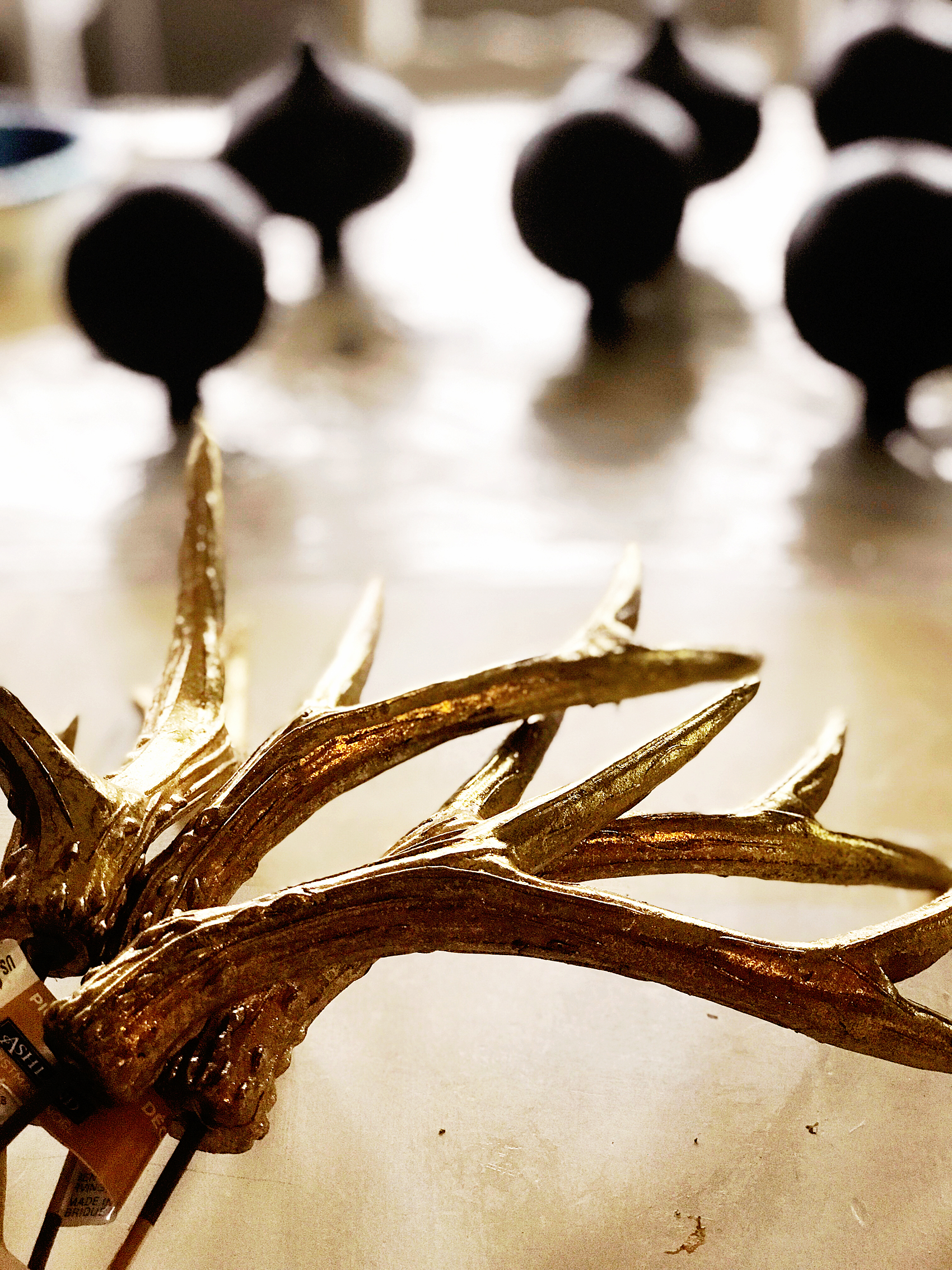
The next element for my tree is a few types of picks that I found in the Christmas pick section of Michaels.

Love FARMHOUSE decor? Then you are going to LOVE this Farmhouse inspired Christmas Carol Star ornament that you can create for your home.

Quite honestly, picks are some of my favorite ways to add personality to my Christmas trees. They really add to the tree and they aren’t very pricey. I LOVE the fuzzy little stars, the gold antlers, and the cotton stems. They look fabulous on the tree!

Love FARMHOUSE decor? Then you are going to LOVE this Farmhouse inspired Christmas Carol Star ornament that you can create for your home.

Love FARMHOUSE decor? Then you are going to LOVE this Farmhouse inspired Christmas Carol Star ornament that you can create for your home.

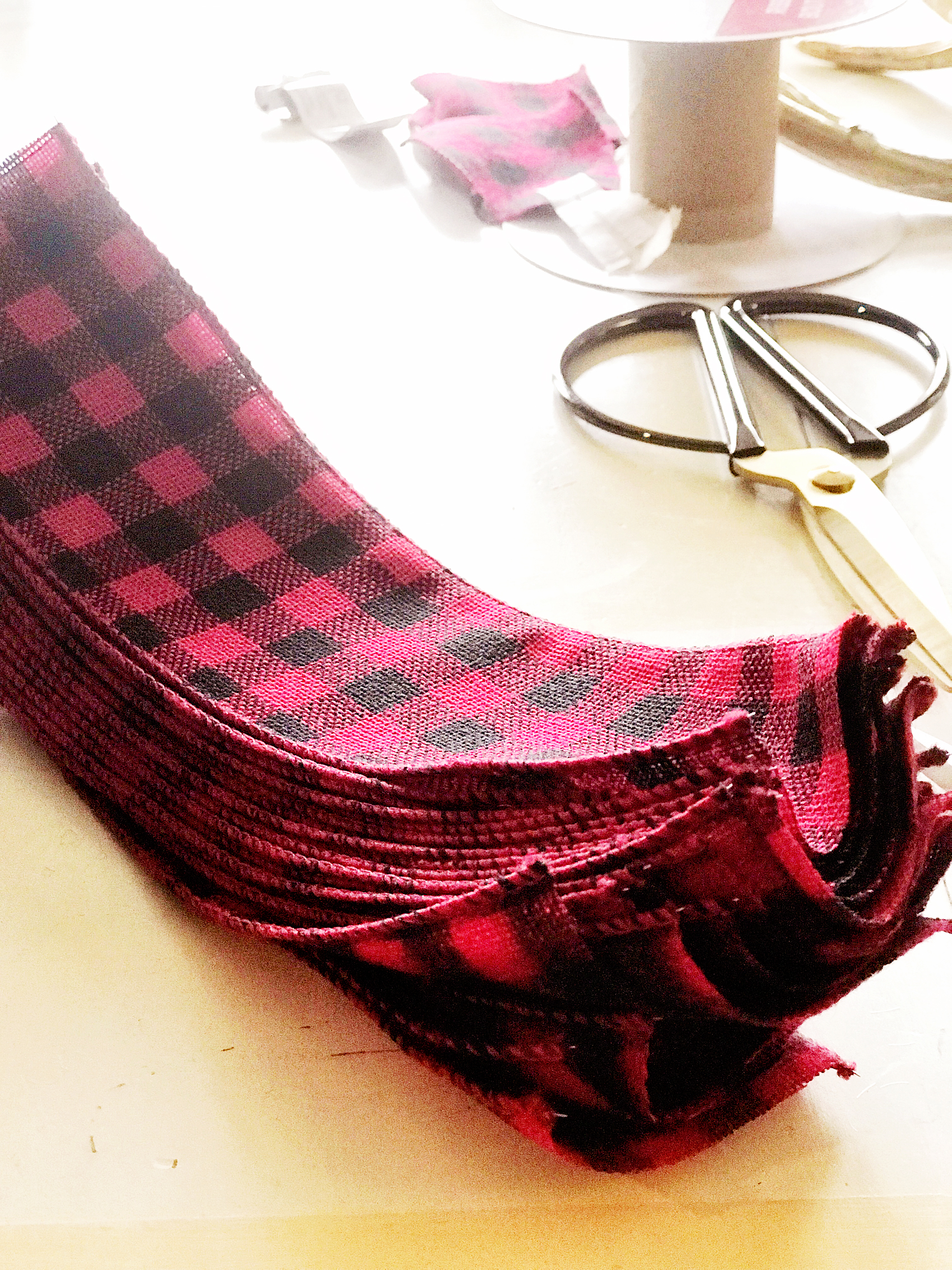
The last element is the ribbon picks.  They couldn’t be easier to make. I found some perfect ribbon at Michaels and cut it into 6 inch sections…

Love FARMHOUSE decor? Then you are going to LOVE this Farmhouse inspired Christmas Carol Star ornament that you can create for your home.

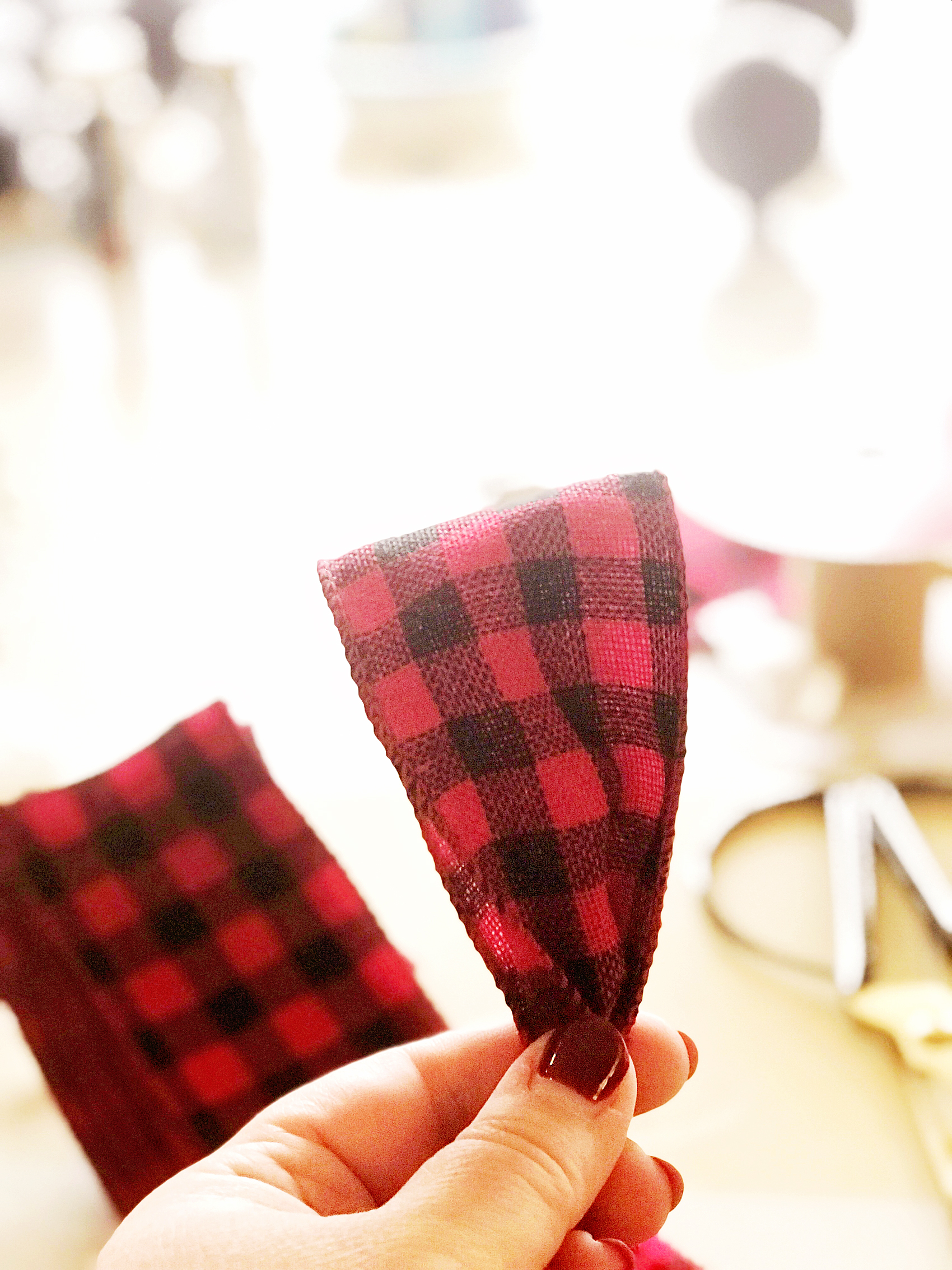
Then I folded it in half and wrapped some floral wire around the bottom leaving a 4-5 inch tail to secure it to the tree. Super simple and the bottom doesn’t need to be pretty.

Love FARMHOUSE decor? Then you are going to LOVE this Farmhouse inspired Christmas Carol Star ornament that you can create for your home.

Love FARMHOUSE decor? Then you are going to LOVE this Farmhouse inspired Christmas Carol Star ornament that you can create for your home.

Then you use the wire tail to attach them to the tree. An easy, easy way to fill in those bald spots on the tree or add a pop of color. Again, it’s a very cost friendly way to add color to your tree.

Love FARMHOUSE decor? Then you are going to LOVE this Farmhouse inspired Christmas Carol Star ornament that you can create for your home.

One last thing… I almost forgot! We decided to HANG our star from the ceiling for this tree. I bought a large wood star at Michaels and wrapped it with some wire lights and then hung it from the ceiling. We made sure to place our hook in a stud so that we didn’t have issues with the weight of the star. It’s so simple and tops it with that rustic farmhouse look.

Wow, it’s amazing how some simple elements can come together to create a really stunning tree. All of my kiddos have said this tree is the best we’ve ever had. Make sure to download the Michaels App on your smartphone so you don’t miss any of their amazing holiday deals this season. It really is a great app to have. No more saving receipts! That’s worth it right there.

Don’t forget to tag me in your tree photos… I love to see what you guys are creating!

For more inspiration, visit the Michaels blog and their Pinterest, Facebook and Instagram accounts.

DIY Farmhouse Christmas Carol Star Tree Ornaments

111 · Nov 1, 2017 · 6 Comments


It’s officially Holiday Season! One thing that I LOVE about the Holidays is creating my own custom decor for our home. Love FARMHOUSE decor?

Then you are going to LOVE this Farmhouse-inspired Christmas Carol Star ornament that you can create for your home. This week I’ve teamed-up with DecoArt and Cricut to create some new ornaments for my Christmas tree this year.

We decided to go with the star of Christmas theme, so… I thought it would be fun to chalk paint some large wood stars and then put titles of Christmas Carols on them. They turned out so cute… Come learn how to make them for yourself.Create your own farmhouse Christmas decorations with a little help from WhipperBerry - Christmas Carol Stars

A few years ago, one of my good friends had the most beautiful Christmas trees. She had large stars all over the tree and I just adored it.

I asked her where the stars were from and I was devastated to learn that they were given to her from a friend who found them discarded from a department store after the holidays. DANG! There was no way of finding a set of my own.

This year, I decided it was time to make some large stars of my own. The timing couldn’t be more perfect! DecoArt and Cricut have teamed up this year to create all kinds of fabulous fun this Holiday season…

22520087_10212667444788382_464973044413398504_o

I love it when to amazing companies come together to inspire all of us to bring a little bit of our personalities into our home. These two are perfect for that. I’m sure that this will tickle your fancy… You’ll want to visit the DecoArt Blog to check out the GIVEAWAYS DecoArt & Cricut have up their sleeves this year!

Christmas Carol Stars Supply List

  • raw wood stars from Amazon
  • Americana Decor Curb Appeal – Black
  • Americana Decor Chalky Finish – Everlasting
  • paint brush
  • 250 grit sandpaper
  • Cricut vinyl – midnight
  • Cricut transfer tape
  • Cricut cutting machine like the  Cricut Maker

Instructions for Christmas Carol Stars

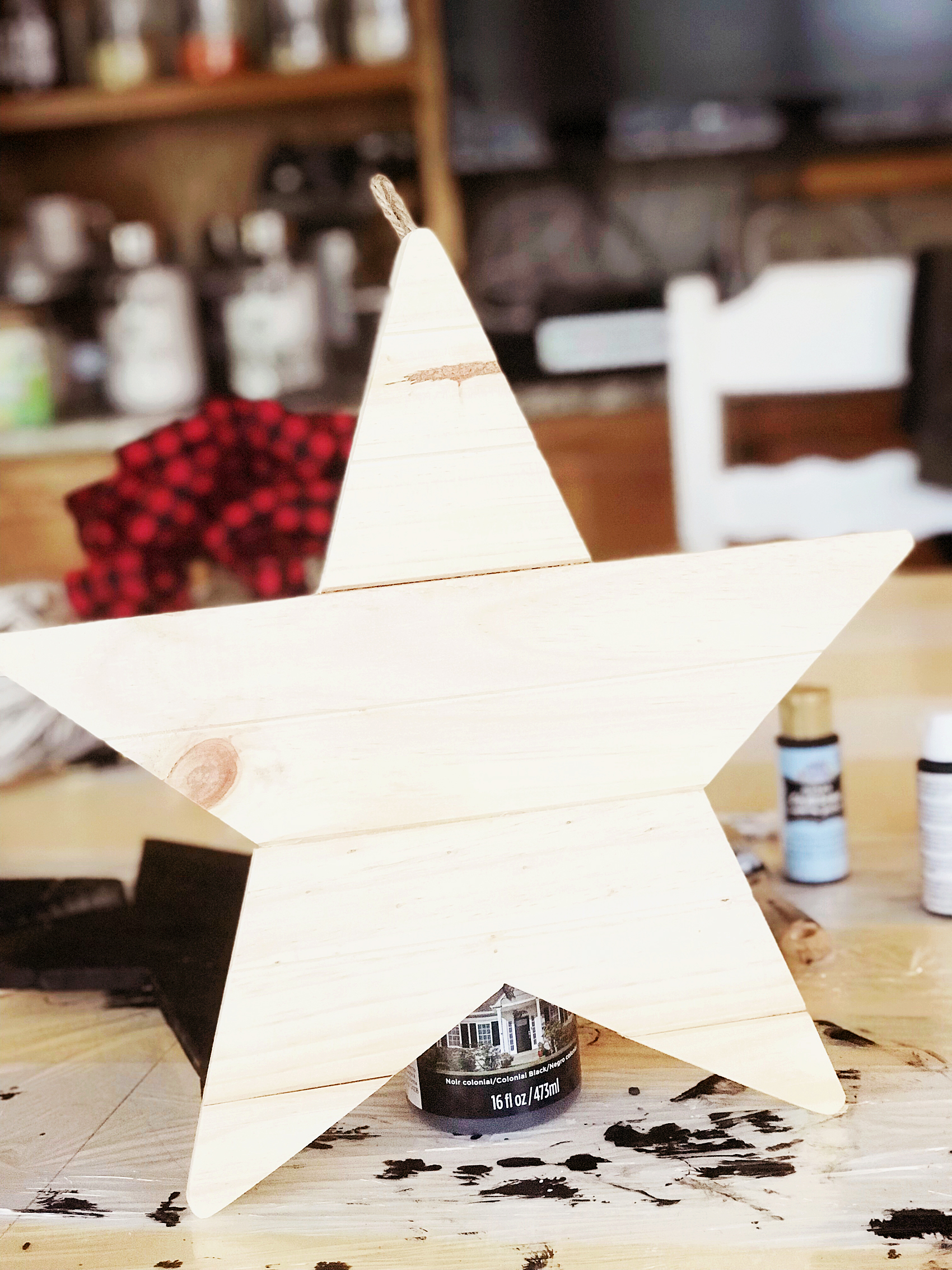
raw-star

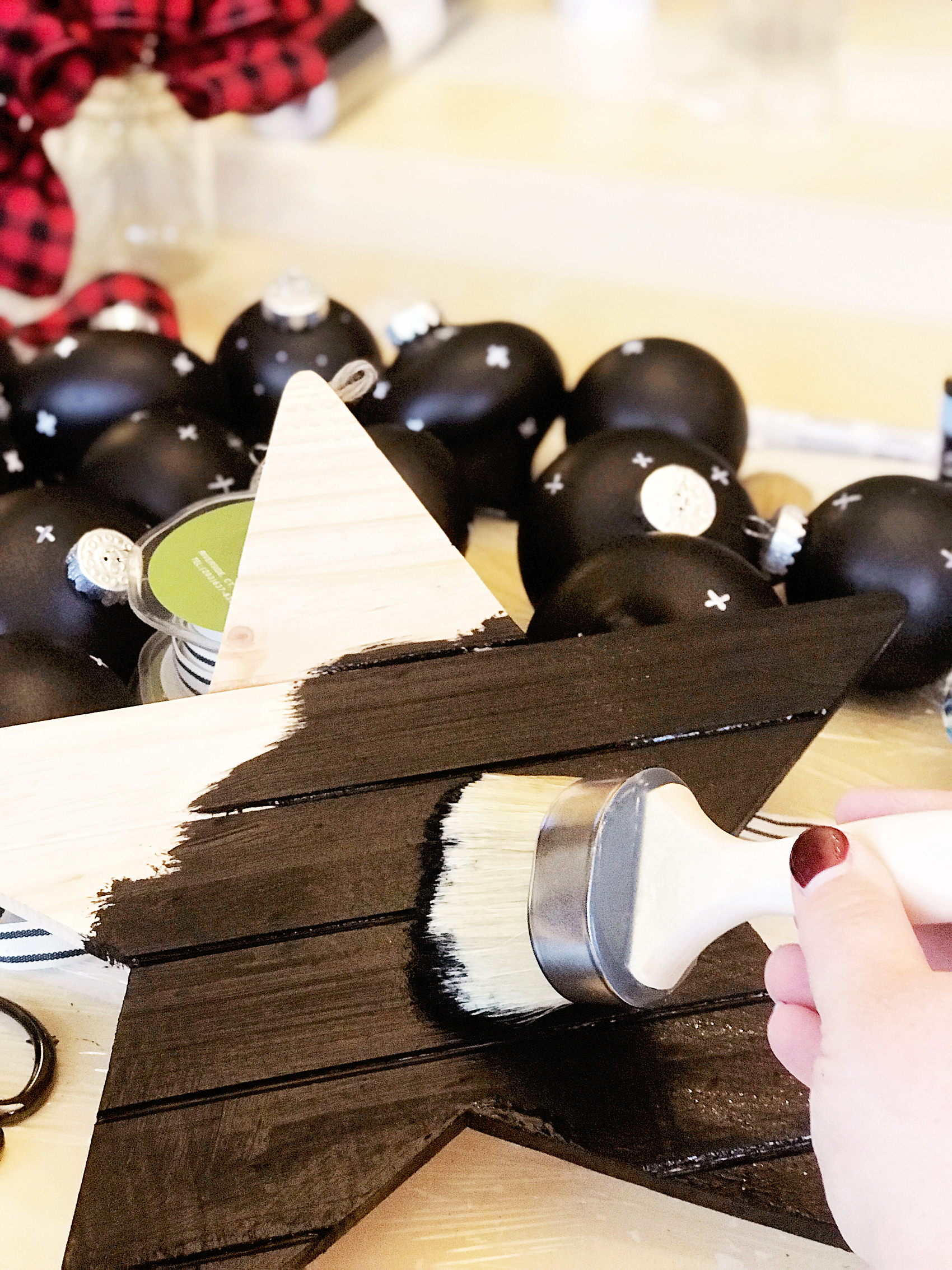
First, grab your raw wood stars and wipe them down with a damp cloth to make sure they are dust and dirt free. Then paint your base coat with the Americana Decor Curb Appeal paint.

painting-the-star-black-first

The reason why I used the Curb Appeal paint is… One, it’s a durable paint and will stand up to the distressing of the chalk paint. Two, I just happened to have some left over after I painted my front door. I wanted to have a black base because I wanted it to show through when I distressed the white (Everlast) paint.

PRO TIP +  When using chalk paint, you will typically distress your paint to create the look that is typical with chalk paint. You’ll need to keep in mind what color you want to show through once distressed. You’ll need to use that color as your base color then paint your finishing color on top. Then make sure when you are distressing your piece, you don’t use too much pressure. You don’t want to accidentally distress down through your base coat.

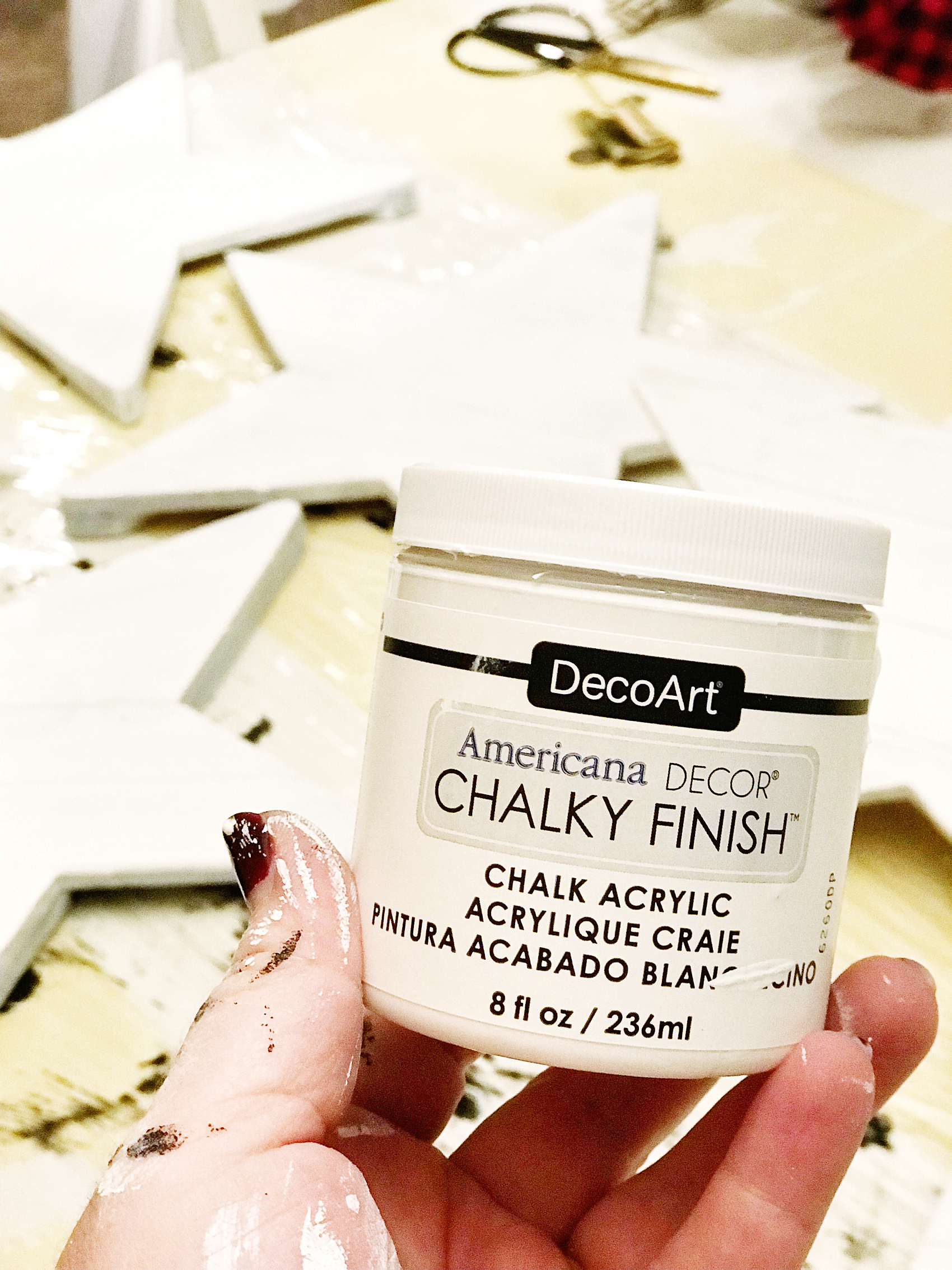
Once your base coat is dry, paint your top coat with the Americana Decor Chalky Finish paint in Everlasting.

painting-farmhouse-wood-star

Pro Tip + Don’t worry about making your top coat look PERFECT with multiple layers of paint. You will be distressing them, no need for perfection. The heavier your layer of paint, the harder your piece will be to distress. No need to make extra work for yourself.

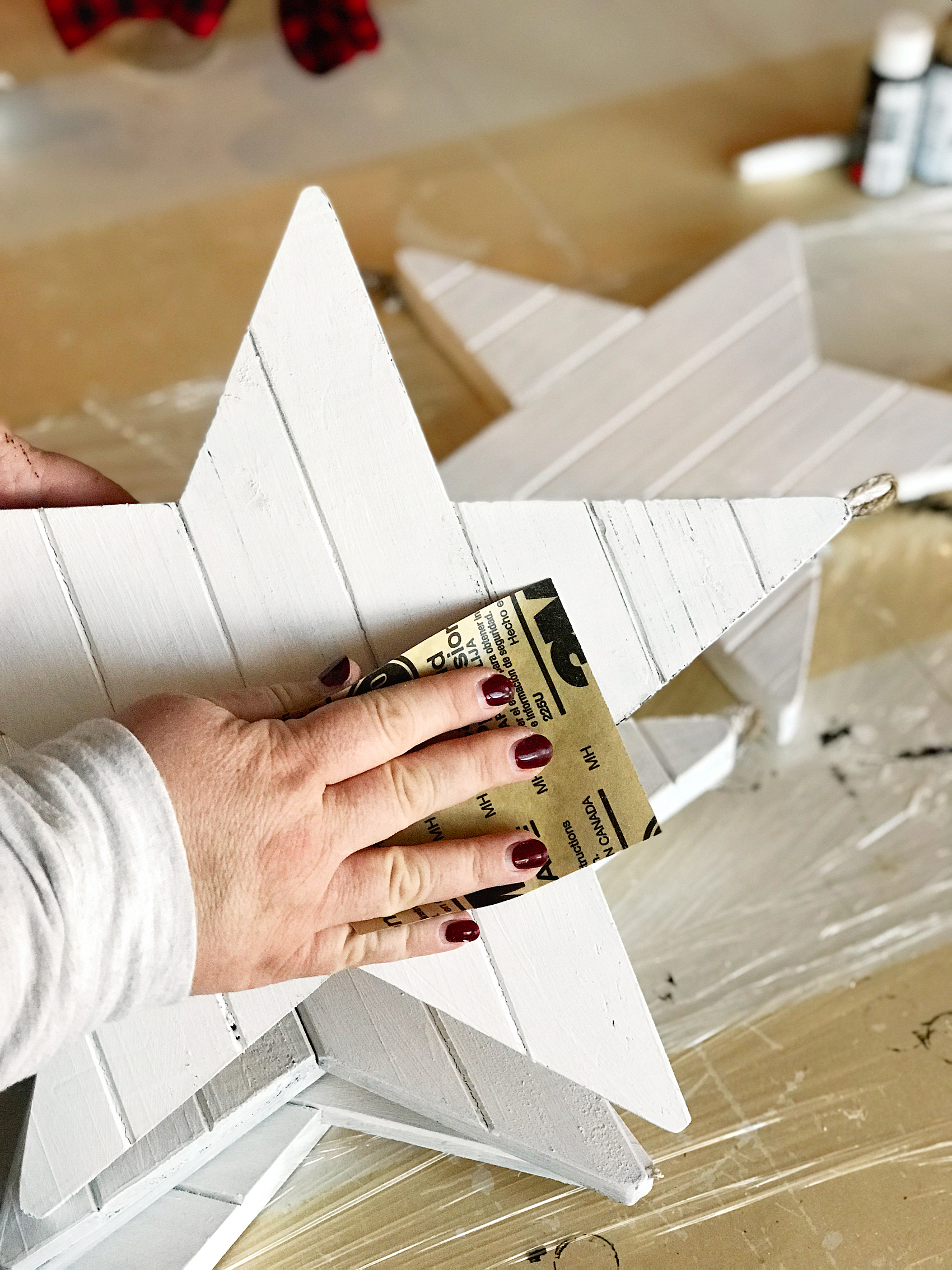
To distress, use a 250 grit sandpaper and lightly sand the raised edges of the stars.

how-to-distress-wooden-star-4

Christmas Carol Graphics

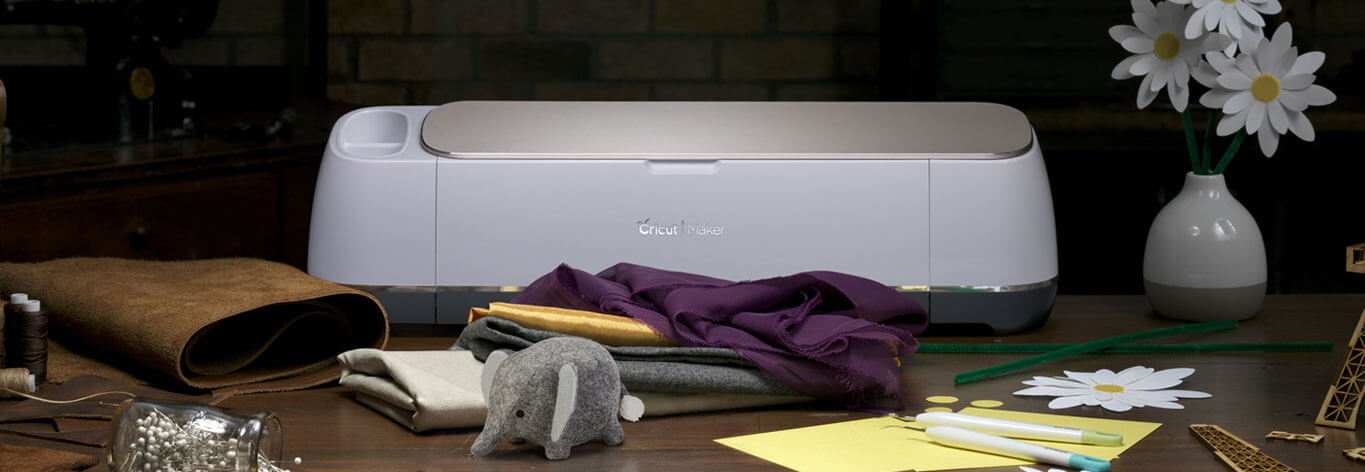
Now, it’s time to break out your Cricut machine. I’ve used the Cricut Explore machines and the Cricut Maker and I LOVE them both. For this project, I used my Cricut Maker but, either one is fine.

Athena_shop_hero_no-copy-copy2

Learning how to cut iron on vinyl with the Cricut Maker via WhipperBerry

To begin, I created these designs to put on the chalk painted stars…Farmhouse Christmas Carol Ornaments from WhipperBerry

I love how they help to usher in the spirit of the season. They remind us of seasons past and they also help to remember the true meaning of the season… The birth of our Savior Jesus Christ.

You can download these Christmas Carol designs HERE

Then all you need to do is to upload the SVG files to the Cricut Design Space. You can check out this post on how to upload a design in the Cricut Design Space to learn how to do that.

Then you’ll cut your designs on your Cricut machine and then apply the vinyl to your stars. To learn how to apply vinyl, visit this post… How to Apply Vinyl Tutorial that I created.

It’s really not hard if you follow a few simple steps. It truly is one of my favorite ways to create for my home.

Pro Tip + Make sure you wipe down your stars with a damp cloth to remove any remaining paint dust. It will make applying the vinyl much easier.

Now your stars are ready to add to your tree!

Farmhouse-Star-Christmas-Tree-via-WhipperBerry-3

Farmhouse-Star-Christmas-Tree-via-WhipperBerry-9

I can’t wait to see what you guys create this Holiday Season! Make sure to tag me on your social media posts. You can follow me on Facebook, Instagram & Pinterest.

  • « Go to Previous Page
  • Page 1
  • Page 2
  • Page 3
  • Page 4
  • Page 5
  • Interim pages omitted …
  • Page 10
  • Go to Next Page »

Primary Sidebar

Heather from Whipperberry
Hello... my name is Heather and I'm the creator of WhipperBerry a creative lifestyle blog packed full of great recipes and creative ideas for your home and family. I find I am happiest when I'm living a creative life and I love to share what I've been up to along the way... Come explore, my hope is that you'll leave inspired!

Footer

  • Privacy Policy
  • Crafts
  • Food
  • Gifts
  • Holidays
  • Home
  • Mom Life
  • Recipes
  • Travel

Copyright © 2026 · Seasoned Pro