• Skip to primary navigation
  • Skip to main content
  • Skip to primary sidebar
  • Skip to footer

Whipperberry

WhipperBerry • Your Home For Creative Inspiration

  • Home
  • Recipes
    • Starters
    • Easy Weeknight Dinners
    • Main Dish
    • Salads
    • Side Dish
    • Soups & Stews
    • Desserts
    • Breakfast
    • Miscellaneous
  • Tutorials
    • Creative Crafts
    • DIY Decor
    • Fabric Crafts
    • Food How-To
    • Jewlery
    • Paint Projects
    • Paper Art
    • Party Styling
    • Photography and Graphic Design
    • Silhouette
  • Holidays
    • Easter
    • Mother’s Day
    • Father’s Day
    • 4th of July
    • Halloween
    • Thanksgiving
    • Christmas
    • Valentine’s Day
  • Gift Ideas
    • Gifts For Everyone
    • Gifts for Dad
    • Mother’s day
    • For The Girls
    • For The Kids
    • Teacher Gift Ideas
    • Christmas
  • Printables
    • Holiday
    • Gift Idea
    • LDS Primary
  • Travel
  • About
    • Terms
  • Contact
  • Nav Social Menu

    • Facebook
    • Instagram
    • Pinterest
    • RSS
    • Twitter

Tutorial

Christmas Tree Truck Mug • Cricut Holiday Gift Giving

10 · Nov 29, 2017 · 2 Comments

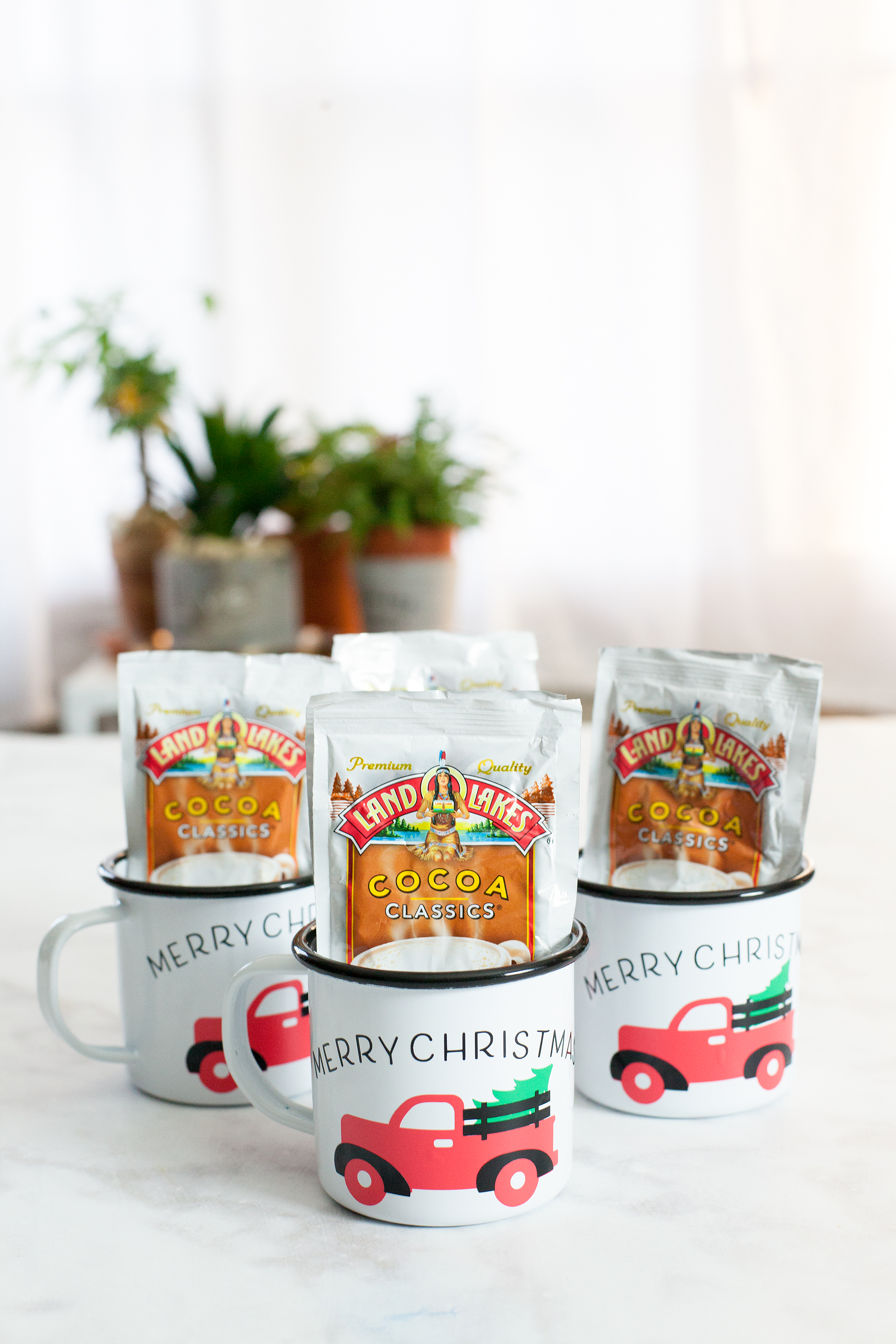
Always, always, always… Looking for fun and unique gifts that I can create for friends and family during the holidays. This Christmas Tree Truck Mug, that I created with my Cricut Maker, has my heart! I Now if you aren’t sure which is better, Cricut vs Silhouette, then make sure you check out that comparison! Anyways, I love how it turned out. This Christmas Tree Mug filled with hot chocolate packets is fun to give to friends, neighbors, teachers, and so on. I typically stick with black and white in my designs because I LOVE black and white. This time, I branched out and layered different colors of vinyl to create a fun look on a white and black enamelware mug. While I was making them I created a video tutorial on how to layer your vinyl when working with multicolored vinyl projects. Come check it out…

+ This post brought to you by Cricut +Always, always always looking for fun and unique gifts that I can create for friends and family during the holidays. This one that I created with my Cricut Maker has my heart! I love how it turned out. This Christmas Tree Mug is so cute and fun to give to friends, neighbors, teachers and so on.

Christmas Tree Truck Mug

Inspired by the ever-popular red truck with a Christmas Tree in the back, I thought it would translate nicely into a fun neighbor gift. This project is really quite simple. However, it looks impressive and your friends who receive it are going to LOVE it! I know I would if someone gave it to me. Here’s what you’ll need to make some of your own.

Materials

For the mug, I found some enamel ware mugs at Amazon (I’m not an affiliate) but they can be pretty pricey. If you want a more budget friendly option, I would visit a Dollar Store, Dollar Tree or even a thrift store to find just some basic white mugs.

  • white mug
  • design file for Cricut Design Space
  • black vinyl
  • red vinyl
  • green vinyl
  • Cricut Transfer Tape
  • Cricut Cutting Machine ie. Cricut Maker or Cricut Explore Air 2
  • Cricut Light Grip Cutting Mat
  • hot chocolate packets

Instructions

The first thing you might want to do is watch a video tutorial that I created that shows how to create curved text in Cricut Design Space AND how to apply the vinyl to the mug. It would be really helpful. Don’t worry though, I’ve handled the entire design process for you! Once you watch the video, make sure you have clicked on the link to my design file so that you can easily create this project in Cricut Design Space. Select the click it button on the bottom right and follow the steps to cut all three colors of vinyl. Next step, you’ll need to weed your vinyl. That means that you need to remove all of the vinyl around your image and inside the image. Once you’ve weeded the vinyl, you’re ready to apply it to the mug. Here is a quick video tutorial on how to easily layer your vinyl.

WhipperBerry Cricut Design School-How to Easily Layer Vinyl Video Tutorial from Heather Thoming on Vimeo.

Now, all you need to do is fill your cute mugs with your favorite hot chocolate packets. Then, make a list of all your favorite friends & neighbors to give one if these fun mugs to this Christmas.
Learn how to create stylish curved text in Cricut Design Space • Video Tutorial created by WhipperBerry

Cricut Questions

Have any Cricut questions? I’d be happy to tackle them if you’d like. Leave a comment or email me at heather @ whipperberry . com and I’ll put together a video to help shine some light on what has been perplexing you.

This is a sponsored conversation written by me on behalf of Cricut. The opinions and text are all mine. I have included some Share-a-Sale links for tracking purposes only. I am not a Cricut Affiliate.
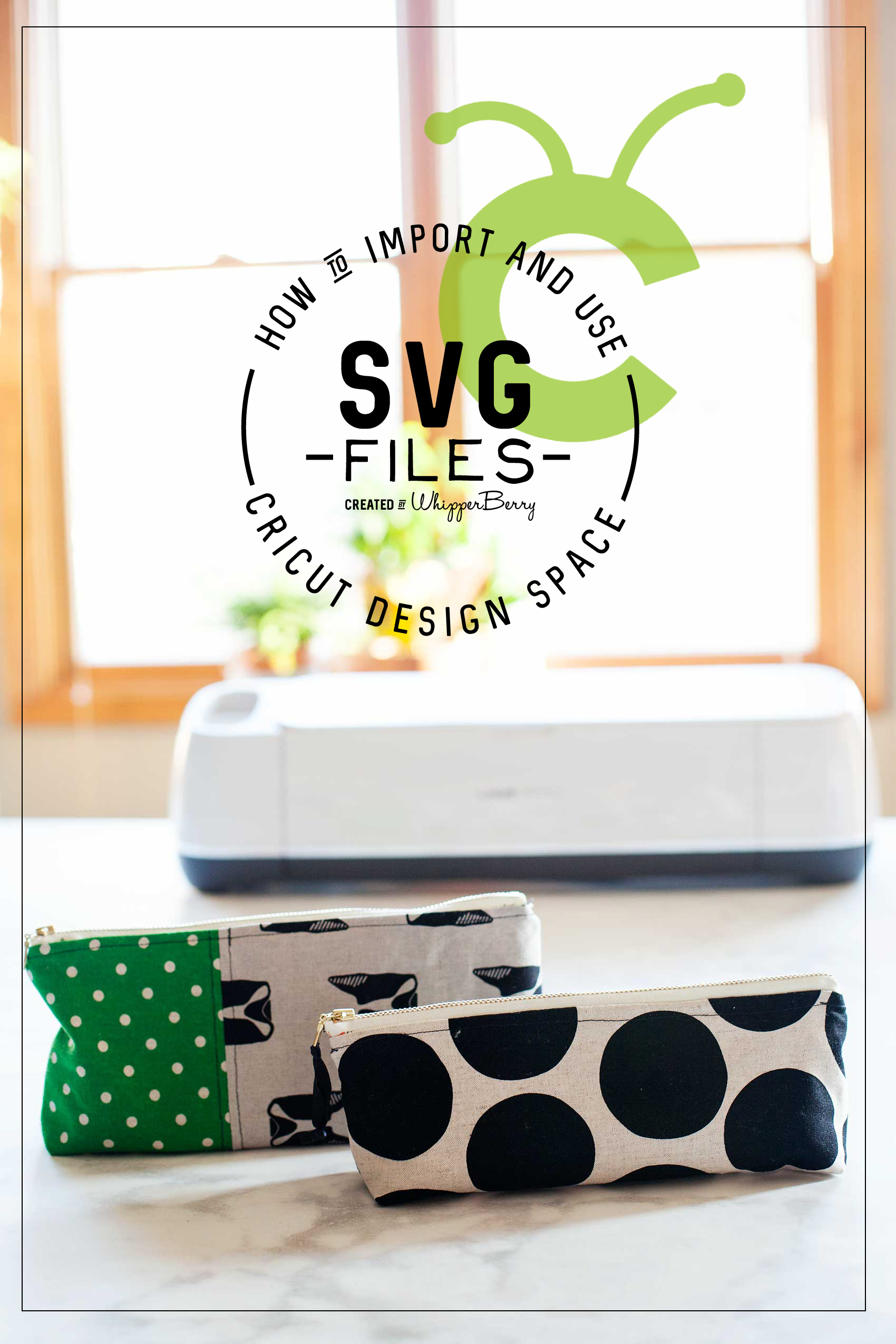
How to Import and Use a SVG File in Cricut Design Space

55 · Nov 21, 2017 · 2 Comments

I LOVE to create my own designs for all kinds of things like signs, printables, special gifts and now, thanks to the Cricut Maker… Sewing projects! The issue that I ran into at the beginning was figuring out how to effectively use my own SVG files in Cricut Design Space. If you’re like me, and would like to either use either your own designs or other designs that you purchase from Etsy or other sites, this video tutorial is for you! You could use a Silhouette or a Cricut. If you’re unsure of which is better you can read my review of Cricut vs Silhouette here. Whether you are a sign maker, a paper crafter or you love to work with fabric, chances are you've wanted to either create your own SVG files or download files that you've purchased and use them with your Cricut Projects Here’s a great video tutorial on how to import your own SVG files into Cricut Design Space and how to easily use it in the software.

Whether you are a sign maker, a paper crafter or you love to work with fabric, chances are you’ve wanted to either create your own SVG files or download files that you’ve purchased and use them with your Cricut Projects. The Cricut Design Space is pretty robust but there are times when you need a little more in the design area. For example, create curved text and such for a project. I stumbled across a way to covert PDF sewing patterns into SVG files to use with my Cricut Maker.  Don’t worry, I’ll have a tutorial for that soon. Today, I want to focus on how to import and use that SVG file into Cricut Design Space and use it effectively. I’ve been working on this for a bit so I’ve managed to come-up with some great tips and tricks to help speed-up your work flow in order to cut down on possibly technology frustration.

Video Tutorial on How to Import and Use Your SVG Files in Cricut Design Space

Take a few minutes to sit and watch this video. I promise it will make your time in the Cricut Design Space much easier!

How to Write on Labels with Cricut to Create Your Own Handwritten Labels

129 · Mar 28, 2017 · Leave a Comment

Love the look of handwritten labels but you’re not in love with your own handwriting? No problem! These Cricut handwritten labels come to the rescue!

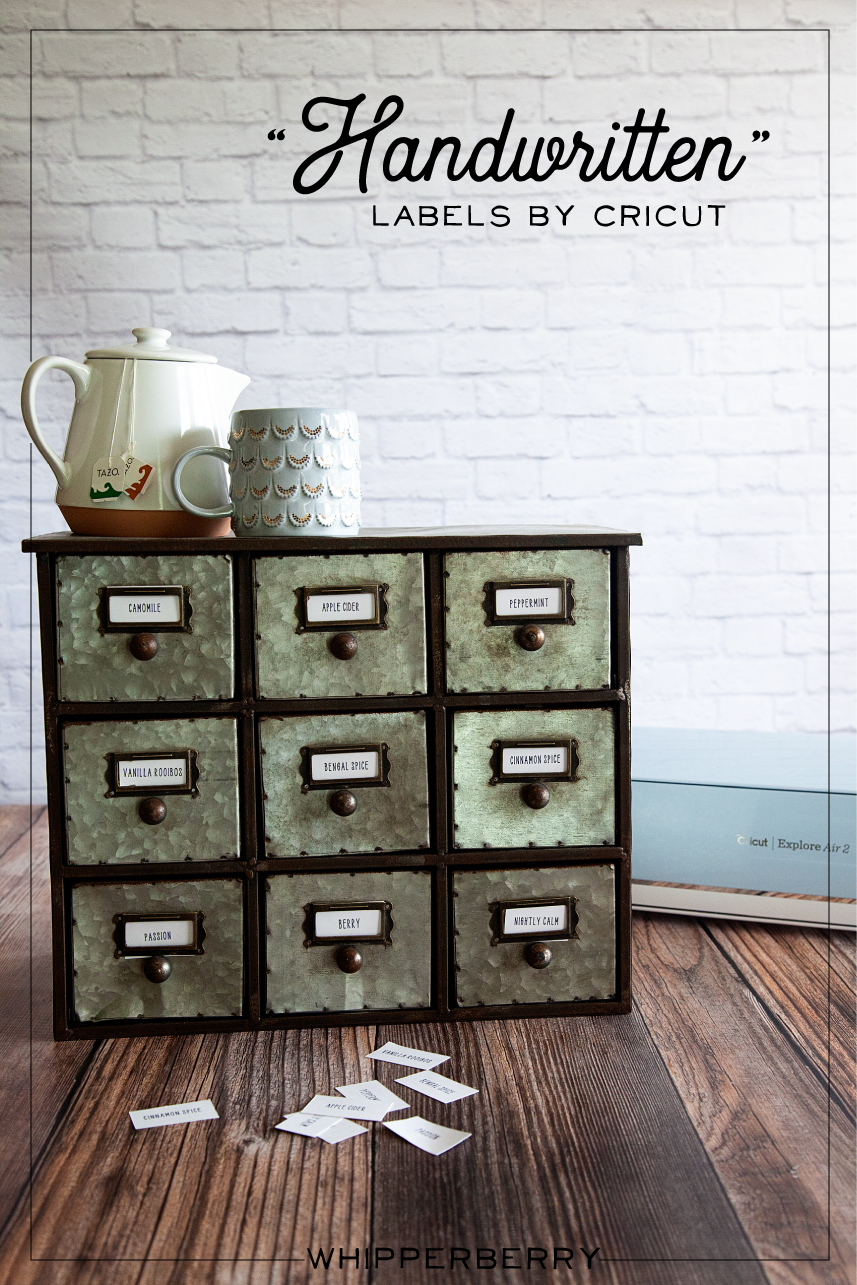
Handwritten label by Cricut. Get that perfect look for your home weather it's; industrial labels, farmhouse labels or modern labels. You can achieve that perfect "handwritten" look even if you don't have great hand writing with the Cricut using your favorite handwritten fonts.

My Handwritten Labels Circut Explore Air 2 Project

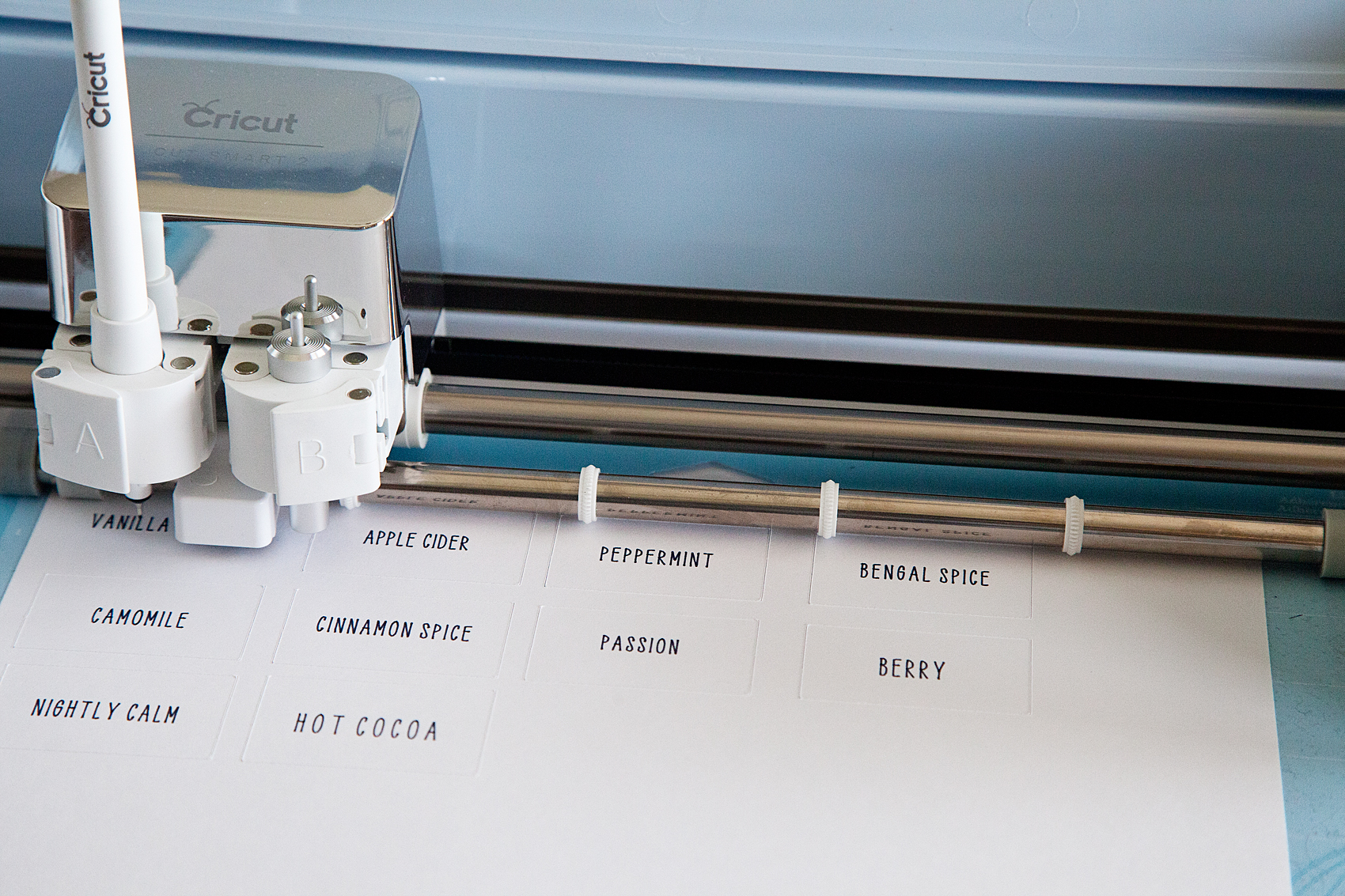
Did you know that you can WRITE with your Cricut and cut out cute labels? You can even write on Avery labels with your Cricut! I put the Cricut markers to the test and created an easy-to-follow video to show you how to create some simple industrial-style labels that everyone loves right now. Here’s what inspired this project…

I have become obsessed with herbal tea this winter. My husband and I would share a mug of tea every night before bed to warm ourselves before hitting the hay. We started with one flavor of tea, Camomile, and over the chilly months, we started collecting all kinds of new flavors. Soon our collection of herbal tea started to take over our kitchen and I decided that it was time to find a better storage solution for our newfound tea love. I found a great industrial-style cabinet that fits perfectly in our kitchen and loaded it up with all of our tea.

The next step was to create some labels for our new tea storage solution. Because the cabinet was an industrial-style cabinet I wanted to create some industrial-looking labels that were handwritten. The problem… I’m not a huge fan of my handwriting. I was just not blessed with that gift, nor do I have the time to practice, practice, practice. I remembered that my Cricut Explore Air 2 has a great “handwritten” option using the Cricut Explore Pens.

Handwritten label by Cricut. Get that perfect look for your home weather it's; industrial labels, farmhouse labels or modern labels. You can achieve that perfect "handwritten" look even if you don't have great hand writing with the Cricut using your favorite handwritten fonts.

How to Write on Avery Labels with Your Cricut – Handwritten Label Inspiration

This is such a simple beginner project that anyone at any creative level can create for their home with their Cricut machine. For this industrial-style label, I kept things simple. I really only needed a “handwritten” tea name with a rectangle cut around it… Pretty basic. However, you can create all kinds of great “handwritten” labels with fancy shapes as well. I created a Label Design Pinterest board with some inspiration for all kinds of fun “handwritten” labels that you can make with the Cricut Explore Air 2.

The video below shows you in-depth how to create the lables.

How to Make Your Own Handwritten Labels With Cricut Explore Air 2

With all of that inspiration, you have to be chomping at the bit to get started. I created a simple, easy-to-follow video to show you exactly how to make these basic handwritten labels for a storage solution in your home. Grab a cup of tea, sit back and learn how to make your own labels.


Here’s What You Need to Make These Cricut Handwritten Labels

There are a few things you’ll need to make these awesome labels. The good news is you can get all of them online. Since you’re reading this I bet you already have a Cricut machine but if not, what are you waiting for!? The rest of the tools you may or may not have and I’d recommend picking them up to get this project going 🙂

  1. Cricut Machine (I used the Explore Air 2 for this)
  2. Cricut Pens
  3. Cricut Cutting Mat
  4. Avery Lables
  5. Optional but helpful: The Cricut spatula tool
  6. And just a little bit of practice!

That’s all you really need for this project. Most of these items are very cheap unless you don’t already have a Cricut machine. Even then, if you want to get into DIY home crafts and projects, the machines really are a bargain!

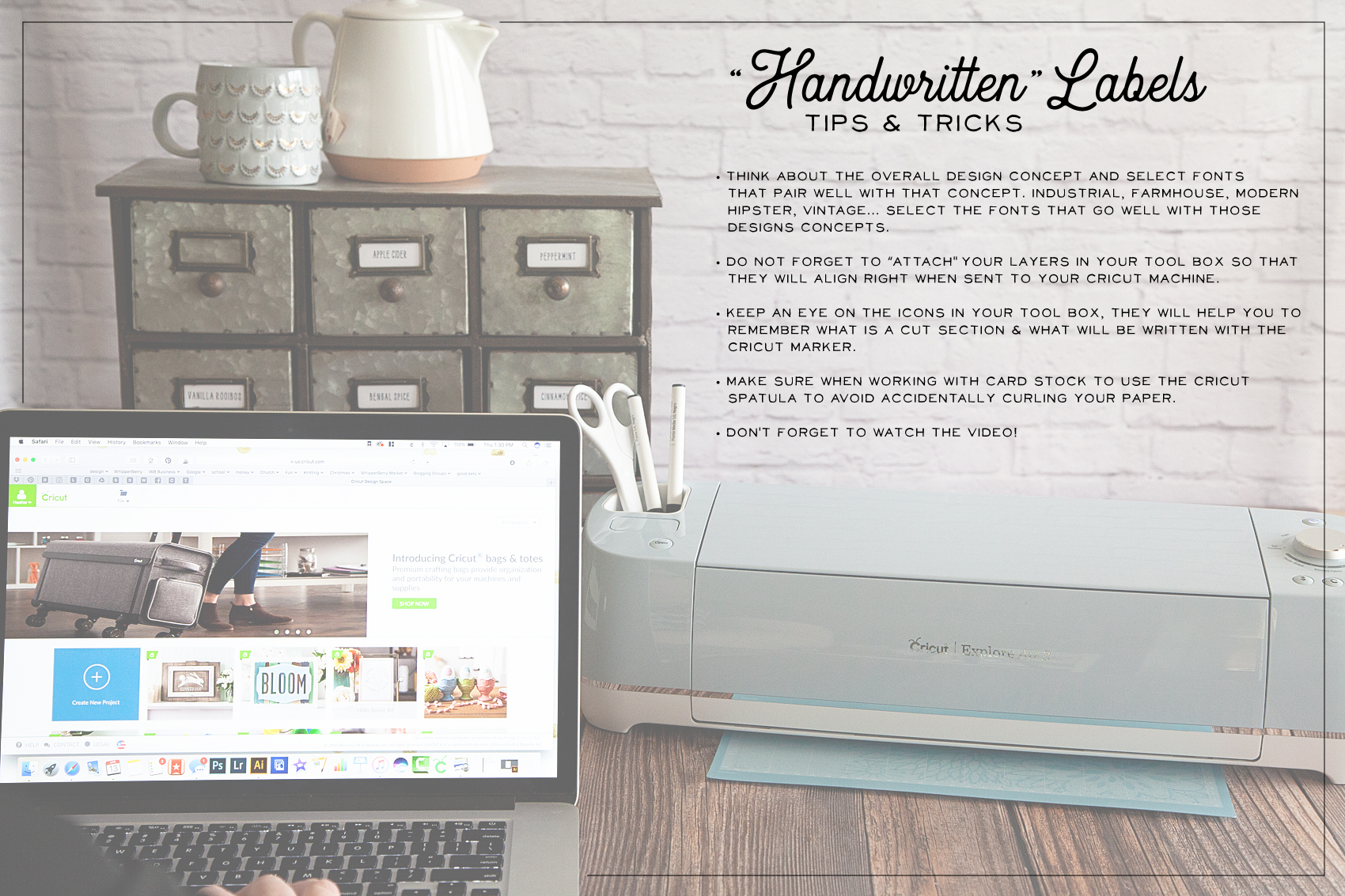
Tips & Tricks for Handwritten Cricut Labels

"Handwritten" label by Cricut. Get that perfect look for your home weather it's; industrial labels, farmhouse labels or modern labels. You can achieve that perfect "handwritten" look even if you don't have great hand writing with the Cricut using your favorite handwritten fonts.

Here are a few tips & tricks that I learned along the way.

  • STOP and think about your end game. What style are you looking to create with your handwritten labels? Make sure you are selecting fonts that pair well with that design concept. If you are going for an industrial look, you aren’t going to use a font that is more shabby chic. If you have a farmhouse style in your home, you aren’t going to select a modern-style font and so on.
  • When working within Cricut Design Space, don’t forget to ATTACH your layers before you send your design to your machine. We go over this in the video so make sure you check that out before you get started.
  • The Cricut Design Space makes it super easy to tell the difference between a handwritten layer and a cut layer in your label design. Keep an eye on the icons to tell the difference between the layers. (HINT… I cover this in the video.)
  • USE your Cricut tools! I always want to move too fast and forget that Cricut has created some great tools to help make your projects the best they can be. When removing card stock paper from the cutting mat, use the SPATULA TOOL to keep your paper nice and flat. If you remove the paper by just pulling it away from the cutting mat, it will curl slightly.
  • Don’t forget to watch the video! It’s less than 10 minutes and it covers everything you’ll need to know to create your own “handwritten” labels.

Now hopefully you know how to make labels with your Cricut Explore Air 2. As always, If you have questions post them in the comments below and I will answer!

How to Make Paint Look Like Stain | Faux Stain with Chalk Paint

74 · Oct 29, 2015 · 6 Comments

Do you love the stained look, but can’t stand the idea of staining?

It’s smelly, sticky, messy… Not to mention all of the chemicals that you are introducing into your home. I have a fabulous alternative for you!

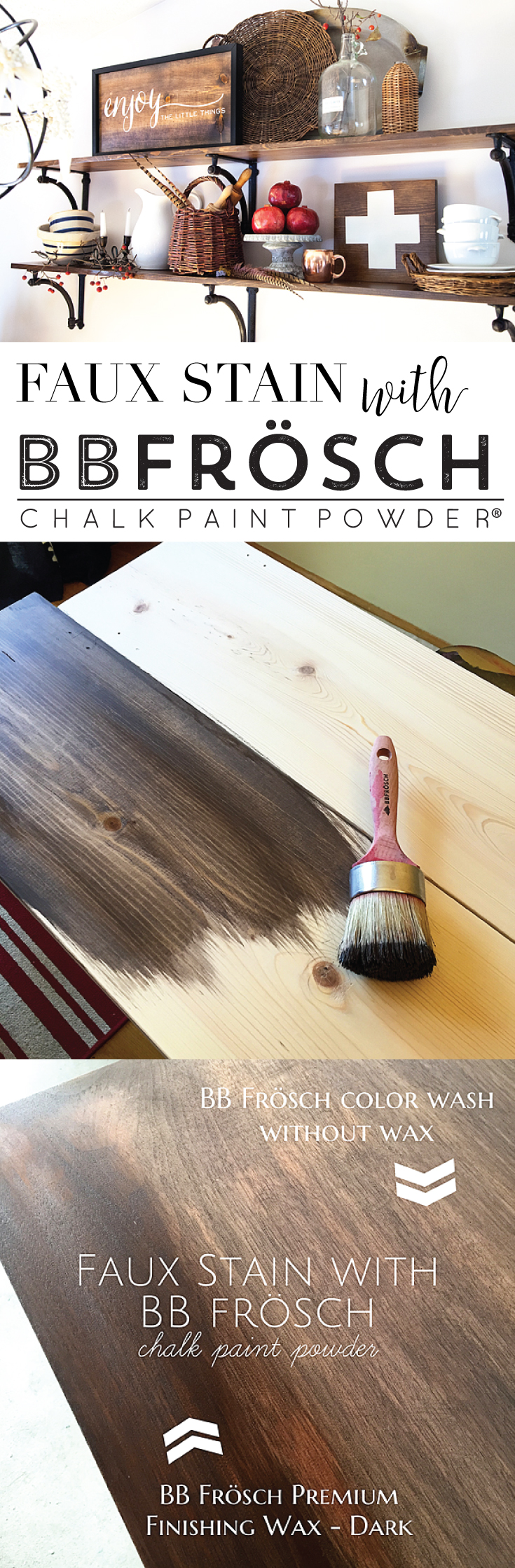
Faux Stain with BB Frösch Chalk Paint Powder®…

Faux-Stain-with-BB-Frösch-Chalk-Paint-Powder

Doesn’t it look fantastic?! BB Frösch is an ALL-NATURAL paint additive that you can add to any flat latex paint and turn it into chalk paint. Mixed with a low-VOC or no-VOC paint you don’t have to worry about any of those harmful chemicals from other stains or paints. With the addition of BB Frösch, you are giving your paint the fabulous adhesion properties and manipulatable properties that everyone loves about chalk paint.

Which Kind of Chalk Paints Should You Use to Make it Look Like Stain?

As you can tell I love BB Frosch. There are a lot of different brands and types that you can use for chalk paint though. I wrote a post about the best chalk paints you can read. The down and dirty of it is that BB Frosch Powder is number one in my heart, and then you have the rest. The difference is that you mix the powder with any paint that you want to use instead of buying actual chalk paint.

PSA- DON’T EVER USE THOSE DIY CHALK PAINT RECIPES! They are harmful to your health and won’t work for this technique. Plaster of Paris and Unsanded Grout have caustic chemicals in them. You don’t want to introduce those into your home or your body for sure.

Now onto the fun stuff…

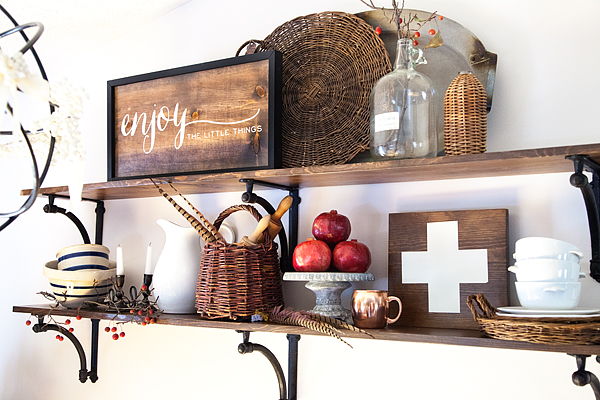
I’ve been traveling the country teaching BB Frösch Workshops and one of the techniques that we teach is a color wash technique. This is a technique you would use if you wanted to still see the wood grain when painting a piece. Even though I am the co-founder of a chalk paint company, I still am a lover of the natural wood look. I hate to cover up all of that character, BUT… Sometimes a piece still needs new life with a little TLC, OR  maybe you have some raw wood that you would love to add some nice rich color to. For example like my shelves…

Classic-Christmas-Tree-from--WhipperBerry-15

I LOVE the look of a nice rich stain, but I hate to stain! That’s when I thought… Why not use that color wash technique that I teach all the time and make it LOOK like it was stained? That is what I set out to do.

How to Faux Stain with BB Frösch Chalk Paint

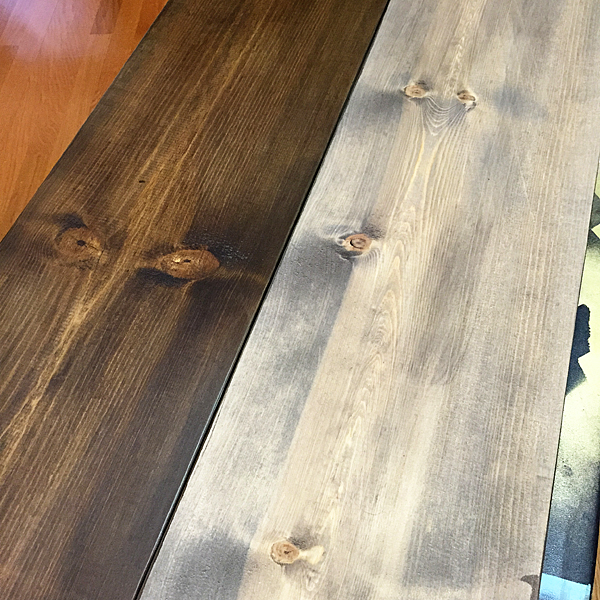
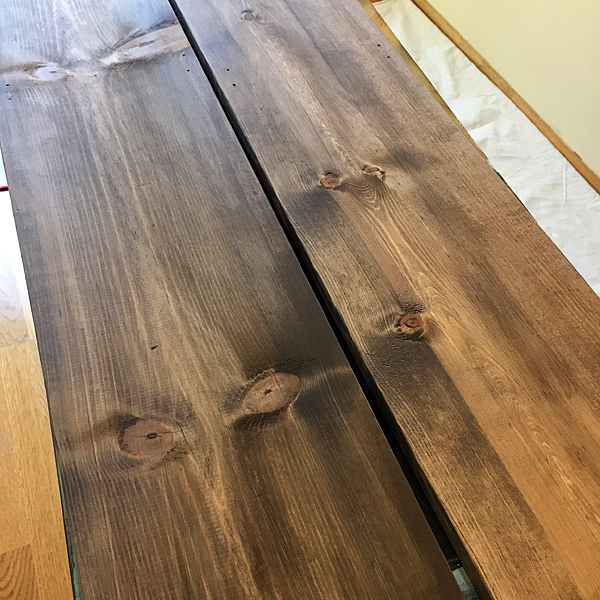
I found a beautiful brown paint color from Benjamin Moore called Mink and I LOVE it!! When you are faux staining with this color it’s super fun because it pulls a little gray when painting (faux staining) your project. It’s a beautiful weathered wood look but, when I finish it with our Dark BB Frösch Premium Finishing Wax it gives it that nice rich stained look that everyone loves. If I want to keep the weathered wood look, I would just finish it with the clear wax.

BB-Frösch-Faux-Stained-wood-planks-with-and-without-wax

But I’m getting ahead of myself.

First, you need to mix your paint with BB Frösch Chalk Paint Powder. Here is a quick video on how to do that…

Mixing BB Frösch Chalk Paint Powder from BB Frösch on Vimeo.

Once your paint is mixed, you’re ready to go.

Quick-and-easy-faux-stain-with-BB-Frösch-

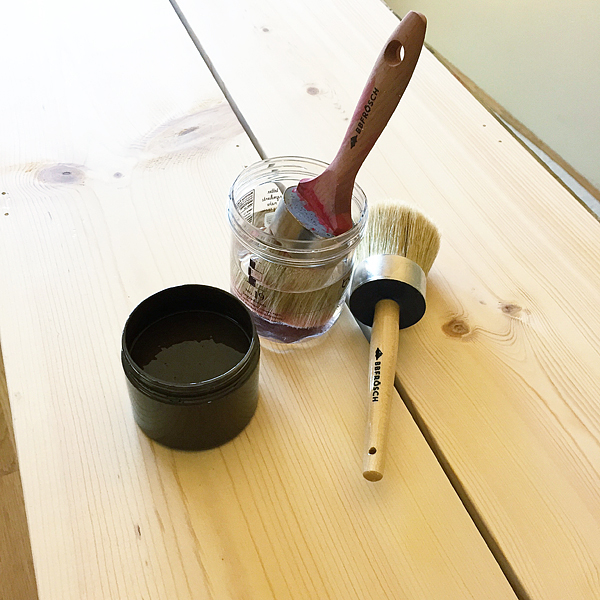
You’ll need your trusty BB Frösch paint brush and wax brush for this project and a jar of water along with your mixed BB Frösch Chalk Paint.

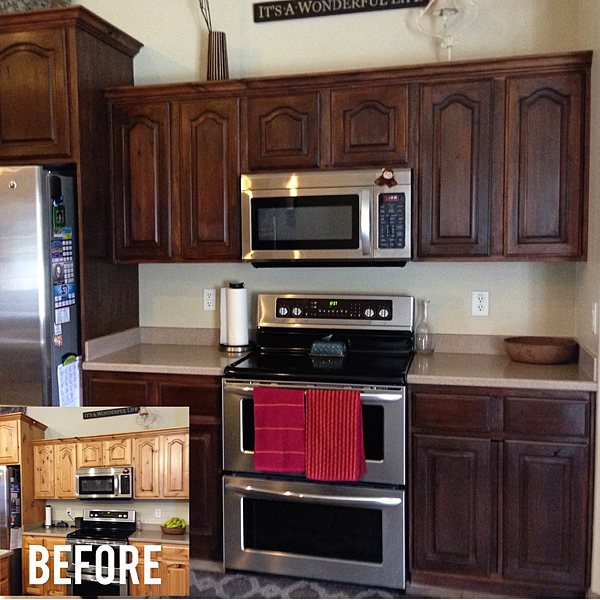
This technique works amazingly well on raw wood, but it can also be used on a finished piece with a little extra care. We have a customer that faux stained her entire kitchen without any sanding or striping  before she set to work. Here’s a look at her before and after…

BB-Frösch-Faux-Stained-Kitchen-2

YEA, it’s that aaaamazing!! Not to mention the fact that this took DAYS rather than weeks or heaven forbid months to finish. Couple that with the fact that this took less then a gallon of paint and your golden!

BB-Frösch-Faux-Stained-Kitchen

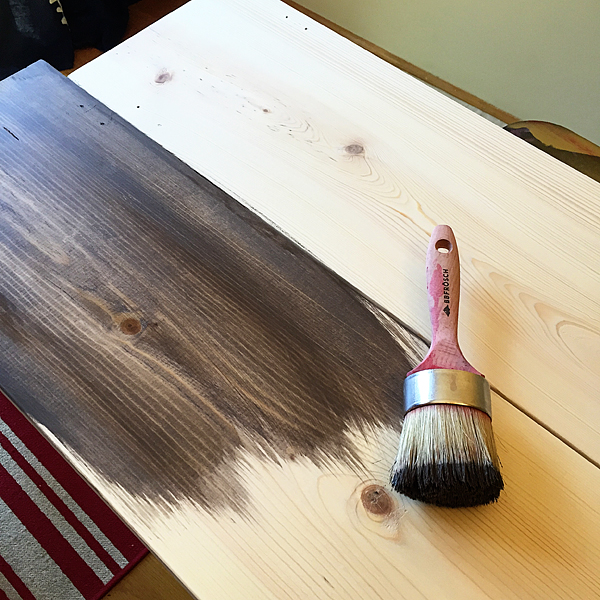
For this tutorial, I am using raw wood that I purchased at Home Depot. All you need to do is make sure your brush is pretty wet, dip it in your paint and then swirl it around on your paint lid, mixing the water and paint a bit.

Then, going with the grain, brush the watered-down paint onto your wood. Follow that with a lint-free cloth and lightly wipe the surface of your wood exposing the grain of the wood.  THAT’S IT!!

How-to-faux-Stain-with-BB-Frösch-Chalk-Paint

Continue that process until you’ve finished your entire piece. It will literally take just minutes to dry and then you’re ready for the wax.

BB-Frösch-Dark-Premium-Finishing-Wax-for-Faux-Staining

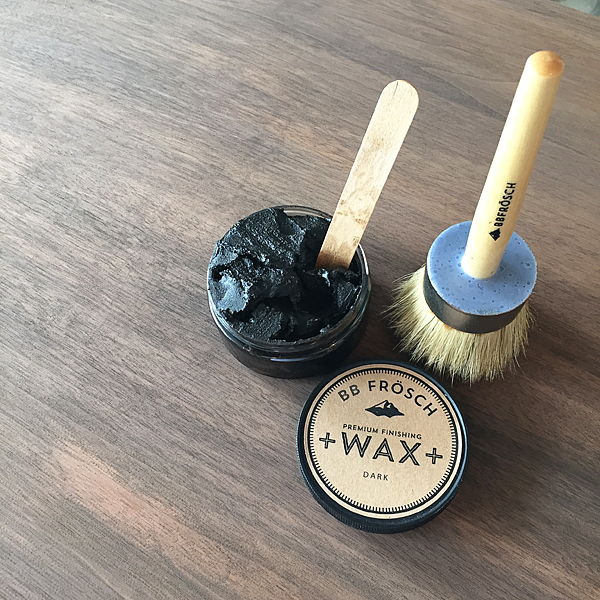
This is another simple step. Take your wax brush and butter a little bit of wax onto your brush, just like you butter your toast. Then, with the grain brush on the wax in a small section about the size of a 12×12 piece of paper. Then using a lint-free cloth, wipe off any excess wax and then rub the area until smooth. Move on to your next section and repeat the process until your piece is finished. Go back with a lint-free cloth and then buff to your desired sheen.

faux-staining-with-BB-Frösch-finished-boards

These shelves took only 30 minutes, start to finish… READY TO HANG in 30 minutes!!

You can’t do that with stain!!

BB-Frösch-Faux-Stain

Funny thing… Both of those signs that I made for my Fall display are also Faux Stained with BB Frösch as well, using the same technique just on a smaller scale.  See, you can craft with BB Frösch Faux Stain and transform your kitchen at the same time. It’s BRILLIANT if I do say so myself!

This technique is catching fire… Here are a few more projects that use the same technique.

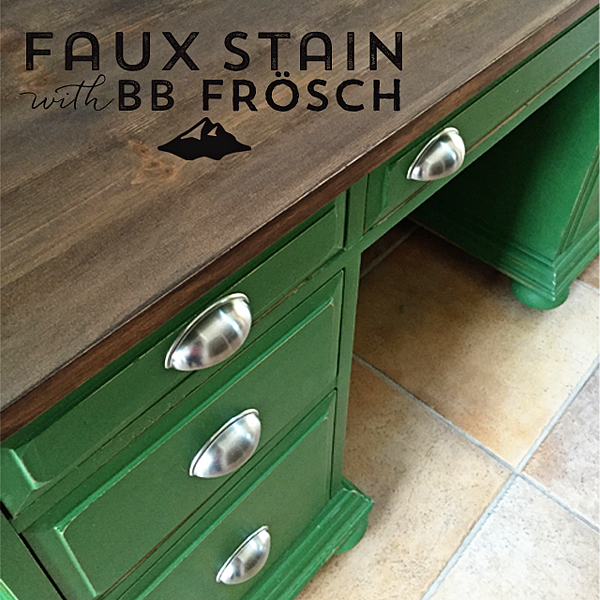
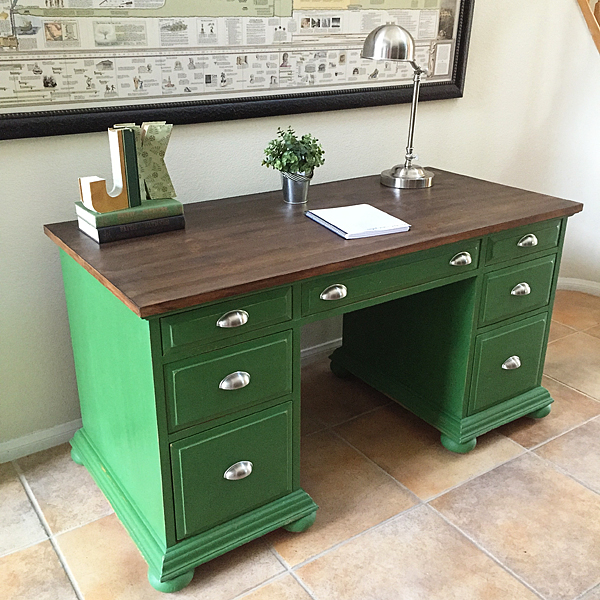
BB-Frösch-Faux-Stained-and-Green-Desk

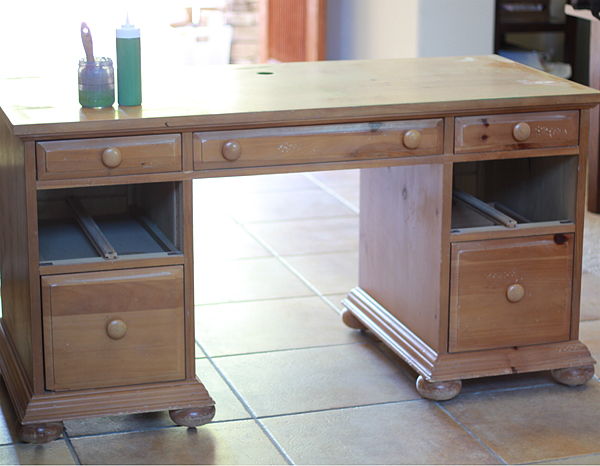
This beautiful desk was transformed by Kacey Stout one of our BB Frösch Masters in Las Vegas. She painted the base of the desk with Behr Paint “Hummingbird” and then Faux Stained the top with Benjamin Moore “Mink combined with BB Frösch Dark Premium Finishing Wax. She transformed it from this…

BB-Frösch-Faux-Stained-Desk-Before

To THIS…

BB-Frösch-Faux-Stained-and-Green-Desk-After

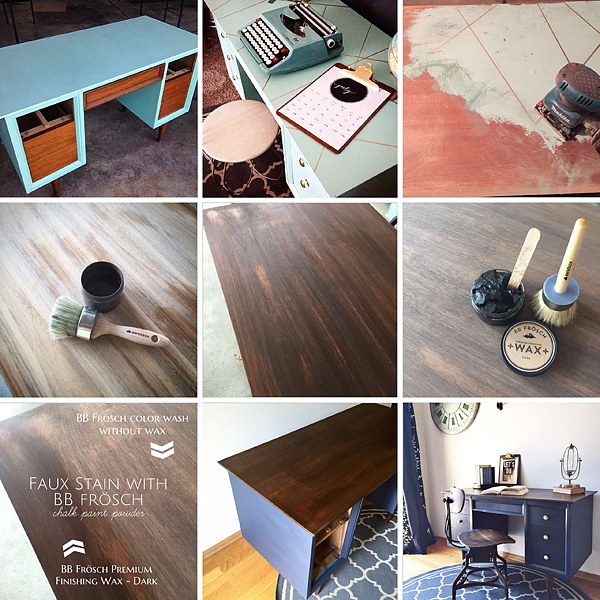
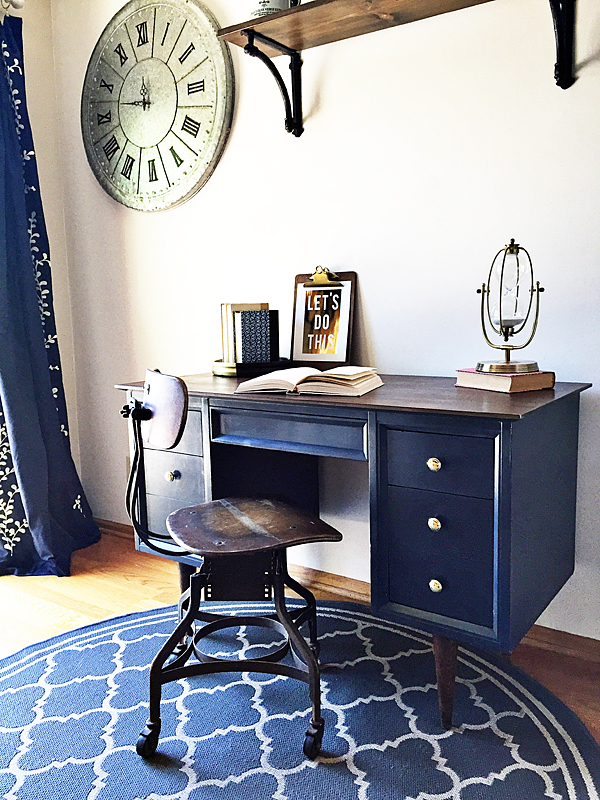
I also transformed an old desk with the same idea…

BB-Frösch-Faux-Stained-Mid-Century-Desk

WhipperBerry-BB-Frösch-Faux-Stained-Desk

I bought that desk at a garage sale for $10… After I gave it a good once over with BB Frösch, I sold it for a couple hundred. Not to shabby!

Needless to say, this is by far one of my favorite techniques. I’ve even used it to make a large set of dice for Yard Yahtzee… This set I kept that weathered wood look and just used a clear wax to finish the look.

Yard-Yahtzee-free-printable-from-WhipperBerry-11

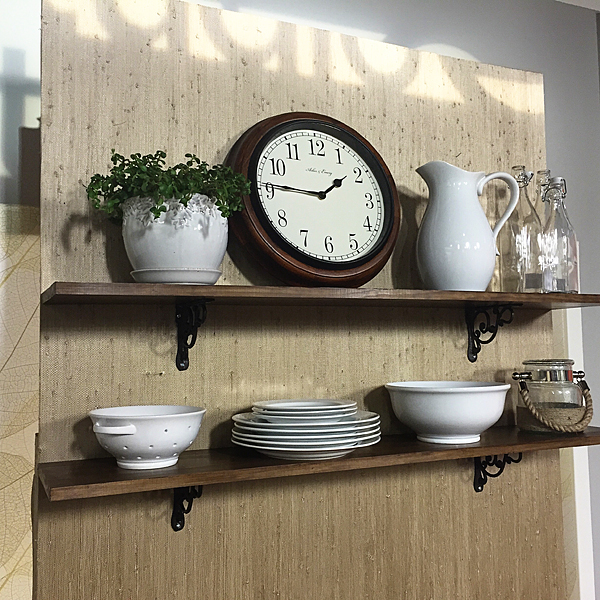
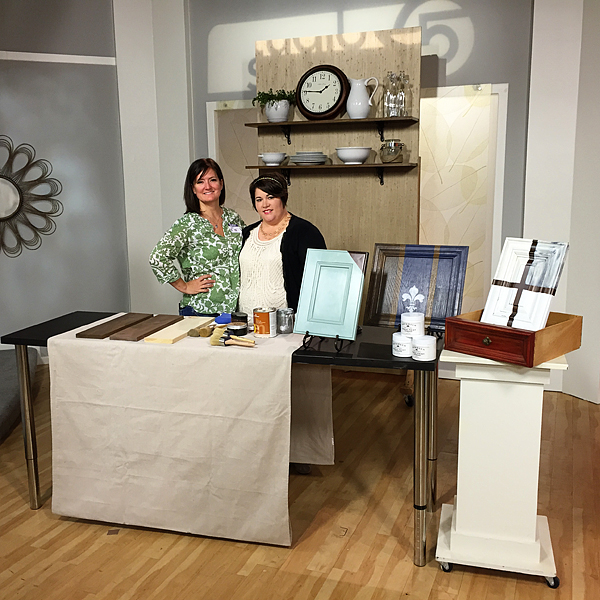
Here is another set of shelves that we made for an appearance on Studio 5 in Salt Lake.

BB-Frösch-Faux-Stain-at-Studio-5

BB-Frösch-at-Studio-5

Here’s Kristin and I on set, AND… Here’s a link to the segment.

If I haven’t convinced you yet to try this… I don’t know what will!

Go grab yourself some BB Frösch and get to work. You’re going to LOVE it!!

  • « Go to Previous Page
  • Page 1
  • Page 2
  • Page 3
  • Page 4
  • Page 5
  • Page 6
  • Page 7
  • Go to Next Page »

Primary Sidebar

Heather from Whipperberry
Hello... my name is Heather and I'm the creator of WhipperBerry a creative lifestyle blog packed full of great recipes and creative ideas for your home and family. I find I am happiest when I'm living a creative life and I love to share what I've been up to along the way... Come explore, my hope is that you'll leave inspired!

Footer

  • Privacy Policy
  • Crafts
  • Food
  • Gifts
  • Holidays
  • Home
  • Mom Life
  • Recipes
  • Travel

Copyright © 2026 · Seasoned Pro